Our Top Picks
Buying accessories for the Lenovo Legion Go is really a decision about how you carry, charge, and expand a large Windows handheld, not about collecting extras for their own sake. The machine is wide, heavy, and fronted by a big sheet of glass, so protection matters early. Its internal drive fills quickly with modern PC games, so storage matters soon after. And because it is a full PC with capable USB-C ports, a dock can change it from a handheld into a small desk setup.


This shortlist is for three kinds of owner. New owners who want the basics covered before the first trip should start with the case, glass, and grip options. Players building a desk or TV setup should look at the dock. Players with a growing library should consider the memory card. Every pick below comes from a real Amazon listing checked for this guide, and the specifications in each entry are taken only from that listing’s title and product details, so check fit and compatibility again on the listing before ordering.
Quick Picks
As an Amazon Associate we earn from qualifying purchases.
| Product | Best for | Key spec from title |
|---|---|---|
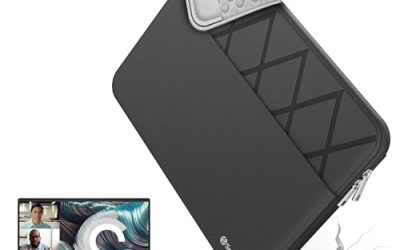
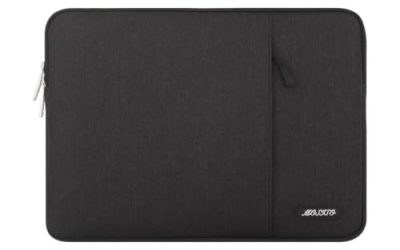
| Spigen Rugged Armor Pro Carrying Case | Travel with the charger packed too | Hard shell case with pockets for accessories and original charger storage |
| amFilm Screen Protector for Legion Go | Keeping the 8.8-inch display unmarked | Tempered glass, 8.8 inch full coverage, 2 pack |
| JSAUX 6-in-1 Docking Station HB0603 | A desk or TV setup with wired networking | HDMI 2.1, Gigabit Ethernet, 3 USB 3.0 ports and 100W charge |
| SanDisk 1TB Gameplay microSD Card | A large installed game library | 1TB microSDXC, read speeds up to 190MB/s, A2 performance |
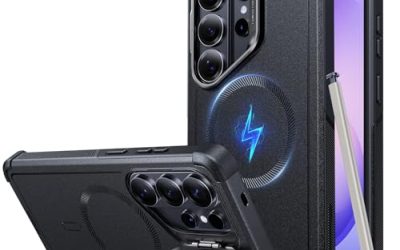
| Qoosea TPU Grip Case for Legion Go | Everyday grip and light knock protection | Soft TPU, ergonomic grip, shock-absorption cover for the 8.8 inch 2023 model |
How to Choose
Protect the screen and body before anything else
The Legion Go presents more glass and more bulk than a typical handheld, so the first accessory decision is how it survives a bag. A hard travel case guards the whole unit, including the sticks and triggers, when it is thrown into a backpack or suitcase, and pockets for the charger stop loose plugs scratching the display. Tempered glass handles a different risk: the daily grit, keys, and dock edges that leave fine marks on an otherwise perfect panel, and a two-pack gives you a second attempt if the first fitting goes badly. A soft grip cover sits between those extremes, adding bump protection while you play without hiding the machine in a shell between sessions. Many owners end up with two of the three, because each covers a failure the others miss. Check that any cover or case is shaped for the original Legion Go rather than the smaller Go S, since the bodies differ.
Decide how the handheld will meet a bigger screen
A dock turns the Legion Go’s USB-C connections into a desk. The things to compare are display output, wired networking, USB ports for a keyboard, mouse, or drive, and how much charging power passes through while you play. An HDMI output rated for high refresh rates is useful headroom for lighter games on a capable monitor, while Gigabit Ethernet removes wireless variability from big downloads and online sessions. Count your peripherals before choosing: a dock with three USB-A ports can swallow a keyboard, mouse, and storage device at once, while a minimal hub leaves you swapping plugs. Also confirm the dock lists the Legion Go by name, because handheld docks vary in shape and in the clearance they leave for vents, straps, and grip covers.
Expand storage with the right kind of speed
The Legion Go’s internal drive is fast, but capacity is the problem: a handful of modern releases can claim most of a smaller configuration. A microSD card is the painless expansion, since the reader accepts cards up to 2TB and no tools are needed. Look beyond the capacity printed largest on the box. Read speed affects how quickly games load assets, write speed affects how painful a large installation feels, and an A2 application performance rating signals a card designed for the small, frequent reads that games and apps generate. Keep your most demanding, frequently played titles on the internal drive, and let the card carry older games, indies, and back-catalogue titles where its speed is more than sufficient. That division keeps both stores feeling responsive.
Match every accessory to the exact model
Accessory confusion is the easiest mistake in this category, because Lenovo’s handheld family now includes the original Legion Go, the Legion Go S, and the Legion Go 2, and their dimensions and details are not interchangeable. A case moulded for one body can squeeze triggers, cover vents, or leave the screen exposed on another. Screen protectors are even less forgiving, since they are cut to a specific display outline. Before ordering anything shaped, check three things on the listing: the model named in the title, the model named in the compatibility field, and the year or screen size where given. The original Legion Go has an 8.8-inch display and detachable controllers, so listings that name that size and the 2023 handheld are describing the right machine. If a listing mixes several models in its title, find your exact model in its compatibility details rather than trusting the headline alone.
The 5 Best Options
Spigen Rugged Armor Pro Carrying Case
Travellers get the clearest value from this hard shell case, because it is built around the way the Legion Go actually moves: as a wide, heavy unit with a charger that has to go somewhere. Spigen’s listing describes pockets for accessories and storage for the original charger, which keeps cables and plugs corralled instead of loose against the screen. The hard shell and polyurethane construction suit backpacks, car boots, and overhead bins, where a soft sleeve would leave the sticks and triggers to absorb knocks. Owners who mostly play at home will use it less, but anyone whose handheld leaves the house weekly should treat a case like this as part of the machine itself rather than an optional extra.
Specs
- Brand: Spigen
- Designed for: Lenovo Legion Go, also listed for MSI Claw models
- Shell type: Hard
- Enclosure material: Polyurethane
- Colour: Black
- Features from listing: Pockets for accessories and original charger storage
- Model number: AFA07463
Best for: Owners who carry the Legion Go and its charger in a backpack or suitcase.
Watch out for: The listing states the case is not water resistant, and its size reflects the Legion Go’s bulk, so check your bag space.
ASIN: B0CQTVLBPJ
amFilm Screen Protector for Legion Go
A large touchscreen earns its keep every session, which is exactly why it deserves a sacrificial layer. This amFilm listing is cut for the 8.8-inch display of the 2023 Legion Go handheld and uses tempered glass with full coverage, described as transparent, anti-scratch, and anti-fingerprint. A two-pack matters more than it sounds: fitting glass to a big panel in one clean attempt is fiddly, dust happens, and a spare protector also covers you if the first one takes a knock and cracks doing its job. Because the Legion Go’s screen is also its main interface for Windows, keeping it clear and responsive matters beyond games. Buyers who always keep the machine in a hard case at home may rank this lower; buyers who toss the handheld into bags, or play around children and pets, should fit glass on day one.
Specs
- Brand: amFilm
- Compatible device: Lenovo Legion Go Handheld 2023
- Screen size: 8.8 inches
- Material: Tempered glass
- Pack: 2 protectors
- Features from listing: Full coverage, transparent, anti-scratch, anti-fingerprint
- Model number: LLG-GLSV2
Best for: Protecting the 8.8-inch touchscreen from scratches, grit, and everyday handling.
Watch out for: It is cut for the original 8.8-inch Legion Go, so do not order it for a Go S or another handheld with a different outline.
ASIN: B0CMK7S1PG
JSAUX 6-in-1 Docking Station HB0603
This dock is the pick for owners who want the Legion Go to hold down a desk or a TV corner. JSAUX’s listing describes a 6-in-1 station with HDMI 2.1 output, Gigabit Ethernet, three USB 3.0 ports, and charging up to 100W, supplied with a 65W charger in this version. That port mix covers the realistic desk loadout in one box: a display, a wired network connection, a keyboard, a mouse, and one spare USB port for a drive or controller receiver, all while the handheld charges. The listing names the Legion Go and Legion Go S among its compatible devices, alongside other Windows and SteamOS handhelds, which makes it a sensible shared dock for a household with more than one machine. It is unnecessary for purely handheld players, but it unlocks the PC side of the Legion Go better than any other accessory here.
Specs
- Brand: JSAUX
- Model: HB0603
- Configuration: 6-in-1 docking station
- Display output: HDMI 2.1, listed for 4K at 120Hz output
- Networking: Gigabit Ethernet
- USB: 3 USB 3.0 ports
- Charging: 100W charge support, 65W charger version
Best for: Desk and TV setups with a keyboard, mouse, wired network, and charging through one dock.
Watch out for: Confirm the exact variant on the listing, since this dock family is sold in versions with and without a charger.
ASIN: B0BQW6YCS5
SanDisk 1TB Gameplay microSD Card
Library builders should look here first. SanDisk’s Gameplay card gives the Legion Go an extra 1TB through its microSD slot, which changes how you manage a collection: instead of deleting a finished game every time a new release arrives, you keep a rotating back catalogue installed and ready. The listing quotes read speeds up to 190MB/s and write speeds up to 130MB/s, with A2 performance aimed at games and apps, and describes the card as built for handheld console gaming. That combination suits the card’s best role, holding indies, older titles, and mid-sized games, while the internal drive keeps the largest and most demanding installs. If your library is small, a lower capacity would do; if it is not, this removes a weekly chore.
Specs
- Brand: SanDisk
- Capacity: 1TB
- Format: microSDXC
- Read speed: Up to 190MB/s
- Write speed: Up to 130MB/s
- Speed class: Class 10, with A2 performance described in the listing
- Model number: SDSQXAV-1T00-GN6XN
Best for: Owners whose installed library has outgrown the internal drive.
Watch out for: The Legion Go reader supports up to 2TB, but format the card in the device and keep demanding favourites on internal storage.
ASIN: B0CRHVJY88
Qoosea TPU Grip Case for Legion Go
Not every owner wants a shell that comes off between sessions. This Qoosea cover stays on the machine, wrapping the 2023 Legion Go in soft thermoplastic polyurethane with an ergonomic grip shape. The listing describes shock absorption, scratch resistance, and an anti-fingerprint finish in a transparent black colour, which suits players who find the bare handheld a little smooth in the hands during long sessions and want some insurance against desk knocks and scuffs. Because it is a soft case rather than a hard travel shell, it complements rather than replaces a carrying case: this one protects while you play, the other protects while you travel.
Specs
- Brand: Qoosea
- Compatible device: Lenovo Legion Go Gaming Handheld 8.8 inch, 2023
- Material: Thermoplastic polyurethane
- Shell type: Soft
- Colour: Transparent black, listed as black
- Features from title: Ergonomic grip, shock absorption, anti-fingerprint, scratch resistant cover
Best for: Everyday play where grip, scuff protection, and a stay-on cover matter more than travel armour.
Watch out for: A soft TPU cover is not a substitute for a hard travel case, and dock fit should be checked with the cover fitted.
ASIN: B0CNVG426M
Which One Fits Your Situation
You have just bought the handheld
Start with the amFilm screen protector and the Spigen Rugged Armor Pro case, in that order. Fit the glass while the display is still pristine, then give the machine a hard home for every journey out of the house. Those two purchases cover the most common and least reversible damage: a scratched screen and a knock in transit. Add the Qoosea grip cover later if you find the bare body slippery, and leave storage and docking until your habits demand them.
You play at a desk or on the TV most evenings
Build around the JSAUX 6-in-1 dock. It gives your setup a display output, wired networking for dependable downloads, enough USB ports for a keyboard, mouse, and spare device, and charging while you play. Pair it with the SanDisk card if your desk library is large, because a docked handheld quickly becomes a main machine and starts accumulating installs. Skip the grip cover if it interferes with your dock fit; the Spigen case still covers trips away from the desk.
Your internal drive is constantly full
The SanDisk 1TB Gameplay microSD card is your single best purchase. Move completed games, indies, and older titles onto the card, keep current demanding games on the internal drive, and the weekly delete-and-redownload cycle mostly disappears. A card also travels better than an external drive, since it sits inside the machine with nothing to unplug. If you also download over Wi-Fi at a desk, the JSAUX dock’s wired Ethernet makes refilling that larger library less of a wait.
You commute or travel with the handheld weekly
Prioritise the Spigen hard case for the journey and the Qoosea grip cover for the destination. The hard shell handles bags, bins, and charger storage, while the soft cover handles the bumps and grip problems of actually playing in unfamiliar places. Tempered glass is a wise third addition, because travel is when screens meet grit, zips, and seat-back hardware. A dock only earns its luggage space on longer stays where you know a screen and a table are waiting.
Common Mistakes
- Ordering a case or protector cut for the Legion Go S or Legion Go 2 and discovering the original model fits differently.
- Buying a travel case with no room for the original charger, then carrying the charger loose against the screen.
- Choosing a dock without checking that the Legion Go is named in its compatibility details.
- Filling a memory card with every demanding favourite and leaving slower-loading titles nowhere sensible to live.
- Assuming a soft grip cover provides the same transit protection as a hard shell case.
Frequently Asked Questions
Does the Lenovo Legion Go need a screen protector?
It is strongly advisable rather than compulsory. The 8.8-inch display is the machine’s main interface as well as its window into games, and it faces bags, docks, and table edges daily. A tempered glass protector such as the amFilm two-pack listed here takes scratches and minor knocks instead of the panel itself, and can be replaced when damaged. Owners who never remove the handheld from a hard case at home face less risk, but the protection is cheap insurance in effort terms.
Will any USB-C dock work with the Legion Go?
Many will pass through charging and a display, but a dock shaped and specified for handhelds is a safer bet. Look for the Legion Go named in the compatibility details, an HDMI output that suits your monitor, enough USB ports for your peripherals, and charging headroom for gaming while plugged in. The JSAUX HB0603 in this guide lists the Legion Go by name. Also check physical fit if you use a grip cover, because covers change how a handheld sits in a dock.
Is a microSD card fast enough for Legion Go games?
For a large share of a typical library, yes. A card such as the SanDisk Gameplay model here, with read speeds listed up to 190MB/s and A2 performance, handles indies, older releases, and many mid-sized games comfortably from the Legion Go’s reader, which supports cards up to 2TB. Keep the newest, most demanding titles on the internal solid-state drive, where loading and installation are at their best, and use the card as high-quality overflow rather than a full replacement.
Can I use a grip case and a travel case together?
Usually, yes, and the combination makes sense. A stay-on cover such as the Qoosea TPU case protects during play and adds grip, while a hard shell such as the Spigen case protects the whole unit, sticks included, during transport. The check that matters is fit: confirm the handheld, wearing its cover, still closes comfortably inside the travel case without pressure on the sticks or triggers. If a particular pairing feels tight, prioritise the hard case for journeys and use the cover at home.
FAQ
Does the Lenovo Legion Go need a screen protector?
Will any USB-C dock work with the Legion Go?
Is a microSD card fast enough for Legion Go games?
Can I use a grip case and a travel case together?
More from Amazon
Programs that pair well with the guide above. Offers and eligibility are set by Amazon and may change.
Free shipping on eligible items, Prime Video and more. Eligible new members can start with a free trial.
Start a Prime free trialAd-free music streaming. Eligible new subscribers can start with a free trial.
Try Music Unlimited freeA Prime membership for ages 18-24 with a trial period. Eligibility is set by Amazon.
See Prime for Young AdultsAudiobooks and podcasts to listen to on the go. Eligible new members can start with a free trial.
Try Audible freeAs an Amazon Associate we earn from qualifying purchases.