Key takeaways
- Five MacBook Neo accessories that solve real limits: a USB-C hub, sleeve, 65W charger, Bluetooth mouse and 1TB portable SSD, with verified specs and ASINs.
Buying accessories for the MacBook Neo is really about patching three deliberate gaps in Apple’s design: only two USB-C ports, and only one of them fast, storage that stops at 512GB and cannot grow, and a small 20W adapter in the box that serves one device at a time. The right extras turn those limits into non-issues, while the wrong ones, especially hubs and drives plugged into the slow USB 2 port, waste money without fixing anything.
This shortlist suits students carrying a Neo between classes, home workers building a small desk setup, and travellers who want one bag to cover charging, storage and protection. Each pick was chosen from its Amazon product name and listed specifications, matched against the Neo’s published dimensions, port speeds and charging requirement, so compatibility claims here rest on numbers rather than guesswork.
Quick Picks
As an Amazon Associate we earn from qualifying purchases.
| Product | Best for | Key spec from title |
|---|---|---|
| dockteck 7-in-1 USB C Hub | A desk with a monitor, wired network and card readers | 4K 60Hz HDMI, 1Gbps Ethernet, 100W Power Delivery, SD and TF slots |
| Crucial X9 1TB Portable SSD | Overflow storage and backups beyond the internal drive | 1TB, up to 1050MB/s, USB 3.2 USB-C |
| Anker 735 Charger 65W | Charging a Neo and a phone from one compact block | 65W, 3 ports, 2 USB-C and 1 USB-A, foldable |
| MOSISO Laptop Sleeve 13.3 inch | Daily carry protection inside a backpack | Polyester sleeve, foam padding, front pocket, 13 to 13.3 inch fit |
| Logitech Pebble Mouse 2 M350s | Quiet portable pointing without using a port | Bluetooth, Easy-Switch for 3 devices, quiet clicks, macOS support |
How to Choose
Respect the difference between the two USB-C ports
Almost every Neo accessory decision runs through one fact: the USB 3 port transfers at up to 10Gb/s and carries DisplayPort video, while the USB 2 port manages only 480Mb/s and no display output. Hubs, monitors and fast SSDs belong on the USB 3 side, full stop. The slow port is fine for charging the laptop or for a receiver-class peripheral that barely moves data. Before buying any hub, check that its headline features, such as 4K at 60Hz over HDMI, assume a full-function host port, because on the Neo only one socket qualifies. This single check prevents the most common and most confusing Neo accessory disappointment.
Buy storage for the 512GB ceiling, not around it
Because the Neo’s internal drive cannot be upgraded, external storage is a genuine part of the machine’s capacity rather than an optional extra. A portable SSD rated near the USB 3 port’s 10Gb/s ceiling uses the hardware properly, while a spinning portable hard drive suits cheap bulk backup but feels sluggish for working files. Size the drive against your photo and video growth over two or three years, not against this month’s free space. Also decide its job in advance: a drive that holds your only copy of anything is not a backup, so pair working storage with a separate backup routine.
Match charging wattage to the job, then share it
Apple lists a 20W minimum for charging the Neo and ships a 20W adapter, so almost any reputable USB-C charger clears the bar for the laptop alone. The reason to buy bigger is sharing: a multi-port charger in the 65W class can feed the Neo while also handling a phone and earbuds, which removes two bricks from a travel bag. Watch how output splits when several ports are busy, since the headline wattage is a total shared across devices, not a promise to each socket. Foldable prongs and a compact body matter more than exotic features for a charger that lives in a bag.
Check physical fit against the Neo’s actual dimensions
The Neo measures 29.75cm wide, 20.64cm deep and 1.27cm thick, which is close to, but not identical with, a 13.6-inch MacBook Air. Sleeves sold for 13 to 13.3 inch laptops generally swallow it comfortably, while rigid hard shells moulded for a specific Air or Pro model may not line up with its ports, corners or hinge. For any case that clips on rather than zips around, confirm the exact model is named by the seller before ordering. A slightly roomy sleeve is a cosmetic issue; a shell that covers a port or stresses a corner is a functional one.
The 5 Best Options
dockteck 7-in-1 USB C Hub
One hub answers most of the Neo’s port shortage in a single purchase. Connected to the USB 3 port, it adds an HDMI output for a desk monitor, wired Ethernet for shaky shared networks, card slots for camera media and a pair of USB-A sockets for the flash drives, receivers and cables that still dominate real desks. Its pass-through charging input means the laptop can charge while the hub is attached, so a full desk setup costs you one socket instead of both. For students who present, home workers with a monitor, and anyone moving photos from memory cards, this is the accessory that changes the Neo most.
Specs
- 7-in-1 design with 4K at 60Hz HDMI output
- 1Gbps RJ45 Ethernet port
- USB-C Power Delivery input up to 100W
- SD and TF card slots, UHS-I up to 104MB/s
- 2 USB 3.0 ports up to 5Gbps
- Listed for MacBook, iPad Pro and XPS devices
Best for: Building a one-cable desk setup with a monitor and wired peripherals
Watch out for: Video and full speed only work from the Neo’s USB 3 port; the USB 2 port cannot drive its HDMI output
ASIN: B08SLS9W72
Crucial X9 1TB Portable SSD
This is the pressure valve for the Neo’s fixed internal storage. A terabyte of fast external space holds the photo library, video projects, game installs or course archives that would otherwise crowd a 256GB or 512GB drive, and its USB 3.2 interface lines up neatly with the Neo’s 10Gb/s USB 3 port. At 32 grams it disappears into the same bag pocket as a charger, which makes it realistic to carry daily rather than leave in a drawer. It also doubles as backup space for the most important folders, provided a second copy exists somewhere else.
Specs
- 1TB capacity, model CT1000X9SSD902
- Read speeds up to 1050MB/s
- USB 3.2 Gen 2 interface at 10Gb/s over USB-C
- Compatible with Windows, Mac and Android, per the listing
- Item weight 32 grams
- Box includes the drive and a USB-C to USB-C cable
Best for: Owners of the 256GB Neo who need working room for large files
Watch out for: Full speed needs the USB 3 port; on the USB 2 port transfers drop to a fraction of the rated rate
ASIN: B0CGW1FQV4
Anker 735 Charger 65W
The supplied 20W adapter charges the Neo and nothing else, which is why a stronger multi-port block earns its place in the bag. This Anker unit offers 65W across two USB-C ports and one USB-A port, so the laptop, a phone and a small accessory can share one wall socket in a dorm room, airport or hotel. Its foldable, compact design suits travel, and a single USB-C port can deliver the full rated output to one device when the others are unplugged. For Neo owners, it replaces a tangle of separate bricks with one predictable charger.
Specs
- 65W maximum total output, model A2667
- 2 USB-C ports and 1 USB-A port, 3 ports in total
- Single-port USB-C output up to 65W; USB-A up to 22.5W
- Compact foldable design for MacBook Pro and Air, iPad Pro, phones and more, per the listing
- Input 100-240V, suitable for travel use
Best for: Travellers and dorm rooms where one charger must serve everything
Watch out for: Output is shared when several ports are in use, so the Neo will not receive the full 65W alongside other devices
ASIN: B09C5RG6KV
MOSISO Laptop Sleeve 13.3 inch

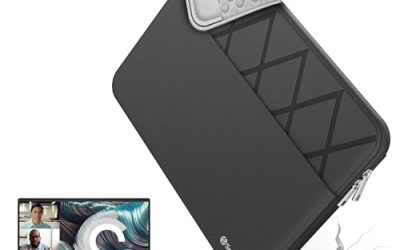
A Neo that travels daily needs padding more than it needs decoration, and this sleeve is built around that priority. Its polyester body wraps a foam padding layer and a soft lining, giving the aluminium case protection against the knocks, scratches and minor spills of a shared backpack. The vertical design slides into a bag without adding bulk, and the front pocket swallows a charging cable, a mouse or earbuds so the essentials travel together. Sized for 13 to 13.3 inch laptops, it accommodates the Neo’s 13-inch body with room to spare rather than demanding a model-specific moulding.
Specs
- Sleeve for 13 to 13.3 inch laptops, listed for MacBook Air and Pro 13 among others
- Polyester outer with foam padding layer and soft fabric lining
- Front pocket for a mouse, earphones, pens and notepads
- Item dimensions 14.17 by 10.43 by 0.79 inches
- Form factor listed as sleeve, case and bag
Best for: Students and commuters carrying the Neo inside another bag
Watch out for: It is a roomy universal fit rather than a snug Neo-specific one, so check the internal fit if you prefer a tight sleeve
ASIN: B01N6M1Y9N
Logitech Pebble Mouse 2 M350s
A Bluetooth mouse is the rare accessory that improves a laptop while consuming nothing, and that matters on a two-port machine. This slim Logitech model pairs over Bluetooth, leaving both USB-C sockets free, and its Easy-Switch button hops between up to three paired devices, handy if the Neo shares a desk with a tablet or a family computer. Quiet clicks suit libraries and shared rooms, and the middle button can be customised through the Logi Options+ app for shortcuts in the programs you use most. Its flat, light shape favours travel bags over long ergonomic sessions.
Specs
- Slim Bluetooth wireless mouse, Tonal White listing, model M350s
- Easy-Switch pairing with up to 3 devices
- Quiet clicks and a customisable middle button via Logi Options+ app
- Compatible with Windows, macOS, iPadOS, Android and Chrome OS
- Ambidextrous design, 3 buttons, optical tracking
- Battery included; auto-sleep power-saving mode
Best for: Library, classroom and travel use where silence and portability count
Watch out for: No Logi Bolt USB receiver is included, and the slim shape will not suit buyers wanting a tall ergonomic grip
ASIN: B0BT48897L
Which One Fits Your Situation
You plug into a monitor and a desk full of gear each morning
Start with the dockteck hub, because it converts the Neo’s fast port into the desk you actually have: HDMI for the screen, Ethernet for the network, USB-A for legacy gear and card slots for media. Add the Anker charger later if the supplied adapter becomes a bottleneck. This pairing covers nearly every port complaint a Neo owner can have.
Your internal drive is already filling up
Buy the Crucial X9 first. A terabyte of external space relieves the pressure immediately, whether the culprit is a photo library, course video or a growing downloads folder. Keep the Neo’s internal drive for applications and current projects, move archives to the SSD, and remember to keep a second copy of anything irreplaceable in another location.
You live out of a backpack between classes or trips
Combine the MOSISO sleeve with the Pebble Mouse 2 and the Anker 735. The sleeve guards the machine, the mouse works on library desks without touching your ports, and one charger covers laptop and phone from a single socket. Together they weigh little, pack flat and remove the three annoyances that follow a Neo around campus.
Your Neo stays home as a family computer
Prioritise the hub and the X9. The hub gives the shared desk a monitor connection and room for a printer or backup drive, while the SSD becomes the family archive for photos and documents. A mouse still helps for long sessions at the desk, but charging and protection matter less when the laptop rarely leaves the house.
Common Mistakes
- Connecting a hub or SSD to the USB 2 port and blaming the accessory for slow transfers or a blank monitor
- Buying a hard shell shaped for a MacBook Air or Pro and assuming the Neo shares its exact body
- Treating one external SSD as both working storage and the only backup copy
- Choosing a charger by headline wattage without checking how output splits across its ports
- Filling both USB-C ports with wired accessories when a Bluetooth mouse or keyboard would free one
Frequently Asked Questions
Does the MacBook Neo need a special charger?
No special charger is required. Apple lists a 20W minimum and supplies a 20W USB-C adapter, so any reputable USB-C charger at or above that level can charge the Neo. Higher-wattage multi-port chargers, such as the 65W option in this list, are about charging several devices at once rather than about charging the Neo itself any more safely.
Which port should a hub or external SSD use on the Neo?
Always the USB 3 port. It runs at up to 10Gb/s and carries DisplayPort video, which is what hubs need for HDMI output and what fast SSDs need for their rated transfer speeds. The USB 2 port tops out at 480Mb/s and offers no display support, so reserve it for charging or low-speed peripherals.
Will a sleeve made for a 13-inch MacBook Air fit the Neo?
A soft sleeve sized for 13 to 13.3 inch laptops will generally fit, because sleeves allow tolerance and the Neo is a compact 13-inch machine. Rigid clip-on shells are different: they are moulded to one model’s corners and port layout, so only buy a shell whose listing names the Neo or matches its dimensions exactly.
Can accessories fix the Neo’s 8GB memory limit?
No accessory changes the memory, because the 8GB is built into the A18 Pro package and there is no expansion slot or configuration upgrade. External storage solves space problems, and a hub solves connection problems, but memory pressure is managed by closing heavy applications or by choosing a different Mac in the first place.
FAQ
Does the MacBook Neo need a special charger?
Which port should a hub or external SSD use on the Neo?
Will a sleeve made for a 13-inch MacBook Air fit the Neo?
Can accessories fix the Neo’s 8GB memory limit?
More from Amazon
Programs that pair well with the guide above. Offers and eligibility are set by Amazon and may change.
Free shipping on eligible items, Prime Video and more. Eligible new members can start with a free trial.
Start a Prime free trialAd-free music streaming. Eligible new subscribers can start with a free trial.
Try Music Unlimited freeA Prime membership for ages 18-24 with a trial period. Eligibility is set by Amazon.
See Prime for Young AdultsAudiobooks and podcasts to listen to on the go. Eligible new members can start with a free trial.
Try Audible freeAs an Amazon Associate we earn from qualifying purchases.