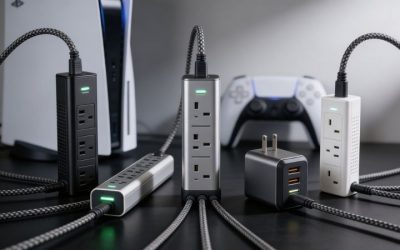
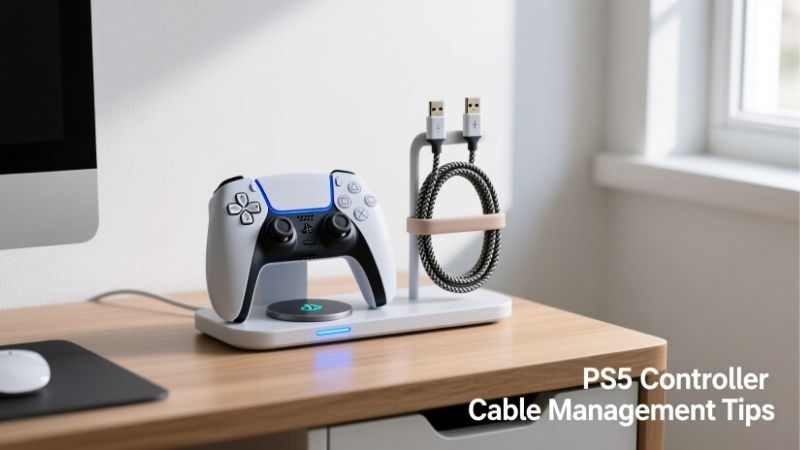
The best PS5 Pro cable organizers solve different parts of the same problem: a bulky HDMI lead behind the console, an Ethernet cable crossing the shelf, excess power-cord length near the outlet, and USB-C charging cables that disappear behind the furniture. For most setups, start with VELCRO Brand ONE-WRAP ties for loose cable bundles, then add adhesive clips or a surface raceway only where cables need a fixed route. A sleeve, outlet box, under-desk tray, or magnetic charging-cable holder can be useful for a specific layout, but none is a special PS5 Pro connection accessory. The important rule is to organize cables around the console without restricting airflow, bending connectors sharply, or making the power plug difficult to reach.
Quick verdict: The right organizer depends on the mess
Best overall: VELCRO Brand ONE-WRAP Thin Ties, 8-inch 50-count. They’re inexpensive, reversible, and useful for the HDMI, Ethernet, USB, and power-cord slack found behind most entertainment centers. The 8-by-0.5-inch version is easy to reposition as your setup changes. It is the most sensible first purchase because you can change the routing without adding adhesive to the console or furniture.
Best for individual cable runs: Command Clear Round Cord Clips, four-count. These are suited to light leads that need a stable route along a finished furniture side or wall. They are not a solution for pulling a heavy bundle tight against the console’s sockets. Follow the surface-preparation and removal instructions instead of treating the clips as permanent cable clamps.
Best for one tidy cable bundle: Wrap-It Storage Mesh Cable Sleeve, model 400-SM-10X75BL. A 10-foot, 0.75-inch sleeve is useful when several cables travel together across an open portion of a desk or television unit. You can cut sections to length, but the sleeve should end before the back of the PS5 Pro, leaving room for each connector to turn naturally.
Best for a visible wall or baseboard route: D-Line Half Round Cord Cover, model 10198. Its white, paintable, surface-mounted cover keeps a short visible run neat without opening the wall. It is a better fit for a fixed TV installation than for a desk where cables are regularly unplugged.
Best for power-strip clutter: D-Line Large Cord Organizer Box, model US/COBLGEB. This box hides a compatible power strip and excess cord length in a location away from the console’s air intake and exhaust. It is not a box for the PS5 Pro itself, and it should never be used to conceal overheated or overloaded electrical accessories.
Best for a desk-based gaming station: Mount-It! MI-7286BLK Clamp-On Under Desk Tray. If the PS5 Pro shares a desk with a monitor or PC, the open cable tray moves adapters and spare cord length beneath the desktop. Check clamp clearance and desk thickness before buying.
Best for a controller-charging lead you grab daily: Smartish Cable Wrangler SLK-MB-BLACK. This weighted magnetic holder keeps loose cable ends accessible without permanently mounting a clip. Its comparatively high price makes sense only when convenience and desk aesthetics are priorities.
Best PS5 Pro cable organizers compared
These are US storefront snapshots checked October 27, 2026, not guaranteed nationwide prices. A listed In Stock or Add to Cart state means the product was offered through the checked storefront; shipping and pickup can differ by ZIP code. The prices below match the named seller and exact version rather than mixing prices from different retailers.
| Product / verified model | Verified specification | Best PS5 Pro use | Price (US seller; Oct. 27, 2026) | Stock status (Oct. 27) | Main drawback |
|---|---|---|---|---|---|
| VELCRO Brand ONE-WRAP Thin Ties, 50-pack | 50 pre-cut reusable ties; 8 in x 0.5 in each | Grouping slack behind TV stand | $5.84 sale; regular $6.49, Target | In Stock; Add to cart | Does not anchor cables to furniture |
| Command Clear Round Cord Clips, four-count | Four clear clips; five small adhesive strips | Holding individual light cable runs | $5.19, Target | In Stock; Add to cart | Adhesive is surface- and preparation-dependent |
| Wrap-It Storage Mesh Cable Sleeve, 400-SM-10X75BL | One black self-closing sleeve; 10 ft x 0.75 in | Concealing an exposed cable bundle | $14.99, Best Buy | Add to cart; purchase offered | Bundle access takes more work than loose ties |
| D-Line Half Round Cord Cover, 10198 | White self-adhesive surface raceway; 39 in x 1.18 in x 0.59 in | Hiding a fixed wall/baseboard route | $14.99, Best Buy | Add to cart; pickup offered, shipping shown unavailable for checked location | Fixed adhesive route; check cable diameter and connector path |
| D-Line Large Cord Organizer Box, US/COBLGEB | ABS box; 16.5 x 6.5 x 5.25 in outer size; three cable exits | Hiding a compatible strip away from the console | $27.99, Best Buy | Add to cart; purchase offered | Uses shelf/floor space and requires electrical clearance |
| Mount-It! Clamp-On Under Desk Tray, MI-7286BLK | 23.6 x 3.9 x 7 in; 11 lb rated load; 0.2-1.97 in desktop range | Desk cable and adapter storage | $39.99, Best Buy (sold by Mount-It!) | Add to cart; seller shipping offered | Cannot fit desks lacking a suitable clamp edge |
| Smartish Cable Wrangler, SLK-MB-BLACK | Weighted magnetic cable holder; non-slip base; cable collars | Keeping daily USB charging ends in reach | $29.99, Best Buy (sold by Smartish) | Add to cart; seller shipping offered | Does not manage the main HDMI/AC cable run |
Only the passive organizer’s dimensions and construction are relevant to compatibility here. None of these products changes HDMI bandwidth, PS5 Pro graphics performance, controller charging speed, or the safety rating of a power strip. If a seller uses “PS5 compatible” as a marketing label, treat it as a statement about where a general-purpose organizer might be used, not a Sony certification.
PS5 Pro routing rules to follow before buying
Keep the console’s air paths clear
Sony’s PS5 Pro teardown explains that its ventilation depends on more than the opening at the rear: the machine takes in and exhausts air around the rear and bottom, and its exterior blade openings are part of the cooling design. The model-specific PlayStation safety guide says not to block vents, to keep the console at least 10 cm from a wall surface, and not to put it in a narrow, cramped or closed space. Cable organizers must respect that clearance instead of consuming it.
Place tie points and sleeves on the TV stand, wall, or desk—not across a console vent or directly on its panels. A cable bundle that looks neat from the front can still form a curtain across the rear ventilation area. Route leads away to the side before collecting them together. If your shelf cannot provide room for both airflow and connector bends, move the console or choose a deeper shelf rather than forcing the cables into a tighter bundle.
Give rear HDMI, LAN, USB and AC connectors their own slack
The PS5 Pro’s rear connections include HDMI OUT, LAN, USB Type-A ports, and its AC input. The physical layout is not identical to every original PS5, so do not rely on a first-generation PS5 cable-holder template. Let the cables exit those sockets naturally and travel a short distance without tension before bringing them together. An organizer should support cable weight from a furniture mounting point, not turn the console’s port into a hanging bracket.
For HDMI, sharp turns close to the plug may strain the connector and make a marginal connection more troublesome. For Ethernet, do not flatten the cable inside an overstuffed raceway. For AC, avoid pinching, excessive bending and concealed heat. Sony specifically cautions against walking on, pinching, or pulling power cords, especially at the connectors. The safest routing is usually a loose first bend followed by more structured cable management farther from the machine.
Keep removable peripherals removable
A PS5 Pro setup may include a wireless headset dongle, a USB cable for controller pairing, or a removable USB drive. Leave access to connectors that need to be unplugged. Do not seal the cables together so tightly that you have to drag the console forward whenever one accessory changes. Labeling and short, reversible tie points are often more useful than a continuous decorative sleeve here.
Decide which cords are permanent and which are frequently moved. Your TV’s HDMI cable and a wired Ethernet run are likely to stay in place; a front charging cable is not. Treat those as separate cable paths. You will get a neater result and avoid yanking a charging lead through the same fixed sleeve as an AC cable.
Detailed reviews: Seven organizers worth considering
VELCRO Brand ONE-WRAP Thin Ties — best overall
The Target-listed gray-and-black 50-pack provides pre-cut 8-by-0.5-inch ties with a slotted end that stays attached to the cord. The VELCRO Brand instructions call for securing the tie to one cable through its slit, folding excess cable length neatly, and fastening the tie back onto itself. That is exactly the kind of reversible, low-risk adjustment most console owners need while experimenting with a cleaner TV setup.
Choose these when the problem is extra length, not a visible cable that needs to be hidden on a wall. A small loop of spare Ethernet or HDMI cable can sit away from the PS5 Pro on the stand’s rear rail, with the tie snug enough to hold the loop without crushing it. If a device is moved, the tie opens immediately. Multiple small groupings are generally preferable to making one rigid mass of AC, HDMI, data and charging leads.
The verified Target product page showed a $5.84 promotional price, marked down from $6.49, and an In Stock button. That is a checkout snapshot rather than a permanent price recommendation. The pack gives plenty of spare fasteners, but it provides no attachment to the shelf: you still need a stable routing surface or separate clips. Also, do not pull one tie tight around a hot power adapter or directly against the PS5 Pro’s casing.
Buy if: You want a cheap, flexible starting point that can be reworked as your gaming setup changes. Skip if: The main problem is cables hanging across a bare wall; the ties alone will not conceal that run.
Command Clear Round Cord Clips — best light-duty cable anchors
Command’s small clear clips are better suited to routing a single cable along a cabinet wall, the side of a television stand, or another manufacturer-approved smooth surface. The Target pack includes four clips and five small adhesive strips. Unlike a zip tie, each clip creates a fixed cable path, helping keep a charging lead from sliding behind a shelf or an Ethernet cable from drooping near someone’s feet.
The value is in controlled placement. Instead of attaching anything to the PS5 Pro, mount a clip to finished furniture at a safe distance from the console, then guide the cable through it. Use several clips to support a longer run rather than expecting one adhesive point to carry the weight of a stiff HDMI connector or a heavy group of cables. This is particularly helpful when there is little room behind the screen but you can reach the side of the entertainment unit.
Surface preparation matters. Target’s listing instructs users to remove grime with rubbing alcohol, use the clips in the stated indoor temperature range, and wait after fresh paint has cured. Those instructions concern the mounting surface, not the console: do not apply rubbing alcohol, adhesive strips, or sticky clips directly to the PS5 Pro’s finish. For removal, use Command’s controlled downward strip-pull method rather than prying the holder off painted wood or a wall.
The checked Target price was $5.19 with In Stock and Add to cart displayed. One limitation is that adhesive success depends on the surface and loading; oily veneer, textured paint, and unsupported heavy cables are poor candidates. Buy if: You need a light, discrete fixed cable path with no drilled holes. Skip if: You need to carry a thick bundle or mount a power brick.
Wrap-It Storage Mesh Cable Sleeve — best for a single visible bundle
The Wrap-It Storage sleeve, model 400-SM-10X75BL, is listed by Best Buy as a 10-foot-long, 0.75-inch black mesh product. The retailer’s feature section says the flexible mesh closes onto itself and can be sized for shorter cable runs. That construction is useful for a desk setup where several cables cross the same open area and a line of individual ties still looks messy.
For a PS5 Pro and monitor placed on the same desktop, let each cable exit the console freely, collect the compatible leads farther back, and wrap only the long common section. The sleeve can conceal HDMI, LAN, and smaller accessory leads as a bundle, provided the grouping fits without crushing or forcing a tight turn. Its ability to reopen is useful if you later swap a display or add a wired controller; however, working with a full-length sleeve still takes longer than opening a single tie.
There is an important distinction between sleeve size and cable-plug size. A 0.75-inch sleeve does not mean every connector can be forced through an enclosed 0.75-inch passage. Fit it around cables according to the product’s closure design, and keep connector ends outside the wrapped area. Keep the entire sleeve clear of the rear ventilation zone and exposed heat sources; mesh is an organizer, not a tested thermal barrier.
The inspected Best Buy model listing displayed $14.99 and Add to Cart. Buy if: You have a reasonably straight, exposed group of leads that should look like one clean cable run. Skip if: You routinely unplug each lead or need wall-mounted concealment with a rigid protective profile.
D-Line Half Round Cord Cover 10198 — best visible wall route
The D-Line 10198 is a white, half-round, surface-mounted cable cover sold by Best Buy in a 39-inch length, approximately 1.18 inches wide and 0.59 inches tall. Its one-piece design uses a hinged lid and self-adhesive backing. The white PVC housing can be painted to better match a wall after following the product’s preparation instructions.
This is the most visually effective pick if a PS5 Pro sits below a wall-mounted TV and the television cable route is visible between the cabinet and the display. A straight, surface-mounted channel can conceal suitable cables so the wall looks deliberate rather than unfinished. But the product is not automatically big enough for every HDMI cable, angled plug, and power cord. Measure the number and thickness of your actual leads before buying, and test the route with the connectors disconnected and laid out.
Its fixed route also creates an obvious planning constraint: the PS5 Pro still needs enough slack to be moved for dusting, and the channel must not run straight into the rear vent area. End the cover away from the console and leave the last segment open. Avoid routing ordinary detachable AC cords loosely inside wall cavities; this surface raceway is not a license to ignore electrical codes or conceal an overloaded extension cord.
The Best Buy listing showed $14.99, Add to Cart, and pickup availability at the checked store, while shipping was unavailable for the displayed location. Buy if: Your console and TV have a stable, visible wall or baseboard run. Skip if: You change cable connections often, cannot fit the leads, or need a furniture-only solution.
D-Line Large Cord Organizer Box US/COBLGEB — best for a separate power strip
This D-Line box solves a different problem from the raceway: the cluttered power strip, adapters, and spare cable loops at the far end of a TV unit. The Best Buy US listing identifies model US/COBLGEB as a black ABS box measuring 16.5 by 6.5 by 5.25 inches externally, with three rear cable entry and exit points. The seller states that it can accommodate certain single-outlet strips up to 14.2 inches long, so measuring your own strip is essential.
Use it to organize a compatible power strip away from the console, not as an enclosure for the console, its exhaust, or other equipment that requires unobstructed cooling. The manufacturer’s perforated-lid design does not remove the need to respect the strip’s own safety instructions or ventilation needs. Avoid stuffing coiled heavy-load cables and hot adapters into any enclosed organizer. Inspect the cord path after installation and keep the power strip’s switch and plug accessible.
For a PS5 Pro under a TV, a sensible arrangement is to leave the console on an open shelf, run its included AC cord loosely toward the approved outlet or suitably rated power strip, and put only the compatible strip plus orderly slack in the box at a cooler, accessible location. The approach makes cleaning easier and discourages cables from sitting on the floor, but it is not a surge protector and does not improve electrical protection.
Best Buy offered the black model for $27.99 with a purchase option. Buy if: Your main visible mess is the strip itself and its plug connections. Skip if: You have nowhere with sufficient access and ventilation to place a separate box, or your strip exceeds the stated dimensions.
Mount-It! MI-7286BLK — best for a shared PC and PS5 Pro desk
The Mount-It! clamp-on tray is a more substantial solution for an adjustable gaming desk with several peripherals. The manufacturer specifies a 23.6-by-3.9-by-7-inch product, an 11-pound load limit, and a supported desktop thickness range of 0.2 to 1.97 inches. The Best Buy listing identifies the same MI-7286BLK model, notes a tool-free clamp-on installation, and shows an open basket structure.
Use it to store spare cable length, compatible adapters, and a suitable power strip beneath the desktop rather than leaving them where chair wheels, feet, or a moving desk frame can snag the wires. The tray is especially helpful when the PS5 Pro is connected to a desktop monitor alongside a PC, speakers, and network gear. It will not give you more rear clearance behind the PS5 Pro, but it can make the rest of the setup easier to manage.
Measure before ordering. A desk with a thick beveled back edge, a reinforcing metal bar, or a cable channel built into the frame might prevent the clamp from gripping correctly. Verify the weight of everything you plan to place in the tray, and route cables to avoid tension throughout the full height range of a sit-stand desk. Never put the PS5 Pro console itself in the cable tray or assume an open tray makes a power brick safe to overload.
Best Buy’s seller listing offered it for $39.99 from Mount-It! with Add to cart available. Buy if: Your console sits in a desk environment and under-desk clutter is the major problem. Skip if: You use a conventional television console with no clampable desk edge.
Smartish Cable Wrangler SLK-MB-BLACK — best for grab-and-go charging cables
The black Smartish Cable Wrangler is a weighted desktop magnetic cable holder with a grippy base and magnetic collars for leads that otherwise would not stick to the top. Best Buy lists the black SLK-MB-BLACK version at $29.99, sold and shipped by Smartish. The product is not a hub or charging device: it simply parks the loose ends of compatible cables where you can reach them.
This is useful beside a DualSense charging location or a desk where you connect USB-C accessories temporarily. Instead of letting a cable slide behind the monitor every time you unplug it, the cable end can stay in the holder. Because the holder is freestanding, there is no sticky residue on the desk. The trade-off is the price: several simpler clips or a bag of hook-and-loop ties will solve most static PS5 Pro cable messes for far less.
Keep the holder on the desk and away from the console’s vents and ports. The magnetic feature does not charge anything, secure a heavy HDMI lead under tension, or guarantee a particular USB cable’s compatibility. Its role is convenience, not electrical performance. The Best Buy listing offered an Add to Cart option through the seller; pickup was unavailable at the checked store.
Buy if: You repeatedly pick up and set down a controller cable and care about a tidy desktop. Skip if: Your problem is the permanent wiring behind a TV, where inexpensive ties and an appropriate raceway are a better investment.
How to choose the right organizer for your PS5 Pro
A TV console needs reversible ties before cosmetic covers
Start with the console in its intended horizontal or vertical orientation, using the feet or stand Sony specifies. Connect the HDMI, AC, Ethernet, and USB devices you actually use. Do not buy cable hardware before discovering where the cables naturally need to go. Once every device is working, collect loose slack with VELCRO ties behind the furniture, leaving the first section from the console to the first tie point relaxed.
If a cord remains visible on a cabinet side, add a few Command clips to that furniture surface. If the wall is the issue, use the D-Line raceway on an appropriate wall or baseboard segment. A D-Line cord box is worthwhile only when the power strip looks messy; the strip and power cables should be arranged according to their electrical safety instructions, not buried for aesthetics.
A desktop monitor setup benefits from a tray and sleeve
When a PS5 Pro shares a desk with a computer, extra cable length often collects around the monitor arm and under the desktop. A Mount-It! tray can move that clutter off the floor, while the Wrap-It sleeve can disguise the straight cable group traveling toward the monitor. Keep the cable bundle loose enough to remove one display cable without dismantling the entire workstation.
Pay particular attention to an adjustable desk. Route the main power and video cables with enough movement for the full height adjustment before fixing the last clip. Check the lowest and highest desk settings slowly while keeping the console stationary and the cables clear of moving mechanisms. If the lead becomes taut at any position, stop and add length or reroute it before using the desk normally.
Renters and shared spaces should prioritize removable fittings
Adhesive clips may be convenient in a rental, but “removable” does not mean compatible with every delicate paint, veneer, wallpaper, or recently finished surface. Follow Command’s stated use and removal conditions. Hook-and-loop ties are a safer first choice for an apartment because they do not require attachment to the room at all. A freestanding Smartish holder makes sense only for charging leads you touch every day.
If children or pets can access the cables, prioritize eliminating loops on the floor and keeping the power strip out of reach. Do not use cable sleeves or boxes as substitutes for supervision, intact insulation, proper outlet ratings, or equipment designed for the environment.
Safe installation checklist for a clean PS5 Pro setup
- Shut down and disconnect safely. Turn off the PS5 Pro fully and wait for the power indicator to go out before unplugging the AC lead or changing multiple connections. Photograph where HDMI, LAN and USB accessories are connected so the original layout is easy to restore.
- Map the fixed cable paths. Separate the always-connected HDMI, LAN and AC leads from temporary USB charging leads. Set the console in its correct supported orientation and identify vents, cabinet openings, and the closest reachable outlet.
- Preserve the required air and access space. Respect Sony’s at-least-10-cm wall clearance and keep rear, bottom and blade openings unobstructed. Leave enough working room to remove a plug by holding its connector rather than pulling the cable.
- Make one loose tie point at a time. Start farther from the console, secure slack with reusable ties, and check that none of the plugs is pulled sideways. Avoid tight coils or excessive cable bending. Do not permanently zip-tie different equipment cables into one bundle if they must be disconnected separately.
- Add adhesive products only after a dry fit. Test the intended line before sticking clips or raceway to approved furniture/wall surfaces. Clean and prepare those surfaces as the product instructs, not the console. Verify there is a straight, stress-free exit into each clip or channel.
- Place the power-strip organizer or tray separately. Confirm fit, rated load, airflow around adapters, access to switches and plugs, and absence of pinched cords. Do not put the PS5 Pro or a large heat-generating device into a cable box.
- Reconnect and verify. Check that the TV receives the expected video and audio, wired network works if used, USB accessories connect normally, and none of the cables strains a port. After a normal gaming session, visually check that no organized bundle has shifted toward a vent or heated component.
Use a simple before-and-after photo from the side and rear to catch mistakes that a straight-on view can hide. You should still be able to identify and remove the HDMI plug, the AC plug, and any frequently used USB cable without unfastening the entire arrangement.
What to check before ordering
- Cable count and thickness: Measure the actual leads, including thick HDMI jackets and molded connector housings. A slim raceway listing is not a promise that your precise combination fits.
- Open versus enclosed use: Ties and sleeves group cables; raceways conceal fixed runs; trays and boxes support or hide separate accessories. Choose based on the problem you have rather than product appearance alone.
- Surface and furniture: Adhesive products need a compatible, prepared surface. Clamp trays need the required desktop thickness and an unobstructed edge. Boxes require a safe location with accessible plugs.
- Future changes: If you frequently change displays, game systems, or wired accessories, a reversible tie and accessible clip layout costs less time than opening a long wall channel.
- Price and availability: Verify the exact pack/model and your ZIP code. A Target sale may end, Best Buy pickup may be available without shipping, and third-party Best Buy sellers can set their own delivery terms.
- Safety over aesthetics: Do not block PS5 Pro airflow, bury ordinary AC cords inside walls, clamp cables at plugs, or treat a decorative organizer as a substitute for a properly rated surge protector.
How we selected these cable organizers
This roundup uses Sony’s model-specific safety and connector information, manufacturer product specifications where available, and direct US seller listings for the exact models named in the table. We prioritized items with a distinct job in a real PS5 Pro setup: temporary bundling, fixed routing, exposed-run concealment, separate power-strip organization, under-desk storage, and everyday charging-lead access. We rejected the idea that a branded “PS5 Pro cable organizer” must be better than a well-specified general cable-management product.
These are research-based buying recommendations, not hands-on tests performed by Geek Gaming Tricks. We did not measure temperatures, adhesive holding force, material flammability, or connector strain on a physical PS5 Pro. Product dimensions, seller price and checkout controls can be checked from published listings; whether a particular cabinet, wall finish, or bundle fits safely requires a measurement in the reader’s own room. When a manufacturer’s general-purpose claim does not cover PlayStation-specific operation, this article does not imply Sony approval.
Frequently asked questions
Should I attach cable clips directly to my PS5 Pro?
No. Use a wall, desk or TV-stand surface approved for the organizer instead of sticking adhesive to the console body. Placing adhesive products on the PS5 Pro may interfere with cleaning, leave residue, or create a route that blocks its vents. Leave the first short distance from each rear connector relaxed and supported by the furniture farther away.
Is it safe to bundle PS5 Pro power and HDMI cables together?
They can be organized in the same general furniture area, but avoid compressing them tightly, pinching the power cable, or using a bundle that pulls either connector sideways. For the cleanest maintenance, consider keeping the AC path distinguishable from video and removable USB cables. Sony’s safety guidance is especially strict about AC cord damage, excessive bending and obstruction at the plug.
How far should cables and organizers be from the console’s vents?
Do not cover or obstruct any vent. Sony’s PS5 Pro safety guide specifies keeping the console at least 10 cm away from a wall surface and avoiding cramped spaces; that is a console placement requirement, not a claim that every cable must be exactly 10 cm away. Route cable bundles and organizer hardware beyond the airflow openings without using up the ventilation clearance.
Will a cable organizer improve HDMI 2.1 or 4K gaming performance?
No. Cable ties, clips and raceways are passive routing accessories. They do not add HDMI bandwidth, change VRR capability, or boost frame rates. Their practical role is to help prevent connector strain, awkward snag points, and tangled wires. If video drops out, check the cable and HDMI connection using PlayStation and display troubleshooting guidance rather than assuming a new organizer fixes signal integrity.
Should I use a cable box behind the PS5 Pro?
Use a box for a suitable, separately positioned power strip and loose cords only when the strip manufacturer’s instructions allow that arrangement. Do not place it immediately across the console exhaust, restrict outlet access, or put the PS5 Pro itself inside the box. If the entertainment cabinet already traps heat, improving the shelf layout matters more than hiding the last visible power cable.
Which organizer is best for a PS5 Pro under a wall-mounted TV?
Use VELCRO ties for spare length behind the stand, then a suitably sized D-Line surface cord cover for the visible section up the wall if the installation allows it. Add an appropriately placed cord box only if power-strip clutter is a separate issue. Measure the actual HDMI connector, planned route and available rear clearance before choosing a raceway.
Final thoughts
For most owners, the best PS5 Pro cable organizers start with the VELCRO Brand ONE-WRAP 50-pack because it makes cable slack manageable without committing to an adhesive layout. Add Command clips for lightweight individual routes, a D-Line cover for a fixed wall run, or a Wrap-It sleeve for an exposed bundle. Choose the D-Line box or Mount-It! tray only when the furniture and electrical layout make sense; reserve Smartish for convenient charging-cable access. Before buying anything else, check that your current cable path preserves airflow, leaves slack at the console, and gives you easy access to every important plug.