
Key takeaways
- Steam or Epic Games Launcher — free software for the purchased PC version: Use its built-in Verify function when an incomplete update, crash, or missing asset suggests installation corruption. No third-party repair utility is necessary.
- Windows Task Manager — built into Windows 10/11: Use Performance and Processes to identify the GPU and disk, watch CPU/disk spikes, and spot obvious competing workloads. It is a first-pass observation tool, not a full frame-time benchmark.
- NVIDIA app or AMD Software: Adrenalin Edition — free GPU-vendor utilities for supported hardware: Confirm driver version and the availability of vendor-documented graphics/cache options. Do not apply cache resets unless the symptom justifies them.
Phantom Blade Zero shader stutter is not necessarily the reason for every hitch you see on PC. The game performs a substantial shader pre-compilation step on first launch, according to several independent pre-release PC reviews. That can reduce shader-related interruptions during play, but it cannot guarantee perfectly even frame times on every system. Reviewers have reported both smooth play and serious hitches in particular late-game areas. Start by letting the initial compilation finish, then distinguish repeatable traversal stutter from low frame rates or a driver problem before changing settings. This guide covers evidence-based Windows checks, not unverified engine commands or a promised one-click fix.
This page investigates the stutter symptom; the separate PC requirements guide checks hardware eligibility, while frame generation and ray tracing deserve their own settings guides.
What early PC testing actually found
The evidence available by October 28, 2026 is more useful than a generic warning that “Unreal Engine 5 always stutters.” DSOGaming’s October 26 PC analysis reports a lengthy shader pre-compilation phase during first boot and no major shader or traversal stutters during its tests. Wccftech’s review also describes initial shader pre-compilation, followed by generally smooth play with occasional traversal hitches. In contrast, Geek Culture reports severe stuttering in some later locations on an RTX 4080 system even with ray tracing disabled. Those are different observations, not proof that any reviewer must be wrong.
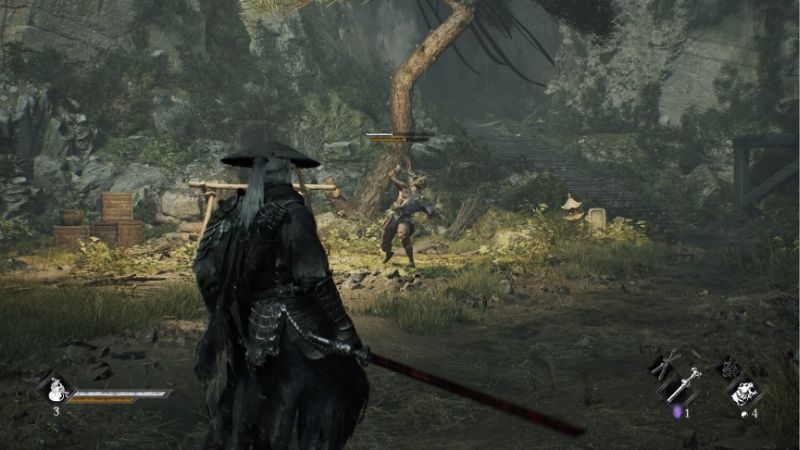
Crucially, none of those findings establishes one universal cause for all users. DSOGaming tested multiple GPUs on a Ryzen 9 7950X3D with 32GB RAM and a pre-release build. Wccftech’s reviewer described a Core i7-13700F, RTX 4080, and 32GB RAM. The game build, location, graphics settings, driver, and recording method can all change the result. Early reviews are not a substitute for a verified post-launch patch note or a test of your exact PC.
Do not change every graphics setting at once when you are trying to identify one stutter source.
| What you observe | Plausible explanation | First low-risk check |
|---|---|---|
| A shader-building screen before gameplay | Expected first-run pre-compilation | Let it finish without repeatedly forcing the game closed |
| A single hitch when entering a new location | Asset streaming, traversal, or newly encountered shader work | Return to the same area and see whether the hitch repeats |
| A hitch at the exact same spot on every pass | Repeatable traversal/streaming or scene-specific game issue | Note the location, game build, and whether settings change it |
| Low FPS throughout a fight | GPU load, CPU limitation, or ambitious graphics settings | Compare average FPS with frame-time spikes; test a lower preset |
| Stutter immediately after a GPU driver update | Cache rebuild or driver behavior is possible | Allow a fresh run and compare with the previous baseline |
| Hitches only while recording or using an overlay | Additional capture/background workload may be involved | Test once with optional overlays and recording disabled |
Shader compilation stutter versus traversal stutter
How shader pre-compilation works
Modern games compile shader programs into instructions suitable for a particular graphics driver and GPU. Without adequate preparation or cache reuse, compiling a shader at the moment an effect appears can occupy CPU time and interrupt the delivery of frames. A game can reduce this risk by preparing shaders at launch; the trade-off is that the first startup may take longer. A shader cache can then reuse compiled results where supported.
The important Phantom Blade Zero-specific point is that reviewers actually encountered a first-launch pre-compilation phase. Treat that as part of preparation rather than a bug to bypass. If a compilation indicator is visible, let it complete and check that the game reaches its normal menu. There is no verified basis here for an unofficial command that skips its initial shader phase without consequences. If the program hangs or crashes during compilation, record the error and investigate a startup failure separately; do not assume waiting forever is required.
NVIDIA’s general driver documentation explains that updating a graphics driver can invalidate cached compiled shaders, and a fresh run may incur compilation work. This is a general mechanism, not confirmation that a particular Phantom Blade Zero patch will always rebuild a particular cache. Different GPU vendors and versions may handle caching differently.
Why loading a new area can feel similar
Traversal stutter occurs when the game hitches while moving between parts of the world, potentially as new assets or scene data are prepared. The visual symptom can resemble shader compilation stutter, but the cause and remedy may be different. A slowdown when crossing into a busy location is not enough by itself to identify which subsystem is responsible.
A useful test is repeatability: travel across a known point, record whether the hitch happens, leave the area, and cross the same point again using similar graphics settings. If a first-pass hitch disappears, one-time setup or caching is plausible, but it is not proven. If the hitch recurs at a consistent boundary, a persistent streaming or game-engine issue becomes more plausible. If frame rate stays low everywhere, focus first on workload rather than caching. This test does not require deleting a cache, modifying configuration files, or installing a third-party optimizer.
A safe PC diagnosis sequence
The order matters because several popular “fixes” destroy useful evidence. Make one change, retest the same short location or combat encounter, and record what improved. If the game has not yet unlocked in your region, complete the preparation steps now and leave actual gameplay checks until launch.
Let first-run compilation finish and establish a baseline
- Launch the installed game normally through Steam or Epic Games Launcher after it becomes playable. If it presents a shader compilation stage, allow that stage to finish before assessing gameplay smoothness. Do not claim that a separate shader button exists unless the current game build visibly provides one.
- Open an accessible section of gameplay, ideally a fixed route with the same camera movement and enemy encounter. Test for a short, consistent interval, then repeat once. Note whether the hitch occurs only on the first pass, every time, or throughout the entire interval.
- Record your GPU, CPU, RAM, graphics preset, resolution, upscaling state, driver version, and game build if displayed. If you cannot see a game-build number, note the storefront update date instead of inventing a version.
- Keep those settings unchanged for the next check. If a compilation stage does not appear, do not force a rebuild merely to make it appear; this can depend on build, cache state, and previous launches.
Expected result: You can distinguish an initial setup delay from actual in-game hitches and have a repeatable test area. If not: If the game cannot launch or compilation never completes, move to the storefront file-verification step and official technical support rather than immediately changing low-level Windows settings.
Check the official game-ready driver, but avoid driver churn
NVIDIA announced a Game Ready driver for Phantom Blade Zero on October 20, 2026. NVIDIA users can open the NVIDIA app > Drivers to inspect the currently available Game Ready driver for their supported GPU, or obtain the corresponding driver from NVIDIA’s official download page. Check the correct GPU and Windows version before installing. Restart if the installer requests it, then retest the same route.
For AMD Radeon owners, open Start > AMD Software: Adrenalin Edition. Search for System inside the application and open System Settings; from there, use Manage Updates to inspect available packages through AMD Install Manager. AMD documents these controls for supported recent Adrenalin versions, but labels and availability may differ on laptop or OEM installations. If this update option is absent, use AMD’s official driver selector or your laptop manufacturer’s support page for the exact model and Windows edition. Driver availability is hardware-specific, so no universal AMD driver version is required here.
Do not update, downgrade, reinstall, and clean the driver in rapid succession. Each change can alter cache state and make comparisons harder. Save the previous driver version in your notes, and consult the GPU vendor’s documented rollback procedure if a new driver introduces a reproducible regression. The NVIDIA announcement about Advanced Shader Delivery specifically names other supported titles; it does not prove that Phantom Blade Zero ships that delivery feature. Installing the driver is not the same as enabling an unconfirmed game feature.
Verify: Run the same route with the new driver and compare the timing and frequency of hitches, not just the highest FPS number. If performance worsens, record the change before deciding whether vendor-supported rollback is appropriate.
Verify installed game files if crashes or missing content accompany stutter
Steam’s own support path is Library > right-click Phantom Blade Zero > Properties > Installed Files > Verify integrity of game files. You can also use the gear icon on the game’s Library page to open Properties. Allow Steam to finish and follow any repair or download prompts. Valve notes that some local configuration files may legitimately differ during verification, so do not interpret every reported mismatch as corruption.
On Epic Games Launcher, go to Library > the three-dot menu for Phantom Blade Zero > Manage > Verify. Epic’s current support material distinguishes the regular and Preview launcher layouts; on Preview, the relevant menu can be next to the Play button. Verification checks the installation for damaged or inconsistent files. Epic says this process does not affect saved data, although maintaining normal backups is still sensible.
File verification is worth trying when you see missing textures, crashes, incomplete updates, or suspicious corruption. It is not a documented fix for every shader hitch, and repeating it after a successful pass is unlikely to establish a diagnosis. Do not manually erase the game’s installation or saved data as a first step.
Verify: The launcher reports completion, the game starts, and the specific symptom is either resolved or unchanged. If verification completes without improvement, keep your saved test notes and move to frame pacing rather than repeating the same procedure.
Check the storage drive and background load
Steam specifies an SSD installation for Phantom Blade Zero. With Windows, open File Explorer > This PC to check free space on the drive that actually contains the game. In Task Manager > Performance, select the corresponding disk to inspect activity and, where Windows exposes it, whether the disk is recognized as SSD or HDD. A separate fast drive with available space does not help if the game is installed on a different, overloaded drive.
While the hitch occurs, open Task Manager > Processes and check for unusually heavy disk, CPU, or memory use by downloads, recording software, browser tabs, or other applications. Pause nonessential downloads and close optional applications through their normal controls, then retest. Avoid disabling antivirus, changing Windows security policies, or deleting temporary files indiscriminately. A high disk-activity reading alone is not definitive proof of the source of a specific hitch.
If you use laptop graphics, ensure the intended discrete GPU is selected where your Windows build exposes a per-app preference: Settings > System > Display > Graphics > select the game > Options > High performance > Save. This only applies where Windows lists more than one GPU or offers the choice. Restart the game after changing the selection. You can revert it to Let Windows decide if the change offers no benefit.
Verify: Compare the same gameplay area with downloads paused and capture tools disabled. If the hitch disappears only with a certain background task stopped, re-enable items one by one to isolate the conflict.
Separate constant GPU load from intermittent stutter
Phantom Blade Zero supports graphics adjustments and ray tracing, and early PC testers found substantial differences between demanding rendering modes. If your performance is poor for most of a scene rather than briefly dropping at a boundary, reducing workload is a more direct test than altering a shader cache. From the game’s graphics interface on your installed build, note the current preset, then lower a broad graphics preset by one step and retest. Reviewers report that ray tracing and path tracing changes require returning to the main menu; do not assume every setting can be changed while actively playing.
The developer’s Steam listing targets 1080p/30 FPS at minimum and 1440p/60 FPS at recommended with upscaling enabled, not native rendering at maximum quality. A system around the minimum tier should not be judged against 4K path-traced footage. If lowering settings improves consistently low frame rates but leaves sharp isolated spikes at the same location, you have learned that average GPU load and the remaining hitch may be separate issues.
A frame-rate cap can sometimes make delivery feel more consistent when average FPS fluctuates above an achievable target, but it will not cure an engine stall. Use a cap offered by the game if present, or a documented GPU-driver limit, and preserve a record of the previous setting. Do not confuse frame generation with a shader-cache repair: generated display frames do not inherently remove the CPU or streaming pause that caused a hitch.
Should you clear the GPU shader cache?
Usually, not as the first fix. The cache exists to avoid unnecessary recompilation; deleting healthy cache data can make the first subsequent play session worse. NVIDIA explicitly documents cache deletion for situations where its shader cache has become damaged, such as visual artifacts, reduced performance, or crashes. That does not mean a fresh cache is a verified Phantom Blade Zero fix.
Start with the lower-risk checks above. If you have a reproducible issue that began after a driver change and evidence suggests the driver’s cache is corrupt, NVIDIA provides a documented NVIDIA-app procedure for disabling Shader Cache Size, restarting, removing defined cache contents, restoring Driver Default, and restarting again. Follow the entire current NVIDIA support procedure for your particular installed software rather than deleting arbitrary Windows or game directories. Do not use third-party cleaner scripts or wipe folders by name from an unverified tutorial.
AMD’s official Adrenalin graphics settings documentation also describes Reset Shader Cache. This is an AMD-driver feature where available, not an assurance that the current Phantom Blade Zero build is malfunctioning. Before any reset, know how to reopen the driver control panel and expect that shaders may need to be compiled again. Record whether the next run is worse, the same, or better. If your vendor’s software offers no such control, do not invent one.
| Cache situation | Safer decision |
|---|---|
| One-time compilation on first run, then normal gameplay | Leave cache enabled; no reset needed |
| A single hitch on first entry that disappears on repeat | Keep testing; avoid deleting working cache |
| Repeated hitches at one scene boundary | Document a possible traversal/engine issue before touching caches |
| Reproducible crash or visual corruption after a driver change | Consider the GPU vendor’s official cache-repair instructions after simpler checks |
| No evidence of corrupted cache | Do not clear it simply because the game uses Unreal Engine 5 |
How to tell whether your change worked
A good result is not a prettier average-FPS counter. Compare before and after with the same resolution, preset, camera movement, and location. Note if the hitch was an isolated first-pass event, a repeatable jump in frame time, or continuous underperformance. A single smooth thirty-second run can miss a later problem, so repeat the route and, if possible, compare another region.
| Result after one change | Interpretation | Next action |
|---|---|---|
| First pass hitches but second pass is smooth | One-time work or caching is plausible | Continue normally and watch for repeat occurrences |
| Same boundary hitches on every pass | Persistent scene or traversal issue remains plausible | Save notes and check official game patches/support |
| Lowering preset improves FPS, not hitch spikes | GPU workload was part of the problem but not the entire explanation | Keep playable settings; report repeatable spikes separately |
| Disabling a recording overlay fixes the hitch | Background overhead or conflict is implicated | Re-enable one capture component at a time |
| File verification repairs missing content and the issue stops | Installation integrity was likely relevant | Avoid further cache changes unless the symptom returns |
| New driver causes new issues | Driver regression or reset cache remains possible | Preserve evidence and follow vendor-supported recovery guidance |
If you can reproduce severe stutters even after a completed first-launch shader phase, a verified game installation, and sensible graphics settings, collect the exact game build, GPU driver, Windows version, SSD location, hardware specs, and affected area for S-GAME’s official support channels. Early reports show some systems can still hitch even on powerful hardware; buying a faster GPU without isolating the symptom is not an evidence-based remedy.
Tools That Help
- Steam or Epic Games Launcher — free software for the purchased PC version: Use its built-in Verify function when an incomplete update, crash, or missing asset suggests installation corruption. No third-party repair utility is necessary.
- Windows Task Manager — built into Windows 10/11: Use Performance and Processes to identify the GPU and disk, watch CPU/disk spikes, and spot obvious competing workloads. It is a first-pass observation tool, not a full frame-time benchmark.
- NVIDIA app or AMD Software: Adrenalin Edition — free GPU-vendor utilities for supported hardware: Confirm driver version and the availability of vendor-documented graphics/cache options. Do not apply cache resets unless the symptom justifies them.
No additional purchase is needed to perform these checks. Record your original settings before making changes so that you can restore them when a test does not help.
Frequently asked questions
Does Phantom Blade Zero compile shaders on first launch?
Yes, multiple independent PC reviewers reported a significant shader pre-compilation process during first boot. The exact duration for your hardware or whether the game rebuilds shaders after a particular update has not been established here. Allow any displayed first-run preparation to finish before judging gameplay.
Is every Phantom Blade Zero hitch a shader compilation problem?
No. Independent reports distinguish occasional traversal hitches from more serious area-specific performance problems. Consistently low FPS, background recording overhead, asset streaming, or driver behavior can resemble shader stutter. A repeated-route test is more informative than the symptom label alone.
Does the NVIDIA Game Ready driver remove all stutters?
No such guarantee is supported. NVIDIA announced game-ready support for Phantom Blade Zero, but that is not proof of zero stutter on every PC. The driver’s separately announced Advanced Shader Delivery examples include other games and should not be misrepresented as confirmed Phantom Blade Zero support.
Will clearing DirectX or NVIDIA shader caches improve FPS?
Not reliably. Clearing a healthy cache forces work to be repeated and can temporarily make stuttering worse. Use an official GPU-vendor repair path only when there is reason to suspect damaged cache data, and then assess more than the first run.
Can I fix traversal stutter by lowering ray tracing settings?
Lowering demanding effects may improve constant GPU-limited performance, especially on hardware below the intended settings tier. It may not remove a hitch caused by asset streaming or scene transitions. Test with ray tracing disabled only as a controlled comparison, not as proof of the underlying cause.
What if I only see stutter after a game or driver update?
A changed game build or driver may trigger renewed compilation or other performance differences. Let any visible compilation finish, capture the new version numbers, run the same route again, and check official update notes. Avoid mass cache deletion or repeated driver reinstalls without a reproducible reason.
Final Thoughts
For Phantom Blade Zero, start by completing the game’s first-launch shader preparation and repeating one short gameplay route. If the hitch disappears, leave the cache alone. If it happens reliably at the same location, document it and check official updates; if performance is poor throughout, test a lower graphics workload. Only consider driver-cache repairs when simpler checks point toward actual cache damage, and never mistake an unverified tweak for a game-specific fix.




