
For the best Xbox couch gaming keyboards, start with the game you play, not the keyboard’s RGB lighting. Xbox supports wired USB keyboards for system navigation and for certain games and apps, but individual games decide whether keyboard-and-mouse controls work. For a compact console-first purchase, the HyperX Alloy Origins 65 and Alloy Origins 60 have explicit Xbox Series X|S compatibility listed by HyperX. For a quieter, lower-cost living-room layout, the SteelSeries Apex 3 TKL is worth considering after a game-specific input check. Prices below are observed U.S. product-page prices, not guaranteed checkout quotes or evidence of detailed research.
Quick verdict: which couch keyboard should you buy?
Best overall for supported Xbox games: HyperX Alloy Origins 65. HyperX explicitly lists Xbox Series X|S and Xbox One compatibility; its 65% layout preserves dedicated arrow keys while taking less room than a full-size board. The U.S. Best Buy page displayed $68.99 and an Add to cart option when checked. You still need a stable surface and an appropriately routed USB cable.
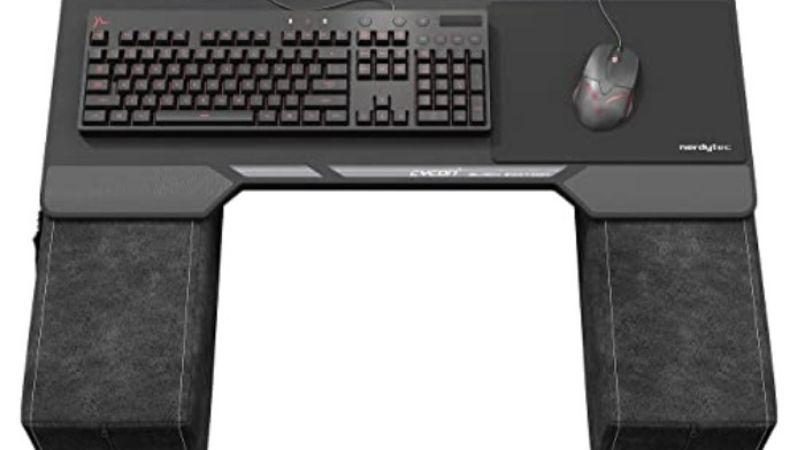
Smallest console-documented option: HyperX Alloy Origins 60. It has the clearest 60% alternative among the researched picks, with maker-listed Xbox compatibility and a manufacturer Add to cart option at $79.99. It sacrifices dedicated arrow keys and an easy way to use some secondary functions.
Budget couch setup: SteelSeries Apex 3 TKL. Target displayed $49.99 and In Stock. Its compact, quieter keyboard design suits shared rooms, but SteelSeries’ available manufacturer information does not amount to an Xbox Series X|S certification for this exact SKU. Treat console operation as a test-before-committing decision, not a promise.
Important: A Logitech K400 Plus is excellent for a living-room Windows PC, but Logitech documents it for PC/TV use, not as an Xbox-certified keyboard. And the Xbox-oriented Razer Turret is a genuine couch keyboard/mouse solution, but a current complete, buyable U.S. bundle was not confirmed during this research. Neither should outrank an available and console-documented option for a buyer using Xbox alone.
US price and stock comparison — checked October 28, 2026
| Exact keyboard / variant | Couch use and Xbox evidence | U.S. seller / observed price | Stock status on checked page | Main drawback |
|---|---|---|---|---|
| HyperX Alloy Origins 65, Red linear, US | 65% wired; Xbox Series X|S officially listed | Best Buy — $68.99 | In stock signal: Add to cart | USB cable; no built-in mouse surface |
| HyperX Alloy Origins 60, Red linear, US | 60% wired; Xbox Series X|S officially listed | HyperX U.S. — $79.99 | In stock signal: Add to cart | Missing dedicated arrow/function row |
| SteelSeries Apex 3 TKL | Quiet, water-resistant TKL wired keyboard; console support not SKU-certified | Target — $49.99 | In Stock / Add to cart | Verify your Xbox/game before committing |
| Logitech G413 TKL SE, 920-010442 | Wired tactile TKL with PBT keys; manufacturer documents PC-oriented use | Logitech G U.S. — $79.99 | In Stock / Add to cart | No official Xbox compatibility confirmation for this SKU |
| Razer Huntsman Mini Clicky, RZ03-03390500-R3U1 | 60% wired with backlighting; generic USB use is not game support | Best Buy — $69.00 | Add to cart | Clicky switches can disturb shared spaces |
| Logitech K400 Plus, 920-007119 | Wireless receiver and built-in touchpad; Xbox behavior unverified | Best Buy — $34.99 | Add to cart | Designed for PC-to-TV, not confirmed as Xbox console gaming input |
| Razer Turret for Xbox One, RZ84 family | Xbox-focused keyboard/mouse + retractable mouse mat; Razer confirms Series X|S forward compatibility | No trustworthy current complete-bundle price | Unclear; no confirmed buy-now offer | Older, scarce product; avoid incomplete used sets |
The dollar figures above are direct product-page observations, not a claim that every price or seller will remain identical after entering a U.S. ZIP code. Best Buy sometimes displays different sellers or price states for the same model. Only buy from a listing whose exact model, condition, accessories, merchant, return policy and checkout total you can confirm. The Razer Turret is a monitored alternative, not one of the currently purchasable picks.
What Xbox actually supports — the compatibility gate
Microsoft’s Xbox accessibility guidance says wired USB mice and keyboards work for navigation in select games and apps, and a keyboard can be used to get around Xbox. That is narrower than saying that every Xbox game accepts keyboard input. The distinction applies to Series X, Series S and Xbox One: console recognition and game-level support are separate questions.
Before buying, identify the exact Xbox console and the exact game. Check its Xbox store listing, publisher support documentation or in-game input settings for keyboard-and-mouse support on console, not merely on Windows or cloud gaming. A title can support these inputs on PC without enabling them on Xbox. A keyboard used for console text entry may not control movement, inventory or shortcuts in that same game.
A conventional wired USB-A keyboard is the most predictable starting point because Microsoft’s support statement explicitly names wired USB. A keyboard with a 2.4 GHz USB receiver may work if the receiver exposes a standard keyboard interface, but a PC compatibility badge alone does not confirm it. Do not buy a Bluetooth-only keyboard assuming the Xbox has the same generic Bluetooth keyboard pairing workflow as a laptop. Treat Bluetooth pairing for this purpose as unsupported unless an Xbox-specific source for that accessory says otherwise.
Mouse support matters as much as keyboard support. For aiming from a sofa, a compact keyboard alone is not a complete gaming setup: you also need an appropriate mouse, a firm mouse surface or lapboard, and safe cable/radio placement. A trackpad is fine for TV-connected PC browsing but is not automatically recognized as an in-game mouse by Xbox. Nor can a trackpad substitute for the precision and repeatable movement of a physical mouse in most shooters.
Seven keyboards and setups, with honest trade-offs
HyperX Alloy Origins 65 — best overall for a compact Xbox setup
The HyperX Alloy Origins 65 is the most balanced console-documented option in this list. HyperX lists Xbox Series X|S and Xbox One among compatible consoles, and its documentation confirms a wired connection, 65% format, detachable USB-C cable and compact body. The manufacturer’s published dimensions are approximately 315 by 106 mm. Those facts matter on a sofa: it fits on a smaller lap desk without deleting the dedicated arrow keys that make menus and non-game typing easier.
The exact U.S. Best Buy listing checked for the Red linear switch version displayed $68.99 with Add to cart. The separate HyperX product page defaulted to a different Aqua tactile variant when inspected and displayed $79.99. Those are not interchangeable seller/variant prices; the table uses the named Red variant sold by Best Buy. Reconfirm the switch choice before clicking Buy.
Who should buy: Xbox players with a confirmed keyboard-compatible game who want a small, durable mechanical board, plus a stable mouse surface and a sensible cable path. The 65% layout is especially practical when you sometimes type commands or messages, not just WASD controls.
Who should skip: Players who need a full function row or number pad, or who cannot route USB to the sofa without a trip hazard. HyperX’s software customization is aimed at Windows; do not assume that NGENUITY runs on the Xbox console or that every PC macro transfers to every game. A manufacturer console-compatibility statement confirms hardware support, not universal per-game input support.
HyperX Alloy Origins 60 — best ultra-compact alternative
The HyperX Alloy Origins 60 also expressly lists Xbox Series X|S and Xbox One. It uses a 60% layout and detachable USB-C-to-USB-A cable, with a metal body and doubleshot PBT keycaps. HyperX’s U.S. listing displayed $79.99 and an Add to cart control for the researched page. That price is for the page/selected option checked; switch choice may affect availability.
A 60% board is convenient to place on the edge of a lap tray beside a mouse. It removes more keys than a TKL keyboard, however, so arrows and function-key commands often require a secondary layer. That can become awkward in games with numerous inventory or menu bindings, and it is less comfortable for long text chats. Lighting and macro features configured with PC software should not be presented as Xbox-native features.
Who should buy: Someone who primarily uses a small set of controls in a verified keyboard-supporting game, wants a compact, cable-connected console setup, and accepts function layers. Who should skip: Anyone relying heavily on arrow keys or function shortcuts, or who expects the keyboard to replace an Xbox controller in every game. For many players the 65% Origins is the easier everyday compromise.
SteelSeries Apex 3 TKL — best quieter budget candidate
The SteelSeries Apex 3 TKL at Target displayed $49.99, In Stock, and Add to cart on the U.S. retail page. SteelSeries describes the model as tenkeyless, with whisper-quiet switches and IP32 water/dust resistance. The latter is a modest spill-resistance claim, not permission to wash a keyboard or use it near liquids. Compared with a clicky mechanical board, quiet switches are a practical benefit in a living room shared with other people.
A TKL keyboard is bigger than a 60% model but keeps familiar navigation keys and dedicated function keys. It works better on a broad lap desk than in one hand. The board is wired, meaning a long run from the console may need a properly specified USB extension; avoid stretching the bundled cable over a walkway. RGB effects may need PC software and should not form the buying case for Xbox.
Compatibility caution: The SteelSeries manufacturer evidence checked describes the physical PC gaming keyboard, not an Xbox Series X|S certification for this exact product. A standard wired USB keyboard is a sensible candidate under Microsoft’s general guidance, but treat actual recognition and the target game’s functionality as unverified until tested. Prefer a seller with returns available and do a low-risk test immediately after delivery.
Logitech G413 TKL SE — best tactile TKL for a dual PC/Xbox household
The Logitech G413 TKL SE is a wired, tenkeyless keyboard with tactile mechanical switches, PBT keycaps, a white backlight and six-key rollover, according to Logitech. The exact U.S. manufacturer page for model 920-010442 displayed $79.99, In stock. Ready to ship, and Add to cart when opened. Some Best Buy listings displayed alternative prices and third-party merchants, which should not be substituted for the manufacturer quote.
The restrained white lighting is useful for finding keys without a rainbow effect. A TKL layout leaves more space for a mouse on a lapboard than a full-size model while retaining arrow and function keys. Its tactile response is a matter of preference: it can feel more deliberate than a membrane keyboard, although it will not necessarily be quieter than the Apex 3 TKL. Logitech documents the keyboard mainly for computer gaming, so Xbox hardware functionality is not independently established just because it plugs into USB.
Who should buy: A household that also owns a Windows/Mac gaming computer, values a conventional mechanical layout, and can return the keyboard if console-specific support is insufficient. Who should skip: Xbox-only buyers who want the clearest manufacturer-documented console option; HyperX has stronger evidence for that narrower requirement.
Razer Huntsman Mini Clicky — best tiny backlit keyboard for a spare desk setup
The Razer Huntsman Mini Clicky at Best Buy is an exact RZ03-03390500-R3U1 wired 60% SKU. The U.S. page displayed $69.00 and Add to cart. Its optical clicky switches, double-shot PBT keycaps and onboard lighting presets are useful features, but none proves the keyboard works in every Xbox game. Razer’s generic console support note says game publishers decide whether to permit keyboard input.
A short-width board gives a mouse more room on a sofa lapboard. Its clicky keys may be noisy during late-night play, and its lack of arrow/function keys can require layer shortcuts. If you are buying this model solely for Xbox, confirm the intended game supports mouse and keyboard and preserve an easy return option. Do not purchase it for PC-only programming macros or lighting synchronization on Xbox; those capabilities are not established as console functions.
Who should buy: Someone who alternates between PC and a game with confirmed Xbox keyboard input, enjoys clicky feedback and needs minimum desk width. Who should skip: Quiet households, frequent text typists or anyone seeking a fully wireless couch keyboard.
Logitech K400 Plus — best couch trackpad for a TV-connected PC, not a confirmed Xbox pick
The Logitech K400 Plus is the most obvious living-room design: an integrated touchpad, media keys, two AA batteries and a 2.4 GHz USB Unifying receiver. The U.S. Best Buy page for model 920-007119 displayed $34.99 with an Add to cart button. Logitech’s technical documentation lists Windows/Chrome OS/Android-oriented support, an approximately 3.5-inch touchpad and up to 18 months of battery life under the maker’s test conditions.
For a Windows PC connected to the same TV as an Xbox, this is often more practical than a heavy gaming keyboard. You can type searches, navigate a browser and manage media from the sofa without balancing a separate mouse. Independent testing by RTINGS finds it better suited to basic entertainment control than demanding gaming, where latency and missing backlighting are drawbacks.
However, Logitech does not certify this exact keyboard for Xbox Series X|S in the documents checked, and its trackpad must not be treated as a guaranteed Xbox game mouse. The USB receiver might function for some basic input, but that is a possibility to test, not a verified recommendation. Buy for a connected PC first; buy for Xbox only if you have a model-specific compatibility confirmation and an acceptable return path.
Razer Turret for Xbox One — purpose-built premium watchlist, not a verified current purchase
The Razer Turret for Xbox One is different from the generic PC keyboards above. It was designed as an Xbox living-room keyboard-and-mouse pair and includes a retractable mouse surface; Razer’s support documentation states it is forward-compatible with Xbox Series X and Series S. Its dedicated 2.4 GHz receiver and magnetic mouse area directly address two couch issues: managing a pointer and keeping it from sliding off the lap.
The problem is current U.S. availability. A GameStop product page exists and references pre-owned inventory, but the opened page did not establish a complete, orderable bundle at a dependable current price for an unspecified U.S. ZIP. Other used listings can omit the mouse, receiver, charging cable or original accessories. A cheap keyboard-only Razer Turret is not equivalent to a complete Xbox Turret kit.
Who should watch: Enthusiasts who specifically want a one-piece wireless Xbox couch mouse-and-keyboard solution and can verify an intact new or pre-owned kit. Who should skip: Anyone who needs a keyboard this week or wants straightforward warranty support. Do not list an unverified used price as a live new-product deal or rank it over models with current verified buy signals.
Build a couch setup that actually works
A purchase should start with a concrete plan for the space between your Xbox and your seat. For wired keyboards such as the HyperX, SteelSeries, Logitech G413 and Razer Huntsman, identify a free USB-A port on the console. Place the keyboard on a stable lap desk or tray large enough to prevent rocking and to leave a separate area for the mouse. Route the cable away from feet, pets, recliner mechanisms and doorways. A USB extension may help with distance, but verify cable quality and connectivity rather than assuming an arbitrary long cable is lossless.
For the K400 Plus, the receiver belongs in the USB port of the supported PC or other host device, not necessarily the Xbox. A USB receiver is not the same thing as Xbox Wireless, and generic Bluetooth support should not be inferred from a keyboard’s retail title. If your display switches between an Xbox and a PC, label the receiver and the active TV input so a keyboard failure is not really an input-source mistake.
Use this simple console verification sequence after purchase:
- On the Xbox home screen, plug in a wired keyboard directly through USB-A. Do not add an unverified hub or converter for the initial test.
- Try ordinary console navigation or text entry with the keyboard. If nothing works, check the connection, cable and keyboard power, and try another built-in console USB port. Keep your controller available.
- Open the specific game you previously confirmed supports keyboard and mouse on Xbox. Check that game’s own input settings and try movement/interaction in a safe menu or training area.
- Connect a separate wired USB mouse if the game requires pointer input. Confirm both devices work within the game; console text input alone does not pass this test.
- If keyboard input is recognized on the dashboard but not in the game, stop troubleshooting the keyboard hardware until you confirm the game/edition and platform support. Do not install unapproved input-spoofing adapters to circumvent a game’s console input restrictions.
Expected result: You can type or navigate in supported system surfaces, and gameplay controls only function when the chosen game explicitly accepts them. Rollback: unplug the keyboard and mouse and resume normal controller play. No firmware modification, account bypass or unsupported remapping tool is necessary.
Buyer’s checklist: what matters more than RGB
1. Game support first. Find one Xbox game you intend to use with keyboard and mouse and verify console-specific support; otherwise retain the controller and save the money. Cross-play and cross-progression do not imply identical input support.
2. Real console evidence. HyperX explicitly lists Xbox Series X|S for the Origins 60/65. For other PC keyboards, a USB plug or a store category does not equal official Xbox certification. Separate confirmed manufacturer compatibility from a reasonable untested candidate.
3. Size and control scheme. Choose 60% only if function layers are acceptable. Choose 65% for dedicated arrows in a compact footprint; TKL for the most conventional typing/navigation without a number pad. A larger board usually needs a wider lap surface.
4. Mouse placement. Dedicated lapboard space and a mouse matter more for aiming than a built-in trackpad. If you need wireless convenience and a mouse surface together, the Razer Turret is the conceptually strongest fit, but it must be sourced as a complete verified bundle.
5. Lighting and noise. Backlighting can help in a dark room. Clicky optical or mechanical switches can be distracting around others. PC control software may not function on Xbox even when the keyboard types normally.
6. Price, seller and return policy. Use the exact SKU and U.S. merchant in the comparison table. A page-level Add to cart label does not guarantee deliverability to your ZIP code, taxes or an unchanged checkout total. Select a retailer with clear returns, especially for models not explicitly listed for Xbox use.
How we selected these products
We used official Xbox support material to establish the platform limitation, manufacturer pages for layout, connection type and console-compatibility statements, then U.S. retail product pages for price and stock indicators. Seven differentiated choices were retained: five wired keyboards with visible current order signals, one TV-PC-oriented wireless touchpad board, and one historically Xbox-specific but availability-limited Turret. The recommendations do not assume that a product has been tested by GeekGamingTricks, and no keyboard latency, wireless stability, durability or in-game frame-rate claims are presented as our measurements.
Stock labels are based on a seller’s displayed product page during the check. We did not enter a specific U.S. delivery ZIP or complete a checkout. We also did not run a console compatibility laboratory across game editions, firmware revisions and input settings. If such a test is essential for a specific game, verify it before buying rather than treating this roundup as a certification list.
Frequently asked questions
Does every Xbox Series X or Series S game work with a keyboard?
No. Microsoft supports keyboard-and-mouse input only in selected games and apps. A keyboard can work for basic system functions and still do nothing inside a particular game. Confirm the Xbox console edition of the game supports the intended input, not just its Windows edition.
Can an Xbox connect to a Bluetooth-only gaming keyboard?
Do not assume it can pair like a PC. The primary Microsoft guidance checked explicitly confirms wired USB mice and keyboards. A Bluetooth-only accessory without model-specific Xbox support is a risky purchase for this purpose. A 2.4 GHz USB dongle also needs its own compatibility verification.
Is the Logitech K400 Plus a good Xbox gaming keyboard?
It is a good couch keyboard for a TV-connected PC, with a touchpad and receiver. Logitech documentation checked does not certify Xbox Series X|S use, and the touchpad is not a verified substitute for an Xbox-compatible gaming mouse. Treat it as a conditional choice, not the best overall console pick.
Why choose 65% over 60% for couch gaming?
A 65% board retains more dedicated navigation keys, including arrows, with little extra width. That is handy for text, settings and games using non-WASD commands. A 60% board makes additional space for the mouse but uses more function-layer combinations.
Can the Razer Turret work on Xbox Series X|S?
Razer says its Turret for Xbox One is forward-compatible with Xbox Series X and S. That answers hardware compatibility, not current seller stock or whether every Xbox game enables keyboard-and-mouse controls. Check the full kit, receiver and mouse before paying for a used listing.
Do I need a special keyboard-to-controller adapter?
No for games that already support standard keyboard-and-mouse input on Xbox. Start with a supported USB keyboard and mouse. Input-spoofing accessories may violate game rules and can create unfair online play; they are not a substitute for confirming native compatibility.
Can I configure macros and lighting on Xbox?
Do not assume PC software such as HyperX NGENUITY, Logitech G HUB or Razer Synapse runs natively on the console. Some boards store preset lighting or settings in onboard memory, but which settings work without PC software depends on the model and game. Buy for basic verified input first.
Should I buy a wireless keyboard just to avoid running a USB cable?
Only with confirmed console support for that wireless accessory. Xbox’s officially documented wired USB path is the safer default. A lap desk and safely routed extension cable can provide a better practical result than an unverified dongle or Bluetooth-only product.
Final thoughts
For best Xbox couch gaming keyboards, the decisive comparison is not how many RGB effects you get: it is whether the product has Xbox-specific hardware evidence, the game supports keyboard-and-mouse input, and the setup is comfortable on a sofa. Choose the HyperX Alloy Origins 65 first if you want the compact, console-listed balance of arrows and gaming keys; the Origins 60 if reducing width is paramount. Consider the SteelSeries Apex 3 TKL for a quiet lower-cost wired setup only with a game-and-console verification plan. Buy the K400 Plus for a TV-connected PC, not as a guaranteed Xbox console gaming keyboard, and leave the Razer Turret on a stock-watch list until a complete verified kit can actually be purchased. Your next action is to confirm support in one specific Xbox game before putting any keyboard in the cart.
