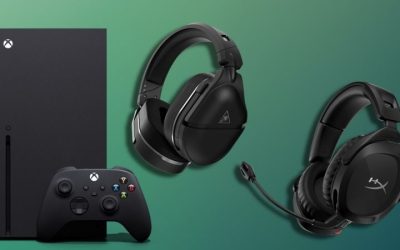
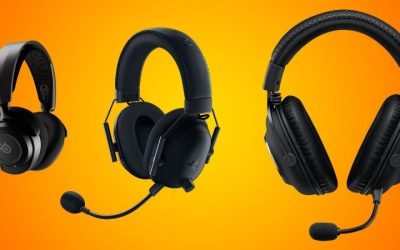
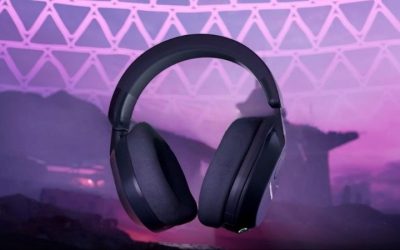
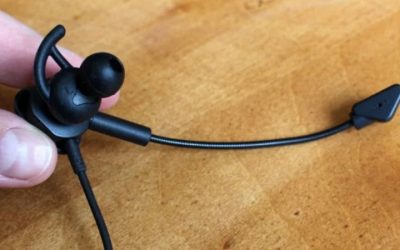
The best headsets for voice chat clarity make your spoken instructions intelligible without asking teammates to turn you up every round. A large microphone capsule, aggressive noise suppression or a high price alone cannot guarantee that result: the pickup position, game platform, wireless mode, input level and environment all matter. This U.S. buying guide compares four genuinely different currently listed gaming headsets—Audeze Maxwell 2, Razer BlackShark V3 Pro, Turtle Beach Stealth 600 Gen 3, and SteelSeries Arctis Nova 5—and explains how to verify your voice path before you commit. We did not run an original microphone test bench for this article.
Quick verdict: choose the mic path that matches your chat setup
The short answer depends on the sound you need your teammates to hear, not just what the microphone advertises. Across independent RTINGS reviews, Audeze Maxwell 2 has the strongest reported voice naturalness and background separation among this shortlist, though its heavy body is a long-session comfort trade-off. Turtle Beach Stealth 600 Gen 3 and SteelSeries Arctis Nova 5 have positive independent microphone results at lower price tiers. Razer BlackShark V3 Pro has split reviews: excellent noise handling in RTINGS’ tests, but a muffled/hollow out-of-box voice in SoundGuys’ and Tom’s Hardware’s listening sessions. Those assessments use different recordings, environments and processing; do not convert them into a fabricated common numerical score.
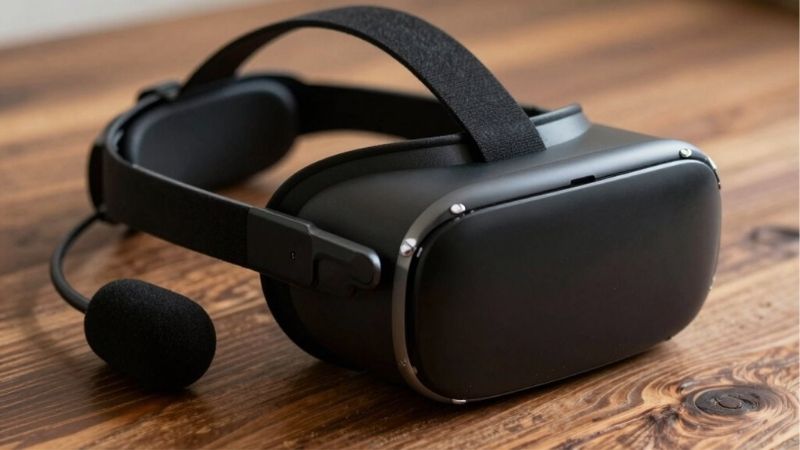
Platform comes before preference: the Maxwell 2 Xbox and PlayStation editions are not identical in Xbox support; Stealth 600 Gen 3 comes in platform editions; Nova 5 model 61670 is the PC/PlayStation/Switch route, not an Xbox-wireless promise. If you need Xbox wireless, check the exact Nova 5X product and console documentation separately rather than ordering model 61670. A full-size detachable microphone can sound worse than a well-placed economical boom if the wrong voice input, noise gate or wireless path is selected.
Four independent microphone reports compared without invented lab scores
These are published reviewer observations, not microphone recordings collected or level-matched by GeekGamingTricks. RTINGS’ updated headset test pages can provide a useful common vocabulary for recording quality and noise handling, but test-bench revisions, selected headset editions and app settings still matter. SoundGuys’ first-person Razer and Turtle Beach experiences provide a necessary second viewpoint.
| Specific headset / review | Voice recording evidence | Noise / setup limitation | Who should trial it first |
|---|---|---|---|
| Audeze Maxwell 2, RTINGS (Xbox sample) | Reviewer reports natural, full speech and excellent boom-mic intelligibility. | Strong measured/reviewed noise handling; 560 g manufacturer weight and poor ear-side isolation can make prolonged noisy-room use tiring. Not Maxwell 2 ANC. | Voice-first player willing to trade weight and price for a premium mic. |
| Razer BlackShark V3 Pro, RTINGS versus SoundGuys / Tom’s Hardware | RTINGS finds natural clear voice capture; SoundGuys reports hollow/muffled initial tuning; Tom’s Hardware similarly reports muffled voice in Discord. | RTINGS praises background separation; SoundGuys describes environmental sounds entering its recordings. Software EQ may change perceived voice, not guarantee a match. | Buyer prepared to compare recorded clips in the actual chat app, both with and without Synapse processing. |
| Turtle Beach Stealth 600 Gen 3, RTINGS and SoundGuys | RTINGS reports very good recording and strong noise handling; SoundGuys heard clear speech with some fan/AC noise. | Flip-up boom is not freely aimable; sudden loud sounds can still pass through. Verify the Xbox versus PlayStation/PC offer. | Budget-conscious console player who wants simple flip-to-mute communication. |
| SteelSeries Arctis Nova 5 (61670), RTINGS | Reviewer reports clear, natural speech and strong background separation. | The reviewed family includes 5/5P/5X variants; 61670 is the PS/PC/Switch model, not licensed Xbox-wireless hardware. | PC/PlayStation user valuing chat flexibility over Xbox-specific wireless functionality. |
Evidence strength: independent review observations support a defensible shortlist, not a four-way acoustic shootout. Neither a 48 kHz marketing number nor AI mode branding demonstrates superior consonant clarity. The articles must not claim that our team recorded these headsets or tested Discord/console party chat using these exact four units.
Audeze Maxwell 2: strong published microphone evidence
The Audeze Maxwell 2 PlayStation edition was listed at Crutchfield for $329 and shown in stock. The retailer names PC, Mac, PlayStation and Nintendo support for that edition via the supplied low-latency wireless transmitter. This is a premium headset with a detachable boom microphone; the exact wireless transmitter and licensed console variation are part of the purchase decision.
RTINGS’ 2026 headset coverage places strong emphasis on this generation’s boom-mic recording and noise handling. Their assessment supports considering Maxwell 2 when the top priority is conveying a clear voice, particularly with background noise present. It does not mean we recorded our own voice tests, and it does not prove the headset eliminates television audio or conversations in a particular home.
Check two separate issues before purchasing. First, the standard Maxwell 2 and Maxwell 2 ANC are different hardware versions; ANC is ear-side noise cancellation, not simply an alternate microphone specification. Second, the PlayStation edition’s stated support should not be silently broadened into licensed Xbox console wireless voice chat. If your group uses Xbox Party Chat on a physical Xbox console, verify the Xbox edition and its headset radio before spending this much.
Maxwell 2 can be a compelling priority buy for a user who will actually use the boom mic and has enough budget. It is not automatically the best for someone with a small head, a tight budget, or a need for a lightweight fit; independent mic quality is only one dimension of a long gaming session.
Razer BlackShark V3 Pro: PC controls and platform-edition discipline
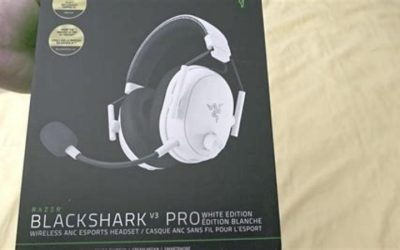
The Razer BlackShark V3 Pro PC Black, specific part number RZ04-05400100-R3U1, was offered at Best Buy for $249.99 with an add-to-cart option. The product page describes a detachable 12 mm directional boom mic, hybrid active noise cancellation and Razer’s low-latency radio. These are manufacturer-marketed features; they cannot substitute for a blind microphone recording comparison between these four products.
The most useful practical advantage may be the mic’s physical pickup position and adjustable PC software path. Move the boom closer to the corner of your mouth without placing it directly in the breath stream, and set the capture volume so ordinary speech is strong but shouting does not clip. PC noise reduction can help suppress sustained background sound, although a gate that closes too aggressively may chop the beginnings of quiet words.
Be precise about this PC edition. It is sold for Windows/Mac/PlayStation-related use, but that does not make the selected SKU an Xbox Wireless headset. Do not confuse the product’s headset-earcup ANC with the separate processing applied to outgoing microphone audio. A noisy room might benefit from both, yet each solves a different problem.
Choose this candidate if you want PC-oriented controls and a detachable mic and can confirm the relevant app features for your platform. Its performance in Discord, OBS or console party chat still depends on the active input device and software configuration. We have no published brand-neutral microphone score for this exact comparative setup that would justify promising it always beats every other pick.
Turtle Beach Stealth 600 Gen 3: the budget-oriented voice-chat option
Turtle Beach’s Stealth 600 Gen 3 Xbox Black was listed on the company’s U.S. shop at $109.99 with an Add To Cart option. The model includes a flip-to-mute microphone, 2.4 GHz wireless, Bluetooth and a QuickSwitch control. Turtle Beach markets AI-based mic noise reduction, but buyers should not treat that label as a guarantee of silent background audio.
Independent RTINGS headset coverage specifically reports good recording quality and microphone noise handling for Stealth 600 Gen 3. That makes it a useful budget comparison rather than a placeholder beside premium headsets. However, retailers may sell PC, PlayStation and Xbox editions; the chosen Xbox Black variant is the one used here, not an unverified generic SKU.
For clear chat, pay special attention to the flip-to-mute mechanism. Confirm the microphone physically reaches the intended open position, verify the software input is selected, and tell teammates you are changing the level before running a test. A broken conversation sometimes turns out to be microphone state, transmitter mode or party-chat routing rather than a poor microphone capsule.
The connection mode matters too. With Bluetooth, some systems select a hands-free voice profile, which can sound different from the supplied dongle. In wireless console use, follow the edition’s pairing instructions, and check whether the microphone continues to work while switching from a call on your phone back to game chat. The product’s strong mic-handling review cannot validate every possible wireless route.
SteelSeries Arctis Nova 5: a flexible everyday chat candidate
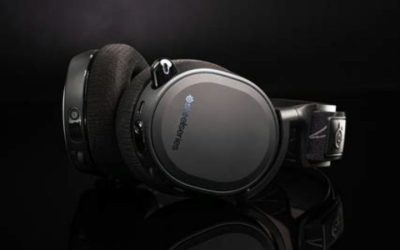
Best Buy listed the SteelSeries Arctis Nova 5 Wireless Black, model 61670, around $129.99 with an add-to-cart option. It uses a wireless receiver and a ClearCast microphone, with tuning and chat features in SteelSeries’ software ecosystem. That supports considering it for everyday PC and compatible-console voice chat, but it does not establish a measured mic superiority over the other headsets.
On Windows PC, the GG environment may present input gain, microphone controls and sound processing. When a headset is moved to PlayStation, do not assume an identical software window or every saved setting carries over. The buyer should check the exact model and platform guide, not extrapolate from a screenshot of Sonar on a Windows desktop. If you use the headset on Linux, SteelSeries GG is officially unsupported there, which makes the receiver’s basic USB capture behavior the central question.
This model is an option when you want a mainstream wireless boom mic without the Maxwell 2’s price. For speech quality, physical boom placement, the correct OS input source and consistent mic level often matter before more elaborate EQ. We have no first-party comparison recording for this four-headset shortlist, so calling it the objective fourth-place microphone would be unjustified.
What actually makes voice chat sound clear?
Intelligibility is different from a studio-sounding voice. Your teammates need to hear short names, numbers and directional calls clearly, not simply admire the bass in your voice. A microphone with a strong low end can sound warm while still masking consonants after game audio, compression or a voice channel’s own processing. The practical test should include ordinary talking, sharp consonants, whispers and the loudest calls you expect to make.
Microphone distance is often the cheapest upgrade. Start with the boom a little to the side of the mouth, not directly in front of exhaled air. If the mic is too far away, software gain raises both speech and room noise; if it is too close or pointed into your breath, plosive popping and overloaded input make words less intelligible. Don’t force the boom into a tight position that damages the flexible arm.
Background-noise handling can refer to the physical pickup pattern, software suppression, automatic gain, or a combination. These are different technologies, and the room matters. A directional boom may reduce keyboard sounds off-axis without fully rejecting a TV beside you. Software reduction can remove steady fans, but can also make speech robotic when pushed too hard. There is no published dB reduction number for these four headsets that we can responsibly invent as an apples-to-apples result.
Game and chat routing is another hidden variable. On a Windows PC, Discord or another voice app can select a different input than the system default. On PS5 or Xbox, party chat passes through the console’s headset pairing and privacy controls. A headset that sounds fine in the PC’s recorder can appear silent in a console party until the selected device and mic mute state are corrected.
Wireless mode changes the available processing and audio profile. A gaming dongle and Bluetooth are not interchangeable even on a headset with both. Some combinations do not allow both phone audio and game audio simultaneously. Try the exact mode your team will use, rather than a completely different microphone path with a USB cable or a phone call.
A five-minute voice test before blaming the hardware
- Confirm the exact mic input. In Windows sound settings, Discord, the console party panel or your streaming application, select the headset microphone specifically. Do not assume the default input changed after pairing.
- Read a fixed phrase. Record a 20-second passage with names, numbers and soft consonants. Play it back at normal volume. A phrase said at real game-chat loudness is more useful than one shouted directly into the mic.
- Add a realistic background source. Turn on your usual fan or keyboard use and record again at your normal seated distance. Avoid reproducing the loudest conditions in a way that disturbs others; the point is consistent comparison, not a laboratory certification.
- Adjust gain one variable at a time. Reduce clipping before adding noise filters. Then check that noise gating does not swallow the first syllable after a pause.
- Repeat in the actual party or voice app. Ask a friend whether your words remain clear while game audio is playing, and repeat with the wireless mode you intend to keep.
These instructions are a proposed user test, not a test GeekGamingTricks completed on four review units. If an app applies aggressive suppression automatically, keep a record of that setting before judging the raw microphone. For streaming, also check monitoring and echo paths: microphone output routed back into a speaker can produce feedback, and multiple capture devices can create doubled voice.
What to check before buying a U.S. listing
Confirm seller, new-versus-open-box condition, exact manufacturer part number, headset platform edition and the current selected offer. A product may appear in a catalog as “in stock” while delivery to a particular ZIP code is unavailable. A model’s lower advertised price may apply to a color or edition different from the one whose microphone and chat support you evaluated.
Then verify how you will use voice chat. For a PC with Discord, the most important questions are which device the operating system exposes and what settings you can actually save. For Xbox Series X|S console party chat, prefer the explicitly supported Xbox edition. For PS5, check the dongle and the PS5 Control Center microphone input and adjustment, not a Windows PC-only picture of the headset app.
A headset advertised with active noise cancellation is not automatically better at blocking outgoing voice background. ANC reduces sound reaching your ears; microphone noise suppression tackles sound sent to teammates. Compare them separately. We have also intentionally excluded products with unclear active sale status or an unverified headset/mic match from this table.
Compare microphone signal paths before comparing chat clarity
Maxwell 2 verified boom setup: Audeze describes a detachable Shure boom microphone and recommends positioning the capsule about 2 inches from the user’s face. Removing that boom causes the headset to switch automatically to its internal mic. The model also supports FILTER AI Noise Removal for both microphones, selectable Off/Low/High from the headset. This is enough to design a controlled before/after comparison, not to claim an observed decibel improvement in a room we did not test.
BlackShark V3 Pro microphone specification: Razer lists a detachable 12 mm HyperClear Full Band microphone on the V3 Pro; platform editions and connection paths still matter. A larger published capsule diameter cannot by itself demonstrate greater word intelligibility over Discord, Teamspeak or a console party connection. In a comparable test, fix the same voice-app codec, input-gain level and mic distance; capture untreated audio first, then each noise suppression mode; ask listeners to write down a set of consonant-heavy callouts.
| What to compare | How to keep it fair | What the data can prove |
|---|---|---|
| Boom vs internal microphone | One speaker, one application, matched gain | Relative intelligibility in that setup |
| AI reduction Off / Low / High | Identical background-noise sample | Trade-off between noise and speech artifacts |
| Different platform editions | Confirm exact dongle and mic routing first | Functional compatibility, not a universal ranking |
Sources: Audeze Maxwell 2 boom-mic positioning guide, Audeze filter controls, and Razer official headset specification.
Voice-chat clarity: compare the documented mic configuration before subjective rankings
The Maxwell 2’s detachable Shure boom is a different input from its internal microphone. Audeze recommends placing the boom around two inches from the face; pulling the boom out engages the internal microphone. On the standard Maxwell 2, the on-device FILTER AI button cycles Off / Low / High. Compare the same headset with the boom inserted and with any AI filtering mode changed before deciding it has a weak mic. RTINGS’ Maxwell 2 review tested the Xbox variant; the newer Maxwell 2 ANC is a distinct product and its results should not be silently substituted here.
For the Razer, the detachable 12 mm microphone can be tuned in Synapse, but SoundGuys found its sound hollow before making software adjustments. RTINGS instead rated its voice/noise performance positively, while Tom’s Hardware heard muffling on conferencing apps. These descriptions can coexist if firmware, processing profiles, microphone distance, voice timbre, and acoustic environment differ. Compare recordings at the same input level rather than equating microphone capsule diameter with callout clarity.
For Stealth 600 Gen 3, the flip-to-mute arm changes whether the mic is enabled but is not a flexibly aimable studio boom. On Nova 5, confirm that the companion-app controls you want are supported on your target platform: model 61670 works through the PC/PlayStation-oriented connection route. Use the console-specific app and device menus to verify which microphone actually sends your voice to the lobby.
Conflicting independent microphone reviews: what buyers should actually do
RTINGS’ Razer BlackShark V3 Pro review praises its voice capture and handling of surrounding noise. SoundGuys’ first-person test hears a comparatively hollow, muffled voice before EQ, and Tom’s Hardware reported a similar issue on Discord and Google Meet even with software enhancement off. These conflicting independent judgments are useful buyer information, not proof that a reviewer fabricated a result: the noise scene, mic placement, algorithm settings and evaluation standard differ.
| Voice-chat scenario | Source-supported first trial | What would make you reject the selection |
|---|---|---|
| Quiet room / precise competitive callouts | Maxwell 2 boom at documented position; compare Razer with default EQ and one adjusted preset. | Consonants become dull, volume pumps between sentences or boom is uncomfortable. |
| Shared room with fan or keyboard | Maxwell 2 filtering Off/Low/High; compare Nova 5 or Stealth 600 Gen 3 through the same app. | Background sound masks names/directions or the gate removes first syllables. |
| Xbox party chat | First select the officially supported Xbox edition and voice route; Stealth 600 Xbox and Maxwell 2 Xbox differ from PS-only versions. | A model lacks the correct Xbox radio/receiver route, even if its PC mic sounds excellent. |
| Discord on Windows | Test the selected headset mic, disable double suppression when possible, and compare a raw local recording to a Discord test. | App chooses laptop microphone, aggressively truncates voice or the noise gate prevents natural transmission. |
Repeatable home check: record a ten-second fixed phrase in a quiet room, repeat beside a steady fan or while typing, and make a real chat call using that app’s voice-input selection. Keep microphone distance, gain and playback volume similar between passes. Listen for initial P/T/K consonants, clipped endings, consonant intelligibility versus background leakage, and a stable noise floor; test suppression off first and then on. This is a buyer’s test plan, not a claim that GeekGamingTricks performed it on the shortlisted products.
FAQ
Is ANC the same thing as a noise-canceling microphone?
No. Ear-side ANC affects what you hear. Microphone noise reduction affects what people on the call hear. A headset can have one, both, or neither. Don’t infer microphone isolation from an ANC label alone.
Is an expensive headset always clearer for Discord?
No. Mic placement, room noise, gain, processing and Discord’s own input settings can overwhelm a price advantage. Use independent recording tests for context and a personal app-level test for your setup.
Do the PlayStation and Xbox editions use the same wireless connection?
Not necessarily. Manufacturers often license platform-specific radios or dongles. Check the precise console-edition SKU before ordering, especially with Maxwell 2 or Stealth 600 Gen 3.
Do these prices mean I can purchase at this exact amount now?
The figures are U.S. public-page observations dated October 30, 2026. Discounts, seller, local availability, tax and checkout ZIP may change. Open the exact selected product offer for a final price before purchasing.
Final recommendation: choose by mic proof, comfort and console edition
Best voice-first research candidate: Audeze Maxwell 2. RTINGS reports excellent clarity and background handling, but its weight can be tiring and its PlayStation edition does not become Xbox-compatible through wishful thinking. Best lower-cost console trial: Turtle Beach Stealth 600 Gen 3. Both SoundGuys and RTINGS support a capable mic, although its non-positionable boom and platform variant constrain the recommendation. Best PC/PlayStation alternative in this set: SteelSeries Arctis Nova 5 model 61670. Its RTINGS recording assessment is positive; do not buy this exact SKU for Xbox wireless chat. Conditional premium PC choice: Razer BlackShark V3 Pro. Its strong RTINGS noise results should be weighed against SoundGuys and Tom’s Hardware’s less favorable out-of-box voice experience.
Before purchase, check the exact variant, present seller inventory and ZIP delivery, return window, and input route. Prices in this article are historic U.S. listing snapshots from October 30, 2026, not binding quotations or completed purchases. If your voice is still hard to understand after correct positioning and input selection, compare an actual call clip rather than buying only on advertised microphone capsule size.