Key takeaways
- MCLK = 3000 MHz (DDR5-6000 is double data rate)
- UCLK = 3000 MHz (UCLK = MCLK)
- FCLK = 2000 MHz (Auto setting that keeps 3:2 ratio without desync)
What's inside
The best memory speed for the Ryzen 7 9800X3D is DDR5-6000 with CL30 timings running at a 1:1 ratio with the Infinity Fabric (FCLK 2000MHz / UCLK 3000MHz), because it delivers 99% of the gaming performance of faster kits without the instability, voltage, or cost penalty of DDR5-7200+.
Unlike the non-X3D Ryzen 7000/9000 chips where memory speed directly scales performance, the 9800X3D’s massive 96MB of stacked L3 cache makes it far less sensitive to RAM speed. That changes the value equation completely: you are buying for low latency and stability at the sweet spot, not for maximum MT/s.
Why DDR5-6000 CL30 Is the Sweet Spot for the 9800X3D
The Ryzen 7 9800X3D’s memory controller is designed to run most efficiently when the Memory Clock (MCLK), Unified Memory Controller Clock (UCLK), and Infinity Fabric Clock (FCLK) are synchronized 1:1:1. For Zen 4 and Zen 5, that synchronized window tops out at DDR5-6000. At this speed:
- MCLK = 3000 MHz (DDR5-6000 is double data rate)
- UCLK = 3000 MHz (UCLK = MCLK)
- FCLK = 2000 MHz (Auto setting that keeps 3:2 ratio without desync)
Once you go beyond DDR5-6000, the controller drops to a 1:2 mode (UCLK = MCLK/2) to stay stable. That introduces a significant latency penalty that often cancels out the bandwidth gain. To stay in 1:1 mode at DDR5-6400 you need to manually overclock FCLK to 2133 MHz and UCLK to 3200 MHz, which is not guaranteed on every 9800X3D and requires extra SoC voltage.
This is why DDR5-6000 is not just a recommendation, it’s the architectural efficiency point. AMD itself has confirmed DDR5-6000 as the ideal EXPO speed for Zen 5 X3D.
The Real Latency Calculation Most Spec Sheets Hide
MT/s alone doesn’t tell you how fast memory feels in games. True latency in nanoseconds matters more for the 9800X3D, and you can calculate it with:
True Latency (ns) = (CAS Latency x 2000) / Transfer Rate
| Kit | Speed & Timings | True Latency | UCLK Mode | Expected Gaming Performance vs. Baseline |
|---|---|---|---|---|
| Baseline Sweet Spot | DDR5-6000 CL30-38-38-96 | 10.00 ns | 1:1 (3000 MHz) | 100% (Reference) |
| Budget Alternative | DDR5-6000 CL36-44-44-96 | 12.00 ns | 1:1 (3000 MHz) | 98.5% – 99% (-1 to 2 fps at 1080p) |
| Tuned Sweet Spot | DDR5-6000 CL28-36-36-96 | 9.33 ns | 1:1 (3000 MHz) | 100.5% – 101% |
| High-Speed 1:2 Mode | DDR5-7200 CL34-44-44-96 | 9.44 ns | 1:2 (1800 MHz) | 99% – 100.5% (often slower in 1% lows) |
| Manual OC 1:1 | DDR5-6400 CL32-39-39-102 | 10.00 ns | 1:1 (3200 MHz) – Requires FCLK 2133 | 101% – 102% (if stable) |
Takeaway: A DDR5-7200 CL34 kit has a theoretically better 9.44ns latency on paper, but because it forces UCLK to run at half speed, memory access latency in AIDA64 is typically 10-15ns higher than DDR5-6000 CL30 in 1:1 mode. In games, that results in almost identical average FPS and sometimes worse 1% lows, which are critical for the smooth experience X3D chips are known for.
When Is Faster Memory (Above 6000 MT/s) Worth It?
For 95% of 9800X3D owners, it is not worth paying extra for anything above DDR5-6000 CL30. The extra cost usually $30-$70 more for a good DDR5-7200 or DDR5-8000 kit yields 0-3% more FPS at 1080p and 0% at 4K where the GPU is the bottleneck.
There are only three scenarios where going beyond 6000 makes sense:
1. You Are a Competitive 1080p High-Refresh-Rate Gamer
If you play at 1080p 240Hz+ with a top-end GPU like an RTX 5080, RTX 5090, or RX 7900 XTX / 9070 XT and you play CPU-bound esports titles (Valorant, Counter-Strike 2, Rainbow Six Siege), a manually tuned DDR5-6400 CL32 kit in 1:1 mode can give you an extra 5-10 fps. This requires manual tuning and is not plug-and-play EXPO.
2. You Want to Manually Tune for Maximum Efficiency
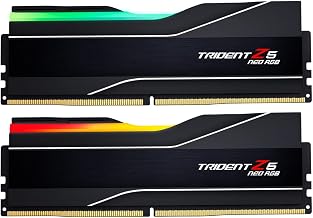
Enthusiasts who will spend time tuning subtimings will see more gain from tightening a DDR5-6000 kit down to CL28 than from buying a faster XMP kit. A DDR5-6000 CL30 kit from a manufacturer like G.Skill Trident Z5 Neo, Corsair Vengeance, or Kingston Fury Beast that uses SK Hynix A-die can often be tuned to 6000 CL28-36-36 with 1.40-1.45V.
3. You Use Productivity Workloads Alongside Gaming
If you also do video editing, compilation, or file compression where raw bandwidth matters more than latency and the L3 cache doesn’t help, DDR5-6400+ shows clearer gains of 5-8%. For pure gaming on the 9800X3D, the benefit is minimal.
Decision Matrix: Which Kit Should You Buy?
Use your GPU, resolution, and willingness to tune to decide:
| Your Situation | Recommended Kit | Why |
|---|---|---|
| RTX 4070 Super / RX 7800 XT or lower, or you play at 1440p / 4K | DDR5-6000 CL30 (32GB 2x16GB) | GPU-limited scenario. Faster RAM gives 0 fps gain. Save the money for GPU. |
| RTX 4080 Super / 5080 / 5090 at 1080p or 1440p 240Hz+, want plug-and-play | DDR5-6000 CL30 EXPO | Best performance per dollar. Enable EXPO and done. No stability risk. |
| Competitive gamer chasing every frame, comfortable with BIOS | DDR5-6000 CL30 (Hynix A-die) and tune to CL28 or try DDR5-6400 CL32 | Tuning yields more than buying a 7200+ kit. Requires SoC voltage 1.25V or less and FCLK 2133. |
| 64GB needed for workstation use | DDR5-6000 CL30 (64GB 2x32GB) | 2 DIMMs are critical for X3D. Avoid 4x16GB, which forces lower speeds on AM5. |
Important compatibility notes for 2026:
- Always use 2 sticks, not 4. The AM5 memory controller struggles to maintain DDR5-6000 with four DIMMs. You will likely be forced down to DDR5-5200 or DDR5-5600 with four sticks.
- Choose EXPO over XMP if possible. While most AM5 boards support both, EXPO kits are validated for Ryzen’s voltage and subtiming requirements. An XMP kit will usually work, but may need manual SoC voltage adjustment.
- Capacity: 32GB (2x16GB) is ideal for gaming. 16GB is now the minimum and can limit 1% lows in modern titles, while 64GB shows no gaming benefit over 32GB.
Recommended Settings for DDR5-6000 on the 9800X3D
After installing the kit, don’t just leave it at JEDEC default (DDR5-4800). Set this in the BIOS:
- Enable EXPO I (or EXPO II): In BIOS under AI Tweaker / OC settings, enable EXPO profile. This automatically sets 6000 MT/s, CL30-38-38-96, and DRAM voltage to 1.35V. Use EXPO I for the board’s primary profile.
- Verify UCLK = MCLK: Check that UCLK DIV1 MODE is set to UCLK=MCLK. At DDR5-6000 this should show UCLK 3000 MHz. If it shows 1500 MHz, it fell back to 1:2 mode. Reset and try again.
- Leave SoC Voltage on Auto (1.20V – 1.25V): Do not manually set SoC voltage above 1.30V for daily use. Zen 5 X3D is sensitive to high SoC voltage. Auto with EXPO enabled is usually 1.20V, which is perfect for DDR5-6000.
- Keep FCLK at 2000 MHz: For DDR5-6000, leave FCLK on Auto. Manually forcing 2133 MHz is only for DDR5-6400+ attempts and can cause WHEA errors if unstable.
- Enable Memory Context Restore and Power Down: To improve boot times with EXPO enabled, enable Memory Context Restore. If you get instability, disable it again for more reliable training.
To verify stability, run a quick memory stress test like TestMem5 with the 1usmus_v3 config or Karhu RAM Test for at least 30 minutes. If you get errors at EXPO, slightly increase DRAM voltage to 1.37V or loosen tRFC.
What About DDR5-5600 or DDR5-5200?
If you already own a DDR5-5600 or DDR5-5200 kit, don’t rush to replace it. The difference between DDR5-5200 CL40 and DDR5-6000 CL30 on the 9800X3D is typically 3-6% at 1080p and 1-2% at 1440p. In many GPU-bound games you won’t notice a difference. The upgrade is only worthwhile if you are buying new. If you are buying new, the price difference in 2026 between DDR5-5600 and DDR5-6000 CL30 is usually under $15, so you should just get the 6000 kit.
FAQ
Does RAM speed matter more for the 9800X3D than other CPUs?
No, it matters less. The 96MB 3D V-Cache absorbs up to 70-80% of memory accesses that would normally go to RAM. That is why the 9800X3D sees only a 2-4% swing between slow and fast DDR5, while a Ryzen 7 9700X or Core i7-14700K might see 8-12%.
Is 6000 CL32 good enough for the 9800X3D?
Yes. CL32 vs CL30 is a 0.33ns difference (10.00ns vs 10.66ns). In games that’s less than 1% difference. If a 6000 CL32 kit is significantly cheaper, buy it. Don’t pay a large premium just for CL30.
Can the 9800X3D run DDR5-8000?
It can boot DDR5-8000, but it will run in 1:2 UCLK mode with very high latency and often worse gaming performance than DDR5-6000. DDR5-8000 is not recommended for X3D gaming, regardless of what a motherboard box advertises.
Should I use 2x32GB at DDR5-6000 or 4x16GB?
Always use 2x32GB if you need 64GB. Four DIMMs place much more load on the memory controller and on AM5 you will almost always lose the ability to run 6000 MT/s stably. The 2-stick configuration is faster and more stable.