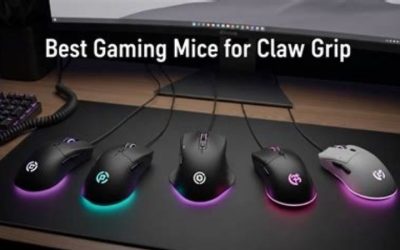
The best USB C rechargeable gaming mice must have a USB-C charging connection on the mouse itself—not just a USB-C wireless dongle or a matching plug on a PC. This guide compares four genuinely rechargeable gaming mouse models on named US seller pages and explains wired use while charging, receiver requirements and mode-dependent battery claims. The evidence is from specifications and product listings, not in-house battery or latency testing.
Quick verdict
For an uncomplicated smaller wireless mouse with a documented charging/data cable, Logitech PRO X SUPERLIGHT 2c is the high-end default. Razer Viper V3 Pro gives a longer symmetrical shell and an included 8 kHz-capable wireless dongle. Endgame Gear OP1w 4K V2 combines a shorter shape with an explicit removable USB-C cable and a separate 2.4 GHz receiver. Razer DeathAdder V4 Pro is the ergonomic right-hand alternative, not a differently colored Viper. All four have a rechargeable battery rather than replaceable AA cells.
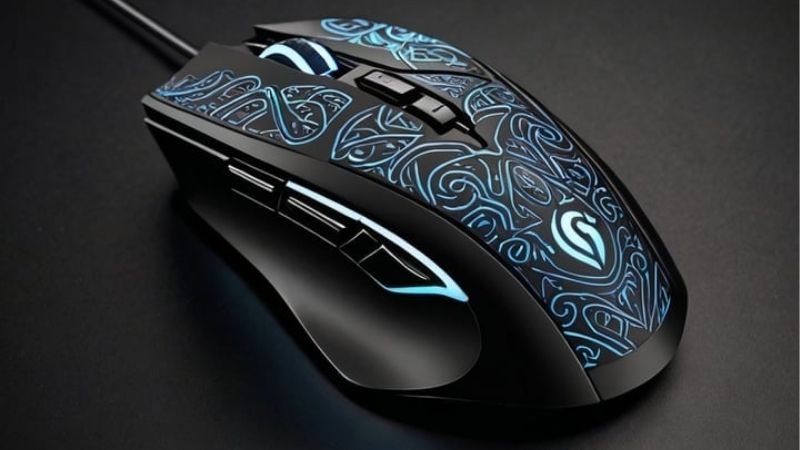
USB-C on the mouse versus USB-C on the receiver
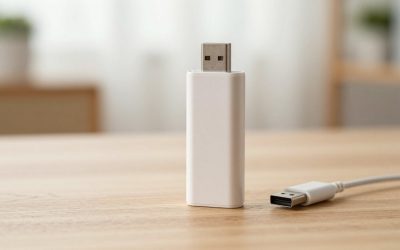
USB Type-C is a plug format, not a radio protocol or proof of rechargeability. A USB-C connector may belong to the mouse charging/data port, the wireless receiver or the computer-side adapter. When searching for a rechargeable gaming mouse, confirm the product has an internal rechargeable battery and a matching port or approved dock-based charging route. A wireless USB-C adapter alone does not establish that the mouse can be charged through that adapter.
The Logitech 2c explicitly includes a USB-A-to-USB-C charging/data cable according to its B&H specification and Logitech documentation. Razer documents a USB Type-C mouse port for both Viper V3 Pro and DeathAdder V4 Pro. Endgame Gear supplies a USB-C Flex Cord for the OP1w series; the V2 model is separately identified by part number. These are concrete port/charging pathways, not guesses based on a product photograph.
Some premium mice support an optional proprietary charging mat. That is a separate accessory or ecosystem and should not be mistaken for universal Qi charging or an included feature. For this article the baseline is straightforward: a cable can connect to the mouse itself.
At-a-glance: four exact US rechargeable mouse offers
Prices below are explicitly attributed to seller pages accessed or indexed during the October 29, 2026 writing session. Seller stock labels are public page signals, not a confirmed checkout for your address. Notably, Logitech’s direct page and B&H displayed different prices in different snapshots, so the selected B&H $149.99 is not stated as a universal current MSRP.
| Exact mouse / SKU | Connection and shape | USD seller offer (October 29, 2026) | Public stock evidence | Main drawback |
|---|---|---|---|---|
| Logitech PRO X SUPERLIGHT 2c (Black) · 910-007518 | LIGHTSPEED 2.4 GHz dongle; wired USB-C charging/data; compact 51 g right-handed shell | $149.99 · B&H Photo US | In stock on indexed exact SKU listing; manufacturer direct page displayed different $159.99 snapshot | Different price snapshots between Logitech and B&H; max 8 kHz drains battery faster. |
| Razer Viper V3 Pro (Black) · RZ01-0512 family / Black | 2.4 GHz HyperSpeed dongle; USB Type-C cable; long symmetrical-style right-handed shell | $129.99 · MaxGaming US | In stock on selected Black seller page | High polling rates cut advertised runtime dramatically; not Bluetooth. |
| Endgame Gear OP1w 4K V2 (Black) · EGG-OP1W-4K-V2-BLK | 2.4 GHz receiver, USB-C device port and USB cable; 118.2 × 60.5 × 37.2 mm; seller weight about 58.5 g | $119.99 · MaxGaming US | In stock; 5+ shown on selected Black page | Wireless uses a receiver; the generic Bluetooth field conflicts with maker connection path. |
| Razer DeathAdder V4 Pro (Black) · RZ01-05330100-R3U1 | 2.4 GHz HyperSpeed Gen-2 or USB-C port; ergonomic right-hand 56 g shell | $169.99 · Razer US | Add to cart and some RazerStore stock shown; ship-to-ZIP unverified and listed delivery dates stale | Less appropriate for someone wanting a symmetrical shell; old sample delivery windows are not live promises. |
Detailed picks and real USB-C pathways
Best compact USB-C rechargeable esports mouse — Logitech 2c
The Black PRO X SUPERLIGHT 2c is identifiable by Logitech MFR 910-007518. B&H explicitly describes an internal rechargeable lithium-ion battery, USB-C on the mouse, and a USB-A to USB-C charging/data cable included in the box. That is unusually clear evidence that the buyer is not merely purchasing a mouse packaged with a USB-C receiver.
Its compact 51 g body and LIGHTSPEED receiver fit a portable PC gaming desk, but a receiver still needs the appropriate USB connection. The vendor lists up to 8 kHz report rate and a maximum battery life claim; do not read those two maxima as necessarily simultaneous. The direct Logitech page was observed at a different $159.99 snapshot while B&H displayed $149.99, so the selected price belongs specifically to the B&H listing.
Choose this if clear cable inventory and a smaller high-end shell matter most. Avoid paying for a premium sensor if your only requirement is occasional wireless browsing or if you prefer a much larger palm-grip mouse.
Selected USA offer: Logitech PRO X SUPERLIGHT 2c (Black) (manufacturer/model part 910-007518), $149.99 from B&H Photo US; public page status: In stock on indexed exact SKU listing; manufacturer direct page displayed different $159.99 snapshot. Different price snapshots between Logitech and B&H; max 8 kHz drains battery faster. Seller link:
Source: https://www.bhphotovideo.com/c/product/1914815-REG/logitech_g_910_007518_pro_x_superlight_2.html
Best long-shell USB-C wireless esports mouse — Razer Viper V3 Pro
Razer identifies a USB Type-C port directly on the Viper V3 Pro mouse and includes a Type-A-to-Type-C cable, plus the appropriate HyperPolling wireless dongle in its specifications. This provides a confirmed charging and wired-use path. Its normal wireless link is Razer HyperSpeed, not native Bluetooth.
The Viper is about 127 mm long, noticeably longer than the compact Logitech and OP1w models. That length can appeal to players who want more body behind their fingers but can make a deeply curled claw uncomfortable on a short hand. The official page’s battery-life ladder is explicit: a 1,000 Hz ceiling lasts longer than its 8,000 Hz marketing maximum.
MaxGaming US’s specific Black seller page showed $129.99 and In stock; the white version is the same model, not another distinct option. The chief trade-off is premium cost and the need to choose a practical polling setting instead of chasing a spec alone.
Selected USA offer: Razer Viper V3 Pro (Black) (manufacturer/model part RZ01-0512 family / Black), $129.99 from MaxGaming US; public page status: In stock on selected Black seller page. High polling rates cut advertised runtime dramatically; not Bluetooth. Seller link:
Source: https://us.maxgaming.com/us/wireless-mouses/razer-viper-v3-pro-black
Best narrow USB-C rechargeable claw mouse — Endgame OP1w 4K V2
The OP1w 4K V2 is the wireless member of Endgame’s narrow OP1 family, not the non-rechargeable wired OP1 8K V2. The exact selected Black part EGG-OP1W-4K-V2-BLK had a $119.99 public In stock signal. Endgame’s documentation references a USB-C Flex Cord and a separate wireless receiver, and its official firmware workflow tells users to move that cable from dongle to mouse.
This model suits buyers who value a shorter body and rechargeable wireless freedom while retaining the ability to connect by cable. The brand specifies up to 4,000 Hz wireless polling, so it must not inherit the wired OP1 8K V2 headline. Manufacturer runtime is conditional on the configuration and can decline at faster reporting settings.
Do not rely on an unspecific Bluetooth field shown in a generic seller table; verify pairing through the official 2.4 GHz receiver and USB pathway. The advantage is a carefully bounded physical design; the drawback is extra dongle management and limited evidence about individual hand comfort.
Selected USA offer: Endgame Gear OP1w 4K V2 (Black) (manufacturer/model part EGG-OP1W-4K-V2-BLK), $119.99 from MaxGaming US; public page status: In stock; 5+ shown on selected Black page. Wireless uses a receiver; the generic Bluetooth field conflicts with maker connection path. Seller link:
Source: https://us.maxgaming.com/us/wireless-mouses/endgame-gear-op1w-4k-v2-wireless-gaming-mouse-black
Best right-hand ergonomic USB-C rechargeable mouse — Razer DeathAdder V4 Pro
DeathAdder V4 Pro is not a different skin on the Viper. Its right-handed ergonomic contours and approximately 56 g frame make it a distinct option for players who dislike a balanced shell. Razer’s official support schematic labels the USB Type-C mouse port, while the product page lists the exact Black MFR RZ01-05330100-R3U1 at $169.99.
The Razer US seller page offered Add to cart and showed some RazerStore stock; however, its example delivery dates were already in the past when assessed, so they are not valid delivery promises. A buyer should reopen the selected part and check a destination ZIP before ordering. The manufacturer also emphasizes its HyperSpeed Gen-2 link, not built-in standard Bluetooth as the default mode.
Buy it for a comfortable ergonomic shell and a clear physical charging socket if that matches your right hand. Skip it if you want a symmetrical body or are tempted by a dated shipping estimate. No direct battery-cycle or lag measurements were performed for this comparison.
Selected USA offer: Razer DeathAdder V4 Pro (Black) (manufacturer/model part RZ01-05330100-R3U1), $169.99 from Razer US; public page status: Add to cart and some RazerStore stock shown; ship-to-ZIP unverified and listed delivery dates stale. Less appropriate for someone wanting a symmetrical shell; old sample delivery windows are not live promises. Seller link:
Source: https://www.razer.com/gaming-mice/razer-deathadder-v4-pro/RZ01-05330100-R3U1
How to verify charging while playing
Start by reading the model’s quick-start guide, then use the approved USB charging/data cable. Identify the mouse-side USB-C socket; turn the device on where the instructions require it, plug the cable into a reliable PC USB port and check the manufacturer utility or status LED for a charging state. Do not assume that every LED color is universal across brands.
Next, test whether the pointer and buttons keep working through the direct cable. On products that offer both wired and wireless input, consult the guide for the exact mode if the PC still prefers the receiver. Plugging a USB-C cable into a dongle extender can improve wireless receiver placement, but it does not charge the mouse when the cable is not connected to the mouse itself.
For a laptop with only USB-C host ports, the included USB-A receiver may need a compatible USB-C adapter or hub. The charging/data cable might be USB-A on the computer end even though the mouse port is USB-C. Confirm both ends before ordering if your setup cannot accept USB-A. Never force a connector or use an unknown high-voltage adapter.
Battery hours are conditional, not a single guaranteed runtime
Razer documents up to 95 hours for Viper V3 Pro at 1,000 Hz but substantially less at the higher 8,000 Hz setting. Logitech quotes up to 95 hours for its compact 2c under relevant conditions, while Endgame Gear describes about 30 hours at 4,000 Hz for the OP1w 4K V2 with its default setup. These are manufacturer figures under their stated conditions, not measured head-to-head results.
If a long workday or tournament is the main requirement, prioritize a mode that has adequate endurance and an easy way to recharge. The highest update rate can increase CPU processing and battery draw, and it is rarely a substitute for a reliable sensor setting and a comfortable shape. Estimate your personal charging rhythm conservatively instead of planning around a single marketing maximum.
A good starting practice is to fully charge before a long session and keep the supplied cable close to the desk. Check whether the brand offers a charging-percentage indicator or only an LED. If you cannot see precise charge percentage, schedule regular charging from actual experience; do not claim a battery failure solely because a marketing estimate varies.
Connection pathways: 2.4 GHz, wired, and Bluetooth are not interchangeable
All four selected products primarily aim at PC gaming with a wireless receiver and/or direct USB. The wireless receiver may be a USB-A device even where the mouse itself charges over USB-C. Razer Viper V3 Pro specifies HyperSpeed wireless and wired—not Bluetooth—on the official page. Logitech’s LIGHTSPEED is likewise not the same as generic Bluetooth pairing.
Some retailer spec tables are broad and can label OP1w as Bluetooth even when the official connection documentation emphasizes proprietary 2.4 GHz receiver plus wired USB. For buying decisions we prioritize the manufacturer’s explicit setup path and do not recommend purchasing the OP1w on the assumption of native Bluetooth pairing. If Bluetooth-to-tablet is your main task, select a mouse specifically documented to do that instead.
Receiver placement can matter in interference-heavy spaces. Keep the dongle accessible and away from congested computer backs when practical, and use the official adapter arrangement if provided. The USB-C port charges the mouse; the receiver handles wireless game input. Those are separate jobs even when both use USB connectors.
Fit matters as much as charging convenience
USB-C is a practical baseline feature on many rechargeable performance mice. It does not tell you whether a mouse suits palm, fingertip or claw grip. The 2c and OP1w are comparatively compact, Viper is longer and DeathAdder is a dedicated right-hand ergonomic shape. Match the height, width and palm support to your hand rather than treating a battery connector as a comfort metric.
Right-hand ergonomic designs curve in a way some players prefer for a relaxed posture. Other players favor a more balanced shell because they lift and reset the mouse frequently. There is no universal answer, and none of the listed products has been independently comfort-tested by this publication. Consider return terms before buying an unfamiliar shape.
The most common USB-C purchasing mistakes
First, confusing a dongle port with a mouse charge port. Second, buying an old revision because a retailer offers a dramatically lower price without checking its full model suffix. Third, treating a wireless charging accessory as included. Fourth, assuming USB-C means Bluetooth or that 8 kHz will be active at all times. Fifth, forgetting to check whether a USB-A receiver fits a modern laptop without an adapter.
For each selected product, compare the manufacturer part number and the retailer photo of the actual device port. Review whether the box includes a suitable data-capable cable or whether a third-party cable is needed. Charge with a reliable, standards-compliant host port and install the official utility only if you need advanced button or reporting settings.
US buyer checklist before checkout
Open the linked retailer offer for the named color and model part. Verify the price in USD, any displayed promotional deadline, actual stock, U.S. delivery options, tax and return policy. Our captured Razer DeathAdder page still contained delivery examples already dated earlier in October; they cannot be represented as today’s shipping promise. Likewise, conflicting snapshots of the Logitech 2c price mean you should trust the final seller cart rather than a copied table.
Confirm the PC-facing USB connector for both charging and the dongle. If the host has no USB-A port, budget for a high-quality adapter if the receiver requires one. If your priority is a specific click feel, place a return-policy premium above impressive but untested speed figures. No single model should be represented as definitively the fastest without a controlled comparison.
Frequently asked questions
Do these mice charge with a cable connected to the mouse?
Yes, the cited vendor or manufacturer information identifies USB-C charging/data routes on the selected models. Check the full cable inventory and connector orientation for your computer before purchasing.
Is a USB-C wireless dongle the same as USB-C charging?
No. A wireless receiver transmits input; it does not necessarily charge the mouse. A mouse-side charging/data socket is the important difference in this article.
Can I keep gaming while charging?
These models document wired USB connectivity or charging/data arrangements, but always check the exact official mode procedure and test the setup on your PC. The presence of a cable alone is not proof of every mode combination.
Do any of these automatically support Bluetooth?
No. Their intended PC gaming links involve proprietary 2.4 GHz receivers and/or wired USB. In particular, the manufacturer does not list generic Bluetooth as the Viper V3 Pro’s connection path.
Why is the Logitech price different on two pages?
B&H showed a selected $149.99 In stock offer while a direct Logitech page snapshot displayed $159.99. The table attributes $149.99 only to B&H, and buyer checkout should resolve the current payable price.
USB-C charging: the cable and dongle checklist
USB-C on the mouse does not mean its game radio uses USB-C. Separate the charging connector from the receiver connector: a 2.4 GHz receiver may use USB-A, may need an extension adapter, and may not work as a universal Bluetooth receiver. Inspect the box contents and your laptop ports before choosing a model. A rechargeable mouse can sometimes run wired while charging, but a product-specific confirmation is necessary before you rely on that during a tournament.
Treat port durability, replacement-cable clearance and battery aging as buying criteria alongside shell shape. If a cable plugs into a recessed USB-C cutout, a generic thick braided cable may not seat correctly. The least disruptive option is the mouse whose charging and receiver accessories you can use on your actual desk without buying an unlisted adapter. Current U.S. prices are snapshots, so calculate the true cost with any needed receiver extender or spare cable.
USB-C power and game input: which path actually works while charging?
A USB-C port on a wireless mouse answers only one question: where the charging cable plugs into the mouse. It does not mean the wireless USB receiver is Type-C, that the cable carries data, or that gaming at the advertised high polling rate works while charging. Before buying, inspect whether the retail box includes the receiver, USB extension and a data-rated cable, and whether the model changes its connection mode when the cable is attached.
For a laptop with only USB-C sockets, write down a realistic desk layout: charging port on the mouse, dongle plugged through any necessary adapter, and clearance around the keyboard. Avoid stacking a high-rate receiver beside a noisy hub without checking connection stability. A smaller lightweight mouse can become less convenient than a larger one if its charging cable blocks the exact claw or fingertip position the buyer uses.
Price comparisons in the existing table were observed on October 29, not locked offers. Separate a manufacturer’s regular direct price from a retailer’s temporary discount in the final selection. A rechargeable model with no spare battery still needs a plan when power runs low; the preferred solution is a tested wired fallback or a charging break, not a presumed Bluetooth mode absent from the exact SKU.
Buyer-specific decision matrix
| Buyer situation | Recommended action | Must-verify requirement |
|---|---|---|
| USB-C-only laptop, no available USB-A | Prioritize model with documented receiver/cable route | Inspect ports before checkout; allow room for the dongle |
| Long sessions, high polling enabled | Favor reliable wired fallback and practical runtime | Compare battery claim at the selected polling rate |
| Multi-device switching required | Only choose a model that explicitly supports it | Do not treat USB-C charging as Bluetooth or multi-host support |
Separate charging convenience from connection-mode performance
A USB-C receptacle proves which cable shape enters the mouse; it does not say whether wireless gameplay uses Bluetooth or a dedicated 2.4 GHz receiver. Read the exact model manual before buying: identify the charging port, the receiver supplied in the box, and whether the mouse continues to operate while charging. A laptop with one USB-C port may still need a USB-A receiver or a hub, even though the mouse itself charges with USB-C.
Evaluate the charging routine with the desk as actually used. A mouse that needs a receiver parked in a rear PC port may be less convenient for travel than one that has internal receiver storage. If a seller describes a bundle with a charging dock, check whether the dock is part of that SKU rather than an optional accessory. Keep charging-time and battery-hour claims tied to the exact report and polling setting; never use one model generation’s figures for a similarly named replacement.
The decisive checkout questions are therefore different from the claw-grip article: does the chosen unit include the right cable and dongle, can you keep working when the battery is depleted, and does your computer have the necessary data port? Use the store return period to verify all three with the actual unit.
Final thoughts
A genuine mouse-side USB-C charging/data connection separates these four from receiver-only USB-C claims. Logitech 2c suits compact premium use; Viper V3 Pro is longer and tournament-oriented; OP1w 4K V2 offers a narrow rechargeable shell; and DeathAdder V4 Pro is ergonomic. Compare USB-C on the mouse, receiver plugs, fit, seller price and checkout stock before paying—not a theoretical headline polling maximum.
Source and verification notes
The October 29, 2026 retailer snapshots describe individual charging-mouse SKUs; they do not certify today’s U.S. checkout, bundle contents, or wireless input mode. Confirm cable, receiver, and charging behavior for the exact selected product before ordering.
Manufacturer/support documentation: https://www.logitechg.com/en-us/shop/p/pro-x-superlight-2c.910-007518 ; https://www.razer.com/gaming-mice/razer-viper-v3-pro?page=tech-specs ; https://mysupport.razer.com/app/answers/detail/a_id/14044/kw/Viper%20V3%20Pro ; https://endgamegear.com/products/op1w-4k-v2-wireless-gaming-mouse?variant=46495335055580 ; https://mysupport.razer.com/app/answers/detail/a_id/19852 ; https://help.endgamegear.com/hc/en-us/articles/35995926132509-What-s-Included-in-the-Box. Manufacturer / seller variation in price or component descriptions is called out above.
Separate the USB-C charging cable from the wireless receiver
A USB-C port on the Razer Viper V3 Pro is not merely a charging indicator. Razer’s own master guide explicitly illustrates USB wired mode by connecting the mouse to a computer with its charging cable. That is stronger evidence than assuming a USB-C-to-USB-A lead can only supply power. It does not prove the same wired mode exists on the other selected wireless mice; check the exact model manual rather than treating USB-C connector shape as a standardized data-mode promise.
Battery-life and polling figures belong to particular operating modes. A receiver marketed at 8,000 Hz may increase host demand and battery use relative to a lower polling setting, but the article does not claim a measured runtime penalty without a same-unit test. Verify the original box contains the intended USB receiver and the correct charging/data cable, then test both wireless gameplay and USB-cable gameplay after charging has begun.
Before checkout, distinguish a true USB-C charging jack on the mouse from a receiver or adapter with USB-C, and reject listings that show an older revision or only a charging dock. Model-specific retailer stock remains a public snapshot rather than a verified shipment to every US ZIP code.
A verified wired-play rescue path for four USB-C mice
Do not treat a USB-C receiver, a charging cable, and a USB data connection as one feature. Razer’s Viper V3 Pro guide explicitly documents a PC-connected USB-A-to-C cable for charging and a separate wired mouse mode using the same cable. If your 2.4 GHz receiver is misplaced or the battery is low, this is a documented fallback; it is not evidence that Bluetooth is available.
Razer support separately confirmed on February 26, 2026 that DeathAdder V4 Pro can operate by USB while the 2.4 GHz dongle remains attached on another cable. This is a vendor-support response, not an independently repeated test or assurance that two simultaneously connected inputs are preferable. A prospective buyer should confirm which connection Windows is actively using.
Logitech’s US PRO X SUPERLIGHT 2c listing describes a compact 51 g LIGHTSPEED mouse with up to 95 hours claimed battery life. Treat both the runtime and highest-polling marketing figures as operating-mode claims: do not assume the maximum polling rate and longest battery life occur together. The shop presently shows a public In stock signal for a selected color, not an address-confirmed delivery result.
For the Endgame Gear OP1w 4K V2, use the exact wired/2.4 GHz modes published for the specific revision rather than a reseller’s generic Bluetooth tag. The deciding purchase test is whether the included USB cable carries data in wired mode as well as power; a replacement charge-only cable cannot be assumed to do so.
| Exact product | What is documented | Buyer verification |
|---|---|---|
| Razer Viper V3 Pro | Wired USB operation is explicitly documented | Connect directly; verify cursor input with receiver removed |
| Razer DeathAdder V4 Pro | Razer support permits cable plus attached dongle | Identify active Windows input path; no claim of improved latency |
| Logitech PRO X SUPERLIGHT 2c | Maker confirms 51 g and up-to-95-hour claim | Confirm exact US color and cable; test chosen polling/battery mode |
| Endgame Gear OP1w 4K V2 | Use named 2.4 GHz and USB pathways, not reseller Bluetooth tag | Confirm cable is data-capable and match exact generation |
Reader test: start on the wireless receiver, connect the documented cable, deliberately disconnect the receiver, and check that movement and clicks still register. Repeat before and after a reboot if wired fallback is your main reason to buy. This procedure is guidance for the buyer, not a test claimed by GeekGamingTricks.
Evidence limitation: no self-conducted device testing or buyer-address checkout.