Key takeaways
- Different VRAM capacities: Two cards sharing most of a product name can be materially different products. Read the full model and memory capacity at checkout.
- Unclear condition: New, refurbished, open-box, and used listings should have separate histories and different risk assessments.
- Marketplace substitution: The lowest marketplace listing may come from an unfamiliar seller with different returns or warranty coverage.
- Limited-price eligibility: Membership offers, coupon codes, account-specific promotions, and pickup-only inventory may not be available to every shopper.
- Overlooked system compatibility: Check the exact board length and thickness, PSU wattage recommendations and connectors, available case space, and display connections before ordering.
- Impersonation scams: The FTC recommends independently researching unfamiliar sellers, comparing prices elsewhere, examining return terms, and using safer payment methods rather than paying by gift card, wire transfer, or cryptocurrency.
- Price-alert delays: An email can arrive after a flash offer is gone. Treat notifications as reasons to inspect live listings, not as reserved inventory.
Black Friday GPU price tracking works best when you pick an exact graphics card, record its normal selling price, and set an alert for the amount you are actually willing to pay. Do not judge a graphics card by a flashy percentage-off badge. Compare the same model and memory configuration against several weeks of price history, then verify the seller, final checkout total, and return terms. For U.S. shoppers, Black Friday falls on November 27, 2026, and Cyber Monday follows on November 30. The goal is to have your price targets ready before those promotions begin, not to guess which deal will appear.
What to track before Black Friday
A GPU name alone is not a reliable shopping target. A GeForce RTX 5060 Ti with one memory configuration, for example, is not interchangeable with a listing for a different configuration. Even cards sharing the same GPU chip can have different cooler dimensions, power requirements, factory settings, and warranty terms. Record the exact retail product name and manufacturer model number rather than a broad search such as “RTX graphics card.”
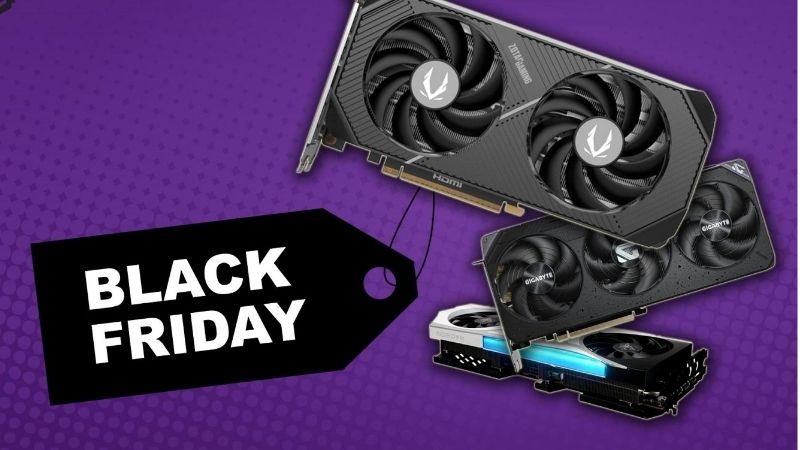
Build a small watchlist with two or three cards that meet your performance and budget needs. For each, record the exact SKU, VRAM capacity, new-versus-refurbished condition, preferred U.S. retailers, current observed price, recent normal price, and your maximum all-in budget. Keep the product page URL so you can return to the same listing. If a retailer changes the listing to another variant, do not treat that as a price drop on your original card.
| Watchlist field | Why it matters | What to record |
|---|---|---|
| Exact board model | Prevents comparisons between different coolers or variants | Brand, model number, VRAM, condition |
| Historical baseline | Shows whether the sale beats a normal street price | Recent typical price and previous low, with dates |
| Target price | Turns watching into a buy-or-wait decision | Your maximum acceptable item price |
| Retailer and seller | Separates first-party inventory from marketplace offers | Store, seller name, shipping and returns |
| Compatibility | A cheap card is no bargain if it does not fit | Case clearance, PSU/connectors, display outputs |
Set up an Amazon GPU price alert with CamelCamelCamel
CamelCamelCamel is a free Amazon price-history and email-alert service. Its own documentation explains how to create a product watch and distinguishes Amazon, third-party new, and third-party used prices. Those are separate categories: a low used-card offer should not be mistaken for a discount on a new card shipped by Amazon.
- Open Amazon.com and navigate to the exact U.S. graphics card listing you want. Verify the brand, full product title, VRAM capacity, and condition. Copy the complete URL from the browser address bar.
- Open camelcamelcamel.com, select the United States marketplace if needed, paste the Amazon URL into the site’s main search field, and press Enter. Confirm the resulting product is the same board model.
- Examine the price-history graph. Compare the recent regular range, previous low, and any sudden short-lived peaks. Check which series you are viewing: Amazon, third-party new, or third-party used.
- On the price-watch screen, hover over the price-tag icon next to the relevant price type. CamelCamelCamel’s published quick-start guide instructs users to select the displayed “-$0.01” link and then “Start Tracking” in the same row. That is a quick-start threshold, not necessarily your ideal buy price.
- Set or edit the desired price to the threshold you decided on after reviewing the chart. Use the email notification flow shown by the site; an account is optional, but registering can make multiple watches easier to manage.
- Open the site’s “Your Price Watches” management view if you registered. Confirm the target amount and price type shown for this card. If you do not receive an alert later, check the watch status and your email filters before assuming the GPU never crossed the threshold.
If the documented price-tag shortcut is absent in a redesigned interface, use the price-watch controls on that product’s CamelCamelCamel page or install its Camelizer extension from the official browser store. Confirm the target and tracked price category before relying on the watch. Do not use a random “price tracker” extension distributed through a seller’s download link.
Use Keepa as a second price-history check
Keepa offers Amazon price-history charts and price-drop or restock alerts. Its official Chrome Web Store listing confirms that the extension adds these features to supported Amazon product pages. This is useful when you want a second history view, although two trackers can still share missing data or lag behind a rapidly changing offer.
- Find “Keepa – Amazon Price Tracker” in the Chrome Web Store and verify that the publisher is Keepa GmbH before adding the extension to Chrome.
- Open the same Amazon.com GPU product page used in your first watch. Scroll to Keepa’s embedded price-history panel. If no panel loads, confirm the extension is enabled for Amazon.com and refresh the page; alternatively, open keepa.com and look up the exact product.
- In the Keepa panel, select “Track product,” enter your desired new-product price in the relevant price field, and choose the tracking period or notification preference offered in your version. Complete any sign-in or notification confirmation requested by Keepa.
- Return to the tracking view and verify that the watch refers to the correct product and price threshold. If the “Track product” tab does not appear, use Keepa’s product page on its website rather than assuming that a similarly named third-party tool has identical menus.
Keepa’s chart may show multiple price series. Do not compare a third-party used low against a first-party new target, and do not assume a recorded low is currently purchasable. Open the live seller listing to verify any alert.
Find GPU discounts beyond Amazon
Amazon-only trackers cannot tell you whether Best Buy, Newegg, Micro Center, or another U.S. retailer has a better offer. For non-Amazon stores, the dependable fallback is a manual comparison of the exact board model. PCPartPicker can help you find listings and inspect component pricing, but check retailer pages directly for stock, eligibility, and the final price. Do not assume a storewide code applies to graphics cards.
- Search the exact manufacturer model number at each retailer, not just the GPU family name. Confirm that VRAM, board design, and new-item condition match your watchlist.
- Record the current item price, whether the retailer or a marketplace seller is providing the item, and any membership, pickup, rebate, or bundle requirements.
- Check the shipping charge, sales tax estimate, and return conditions. Treat a mail-in rebate as conditional savings rather than an instant checkout reduction.
- Update your watchlist with the store, observed price, and date. Recheck promising listings directly when an alert arrives or a sale is announced.
For a flash sale, compare immediately rather than waiting for a tracking chart to update. Price trackers are screening tools, not guarantees that a limited-stock offer remains live.
How to recognize a real GPU discount
Use the GPU’s typical recent selling price as your primary reference point, not the largest crossed-out number. The Federal Trade Commission’s advertising guidance says price comparisons and “sale” claims must be truthful and not misleading. A discount banner is not proof that the card was commonly sold at the stated reference price.
Consider this fictional example, which is not a current GPU listing: a graphics card usually sells for $580, briefly carries a crossed-out $700 reference price, and is advertised at $560. The banner may suggest a 20% reduction from $700, but the saving against the observed $580 street price is only about 3.4%. The price could still be acceptable; it is just not the dramatic bargain the badge suggests.
Use this simple calculation with prices from the same exact SKU and condition: Real-world discount percentage = (recent normal price − current checkout item price) / recent normal price × 100. Always label your reference period. A previous low seen for a few minutes and the median or typical price across several weeks answer different questions.
| Price pattern | How to interpret it | Action |
|---|---|---|
| Sale price below the recent normal range and previous low | Potentially strong deal | Check seller, condition, inventory, and checkout total |
| Large “% off” but close to regular street price | Weak evidence of meaningful savings | Ignore the badge and compare the baseline |
| Unusually low price from a new marketplace seller | Higher transaction or warranty uncertainty | Verify seller history and avoid risky payment methods |
| Lowest recorded price belongs to a different VRAM version | Invalid like-for-like comparison | Track the correct SKU separately |
| Discount depends on a rebate or bundle | Effective value depends on terms | Calculate costs and obligations before buying |
Choose a price target that makes sense
A practical alert price should reflect your budget and the card’s actual history. Start with the most recent normal selling range and recent lows for the same SKU. Select a target you would be willing to buy at today, subject to normal checks. If a card has never approached your hoped-for threshold, you can still set a stretch alert, but add a second, more realistic target or an alternative GPU so you do not miss every reasonable offer.
Use two thresholds if your tool supports separate watches or product price types: a buy-now target for a clearly attractive offer and a watch-closely target for prices worth rechecking. A spreadsheet note works if the tracker supports only one active target. A cheap card that fails your case, power, or display requirements should remain off the list regardless of its discount.
Watch out for these Black Friday GPU traps
- Different VRAM capacities: Two cards sharing most of a product name can be materially different products. Read the full model and memory capacity at checkout.
- Unclear condition: New, refurbished, open-box, and used listings should have separate histories and different risk assessments.
- Marketplace substitution: The lowest marketplace listing may come from an unfamiliar seller with different returns or warranty coverage.
- Limited-price eligibility: Membership offers, coupon codes, account-specific promotions, and pickup-only inventory may not be available to every shopper.
- Overlooked system compatibility: Check the exact board length and thickness, PSU wattage recommendations and connectors, available case space, and display connections before ordering.
- Impersonation scams: The FTC recommends independently researching unfamiliar sellers, comparing prices elsewhere, examining return terms, and using safer payment methods rather than paying by gift card, wire transfer, or cryptocurrency.
- Price-alert delays: An email can arrive after a flash offer is gone. Treat notifications as reasons to inspect live listings, not as reserved inventory.
Tools That Help
- CamelCamelCamel (free): Use its Amazon price-history chart and email watches when you have a specific product URL and want a straightforward target-price alert.
- Keepa browser extension (free tracking features): Use its Amazon product-page chart and tracking controls as another view of price movements and stock alerts. Optional features or account requirements can change, so check the live service.
- PCPartPicker and a simple spreadsheet (free): Compare exact GPU board listings across supported U.S. retailers, and manually record your price baseline, target, seller, date, and compatibility notes.
Frequently asked questions
When should I start tracking GPU prices for Black Friday 2026?
Start in October or earlier if you can. Having several weeks of observations helps distinguish a normal price from a temporary pre-sale increase. Black Friday is November 27, 2026, and Cyber Monday is November 30, but retailers may begin or end individual promotions on different dates.
Can a price tracker guarantee the lowest Black Friday GPU price?
No. Amazon trackers cover their supported listings and price types, not every retailer, checkout-only promotion, local in-store deal, or instantly sold-out flash offer. Compare the live seller page before paying.
Should I compare Black Friday prices to MSRP?
MSRP is useful background, but it does not automatically represent the price buyers have recently paid. A GPU can be above, below, or far from its original suggested price for supply and demand reasons. Your comparison should prioritize current exact-model street pricing and verified history.
What if CamelCamelCamel does not recognize a GPU link?
Verify that the link points to an Amazon.com product detail page in the correct marketplace. Try searching the site’s main search box with the exact product name, then check that the resulting variant matches. If it still is not supported, use Keepa or track the retailer’s page manually; do not substitute a different SKU’s history.
Final Thoughts
Black Friday GPU price tracking should lead to a clear purchase decision, not a bigger folder of screenshots. Today, choose two exact GPU models that fit your PC, check the price history for each, and set one realistic alert for the model you most want. When an offer reaches your target, verify the precise SKU, seller, stock, tax, shipping, and return policy on the live retailer page. If those checks pass and the price truly beats the recent normal range, you have a defensible reason to buy—without relying on a promotional badge.