
Key takeaways
- PS5 Video Output Information — Free built-in console screen for checking detected resolution, HDR and VRR support; useful now, before any GTA 6-specific option is known.
- Xbox 4K TV details — Free built-in diagnostic screen for confirming which display modes and HDR capabilities the HDMI connection actually permits.
- Your TV’s Game Mode and information panel — Included with many compatible televisions; helps reduce display processing and identify the incoming signal. It reports output timing, not a verified count of unique frames rendered by GTA 6.
GTA 6 console performance modes have not been fully announced as of October 27, 2026. Rockstar confirms a November 19 launch for PlayStation 5 and Xbox Series X|S, while the PlayStation Store labels the game PS5 Pro Enhanced. But there is no official launch-day specification for a 30 FPS cap, 60 FPS option, 40 FPS mode, native 4K resolution, or a separate Fidelity/Performance toggle. Digital Foundry observed approximately 30 FPS in Rockstar’s August PS5 gameplay presentation; that describes the footage, not a tested retail copy. Here is what the available evidence actually tells us—and which console settings are worth checking before launch.
Quick answer: What is confirmed about GTA 6 performance?
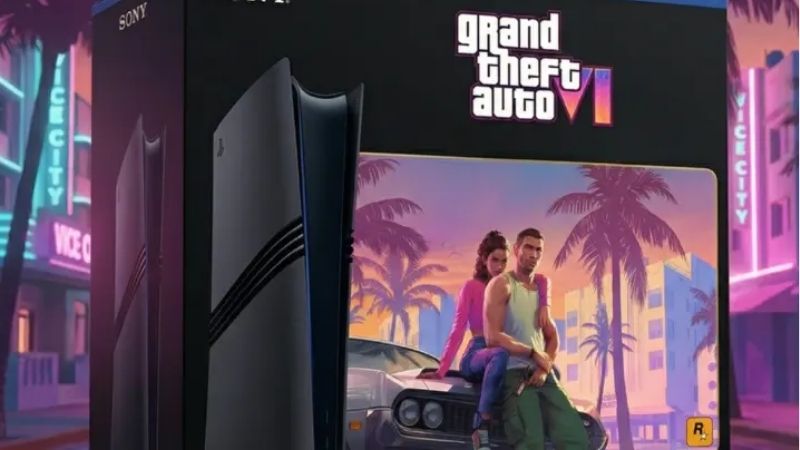
The essential distinction is between an announced feature, an observation from preview footage, and an unverified expectation. Rockstar’s June 24, 2026 preorder announcement specifies PlayStation 5 and Xbox Series X|S for November 19. Sony’s US product listing explicitly marks Grand Theft Auto VI as PS5 Pro Enhanced. Microsoft’s US Xbox Store describes it as Optimized for Xbox Series X|S. Those badges confirm platform support or platform-specific optimization, not any particular frame-rate target.
| Console or feature | Status as of Oct. 27, 2026 | What that means |
|---|---|---|
| PS5 release | Officially confirmed | Playable platform at the scheduled Nov. 19 launch |
| PS5 Pro enhancement | PlayStation Store label confirmed | Enhanced designation exists; individual improvements not specified |
| Xbox Series X and Series S release | Officially confirmed | Both are supported launch platforms; their separate settings are undisclosed |
| 30 FPS in PS5 preview | Observed by Digital Foundry in preview footage | Evidence about the video shown, not a retail-frame-rate guarantee |
| 60 FPS or 40 FPS mode | Not officially specified | Do not assume a higher-frame-rate toggle will exist |
| Native 4K, dynamic resolution, ray-tracing presets | Retail targets not announced | Footage analysis cannot establish final platform-by-platform specifications |
In its August 27 release note, Rockstar said the extended gameplay look was captured entirely from in-game footage on PS5. That identifies the capture platform, not a public retail graphics menu. Until Rockstar publishes a mode list or reviewers can measure the launch version, exact console-versus-console comparisons remain provisional.
Why the 30 FPS reports matter—but are not the final spec
Digital Foundry’s August 29 discussion includes a section titled “Performance: 30 FPS only.” Its analysts examined the approximately 26-minute PS5-captured extended look and found presentation consistent with a 30 FPS target. Coverage of that analysis also describes a roughly 1440p image reconstructed or presented at a higher output resolution. Those are qualified observations about encoded promotional material, not a specification supplied by Rockstar for every console.
Other August reports attributed a 30 FPS development-build target to comments made at a preview event, relayed by an attending creator. That is secondhand reporting, and it does not establish whether a second display mode will exist on release day. A development build can change before shipping; a trailer also cannot reveal how the final game behaves during every driving sequence, nighttime traffic jam, or demanding urban encounter.
It is reasonable to prepare for the possibility of a 30 FPS-oriented launch experience. It is not reasonable to print “GTA 6 runs at 30 FPS on every console” as an official specification, nor to claim 60 FPS has been ruled out. A verified retail test needs the released build, named console, actual gameplay capture, display mode, patch version, and measured frame times.
What Performance, Fidelity and 40 FPS modes would mean
Performance versus Fidelity is a trade-off, not a guarantee
In console games that include them, a Performance mode generally prioritizes frame rate by reducing one or more rendering costs: internal resolution, reflections, shadows, draw distance, or scene detail. A Fidelity or Quality mode typically spends more of the available rendering budget on image quality. The labels do not promise fixed 60 FPS and 30 FPS targets across all games. Rockstar has not shown an official GTA 6 toggle or published what either setting would change, so any screenshot or instructions purporting to show that menu before launch should be treated skeptically.
Players particularly interested in quick camera pans, precise steering, or aiming may prefer a higher and more consistent frame rate if the finished game offers that choice. Players with large 4K televisions may favor image quality when the frame-rate trade-off is acceptable. The right setting is whichever maintains stable frame pacing in representative gameplay, not necessarily the one with the highest marketing number.
Frame time explains why 30, 40 and 60 feel different
At an evenly paced 30 FPS, a new frame arrives about every 33.3 milliseconds. At 40 FPS, the interval drops to 25 milliseconds; at 60 FPS, it is about 16.7 milliseconds. These are simple calculations—1,000 milliseconds divided by frames per second—not measured GTA 6 input-lag results. Controller sampling, game-engine latency, motion blur, TV processing, and inconsistent frame pacing affect perceived responsiveness too.
A hypothetical 40 FPS option would be most practical on a compatible 120 Hz display because each frame can remain visible for three refresh cycles. A 30 FPS presentation also maps evenly to 60 Hz or 120 Hz output. A television reporting a 120 Hz signal does not mean the game itself is producing 120 unique frames per second. Rockstar has not announced a 40 FPS option, and choosing 120 Hz on a console cannot create one.
4K output does not reveal internal resolution
When the PS5 or Xbox shows a 3840 × 2160 output signal, that describes the video being sent to the display. A game can render internally at a lower resolution and upscale to a 4K signal. It may also alter internal resolution dynamically depending on workload. Therefore, neither a TV’s information banner nor a 4K trailer upload proves that GTA 6 uses native 4K gameplay rendering.
Likewise, a video labeled 60 FPS on a streaming platform can contain repeated frames from lower-frame-rate source material. Frame-by-frame analysis of the original capture is more informative than the container’s playback setting, but even that analysis cannot certify unreleased console builds.
PS5 versus PS5 Pro: What the Enhanced label establishes
The US PlayStation Store lists GTA 6 as PS5 Pro Enhanced. That is a real, useful distinction: the game is advertised as taking advantage of the Pro platform in some way. Sony and Rockstar have not, however, specified whether the enhancement means sharper reconstruction, more stable performance, increased effects quality, or a separate graphics preset. Do not equate the label with 60 FPS.
Sony’s June 24 PlayStation Blog announcement focuses on the broader PlayStation experience: DualSense haptic feedback and adaptive triggers, the controller speaker, Tempest 3D AudioTech, and the PS5 SSD. It does not provide a GPU benchmark or a PS5-versus-PS5-Pro frame-rate table. The extended look was captured on PS5, not described as a PS5 Pro benchmark. Even if the Pro can improve some GPU-bound effects, heavy simulation or CPU-limited scenes may restrict frame-rate gains. That last point is an engineering possibility, not a documented bottleneck measurement for the released game.
Buying implication: If you already own a standard PS5, there is no verified GTA 6 FPS figure that justifies purchasing a PS5 Pro solely to obtain 60 FPS. Wait for a documented comparison using the retail build. PS5 Pro ownership may deliver a different presentation, but the exact benefit remains unquantified.
Xbox Series X versus Series S: What is still unknown?
The Xbox Store confirms Series X|S support and the “Optimized for Xbox Series X|S” designation. It does not break down resolution, textures, frame-rate caps, quality settings, or ray-tracing behavior by console. The Series X and Series S have different hardware capabilities, so it would be unsurprising if Rockstar tuned them differently. But naming a hypothetical “Series X 4K mode” or “Series S 1080p/30 mode” as fact would go beyond the available evidence.
In particular, do not assume Xbox Series X has a 60 FPS preset because the hardware can output at 120 Hz, or that Xbox Series S must lack a particular visual option solely because its GPU is smaller. Developers choose their targets based on the entire game workload. Platform certification badges indicate support; they do not specify a guaranteed benchmark.
How to prepare your console and TV without guessing GTA 6 settings
These steps configure system and display capabilities. They do not claim that GTA 6 already exposes a specific graphics menu. The safest goal is to start with correct HDMI negotiation, low display latency and an unmodified game installation, then adjust the game’s own verified options after release.
PlayStation 5 and PS5 Pro: Check video output
- From the PS5 home screen, open Settings > Screen and Video > Video Output. Select Information for the Connected HDMI Device to confirm which resolution, HDR and VRR capabilities the TV reports. If expected features are missing, first check the TV’s exact HDMI input and its enhanced signal setting.
- Under Resolution, choose Automatic for normal use with a compatible display. If the TV supports 4K but the output is unexpectedly lower, test 2160p and examine the cable or receiver path. This changes output resolution, not the game’s native render resolution.
- Set 120 Hz Output to its supported automatic/on behavior only if your connected display can handle it. Sony explicitly says this applies to TVs and games supporting 120 Hz. For VRR, use the feature when the display and game support it; if flicker or instability appears, disable unsupported-game application and retest.
- For an HDR-capable TV, review HDR and Adjust HDR in the same Video Output section. Sony documents On When Supported as the option that leaves non-HDR content in SDR. Perform calibration in the TV’s normal gaming picture mode to avoid unusually crushed blacks or blown-out highlights.
- If you want a general preference for performance-focused games, visit Settings > Saved Data and Game/App Settings > Game Presets > Performance Mode or Resolution Mode. Sony states this preset applies only to games that actually offer those modes; it cannot force an unannounced GTA 6 mode to appear.
If 4K/120 Hz causes a black screen, Sony recommends the supplied PS5 HDMI cable or a certified Ultra High Speed HDMI cable, a suitable TV HDMI port, and direct connection instead of a receiver or capture device while diagnosing. Restore the previously working output setting if the new configuration becomes unstable. Do not reset the console or change firmware merely to chase a rumored GTA 6 FPS feature.
Xbox Series X|S: Inspect supported TV modes first
- Press the Xbox button, open Profile & system > Settings > General > TV & display options, and select 4K TV details. Xbox’s own setup guidance uses this page to show what the console detects from the attached screen.
- Return to TV & display options and select an appropriate Resolution and Refresh rate. A 120 Hz selection is useful for games that support higher-refresh modes, but it is not evidence that GTA 6 runs at 120 FPS or 60 FPS.
- Open Advanced > Video modes to review Allow 4K, Allow HDR10, and Allow variable refresh rate according to the capabilities in 4K TV details. On compatible HDR screens, use Setup > Calibrate HDR for Games for baseline calibration rather than compensating with extreme contrast settings.
- If colors become abnormal, temporarily disable HDR10/Auto HDR and recheck the TV input. If the picture corrupts, Microsoft’s Xbox Wire guidance recommends testing VRR off or switching the refresh rate to 60 Hz. Reverse one change at a time so you can identify the actual cause.
For either console, enable the television’s Game Mode or low-latency feature if your model provides one. This usually reduces unnecessary picture processing. It cannot raise the game’s programmed frame-rate cap, but it can make controls feel more responsive without misrepresenting a game benchmark.
How to verify the real GTA 6 modes after release
On November 19 or after any launch-day update, first read Rockstar’s release notes and inspect the game’s actual Display/Graphics settings if such a menu is present. Do not invent its label or path beforehand. Record the console model, installed build or version, mode name exactly as displayed, and whether 120 Hz/VRR is active at the system level. A useful comparison should include both fast driving and dense city scenes rather than one isolated screenshot.
Use three checks before believing any claimed benchmark. First, ask whether the source tested the retail game rather than a trailer. Second, check whether an on-screen 4K indicator describes output or measured internal rendering. Third, look for sustained frame-time evidence, not just a one-time maximum FPS overlay. If reviews disagree, differences in capture method, console patch, TV mode, or gameplay location may explain the gap.
Tools That Help
- PS5 Video Output Information — Free built-in console screen for checking detected resolution, HDR and VRR support; useful now, before any GTA 6-specific option is known.
- Xbox 4K TV details — Free built-in diagnostic screen for confirming which display modes and HDR capabilities the HDMI connection actually permits.
- Your TV’s Game Mode and information panel — Included with many compatible televisions; helps reduce display processing and identify the incoming signal. It reports output timing, not a verified count of unique frames rendered by GTA 6.
Final Thoughts
The firm facts are a November 19, 2026 console launch, official PS5 and Xbox Series X|S support, and a PS5 Pro Enhanced store label. Analyzed PS5 promotional footage suggests a 30 FPS presentation, but Rockstar has not disclosed the retail game’s full console performance modes. Before launch, check your display capabilities using the built-in PS5 or Xbox menus above. Once the game ships, compare the actual in-game settings and independent retail-build frame-time tests before spending money on a console or TV upgrade for an unconfirmed FPS target.




