Key takeaways
- Is a gaming keyboard worth it? A clear verdict on rapid trigger, polling rates and NKRO, who actually benefits, and who can happily skip the upgrade.
As an Amazon Associate we earn from qualifying purchases.
A gaming keyboard promises faster inputs, flashier lighting and features with names like rapid trigger and anti-ghosting, but none of that answers the only question that matters before you spend anything: will any of it change how your games actually feel? The honest answer depends far less on the keyboard itself than on the games you play, the keyboard you already own, and whether the specific features on the box solve a problem you genuinely have.
So here is the short version up front. A gaming keyboard is worth it if you play fast, keyboard-driven games where simultaneous inputs and fast repeated key presses are part of the action, or if your current keyboard drops inputs when you press several keys at once. It is much harder to justify if you mostly play slower games, use a controller for most titles, or already own a decent mechanical board. The sections below break that verdict down feature by feature and player by player, so you can match the answer to your own desk instead of a generic recommendation.
The Short Answer
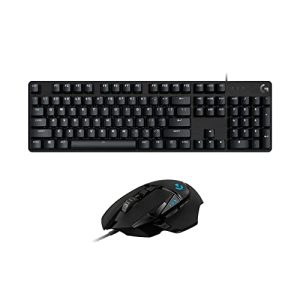
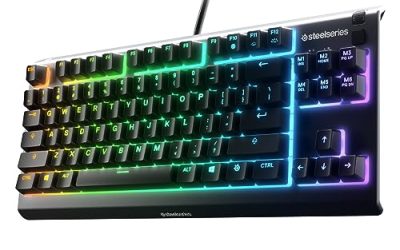
Yes, for the right player — and the dividing line is input behaviour, not lighting. The real upgrades a gaming keyboard offers are mechanical or optical switches that register presses reliably and consistently, full key rollover so every simultaneous press counts, and on newer models, adjustable actuation and rapid trigger for very fast repeated inputs. Those things are tangible in shooters, rhythm games, fighting games and fast action titles. The parts that do not change gameplay at all — animated RGB effects, aggressive styling, bundled software themes — are decoration, and plenty of boards charge for decoration dressed up as performance.
If your current keyboard is a basic office model that occasionally misses a strafe-plus-jump-plus-ability combination, moving to almost any proper gaming keyboard will feel like a genuine step up. If your current board already has mechanical switches and full rollover, the jump to a premium gaming model is mostly about feel, sound and extra features rather than raw capability. That is the whole verdict in one paragraph: worth it as a fix for real input limits, optional as a luxury, pointless as a lighting upgrade.
What ‘Gaming’ Features Actually Do
Rapid trigger and adjustable actuation
On Hall effect and some optical keyboards, each key can reset the instant you start releasing it rather than at a fixed point in the key travel. That is rapid trigger, and it makes repeated strafing, counter-strafing and rapid tapping feel more responsive because the key is ready for the next press sooner. Adjustable actuation lets you set how far a key must travel before it registers, so movement keys can fire early while less critical keys stay less sensitive. It is a real, mechanical difference — but it only shows up in games built around fast, repeated key work.
Polling rate
Polling rate is how often the keyboard reports its state to the PC, measured in hertz. A standard board reports far less often than the higher figures gaming models advertise, which can mean several reports per frame on a fast monitor versus one. In practice the difference is measured in tiny fractions of a second, and most players cannot feel it in isolation. It matters at the margins for competitive players chasing consistency, and it is close to irrelevant for everyone else. Treat a high polling rate as a nice bonus on a board you already like, never as the reason to buy it.
N-key rollover and anti-ghosting
This is the least glamorous feature and arguably the most important. Rollover describes how many keys can be pressed at once and still register. Cheap keyboards can drop inputs when several keys in the same area are held together, which is exactly what happens when you sprint, strafe, jump and throw an ability in the same second. N-key rollover means every press registers, and anti-ghosting is the related engineering that stops phantom presses. If you have ever had a jump simply not happen mid-fight, this — not lighting or polling — is the feature that fixes it.
Switches, macros and the rest
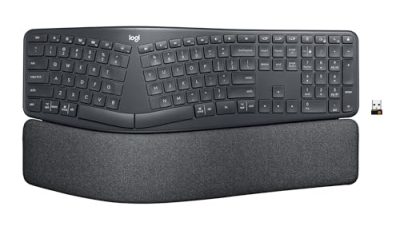
Mechanical switches give a consistent, defined press with a rated lifespan far beyond a typical membrane dome, and different switch types change the feel from smooth and linear to tactile or clicky. Optical and magnetic switches remove the physical contact point, which is how the rapid trigger features above become possible. Macros and remapping software let you bind multi-step actions to one key, which is genuinely useful in strategy and MMO play and restricted in some competitive titles. Per-key RGB, media dials and wrist rests are comfort and convenience extras: pleasant, sometimes worth paying for, but they do not make you play better.
Who It Is Worth It For
Competitive shooter and fast-action players
If your games live and die on movement — strafing duels, bunny hopping, quick peeks, fighting game inputs — the combination of full rollover, fast switches and rapid trigger addresses the exact moments where a basic keyboard holds you back. You are the player most likely to feel the difference within the first session, because your inputs are the most demanding a keyboard ever faces. Verdict: worth it, and this is the group the premium features were designed for.
MMO, MOBA and strategy players
Your bottleneck is rarely raw speed; it is the sheer number of abilities, items and commands you need within reach. Extra macro keys, layered remapping and reliable rollover across crowded key clusters turn a gaming keyboard into an organisational tool. A board that lets you move rarely used commands off awkward combinations and onto single presses can clean up your whole control scheme. Verdict: worth it for the remapping and rollover, even if you never touch the speed-focused features.
Players upgrading from a bundled office keyboard
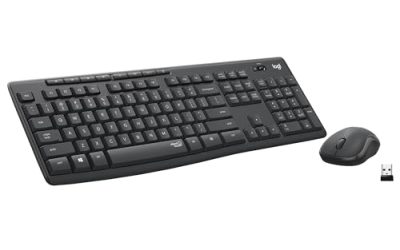
The keyboard that came free with a PC or sits in an office drawer is usually a membrane board with limited rollover and a soft, inconsistent feel. Almost any entry-level gaming keyboard is a clear improvement in reliability, durability and comfort, and you do not need the flagship tier to get it. Verdict: worth it at the modest end of the range; the first step up is the biggest one you will ever take with this peripheral.
Streamers and heavy typists who game daily
If the same keyboard handles your job, your messages and your evening sessions, build quality and switch feel stop being luxuries. A well-built gaming board with switches you enjoy pressing earns its keep across thousands of hours of mixed use, and features like a volume dial and quiet switch options get used every day. Verdict: worth it as a daily-driver upgrade, judged on comfort and build rather than gaming specs alone.
Who Can Skip It
Casual and single-player gamers
Story games, turn-based titles, city builders and relaxed exploration games rarely ask for more than a handful of simultaneous inputs, and none of them punish a slightly slower key reset. If your current keyboard registers your presses reliably, a gaming model will mostly change how your desk looks. Verdict: skip it until your current board actually fails or frustrates you.
Controller-first players
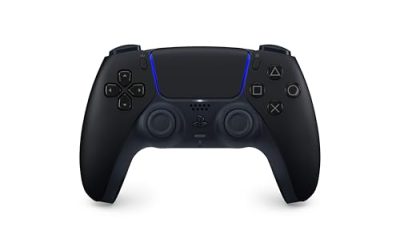
If most of your library is played with a gamepad — racing games, platformers, action adventures, sports titles — your keyboard is a menu-navigation tool. Spending on gaming features you will only use to type passwords and search a storefront is money pointed at the wrong peripheral. Verdict: skip it, and put the budget toward the controller, headset or storage you actually use.
Happy mechanical keyboard owners
Plenty of non-gaming mechanical keyboards already have durable switches, full rollover and excellent build quality. If yours does, the gaming label adds lighting, software and speed features aimed at a narrow slice of competitive play. Unless you specifically want rapid trigger for a shooter you play seriously, there is little functional ground left to gain. Verdict: skip it; you already own most of what matters.
A Quick Way to Decide
If you are still undecided, run three honest checks against your current setup. First, load the game you play most and deliberately hold your usual movement keys while adding a jump and an ability: if anything fails to register, or registers late, your keyboard is already limiting you and an upgrade is justified on that evidence alone. Second, count how many of your weekly gaming hours are actually played on the keyboard rather than a controller; a board used for two hours a month cannot repay a premium price. Third, name the specific feature you are buying — rollover, rapid trigger, macros, quieter switches — in one sentence. If the sentence turns out to be about lighting or looks, that is fine, but file the purchase under decoration rather than performance and spend accordingly.
Common Mistakes
- Buying for the lighting: RGB is the most visible feature and the least functional one, so judge a board by its switches and rollover first.
- Assuming a gaming keyboard fixes aim or reaction time: it removes input limits, but it cannot add skill, and expectations set that high always disappoint.
- Paying for polling-rate numbers alone: the difference between standard and extreme polling is real on paper and nearly impossible to feel in ordinary play.
- Ignoring layout and size: a full-size board can crowd your mouse space, while a compact board moves keys behind layers that some games and habits rely on.
- Forgetting switch noise: clicky switches in a shared room or on an open microphone can make a technically great keyboard a daily annoyance.
Frequently Asked Questions
Will a gaming keyboard make me better at games?
It can remove obstacles rather than add skill. If your current board drops simultaneous inputs or feels inconsistent, a gaming keyboard makes your inputs land the way you intended, which can feel like an improvement. If your keyboard already registers everything reliably, expect better feel and durability, not better results on the scoreboard.
Is a mechanical keyboard the same as a gaming keyboard?
Not exactly, though they overlap heavily. Mechanical describes the switch under each key; gaming describes the feature set around it, such as full rollover, remapping software, rapid trigger on magnetic models and higher polling. Many gaming keyboards are mechanical, some mechanical keyboards have no gaming features, and a few gaming boards use membrane or optical designs instead.
What is the single most important gaming keyboard feature?
Full key rollover with anti-ghosting, because it affects every game where you hold movement keys while pressing others. It is also the feature most often missing from cheap office boards, which makes it the most common real-world reason an upgrade feels worthwhile. Speed features like rapid trigger matter more, but only within a narrower set of fast-paced games.
Should I choose wired or wireless for gaming?
A wired connection is the simple, dependable default: no charging, no battery anxiety and no extra cost. Modern gaming wireless is fast enough that most players cannot feel a difference, so wireless is worth it mainly when a clean desk or couch setup matters to you. For a first gaming keyboard on a fixed desk, wired is usually the smarter spend.
FAQ
Will a gaming keyboard make me better at games?
Is a mechanical keyboard the same as a gaming keyboard?
What is the single most important gaming keyboard feature?
Should I choose wired or wireless for gaming?
More from Amazon
Programs that pair well with the guide above. Offers and eligibility are set by Amazon and may change.
Free shipping on eligible items, Prime Video and more. Eligible new members can start with a free trial.
Start a Prime free trialAd-free music streaming. Eligible new subscribers can start with a free trial.
Try Music Unlimited freeA Prime membership for ages 18-24 with a trial period. Eligibility is set by Amazon.
See Prime for Young AdultsAudiobooks and podcasts to listen to on the go. Eligible new members can start with a free trial.
Try Audible freeAs an Amazon Associate we earn from qualifying purchases.