Key takeaways
- Front-facing ports and card readers for everyday convenience.
- Built-in NVMe enclosures add cheap, fast storage.
- Clean, footprint-matched design that tidies the desk.
- High-bandwidth options with dual 4K HDMI and 40Gbps ports.
The Mac mini M4 is a brilliant little desktop, but its rear-only ports and lack of internal expansion leave real gaps for anyone who wants front-facing connectivity and extra storage. A dedicated Mac mini hub-and-stand solves both: it lifts the mini slightly, adds front USB and card readers, and often includes an NVMe SSD enclosure to expand storage cheaply.
This review examines the best Mac mini M4 docks and stands, from Satechi and UGREEN to Acer and novelty units with built-in displays, to help you pick the accessory that turns your mini into a tidy, capable workstation.
Our top picks
 Acer Gadget Mac mini M4 Dock
- [Ultimate Storage Expansion for M4/M4 Pro] Boost your…
- [Cinematic 4K@144Hz] Create a dual-screen workstation using HDMI…
- [10Gbps Workflow Accelerator] Equipped with ultra-fast 10Gbps USB-C…
 Satechi Mac mini M4 Hub & Stand
- Designed for Mac mini M6, M5 Pro, M4…
- 5-in-1 Front-Facing Expansion Ports
- Optimized Cooling & Aluminum Build
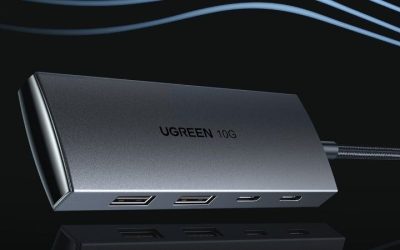
 UGREEN Mac mini M4 Dock & Stand
- Massive 8TB Expandable Storage: Unlock the full potential…
- 11-in-1 High-Speed Connectivity Hub: Turn your Mac Mini…
- 10Gbps Data Transfer: Enjoy blazing 10Gbps transfer speeds…
| Product | Key specs | |
|---|---|---|
| Acer Gadget Mac mini M4 Dock | [Ultimate Storage Expansion for M4/M4 Pro] Boost your… [Cinematic 4K@144Hz] Create a dual-screen workstation using HDMI… [10Gbps Workflow Accelerator] Equipped with ultra-fast 10Gbps USB-C… | Check price |
| Satechi Mac mini M4 Hub & Stand | Designed for Mac mini M6, M5 Pro, M4… 5-in-1 Front-Facing Expansion Ports Optimized Cooling & Aluminum Build | Check price |
| UGREEN Mac mini M4 Dock & Stand | Massive 8TB Expandable Storage: Unlock the full potential… 11-in-1 High-Speed Connectivity Hub: Turn your Mac Mini… 10Gbps Data Transfer: Enjoy blazing 10Gbps transfer speeds… | Check price |
 Mac mini M4 Dock Mac mini M4 Dock | 【USB-C Hub for Mac Mini Dock & Stand】… 【Support 8TB M.2 NVME/SATA Enclosure】This Mac Mini M6docking… 【4K HDMI HD Output】USB C hub HDMI port… | Check price |
 M5 Retro Dock Station for Mac mini M5 Retro Dock Station for Mac mini | Check price | |
 Mac mini M4 Dock Mac mini M4 Dock | 【40GBPS ULTRA-FAST DATA TRANSFER】The mac mini m4 hub… 【DUAL& TRIPLE MONITOR SUPPORT】The dock features dual HDMI… 【10-IN-1 HUB & MAC MINI M4 / M4… | Check price |
 BENFEI Mac mini M4 Dock BENFEI Mac mini M4 Dock | ✅【10-in-1 Connectivity】The Mac Mini M4 Dock includes all… ✅【8TB Storage Expansion】Upgrade your Mac Mini M4 with… ✅【4K DisplayPort HD Output】Enjoy versatile, high-definition connectivity with… | Check price |
 USB C Hub USB C Hub | 1 USB C Hub: USB C docking station… Brillant 4K@60Hz Display: intpw usb hub for pc… High-Speed Data Transfer: 3 USB 3.0 Ports transfer… | Check price |
As an Amazon Associate we earn from qualifying purchases at no extra cost to you.
🎮 Get More From Your Setup — Free
Prime Gaming gives you free PC games every month, in-game loot, and a free Twitch channel sub — plus fast free shipping on all the gear above. New members get a 30-day free trial.
Watch: Mac Mini Hub: Review & Buyer’s Guide — Video Review
Design & Build
These hubs are designed to match the Mac mini’s footprint exactly, sitting beneath it as a stand while routing ports to the front. The Satechi M4 hub in silver mirrors Apple’s aesthetic closely, with self-cooling and 10Gbps USB-A ports, while the UGREEN and Acer units add more aggressive expansion, including 8TB-capable M.2 NVMe/SATA enclosures and even HDMI 2.1 output at 4K144Hz.
Build quality is generally strong, with aluminum construction and thoughtful cable management. The standout novelty options, like the M5 Retro dock with a small HD display or the 40Gbps dual-HDMI unit, add flair or bandwidth for those who want more than the basics.
Performance
The core appeal is front-accessible speed. 10Gbps USB-A and USB-C data ports make plugging in drives and peripherals painless, and the integrated NVMe enclosures turn a spare M.2 SSD into fast, high-capacity storage, far cheaper than paying Apple’s internal storage premiums. Card readers handle photo and video offloads directly.
Higher-end docks like the 40Gbps unit push dual 4K60Hz HDMI output and multiple high-speed ports, useful for multi-monitor or heavy storage setups. Thermal design matters here, and the better units keep the mini cool rather than trapping heat.
Pros & Cons
- Front-facing ports and card readers for everyday convenience.
- Built-in NVMe enclosures add cheap, fast storage.
- Clean, footprint-matched design that tidies the desk.
- High-bandwidth options with dual 4K HDMI and 40Gbps ports.
- Quality varies widely between premium and budget units.
- Some designs trap heat if cooling is poorly implemented.
- SSD not always included, adding to total cost.
Alternatives to Consider
If you want the cleanest Apple-matching look with reliable performance, the Satechi M4 hub is the safe premium pick. Storage-focused users should look at the Acer or UGREEN docks with large NVMe enclosures, while those wanting maximum bandwidth for dual displays can target the 40Gbps dual-HDMI dock.
Frequently Asked Questions
Does a Mac mini hub include the SSD?
Not always. Many include an NVMe enclosure but require you to supply your own M.2 SSD, so factor that into the total cost.
Will a hub help my Mac mini stay cool?
The better-designed stands include self-cooling and don’t block vents. Cheaper units can trap heat, so choose one with a proven thermal design.
Can I add external displays through these docks?
Some do, like the units with HDMI 2.1 output. Display support depends on the dock and the Mac mini M4’s own external monitor limits.
Are the NVMe enclosures fast enough for video editing?
Yes. The 10Gbps enclosures deliver strong real-world speeds suitable for editing and large file work, and 40Gbps models are faster still.
Verdict
A Mac mini M4 hub is one of the smartest accessories you can add, delivering front ports and affordable NVMe storage in a footprint-matched stand. The Satechi hub is the polished all-rounder, while the Acer and UGREEN docks lead for storage expansion and high-bandwidth setups.