Our Top Picks
 ASUS Dual NVIDIA GeForce RTX 5060 8GB GDDR7RTX5060|8GB|OC9 x 4.8 x 2 inches1.4 PoundsCheck on Amazon
Pros & cons
- Compact SFF-ready size fits small-form-factor builds
- 0dB technology keeps fans silent at low loads
- Backed by a 3-year warranty
- 8GB of VRAM may limit the highest-resolution textures
- Smaller dual-fan cooler runs warmer than larger triple-fan cards
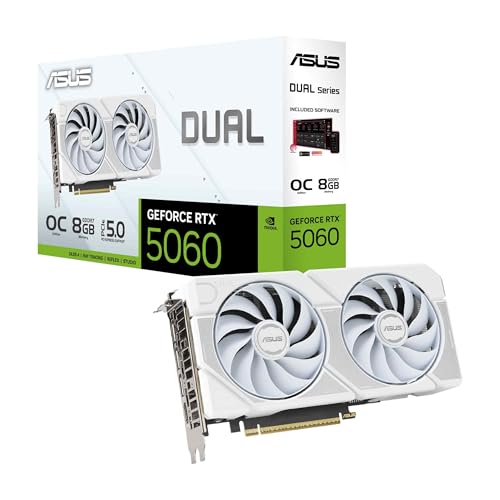 ASUS Dual GeForce RTX 5060 8GB GDDR7 WhiteRTX5060|8GB|OC9 x 4.8 x 0.1 inches2.4 PoundsCheck on Amazon
Thinking about playing Fairy Tail 2 on PC and wondering what hardware you actually need? Fairy Tail 2 is an anime action RPG that launched on December 11, 2024, and by modern standards it is a light game. The official minimum targets 30 fps at 1280 x 720 with the graphics quality preset on Low, and the official recommended spec targets 60 fps at 1920 x 1080 on Standard — a bar most gaming PCs built in the last several years already clear. This guide breaks down the official PC system requirements for Fairy Tail 2, the best GPU for each resolution, and build recommendations to hit your target frame rate.
How Demanding Is Fairy Tail 2?
Fairy Tail 2 is light on PC hardware. It is a cel-shaded anime action RPG with modest texture and environment demands, and the published requirements reflect that: the minimum asks for a GeForce GTX 1050 Ti 4 GB or Radeon RX 570 4 GB alongside 8 GB of RAM, while the recommended spec is a GeForce GTX 1660 6 GB or Radeon RX 5600 XT 6 GB with 16 GB of RAM. Storage needs are small at 25 GB, DirectX 12 is required, and the store listing also asks for a broadband internet connection.
In practical terms, budget and older cards handle 1080p comfortably, and 1440p is well within reach of a current mid-range GPU. There is no heavy simulation or large-scale multiplayer layer here, so the processor requirements stay low as well. The table below lists the official figures exactly as published; treat the rest of this guide as guidance built on top of them rather than as a replacement for them.

MSI GeForce RTX 4060 Ventus 2X Black 8G OC Gaming Graphics Card - 8GB GDDR6X, PCI Express Gen 4, 128-bit, 3X DP v 1.4a, HDMI 2.1a (Supports 4K & 8K HDR)
One of the home product options compared in this guide.
View on AmazonASUS Dual NVIDIA GeForce RTX 5060 8GB GDDR7 OC Edition (PCIe 5.0, 8GB GDDR7, DLSS 4, HDMI 2.1b, DisplayPort 2.1b, 2.5-Slot Design, Axial-tech Fan Design, 0dB Technology), 3 Year Warranty
One of the home product options compared in this guide.
View on AmazonASUS Dual GeForce RTX 5060 8GB GDDR7 White OC Edition Gaming Graphics Card | PCIe 5.0, HDMI 2.1b, DisplayPort 2.1b, 2.5-slot design, Axial-tech Fans, 0dB Technology
One of the home product options compared in this guide.
View on Amazon
MSI GeForce RTX 4060 Ti Ventus 2X Black 8G OC Graphics Card - NVIDIA RTX 4060 Ti, 8 GB GDDR6 Memory, 18 Gbps, PCIe 4.0, DLSS3
One of the home product options compared in this guide.
View on AmazonFairy Tail 2 Official PC System Requirements
| Component | Minimum (official) | Recommended (official) |
|---|---|---|
| OS | Windows® 10, Windows® 11, 64bit | Windows® 10, Windows® 11, 64bit |
| Processor | Intel Core i5-7400, AMD Ryzen 3 3200G | Intel Core i7-8700, AMD Ryzen 5 2600 |
| Memory | 8 GB RAM | 16 GB RAM |
| Graphics | GeForce GTX 1050Ti 4GB, AMD Radeon RX 570 4GB | GeForce GTX 1660 6GB, AMD Radeon RX 5600XT 6GB |
| DirectX | Version 12 | Version 12 |
| Storage | 25 GB available space | 25 GB available space |
Source: the official FAIRY TAIL 2 Steam store listing (app 3002850), checked October 2026. Publishers can update these specs after patches.
Best GPU for Fairy Tail 2 by Resolution
1080p
For 1080p, the official recommended spec is the target to aim for: a GeForce GTX 1660 6 GB or Radeon RX 5600 XT 6 GB with 16 GB of RAM is what the developer lists for 60 fps at 1920 x 1080 on Standard. Anything above that tier simply gives you more headroom, and a AMD Radeon RX 7600 sits comfortably clear of the recommended bar. Current-generation budget cards such as the GeForce RTX 5060 or Radeon RX 9060 XT are in the same easy position.
1440p
Fairy Tail 2 does not publish 1440p figures, but requirements this low mean a mid-range card is plenty. A GeForce RTX 4060 or Radeon RX 7600-class GPU handles 1440p without strain, and the NVIDIA GeForce RTX 4070 SUPER is far more than this game needs — it makes sense if you want high-refresh 1440p or want a card that will stay comfortable in heavier titles. Newer mid-range options such as the RTX 5060 Ti or RX 9060 XT are likewise well above what Fairy Tail 2 asks for.
4K
4K is not part of the official requirements, but a title this light is easier to drive at 4K than most. Upper mid-range modern cards like the GeForce RTX 5070 or Radeon RX 9070 will handle 4K without trouble, and the NVIDIA GeForce RTX 4070 Ti SUPER also has plenty of headroom there. If you play on a 4K display, upscaling can stretch a lesser card further, but you do not need a flagship to run Fairy Tail 2.
CPU, RAM and Storage for Fairy Tail 2
Fairy Tail 2 is not a CPU-heavy game, so the processor bar is low. The official minimum is an Intel Core i5-7400 or AMD Ryzen 3 3200G, and the recommended chip is an Intel Core i7-8700 or AMD Ryzen 5 2600 — a modest target that almost any modern desktop CPU clears easily. If you are building new, the AMD Ryzen 5 7600 is excellent value and far above what the game requires, while the AMD Ryzen 7 7800X3D is a very fast gaming CPU that is overkill here. Intel buyers can consider the Intel Core i5-14600K for the same reason.
Memory is the one area where the official figures are modest: 8 GB is the published minimum and 16 GB is recommended, so 16 GB of DDR4 or DDR5 is the sensible target, and 32 GB such as the Corsair Vengeance DDR5 32GB is more than enough. Storage needs are small too — the game asks for 25 GB of available space, and installing it on an SSD such as the Samsung 990 Pro 2TB NVMe SSD will cut load times, even though the spec sheet does not demand an SSD.
Recommended PC Builds for Fairy Tail 2
1080p budget build: AMD Radeon RX 7600 + AMD Ryzen 5 7600 + 16 GB DDR5 — comfortably above the official recommended spec, so it runs Fairy Tail 2 at 1080p with room to spare.
1440p sweet-spot build: NVIDIA GeForce RTX 4070 SUPER + AMD Ryzen 7 7800X3D + 32 GB DDR5 + 2TB NVMe SSD — more GPU and CPU than this game needs, but a balanced platform if you also play heavier titles.
4K high-end build: NVIDIA GeForce RTX 4070 Ti SUPER + AMD Ryzen 7 7800X3D + 32 GB DDR5 + fast NVMe SSD — plenty for 4K in a game whose requirements are this low.
Is It Worth Upgrading Your PC for Fairy Tail 2?
Because Fairy Tail 2 asks for so little, it is rarely a reason to upgrade on its own. If your PC already has something like a GTX 1660 6 GB, 16 GB of RAM and a modest quad-core processor, you can hit the recommended experience without spending anything. If you are on integrated graphics or a very old card, though, a graphics card upgrade is the single biggest improvement you can make, so tackle that first if you have to choose. A mid-range CPU from the last few years will not hold a modern GPU back in this game, so you can usually keep it. Adding RAM to reach 16 GB and moving the game onto an SSD are cheap upgrades that noticeably smooth out the experience. Rather than replacing everything at once, target the weakest link in your build for the best value.
Can You Play Fairy Tail 2 on a Laptop or Handheld?
Gaming laptops with a discrete GPU around the GTX 1660 / RTX 3050 mobile mark or better already meet or beat the official recommended spec, so Fairy Tail 2 runs well at 1080p on the move — though expect shorter battery life and more heat than a desktop. On handhelds like the Steam Deck and ROG Ally, this lighter game runs comfortably at reasonable settings, making it a great portable pick. If portability matters, prioritise a device with a capable GPU and pair it with a fast microSD or SSD for storage, since the game needs 25 GB of space.
How to Boost FPS in Fairy Tail 2
Fairy Tail 2 already runs on modest hardware, so start with the graphics quality preset — the official specs describe Low and Standard, and dropping from Standard to Low is the quickest way to raise frame rates if you are below your target. If the game and your GPU support upscaling such as DLSS or FSR, enabling it is usually the single biggest gain available. Beyond that, lowering the resolution, keeping your GPU drivers up to date, closing background apps, and making sure the game is installed on an SSD all help. A stable frame rate at a lower preset almost always feels better than chasing maximum visuals with stutter.
Frequently Asked Questions
Can my PC run Fairy Tail 2?
If your PC has at least a GeForce GTX 1050 Ti or Radeon RX 570-class GPU, an Intel Core i5-7400 or AMD Ryzen 3 3200G-class CPU, 8 GB of RAM and 25 GB of free space, it meets the official minimum for 30 fps at 1280 x 720 on Low. For 60 fps at 1920 x 1080 on Standard, aim for the recommended spec: a GeForce GTX 1660 6 GB or Radeon RX 5600 XT 6 GB, an Intel Core i7-8700 or AMD Ryzen 5 2600, and 16 GB of RAM.
Is Fairy Tail 2 demanding on PC?
No. Fairy Tail 2 is a light game — its minimum spec is a 4 GB card from the GTX 1050 Ti era with 8 GB of RAM, and its recommended spec is a GTX 1660 6 GB for 1080p at 60 fps. Even budget hardware handles it.
What GPU do I need for Fairy Tail 2 at 1440p 60fps?
The official requirements do not cover 1440p, but a mid-range card is more than enough for 60 fps at that resolution. The NVIDIA GeForce RTX 4070 SUPER is well beyond what Fairy Tail 2 needs; a GeForce RTX 4060, RTX 5060, Radeon RX 7600 or RX 9060 XT-class GPU already gives you plenty of headroom at 1440p.
How much RAM does Fairy Tail 2 need?
8 GB is the official minimum and 16 GB is recommended. 16 GB is the sensible target for a modern build, and 8 GB still meets the published minimum for 720p on Low. Faster DDR4 or DDR5 memory helps in general, but this is not a memory-hungry game.
Do I need an SSD for Fairy Tail 2?
Not strictly — the official requirements only list 25 GB of available space and do not specify an SSD. That said, an NVMe drive like the Samsung 990 Pro will reduce load times noticeably.