
Key takeaways
- Fills Visible Clearance Gaps: Bridges structural space between 0.5mm and 3.0mm where thermal paste would slip out or fail to establish contact.
- Mess-Free Application: Cuts cleanly, leaves zero runny fluid residue, and requires no intricate spread patterns or delicate syringe squeezing.
- Electrically Non-Conductive: Protects sensitive surface-mount capacitors and small board traces around VRAM or console motherboard circuits from electrical short-circuiting.
- Durable Shape Retention: Maintains its physical form over years of thermal cycling without suffering from fluid “pump-out” caused by heat expansion.
- Uniform Thermal Coverage: Delivers guaranteed consistent thickness across every millimeter of the targeted component surface.
The Short Answer
It depends. You only need thermal pads for gaming if you are mounting heatsinks on secondary component surfaces that have a distinct structural gap—such as graphics card VRAM modules, motherboard VRM MOSFETs, game console RAM chips, or high-speed M.2 NVMe solid-state drives. You do not need (and should not use) thermal pads as a replacement for liquid thermal paste directly on a main CPU or GPU silicon die.
What You Actually Get
Thermal pads are pre-formed, pliable sheets made from silicone elastomer blended with heat-conductive fillers like ceramic micro-particles or aluminum oxide. Unlike thermal paste, which is a viscous fluid designed to fill microscopic surface imperfections across tight direct-contact metal surfaces, thermal pads are solid interface materials built to span measurable gaps ranging from 0.5mm up to 3.0mm.
Our top picks
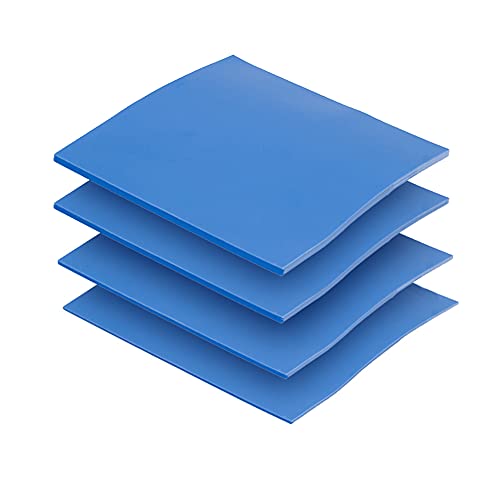 OwlTree 4 Pack Thermal Pad
- Excellent thermal conductivity: Made of thermal silica gel…
- Reliable & Durable: High temperature performance in -40…
- Application: Thermal Pad used in the control board…
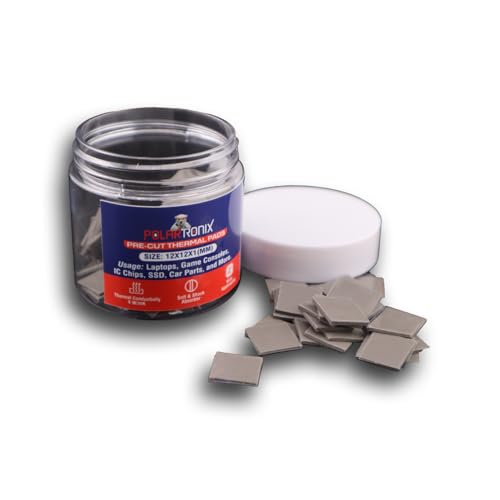 100 Pcs Pre-Cut Thermal Pads for Game
- ✅ Perfect Fit Every Time
- ✅ Easy Installation
- ✅Application: Thermal Pad used in the control board…
As an Amazon Associate we earn from qualifying purchases at no extra cost to you.
When gaming rigs generate heavy workloads, heat does not just originate from the main processor. In 2026, ultra-fast PCIe 4.0 and PCIe 5.0 SSDs, power-delivery VRMs drawing over 150W, and high-speed GDDR6X VRAM modules reaching 85°C to 95°C require immediate heat transfer to auxiliary aluminum heatsinks. Thermal pads cushion these components, bridge the structural air gaps, and pull heat away into heatsinks without squishing or washing away under clamping pressure.
Depending on your project, thermal pads are sold in two standard formats:
Multi-Thickness Sheet Packs: These bundles feature large uncut squares (typically 100x100mm) in varied thicknesses—0.5mm, 1mm, 1.5mm, and 2mm—with thermal conductivity ratings around 6.0 W/mK (Watts per meter-Kelvin). Retailing for roughly $11.00 to $15.00, these allow custom trimming with scissors to match exact VRM strip dimensions or custom laptop heatsink tracks.
Pre-Cut Small Squares: Sold in bulk packs (such as 100 pieces measuring 12x12x1mm) for around $8.00 to $12.00, these are pre-measured for individual chiplets like PlayStation 5 RAM modules, desktop memory chips, or individual power stage coils, eliminating the need for manual measuring and cutting during routine maintenance.
Pros
- Fills Visible Clearance Gaps: Bridges structural space between 0.5mm and 3.0mm where thermal paste would slip out or fail to establish contact.
- Mess-Free Application: Cuts cleanly, leaves zero runny fluid residue, and requires no intricate spread patterns or delicate syringe squeezing.
- Electrically Non-Conductive: Protects sensitive surface-mount capacitors and small board traces around VRAM or console motherboard circuits from electrical short-circuiting.
- Durable Shape Retention: Maintains its physical form over years of thermal cycling without suffering from fluid “pump-out” caused by heat expansion.
- Uniform Thermal Coverage: Delivers guaranteed consistent thickness across every millimeter of the targeted component surface.
Cons
- Lower Thermal Conductivity Than Paste: Standard silicone pads offer thermal conductivity ratings between 3.0 W/mK and 6.0 W/mK, compared to high-performance thermal pastes (8.0 to 14.0 W/mK) or liquid metal (70+ W/mK).
- Thickness Miscalculations Cause Damage: Installing a 2.0mm thermal pad where a 0.5mm pad belongs creates excessive mechanical clearance, lifting the main heatsink off the primary CPU/GPU die and causing immediate thermal throttling.
- Silicone Bleed Over Time: Low-cost or older thermal pads can gradually “oil out,” releasing non-conductive silicone fluids onto surrounding circuit boards after long periods at elevated temperatures.
- Single-Use Compression: Once compressed under a heavy cooler for several months, pads lose their elasticity and cannot be reliably reused if you disassemble the cooling assembly later.
Who Should Buy It
You should purchase thermal pads if you are performing a complete teardown and re-pad of a graphics card’s VRAM chips, servicing a gaming laptop that throttles during extended 100W+ power loads, or adding an aftermarket aluminum heatsink to a high-speed M.2 2280 NVMe SSD. They are also mandatory for console enthusiasts replacing dried stock interface pads on a PS5 or Xbox Series X RAM network, and for PC builders configuring custom liquid cooling water blocks across full-cover motherboard VRM setups.
Who Should Skip It
You should skip buying thermal pads if you are simply assembling a brand-new desktop PC using standard boxed components. Desktop air coolers, All-in-One (AIO) liquid coolers, and pre-packaged graphics cards come with factory-applied thermal interface materials or included tubes of standard paste. You should also skip thermal pads if your only goal is to lower temperatures on a main CPU die (such as an Intel Core or AMD Ryzen chip), as placing a pad on a central CPU heat spreader will severely degrade thermal performance compared to direct thermal paste contact.
Cheaper Alternatives
Depending on your hardware layout, direct thermal pads are not always the only thermal transfer option. The table below outlines how thermal pads compare against lower-cost or specialized alternatives:
| Option | Cost Range | Trade-off vs. Thermal Pads |
|---|---|---|
| Standard Thermal Paste | $6.00 – $10.00 | Excellent thermal transfer on direct micro-gaps (<0.1mm), but bleeds off and fails completely across physical gaps larger than 0.2mm. |
| Viscous Thermal Putty | $8.00 – $14.00 | Conforms automatically to uneven or unknown gap heights without measuring, but leaves messy residue during cleanup and re-application. |
| Stock Pre-Applied Pads | $0.00 (Included) | Free with most aftermarket SSD heatsinks, but usually features lower thermal conductivity (typically 2.0 to 3.5 W/mK) and degrades faster. |
FAQ
Can I use a thermal pad instead of thermal paste on my CPU?
No, you should not replace CPU thermal paste with a standard silicone thermal pad. Central processors require a paper-thin interface material that fills microscopic metallic pores under high mounting pressure. A standard 0.5mm or 1mm thermal pad is too thick and has a significantly lower thermal conductivity rating (around 6.0 W/mK) compared to direct thermal paste, which will lead to immediate high temperatures and thermal throttling under load.
How do I know what thermal pad thickness I need for my setup?
You must measure the physical clearance gap between your heat source (like a VRAM chip or VRM MOSFET) and the metal heatsink using digital calipers or precision feeler gauges. Standard thickness sizes are 0.5mm, 1mm, 1.5mm, and 2mm. Selecting a pad that is too thick will prevent the primary heatsink from touching your GPU/CPU die, while selecting a pad that is too thin will leave an air gap, completely preventing heat transfer.
Do thermal pads degrade over time in a gaming PC or PS5?
Yes, thermal pads dry out, harden, and compress over time. Under continuous high-temperature gaming workloads ( sustained temperatures over 80°C), the silicone binder inside thermal pads gradually breaks down and releases silicone oils onto the PCB over 2 to 4 years. When pads become brittle or stiff, they lose their thermal conductivity and should be replaced during routine system maintenance.
Does installing an M.2 NVMe SSD for gaming require a thermal pad?
Yes, if you are attaching a metal heatsink or heat spreader to an M.2 2280 NVMe SSD, a thermal pad is required. The flash controller chip and flash memory chips on an SSD sit at slightly different heights. A 1mm or 1.5mm thermal pad bridges this height difference, ensuring consistent thermal contact across the controller (which runs hot) and protecting the memory controller from thermal throttling during heavy game downloads and level loading.








