Our Top Picks
Prebuilt gaming PCs are good for most buyers in 2026 — the price gap against a DIY build has narrowed to roughly $50–$200 on a mid-range 1440p system, and that gap buys you assembly, a Windows license, burn-in testing and one warranty contact instead of five. DIY still wins when you want maximum frames per dollar, a specific parts list, or a machine you’ll swap a GPU into two or three years from now. The real deciding factor is rarely price anymore: it’s how you value a weekend of your time and how much control you want over the component list.
Quick comparison: the realistic options
| Option | Best for | Typical specs | Usual price range |
|---|---|---|---|
| Budget 1080p prebuilt | First gaming PC, 1080p 60–144 Hz | Ryzen 5 / Core i5 class CPU, RTX 5060 or RX 9060 XT class GPU (8–16 GB VRAM), 16 GB DDR5, 1 TB NVMe | $700–$1,000 |
| Mid-range 1440p prebuilt | The sweet spot for most people | Ryzen 7 9700X / 9800X3D class, RTX 5070 Ti or RX 9070 XT class (16 GB VRAM), 32 GB DDR5-6000, 750 W Gold PSU | $1,400–$1,900 |
| High-end 4K prebuilt | 4K 120 Hz, heavy ray tracing, VR | RTX 5080 / 5090 class (16–32 GB VRAM), 32–64 GB DDR5, 1000 W+ PSU | $2,400–$4,000+ |
| Small-form-factor prebuilt | Small desks, no build workspace | ITX-class board, 240 mm AIO, mid-tier GPU with a low-profile cooler | $1,600–$2,200 |
| DIY build (same 1440p class) | Control, reusing parts, maximum value | You pick every part; 3–5 hours of build, OS install and driver setup | $1,450–$1,900 in parts |
The price gap, calculated
Here’s a representative 1440p parts list at typical street prices, compared with what a system integrator charges for the same class of machine.

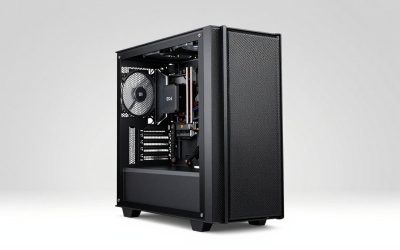
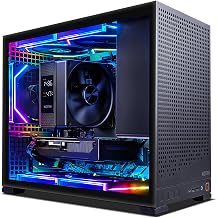
Skytech Gaming PC Desktop, Ryzen 7 9850X3D, RX 9070 XT, 32GB RAM, 2TB SSD | Windows 11, Gen4 NVMe SSD, DDR5 5600, 850W GOLD ATX 3 PSU, 360 ARGB AIO , Wi-Fi 5, Azure 3 Series
Chosen because it specifies Ryzen 7 9850X3D and RX 9070 XT.
View on Amazon
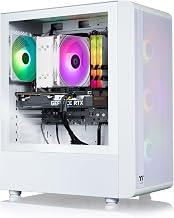
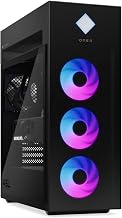
Skytech Gaming PC Desktop, Intel i5 14400F, RTX 5060, 16GB RAM, 1TB SSD | Windows 11, NVMe SSD, DDR5 6000, 750W GOLD PSU, Wi-Fi 5, Archangel 5 Series
Chosen because it specifies Intel i5 14400F and RTX 5060.
View on Amazon
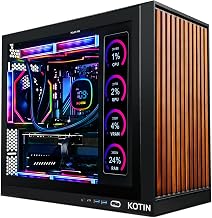
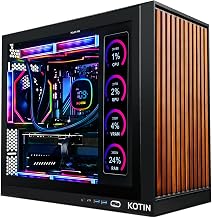
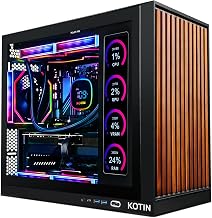
KOTIN Gaming PC, Ryzen 7 9700X, RX 9070 XT 16GB, 32GB DDR5, 1TB SSD | Prebuilt Gaming Computer, 11.3In Smart Display, 360mm Liquid Cooler, WiFi 7, 850W Gold PSU, Windows 11, ARGB, 1440p 4K
Chosen because it specifies Ryzen 7 9700X and RX 9070 XT 16GB.
View on Amazon
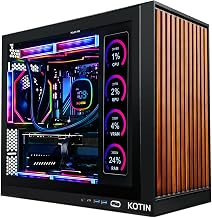
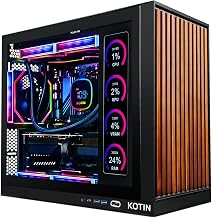
KOTIN Prebuilt Gaming PC RTX 5070 12GB, Ryzen 7 9700X, 32GB DDR5, 1TB SSD | 11.3in Smart Display, 850W 80+ Gold PSU, 360mm Liquid Cooler, WiFi 7, 1440p 4K ARGB Windows 11 Gaming Desktop Computer
Chosen because it specifies Ryzen 7 9700X and 32GB DDR5.
View on Amazon| Component | DIY street price | What a prebuilt usually ships with |
|---|---|---|
| CPU | $280–$330 (Ryzen 7 9700X class) | Same tier, sometimes one step down |
| GPU | $750–$850 (RTX 5070 Ti class) | Same class, often a cheaper board partner model |
| Motherboard | $130–$180 (B650 class) | Frequently A620 or a cut-down B650 |
| Memory | $80–$120 (2×16 GB DDR5-6000) | 32 GB, but sometimes a single 32 GB stick |
| SSD | $70–$100 (1 TB Gen4 NVMe) | 1 TB, brand varies widely |
| PSU | $90–$130 (750 W 80 Plus Gold) | The most common place to cut corners |
| Case + cooler | $110–$200 | Included, airflow quality varies |
| Windows license | $0 if you already own one, up to $120 retail | Included |
| Total | $1,510–$1,910 | $1,400–$1,900 |
Add your own labor: a first build takes three to five hours including Windows, drivers and BIOS setup. At a notional $30/hour that’s $90–$150 of your time — which is roughly the entire prebuilt premium. The counterweight is that DIY also means being your own RMA desk: if the motherboard arrives dead, you diagnose it, ship it back, and wait one to three weeks. Prebuilts absorb that risk for you.
There’s one scenario where prebuilts are genuinely cheaper, not just comparable: when retail GPU prices sit above the manufacturer’s suggested price. System integrators buy GPUs in volume at allocation pricing, so a prebuilt can undercut a DIY build by $100–$300 during a shortage or a launch window. If you’re shopping right after a GPU generation launches, check the prebuilt price before you assume DIY wins.
Where prebuilts win, and where they quietly cut corners
What you’re actually paying for
- One invoice, one warranty. A failed part is the builder’s problem, not a five-vendor email chain.
- Burn-in and QA. Reputable integrators run a stress test before shipping, which catches most DOA components.
- Assembly skill you may not have. Cable management, cooler mounting pressure and BIOS memory training are easy to get subtly wrong.
- Time. Order on Monday, play on Wednesday, versus a weekend of building plus an evening of driver troubleshooting.
- Business-grade support options. Some vendors offer three-year onsite service, which matters if the machine earns money.
The four cut corners to look for
- Power supply. A no-name 500 W unit in a system with a 300 W GPU is the single most common failure point. Per NVIDIA’s published spec sheet, an RTX 5070 Ti draws 300 W on its own.
- Single-channel memory. One 16 GB or 32 GB stick instead of two halves memory bandwidth, and it shows up in CPU-limited games. It’s a $10 saving for the builder and a real performance loss for you.
- Vague CPU naming. “Ryzen 7” and “Core i7” labels span several generations. Only the exact model number tells you what you’re buying.
- Restricted motherboards. A620 and H610-class boards cut PCIe lanes, USB ports and memory tuning headroom, which limits you later.
Run these numbers before you buy anything
VRAM by target resolution
| Target | VRAM floor | Comfortable | Note |
|---|---|---|---|
| 1080p, high, 60–144 Hz | 8 GB | 12 GB | 8 GB cards need texture settings dropped in a few demanding titles |
| 1440p, high/ultra | 12 GB | 16 GB | 16 GB on a 256-bit bus is the current sweet spot |
| 1440p ultrawide or ray tracing on | 16 GB | 16 GB | Bus width matters as much as capacity here |
| 4K ultra with ray tracing | 16 GB | 24–32 GB | 32 GB is 512-bit flagship class |
Power budget, worked through
Take a mid-range 1440p machine. GPU: 300 W total board power. CPU: 120 W TDP for a Ryzen 7 9800X3D class chip, per AMD’s published spec sheet. Add 60–75 W for the motherboard, drives, fans, RGB and USB peripherals. Realistic peak draw lands near 495 W. Size the power supply at about 1.3× that to cover transient spikes and keep the fan quiet: 495 × 1.3 ≈ 645 W, so a 750 W 80 Plus Gold unit is the right call.
Repeat it for a flagship: 575 W GPU (RTX 5090 class, per NVIDIA’s spec sheet) + 120 W CPU + 75 W overhead = 770 W, ×1.3 ≈ 1000 W. A 1000 W–1200 W unit is not overkill there, it’s the minimum sensible spec. If a prebuilt listing doesn’t state the PSU wattage and efficiency rating, that’s a red flag, not an oversight.
Which one should you actually buy?
| Your situation | Better choice | Why |
|---|---|---|
| First gaming PC, no spare parts, want to play this week | Prebuilt | OS, drivers, burn-in and warranty are bundled; one RMA contact |
| You already own a case, PSU, or SSD | DIY | Reusing $150–$250 of parts erases the prebuilt premium entirely |
| You want a specific GPU and a specific case | DIY | Prebuilts ship whatever the integrator has allocation for |
| Total budget under $700 | Prebuilt on sale | Bulk component pricing beats retail at the low end |
| You’ll upgrade the GPU in two years | DIY, or a prebuilt with a standard ATX PSU | Proprietary power connectors and small cases can block the swap |
| You need one warranty and onsite service | Prebuilt with 3-year onsite | With DIY, you are the warranty |
| Small desk, no workspace for a build | SFF prebuilt | ITX builds have tight clearances and a parts premium |
Prebuilt checklist: eight things to verify on the listing
- PSU wattage and 80 Plus rating. 750 W Gold for a 300 W GPU class. Reason: an undersized supply causes shutdowns under load and is the hardest part to diagnose.
- Two memory sticks, not one. 2×16 GB DDR5-6000 is the sweet spot. Reason: dual-channel doubles effective bandwidth and affects frame pacing in CPU-bound games.
- Exact CPU model number. Reason: tier labels hide generations, and a two-generation-old chip can cost 15–25% of gaming performance.
- Full GPU name including memory size. Reason: “RTX 5060” and “RTX 5060 Ti 16 GB” are different products with different price points.
- Motherboard chipset. B650/B850 or B760/Z790 class. Reason: budget chipsets cut PCIe lanes and USB ports you’ll want later.
- NVMe Gen4, 1 TB minimum. Reason: some budget builds still ship SATA SSDs, which are several times slower on load times.
- Mesh front panel and at least two intake fans. Reason: a solid glass front with one fan will thermal-throttle a 300 W GPU within a long session.
- Warranty length and return window. Reason: a 30-day return window is worth more than a two-year warranty when a problem appears in week one.
On performance expectations: published reviews of this 1440p class typically land in the 80–120 FPS range at 1440p ultra in demanding titles, varying with settings, resolution, CPU and game patch. Treat any listing that quotes a single FPS number without those caveats as marketing.
Frequently Asked Questions
Are prebuilt gaming PCs good in 2026?
For most buyers, yes. The price premium over DIY has compressed to roughly $50–$200 on a mid-range system, and that money buys assembly, a Windows license, stress testing and a single warranty contact. Prebuilts are a poor deal mainly when the listing hides a weak PSU, single-channel memory or a vague CPU model.
Do prebuilt PCs cost more than building it yourself?
Usually by $50–$200 in the 1440p range and $200–$500 at the high end, though the gap can invert during GPU shortages when integrators buy at allocation pricing below retail. Factor in three to five hours of build time and the possibility of a one-to-three-week RMA wait, and the effective gap often disappears.
Can you upgrade a prebuilt gaming PC later?
Usually yes — RAM, storage and GPU are the common upgrades. Check three things first: PSU wattage and connectors, physical clearance inside the case, and whether the motherboard uses standard ATX power connectors rather than a proprietary design. A prebuilt with a 750 W standard ATX supply and a mid-tower case will accept a GPU upgrade as easily as a DIY build.
What is the biggest red flag in a prebuilt listing?
A listing that doesn’t state the PSU brand, wattage and efficiency rating. That’s where the budget is almost always recovered, and it’s the component most likely to fail or to limit a future GPU upgrade. Vague CPU naming and a single memory stick are the next two warning signs.
How long will a prebuilt gaming PC last?
A 1440p machine with 16 GB of VRAM, 32 GB of system memory and a 750 W Gold PSU should stay comfortable for four to six years, with the GPU aging out first. Systems that ship with 8 GB VRAM or a 500 W no-name supply tend to feel dated two years earlier because the first upgrade requires replacing more than just the graphics card.
Are prebuilt PCs good for 4K or streaming?
It depends entirely on the GPU class, not on whether the system is prebuilt. For 4K ultra with ray tracing you want a 16 GB VRAM floor and preferably a 24–32 GB flagship class card plus a 1000 W+ supply. For streaming at 1080p or 1440p, a mid-range 16 GB card with a modern CPU handles encoding fine.