Our Top Picks
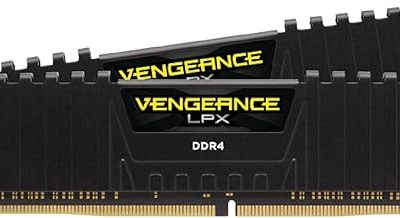
 CORSAIR Vengeance RGB DDR5 RAM 32GB32GB (2 x 16GB)5.43 x 0.27 x 1.77 inches0.11 poundsCheck on Amazon
For most Ryzen 7000 and 9000 builds, the Lexar ARES Gen2 RGB 32GB kit rated at 6000 MT/s CL28 is the strongest pick on this page, because it undercuts the usual CL30 timing and still uses a standard AMD EXPO profile. If you want exactly CL30 without RGB lighting, the Patriot Viper Venom 32GB is the plain choice, and the Corsair Vengeance RGB is the familiar name. “DDR5-6000 CL30” means the memory runs 6,000 million transfers per second with a 30-cycle column latency, the speed that AMD’s AM5 platform handles most comfortably.
Quick List
- Patriot Viper Venom 32GB DDR5-6000 CL30 – best for a no-nonsense CL30 kit that supports both XMP and EXPO
- Lexar Thor Z RGB 32GB DDR5-6000 CL38 – runner-up, only for buyers who want lighting and accept looser CL38 timings
- Corsair Vengeance RGB 32GB DDR5-6000 CL30 – best for a well-known brand with ten-zone lighting and EXPO support
- Lexar ARES Gen2 RGB 16GB DDR5-6000 CL30 – best for a minimal 16GB starting point you can expand later (confirm whether the listing is one module or a pair)
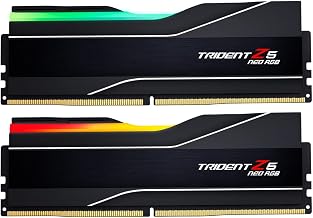
- G.SKILL Trident Z5 NeoX RGB 32GB DDR5-6000 CL36 – runner-up, best for Ryzen owners who want G.SKILL’s EXPO profiles and accept CL36 timings
- Lexar ARES Gen2 RGB 32GB DDR5-6000 CL28 – best overall for the lowest latency of the group
Which One Is Right for You?
| If you… | Choose |
|---|---|
| want the tightest timings in the list for a gaming Ryzen build | Lexar ARES Gen2 RGB 32GB CL28 |
| prefer a plain, understated kit and exact CL30 | Patriot Viper Venom 32GB CL30 |
| want a mainstream brand and bright RGB lighting | Corsair Vengeance RGB 32GB CL30 |
| are building small and only need 16GB for now | Lexar ARES Gen2 RGB 16GB CL30 |
| care more about matching lighting and a G.SKILL profile than strict CL30 | G.SKILL Trident Z5 NeoX RGB CL36 |
| want RGB from a brand with looser CL38 timings and do not mind the difference | Lexar Thor Z RGB CL38 |
| need a Ryzen-friendly kit that also works on an Intel board | Patriot Viper Venom or Corsair Vengeance RGB, both of which list XMP and EXPO |
Four of the six kits are genuinely rated at CL30 or tighter. Two are not: the Lexar Thor Z at CL38 and the G.SKILL NeoX at CL36 sit above the topic and are covered as runner-ups. Within the CL30 group, capacity and lighting are the real differences, since every kit uses the same 6000 MT/s speed.

Patriot Viper Venom DDR5 RAM 32GB (2X16GB) 6000MHz CL30 Desktop Memory | Voltage: 1.35v; Supports Intel XMP and AMD EXPO; Module type: UDIMM.
Picked as a relevant option in this category.
View on Amazon
Lexar Thor Z RGB DDR5 RAM 32GB Kit (2x16GB) 6000MHz CL38 DRAM 288-Pin UDIMM | Supports Intel XMP 3.0 & AMD EXPO On-die ECC, PMIC, 1.35V High-Performance PC Computer Memory for Gaming, AI
Chosen because it specifies Supports Intel XMP 3.0 & AMD EXPO On-die ECC and PMIC.
View on AmazonCORSAIR Vengeance RGB DDR5 RAM 32GB (2x16GB) Up to 6000MHz CL30-36-36-76 1.40V AMD EXPO Intel XMP Desktop Computer Memory - Gray (CMH32GX5M2B6000Z30K)
Chosen because it specifies Gray (CMH32GX5M2B6000Z30K).
View on Amazon
Lexar ARES Gen2 RGB DDR5 RAM, 16 GB 6000MHz, CL30, Intel XMP 3.0/AMD EXPO, Desktop Memory, Black
Chosen because it specifies 16 GB 6000MHz and CL30.
View on Amazon
G.SKILL Trident Z5 NeoX RGB Series DDR5 RAM (AMD EXPO ULL & EXPO) 32GB (2x16GB) Up to 6000MT/s* CL36-36-36-76 1.35V Desktop Computer Memory U-DIMM - Matte White (F5-6000A3636F16GX2-TZ5NXRW)
Chosen because it specifies Matte White (F5-6000A3636F16GX2-TZ5NXRW).
View on Amazon
Lexar ARES Gen2 RGB DDR5 RAM 32GB Kit (2x16GB) 6000MHz CL28, 288-Pin UDIMM Desktop Memory, PC Gaming Computer Memory for Intel XMP 3.0/DRAM Empowered by SK hynix/CL28-36-36-68/1.4V(LD5U16G60C28BR-RGD)
Chosen because it specifies 288-Pin UDIMM Desktop Memory.
View on AmazonOne more thing to keep in mind when reading the table is that a rated speed and a delivered speed are not the same thing. Every kit here ships running at a conservative default and reaches 6000 MT/s only once you turn on the EXPO or XMP profile in BIOS. After that, the main variables are your processor’s memory controller and the motherboard’s trace layout, which is why a kit that boots effortlessly on one board can need a BIOS update on another. If you buy a kit and it is not stable at 6000 MT/s, treat that as a configuration question first, and check the motherboard maker’s memory support list for the exact part number.
All 6 Picks in Detail
1. Patriot Viper Venom 32GB (2x16GB) DDR5-6000 CL30 – Best for a Plain CL30 Kit
As an Amazon Associate we earn from qualifying purchases at no extra cost to you.

The Viper Venom is the simplest route to genuine CL30 timings. The listing names 32GB as two 16GB modules at 6000MHz CL30 with a 1.35V rating, support for both Intel XMP and AMD EXPO, and a UDIMM form factor. The rated timings are 30-40-40-76, and the product carries a limited lifetime warranty according to the listing. The 1.35V rating is slightly gentler than some competing kits, which can help keep the memory controller’s voltage conservative on Ryzen systems.
- 32GB kit, 2 x 16GB, DDR5-6000
- CL30 with rated timings 30-40-40-76
- 1.35V
- Supports Intel XMP and AMD EXPO overclocking profiles
- UDIMM desktop memory with a limited lifetime warranty
- Lighting: the listing does not mention RGB, so confirm on the product page
Pros
- True CL30 at 1.35V with both XMP and EXPO support
- Lifetime warranty on the listing
Cons
- Secondary timings of 40-40 are looser than the tightest kits
- Styling is basic if you want visible lighting
Next to the Corsair Vengeance RGB, it gives up the lighting and brand recognition in exchange for a lower rated voltage and a simpler look.
2. Lexar Thor Z RGB 32GB (2x16GB) DDR5-6000 CL38 – Runner-Up With Looser Timings

This kit is included in the product set, but it does not meet the CL30 target in the page title. The listing names 6000MHz at CL38, 288-pin UDIMM modules, XMP 3.0 and AMD EXPO support, on-die ECC, a power management chip and a 1.35V rating. At 6000 MT/s, CL38 works out to about 12.7 nanoseconds of first-word latency, compared with 10 ns for CL30. That is a modest gap in daily use, but it is a gap, and buyers specifically shopping for CL30 should look elsewhere.
- 32GB kit, 2 x 16GB, DDR5-6000
- CL38, so it does not match the CL30 target
- 1.35V
- Supports Intel XMP 3.0 and AMD EXPO
- 288-pin UDIMM with on-die ECC and an onboard PMIC
- RGB lighting per the product name
Pros
- Lighting and both profile types in one kit
- Standard 1.35V rating
Cons
- CL38 is the loosest timing in this group
- Not a CL30 kit, despite the page topic
Choose the Patriot Viper Venom or the Corsair Vengeance RGB over it if timings matter to you; this one only makes sense when its look is the deciding factor.
3. Corsair Vengeance RGB 32GB (2x16GB) DDR5-6000 CL30 – Best for a Recognizable Brand With Lighting

The Vengeance RGB is the safe, familiar choice, and the listing confirms the numbers that matter: 32GB as two modules, up to 6000MHz, CL30-36-36-76 timings, 1.40V and support for AMD EXPO along with Intel XMP. Its ten-zone lighting runs through a light bar on each module, controlled with Corsair’s iCUE software. The listing also carries a disclaimer that maximum speed requires BIOS adjustments, so remember to enable the EXPO profile after installing it.
- 32GB kit, 2 x 16GB, up to 6000MHz
- CL30-36-36-76 timings
- 1.40V
- AMD EXPO and Intel XMP support
- Ten individually addressable RGB zones per module
- Gray finish; part number CMH32GX5M2B6000Z30K
Pros
- Tighter 36-36 secondary timings than the Patriot kit
- Strong software support for lighting
Cons
- 1.40V rating is higher than the 1.35V kits
- Needs the BIOS profile enabled to reach 6000MHz
Compared with the Lexar ARES Gen2 CL28 kit, it is a step looser on the primary timing but arguably easier to find support information for.
4. Lexar ARES Gen2 RGB 16GB DDR5-6000 CL30 – Best for a Minimal 16GB Start
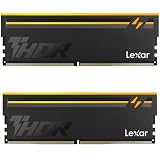
This listing is the smallest in the set and the one that needs the closest read. The name says 16GB at 6000MHz CL30 with Intel XMP 3.0 and AMD EXPO support in black, but it does not state whether that is a single 16GB module or a kit of two 8GB modules. A single module runs in single-channel mode, which cuts available memory bandwidth in half and can hurt integrated graphics and some games, so confirm the module count on the product page before buying. If it is a pair of 8GB sticks, it is a very small capacity for a modern gaming PC.
- 16GB total capacity
- DDR5-6000, CL30
- Intel XMP 3.0 and AMD EXPO profiles
- RGB lighting per the product name, black finish
- Module count: confirm on listing
- Desktop UDIMM form factor
Pros
- CL30 timings in a compact capacity
- Leaves slots open for later expansion
Cons
- 16GB is thin for current games and multitasking
- A single module means single-channel operation
If you can afford it, the Patriot Viper Venom 32GB is a better long-term answer than this smaller kit.
5. G.SKILL Trident Z5 NeoX RGB 32GB DDR5-6000 CL36 – Runner-Up for G.SKILL Fans

The NeoX line is G.SKILL’s Ryzen-focused update to the Trident Z5 Neo, and this kit is listed at up to 6000 MT/s with CL36-36-36-76 timings at 1.35V, with AMD EXPO ULL and EXPO profiles. CL36 does not meet the CL30 target in the page title, so it belongs in the runner-up category. G.SKILL notes that the EXPO ULL profile needs newer AMD firmware to enable, so update your BIOS before relying on it. Two profiles are useful, since one can be a fallback if the faster one fails to train.
- 32GB kit, 2 x 16GB, up to 6000 MT/s
- CL36-36-36-76 timings, so not CL30
- 1.35V
- AMD EXPO ULL and standard EXPO profiles
- RGB lighting per the product name
- Requires a recent BIOS for the ULL profile; confirm on G.SKILL’s page
Pros
- Aimed specifically at Ryzen with two EXPO profiles
- Even 36-36-36 timings keep the kit simple to understand
Cons
- CL36 is looser than the CL30 and CL28 kits
- Needs a current BIOS to use its distinctive profile
Pick it over the Lexar Thor Z when you want an AMD-tuned kit, but pick the Corsair Vengeance RGB if strict CL30 is the goal.
6. Lexar ARES Gen2 RGB 32GB DDR5-6000 CL28 – Best Overall for Lowest Latency

The ARES Gen2 CL28 is the tightest kit here, and the listing is clear about it: 32GB as two 16GB modules, 6000MHz CL28, 288-pin UDIMM, and AMD EXPO and Intel XMP 3.0 compatibility. Retailer pages show 28-36-36-68 timings at 1.4V, with SK hynix memory chips. At 6000 MT/s, CL28 equals about 9.3 ns first-word latency, a little better than the 10 ns of a CL30 kit.
- 32GB kit, 2 x 16GB, DDR5-6000
- CL28 (28-36-36-68 on retailer specification pages)
- 1.4V per retailer pages; confirm on listing
- AMD EXPO and Intel XMP 3.0 support
- 288-pin UDIMM with RGB heat spreader
- SK hynix memory chips per retailer pages
Pros
- Tightest primary timing on the page
- Same 6000 MT/s sweet spot as the CL30 kits
Cons
- 1.4V rating needs to be matched with sensible SoC voltage
- Lexar is less established in this segment than Corsair or G.SKILL
Its closest rival in the list is the Corsair Vengeance RGB CL30, which gives up two cycles of latency in return for a bigger brand and software suite.
Specs Compared
| Product | Capacity | Speed | CAS latency | Voltage | Profiles |
|---|---|---|---|---|---|
| Patriot Viper Venom | 32GB (2x16GB) | 6000 MT/s | CL30 (30-40-40-76) | 1.35V | XMP 3.0, EXPO |
| Lexar Thor Z RGB | 32GB (2x16GB) | 6000 MT/s | CL38 | 1.35V | XMP 3.0, EXPO |
| Corsair Vengeance RGB | 32GB (2x16GB) | Up to 6000 MT/s | CL30 (30-36-36-76) | 1.40V | EXPO, XMP |
| Lexar ARES Gen2 RGB 16GB | 16GB; module count: confirm on listing | 6000 MT/s | CL30 | Confirm on listing | XMP 3.0, EXPO |
| G.SKILL Trident Z5 NeoX RGB | 32GB (2x16GB) | Up to 6000 MT/s | CL36 (36-36-36-76) | 1.35V | EXPO ULL, EXPO |
| Lexar ARES Gen2 RGB 32GB | 32GB (2x16GB) | 6000 MT/s | CL28 (28-36-36-68 per retailer pages) | 1.4V per retailer pages | XMP 3.0, EXPO |
For quick reference, first-word latency in nanoseconds equals CAS latency times 2,000 divided by the transfer rate. At 6000 MT/s that gives roughly 9.3 ns for CL28, 10.0 ns for CL30, 12.0 ns for CL36 and 12.7 ns for CL38.
How We Chose These
We began with the six memory kits supplied for this page and read each listing name next to the manufacturer’s or retailer’s specification fields. We compared capacity, rated speed, CAS latency, voltage and which profile types are supported, since those decide how well a kit works with a Ryzen board. Kits that do not meet the CL30 target were kept but labeled as runner-ups, and anything the listing name did not state was marked for confirmation. This is a research-based guide that relies on published specifications. It makes no claims about measured speeds on any particular motherboard.
What to Look For
Why 6000 MT/s is the Ryzen sweet spot
AMD’s Ryzen 7000 and 9000 processors run their memory controller and Infinity Fabric most efficiently when the memory clock is in a fixed 1:1 relationship with the controller clock. DDR5-6000 means a 3,000 MHz memory clock, and it lets the controller run at 3,000 MHz as well while the fabric runs at 2,000 MHz. Going much higher than 6400 MT/s usually forces the controller into a 2:1 mode that adds latency, so the faster kits you can buy do not always perform better on AM5.
CAS latency and first-word latency
CL30 is the cycle count, but what you feel is time. Dividing the CAS number by half the transfer rate gives the real delay: 30 cycles at 3,000 MHz is 10 ns, while CL28 is 9.3 ns and CL36 is 12 ns. Timing differences of one or two nanoseconds are small compared with the gap between 16GB and 32GB of capacity, so choose capacity first. Also look at the secondary timings in the listing, such as 36-36-36 versus 40-40-40. Tighter numbers help a little, but kits with looser secondaries are often easier to stabilize.
EXPO, XMP and voltage
EXPO is AMD’s memory profile standard, and XMP is Intel’s. Kits that list both will work on either platform, but an EXPO-listed profile is the safest choice for Ryzen. Voltage matters too: 1.35V kits run cooler and are gentler on the memory controller, while 1.40V kits are common for tighter timings. After enabling any profile, leave the SoC voltage on automatic or at the board’s recommended value, because AMD advises keeping it at or below about 1.3V. Never raise voltage manually without understanding the risk to the processor.
Capacity, channels and slot placement
For a gaming desktop, 32GB as two 16GB modules is the practical target. Two modules in the correct slots, usually the second and fourth from the processor, run in dual channel, which doubles memory bandwidth relative to a single stick. Populating all four slots usually lowers the stable speed on AM5, so buy the capacity you need in two modules rather than adding sticks later. Single-module 16GB kits are fine for office work but leave performance on the table.
Setting up the kit after it arrives
Install the two modules in the slots your motherboard manual marks for dual-channel use, which on most boards means the second and fourth slots counting from the processor. Boot into BIOS, find the EXPO or XMP option (some boards label it “D.O.C.P.” or simply “memory profile”), and select the first profile. Save and restart, then be patient: DDR5 training on AM5 can take a minute or longer on first boot, with a black screen that looks like a failure but is not. Once Windows loads, confirm the speed in the task manager’s memory tab, which shows the running speed in MT/s. If the system struggles, update the BIOS before changing any timings by hand.
Lighting, heat spreaders and value of the extras
Four kits in this list carry RGB lighting, and the lighting adds nothing to performance. It does add a software layer, a header or cable to manage, and in some cases a small amount of heat. If you are building in a case without a glass panel, skip the lighting and put the money toward capacity. If you do want it, check whether the kit syncs through your motherboard’s lighting software or needs its own application, because running two lighting programs side by side is a common source of irritation. Heat spreaders are mostly cosmetic for DDR5 at 1.35V to 1.40V, but a metal spreader helps the onboard power management chip shed heat during long sessions.
Practical checks before you buy
Check the module height against your CPU cooler, since tall heat spreaders can collide with large air coolers. Update the motherboard BIOS, because memory compatibility improves with firmware updates, and expect the first boot after enabling a profile to take a minute or more while the board trains the memory. If a kit refuses to boot at 6000 MT/s, try a different slot pair or the motherboard’s memory support list before assuming the kit is faulty.
As a final sanity check, add up what you actually need. A Ryzen 5 or Ryzen 7 gaming build is well served by a 32GB CL30 kit, a Ryzen workstation that edits video or runs virtual machines may want 64GB later, and a basic home PC can stay at 16GB in two modules. Match the kit to the job, then use the timing and brand differences above as tie-breakers.
Questions
Is DDR5-6000 CL30 worth it over CL36 for Ryzen gaming?
The difference is real but small: about 2 nanoseconds of first-word latency between CL30 and CL36 at 6000 MT/s. Games benefit more from enough capacity and an enabled EXPO profile than from chasing one tier of timings, so treat the tighter kit as a bonus rather than a requirement.
Can I use an XMP-only kit on a Ryzen board?
Often yes, because many modern kits run fine at their rated speed, but EXPO-listed kits are validated for AMD platforms. Every kit in this list names EXPO support, so there is no need to gamble.
Do I need 32GB or is 16GB enough?
For a current gaming PC, 32GB is a safer choice since many recent titles and background apps use more than 16GB. A 16GB single module also drops you to single-channel memory, which slows the system, so if you start small, make sure you can add a matching second module later.
Why does my memory run at a lower speed than the box says?
Memory defaults to a safe baseline speed until you enable the EXPO or XMP profile in BIOS. Enable the profile, then confirm the rated speed in the BIOS or in a system information tool.
Is 1.40V too high for a Ryzen 7000 or 9000 system?
1.40V is within the range used by many certified kits and is not harmful by itself. What matters is leaving the SoC voltage at a safe automatic or recommended setting.
Will a CL28 kit work on any AM5 motherboard?
It should boot on any AM5 board that supports EXPO, but tight timings can need a current BIOS to be stable. If it will not train at 6000 MT/s, update the firmware or move the modules to the recommended slots.
Update History
- October 20, 2026 – Initial publication; product set drawn from current catalog listings.
- Check the product page for current specifications and availability before buying.
Sources
- Manufacturer product and specification pages for Corsair, G.SKILL and Lexar memory
- Retailer listing titles and specification fields for each kit
- Published memory reviews and spec databases used to cross-check timings and voltages