Our Top Picks
For most people building on LGA 1700, a B760 board is the sweet spot: it runs 12th, 13th and 14th generation Intel Core chips, keeps the price sensible and, in the DDR4 versions below, lets you reuse older memory. Step up to Z790 only if you own an unlocked K-series processor and want to overclock or need more M.2 slots. Drop to H610 only for a basic build with a modest CPU. This list covers seven boards that cover all three tiers, with both DDR4 and DDR5 models, so the first job is to match the memory type. Every spec comes from the listing title, which is a seller claim, and a few of those titles need a second look before you order.
Seven LGA 1700 boards at a glance

MSI PRO B760-P WiFi DDR4 ProSeries Motherboard - Supports 12th/13th/14th Gen Intel Processors, LGA 1700, DDR4, PCIe 4.0, M.2, 2.5Gbps LAN, USB 3.2 Gen2, HDMI/DP, Wi-Fi 6E, Bluetooth 5.3, ATX
One of the home product options compared in this guide.
View on Amazon
ASUS B760M-AYW WiFi D4 II Intel® B760 (LGA 1700) microATX mATX Motherboard, PCIe 5.0 x16 Support, Two M.2 Slots, DDR4, Realtek 2.5Gb Ethernet, Wi-Fi 6, HDMI, SATA 6 Gbps, Front USB 5Gbps, Aura Sync
One of the home product options compared in this guide.
View on Amazon
MSI PRO B760M-P DDR4 ProSeries Motherboard (Supports 12th/13th/14th Gen Intel Processors, LGA 1700, DDR4, PCIe 4.0, M.2, USB 3.2 Gen2, HDMI/DP, mATX)
One of the home product options compared in this guide.
View on Amazon
ASUS Z790-AYW WiFi W II Intel Z790 (LGA 1700) ATX Motherboard with PCIe® 5.0, 3X M.2, 12+1 DrMOS, DDR5, WiFi 6, 2.5Gb LAN, HDMI, USB 10Gbps Type-C®, USB 10Gbps Type-C®, Thunderbolt™, USB4®, Aura Sync
One of the home product options compared in this guide.
View on Amazon
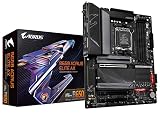
GIGABYTE Z790 Eagle AX LGA 1700 ATX Motherboard, Support Intel Core 14th/13th/12th Gen, DDR5, 12+1+1 Power Phase, 3X M.2, PCIe 5.0, USB-C 3.2, WIFI6E, 2.5GbE, Q-Flash, EZ-Latch, RGB Fusion
One of the home product options compared in this guide.
View on Amazon
MSI PRO H610M-G DDR4 Motherboard (12th/13th/14th Gen Intel Core, LGA 1700 Socket, DDR4, PCIe 4, SATA 6Gb/s, 1Gbps LAN, M.2 Slots, USB 3.2, mATX)
One of the home product options compared in this guide.
View on Amazon
GIGABYTE H610M S2H V2 Motherboard, Supports 14th/13th/12th Gen Intel Core Processors (LGA 1700), mATX, DDR5, 1x M.2, PCIe 4.0, USB-C, HDMI, 2X DisplayPort, D-Sub, 1GbE LAN
One of the home product options compared in this guide.
View on Amazon- MSI PRO B760-P WiFi DDR4 – best all-round B760 ATX board for DDR4 builds
- GIGABYTE Z790 Eagle AX – best for DDR5 with three M.2 slots and Wi-Fi 6E
- ASUS Z790-AYW WiFi W II – best for a high-end DDR5 ATX build (verify the port claims)
- ASUS B760M-AYW WiFi D4 II – best compact B760 with Wi-Fi and 2.5Gb LAN
- MSI PRO B760M-P DDR4 – best budget B760 for DDR4
- MSI PRO H610M-G DDR4 – best entry-level DDR4 board
- GIGABYTE H610M S2H V2 – best for legacy video outputs (confirm the DDR5 claim)
Chipset, memory and size compared
| Model | Chipset / socket | Form factor | Memory per title | Best for |
|---|---|---|---|---|
| MSI PRO B760-P WiFi DDR4 | B760 / LGA 1700 | ATX | DDR4 | Mainstream DDR4 builds |
| GIGABYTE Z790 Eagle AX | Z790 / LGA 1700 | ATX | DDR5 | Three-drive DDR5 builds |
| ASUS Z790-AYW WiFi W II | Z790 / LGA 1700 | ATX | DDR5 | High-end ATX |
| ASUS B760M-AYW WiFi D4 II | B760 / LGA 1700 | mATX | DDR4 | Compact with Wi-Fi |
| MSI PRO B760M-P DDR4 | B760 / LGA 1700 | mATX | DDR4 | Budget DDR4 |
| MSI PRO H610M-G DDR4 | H610 / LGA 1700 | mATX | DDR4 | Entry-level |
| GIGABYTE H610M S2H V2 | H610 / LGA 1700 | mATX | DDR5 (verify) | Basic office and media |
Board-by-board notes
MSI PRO B760-P WiFi DDR4
If one board has to cover most Intel builds, this is it. The listing says B760-class ProSeries, LGA 1700, ATX, DDR4, PCIe 4.0, M.2, 2.5Gbps LAN, USB 3.2 Gen2, HDMI and DisplayPort, Wi-Fi 6E and Bluetooth 5.3, with support for 12th, 13th and 14th generation chips. That combination covers networking, display outputs and a full-size layout without stepping into Z790 territory.
The DDR4 in the name matters. It tells you the board takes DDR4 modules, not DDR5, which is the single most important check on this socket. The title does not state the number of memory slots or M.2 slots beyond “M.2”, so confirm those in the listing if you want several drives.
Think about longevity before buying. A B760 DDR4 board lets you start with a Core i5 and a recycled DDR4 kit, then move up to a stronger 13th or 14th generation chip later without changing the board, provided the BIOS is current. What you cannot do later is switch to DDR5, because that needs a different board. If your upgrade path ends on this socket, that limitation rarely matters.
Pros
- Wi-Fi 6E, Bluetooth 5.3 and 2.5Gbps LAN listed
- Three CPU generations named
- Full ATX layout with room for add-in cards
Cons
- B760 does not allow CPU multiplier overclocking
- Slot counts for memory and M.2 are not in the title
Who it’s for: Builders pairing a Core i5 or i7 with a DDR4 kit they already own.
Who should skip it: Anyone who wants to overclock an unlocked CPU or move to DDR5.
GIGABYTE Z790 Eagle AX
This is the DDR5 board for buyers who want Z790 without the steepest tier. The title lists ATX, 12th to 14th generation support, DDR5, a 12+1+1 power phase design, three M.2 slots, PCIe 5.0, USB-C 3.2, Wi-Fi 6E and 2.5GbE, plus Q-Flash and EZ-Latch for tool-free handling.
Z790 is the chipset that supports CPU overclocking on unlocked chips, which is the reason to choose it over B760. Three M.2 slots suit a build with a main drive, a game library and a scratch disk. Because it takes DDR5, DDR4 modules from an older PC will not fit, so budget for a new kit.
Memory handling is another reason to look at Z790. If you intend to run a fast DDR5 kit and tune it, the chipset allows more freedom than B760, though real gains depend on the kit and the processor, so expect modest returns rather than dramatic ones. Check the listing for the DIMM slot count, and read the manual’s M.2 table, since some drive slots share bandwidth with SATA ports.
Pros
- Three M.2 slots
- Wi-Fi 6E and 2.5GbE
- 12+1+1 power phase stated
Cons
- DDR5 only, so memory costs more than reusing DDR4
- Overkill for a locked Core i5
Who it’s for: K-series owners who want overclock-capable hardware and plenty of storage.
Who should skip it: Anyone reusing DDR4 memory or building around a locked mid-range chip.
ASUS Z790-AYW WiFi W II
The listing is crowded: Z790, LGA 1700, ATX, PCIe 5.0, three M.2 slots, 12+1 DrMOS, DDR5, Wi-Fi 6, 2.5Gb LAN, HDMI, and a long string of USB features including Thunderbolt and USB4. The title lists “USB 10Gbps Type-C” twice, so the repetition looks like seller padding.
Thunderbolt and USB4 are unusual claims for a board at this tier. Treat them with caution and verify exactly which physical ports exist, and whether any need an add-in card, on the manufacturer’s page before relying on them. If those features matter to you, the listing is the place to read twice.
Before paying for the premium tier, list the ports you will actually use. If you need only a few USB-A ports and one USB-C, the cheaper Z790 Eagle AX covers it. The 12+1 DrMOS figure points to a capable power stage for a K-series chip, but it is a seller claim, so confirm cooler clearance and the number of fan headers in the listing.
Pros
- 12+1 DrMOS stated
- Three M.2 slots and PCIe 5.0
- DDR5 and 2.5Gb LAN
Cons
- Title has repeated and ambiguous USB wording
- Thunderbolt and USB4 claims need verification
Who it’s for: High-end Intel builders who want a Z790 board with fast ports, once the port list is confirmed.
Who should skip it: Buyers who need a clean, unambiguous spec sheet.
ASUS B760M-AYW WiFi D4 II
A compact B760 board with the D4 label for DDR4. The title lists micro-ATX, PCIe 5.0 x16 support, two M.2 slots, Realtek 2.5Gb Ethernet, Wi-Fi 6, HDMI, SATA 6 Gbps, front USB 5Gbps and Aura Sync. It does not state which CPU generations it supports, so check the listing.
PCIe 5.0 x16 support is only useful if the graphics card is PCIe 5.0 too, so for most buyers the useful features are the second M.2 slot and the 2.5Gb Ethernet in a small footprint. It is the better fit than the cheapest B760 if you want wireless without moving to ATX.
Because the title omits supported CPU generations, treat the first step as a lookup: open the manufacturer’s support page for this exact model and revision, find your processor and the minimum BIOS, and plan an update if needed. The II in the name is a revision marker, so read the page for the right version rather than the first board that shares the name.
Pros
- Wi-Fi 6 and 2.5Gb Ethernet
- Two M.2 slots
- Compact micro-ATX size
Cons
- CPU generation list missing from the title
- Fewer expansion slots than ATX
Who it’s for: Small-case builders on DDR4 who need Wi-Fi.
Who should skip it: Anyone planning multiple add-in cards.
MSI PRO B760M-P DDR4
The lower-cost B760 option. The title lists 12th, 13th and 14th generation support, LGA 1700, DDR4, PCIe 4.0, M.2, USB 3.2 Gen2, HDMI and DisplayPort, and a micro-ATX size. Wi-Fi is not mentioned, so plan on a wired connection or a separate adapter.
This board shows what B760 looks like without extras: you keep the chipset’s modern connectivity and the DDR4 compatibility but lose the wireless card and the larger layout. It is a good base for a gaming PC where the budget goes into the graphics card.
A smart way to use this board is to spend the savings where they matter: the graphics card, a decent power supply and a matched DDR4 pair. If you later want wireless, a separate Wi-Fi adapter is an inexpensive fix. Check the listing for the memory slot count, because micro-ATX boards sometimes carry two slots rather than four.
Pros
- Cheaper B760 route
- DDR4 compatibility
- HDMI and DisplayPort outputs
Cons
- No Wi-Fi in the title
- Number of M.2 slots not stated
Who it’s for: Budget Intel gamers with DDR4 and a wired connection.
Who should skip it: People who want wireless built in.
MSI PRO H610M-G DDR4
Entry-level H610 in a micro-ATX body: LGA 1700, DDR4, PCIe 4, SATA 6Gb/s, 1Gbps LAN, M.2 slots and USB 3.2, with 12th, 13th and 14th generation support listed. The chipset is the plainest of the three tiers, so the board trades features for cost.
H610 boards generally offer fewer expansion and tuning options than B760. That is fine for an office PC or a lightly loaded Core i3 or i5 system, but a power-hungry K-series chip is better matched to Z790.
Be realistic about the ceiling. The chipset is designed for simple builds, so a locked Core i3 or i5 with a single graphics card and one or two drives is the sweet spot. If you intend to upgrade the processor later, check the board’s CPU support list and power design first, because the cheapest tier can limit which chips make sense.
Pros
- Lowest-cost Intel DDR4 route
- Three generations named
- Simple, compact design
Cons
- Fewest features of the three chipsets
- No Wi-Fi in the title
Who it’s for: Basic builds with a modest locked CPU.
Who should skip it: Gamers planning to upgrade to a high-end processor later.
GIGABYTE H610M S2H V2
The title says Supports 14th/13th/12th Gen, mATX, DDR5, one M.2, PCIe 4.0, USB-C, HDMI, two DisplayPort outputs, D-Sub and 1GbE LAN. Some H610 boards are sold in both DDR4 and DDR5 versions, so the memory claim here must be confirmed before you buy a kit.
The D-Sub plus HDMI and DisplayPort output mix suits a desktop that must drive older displays from integrated graphics. With only one M.2 slot, it is a basic board, so treat it as a media or office PC rather than a gaming base.
If you buy this board, verify the memory type before ordering RAM: open the manufacturer’s page, read the memory support line and compare it with the DDR5 claim in the title. The V2 name implies an updated revision, so older write-ups may describe a different version. It makes a good basic base once those details match.
Pros
- Multiple video outputs including D-Sub
- Lowest cost tier of the seven
- USB-C stated
Cons
- DDR5 claim needs verification
- Only one M.2 slot
Who it’s for: Office or media PCs that use integrated graphics and older monitors.
Who should skip it: Gamers or anyone who needs several drives.
How the seven were picked
The editorial team shortlisted LGA 1700 boards across H610, B760 and Z790 and compared what each title states: CPU generations, memory type, size, M.2 count, networking and power design. We relied on published specifications, manufacturer documentation and buyer reviews. Nobody on the team used or measured these units. Where a title was silent we wrote “check the listing”, and we flagged listings with ambiguous or repeated claims rather than repeating them as fact. Prices are omitted because they change often. Several listings reuse the same words across different revisions, so we avoided inferring details that the title does not state, and we treat DDR4 or DDR5 labels as the first thing to verify.
What to check before you pick an LGA 1700 board
Chipset ladder: H610, B760 or Z790
The socket is the same, but the chipset sets the feature ceiling.
| Chipset | Typical role | Overclocking | Fits |
|---|---|---|---|
| H610 | Entry level | No CPU overclocking; generally limited tuning | Locked Core i3 and i5 builds |
| B760 | Mainstream | Memory tuning, no CPU multiplier overclock | Most gaming builds |
| Z790 | Enthusiast | CPU overclocking on unlocked chips | K-series processors |
Match the memory type first
LGA 1700 is the confusing socket because boards support DDR4 or DDR5, not both. Look for DDR4 or D4 in the model name. If a title like the GIGABYTE H610M S2H V2 conflicts with what you expect, check the full listing. DDR4 and DDR5 are not interchangeable, so a wrong guess means a returned kit. In this list, the MSI B760-P, MSI B760M-P, MSI H610M-G and ASUS B760M-AYW are DDR4 boards by their titles, the two Z790 boards are DDR5, and the GIGABYTE H610M S2H V2 says DDR5 but should be checked against the manufacturer page. Buy memory only after that check. When you do choose DDR5 and push capacity, our 2x64GB DDR5 BIOS update guide explains why firmware matters.
CPU generations and BIOS
Boards that list 12th, 13th and 14th generation support are the safe bet, but older stock may ship with a BIOS that predates a newer chip. Updating firmware is the fix, and a stable power source is essential. Intel also published microcode updates for stability problems reported on some 13th and 14th generation chips, delivered through BIOS releases, so keep firmware current.
A worked pairing check
Take a Core i5-12400 with a spare DDR4-3200 kit: a B760 DDR4 board or an H610 DDR4 board both work, and the B760 adds wireless and extra headroom. Take a Core i7-14700K with a new DDR5 kit: choose Z790, because that is where CPU overclocking and the strongest power design sit. Now take a K-series chip on a DDR4 kit: pick a B760 DDR4 board and accept that the multiplier stays locked.
PCIe and M.2 layout
Most boards here list PCIe 4.0, while the two Z790 boards and the ASUS B760M-AYW mention PCIe 5.0 support in their titles. Treat that as headroom, since current gaming cards rarely need it. The practical question is storage: count the M.2 slots, note which one sits closest to the processor, and read the manual for slots that disable SATA ports when populated.
Power delivery and cooling
Phase counts in titles, such as 12+1 or 12+1+1, hint at the power stage but are not a performance measure on their own. A locked mid-range chip runs happily on a modest design, while a K-series processor under heavy load appreciates the stronger boards. Whatever you choose, confirm that your cooler mounts on LGA 1700 and clears the memory slots.
Display outputs and integrated graphics
HDMI and DisplayPort on the rear panel only work with a processor that has integrated graphics. Chips with an F suffix, such as the Core i5-12400F, have none, so they need a graphics card. If you plan to boot without one, choose a non-F chip.
Pre-checkout checklist
- Confirm the socket is LGA 1700 and your CPU generation is on the board’s list.
- Confirm DDR4 or DDR5 and buy the matching kit.
- Check the BIOS version needed for your chip.
- Match the board size to the case.
- Count M.2 slots and fan headers.
Size, slots and case fit
ATX boards need a full-size case, micro-ATX fits both ATX and micro-ATX cases. Count the M.2 slots, since the entry boards offer one or two, and check cooler height against the case. If a graphics card does not appear after you install everything, our GPU not detected fix walks through the reseat and BIOS checks.
Mistakes that cost LGA 1700 buyers money
The biggest is buying a DDR5 kit for a DDR4 board, or the reverse. Second is paying for Z790 when you own a locked CPU that cannot use the extra tuning. Third is taking the “supports 12th, 13th and 14th generation” line as a guarantee that the unit has the right BIOS. Fourth is trusting ambiguous port claims such as Thunderbolt or USB4 without reading the manufacturer’s page. Fifth is skipping the BIOS check, which can leave a new processor unable to boot until the firmware is updated; use a stable power source and never interrupt a flash. Sixth is assuming a rear video port will work with an F-series chip. If you would rather move to a newer socket, compare the AM5 route in our B650 budget builds guide.
Verdict
The MSI PRO B760-P WiFi DDR4 is the best all-round choice for most LGA 1700 builds. The GIGABYTE Z790 Eagle AX is the pick for DDR5 and overclocking, and the MSI PRO B760M-P DDR4 is the economical route. Choose the H610 boards only for modest builds, and verify the memory and port claims on the Z790-AYW and the H610M S2H V2 before ordering. If your build is a plain office or media PC, the H610 tier is enough; if you play at high frame rates with a K-series chip, step up. Whatever you choose, read the support page for your exact board revision and plan the BIOS update before the CPU arrives.
LGA 1700 questions, answered
Which LGA 1700 chipset is best for gaming?
B760 is the best fit for most gaming builds because it supports modern connectivity and memory tuning at a moderate cost. Z790 is worth it only for unlocked K-series chips you want to overclock. H610 suits basic builds with modest processors. Because all three share the same socket, the practical difference is features and tuning rather than raw compatibility.
Can LGA 1700 boards use both DDR4 and DDR5?
The socket supports both, but each board supports only one type. A board with DDR4 or D4 in its name takes DDR4 modules, and a DDR5 board will not accept DDR4 sticks. Always confirm the memory type before buying, and treat a conflicting title as a reason to read the full listing and the manufacturer page.
Do 14th generation Intel chips work on 600-series boards?
Many LGA 1700 boards list 14th generation support, but older stock may need a BIOS update first. Check the manufacturer’s CPU support page for your exact board and update the firmware before installing a newer processor.
Is Z790 worth it over B760?
Z790 adds CPU overclocking on unlocked chips and often more M.2 slots and a stronger power design. If you run a locked processor or do not tune your system, B760 delivers most of the benefit for less.
What does mATX mean for case fit?
Micro-ATX, or mATX, is a smaller board than ATX and fits in both micro-ATX and ATX cases. It usually has fewer expansion slots, so it suits compact builds but limits add-in cards. Check the case specifications for the largest board it supports, and count the PCIe and M.2 slots you need before choosing.
Related guides
- Which Motherboards Support Rtx 4090 And Rtx 5090
- Nvme Ssd Upgrade For Gaming Laptop
- How To Choose A Motherboard