Key takeaways
- PS5 Settings > Storage — free, built in. Use it now to identify available capacity on each playable drive and again when the official download appears.
- PS5 Game Library and USB extended storage — library feature is free; a compatible USB drive costs extra if you do not already own one. Use the Move Games and Apps command to archive other PS5 games without redownloading them later; USB cannot run GTA 6 directly.
- PlayStation Store and PlayStation App — free to browse; games and some services are paid. Check the confirmed product listing, manage eligible downloads, and verify the actual package information during pre-load.
GTA 6 PS5 storage requirements are not yet official. As of October 27, 2026, neither Rockstar Games nor the US PlayStation Store has published a verified download size, installed size, or minimum free-space requirement for Grand Theft Auto VI. Rockstar has confirmed November 12 pre-loading and a November 19 release, however, so there is a useful way to prepare: check the storage actually available on your PS5, identify games you can safely move or remove, and choose a supported installation drive. Do not buy an SSD solely because an unsourced post claims GTA 6 needs a particular number of gigabytes.
Quick answer: How much storage will GTA 6 need on PS5?
Official number: not announced. The US PlayStation Store confirms a PS5 release on November 19, 2026, and identifies both Standard and Ultimate editions, but its public product description does not list a download size or required storage capacity. Rockstar’s official Platforms, Editions, and Versions support article, last updated August 18, establishes the supported consoles and November 12 pre-load window without stating a file size. This is a missing specification, not a hidden confirmation of the numbers circulating on social media.
| Storage question | Verified answer as of Oct. 27, 2026 | What to do |
|---|---|---|
| How many GB is the PS5 download? | Not published by Rockstar or the US PlayStation Store | Check the official listing and your download screen on November 12 |
| How much space will the installed game occupy? | Not confirmed | Read the console’s displayed requirement before installing |
| Is a specific 150 GB, 200 GB, or 300 GB claim official? | No verified official figure for those claims | Do not plan a purchase around one of these numbers |
| Can a compatible internal M.2 SSD run the PS5 game? | Yes; PS5 games can run from supported M.2 storage | Verify the drive meets Sony’s requirements |
| Can a USB external drive run the PS5 version? | No; USB extended storage can hold, but not play, PS5 games | Move archived games back to console/M.2 storage to play |
| When does pre-load start? | November 12, 2026, at local midnight per Rockstar | Check storage and auto-download settings beforehand |
A third-party image showing a giant GTA 6 download can be a concept mockup, old placeholder, unrelated listing, or otherwise unverifiable. Even a real pre-load number may differ from the final installed footprint after an update. The reliable requirement is what the game actually requests on the relevant PlayStation account and console when files become available.
Understand download size, installed size, and temporary update space
These are three different measurements. Download size is the data transferred over the internet, which may be compressed or divided into packages. Installed size is the storage occupied after those packages are unpacked and the game is installed. Temporary working space is additional free capacity a console may need to download, copy, verify, or replace files during installation or updating. None should be treated as interchangeable.
For example, if a future official install screen states that a game needs 120 GB, a drive with exactly 120 GB free is a poor target: the system may also need room to handle installation or updates. That 120 GB is an illustrative example, not a GTA 6 prediction. Sony’s PlayStation Support article for error CE-107872-5 specifically warns that installing data may require reserving approximately twice the space needed in some situations. It does not declare that all games always require double storage; it explains why an install can fail even when a naive file-size comparison looks sufficient.
The most reliable approach is to leave some flexibility and respond to the PS5’s actual free-space warning. Do not advertise a universal extra 20 GB or 50 GB as a Rockstar recommendation. The right margin depends on how the particular package and subsequent updates are delivered. Free space is a practical cushion, not a published GTA 6 system requirement.
Check the storage available on your PS5 before pre-loading
Sony documents a simple built-in check that works without third-party software. It is more reliable than estimating usable room from the advertised capacity printed on the console box. An original PS5, a newer PS5 model, and a PS5 Pro can have different built-in storage capacities, and the amount currently usable also depends on system files, other installations, captures, and your existing library.
- Turn on the console and open Settings > Storage from the PS5 home screen. The storage overview reports used and free capacity for your console and any supported connected locations.
- Select Console Storage > Games and Apps. Review installed titles by size. Check what you are genuinely willing to uninstall or move; avoid deleting a frequently played game merely to reach an invented GTA 6 target.
- If you already have a compatible M.2 SSD installed, return to Settings > Storage and compare available room on the M.2 drive with console storage. Either can be a playable location for a PS5 game.
- Write down the available free space in each playable location today. When the official GTA 6 pre-load appears, compare those figures against the installation request shown by the console.
That last check matters because a large combined total across multiple locations does not necessarily mean one chosen location can hold the new game. A nearly full internal SSD plus an almost empty USB archive drive is not the same as enough free space on a playable M.2 SSD. Treat the available capacity of the actual destination drive as the number that matters.
Free space safely without losing your game progress
Delete games you can download again
Go to Settings > Storage > Console Storage > Games and Apps, select games you no longer need installed, then choose Delete. Sony says removing a digital game does not remove the purchase from your account: it remains available to download again from your library. If you use a disc for a different title, reinstalling that title may require the original disc. Redownloading also costs bandwidth and time, which can matter just before a major launch.
Game installations and saved-game data are separate storage categories on PS5. Even so, do not assume every related data item is expendable. Before deleting anything under a saved-data menu, check exactly what the screen is selecting. PlayStation Plus cloud saves may help eligible subscribers maintain copies of PS5 saves, but cloud storage is not a place to install or run PS5 games. Sony’s support article explains that PS5 save-data cloud functionality requires PlayStation Plus.
Move older PS5 games to a USB archive
If you own a supported USB extended-storage drive, you can move an installed PS5 game to it for safekeeping rather than downloading it again later. From Games home > Game Library, highlight the game, press the Options button, choose Move Games and Apps, select the relevant game, and choose Move. If you use both an M.2 SSD and USB storage, the console may show a Movable to USB Extended Storage tab. Confirm the destination before starting.
There is an important limit: PS5 games cannot run directly from USB extended storage. To play an archived game later, open Game Library > Installed, highlight its USB-stored copy, press Options, then select Copy to return it to console storage. The distinction makes USB useful for reducing repeated internet downloads, not for bypassing the PS5 game’s SSD requirement. Supported PS4 games can be played directly from USB, so moving PS4 installations is another way to preserve internal space.
Use Sony’s supported USB specification if you decide to archive games: SuperSpeed USB at 5 Gbps or faster and 250 GB–8 TB capacity. Sony also warns that not every USB device will work and that USB extended storage should not be connected through a hub. Initial Settings > Storage > USB Extended Storage > Format as USB Extended Storage erases files already on that drive. Back those files up first; never format a disk with content you still need.
Review captures and saved data separately
Screenshots, video clips, and saved games are not interchangeable with full game installations. Before deleting media, open the PS5 Media Gallery, select only clips or images you no longer want, and export anything valuable using Sony’s supported sharing or USB methods. PlayStation Support states that screenshots and video clips can be copied to a USB drive. A supported PS Plus subscription can synchronize eligible PS5 saved data, but it does not offload the game’s installation itself.
If space is still tight, prioritize moving or deleting large game installations first. Erasing saved data to create room is generally a poor trade: it can permanently remove progress while freeing comparatively little space. Do not perform a factory reset, reformat internal console storage, or erase an existing M.2 drive just to prepare for a requirement that has not been announced.
Which PS5 drives can actually install and play GTA 6?
GTA 6 is listed as a PS5 game. That means your storage decision should follow Sony’s normal PS5 game rules, not rules for older PS4 games or a generic PC external hard drive. Sony’s US M.2 expansion guide confirms that a supported internal M.2 SSD can download, store, and launch PS5 titles. A USB drive cannot launch them.
| Storage location | Store PS5 games? | Play PS5 games directly? | Best use |
|---|---|---|---|
| Built-in PS5 console SSD | Yes | Yes | Default location; requires no upgrade |
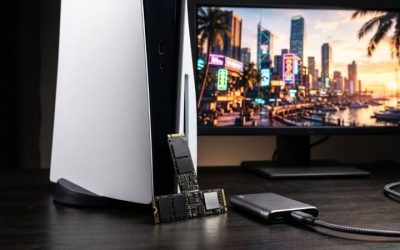
| Compatible internal M.2 NVMe SSD | Yes | Yes | Expand playable game storage |
| Compatible USB extended storage | Yes | No | Archive PS5 games and play supported PS4 games |
| PlayStation Plus cloud storage | No game installations | No | Eligible saved-game data only |
What an internal M.2 SSD must support
Sony’s published compatibility checklist requires a PCIe Gen4 x4 NVMe M.2 SSD with Key M, at least 250 GB and no more than 8 TB, in one of the supported physical lengths (2230, 2242, 2260, 2280, or 22110). Sony recommends 5,500 MB/s or faster sequential read performance; that recommendation is not an official GTA 6 speed requirement. A suitable heat-dissipation mechanism is required, and the heatsink plus drive must fit Sony’s dimensional limits. M.2 SATA SSDs are not supported.
When choosing an upgrade, check the exact model’s interface, heatsink dimensions, and physical fit against the latest Sony support page. A marketing label such as “gaming SSD” is not proof of compatibility. Sony cautions that meeting listed specifications does not guarantee every third-party drive will work, and not every game necessarily performs identically to the PS5’s internal SSD. If you already have adequate room, there is no need to buy a new SSD simply because GTA 6 is a large open-world game.
For a first-time upgrade, use the model-specific installation instructions from PlayStation Support rather than forcing a generic cover-removal procedure onto every PS5 chassis. Turn the console completely off, unplug it, allow it to cool, and discharge static electricity before handling components. Install the SSD with appropriate cooling, replace the covers, and follow the PS5’s formatting prompt. Formatting deletes existing data on the drive. Sony’s official guide distinguishes procedures for the CFI-1000 and CFI-2000/7000 model groups; use the matching one.
Choose the installation location after an SSD upgrade
With a recognized and formatted M.2 SSD, open Settings > Storage > Installation Location to choose where new PlayStation Store game downloads are installed. Sony documents this path for M.2 storage. You can also move a game already on console storage by opening Game Library, highlighting the game, pressing Options > Move Games and Apps, and choosing the M.2 destination. Verify the move completed before deleting any separate download or making additional changes.
Prepare for the November 12 GTA 6 pre-load
Rockstar’s official support and June 2026 Newswire announcement give a specific calendar: eligible digital pre-orders can begin pre-loading November 12, 2026, at local midnight; launch is scheduled for November 19, 2026. Pre-load allows eligible players to download available files ahead of release, but it does not grant early access to the game.
- Before November 12: From the PS5 home screen open Settings > Storage, confirm there is room on the intended console or M.2 installation destination, and finish any large archive moves.
- Confirm the pre-order: On games home open Game Library and select your GTA 6 pre-order. PlayStation Support says a countdown timer appears for eligible pre-orders. Select the timer and check that the relevant auto-download content is selected. If the timer or selections differ, check your account’s purchase status instead of assuming the files have started downloading.
- Enable downloads in Rest Mode: Open Settings > System > Power Saving > Features Available in Rest Mode, then enable Stay Connected to the Internet. Keep the console connected and use Rest Mode if you want permitted downloads to continue while not actively playing.
- On November 12: Open your PlayStation download queue and GTA 6 listing. Use the exact download/install figures the PS5 actually displays to decide whether another game must be moved. If automatic downloading has not started, check Games home > Game Library > Your Collection and select the game’s available download action.
- After installation: Check Settings > Storage again to record the actual footprint on your console and leave room for subsequent updates. Verify the installed game’s version through the standard PlayStation game options instead of assuming a pre-load is a finished, playable launch build.
One unusual official detail changes the storage calculation for physical buyers. Rockstar says its GTA 6 physical version contains a digital download code inside the box rather than a game disc, with retail availability beginning November 12 to support pre-loading. In other words, buying a physical box is not a workaround for downloading the game. Codes can also have PlayStation account region restrictions; check the retailer region and Rockstar’s code-redemption guidance before purchasing.
What to do if GTA 6 reports insufficient storage
The correct response is to verify the actual error and destination, not assume a corrupt SSD or attempt a risky reset. Sony’s documented PS5 error CE-107872-5 means there is not enough free console storage. Its support guidance says installations can sometimes need approximately twice the expected free space and recommends checking storage and changing the destination when appropriate.
- Open Settings > Storage and compare free space on the selected destination with the game’s current download/install prompt. If a download has already started, do not treat its transferred bytes as the final required storage amount.
- From Settings > Storage > Console Storage > Games and Apps, uninstall an unused title or move one to supported M.2 or USB storage. Recheck the free-space figure before retrying.
- If a compatible M.2 SSD is installed, inspect Settings > Storage > Installation Location and select a playable destination with adequate space. Do not choose USB extended storage expecting to play GTA 6 directly from it.
- Retry the download through Games home > Game Library > Your Collection, or return to the download queue. If the error persists even with space available, consult Sony’s error-specific support guidance and record the exact code for further troubleshooting.
Do not erase saves, format drives, change firmware, or rebuild a storage database as a first response to a simple capacity warning. When a PS5 displays a different error code, follow the official guidance for that code rather than assuming every install problem is caused by GTA 6’s unknown file size.
Frequently asked questions
Is GTA 6 confirmed to be 200 GB or larger on PS5?
No. The official publisher support article and US PlayStation Store listing do not publish a confirmed size as of October 27, 2026. Reported figures should be labeled rumors or estimates until Rockstar or PlayStation provides verifiable download and installation data.
Will GTA 6 need more space on PS5 Pro?
No separate PS5 Pro install size has been announced. The US PlayStation Store does label GTA 6 PS5 Pro Enhanced, but that badge does not disclose a different package size or establish whether Pro-specific assets require additional space. Read the actual installation information for your model when pre-load becomes available.
Will the physical GTA 6 box save download space?
No. Rockstar’s current official product guidance states that the physical package contains a download code, not a disc. It therefore still requires downloading the digital game onto a supported PS5 storage location. The storage requirement remains unannounced.
Can I use a regular external hard drive for GTA 6?
You can use a compatible USB extended-storage device to store PS5 game files, but not to run the PS5 version. Move the game back to internal console storage or a supported internal M.2 SSD to play. A USB drive marketed for PS4 is not the same as an internal M.2 upgrade.
Should I buy a 2 TB SSD before release?
Only if your wider game library already justifies the expansion and the specific drive meets Sony’s PS5 requirements. Because GTA 6’s file size is not confirmed, recommending a specific SSD capacity solely for that game would be speculative. Check your available space now and make the purchasing decision after the official package size appears.
Tools That Help
- PS5 Settings > Storage — free, built in. Use it now to identify available capacity on each playable drive and again when the official download appears.
- PS5 Game Library and USB extended storage — library feature is free; a compatible USB drive costs extra if you do not already own one. Use the Move Games and Apps command to archive other PS5 games without redownloading them later; USB cannot run GTA 6 directly.
- PlayStation Store and PlayStation App — free to browse; games and some services are paid. Check the confirmed product listing, manage eligible downloads, and verify the actual package information during pre-load.
Final thoughts
The responsible answer to GTA 6 PS5 storage requirements is that Rockstar has not confirmed the number yet. PS5 console storage and a compatible internal M.2 SSD are valid playable destinations; USB extended storage is an archive, not a workaround. Your next step: open Settings > Storage today, record the free space on the drive you intend to use, and compare that number with the official GTA 6 pre-load requirement when downloads open on November 12. That is a better decision than clearing hundreds of gigabytes or buying an SSD on the strength of a rumor.