If you want to buy Minecraft Switch 2 digital in the United States, the native Nintendo Switch 2 release is already available—not awaiting a future launch. Nintendo lists the Standard Edition at $29.99, Deluxe Collection at $39.99, and Ultimate Collection at $49.99. All three include the Switch 2 game with Vibrant Visuals and the Nintendo-exclusive Super Mario Mash-Up Pack. Before spending anything, check whether you already own Minecraft digitally for the original Nintendo Switch. Eligible existing owners can claim the Switch 2 Standard digital upgrade for free in the U.S. through Nintendo eShop during the limited-time offer ending January 31, 2027. New players generally need only Standard; pay more only if the listed add-ons and Minecoins will actually be used.
Quick verdict: what should you buy?
New to Minecraft on Nintendo: choose Standard Edition unless you specifically want Marketplace add-ons and Minecoins from day one. Already own the original Switch digital game: claim the free Switch 2 Standard upgrade through Nintendo eShop first, not a second full-price copy. Want more creative extras: compare Deluxe and Ultimate by the included add-ons and Minecoin amounts rather than assuming a premium edition improves the core game’s frame rate. Own a physical original Switch copy: do not assume the free digital Standard entitlement applies; a separate discounted Ultimate Collection invitation is officially described for owners who launch the old game on Switch 2 during the promotion.
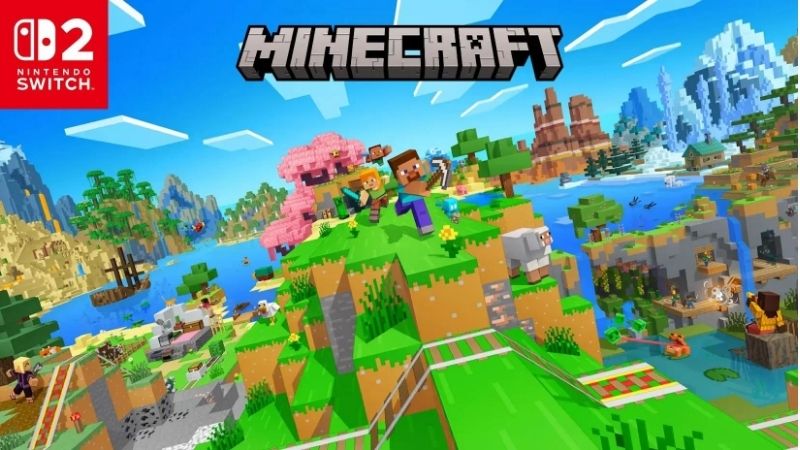
This is a U.S. digital purchase and edition-selection guide, not a world-migration walkthrough or a guide to Minecraft on PC. Mojang’s and Nintendo’s separately documented world-transfer help should be consulted before moving or deleting save data. Nintendo and Mojang both confirmed that the dedicated Switch 2 version launched October 27, 2026. A listing still described as a pre-order may reflect older cached information, so verify the current product page and the price displayed to your Nintendo Account.
Official U.S. prices, availability and what each edition includes
Checked against Nintendo of America’s October 27, 2026 launch announcement and the corresponding U.S. Nintendo product pages on October 29, 2026. The three figures below are regular U.S. list prices, not a claimed discount or a verified post-tax checkout total. Nintendo describes all three digital editions as available now. Purchase completion, local taxes, account eligibility and payment acceptance were not tested.
| Exact Nintendo Switch 2 digital edition | Seller and public U.S. list price (checked Oct. 29, 2026) | Purchase status | Included content / main caution |
|---|---|---|---|
| Minecraft — Standard Edition | Nintendo U.S.: $29.99 | Released / listed available; account checkout not tested | Base Switch 2 game, Vibrant Visuals support, Super Mario Mash-Up Pack. Eligible original-Switch digital owners should check $0 upgrade first. |
| Minecraft: DELUXE COLLECTION | Nintendo U.S.: $39.99 | Released / listed available; account checkout not tested | Standard content plus three add-ons, three Character Creator items and 700 Minecoins; verify the extras are worthwhile. |
| Minecraft: ULTIMATE COLLECTION | Nintendo U.S.: $49.99 | Released / listed available; account checkout not tested | Deluxe content plus two more add-ons, two more Character Creator items and 300 additional Minecoins (1,000 total). Discounted upgrade may appear for eligible past owners. |
All figures are prices published directly by Nintendo for the same U.S. release. At those regular prices, Deluxe costs $10 more than Standard, and Ultimate costs $10 more than Deluxe; these comparisons do not represent a sale saving. Sales tax, regional pricing and account-specific upgrade offers can change the purchase screen. No third-party download code, marketplace reseller, or coupon has been verified as equivalent to the official Nintendo eShop entitlement.
Standard Edition: the best default for most players
The Switch 2 Standard Edition supplies the full sandbox game, with Creative and Survival play, native Switch 2 Vibrant Visuals support, and the Nintendo-exclusive Super Mario Mash-Up Pack. Nintendo lists TV, tabletop and handheld modes, with one to four players on a single system, local wireless two to eight, and online two to eight. These are official listed player modes—not a promise that every mode can enable every graphics effect or requires no separate service.
The U.S. Nintendo product listing shows a 1.5 GB game file size for the base listing. Treat that as the published download figure, not a guarantee of permanent required storage after updates, worlds and add-ons. Leave additional storage headroom rather than buying a console or SD card on the assumption that all future Minecraft data occupies exactly 1.5 GB. Nintendo lists American English among the supported languages and Mojang as the publisher.
Who should buy: first-time Switch 2 Minecraft players, families focused on the base game, and users who would rather decide on Marketplace purchases later. Who should skip the full-price Standard checkout: people eligible for the free original-Switch digital upgrade. A previous purchase on PC, Xbox or PlayStation is not stated as qualifying for this specific Nintendo ownership promotion.
Deluxe versus Ultimate: what the extra money actually buys
Deluxe Collection retains the Standard Edition’s Switch 2 game and Super Mario content. Nintendo lists three add-ons—Celebration Food, Rescue Dogs, and Plenty O’Blocks—plus three exclusive Character Creator items and 700 Minecoins. The named character items are Nether Portal Wings, Pig Pal Hat, and Three Villagers Coat. These are extras for expression and Marketplace use, not evidence of faster gameplay or a separate graphics tier.
Ultimate Collection builds on Deluxe. Nintendo lists two additional add-ons, Decocraft and Weapons and Tools; two additional Character Creator items, Exploding Creeper Coat and Jockey Fan Hat; and 300 more Minecoins for 1,000 total. The U.S. regular list price is $49.99. If you already know that those exact packs will be used, this bundle may simplify your purchase. If the add-on names mean nothing to you, Standard is the lower-risk place to begin.
Minecoin warning: Mojang says Minecoins included with these editions, as well as Minecoins purchased on Nintendo devices, must be used within the Nintendo ecosystem. Do not buy the more expensive edition expecting its coins to be portable spending credit across unrelated platforms. Bundled Marketplace items and optional Realms subscriptions are different things; the higher editions do not make Realms Plus free indefinitely.
Already bought Minecraft on Switch? Check the free upgrade first
Mojang’s October 27 launch notice and Nintendo’s U.S. product listing explicitly offer existing digital Nintendo Switch owners the native Nintendo Switch 2 Standard Edition for free in the U.S., through Nintendo eShop, within a limited promotion. The published window runs from October 27, 2026 at 9:00 a.m. Pacific Time to January 31, 2027 at 9:00 a.m. Pacific Time. Outside the United States, eligibility and fees differ; Mojang specifically lists exceptions for Japan, Taiwan and Thailand. This article applies to the U.S. offer.
1. On your Switch 2, open Nintendo eShop from the HOME Menu and choose the Nintendo Account associated with your original Nintendo Switch digital Minecraft purchase. If multiple accounts share the console, the purchasing account matters: do not assume a different family member’s account owns the license.
2. Select Search/Browse on the left and search for Minecraft. Open the product labeled for Nintendo Switch 2, not an older Nintendo Switch-only listing or a DLC entry.
3. Review the purchase/upgrade offer associated with your signed-in account. Claim the eligible free Standard Edition option only if Nintendo eShop shows the entitlement and $0 in the confirmation flow. Do not pay the ordinary $29.99 price hoping for an automatic refund later.
4. Confirm the transaction/download only after checking the edition, system and final amount. Check your HOME Menu for the download and verify that the new listing identifies the Switch 2 version.
If the free option does not appear, do not try changing to a mismatched region or buying a duplicate license. First verify the Nintendo Account that bought the original digital release, that you are using Switch 2, and that the offer period remains open. Nintendo’s official eShop listing and Mojang’s Minecraft for Nintendo Switch 2 Upgrade Path support article are the correct escalation points. The exact account-dependent promotion button label was not visible in public support text during this research, so it would be misleading to invent a universal “Redeem Free Upgrade” menu item.
Original Switch game-card owners: Mojang and Nintendo instead describe an in-game offer to buy the Switch 2 digital Ultimate Collection at a discount. Launch the original Switch version on Switch 2 within the promotion window and review the offer message and its destination eShop page. An Ultimate discount is not the same as a universally free Standard digital upgrade for card owners. The discounted checkout amount can depend on eligibility and was not publicly verified here; do not quote a made-up sale price.
How to buy Minecraft digital directly in Nintendo eShop
Nintendo’s U.S. support instructions, checked October 29, 2026, give a precise Switch 2 eShop flow. Have a Nintendo Account linked to your Switch 2 profile and an internet connection. A Microsoft Account may later be needed for cross-platform play, but it is not a substitute for the Nintendo Account used to own your eShop game.
1. From the Switch 2 HOME Menu, select Nintendo eShop. Select the intended user account; enter your verification PIN or account password if prompted.
2. Select Search/Browse on the left, enter Minecraft in the keyword search field and choose Search. Open the result explicitly labeled Nintendo Switch 2. Check whether it is the base game, Deluxe Collection, Ultimate Collection, or DLC.
3. Confirm the price and edition, then select Continue on Switch 2. Nintendo says the flow may show a purchase confirmation or request additional account funds. If you already own the product, a Virtual Game Cards or Hidden Software message can appear instead of a new purchase.
4. Review the Confirm Items to Purchase screen. Read the total, the region and the product name before selecting Confirm Purchase. If you have insufficient funds, use the official funding flow instead of purchasing account credentials from a third party.
5. Nintendo says the download starts after the purchase is completed. Return to HOME to monitor progress. Once downloaded, launch the Switch 2 version and check that the title runs under the user profile you intend to use.
Alternatively, Nintendo’s official U.S. website lets an eligible Nintendo Account purchase digital Switch 2 games, but Nintendo states the account must have accessed eShop on a Switch or Switch 2 at least once. A web listing does not tell you the personalized promotion price until the correct account is signed in. Start at Nintendo’s official Minecraft Standard listing, or choose the verified Deluxe and Ultimate pages. No gray-market download code is required.
Important differences: Switch 2 graphics, multiplayer and worlds
Vibrant Visuals is included, but it is not available everywhere
Mojang describes Vibrant Visuals as the default visual experience for native Switch 2 Minecraft, with upgraded lighting, shadows, reflections and related presentation features. It is part of Standard, Deluxe and Ultimate; do not buy Ultimate merely for Vibrant Visuals. Nintendo and Mojang state an important exception: Vibrant Visuals is unavailable during some gameplay, including split-screen and use of certain Marketplace Worlds and content. “Supports Vibrant Visuals” is therefore not the same as “the feature is always enabled in every mode.”
Cross-platform play and online sessions have separate requirements
According to the U.S. Nintendo product page, cross-platform play requires a Microsoft Account; online multiplayer on Nintendo requires a Nintendo Switch Online membership (sold separately). Those are separate services and do not become included because the player bought Deluxe or Ultimate. Nintendo lists up to four players on a single system and up to eight online or in local wireless play. Before buying for a child or family group, check whether the intended mode is couch play, local wireless or online multiplayer. Membership renewals and family settings are separate decisions.
Previous worlds can move, but do not delete original data first
Mojang and Nintendo both say Minecraft worlds from the original Switch can be carried over to Switch 2. However, owning the Switch 2 game and actually transferring existing world/save data are separate steps. Nintendo’s official System Transfer guide explains when digital games and certain save data move to the newer console. Mojang also links its dedicated Minecraft World’s Migration from Switch to Switch 2 instructions from the October 27 launch article. Follow those official, current instructions for the devices and account you actually have; do not erase the old console or reset Minecraft until you have checked that the needed worlds open on Switch 2. A general license purchase does not guarantee that any manually copied world file will load.
Refunds, region and purchase mistakes to avoid
Nintendo’s U.S. digital-product policy says payments through Nintendo Account services are generally final and non-refundable, except where Nintendo authorizes a refund or applicable law requires it. This is particularly important if the original Switch digital owner could have received a free upgrade. Verify the title, the label Nintendo Switch 2, the account and the amount on the confirmation screen. Do not assume an original Nintendo Switch game listing and the new native Switch 2 edition are identical products.
For U.S. users, use a U.S.-region Nintendo account and legitimate supported payment option. The Nintendo.com FAQ says regional payment rules apply and that digital purchases are linked to the purchasing account. Buying a game under the wrong Nintendo Account is not a simple workaround for sharing ownership. If you see a listing for a DLC bundle without the base game, check the official bundle details rather than assuming any downloadable content is a standalone license.
A cheap third-party “Minecraft Switch 2 digital account” is not an official substitute for an eShop game license: avoid offers that require taking over somebody else’s Nintendo Account, changing passwords, or sharing a verification code. The publicly verified choices in this guide are first-party Nintendo digital listings. They are sufficient to make a safe purchase decision without speculative reseller claims.
FAQ: buying Minecraft digital for Nintendo Switch 2
Can I buy and play it now?
Yes. Nintendo and Mojang say the dedicated Switch 2 version launched October 27, 2026. Nintendo’s October 27 U.S. announcement lists all three digital editions as available now. The precise amount you pay is subject to the signed-in account, taxes and any eligibility-based upgrade offer.
Which edition includes the improved graphics?
Standard, Deluxe and Ultimate all support Vibrant Visuals and include the Nintendo-exclusive Super Mario Mash-Up Pack. Deluxe and Ultimate add content and Minecoins, not a separate advertised graphics entitlement. Split-screen and certain Marketplace experiences do not support Vibrant Visuals.
Do I have to rebuy Minecraft if I already own the Switch version?
Not necessarily. During the published promotion, a qualifying original-Switch digital owner in the United States can obtain the Switch 2 Standard digital edition for free through Nintendo eShop. Physical owners are instead directed to a possible discounted Ultimate offer. Check account-level eligibility before paying.
Does owning Minecraft on PC grant the Switch 2 version?
Neither Nintendo nor Mojang describes PC ownership as qualifying for this particular original-Switch-to-Switch-2 upgrade offer. Treat a PC license and a Nintendo eShop license as distinct purchases unless the Nintendo storefront explicitly shows otherwise for your account.
Can I use the bundled Minecoins on other platforms?
Do not count on that. Mojang’s Nintendo Switch 2 launch notice says Minecoins included with these editions and Minecoins bought on Nintendo devices must be used in the Nintendo ecosystem.
Is Nintendo Switch Online needed to play alone?
The product listing assigns Nintendo Switch Online to online play and lists single-system play separately. A paid online membership is relevant for the supported online multiplayer functionality, not a stated prerequisite for an offline solo world. Cross-platform play additionally requires a Microsoft Account.
Final thoughts
For most U.S. buyers looking to buy Minecraft Switch 2 digital, the correct move is Standard Edition at Nintendo’s published $29.99 regular price—unless you already own the original Switch digital game. In that case, use the purchasing Nintendo Account to check the free, limited-time Switch 2 Standard upgrade before buying anything. Choose Deluxe at $39.99 or Ultimate at $49.99 only if the named add-ons and Minecoins justify the added cost. Finally, verify that the eShop confirmation screen names the Switch 2 edition and shows the expected total; stop the purchase if your account should show a $0 upgrade but does not.