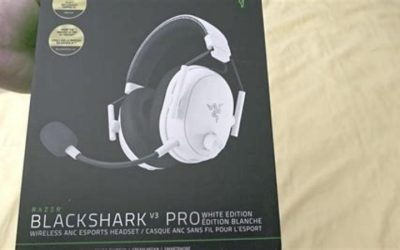
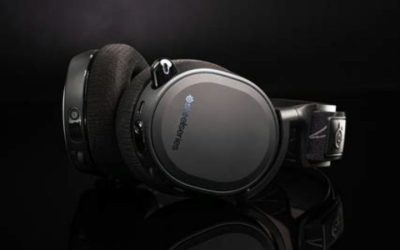
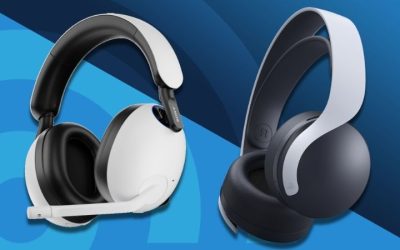
The best wireless headsets for Linux are not necessarily the headsets with the biggest Windows software feature lists. For a Linux gaming desktop, start with a 2.4 GHz USB receiver that your distribution recognizes as an audio input and output, then check that its microphone, game sound, volume controls, and game applications work together. We identified four U.S.-listed headset models worth investigating: SteelSeries Arctis Nova 5 Wireless, Arctis Nova 7 Gen 2, Arctis Nova 3X Wireless, and Corsair HS80 MAX. These are evidence-based shopping candidates, not devices that our team has personally tested on Linux.
Quick verdict: which Linux gaming buyer should consider each headset?
A headset’s claim of PC compatibility is not the same as a Linux compatibility certification. All four products are sold for PC use and have a wireless receiver and microphone, but Windows-only configuration software creates a crucial boundary. Confirm your own kernel, PipeWire/WirePlumber or PulseAudio version, desktop audio routing, and the exact USB receiver before treating any of these choices as a guarantee.
| Selected U.S. model and retailer snapshot | Public listed price | Why it enters the shortlist | Linux-specific caution |
|---|---|---|---|
| SteelSeries Arctis Nova 5 Wireless Black, 61670, Best Buy | $129.99 | Lower-cost 2.4 GHz dongle option with boom mic | GG/Sonar unavailable on Linux; verify microphone capture |
| SteelSeries Arctis Nova 7 Gen 2 Black, 61730, Best Buy | Price varies by live promotion | 2.4 GHz plus Bluetooth mixing for PC and phone | Desktop mix and Linux profile controls should not be assumed |
| SteelSeries Arctis Nova 3X Wireless Black, 61689, Best Buy | $109.99 | Cross-platform USB-C dongle design and detachable mic | Xbox edition branding does not certify Linux features |
| Corsair HS80 MAX White, CA-9011296-NA, Corsair U.S. | $119.99 sale | Alternative maker, wireless dongle or Bluetooth | iCUE, SoundID and Dolby processing are not Linux features |
Those prices are time-specific public store observations on October 30, 2026, not guaranteed U.S.-wide stock or delivery to a particular ZIP code. The separate models in the table are not color variants counted as extra headset choices. The four choices also do not establish four independently Linux-certified microphone paths.
SteelSeries Arctis Nova 5 Wireless: a straightforward dongle candidate
The Arctis Nova 5 Wireless Black, manufacturer model 61670, appeared at Best Buy for $129.99 with an add-to-cart option. The model is marketed for gaming on PC and consoles with a wireless receiver and microphone. That is a useful starting point for Linux buyers who want the simplicity of plugging one transmitter into a desktop instead of dealing with Bluetooth codec and profile changes.
However, SteelSeries explicitly says GG does not support Linux. Its Sonar EQ, custom routing, app controls and other PC configuration features should not be promised as native Linux functions. A headset can appear as a standard USB audio device and still lack the manufacturer’s Windows-specific experience. In particular, do not purchase on the assumption that Windows Sonar microphone noise filters will work in OBS Studio on Linux.
Before keeping this model, verify both playback and capture in your Linux sound settings. Run a microphone recording, listen back for clipping and level, and inspect whether the headset exposes one or more USB audio profiles. Also test mute and physical volume controls: Linux application routing and firmware buttons are separate functions.
Buyer fit: reasonable first candidate for someone prioritizing USB wireless audio over software effects. Avoid assuming: full SteelSeries GG controls, measured Linux latency, or identical firmware behavior on every distribution.
SteelSeries Arctis Nova 7 Gen 2: more connectivity flexibility
The Arctis Nova 7 Gen 2 Black, manufacturer model 61730, is a different headset generation from Nova 5 and Nova 3X, rather than a second color of one model. Best Buy has offered it through model-specific product pages; prices have fluctuated across promotions, so use the current selected-cart amount rather than a fixed dollar promise. Its advertised appeal is simultaneous 2.4 GHz game audio and Bluetooth from a second device.
That dual-source design can be genuinely useful for a Linux desktop gamer who wants to hear a phone call without moving the desktop output. But simultaneous audio is a hardware feature, not proof that Linux can control every input mix, trigger or preset from the desktop. Check whether the mobile and receiver paths behave as expected with your preferred voice application. Phone Bluetooth microphone and desktop USB microphone are different routes, and there is no reason to assume they combine into one capture device.
The same no-GG-on-Linux restriction applies here. Configuration carried over from another machine may be possible for some settings, but retained onboard settings depend on the headset, firmware and control design; do not treat them as guaranteed. If Linux mic volume is too low, correct the system capture source and gain rather than buying solely for a claimed Sonar filter.
Buyer fit: the stronger connectivity candidate for users who actually need simultaneous phone and PC listening. Watch for: the specific 61730 listing, whether the dongle is supplied, the current seller price and which features require GG.
SteelSeries Arctis Nova 3X Wireless: cross-platform hardware, not Linux certification
The Arctis Nova 3X Wireless Black, model 61689, was listed at Best Buy for $109.99 with an add-to-cart option. SteelSeries describes a USB-C plug-and-play dongle and detachable microphone, with Xbox, PC, PlayStation and Switch use depending on platform mode. It is a physically different model from Nova 5 and Nova 7 Gen 2.
The “X” in its name is relevant for buyers who switch between Xbox and a Linux computer, but it does not imply an official SteelSeries Linux support guarantee. The first experiment on a Linux machine is whether the USB receiver exposes both a playback sink and a microphone source. Some computers need a USB-A adapter for a USB-C dongle; the adapter should transmit data, not merely charge. If the model has mode controls, consult the current manufacturer instructions before switching console or PC mode.
Compared with a headset relying entirely on Bluetooth, the supplied 2.4 GHz dongle is the more natural first path to test for gaming. Bluetooth A2DP may offer higher-quality listening but cannot necessarily retain that quality when the headset microphone forces hands-free operation. Exact codecs, latency and simultaneous duplex support depend on Linux Bluetooth hardware and software; we did not measure them on the Nova 3X.
Buyer fit: shoppers who want a lower-priced cross-platform hardware design and are willing to verify Linux input/output. Avoid assuming: Windows gaming presets or mobile-app features will appear as Linux desktop controls.
Corsair HS80 MAX: an alternative brand with important software limits
The Corsair HS80 MAX Wireless White, manufacturer SKU CA-9011296-NA, was in stock on Corsair’s U.S. store at a $119.99 promotional price, versus a $149.99 comparison price. Corsair markets 2.4 GHz wireless audio, Bluetooth and an omnidirectional microphone. This makes it a distinct fourth device family, not another SteelSeries shell or wireless edition.
The product’s iCUE, Sonarworks SoundID, Dolby Atmos and NVIDIA Broadcast marketing does not establish equivalent features under Linux. Some of these features involve Windows software, licensing or external hardware, while Linux may expose a simpler audio endpoint. That distinction matters especially for a user buying the headset for competitive voice chat or spatial processing. Evaluate the basic headset without those enhancements first.
Corsair’s public PC and Mac compatibility claims are not an official validation of every Linux distribution. On a Linux PC, use the receiver and verify that the selected sound server reports expected playback and microphone endpoints; if the device connects only for output, do not describe the microphone as ready for Discord or Steam. Bluetooth is an alternative for less timing-sensitive use, with the same voice-quality profile tradeoffs as other Bluetooth headsets.
Buyer fit: someone who prefers Corsair hardware and accepts losing its software extras. Avoid assuming: iCUE EQ, Dolby virtual surround, SoundID or Windows broadcast noise processing work natively on Linux.
The Linux compatibility checklist to run before the return period expires
Do not accept “Linux compatible” from an untested catalog tag. A useful compatibility check is a short process run on the machine that will actually host the game. Linux distributions change, USB receivers receive firmware updates, and two otherwise identical desktops may handle a headset differently.
- Check USB enumeration. Plug the headset’s included 2.4 GHz receiver into a data-capable port. See if the sound settings and
lsusbshow a connected device. Recognition bylsusbis necessary but does not itself prove a usable microphone. - Select the sound server endpoints. On a PipeWire system,
wpctl statuscan show sinks and sources. Choose the headset as game-audio output and explicitly select its capture input; don’t assume a desktop microphone is not still selected. - Record and play back a sample. Use the system sound recorder or a trusted recording tool. Try quiet speech, louder speech and a sustained sentence. Monitor clipping and verify you hear the recording back through the intended output device.
- Test real game and chat routing. Join a private voice-test channel in the actual app you intend to use, such as Discord in a browser or the Linux client available for your distro. Separately verify Steam game output and any stream capture application.
- Test mute, physical controls and reconnection. Check that the mic mute state matches the app’s displayed level and that unplugging/replugging the receiver does not silently select speakers. Do the same after a reboot.
- Check 2.4 GHz range and interference in your room. A nearby crowded USB 3 port, router or Bluetooth device may affect a wireless connection. We have no controlled range measurements for these four headsets in a Linux environment.
- Keep the return option open. If the receiver is output-only, the mic gain is unusable, or an essential game/chat mix cannot be reproduced, treat the model as incompatible with your setup rather than presuming a driver fix exists.
These are local verification steps, not a claim that we performed them on the products in this roundup. Use trusted distribution package tools and manufacturer firmware instructions; avoid running unexplained third-party installation commands simply to recover one headset feature.
2.4 GHz dongle versus Bluetooth on Linux
For gaming, a dedicated wireless dongle is generally a more promising starting route because it may appear to the operating system as a USB sound device and does not require a Bluetooth hands-free microphone profile. This is a workflow observation, not a measured latency ranking for the four products. Test before deciding.
Bluetooth on Linux frequently separates high-quality listening and microphone use into different profiles. When the headset mic is active, the system may change from stereo A2DP to a hands-free HFP/HSP path with a different codec and audio quality. Exact behavior varies across BlueZ, PipeWire, the Bluetooth adapter and headset firmware. Some newer implementations mitigate that compromise, but a marketing Bluetooth version number alone does not prove it for a specific machine.
Another distinction is simultaneous versus quick-switch connections. Nova 7 Gen 2 advertises simultaneous 2.4 GHz and Bluetooth listening; the Nova 3X and Corsair HS80 MAX materials emphasize mode switching in their own ways. Do not interpret a switch button as simultaneous mixing, or a dual-source headset as automatic routing for two microphones.
What software and claims should you leave out of the buying decision?
SteelSeries’ own help page states that GG does not support Linux. That rules out presenting the full native GG and Sonar workflow as a purchased benefit. A third-party community program may add limited controls for a supported model, but community device matrices, firmware versions and reverse-engineered USB commands are not the same as manufacturer support. They should be treated as optional experiments, not core features required for the headset to work.
Corsair uses iCUE branding extensively, but the advertised Windows configuration stack is a separate question from the USB-audio connection. If mic EQ, virtual surround or speech filters are non-negotiable, investigate Linux-native effects and app compatibility in advance. A headset’s promotional audio-processing badge is not proof of the Linux implementation.
Also distinguish “works on PC” from “works with Linux”; PC may mean Windows in retailer descriptions. Linux community catalogs such as Plug & Tux can be useful leads to check receiver and headset reports, but the existence of a listing is not independently verified microphone performance on Ubuntu, Fedora, Arch and SteamOS simultaneously.
Which choice should you buy?
Start with the Arctis Nova 5 Wireless if your priority is a reasonably priced dongle headset and you don’t need proprietary software. Consider Nova 7 Gen 2 when listening to a separate phone at the same time is a meaningful requirement, and verify its live offer because the retailer price has varied. The Nova 3X is a sensible USB-C dongle candidate for shoppers who also own a console. The Corsair HS80 MAX is a genuine alternative if you prefer its build and are comfortable treating iCUE-only features as unavailable on Linux.
This shortlist is not a claim that all four devices passed an identical Linux test bench; they did not. If your particular Linux distro cannot detect the selected receiver microphone, the right answer is not to keep buying software features. Choose based on the verified output, verified capture, return policy and the platform you actually use. Four U.S. product listings provide shopping options, while the most important compatibility result must still be produced on your computer.
FAQ
Will these wireless headsets work on Steam Deck or SteamOS?
Possibly for basic USB audio, but Steam Deck USB-C port availability, dock power/data support, SteamOS updates and headset receiver behavior must be checked per device. A PC-listing claim is not proof that voice chat and physical volume controls work on every Steam Deck configuration.
Can I use SteelSeries GG Sonar on Linux?
SteelSeries officially states GG does not support Linux, so do not rely on a native GG or Sonar experience. You can use Linux-native audio routing/effects if appropriate, but features and results are not interchangeable without verification.
Is Bluetooth better than a 2.4 GHz dongle?
Not automatically. The receiver may be easier for stable full-duplex game/chat, whereas Bluetooth’s hands-free profile can limit listening quality while the mic is active. Neither interface guarantees exact delay or interference performance without a real test.
Can I use a Windows PC once to save EQ to the headset?
Only if the specific model and firmware support storing the relevant setting onboard. Check manufacturer documentation. Do not assume every Sonar or iCUE setting follows the headset to Linux.
Is an in-stock retailer listing a guarantee that the selected item ships to me?
No. The listed U.S. product prices are a dated October 30, 2026 snapshot. Availability, seller, open-box condition, promotional prices and ZIP-code delivery need reconfirmation on the final checkout page.
Linux compatibility: a five-minute verification plan
The presence of a USB receiver does not certify full headset support on Linux. On your target distribution, connect the dongle and inspect output and input devices in system sound settings or with PipeWire tooling. Record a sample while a game plays, then test mute and chat mix; a device may play stereo audio yet lack a usable microphone path under a particular profile. Bluetooth headset telephony modes can substantially change playback quality when the mic activates.
SteelSeries GG and Corsair iCUE settings should be considered separate Windows-side configuration paths unless vendor support explicitly says otherwise. Linux community tools are valuable leads, but a model name in a compatibility catalog is not proof of tested firmware/USB IDs for your unit. Buy from a seller with straightforward returns if simultaneous playback and voice chat are essential.
A Linux compatibility result has four separate layers
Treat “works on Linux” as a testable sequence rather than a single checkbox. First identify the USB receiver as a sound device. Next play stereo game audio, then capture microphone audio in the intended application, and finally test both at the same time while joining a voice channel. Full-duplex quality and channel switching can differ between PipeWire, WirePlumber, PulseAudio, kernel revisions, and the headset firmware.
SteelSeries explicitly says GG does not support Linux. That means GG-specific features such as Sonar processing, firmware tools, and Windows-oriented virtual mixing should not be promised to Linux users even when basic USB audio functions. A headset can be an acceptable plug-and-play purchase if the buyer only needs ordinary audio and mic, while still being the wrong choice if per-game Sonar profiles are essential.
Before keeping a unit, check the output and input names independently, record a local 30-second voice sample, and confirm that a voice call does not switch the device into an unexpectedly degraded codec. Save the OS, distro, desktop, and receiver firmware versions in the review; community success on another Linux build is supportive evidence, not a universal certification.
Linux readiness checklist: the receiver may work even when companion software does not
SteelSeries states plainly that GG does not support Linux. That statement is about the manufacturer’s app, not automatically a ban on USB audio from every Arctis receiver. A buyer should distinguish four layers: the dongle enumerating as a playback device, the boom microphone appearing as a capture device, full-duplex chat working while game audio plays, and optional battery/EQ/chatmix controls functioning. Success at one layer does not prove all four.
Plug the headset into the actual Linux system before treating the device as validated. In PipeWire or the distro’s sound settings, choose the headset input, play audio, record a ten-second file, and repeat after suspend/resume. If Bluetooth is used, the microphone profile can switch to a reduced-bandwidth speech mode. Compare that to the dongle mode rather than assuming identical quality. HeadsetControl community listings are useful troubleshooting leads, not official manufacturer certification or an independent lab test of your kernel build.
When returning to Windows for a firmware update or EQ change, document what settings persist on hardware. A special gaming chatmix wheel that needs Sonar on Windows should not be advertised as a guaranteed native Linux game/chat mixer.
Buyer-specific decision matrix
| Buyer situation | Recommended action | Must-verify requirement |
|---|---|---|
| Linux-only computer, no Windows access | Prioritize plug-and-play microphone/capture confirmation | Never rely on SteelSeries GG for initial setup |
| Phone calls while gaming via Bluetooth | Test headset Bluetooth mode separately from dongle | Compare full-duplex speech quality and latency |
| Need firmware and per-game EQ | Confirm Windows access or real onboard profiles | Treat optional Linux community tools as unsupported |
Linux support now has a device-capability check, not a Windows software promise
The open-source HeadsetControl project publishes a supported-device table and release notes for USB headset controls on Linux. Its updated list includes relevant SteelSeries Nova devices, with some releases adding or refining individual capabilities. This is stronger evidence that optional battery, sidetone or microphone controls may be available than the old assumption that all extra settings require Windows. It does not mean every control works on every firmware, USB product ID or distribution; a compatible device entry must be verified against the exact edition and installed HeadsetControl version.
Separate the Linux buying decision into three layers. First, plug the supplied 2.4 GHz receiver into the intended PC and check that the operating system sees both a playback sink and an input source. Second, in PipeWire/PulseAudio settings select the microphone and test simultaneous game output plus Discord or a recorder. Third, look up the headset in HeadsetControl for optional sidetone, battery or EQ controls. A headset can pass the first two checks while failing the third; loss of optional RGB or firmware software is not the same as a broken headset.
Before ordering a SteelSeries Nova 5-class device, confirm the exact 61670 or other model number, receiver included in the US retail box, USB-C/USB-A port needs and the retailer return window. A US Best Buy listing for Nova 5 model 61670 and a product-specific Micro Center listing establish a public retail offer, not proven Linux operation or completed checkout. Avoid claiming verified Fedora/Ubuntu/Bazzite support based solely on a community-generated compatibility table; a Linux-only shopper should plan a return-window test on their own hardware.