Key takeaways
- Volumetric Quality. Fog and smoke effects are heavy. Reviewers and guide writers suggest Low or Medium.
- Lighting Quality. High and Ultra cost frames for subtle gains. Medium is a common compromise.
- Post Processing. Lowering it recovers frames in many builds.
- Mesh and Terrain Quality. Mesh quality loads the processor, so lowering it can help CPU-limited systems.
- Motion Blur. Off for clarity when tracking targets.
- V-Sync. Off if you use a variable refresh display, to avoid added latency.
The fastest way to raise Battlefield 6 frame rates is to drop Volumetric Quality, Lighting and Post Processing from Ultra to a lower preset, keep Textures as high as your card’s memory allows, switch on a quality upscaler such as DLSS or FSR, and make sure the CPU is not the bottleneck. Which hardware tier you sit in decides how far each of those steps goes, so this guide matches settings to budget class instead of promising one magic profile.
What the game asks for
EA’s published requirements, as relayed by several outlets, group PC builds into tiers. Third-party guides add FPS targets, so treat their exact numbers as approximate and rely on the hardware tiers themselves.
| Tier | CPU listed | GPU listed | Memory | Target described |
|---|---|---|---|---|
| Minimum | Core i5-8400 or Ryzen 5 2600 | RTX 2060, RX 5600 XT 6 GB or Arc A380 | 16 GB | 1080p at 30 FPS, Low |
| Recommended | Core i7-10700 or Ryzen 7 3700X | RTX 3060 Ti, RX 6700 XT or Arc B580 | 16 GB | 1080p higher frame rate on Low, or 1440p around 60 FPS on High (outlets differ) |
| Ultra | Faster current CPU | RTX 4080 or RX 7900 XTX class | 16 to 32 GB | Native 4K around 60 FPS |
| Enthusiast | Core Ultra 9 285K or Ryzen 7 9800X3D | RTX 5080 class | 32 GB DDR5 | 4K at very high frame rates |
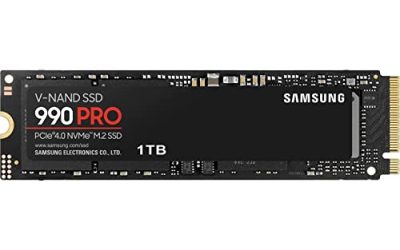
Storage is listed at roughly 55 GB by the guides, and an SSD is the sensible home for it.
Settings that cost the most frames
Guides covering Battlefield 6 agree on a short list of settings that tend to eat performance without adding much visible quality in a fast shooter.
- Volumetric Quality. Fog and smoke effects are heavy. Reviewers and guide writers suggest Low or Medium.
- Lighting Quality. High and Ultra cost frames for subtle gains. Medium is a common compromise.
- Post Processing. Lowering it recovers frames in many builds.
- Mesh and Terrain Quality. Mesh quality loads the processor, so lowering it can help CPU-limited systems.
- Motion Blur. Off for clarity when tracking targets.
- V-Sync. Off if you use a variable refresh display, to avoid added latency.
One guide claims that dropping the heavy trio to Low recovers a large chunk of performance on most systems. Take any specific figure as a rough guide because results depend on map, player count and hardware.
Settings that cost memory, not frames
Texture Quality mostly uses video memory rather than raw processing power. Guides suggest that 8 GB of VRAM handles High textures at 1080p and that 12 GB is more comfortable at 1440p. If the game stutters after a few matches, VRAM overflow is a common cause, and lowering textures one step is the quick fix.
Upscaling and frame generation
NVIDIA owners can use DLSS 4 and AMD owners can use FSR 4 on supported cards. The usual advice is a Quality mode at 1440p and Balanced at 4K. Frame generation is where sources disagree. One group of guides says to turn it off in multiplayer because it can add latency and ghosting on moving targets. Another says to enable it alongside NVIDIA Reflex. If your priority is responsiveness in a competitive shooter, test both options in a practice range and keep whichever feels better to you.
Budget tiers and what to aim for
| Budget class | Typical hardware class | Suggested approach |
|---|---|---|
| Entry | RTX 2060 or RX 5600 XT class | 1080p, Low preset, upscaler on Quality or Balanced, textures at Medium |
| Midrange | RTX 3060 Ti, RX 6700 XT or newer 60-class cards | 1080p with a mix of Medium and High, or 1440p with a Quality upscaler |
| Upper midrange | RTX 5070 Ti or RX 9070 XT class | 1440p high refresh with heavy options trimmed |
| Premium | RTX 5080 class and above | 4K with DLSS or FSR Balanced, or ultra-high-refresh 1440p |
TechSpot figures relayed by the guides put an RTX 5070 Ti or RX 9070 XT well above 200 fps at 1080p and an RTX 5070 above 130 fps, with upscaled 1440p near 150 fps on the faster pair. Because those figures reach us secondhand, treat them as ballpark indicators instead of promises.
The CPU side
Battlefield 6 is large and busy, so processor limits show up quickly. Reviewers report that chips with extra cache, such as Ryzen X3D models, tend to improve the lowest frame rates and make play feel smoother. If your GPU usage sits well below full while frame rates are low, the processor is the likely limit, and lowering Mesh Quality or reducing background apps is the first step.
Also check memory. Sixteen gigabytes is the stated minimum, but with a browser, voice chat and launchers open, 32 GB gives breathing room. Enable the memory’s rated profile in the BIOS if your board supports it, and keep any BIOS change conservative because mistakes can cause instability or affect warranties.
Pick-by-priority decision table
| Your priority | Do this |
|---|---|
| Maximum frames in competitive play | Low volumetrics and post processing, medium lighting, upscaler Quality, motion blur off |
| Visuals with decent frames | High textures, medium lighting, balanced upscaler |
| Fix stutter | Lower textures one step, close overlays, update graphics drivers |
| Low latency | Reflex or the AMD equivalent where offered, V-Sync off, frame cap just under refresh rate |
| CPU-limited system | Lower Mesh and Terrain, trim background tasks |
Alternatives if the PC cannot keep up
If a mid-range card cannot hold your target even on Low, there are three practical routes. Lower the output resolution a notch rather than the preset, since a clean 1080p image can look better than a muddy upscaled one. Add a faster processor or more memory only if monitoring shows those are the limits. Or wait for a GPU upgrade within a performance class that suits your monitor, instead of buying a card far above what the display can show.
Common mistakes
- Setting everything to Ultra because the card is new, then wondering about stutter.
- Judging performance in the menu instead of a busy match.
- Leaving frame generation on without checking latency.
- Running outdated graphics drivers after a game update.
- Forgetting the monitor refresh rate and capping frames far above or below it.
Frequently Asked Questions
What is the single biggest setting for FPS?
Guides name Volumetric Quality, Lighting and Post Processing as the heaviest. Lowering them usually brings the largest gain for the smallest visual loss.
Should I use DLSS or FSR?
Use the one your card supports. DLSS 4 is for NVIDIA RTX cards and FSR 4 is for supported AMD cards. Quality mode is the usual pick at 1440p.
Is 16 GB RAM enough?
It is the stated minimum and recommended level. With many background apps, 32 GB gives extra room and can smooth out stutters.
Does frame generation help in multiplayer?
Sources disagree. It raises displayed frames but may add latency and ghosting, so competitive players often leave it off.
Why do I stutter on a good card?
A common cause is running out of video memory at high textures or a CPU limit. Lower textures a step and check driver versions.
Do these settings change after patches?
They can. Menus and performance shift with game updates, so the maker’s patch notes are the final word on what changed.
FAQ
What is the single biggest setting for FPS?
Should I use DLSS or FSR?
Is 16 GB RAM enough?
Does frame generation help in multiplayer?
Why do I stutter on a good card?
Do these settings change after patches?
More from Amazon
Programs that pair well with the guide above. Offers and eligibility are set by Amazon and may change.
Free shipping on eligible items, Prime Video and more. Eligible new members can start with a free trial.
Start a Prime free trialAd-free music streaming. Eligible new subscribers can start with a free trial.
Try Music Unlimited freeA Prime membership for ages 18-24 with a trial period. Eligibility is set by Amazon.
See Prime for Young AdultsAudiobooks and podcasts to listen to on the go. Eligible new members can start with a free trial.
Try Audible freeAs an Amazon Associate we earn from qualifying purchases.