Key takeaways
- Pro: Bluetooth 5.0 plus USB-C in one pair
- Pro: USB-A adapter listed
- Pro: compact two-speaker layout
- Con: 8W RMS is limited for larger rooms
- Con: no subwoofer, so bass is light
The best computer speakers under $50 are the Creative Pebble V3 for a balanced desk pair with Bluetooth and USB-C, and the Cyber Acoustics CA-2890PRO if you want a clip-on bar with call features. Both sit comfortably inside the budget and fit tight desks. Every pick below is compared from listing specifications.
A budget pair of computer speakers should do three jobs: fit the desk you actually have, connect without adapters, and sound clearer than the tiny drivers in a monitor or laptop. Under $50 you are choosing between small stereo pairs, speaker bars that sit under or clip onto a monitor, and a few lighting-focused designs. The differences that matter are the input type (USB, USB-C, 3.5mm AUX, Bluetooth), how the speakers are powered, and whether the controls are within reach. The listings only state part of the story, so where a spec is missing we say so and point you to the maker page.
Quick Comparison
| Model | Key specs per listing | Best for |
|---|---|---|
| Creative Pebble V3 | 2.0, Bluetooth 5.0, USB-C, 8W RMS | All-round desk pair |
| Creative Pebble V2 | 2.0, USB-powered, compact stereo | Very small desks |
| Cyber Acoustics CA-2890PRO | Speaker bar, USB and Bluetooth, 20W, clip-on mount | Calls plus music |
| Cyber Acoustics CA-2890BT | Speaker bar, USB and Bluetooth, mic mute button | Home office calls |
| ICOREBEI USB soundbar | USB-C, Bluetooth 5.3, 3 RGB modes | Under-monitor placement |
| LENRUE G11 | USB-C or USB powered, AUX input, touch lights | Simple wired setups |
Creative Pebble V3
Specs per listing: 2.0 stereo, Bluetooth 5.0, USB-C, 8W RMS, USB-A adapter included.
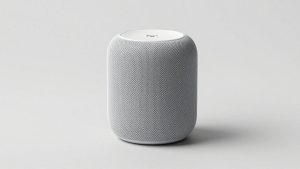
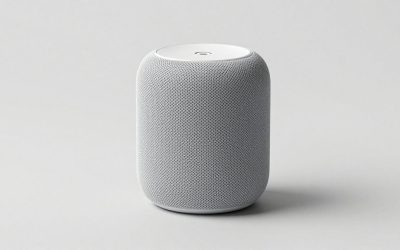
The Pebble V3 is the safest all-round choice in this budget range. The listing pairs USB-C power with Bluetooth 5.0, so you can run it wired from a PC and still pair a phone when you want background music. The USB-A adapter in the listing means older desktop ports are covered too. The 8W RMS figure is modest, which suits near-field listening at a desk rather than filling a room. The listing also mentions clear dialog, which is a useful focus for video calls and streaming. What is not listed here is driver size or frequency range, so check the maker page if bass depth matters to you.
- Pro: Bluetooth 5.0 plus USB-C in one pair
- Pro: USB-A adapter listed
- Pro: compact two-speaker layout
- Con: 8W RMS is limited for larger rooms
- Con: no subwoofer, so bass is light
Creative Pebble V2
Specs per listing: 2.0 stereo, USB-powered, compact design, minimal styling.
The V2 is the older, plainer sibling of the V3, and that is exactly its appeal. Power comes over USB, audio runs through the listed connection, and there is no wireless pairing to configure. It is a good match for a desk where the monitor sits close and the speakers need to disappear. Because the listing names no Bluetooth, treat it as a wired-only pair. Wattage is not given in the listing text we compared, so do not assume it matches the V3. Buy this one if you want a small, quiet-looking pair for music, video, and system sounds with no extras.
- Pro: very compact footprint
- Pro: USB power, no wall adapter listed
- Pro: simple setup
- Con: no Bluetooth mentioned
- Con: output power not stated in the listing
Cyber Acoustics CA-2890PRO
Specs per listing: USB and Bluetooth speaker bar, 20W, large clip-on monitor mount design, control buttons with LED status, speakerphone.
This is the most work-focused pick here. The bar clips onto a monitor, which frees desk space completely, and the listing adds a speakerphone function and LED-lit control buttons. That makes it handy for a home office where you jump between music and meetings. The 20W figure is the highest stated output among our picks, and the listing mentions richer bass than a plain bar. A clip-on design does depend on your monitor frame, so thin bezels or curved panels may need a check of the mount dimensions on the maker page. It plugs and plays, which keeps the setup short.
- Pro: clip-on mount saves desk space
- Pro: speakerphone and control buttons listed
- Pro: 20W stated output
- Con: mount fit depends on monitor frame
- Con: single-bar stereo spread is narrower than two separate speakers
Cyber Acoustics CA-2890BT
Specs per listing: USB and Bluetooth speaker bar, speakerphone, auto-switch between devices, mic mute button, 5 ft cable.
The CA-2890BT is the calmer, call-friendly version of the bar format. The listing highlights auto-switching between devices and a mic mute button, which are practical features if a laptop and phone share the desk. It is compact, and the 5 ft cable is long enough for most monitor setups. The listing does not give a wattage figure, so we cannot compare loudness with the PRO model. Choose this one if your priority is clear voices and quick muting over maximum bass.
- Pro: mic mute button and speakerphone
- Pro: auto-switch between devices
- Pro: compact bar format
- Con: no output wattage listed
- Con: not aimed at deep bass
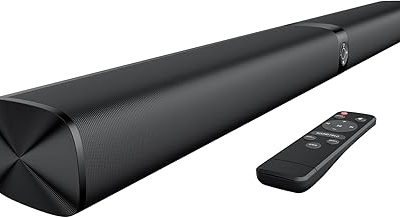
ICOREBEI USB-Powered Soundbar
Specs per listing: USB powered soundbar, USB-C, Bluetooth 5.3, Hi-Fi stereo, 3 RGB modes.
ICOREBEI offers the newest Bluetooth version in this list, 5.3, together with USB-C and three RGB lighting modes. It is built to sit in front of or under a monitor, which makes it a neat fit for narrow desks. The listing describes Hi-Fi stereo sound, but gives no wattage, so manage expectations and judge it as a desk-distance bar. The lighting is a bonus for gaming corners yet can be a distraction in a bright home office, so check whether the lights can be turned off on the maker page. It is a decent pick for anyone who likes the soundbar look.
- Pro: Bluetooth 5.3 listed
- Pro: USB-C connection
- Pro: low-profile bar shape
- Con: output power not listed
- Con: lighting may not suit every desk
LENRUE G11
Specs per listing: USB-C or USB powered, AUX audio input, touch lights, desktop PC and laptop use.
The G11 is the entry-level option for people who want wired audio with a little style. The listing mentions both USB-C and standard USB power and an AUX audio input, so it works with most PCs and laptops without extra gear. Touch lights add a decorative touch. No Bluetooth is mentioned, so it is a wired choice. Wattage and driver details are not listed, which means it is hard to rank on loudness. It fits well if you want a simple, low-fuss upgrade over built-in monitor speakers and care about a tidy desk.
- Pro: USB-C or USB power listed
- Pro: AUX input for wired sources
- Pro: touch lights
- Con: no Bluetooth mentioned
- Con: sound specs not listed
How to Choose Computer Speakers Under $50
Match the connection to your PC
If your computer has a free USB-A port, USB-powered pairs avoid a wall plug. USB-C models are best when you have a modern laptop. A 3.5mm AUX input is the universal fallback. Count your ports before you buy so you do not need adapters.
Check the stated output power
At this price, 8W RMS is fine for near-field desk listening, while a 20W figure gives more headroom. If the listing gives no wattage, assume small-room volume at best and read the maker page.
Choose bar or pair by desk depth
Two separate speakers give wider stereo but need about 15 cm of free space on each side of the monitor. A clip-on or under-monitor bar saves space but narrows the stereo image.
Decide if Bluetooth is a need
Bluetooth is useful if you stream from a phone. A wired-only pair avoids pairing issues and sleep-timer delays. Pick based on how you listen, and keep the total near the Under $50 budget.
Computer Speakers for Home Office, Small Spaces, and Gaming
Home office
Prioritize speakerphone features, a mic mute button, and auto-switching, which the two Cyber Acoustics bars list. Keep lighting off during calls.
Small spaces
The Creative Pebble V2 and the clip-on CA-2890PRO give the smallest footprint. Both clear most of the desk.
Gaming
For casual gaming, the Pebble V3 and ICOREBEI offer Bluetooth plus lighting or clear dialog. Serious bass or surround needs a different class than this budget.
What You Give Up at This Budget
Speakers in this range trade low-end extension and loudness for size and simplicity. None of the picks above lists a subwoofer, and the drivers are small, so kick drums and film explosions will sound thinner than on a 2.1 system. That is normal, and for spoken word, music at moderate volume, and video calls it is rarely a problem. The other trade-off is documentation: several listings skip wattage, frequency range, and driver size. When a number matters, such as the exact width of a bar or the length of a cable, open the maker page before ordering rather than assuming.
Build quality also varies. Plastic enclosures are the norm here, and the volume controls on small pairs are often a simple knob on one speaker. If you move your desk setup often, favor a model with a fixed cable and a compact shape, since those survive being packed away better than designs with detachable parts.
Placement and Setup Tips
Keep the pair at ear height
Point the drivers toward your ears and keep both speakers roughly the same distance from your seat. Even a budget pair sounds fuller when the stereo image is centered. A stack of books or a small riser under each speaker is enough if they sit low.
Mind the cable runs
USB-powered speakers draw power from the computer, so a loose cable can cause hum if it is routed beside a power brick. Run audio and power cables on separate paths where you can, and keep the 5 ft cable on the Cyber Acoustics bar clear of the monitor stand.
Set levels on the computer first
Set the system volume to a comfortable midpoint and use the speaker knob for fine adjustment. This avoids the hiss some small amplifiers add when the speaker volume is near maximum and the source is turned down low.
FAQ
What is the best computer speaker under $50?
The Creative Pebble V3 is the best all-round choice, thanks to Bluetooth 5.0, USB-C, and a compact pair layout, all inside the budget.
Are USB-powered speakers loud enough?
For desk listening, yes. USB-powered speakers suit near-field use but will not fill a large room. Check the stated wattage first.
Do I need a subwoofer under $50?
No. None of these picks list a subwoofer. Expect light bass and focus on clear mids and highs for voices and video.
Can I use these speakers with a laptop?
Yes. All listings mention PC or laptop use through USB, USB-C, AUX, or Bluetooth. Confirm the port type your laptop offers.
Are speaker bars better than a pair?
Bars save desk space and often add call features. Pairs give wider stereo separation. Choose by the space you have and how you listen.
Last updated: November 2026
FAQ
What is the best computer speaker under $50?
Are USB-powered speakers loud enough?
Do I need a subwoofer under $50?
Can I use these speakers with a laptop?
Are speaker bars better than a pair?
More from Amazon
Programs that pair well with the guide above. Offers and eligibility are set by Amazon and may change.
Free shipping on eligible items, Prime Video and more. Eligible new members can start with a free trial.
Start a Prime free trialAd-free music streaming. Eligible new subscribers can start with a free trial.
Try Music Unlimited freeA Prime membership for ages 18-24 with a trial period. Eligibility is set by Amazon.
See Prime for Young AdultsAudiobooks and podcasts to listen to on the go. Eligible new members can start with a free trial.
Try Audible freeAs an Amazon Associate we earn from qualifying purchases.