Key takeaways
- Pro: 32W with Bluetooth and wired inputs
- Pro: USB and AUX connections
- Pro: RGB lighting
- Con: Bluetooth version not listed
- Con: needs desk depth for a full pair
The best gaming speakers under $100 are the Edifier G2000 for a fuller wired and Bluetooth pair and the Razer Leviathan V2 X for a compact RGB soundbar. Both fit the budget. This guide compares six picks from listing specifications, covering RGB lighting, Bluetooth, and how much bass to expect.
Gaming speakers differ from plain desktop pairs in a few ways. They usually add RGB lighting, more input options, and a design aimed at monitors and gaming desks. Under $100 you can choose between a two-speaker pair with a bit more bass, a soundbar that tucks under the display, and small RGB pairs that focus on looks. None of these replaces a good headset for competitive play, but for single-player games, movies, and music, they are a solid upgrade over monitor speakers. We stay with what the listings say: wattage, Bluetooth version, ports, and lighting. Anything not listed is marked so you can check the maker page.
Quick Comparison
| Model | Key specs per listing | Best for |
|---|---|---|
| Edifier G2000 | 32W, Bluetooth, USB, 3.5mm AUX, RGB lights | Fuller sound and inputs |
| Razer Leviathan V2 X | Soundbar, full-range drivers, Chroma RGB, USB-C, Bluetooth 5.0 | Under-monitor soundbar |
| Creative Pebble Pro | 2.0, USB-C, Bluetooth, RGB, clear dialog | Compact RGB pair |
| EXRHAPS gaming speakers | 50W, 8 RGB modes, Bluetooth | Loud, lit-up desks |
| Sanyun SW208 | 3 in, Bluetooth 5.0, 24-bit DAC, 60W, USB and AUX | Bookshelf-style sound |
| Redragon GS814 | 20W, Bluetooth and AUX, 4 RGB effects, USB powered | Smaller RGB desks |
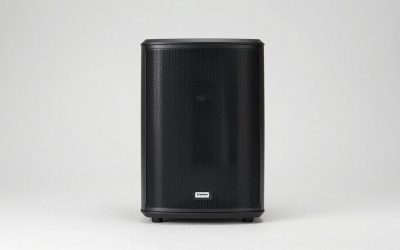
Edifier G2000
Specs per listing: 32W PC gaming speakers, Bluetooth, USB and 3.5mm AUX inputs, RGB lights, multimedia use for PC, laptop, and Mac.
The G2000 is the all-rounder for a gaming desk. The listing gives 32W, Bluetooth, USB and AUX inputs, and RGB lights, so a PC, laptop, and phone can all connect. It is designed as a gaming speaker pair, which usually means a bit more low-end presence than a plain office pair. The lights add visual appeal, but check on the maker page whether they can be switched off. The listing does not state the driver size or the Bluetooth version, so confirm those if you care about codec support or maximum desk depth.
- Pro: 32W with Bluetooth and wired inputs
- Pro: USB and AUX connections
- Pro: RGB lighting
- Con: Bluetooth version not listed
- Con: needs desk depth for a full pair
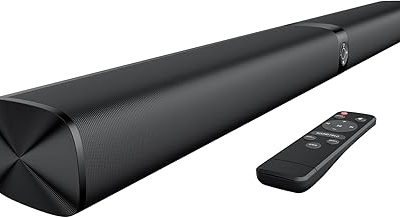
Razer Leviathan V2 X
Specs per listing: PC soundbar, full-range drivers, compact design, Chroma RGB, USB-C, Bluetooth 5.0, for PC, laptop, smartphones, tablets, and Nintendo Switch.
The Leviathan V2 X is a compact soundbar that sits under a monitor, which clears the desk. Full-range drivers handle the whole spectrum from a single bar, and Chroma RGB lighting ties it to Razer gear. USB-C and Bluetooth 5.0 handle connections, and the listing extends compatibility to phones, tablets, and the Nintendo Switch. A single bar gives narrower stereo separation than two spaced speakers and has less bass presence, so it fits well on a small desk and in modest rooms. Wattage is not given in the text we compared.
- Pro: compact bar form
- Pro: USB-C and Bluetooth 5.0
- Pro: works with consoles and mobile devices
- Con: narrower stereo spread
- Con: wattage not listed
Creative Pebble Pro
Specs per listing: 2.0 desktop speakers, USB-C, Bluetooth, RGB lighting, clear dialog, stereo.
Pebble Pro is the style-forward pair from Creative. The listing combines USB-C, Bluetooth, RGB lighting, and clear dialog, so it covers gaming, streaming, and movies in a small package. The round shape of the Pebble line is easy to fit near a monitor. Power and driver details are not in the text we compared, so use it as a near-field pair for desk listening, not for filling a room. It is a fit if you like the look and already know the brand.
- Pro: USB-C and Bluetooth
- Pro: RGB lighting
- Pro: compact two-speaker pair
- Con: wattage not listed
- Con: light bass for a gaming pair
EXRHAPS Gaming Speakers
Specs per listing: computer speakers with 8 RGB lighting modes, 50W, loud gaming sound, Bluetooth.
EXRHAPS leads with output power and lighting: 50W is among the highest stated figures here, and the listing includes 8 RGB lighting modes with Bluetooth. That suits a desk that wants volume and color. The listing gives few other details, such as inputs, driver size, or Bluetooth version, so verify them before buying. The brand is less known than Edifier or Razer, so read the maker page for warranty and support details. It is the choice for those who prioritize loudness and lighting over a recognizable name.
- Pro: 50W stated
- Pro: 8 RGB lighting modes
- Pro: Bluetooth
- Con: sparse specs in the listing
- Con: lesser-known brand
Sanyun SW208
Specs per listing: 3 in active bookshelf speakers, Bluetooth 5.0, built-in 24-bit DAC, 60W carbon fiber, USB and 3.5mm AUX input, for PC, monitor, and gaming.
The SW208 skips RGB lighting for a bookshelf design with carbon fiber drivers and a built-in 24-bit DAC. The listing names PC monitor and gaming use alongside music. It adds Bluetooth 5.0, USB, and AUX. Without lighting it suits desks that favor a clean look, and the 3-inch drivers give more body than most bars. It needs a wall outlet, and the listing does not name RCA input, so check that before connecting a TV. Choose it for sound first, lights second.
- Pro: built-in 24-bit DAC
- Pro: 60W with carbon fiber drivers
- Pro: USB and AUX inputs
- Con: no RGB lighting
- Con: Bluetooth 5.0 is older
Redragon GS814
Specs per listing: 20W stereo desktop speaker, Bluetooth and AUX dual connectivity, 4 RGB lighting effects, touch controls, USB powered.
The GS814 is the smaller pick: 20W, USB power, and touch controls. The listing gives Bluetooth and AUX, plus four RGB lighting effects, so a laptop and a phone can share it. Touch controls keep the front panel clean but can be fiddly if you prefer a knob. It does not have the output power of the bigger picks, so it suits a modest desk and moderate volumes. Think of it as an RGB upgrade over built-in monitor speakers rather than a full gaming system.
- Pro: USB powered, no wall adapter needed per listing
- Pro: Bluetooth and AUX
- Pro: touch controls and 4 RGB effects
- Con: 20W limits volume
- Con: touch controls can be less precise than a knob
How to Choose Gaming Speakers Under $100
Pair or soundbar
A pair gives wider stereo and more bass headroom. A bar saves desk space. Pick by how much depth you have, and keep the total inside Under $100.
Check connections
USB-C is useful for laptops, 3.5mm AUX for consoles and older gear, and Bluetooth for phones. Only some listings name the Bluetooth version, so confirm it if you need the latest.
Read the wattage figures with care
Listed wattage differs by method, so a 50W figure does not always mean a louder pair than 32W. Treat it as a rough indicator and compare drivers and enclosure when listed.
Decide on RGB
Lighting adds style but can distract during movies. Look for a way to turn it off, which the maker page may describe.
Gaming Speakers for Home Office, Small Spaces, and Gaming
Home office
The Sanyun SW208 skips lighting and offers a built-in DAC, so it fits a work desk and still plays games well.
Small spaces
The Razer Leviathan V2 X and Redragon GS814 are the most compact options here.
Gaming
The Edifier G2000 and EXRHAPS offer the most listed wattage with RGB. Use a headset for competitive matches in shared rooms.
Speakers or Headset for Gaming?
Speakers make single-player games, movies, and music more open and comfortable for long sessions. A headset gives better positional detail in competitive shooters and keeps the room quiet. Many players use both: speakers for casual play and a headset for ranked matches. If you live with others, headphones are the polite choice late at night, and speakers are better for shared play with friends in the room.
Under this budget a speaker pair will not give true surround sound. For stereo gaming it works well, and games that offer a stereo or two-speaker mix will sound best. Check the in-game audio settings and choose stereo output to match the speakers.
Placement for Better Game Audio
Where you put the speakers changes the sound more than a small spec gap between models. For a pair, set the speakers on either side of the monitor, angled toward your ears, with the tweeters near ear height. Keeping both at the same distance from your seat holds the stereo image steady, which helps you judge where footsteps and effects come from. For a soundbar, place it centered directly below the screen, close to the front edge of the desk so the sound is not blocked by the monitor stand.
Avoid pushing speakers into a corner or against a wall, because bass can become boomy. If a desk shelf or monitor riser is in the way, a thin foam pad under each speaker reduces vibration. For lighting models, check that the LEDs do not reflect off the screen, since glare can be more distracting than the lighting is attractive.
What to Expect From Bass at This Budget
Gaming speakers often advertise bass, but without a separate subwoofer the low end comes from small drivers. Expect a pleasant warmth that fills out explosions and music, not the chest-rattling depth of a 2.1 or 5.1 system. Pairs with larger woofers or enclosures, such as the Sanyun and the Edifier, usually have more body than slim bars. If heavy bass is a priority, consider adding a subwoofer later, and make sure the speakers you choose have the output needed to connect one. Otherwise, set an equalizer in your operating system or game to lift lower frequencies slightly, and keep volume moderate to avoid distortion.
Latency and Wireless Play
Bluetooth adds a short delay between what you see and what you hear. For music and slow-paced games it is rarely a problem, but in fast shooters and rhythm games the lag can be noticeable. Wired USB or AUX connections avoid this, which is why the pairs above that list AUX or USB inputs are preferable for competitive play. If you use Bluetooth for video, many video players compensate automatically, but games do not. Choose the wired connection for games and keep Bluetooth for phones and streaming.
FAQ
What are the best gaming speakers under $100?
The Edifier G2000 for a fuller pair with Bluetooth, or the Razer Leviathan V2 X for a compact RGB soundbar.
Do I need a subwoofer?
Not for desk gaming. None of these picks list one, and 2.0 pairs give clear sound at near-field distance.
Are RGB speakers worth it?
If you like the look, yes. Lighting does not affect sound, so choose based on the audio specs first.
Will these work with a console?
Models with AUX input, such as the G2000 and GS814, can connect to many consoles. Check the console audio output.
Bluetooth or wired for gaming?
Wired connections avoid audio delay, which matters for fast games. Bluetooth is better for music and casual play.
Last updated: November 2026
FAQ
Speakers or Headset for Gaming?
What are the best gaming speakers under $100?
Do I need a subwoofer?
Are RGB speakers worth it?
Will these work with a console?
Bluetooth or wired for gaming?
More from Amazon
Programs that pair well with the guide above. Offers and eligibility are set by Amazon and may change.
Free shipping on eligible items, Prime Video and more. Eligible new members can start with a free trial.
Start a Prime free trialAd-free music streaming. Eligible new subscribers can start with a free trial.
Try Music Unlimited freeA Prime membership for ages 18-24 with a trial period. Eligibility is set by Amazon.
See Prime for Young AdultsAudiobooks and podcasts to listen to on the go. Eligible new members can start with a free trial.
Try Audible freeAs an Amazon Associate we earn from qualifying purchases.