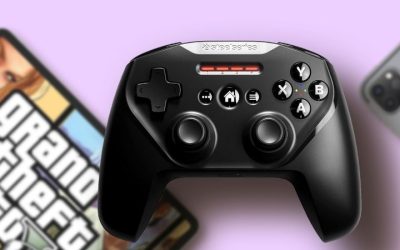
For short-hop precision in Celeste-style platforming, a clear D-pad and dependable PC input route often matter more than how many wireless features a pad advertises. These best controllers for PC platformers span four actual designs: the 8BitDo Pro 2 for classic parallel sticks, Pro 3 for a tactile D-pad and a receiver, GameSir G7 SE for an Xbox-style wired grip, and 8BitDo Ultimate 2C Wired for a lower-cost USB option. No controller here has been independently measured by Geek Gaming Tricks for diagonal false presses, so the recommendations focus on verifiable layout, specifications, connection and trade-offs.
PC platformer controllers: D-pad feel, stick layout, and wired alternatives
If you play primarily with the D-pad and prefer PlayStation-like parallel sticks, begin with Pro 2. The Pro 3 is the more feature-rich option for those who want the same broad layout with extra input choices and a supplied Windows dongle. GameSir G7 SE is a strong wired option for players comfortable with Xbox-style controls and software remapping. The Ultimate 2C Wired Mint is the budget pick when dependable USB input outweighs wireless convenience. The best D-pad feeling remains personal, so buy from a retailer with an acceptable return policy. Platformers reward reliable repeated directions, jumps, and quick reversals, so D-pad position and button feel deserve more weight than extra back controls. Pro 2 and Pro 3 cater to players who like parallel sticks, whereas GameSir G7 SE and Ultimate 2C Wired follow an Xbox-style control layout. Wired USB can be a practical travel or desk choice when you want to avoid pairing and battery management, while an included receiver may suit a couch PC. Check how your preferred game interprets the controller’s Windows input mode and whether the face buttons match the layout shown in its menus before assuming any pad will behave identically.
At-a-glance comparison
| Product | Relevant feature | USD price / seller / checked | Public status | Main drawback |
|---|---|---|---|---|
| 8BitDo Pro 2 Hall Effect (Black) | Symmetrical sticks | $49.99 · GigaParts · October 29, 2026 | In stock | US MaxGaming category showed the Black variant out of stock despite a cached SKU page claiming stock; use the separate GigaParts selected exact product offer. |
| 8BitDo Pro 3 (Purple) | Symmetrical TMR sticks, tactile D-pad, 2 rear paddles and L4/R4 extra bumpers, charging dock | $59.99 · MaxGaming US · October 29, 2026 | In stock (5+ shown) | Purple and G Classic are color variants, never two picks in the same article. |
| GameSir G7 SE Wired (Vibrant Orange) | Xbox/Windows wired USB-C | $49.99 · MaxGaming US · October 29, 2026 | In stock (20+ shown) | USB wired only; Xbox layout and physical D-pad location differ from the parallel-stick 8BitDo choices. |
| 8BitDo Ultimate 2C Wired (Mint) | Windows-compatible USB wired controller with asymmetrical analog sticks, D-pad and Hall-effect sticks/triggers. | $19.99 · MaxGaming US · October 29, 2026 | In stock (4 shown) | This is the WIRED Mint SKU, not the 2. |
The PC-platformer shortlist reflects selected U.S. item pages on October 29, 2026. Store pages can disagree about a similarly named wireless versus wired edition, and regional shipment remains unverified until checkout.
Detailed picks and real trade-offs
Best for traditional D-pad platformer players — 8BitDo Pro 2 Hall Effect (Black)
The D-pad is placed in the upper-left position, where older PlayStation-inspired and classic pads keep it distinct from the left analog stick. For a player who spends most of a 2D title using left, right, up and down, that physical placement can reduce the amount of searching for a control. Its Windows X-input mode is documented and available via Bluetooth or USB, which helps avoid the mismatch of a pad pairing with Windows but presenting unsupported inputs in-game.
Two programmable rear buttons are available for users who want a dedicated dash or grab without changing the main face-button placement. However, the D-pad shape and hand angle should be judged in person; manufacturer descriptions are not proof of fewer accidental diagonals. A player with a heavier hand may prefer a different D-pad feel.
Advantage: proven classic layout and inexpensive Windows route. Limitation: no first-hand comparative D-pad accuracy test is claimed here.
Selected platformer-pad offer: GigaParts lists 8BitDo Pro 2 Hall Effect (Black) for $49.99 with status ‘In stock’ (October 29, 2026). Selected model/part: KB0419 / 8BitDo Pro 2 Hall Black. Core compatibility: Symmetrical sticks; D-pad; two rear programmable buttons; Windows X-input over Bluetooth or wired USB; Apple D-mode Bluetooth on iPadOS 16.3+. Source note: US MaxGaming category showed the Black variant out of stock despite a cached SKU page claiming stock; use the separate GigaParts selected exact product offer. Do not equate a listing with ZIP-code shipment.
Best for D-pad devotees who also play modern PC games — 8BitDo Pro 3 (Purple)
The Pro 3 has a tactile D-pad and adds programmable controls, TMR sticks and swappable magnetic ABXY labels. That combination is useful when one controller must serve a precision 2D game and a more button-heavy action RPG. Importantly, its official Windows paths are the included 2.4 GHz receiver and USB, not a generic Windows Bluetooth assumption.
The included charging dock is a practical convenience on a desk, but it does not make D-pad diagonals objectively more accurate than Pro 2. Its added L4/R4 buttons and two rear paddle buttons are optional in most platformers. Keep the mapping simple unless your favorite title truly benefits from them. The Purple product is selected as one variant of the Pro 3 design, not a separate family from G Classic.
Advantage: tactile D-pad with flexible Windows receiver and extra controls. Limitation: higher cost, added mode choices and no verified independent D-pad benchmark.
Selected platformer-pad offer: MaxGaming US lists 8BitDo Pro 3 (Purple) for $59.99 with status ‘In stock (5+ shown)’ (October 29, 2026). Selected model/part: Pro 3 Purple; variant from RET00855 family. Core compatibility: Symmetrical TMR sticks, tactile D-pad, 2 rear paddles and L4/R4 extra bumpers, charging dock; Windows 2.4 GHz/USB; Apple Bluetooth on iPadOS 26+. Source note: Purple and G Classic are color variants, never two picks in the same article.
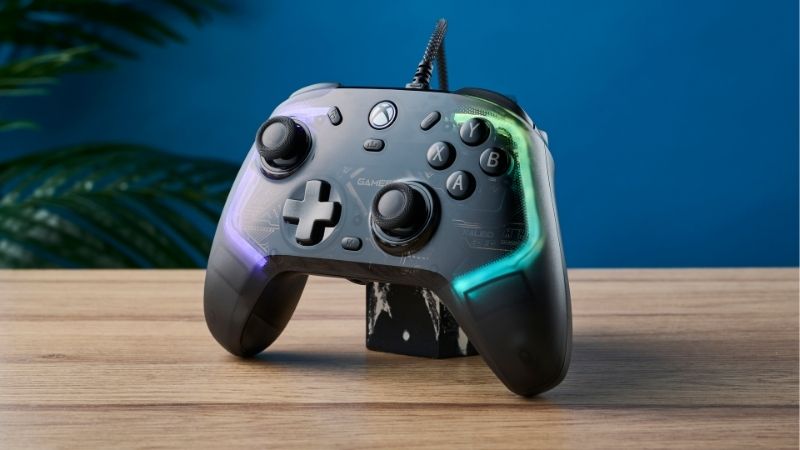
Best Xbox-style wired PC platformer pad — GameSir G7 SE Wired (Vibrant Orange)
The G7 SE is wired and Xbox/PC compatible. Its asymmetrical sticks put the left analog higher than the D-pad, which can feel familiar if you normally play Xbox titles. For a pure D-pad game, consider whether that lower-left location feels natural during repeated short taps. The product supports GameSir Nexus configuration, which may be useful for remapping two rear buttons, but normal movement can be used without a special wireless pairing routine.
The Vibrant Orange selected SKU comes with a three-meter USB-C cable according to the listing. It is not a Bluetooth controller, and the same brand’s wireless models should not be substituted without checking their Windows support. A detachable faceplate is cosmetic convenience rather than a performance measurement.
Advantage: simple wired Xbox/PC compatibility with remapping. Limitation: D-pad sits lower, and you cannot roam wirelessly.
Selected platformer-pad offer: MaxGaming US lists GameSir G7 SE Wired (Vibrant Orange) for $49.99 with status ‘In stock (20+ shown)’ (October 29, 2026). Selected model/part: GSG700SE-4EN. Core compatibility: Xbox/Windows wired USB-C; asymmetrical analog sticks; distinct D-pad; two rear remappable buttons; 3 m cable. Source note: USB wired only; Xbox layout and physical D-pad location differ from the parallel-stick 8BitDo choices.
Best under-$25 simple USB route — 8BitDo Ultimate 2C Wired (Mint)
The Ultimate 2C Wired Mint is the inexpensive alternative for someone who wants to plug into a Windows PC and stop troubleshooting pairing. It has a modern Xbox-like arrangement and Hall-effect sticks/triggers according to the seller listing. For games controlled by D-pad and jump, those stick specifications may be less consequential than whether the D-pad shape suits your thumb.
The crucial buying distinction is the exact wired edition. Another product page for “Ultimate 2C Wireless Mint” showed zero selected stock, and it is a different electronic configuration. Never use a wireless product photo to imply the $19.99 wired model comes with a 2.4 GHz adapter. At this price, inspect cable length and return conditions before buying an extension.
Advantage: low purchase price and no radio setup. Limitation: wired-only and a D-pad location different from Pro 2/Pro 3.
Selected platformer-pad offer: MaxGaming US lists 8BitDo Ultimate 2C Wired (Mint) for $19.99 with status ‘In stock (4 shown)’ (October 29, 2026). Selected model/part: Ultimate 2C Wired Mint. Core compatibility: Windows-compatible USB wired controller with asymmetrical analog sticks, D-pad and Hall-effect sticks/triggers. Source note: This is the WIRED Mint SKU, not the 2.4 GHz wireless Mint SKU, whose selected page shows out of stock.
What makes a D-pad suitable for 2D movement
Most platformers ask for repeated left-right corrections, short hops, and timed diagonals. The ideal D-pad gives the player confidence about intended directions, but this article does not invent force-curve or error-rate measurements. The D-pad material, pivot, actuation and the user’s thumb angle affect experience in ways that marketing photos cannot quantify. Look for game footage or credible independent tests for a specific D-pad if timing at the highest level is your primary concern.
Placement also matters. Pro 2 and Pro 3 put the D-pad at upper left with parallel sticks below; GameSir G7 SE and Ultimate 2C locate it in a more Xbox-style arrangement. Neither is inherently “correct” for all people. If you learned precise platforming on one layout, minimizing the position change can be more useful than upgrading to a new sensor generation.
Wired input versus dongle and Bluetooth on Windows
A reliable connection is more than advertised polling frequency. The G7 SE and Ultimate 2C Wired selected here use USB. Pro 2 offers documented Windows X-input paths over Bluetooth or USB. Pro 3 includes a 2.4 GHz adapter and also works wired on Windows; it does not list generic Windows Bluetooth in its connection table. These choices matter when a game will not detect the pad or when Steam Input is configured incorrectly.
If a platformer misses an input, first verify the game’s own mapping and Steam’s controller-detection status. A damaged cable, low battery, wrong wireless mode or conflicting remapper can look like a defective D-pad. Compare USB and wireless only on the same supported model when investigating a problem; do not announce that one has less latency without independent measurement.
How to test diagonals and rebound without lab claims
You can run a useful personal test without claiming scientific benchmarking. Open a familiar safe platforming room or input display and alternate left, right, up and diagonals, watching for unexpected transitions. Make sure the controller’s remapping tool is not converting one button into a macro. Then try jump-release-jump timing at an easy segment. If failures happen only on a specific game or only via Bluetooth, troubleshoot software and connection before concluding the D-pad itself is inaccurate.
A five-minute impression cannot establish long-term durability or drift performance. It can, however, reveal that the D-pad sits too low for your grip or that you frequently brush the wrong face button. If the shop offers a standard return period, keep the packaging until you know the layout works for you.
Spend for the actual game, not the feature checklist
A 2D platformer often has just movement, jump, dash and interact. Extra rear paddles and sensor technologies may be nice, but they should not displace D-pad feel, button spacing and robust USB connectivity. At the low end, the wired Ultimate 2C costs far less than a Pro 3. For someone who travels with a laptop, the Pro 2 can be a flexible option; for a PC desk and a desire to avoid charging entirely, a wired model may be preferable.
Avoid assuming price equals speed. No comparative hardware-latency or input-error testing was performed here, and a $60 pad is not proven to yield a better time trial than a $20 one. Choose the controller whose position and platform path you can validate, then recheck selected price and actual stock at purchase.
Gamepad input layers that can make a D-pad appear unreliable
On PC, the operating system, Steam Input, the game’s internal input system and manufacturer configuration software can all affect the result. If one arrow appears as another, isolate the layers rather than immediately blaming the plastic D-pad. Start with the game’s default profile and confirm the correct device in Steam’s settings. Avoid running multiple remapping tools simultaneously. If a wired controller responds correctly in a diagnostic menu but not inside a particular game, inspect that game’s supported input types and button assignment screen. A remap issue does not establish a physical switch failure, and this checklist prevents expensive returns for a software configuration mistake.
How diagonal inputs differ from joystick drift
A D-pad is a discrete group of directional switches or contacts; an analog joystick reports position across a range. Hall-effect analog sticks may help avoid certain wear-related sensor behavior, but that feature does not directly test D-pad diagonals. Some platformers let players use analog or digital movement; a diagonally held D-pad may be interpreted in different ways depending on the game engine. A controller’s marketing page seldom reports an independently reproducible diagonal actuation threshold. Consequently a careful recommendation focuses on the D-pad’s shape, location, game compatibility and hands-on user evaluation rather than inventing an input-error percentage.
Travel-laptop and desk-player priorities can diverge
A wired controller is convenient when a Windows gaming laptop has a free USB port and the player stays at a table. It is less practical if the laptop is connected to a TV across the room. Pro 2 and Pro 3 offer wireless paths, but the Pro 3 requires its dongle on Windows, which occupies a port or hub slot. If your laptop has only USB-C ports, inspect the supplied receiver connector and whether a trusted adapter is needed. For travelers, also account for the charging cable and protective storage. None of these logistical factors requires a speculative battery or latency benchmark.
How to choose and verify a controller
Use this process to see whether D-pad location, a reliable wired route and game mapping meet your particular platforming needs.
- Start in a known platformer room: Pick a familiar section with horizontal taps, jumps and a controlled diagonal move.
- Check controller recognition: Open the game’s input menu and Steam Settings > Controller if relevant. Confirm the pad is shown before customizing remaps.
- Try the default D-pad first: Make deliberate single taps and short alternating moves; note whether accidental directions are a personal grip issue.
- Retest on USB if available: Use the official cable route to separate wireless issues from button mechanics, without implying a lab latency result.
- Decide before the return window ends: Inspect D-pad angle, case/hand fit, selected product stock, cable length and shop policy while packaging is retained.
How we selected these products
We filtered for PC-ready D-pad gamepads with genuinely different physical arrangements and USB/wireless routes, not four recolors. Four selected U.S. offers and maker compatibility information support the recommendations, but no D-pad switch-force or diagonal-error testing was conducted.
We excluded the out-of-stock wireless Mint variant while selecting the separate Wired Mint Ultimate 2C. Store links and model notes are recorded in the Evidence Log, allowing editors to refresh purchase availability before publication.
Frequently asked questions
Is a D-pad always better than an analog stick for platformers?
Not always. Some titles use analog nuance and some players perform better on a stick; check the specific game and your input habits.
Does a Hall Effect stick improve D-pad precision?
No direct D-pad improvement follows from changing the analog stick sensor. They are different input mechanisms.
Can I use 8BitDo Pro 3 Bluetooth on my Windows laptop?
Use the manufacturer’s supported Windows route—its included 2.4 GHz adapter or USB—rather than assuming the advertised Bluetooth mode supports Windows.
Is the $19.99 Ultimate 2C Wired the same as a wireless model?
No. The named Wired Mint SKU is USB only. A similarly named wireless variant has different hardware, accessories and stock.
Platformer purchase test: D-pad diagonals, Steam input and model-specific Windows modes
For Windows platformers, the D-pad’s pivot and reliable diagonals often matter more than marketing polling-rate peaks. The 8BitDo Pro 3 maker describes a tactile D-pad and Pro 3 Windows connection via wired USB or the included 2.4 GHz receiver; do not copy Apple/SteamOS Bluetooth support into a claim that Windows Bluetooth is certified. The Pro 2 is a different model with Windows Bluetooth support and a physical input-mode switch.
8BitDo’s current Steam compatibility page gives model-specific firmware requirements and Steam Input handling. Test both one native controller-aware game and a Steam Input-managed game rather than assuming Steam input remapping applies universally to all non-Steam titles. The GameSir G7 SE official US store page describes wired-only Xbox/Windows connectivity with Hall Effect sticks and triggers—useful for platformers, but not a Bluetooth fallback.
Use a reproducible platformer test: slow taps left/right, hold down-left and down-right transitions, try rapid jump-plus-direction combinations, and confirm the D-pad does not generate unwanted neighboring directions. If analog movement is essential in another genre, a stickless six-button fightpad or classic pad should not be labeled a universal replacement.
| Device / use | Verified feature | Buyer rejection gate |
|---|---|---|
| 8BitDo Pro 2 | Bluetooth or USB-C, Windows/Steam | Check X-input mode and the exact firmware |
| 8BitDo Pro 3 | Windows USB or 2.4 GHz receiver | No blanket Windows Bluetooth claim |
| GameSir G7 SE | USB-C wired Windows/Xbox | Good alternative with sticks; not wireless |
| 8BitDo Ultimate 2C Wired | Windows USB wired per selected SKU | Check D-pad placement and game prompts |
Verify controller using Windows game-controller calibration before trying ten consecutive diagonal jumps in a known platformer; test both wired and wireless mode only if officially supported for that exact model. Firmware changes and Steam Input configuration may change behavior, so the decision is device- and game-specific, not an independent latency benchmark.
Evidence boundary: public manufacturer/reviewer documentation; no owned hardware test, completed US ZIP checkout or independent 93-point certification.
Final recommendation
Start with a familiar D-pad position. Pro 2 is the clean classic-layout choice; Pro 3 adds more controls and a Windows receiver; G7 SE is for Xbox-style wired comfort; Ultimate 2C Wired is for the strict budget. None should be sold as a proven winner in diagonal accuracy without a reproducible independent test, and each U.S. listing can change before checkout.
Platformers: prioritize inputs you actually repeat
The most important part of a PC platformer controller is repeatable directional and face-button input in your game, not the highest advertised polling number. Test short diagonal hops, rapid opposite directions and long button holds before judging a D-pad or analog stick. Some games work better on a D-pad, while precision analog movement is necessary in others.
If you play mostly on Steam, inspect the game’s controller support and whether Steam Input is required or conflicts with native controls. Check cable/receiver inclusion and any Bluetooth wake/sleep limitations on the exact SKU. If your chosen controller lacks a useful feature, explain the trade-off rather than promising that remapping solves a physically inaccessible button layout.
Platforming inputs should be tested for direction reversals, not specifications alone
A 2D platformer rewards distinct left-to-right reversals, quick neutral returns and predictable diagonal inputs. To evaluate a controller D-pad, repeat a simple walking turn, a diagonal jump, and a short sequence of fast left-right taps in the same game. Note accidental diagonals and whether the plastic rocker pivots as expected. An eight-direction marketing label does not prove that the pad feels right for a particular platformer.
Compare analog-stick controls separately. Smooth sticks can be preferable for some 3D movement, but they may feel imprecise for strict four-direction platforming. Some games remap each input differently; check a Windows game’s default action labels and the live Steam Input layer before concluding the hardware button is faulty.
Avoid ranking controllers by polling-rate ceiling or Hall-effect label alone. Without a matched input-latency test, those claims do not establish faster jump activation in the player’s specific game. Prefer a returnable model that passes the D-pad test at normal gameplay speed.
Platformer D-pad test: pivot accuracy rather than maximum joystick precision
For a 2D platformer, a reliable four-way change of direction and a controllable diagonal are often more useful than headline stick sensors. Place the thumb on the central D-pad pivot and alternate left-right rapidly in a safe game menu or controller tester. Then hold up-right and down-left for a sustained input: a pad that rocks into an adjacent contact may trigger accidental moves on a steep platforming section.
A controller can feel excellent in an analog-heavy game but tiring in retro platformers because the thumb must travel between the face buttons and a low-placed D-pad. Compare the 8BitDo Pro family with classic six-button designs based on hand span, shoulder-button frequency and whether the game uses one or both sticks. Do not interpret a published joystick-polling figure as D-pad input latency.
If a platformer uses one-button dashes or remapped jump controls, store the mapping in the controller when supported, and verify it survives a reconnect. Do a ten-minute play session before the return window expires; a long static press test will not reveal whether thumb fatigue accumulates when landing on narrow platforms.
Buyer-specific decision matrix
| Buyer situation | Recommended action | Must-verify requirement |
|---|---|---|
| Retro 2D D-pad priority | Choose a precise, comfortable digital pivot | Test repeated diagonal inputs in the actual game |
| Modern platformer with analog movement | Keep stick reach and D-pad position balanced | Check both input zones rather than only joystick sensors |
| Custom jump/dash mapping | Prefer accessible software and saved profiles | Verify remaps after USB/Bluetooth reconnection |