
The best handheld PC privacy screens are model-specific anti-spy films that make a display harder to read from an angle. They are useful on a crowded flight, train, or shared desk, but they cannot make a screen invisible to everyone nearby. For Steam Deck OLED owners, the ViaScreens Privacy film is a practical starting point; for the original ROG Ally, Legion Go, and other handhelds, the correct choice is the film cut for that exact device. If reflections are as annoying as shoulder surfing, a matte Privacy Lite variant may be more useful than a glossy filter. Check your handheld’s model first—privacy performance does not compensate for a poorly fitting protector.
Quick verdict: choose your device before your privacy film
Best overall for a Steam Deck OLED: ViaScreens Privacy for Steam Deck OLED, because its dedicated 7.4-inch fit and two-way micro-louver design address the central problem without charging for four-way filtering most landscape-only gamers may never need. The trade-off is a glossy finish with limited glare control. Best for reflection-prone commutes: ViaScreens Privacy Lite for Steam Deck LCD or ROG Ally X, provided you buy the exact variant for your device. Its matte finish is the meaningful difference, not an independently demonstrated improvement in privacy strength.
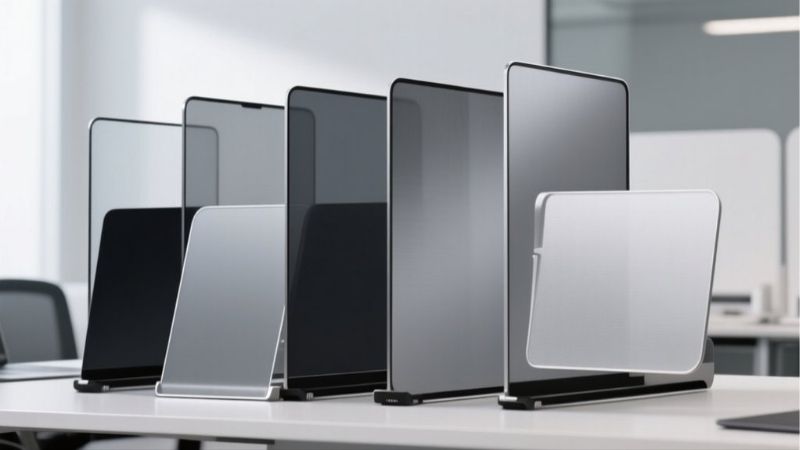
There is no honest universal winner here. A filter made for a 7-inch ROG Ally does not become the best choice for an 8.8-inch Legion Go because it is cheaper or has a similar anti-spy description. The eight recommendations below are separate, real stock-keeping units for specific handheld PCs. All eight displayed an in-stock status on the seller’s product page during the research check; availability at a U.S. delivery address, taxes, shipping costs, and final checkout eligibility remain to be confirmed.
| Product and exact SKU | Verified material and privacy type | Intended handheld | ViaScreens price in USD (checked Oct. 28, 2026) | Stock status (Oct. 28) | Main drawback |
|---|---|---|---|---|---|
| ViaScreens Steam Deck OLED Privacy — N3341278 | PET, 0.394 mm, glossy, two-way | Steam Deck OLED, 7.4-inch display | $29.93 | In stock | Adds reflections and narrows shared viewing |
| ViaScreens Steam Deck Privacy Lite — N9270493 | PET, 0.299 mm, matte, two-way | Steam Deck LCD, 7-inch display | $23.93 | In stock | Matte surface can soften perceived sharpness |
| ViaScreens ROG Ally (2023) Privacy — N3328361 | PET, 0.394 mm, glossy, two-way | ASUS ROG Ally RC71L | $22.43 | In stock | Not confirmed for Ally X or newer Xbox Ally models |
| ViaScreens ROG Ally X Privacy Lite — N9359631 | PET, 0.299 mm, matte, two-way | ASUS ROG Ally X (2024) RC72LA | $23.93 | In stock | Do not assume fit on the 2023 Ally |
| ViaScreens Legion Go Privacy — N3337844 | PET, 0.394 mm, glossy, two-way | Original Lenovo Legion Go, 8.8-inch display | $29.93 | In stock | Model generation and screen shape matter |
| ViaScreens Legion Go S 8ARP1 Privacy — N3377536 | PET, 0.394 mm, glossy, two-way | Lenovo Legion Go S 8ARP1, 8-inch display | $29.93 | In stock | Specific 8ARP1 listing; verify your exact revision |
| ViaScreens Claw 8 AI+ A2VM Privacy — N3375624 | PET, 0.394 mm, glossy, two-way | MSI Claw 8 AI+ A2VM, 8-inch display | $29.93 | In stock | Not established for 7-inch Claw variants |
| ViaScreens GPD Win 4 Privacy — N3314432 | PET, 0.394 mm, glossy, two-way | GPD Win 4, 6-inch display | $22.43 | In stock | Need to confirm the precise Win 4 revision |
Prices above are snapshots of the seller’s USD display, not promised checkout totals or permanent discounts. The seller lists a 30-degree privacy angle for these products, but this is a manufacturer specification, not an independently measured angle on each handheld. Availability and pricing can change without notice. The lineup’s concentration in one seller is a limitation of the verified market sample, not evidence that other brands do not exist.
Best handheld PC privacy screens by device
ViaScreens Privacy for Steam Deck OLED — best overall for OLED owners
The Steam Deck OLED is an unusually important case for fit checking. Valve specifies a 7.4-inch OLED display; the earlier LCD Steam Deck uses a 7-inch panel. Even though the overall handheld is recognizably a Steam Deck, a protector sold for the older screen is not automatically a properly matched OLED film. ViaScreens labels its OLED Privacy protector specifically for the OLED device, with product code N3341278. That is much more actionable than relying on the phrase “Steam Deck compatible” in a marketplace listing.
This is a glossy PET film rated by the seller at 0.394 mm thick and 2H surface hardness. Its micro-louver layer is designed to obstruct views from the sides of the landscape screen. On an airplane or train, the expected benefit is reduced readability for someone looking across from the next seat. It will not protect what a person sees from directly behind your shoulder, and the seller’s quoted 30-degree angle should not be interpreted as a universal privacy guarantee under every brightness and viewing condition.
The important compromise is screen presentation. OLED contrast and color are prominent reasons people buy this version of the Deck; a privacy film interposes another optical layer. The seller rates glare reduction poorly for the glossy Privacy line, and it does not publish independently verified measurements of brightness loss or color shifts on the Steam Deck OLED. Consider whether your priority is keeping a messaging window out of casual side views or preserving an untouched OLED image for dark-scene games. You cannot confidently have both without accepting a trade-off.
Best for: an OLED Steam Deck user who plays in public, wants straightforward side-view privacy, and knows their device has the OLED screen. Not ideal for: a buyer chiefly annoyed by reflections, someone who often shares the screen with a companion, or a 1TB OLED owner who wants to preserve the experience of the factory etched anti-glare glass without another layer. Before ordering, confirm your OLED configuration and the seller’s compatibility notes. If you need concealment from more than just the horizontal sides, consider the separate OLED Privacy Quad version, but do not assume it is automatically superior for landscape gaming.
ViaScreens Privacy Lite for Steam Deck LCD — best matte option for the original Deck
For original Steam Deck LCD owners, the compelling choice is not necessarily the shiniest or thickest privacy film. Valve identifies the LCD display as 7 inches, and the ViaScreens Privacy Lite listing is explicitly for the original Valve Steam Deck rather than the OLED. Product code N9270493 is also the easiest way to avoid confusion with the brand’s ordinary glossy Privacy or non-privacy Matte lines. A dedicated device cut matters especially near the corners, where a slightly mismatched film can peel or leave the viewing area exposed.
Privacy Lite combines a two-way micro-louver filter with a matte surface. ViaScreens reports a 0.299 mm PET layer and a 30-degree privacy angle. Its own comparison ratings favor it for glare control over the glossy Privacy version. Treat that comparison as useful product positioning rather than a laboratory test. A matte film scatters reflections by design; it can also introduce some visible texture, especially against light text, flat-color menus, and small desktop interface elements.
This makes the LCD Privacy Lite a coherent option for commuters who alternate between gaming and Windows- or Linux-style desktop tasks on a handheld. The matte layer can make overhead lights and bright carriage windows less distracting while the anti-spy layer discourages side glances at account information or private chats. However, a filter cannot stop a person looking over your shoulder, and you should still lock your screen when stepping away or entering passwords in a crowded place.
Best for: Steam Deck LCD owners facing both side glances and troublesome reflections. Trade-off: some loss of the original clear-glass look, plus the more limited group viewing inherent in privacy filters. Avoid if: you use an OLED Steam Deck, need an uncompromised glossy image, or routinely pass the device to another player. If you have the 1TB OLED with factory etched glass, neither the LCD fit nor the expected finish behavior should be assumed applicable.
ViaScreens Privacy for ASUS ROG Ally (2023) — best fit for RC71L owners
The 2023 ROG Ally and its later Ally X relative both have 7-inch display specifications, but equal diagonal size does not prove identical cutouts, bezel geometry, or manufacturer-tested installation behavior. ASUS identifies the original model as RC71L. ViaScreens names that exact generation and model on product N3328361, which makes it a better-supported starting point than a generic film advertised vaguely for all Ally devices.
This product is the standard glossy, two-way Privacy version: PET, 0.394 mm thick, with a 2H surface-hardness rating. Unlike a conventional transparent tempered-glass protector, it uses a directional privacy layer. The practical application is gaming or browsing in a cafeteria, airport lounge, or waiting area without broadcasting every sidebar, launcher notification, or message to someone sitting alongside. Users should still expect the display to be readable from the intended straight-ahead viewing position, rather than expecting a screen that becomes uniformly black from every angle.
The Ally’s fast 7-inch screen is also used for high-contrast HUDs and compact Windows controls. A privacy layer can affect perceived brightness and visibility when you look off-axis yourself, particularly when you tilt the handheld during play. The seller has not supplied comparable Ally-specific instrumented results for touch response, color accuracy, or gaming motion with and without the film. The prudent position is to regard the fit and type as verified but the precise image penalty as unmeasured here.
Best for: an original RC71L owner who prizes side privacy in public. Not ideal for: anyone buying mainly for scratch protection or glare reduction, since a clear or matte non-privacy protector serves those jobs more directly. At checkout, verify that the selected product still states ROG Ally (2023) RC71L rather than Ally X RC72LA or newer ROG Xbox Ally hardware. A shared 7-inch diagonal is insufficient confirmation.
ViaScreens Privacy Lite for ROG Ally X (2024) — best for mixed light on RC72LA
The ROG Ally X introduced its own exact model code, RC72LA. ASUS lists a 7-inch touchscreen for this 2024 model, while ViaScreens explicitly labels Privacy Lite product N9359631 for the Ally X (2024) RC72LA. That double match—OEM model identification and screen-protector target—is the key purchasing evidence. It is still worth reading the selected storefront variant before paying, particularly because Ally-related names have expanded across generations.
Why choose Lite instead of standard Privacy? The specific difference is its matte finish, not a promise that the privacy angle will magically be more restrictive. ViaScreens specifies two-way filtering with PET film measured at 0.299 mm and a claimed 30-degree privacy angle. Its comparison matrix gives Lite a better glare-reduction rating than its glossy Privacy series. For someone who plays near a bright train window and then opens a Windows browser or email client, this combination addresses two concrete nuisances with one accessory.
The choice is less persuasive if most sessions happen at home under controlled lighting. Matte scattering can reduce mirror-like reflections while slightly changing fine-detail presentation. On a handheld with a relatively dense interface, text edges and bright backgrounds may expose that compromise. Without comparative optical measurements, it would be misleading to tell competitive players that any anti-spy film is visually identical to bare glass or that it has no impact on touch feel.
Best for: 2024 Ally X RC72LA owners who often use the device in transit or bright shared spaces. Trade-off: altered surface appearance and limited side visibility for nearby friends. Check first: that you are buying for the 2024 Ally X and not a different model with a similar product name. Do not use the Lite SKU as a substitute recommendation for the earlier 2023 Ally simply because both displays are listed at 7 inches.
ViaScreens Privacy for Lenovo Legion Go — best for the original 8.8-inch Go
Lenovo’s original Legion Go, machine type 83E1/8APU1, uses an 8.8-inch screen. ViaScreens’ standard Legion Go Privacy film, N3337844, is listed for the 2023 original device and that display size. This specificity is essential now that the Legion Go S and later Go generations also exist. A screen protector cut for one 8.8-inch model should not be considered universally interchangeable with every later Lenovo handheld—even when the diagonal is the same.
The film is glossy PET, 0.394 mm thick, with two-way privacy behavior and the same manufacturer-stated side-angle restriction as the brand’s other standard Privacy protectors. On the comparatively large Legion Go screen, reduced off-axis readability has a particularly clear use case: a train passenger next to you otherwise has plenty of surface area to glimpse your launcher, browser tabs, or desktop window. The film cannot replace careful handling of private data, but it may make quick lateral peeks less revealing.
The larger glass area also raises installation stakes. Dust, a slight skew, or a trapped bubble is more obvious across a nearly 9-inch touchscreen than on a compact phone. Confirm that the installer kit comes with cleaning and dust-removal materials, work in a clean indoor room, and line up the edges before letting the adhesive settle. A privacy film is not a structural screen shield: the listed 2H PET specification should not be confused with 9H tempered glass, and neither is a guarantee of impact survival.
Best for: owners of the original 8.8-inch Legion Go who play or use Windows in shared seating. Main drawback: a reflective finish that may frustrate users who mostly need anti-glare help. Fit warning: Lenovo’s original Go is not Legion Go S, and later Legion Go variants require separate confirmation. When shopping, identify the machine type and compare it to the protector’s exact target rather than buying on the phrase “Lenovo Legion Go.”
ViaScreens Privacy for Legion Go S 8ARP1 — best for that 8-inch model
The Lenovo Legion Go S is not simply a smaller original Go with the same accessories. Lenovo’s specification for Legion Go S 8ARP1 confirms an 8-inch, 1920-by-1200 touchscreen. The ViaScreens listing N3377536 likewise calls out Legion Go S 8ARP1 and an 8-inch display, and it publishes a corresponding Lenovo model identifier. That is enough to treat this as a distinct product choice, not a repackaged recommendation for the older Legion Go.
The standard Privacy construction here is glossy 0.394 mm PET film, with a two-way micro-louver filter. For a Go S owner using a handheld at a café, the attraction is straightforward: reduce casual side visibility without dealing with a removable laptop-style privacy panel that might obstruct controls or be awkward to carry. The product is intended to adhere to the touchscreen, so it is a more portable approach than trying to balance a universal filter across the device.
A relevant buyer detail is brightness and glare. The Go S already includes its own screen-surface characteristics, and another glossy layer may produce reflections in brightly lit spaces. If reflections are the dominant problem rather than privacy, ask whether the seller offers a matched Privacy Lite finish for your exact revision rather than ordering a different generation’s matte film. Also check the orientation in which you actually use the display; a two-way filter is designed primarily to block lateral views during landscape use.
Best for: verified Legion Go S 8ARP1 owners who want side-view privacy without adding a bulky accessory. Not ideal for: anyone with the original 8.8-inch Go, a different Go S revision not named by the seller, or an expectation of robust drop protection. Before checkout, confirm the device identifier in system or purchase records and verify the listing’s compatibility text for the exact unit in hand.
ViaScreens Privacy for MSI Claw 8 AI+ A2VM — best for eight-inch Claw owners
MSI’s Claw family demonstrates why category shopping can go wrong: there are seven-inch and eight-inch handhelds carrying similar Claw branding. MSI lists the Claw 8 AI+ A2VM with an 8-inch, 1920-by-1200 touch display. ViaScreens identifies its N3375624 Privacy film specifically for the Claw 8 AI+ A2VM. That is the relevant matching detail, not the generic word “Claw” or the fact that another device is manufactured by MSI.
This is the standard 0.394 mm glossy PET product, with two-way privacy and the seller’s stated 30-degree side-angle design. It suits someone who uses the Windows desktop, storefronts, messaging, or browser on the Claw in a semi-public setting. The filter has a plausible visual benefit when a nearby person is off to your left or right. It does not hide information from someone directly behind you, and, as with the other listings, no independent handheld-specific optical measurements were located during this review.
An 8-inch PC handheld is more than a game console: a notification can reveal personal information even when the current game is innocuous. A privacy film is therefore part of a reasonable setup but should be accompanied by hiding sensitive notifications and locking the device. Since Claw hardware versions can have different displays and bezels, do not assume that an A2VM-specific film fits a seven-inch Claw model or a newer color/edition without a product-page compatibility statement.
Best for: MSI Claw 8 AI+ A2VM owners whose devices travel into shared workplaces, lounges, and public transit. Trade-off: another glossy optical layer and no demonstrated all-around viewing protection. Before buying: inspect your exact Claw model in MSI documentation or the device’s purchase listing, then check that the seller’s name contains the same model code. The presence of an “In stock” badge on the film does not establish delivery time to every U.S. ZIP code.
ViaScreens Privacy for GPD Win 4 — best for a compact six-inch handheld
GPD Win 4 buyers are a different group from owners of large, console-shaped handhelds. The Win 4 features a small display and an integrated keyboard-oriented design, making it attractive for portable PC tasks as well as games. ViaScreens lists an explicit GPD Win 4 Privacy SKU, N3314432, for its 6-inch screen. That gives owners of this less mainstream device a real product-specific option rather than an invitation to cut down a generic laptop filter themselves.
The film uses the brand’s familiar glossy PET construction at 0.394 mm and a two-way privacy design. On a six-inch screen, small text may already require careful viewing, so buyers should be particularly mindful of any reduction in viewing-angle tolerance or perceived brightness. You will often hold the device closer to your face than a tablet or laptop, which may make the narrow viewing cone acceptable during solo use—but a slight tilt can still change how comfortably the image reads.
Compatibility is the critical caveat. GPD has sold multiple revisions and newer machines with closely related names, and the product page’s general device label does not independently prove a perfect physical fit for every hardware revision. The seller’s explicit device-specific warning should be taken seriously. Contact support with the exact GPD revision if the storefront listing does not name yours. Do not trim a privacy film directly on the handheld’s display; that creates an unnecessary scratch risk and defeats the benefit of ordering a dedicated cut.
Best for: a GPD Win 4 owner who performs private desktop tasks or plays games near other passengers. Main drawback: a smaller screen makes optical compromises more noticeable, especially for fine text. Buy only after: checking the specific generation and confirming fit with the merchant. For GPD Win 4 (2024) or newer Win models, a separate product listing may be more appropriate than treating this SKU as universal.
What privacy screens actually do—and what they do not
A legitimate handheld privacy screen contains a directional optical layer, often described as micro-louver technology. Looked at fairly straight on, the image remains visible; as a viewer moves to the side, the layer reduces what can be read. The manufacturer advertises a nominal viewing angle, but an effective privacy result depends on the device brightness, ambient light, distance, and the viewer’s position. It is not an absolute force field around the screen.
A two-way privacy filter targets one pair of opposing viewing directions, typically left and right when the handheld is held horizontally. That maps well to someone sitting beside you on public transportation. A four-way product attempts to add top/bottom restriction as well, which may appeal to owners who rotate screens or use them in unusual positions. It can impose additional visibility trade-offs for the owner. For typical horizontal handheld play, stronger-sounding “four-way” marketing is not a reason to ignore display clarity, model fit, or price.
Privacy should also be separated from glare control. A matte protector can scatter reflections but still leave the screen readable from the side if it lacks a privacy layer. A clear tempered-glass protector primarily addresses scratching and handling. “Anti-blue-light” claims describe a different optical function and do not establish confidentiality. For this guide, an accessory had to be explicitly sold as Privacy, Privacy Lite, or an equivalent anti-spy product; ordinary clear and matte protective glass was not counted as a privacy pick.
No privacy film encrypts information, hides screen contents from a camera positioned nearly head-on, or secures the device when it is unattended. In fact, a narrow viewing cone may make it harder to share a game screen with a travel partner. Use these films as an optional convenience layer, not as the main defense for confidential documents, passwords, account recovery codes, or financial information.
How we selected these recommendations
The selection process began with current model-specific privacy listings, not general search results for “screen protector.” Each included SKU needed to identify an actual handheld PC, state a privacy mechanism, provide a stock indication and display a usable product page. Compatibility was cross-checked against original device-maker materials wherever possible: Valve for Steam Deck display sizes, ASUS for the two Ally model codes, Lenovo for original Legion Go and Go S specifications, and MSI for the Claw 8 AI+.
We then preferred listings with transparent construction details such as PET material, finish, film thickness, and the seller’s stated privacy angle. Those fields make trade-offs legible even when third-party instrumented tests are unavailable. The resulting group is concentrated in the ViaScreens catalog because that catalog supplied a verifiable combination of exact variants, public stock labels, and direct USD prices for these devices. This is a researched catalog comparison, not a claim that these were bench-tested side by side or that the seller dominates the entire market.
The final recommendations also reflect a purchasing reality: the most valuable distinction is often between devices, not between brands. An $22.43 protector for a six-inch handheld is not a budget substitute for a $29.93 protector for an eight-inch handheld. Compare finish, viewing-direction needs, seller support, and cost only after establishing a true fit. Ratings or performance claims quoted by a manufacturer are not the same as independently measured outcomes, and the absence of such measurement remains a limitation of this buying guide.
Buying checklist: avoid the expensive fit mistakes
Match the exact generation, not just the screen diagonal
Write down the manufacturer, product family, and hardware model before purchasing. Steam Deck LCD and OLED are the obvious cautionary example: their 7-inch and 7.4-inch displays are not the same target. For ASUS, distinguish ROG Ally RC71L from ROG Ally X RC72LA, and do not assume newer Ally variants share screen-protector geometry. Lenovo’s original Legion Go, Legion Go S, and later models have different product names and screen assemblies. MSI’s Claw 8 AI+ is not interchangeable with a seven-inch Claw because of branding alone.
A product listing should explicitly identify the corresponding device. When the seller lists only a diagonal, ask for physical dimensions or a device compatibility statement. Touchscreen shape, corner radius, glass-to-bezel transitions, and installation clearance matter as much as the number of inches printed on the box. If you use a rugged snap-on protective case, check that its raised lip does not catch the film’s edge, especially when the case is repeatedly installed and removed.
Decide which direction you need to block
Think about where unwanted viewers normally sit. Most handheld users worrying about neighboring passengers want side privacy in landscape orientation. A two-way film addresses that scenario directly. Four-way coverage is worth considering when you regularly rotate the screen or have viewers looking from above and below, but not merely because “four” sounds greater than “two.” A filter can also make your own viewing worse when you tilt the console off-axis during a long session.
Try to predict the circumstances that genuinely concern you. If the main threat is someone standing behind you and looking over a shoulder, changing seats, moving to a more private location, or delaying the task may help more than another privacy layer. If you regularly play co-op while sharing a single small screen, side privacy could work against your intended use. Choose based on the physical layout of your daily environment.
Prioritize matte only when glare is a real problem
A matte Privacy Lite film is an attractive compromise for bright commuting environments, but matte is not a free optical upgrade. It reduces sharp reflected highlights by scattering light, which can make the surface appear less glass-like. Fine text, bright game HUDs, and high-contrast display elements can reveal that scattering. Meanwhile, standard glossy Privacy films preserve a different surface aesthetic but do relatively little for reflected overhead light.
If you play exclusively indoors and favor clean image presentation, consider whether any privacy filter is necessary. For outdoor sunlight, remember that a matte surface alone will not overcome every brightness limitation. When evaluating claims such as “HD clarity” or “no distortion,” look for measured evidence; generic manufacturer descriptions cannot settle whether you will personally notice the trade-off.
Check protection claims, adhesives, and installation extras
PET privacy films and tempered glass perform different physical jobs. The 2H hardness figure in the listed ViaScreens PET protectors should not be treated as the 9H rating sometimes used by glass protector sellers; both numbers also depend on the test method. If your main concern is impact or a device bouncing inside a backpack, a fitted travel case and sensible handling matter more than assuming a privacy layer makes the panel shockproof.
Verify the application kit, adhesive method, and returns policy before purchasing. A large film may be awkward to position, and many adhesive privacy protectors should be treated as single-application products. Repeatedly peeling one up invites dust. The ViaScreens product information warns that removal and reapplication can compromise the clean fit. Plan the installation carefully rather than treating it as a repeatedly detachable privacy panel.
Calculate the delivered U.S. price, not just the displayed item price
The prices in the table reflect one seller’s USD selection on the research date. Check shipping charges, delivery estimates, state or local taxes, any import-related fees, and the returns terms for your U.S. address before deciding between variants. An “In stock” label on a general product page is not equivalent to verified deliverability for every ZIP code. Do not infer that the same film will be in a local warehouse or reach you before an imminent trip.
When the choice is between glossy and matte versions for the same exact handheld, compare their total delivered cost on the same date. Buying a cheaper but incompatible film is not a meaningful saving. Likewise, avoid using a cross-device price difference as evidence of material quality: these are differently cut products and may have different manufacturing or fulfillment costs.
How to install and check a handheld privacy film
A clean installation matters because dust and bubbles are especially noticeable over bright game menus. Start by reading the kit instructions for your particular SKU. Turn off the handheld, remove a protective case if it interferes with alignment, and choose a stable, dust-minimized workspace. Never trim a film with a knife while it rests on the original screen, and do not spray liquid directly into the device’s vents, speakers, buttons, or ports.
- Wash and dry your hands. Use the manufacturer-supplied wipe and lint-free cloth to remove grease, then inspect the display under a light for any trapped fibers.
- Without peeling the adhesive liner, position the film over the screen and confirm the corners and visible display area align. Check edge clearance if you plan to reinstall a fitted case.
- Apply dust-removal stickers where needed. Peel the liner only as directed by the manufacturer, handling the film by its edges and avoiding contact with the adhesive.
- Lower the film gradually using the supplied alignment method. Smooth from the center toward the outside with a protected squeegee or appropriate installation card, following the seller’s instructions instead of forcing a stubborn particle beneath the film.
- Turn the handheld back on. Verify taps near each corner, small desktop controls, readability in a game HUD, and whether the display remains readable when you intentionally move slightly off-axis.
- Ask a friend sitting at your normal side-view distance whether text becomes more difficult to read, without displaying actual confidential data. Test in realistic lighting and brightness, not only in a dark room.
If touch response seems wrong, first rule out obvious contamination, trapped air, or a poorly aligned edge. Do not change firmware or display drivers merely to accommodate a physical film. If the protector arrived with the wrong cut or has a persistent manufacturing defect, consult the seller’s support and exchange policy rather than improvising a risky modification on the device.
Frequently asked questions
Do Steam Deck LCD and OLED use the same privacy protector?
Do not assume they do. Valve lists a 7-inch LCD display and a 7.4-inch OLED display, and the device-specific ViaScreens products are separately cataloged. Even when an aftermarket vendor claims compatibility with both, confirm its actual cut, coverage, and handling of the screen border before buying. The safest purchase from the items reviewed here is the one that names your exact Steam Deck version.
Is an anti-glare protector also a privacy screen?
Not necessarily. Anti-glare describes how a surface handles reflections; privacy describes restricted off-axis viewing. Some Privacy Lite products combine both functions, while ordinary matte films may leave the screen readable to a neighbor. Before purchasing, confirm explicit two-way or four-way privacy language and the appropriate intended viewing orientation rather than relying on a matte finish label alone.
Will a privacy film reduce brightness or color quality?
An additional directional layer can change the perceived image, particularly away from the center viewing angle, and matte finishes can introduce visible surface texture. The size of those changes on any particular handheld was not independently measured for this guide. Manufacturer claims that a film preserves clarity should not be interpreted as proof of zero optical cost. If HDR color and fine-detail sharpness are priorities, consider testing a sample swatch or prioritizing a clear film instead.
Will a privacy film cause touchscreen input lag or ruin 120Hz gaming?
A passive screen film does not alter the device’s refresh-rate setting or graphics pipeline, but it can affect physical touch feel or sensitivity if applied poorly or if the material is unusually thick. None of the chosen sellers provided independently comparable latency measurements for these exact handheld-and-film combinations. Confirm touch behavior after installation, and do not interpret this guide as evidence that all films are identical to bare glass for gesture responsiveness.
Can I reuse a privacy film after taking it off?
Do not plan on doing so unless the manufacturer specifically supplies a reusable attachment mechanism. Adhesive films commonly collect lint and dust after removal, making clean reapplication difficult. ViaScreens warns that its film may not return to the original fit once peeled away. For a handheld that alternates between confidential work and shared gaming, an always-on film may be inconvenient; consider changing how you use the screen rather than expecting repeated removal to work perfectly.
Are these products available to buy in the United States?
The eight listings showed an in-stock status and USD display when checked, but that is not the same as having completed a U.S. checkout. Exact shipping options, duties, taxes, lead times, and address eligibility were not independently verified for every U.S. ZIP code. Check the shipping estimate and final cost for your own address, particularly if you need the protector before traveling.
What if I have a newer ROG Xbox Ally, Legion Go generation, or GPD revision?
Do not assume compatibility with any of the eight SKUs above. Confirm the new device’s exact hardware name and display dimensions, then look for a protector listing that names that model. Brand family labels and shared diagonal measurements are not enough. If the supplier cannot validate your exact device, pause the purchase; a privacy film that is poorly cut can expose part of the active screen or lift near a case edge.
Final thoughts
For a Steam Deck OLED, start with the model-specific ViaScreens Privacy film if casual side glances are your main concern; consider a four-way version only if you have a real orientation-related need. For original Steam Deck LCD and 2024 ROG Ally X owners facing reflections as well as unwanted viewers, the corresponding matte Privacy Lite products make more sense. Owners of a 2023 ROG Ally, original Legion Go, Legion Go S 8ARP1, MSI Claw 8 AI+ A2VM, or GPD Win 4 should favor the matching device-specific SKU instead of searching for a universal winner.
The next step is concrete: identify your handheld’s precise model, choose privacy versus privacy plus matte, then verify the seller’s current U.S. delivered total and availability before ordering. If confidentiality is not a recurring problem, skip the privacy layer and preserve the more open viewing experience of the original screen.
