
Choosing the best PS5 Pro TV backlights is less about the brightest LED strip and more about what happens to the console’s video signal. Govee TV Backlight 3 is our best overall choice for most PS5 Pro owners because its camera reads the TV picture without sitting between the console and an HDMI 2.1 display. Budget buyers should consider Govee TV Backlight 3 Lite; players who specifically want an HDMI-based screen-sync system should compare the Govee AI Sync Box Kit 2 and Lytmi Fantasy 3 Pro. The distinction matters if you use 4K at 120 Hz, variable refresh rate (VRR), HDR, or several HDMI sources. Seven options below have different prices, installation demands, and limits; none should be confused with a backlight that increases the TV panel’s actual brightness or frame rate.
Quick verdict: Which PS5 Pro TV backlight should you buy?
Best overall: Govee TV Backlight 3 (H2A40, 55–65-inch version). Its dual-camera, high-resolution color capture and RGBWIC strip are a thoughtful middle ground between inexpensive single-camera kits and premium multi-camera products. Because the camera looks at the picture rather than routing HDMI, the PS5 Pro stays connected directly to your television. Govee listed the 55–65-inch model at $109.99 with an Add to Cart option on October 27, 2026. The trade-off is the visible camera and the need to calibrate it for your room.
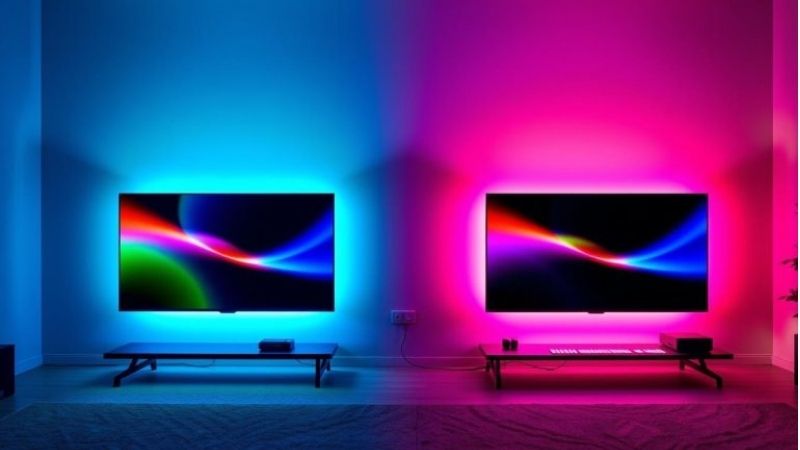
Best budget: Govee TV Backlight 3 Lite (55–65-inch version). At a listed promotional $69.99 from Govee, the 3 Lite delivers screen-reactive effects using a single camera with fisheye correction. It gives up the higher-resolution dual-lens system of the Backlight 3, not your console’s 120 Hz signal. It is the sensible entry choice for a smaller budget, provided you select the strip size that matches your TV.
Best HDMI sync kit for gaming: Govee AI Sync Box Kit 2 (H6604, TV version). Its HDMI 2.1 design is advertised for up to 4K at 144 Hz, VRR, and ALLM, while the PS5 Pro itself should be evaluated around supported 4K/120 Hz modes. Govee listed the TV kit at $259.99 with a purchase option. This choice avoids an exposed camera, but it adds a box, a second HDMI connection, and possible display-specific compatibility questions, especially around Display Stream Compression (DSC) and source switching.
Best for a large Hue ecosystem: Philips Hue Sync Box 8K entertainment bundle (75-inch TV configuration). Hue’s HDMI 2.1 Sync Box 8K supports 4K/120 Hz, and its lighting ecosystem can spread effects across an entertainment area. Philips Hue’s US store showed a 75-inch bundle with the sync box, gradient strip, and Bridge for $561.78, with only a few left. The significant drawback is cost. Its official 8K box page does not by itself establish every VRR/ALLM combination, so verify your exact video chain before committing.
Best alternative HDMI kit: Lytmi Fantasy 3 Pro TV Backlight Kit. Its Pro variant explicitly lists VRR and ALLM alongside 4K/120 Hz support, and the manufacturer lists three HDMI 2.1 inputs for the Pro unit. A screen-size and version selector changes the actual purchase configuration. The product page displayed a broad $79.00–$271.00 pricing presentation that did not unambiguously identify the US Pro kit being recommended, so its exact configured price is not verified and should not be compared against fixed prices as if they were the same item.
Best premium camera-based lighting: Govee TV Backlight 3 Pro (H66A0, 55–65-inch version). A triple-camera system, multi-zone calibration, and RGBWWIC LEDs target buyers willing to spend more for ambitious color matching. Govee’s direct product listing showed $249.99 for the selected listing. Its camera technology operates separately from the console’s video pipeline, but you still need physical camera space and a careful calibration. Manufacturer claims about accuracy are not the results of independent testing by this website.
Best camera alternative for privacy-minded households: Nanoleaf 4D Screen Mirror + Lightstrip Kit (standard, up to 65 inches). Its camera has a privacy cover, it can mount above or below the TV, and the lightstrip supports multiple immersion levels. Nanoleaf’s US listing showed $79.99 and an in-stock message for the standard 65-inch kit. A camera is still involved whenever screen mirroring is active, and users who want no camera at all should choose a verified HDMI box instead.
PS5 Pro TV backlight comparison
The table reports US-facing manufacturer store pages checked on October 27, 2026. Prices are the specific listings or configurations named here, not MSRP promises; discounts, shipping, taxes, TV-size selections, and inventory can change. “Add to Cart” means the page offered a purchase flow, not guaranteed local delivery. HDMI pass-through capability is irrelevant for camera-based lights because the console does not plug into them.
| Product | Verified defining feature | PS5 Pro connection and ideal use | Price (seller; checked Oct. 27, 2026) | Stock status (Oct. 27, 2026) | Main drawback |
|---|---|---|---|---|---|
| Govee TV Backlight 3, H2A40 | Dual 4MP hybrid-lens camera; RGBWIC; 55–65-inch fit | Camera; balanced console gaming | $109.99 (Govee US) | Add to Cart | On-screen camera, room calibration |
| Govee TV Backlight 3 Lite, 55–65-inch listing | Single camera with fisheye correction; RGBIC+W | Camera; value-oriented TV setups | $69.99 sale (Govee US; regular listing $89.99) | Add to Cart | Simpler sensing than premium kits |
| Govee AI Sync Box Kit 2, H6604 TV kit | HDMI 2.1; up to 4K/144 Hz claimed; VRR/ALLM | HDMI passthrough; camera-free sync | $259.99 (Govee US) | Add to Cart | DSC/screen caveat, added HDMI box |
| Philips Hue 8K Sync Box + gradient strip + Bridge, 75-inch bundle | 4K/120 Hz HDMI 2.1 sync; complete Hue starter system | HDMI passthrough; whole-room lighting | $561.78 bundle (Philips Hue US) | Only a few left | Expensive; validate VRR/ALLM for your chain |
| Lytmi Fantasy 3 Pro TV Backlight Kit | Pro version supports VRR, ALLM, 4K/120 Hz; three HDMI inputs | HDMI passthrough; alternative multidevice kit | Price not verified for exact US Pro/TV-size variant (Lytmi) | Add to Cart; selected configuration unverified | Pro versus Standard version ambiguity |
| Govee TV Backlight 3 Pro, H66A0 | Triple-camera HDR capture; RGBWWIC; 55–65-inch fit | Camera; premium color-matching features | $249.99 (Govee US, selected product listing) | Add to Cart | Premium cost and camera placement |
| Nanoleaf 4D Screen Mirror kit, standard up to 65 inches | Camera screen matching; four immersion levels; privacy cover | Camera; flexible mounting and app scenes | $79.99 sale (Nanoleaf US; page reference $99.99) | In stock, ready to ship | Bright-room reflections affect calibration |
A listed “up to 4K/144 Hz” input capability is not a promise of 144 fps on PlayStation. The relevant question is whether the complete chain preserves the output modes that your PS5 Pro and TV both support. Conversely, camera-based products can operate alongside 4K/120 Hz, VRR, and HDR because the console connects to the TV directly; this is a connection-design advantage, not independent proof of perfect light synchronization.
Why camera sync and HDMI sync are not interchangeable
Camera-based lights leave the gaming video path untouched
A camera system places its sensor above or below the screen, samples visible picture colors, and instructs LEDs behind the panel to respond. Govee’s Backlight 3 family and Nanoleaf 4D use this approach. The console’s HDMI cable remains connected to the TV, which means you are not asking an accessory to relay 4K HDR frames, negotiate VRR, or interpret a display’s Extended Display Identification Data (EDID). For many PS5 Pro owners, that is the single strongest reason to buy a camera kit.
The cost is environmental sensitivity. Window reflections, bright lamps, glossy displays, letterbox bars, and the angle of a curved or thin television can all affect what the camera sees. Calibration is not a ceremonial setup screen: it determines which zones of the TV correspond to the LEDs, and a few inches of misplacement can make moving objects create the wrong colors on the wall. A camera may also be visually distracting on a minimalist wall-mounted TV. Nanoleaf’s privacy cover is useful when the camera is not in use, but it cannot collect screen colors while blocked.
Camera kits also sample the displayed image with their own processing cycle. That does not reduce the TV’s refresh rate, but it does mean the room lighting may respond later than the pixels on screen. Manufacturer descriptions such as “real time” are not a quantified latency measurement. We have not measured color-reaction delay for the seven kits, so the editorial recommendations are based on connectivity, available features, clear buying configurations, and compatibility rather than a fabricated millisecond ranking.
HDMI sync boxes may be cleaner but introduce a new negotiation point
An HDMI sync box sits between console and display: PS5 Pro HDMI OUT goes to the box HDMI IN, then the box HDMI OUT goes to the TV. It analyzes the incoming signal rather than filming the screen. That offers a cleaner camera-free front of TV and potentially more predictable color capture in bright rooms. The box becomes part of the path through which all video formats must travel, however, and adding an intermediary increases the possible causes of handshake failures or lost game-mode features.
An ordinary “HDMI 2.1” badge is not a substitute for a written description of actual supported modes. Look for 4K at 120 Hz, VRR, ALLM, and the HDR formats you use. Check whether the manufacturer differentiates model variants. The Lytmi Fantasy 3 listing, for example, separates Standard and Pro; its Pro version is the one explicitly described with VRR and ALLM. The Govee AI Sync Box Kit 2 states that its maximum modes may depend on the display and that some DSC-based screens may not be supported. Those warnings matter more than an optimistic marketing diagram.
Also distinguish the HDMI box from a complete TV backlight kit. The Philips Hue Sync Box 8K is available as a box alone, but the box will not magically illuminate the wall: a Hue Bridge and appropriate color-capable Hue lights are needed. The complete bundle described here avoids that misleading cost comparison. A cheap older HDMI 2.0 box that caps 4K at 60 Hz may still work for streaming video, but it is a poor primary recommendation for a PS5 Pro owner who intentionally bought a 120 Hz television.
Our seven recommended backlights in detail
Govee TV Backlight 3: Best overall for PS5 Pro gaming
Govee’s TV Backlight 3 hits a useful middle point for people who care about both competitive game settings and visual atmosphere. Its H2A40 configuration is designed for 55–65-inch TVs, with an H2A41 size for 75–85-inch sets. Govee describes a dual-camera optical system with 4MP resolution and hybrid lenses, adaptive multi-zone color matching, and a denser RGBWIC lightstrip than the Lite product. These are manufacturer specifications, not findings from an independent colorimeter.
The connection design is particularly attractive for a PS5 Pro on a 4K television. You can keep the console plugged into the TV’s known-good HDMI 2.1 input, leave VRR enabled if supported, and add lighting without troubleshooting an additional HDMI switch. That also allows on-screen colors from built-in TV apps to affect the LEDs, something an HDMI-only sync box cannot do when that app’s video never passes through the box. A household alternating between PS5 Pro games and a TV’s own streaming apps therefore gains simplicity.
The drawback is camera visibility and the calibration time it requires. The dual-camera module still needs a stable location aligned with the display. Place it carefully, avoid strong reflections during calibration, and check the strip route before pressing adhesive onto the rear of the TV. Govee’s current direct US product page offered the H2A40-sized listing at $109.99 with Add to Cart. Buy this when you want dependable PS5 Pro video connectivity and a more ambitious camera system than a low-cost starter kit; skip it if your TV’s front edge must remain completely camera-free.
Govee TV Backlight 3 Lite: Best lower-cost reactive lighting
The 3 Lite is the entry point that makes sense when the gaming budget is primarily allocated to the console, television, and games. Its documented features include an Envisual camera system with fisheye correction, RGBIC+W light beads, letterbox handling, and Govee’s app-based control. The default 55–65-inch listing showed a sale price of $69.99, discounted from a displayed $89.99, on Govee’s US storefront. That exact amount is tied to the selected listing and date rather than every 3 Lite size.
Because it also watches the TV instead of intercepting HDMI, you do not sacrifice the console’s direct connection to its high-refresh display. The practical difference compared with Backlight 3 is the sensing hardware. A single-camera system provides a lower-cost path to directional color effects, not the same set of optics or calibration algorithms. Some owners will barely mind; others using colorful game environments with rapid scene changes may prefer to pay for a more capable model. Without controlled side-by-side tests, we cannot quantify that difference in percent accuracy or milliseconds.
Make sure you choose the matching size. Govee lists separate 40–50, 55–65, and 75–85-inch options, and model names can vary by size. A strip that is too long or short creates awkward corners or uneven coverage, even if the accompanying controller functions. Choose the 3 Lite when price matters and a neat camera installation is possible. Spending extra on an HDMI box solely because it sounds more “pro” is unnecessary if you want colorful ambience rather than camera-free capture.
Govee AI Sync Box Kit 2: Best HDMI-based PS5 Pro pick
For gamers who dislike cameras hovering over a TV, the Govee AI Sync Box Kit 2 offers a materially different approach. Govee’s TV-sized H6604 kit bundles an HDMI 2.1 box with a responsive RGBWIC lightstrip. It advertises up to 8K/60 Hz or 4K/144 Hz signal support, VRR, and ALLM, with four HDMI inputs and one output. The 144 Hz figure is a capability of the accessory’s advertised signal path, not an output target for a PS5 Pro. The seller’s US page showed $259.99 for the TV kit, with an Add to Cart flow.
The appealing part is keeping the upper edge of the television clear while collecting screen colors digitally. This can be helpful for a wall-mounted TV with a narrow bezel, or a room with windows or lamps that repeatedly confuse camera color capture. If several HDMI media players are in your entertainment cabinet, the multiple inputs offer another potential reason to consider it. However, Govee explicitly notes that automatic signal switching is not supported when multiple devices are connected. Plan to select the active source intentionally rather than expecting the box to follow every device you power on.
Govee also cautions that some displays using DSC may not be compatible at the product’s highest modes. PS5 Pro owners exploring its supported 8K modes should not interpret “8K/60” on the accessory as universal 8K support, especially since Sony notes PS5 Pro 8K output itself uses DSC. The safest first check is the exact model of your TV and its desired mode. On a 4K/120 Hz gaming TV, verify the complete chain after setup rather than relying on the box’s maximum headline number. This is the strongest camera-free kit in our shortlist for a 4K/120 Hz-oriented buyer, but compatibility verification remains essential.
Philips Hue HDMI Sync Box 8K bundle: Best premium ecosystem
Philips Hue’s 8K sync box is interesting for a different type of buyer: someone who wants the back of the TV, side lamps, and perhaps multiple lights around the room to react as one entertainment area. Its HDMI 2.1 system handles video up to 4K/120 Hz and supports linking up to ten Hue lights. The US company store separately listed the 8K box at $384.99, in stock, but that price is for the sync box alone. It would not be an honest apples-to-apples price comparison with kits that already include a strip.
For a more useful complete purchase example, Philips Hue’s US TV-backlights collection listed an 8K Sync Box + Play gradient lightstrip + Bridge bundle for a 75-inch television at $561.78, marked only a few left. The lightstrip size and availability are crucial; the old 65-inch gradient strip product page was marked no longer available, and a newer Pro 65-inch strip was still labeled coming soon in the inspected catalog. Do not assemble a supposedly available 65-inch bundle by mixing pieces from different generations without confirming each product’s stock.
Philips Hue describes the HDMI 2.1 box’s 4K/120 Hz output, but the product-page specification alone is not our independent confirmation of every possible VRR/ALLM behavior with every TV and receiver. Buyers using an AV receiver, capture device, or soundbar should confirm their intended wiring and return policy. Choose the Hue bundle if you specifically want the ecosystem and accept its cost. If your only goal is a strip that follows your PS5 Pro image, a simpler camera system offers a much lower entry cost and fewer HDMI-side variables.
Lytmi Fantasy 3 Pro: Best alternative multi-input sync box
Lytmi’s Fantasy 3 is worth examining because the manufacturer markets a full HDMI-driven lighting kit at a range of TV sizes, including sizes beyond the usual 55–85-inch selection. The crucial detail is its version menu. The Pro (VRR+ALLM) listing is the one that specifies 4K/120 Hz passthrough with VRR and ALLM, along with three HDMI 2.1 inputs. The Standard version must not be casually assigned the same feature set or port count. This is precisely the sort of suffix distinction that affects whether an HDMI accessory belongs in a PS5 Pro buying guide.
There is a practical upside to the Pro layout: a buyer with a PS5 Pro, streaming box, and another HDMI console can think about a consolidated source path without a visible camera. Lytmi also documents 72 LEDs per meter, 2.4 GHz Wi-Fi, Alexa and Google Assistant integrations, and a 12-month warranty for the referenced Fantasy 3 kit. Manufacturer marketing claims about low lighting delay are not accompanied here by independently measured response times, so the product is not ranked as the fastest lighting engine.
The price requires unusual care. The inspected store page showed a broad $79.00–$271.00 display while allowing changes between Pro/Standard, multiple TV sizes, and shipping regions. We could verify an Add to Cart control and a US shipping choice, but could not isolate a trustworthy exact US price for the selected Pro TV-size configuration. That is why the comparison table marks the price unverified instead of quoting the cheapest visible figure as a PS5 Pro-ready bargain. Consider Lytmi when you can confirm the exact Pro configuration at checkout and want an alternative to Govee’s HDMI ecosystem. Otherwise, a clearly priced option is an easier purchase.
Govee TV Backlight 3 Pro: Best premium camera system
The Backlight 3 Pro makes the most sense when you want richer manufacturer-specified hardware while preserving the PS5 Pro-to-TV cable unchanged. Govee’s H66A0 version covers 55–65-inch TVs and uses an HDR triple-camera arrangement, multi-zone calibration, a dual-exposure algorithm, and 16-bit RGBWWIC control with both warm- and cool-white components. These are differences in hardware and processing approach; without a controlled test, they do not justify invented statements that it reproduces “30 percent more accurate” game colors than a competing kit.
The product is designed to interpret images from the TV itself, so it can accompany native TV streaming apps and multiple console sources without being switched between HDMI inputs. This can be useful in a household with a PS5 Pro, a second console, and several TV apps. Govee’s selected US product listing displayed $249.99 with Add to Cart. Its extra cost buys a more elaborate camera and lighting system, not additional FPS, GPU performance, or a verified reduction in gamer eye fatigue. If you already own a 3 Lite, a large upgrade expense deserves to be justified by an effect you genuinely miss, not the word “Pro.”
The drawbacks are familiar but more important at this price. Camera placement can be awkward under a soundbar or on an ultrathin screen; glossy reflections require calibration care; and responsive lighting can be distracting in fast competitive games. Set moderate brightness and saturation rather than assuming maximum output is ideal for every gaming session. Buy it if you want a premium camera-based color system and are willing to tune it. The less expensive standard Backlight 3 remains the easier overall recommendation.
Nanoleaf 4D Screen Mirror: Best flexible camera option
Nanoleaf 4D takes a different approach to ownership and control. The standard 65-inch kit includes a camera with a privacy cover, a lightstrip, a controller, and installation accessories. Nanoleaf offers four immersion levels that range from subtle ambient effects to fuller screen matching. Its camera can be mounted above or below the display, a useful detail for televisions with a soundbar, shelf, or bezel shape that makes a conventional top mount inconvenient.
Nanoleaf listed the standard up-to-65-inch kit at $79.99 against a $99.99 reference, with “In stock, ready to ship” on the US product page. Some configurations are described as upgraded V2 strips, while the standard and V2 choices are separately selectable. The price in our comparison is for the standard kit, not an assumed universal price for the newer strip or 85-inch alternative. Nanoleaf describes up to 40 color zones for its 65-inch configuration and up to 52 for an 85-inch configuration. Compare only the version and screen size actually added to the cart.
As with Govee camera kits, PS5 Pro video goes to the TV directly. This means Nanoleaf’s color camera cannot reduce 4K/120 Hz throughput, though the accuracy of its light matching can depend on room reflections, positioning, and calibration. The privacy shutter helps signal when screen capture is not in use, but the device needs an uncovered view while syncing. Pick the 4D if you value camera placement flexibility, adjustable immersion levels, and the privacy cover. It is not the answer for a buyer who refuses any screen-facing camera in the room.
How we selected these PS5 Pro TV backlights
We evaluated products against the actual PS5 Pro buying problem rather than sorting by advertising claims about LED count. The first filter was whether the lighting is screen-reactive. Static RGB strips may be attractive, but they do not answer a query about backlighting that follows the console’s picture in the same way as camera capture or HDMI sync. The second filter was the signal path: for HDMI products, manufacturer documentation needed to state relevant resolution and refresh-rate capabilities. A camera-based kit was evaluated separately because it leaves HDMI untouched.
Next came exact product identity: size range, generation, Pro/Standard edition, what arrives in the box, app dependencies, and the real US-facing listing. A Hue sync box by itself was not treated as a complete backlight; Lytmi’s cheaper Standard price was not assigned to the Pro configuration; the Govee 3 Lite 75–85-inch page was not allowed to redefine the price of the 55–65-inch choice. For stock, we distinguished explicit “In stock,” an Add to Cart storefront, and ambiguous variant selectors. Promotions were treated as observations dated October 27, 2026, not stable values.
We also weighed the intended setting. For a PS5 Pro with a 4K/120 Hz television, direct connection is especially valuable. For a shared living room with a soundbar or an established Hue ecosystem, integration could justify a less simple installation. None of these rankings relies on claimed first-hand use, proprietary RGB measurements, independently verified input latency, or gaming benchmark tests by Geek Gaming Tricks. Manufacturer specifications help establish compatibility; they cannot by themselves quantify how convincing a lighting effect looks in a particular home.
What to check before buying for your PS5 Pro
Confirm your TV size and the physical mounting path
Measure the advertised TV size and inspect the back of the actual display. Two 65-inch TVs can have very different rear structures: one may have a raised electronics enclosure, another may be uniformly flat, and a third may sit close to a wall mount. LED adhesive works best when placed on a clean, accessible surface along the route specified by the kit’s instructions. Do not assume a strip can be cut or shortened just because another brand’s strip can; follow the product’s exact cut-point guidance.
With camera systems, think about where the camera can sit before ordering. A camera clipped to the top can conflict with a wall-mounted TV frame; a bottom mount may compete with a soundbar. With an HDMI box, reserve shelf space, a power outlet, and another certified cable rated for the output you intend to use. Neither a camera kit nor a sync box should force you to crowd PS5 Pro ventilation openings or coil cables against the exhaust.
Protect 4K/120 Hz, VRR, ALLM, and HDR support
A PS5 Pro can use advanced video modes only when the game, console settings, cable chain, and display cooperate. The presence of 120 Hz in a box’s headline specification is not proof that the TV will report VRR correctly. Likewise, an accessory’s advertised 8K feature has different conditions from normal 4K/120 Hz play. Sony’s own support guidance specifies that PS5 Pro 8K output requires a display supporting 8K/60 Hz with Display Stream Compression, and that VRR is disabled during 8K output. That makes it especially risky to infer 8K behavior from a sync-box marketing badge alone.
Before installation, note what your TV reports with the console connected directly. Keep that baseline. If you add an HDMI sync box, use the manufacturer-recommended high-speed cable and repeat the console’s video information check. A missing setting should be diagnosed in the HDMI chain rather than “fixed” by switching off features blindly. For the camera alternatives, keep the video chain as it was and focus troubleshooting on camera detection, strip power, calibration, Wi-Fi, and app permissions.
Work out the actual kit price, not the advertised box price
The cost of the least-expensive retail listing is not necessarily the cost of a working setup. A bare sync box without LEDs or a required bridge is not comparable with a complete camera-and-strip kit. A smaller TV-size kit is not a deal for a larger television if it leaves an unlit edge. Some sale prices appear beside older crossed-out reference prices, and shipping or tax may change the final amount. Make your own purchase checklist: included strip length, sensor or sync box, bridge if required, adapter, HDMI cable, mounting accessories, and return window.
One concrete comparison shows why bundle awareness matters: Philips Hue’s US 8K box alone was listed at $384.99, while a 75-inch bundle including the box, gradient strip, and Bridge appeared at $561.78. Those are different package contents, not two prices for the same item. The Govee AI Sync Box Kit 2 is presented as a kit and has a different lighting ecosystem. If you already own compatible Hue lights and a Bridge, buying just the box might make sense; if starting from nothing, compare the total complete-install cost instead.
How to set up TV backlighting without losing gaming features
First, capture a known-good direct HDMI baseline
- Connect the PS5 Pro directly to the TV using its intended HDMI port and a suitable cable. Confirm that the desired picture is stable before adding the lighting system.
- On the PS5 Pro, open Settings > Screen and Video > Video Output. Check the Current Video Output Signal and Information for the Connected HDMI Device entries. Sony says the latter shows details including VRR and HDR support.
- In the same Video Output area, inspect VRR, 120 Hz Output, ALLM, and HDR. Only enable modes that the TV and the active game support. Make a note of any setting that is unavailable before changing connections.
- Start a game that actually offers the desired 120 Hz or VRR mode. A 120 Hz-capable TV does not force every title to render at 120 fps. Treat this known-good direct connection as the reference for later troubleshooting.
Install a camera-based strip with the video chain unchanged
- Turn off the TV and console and inspect the TV’s rear surface. Route the manufacturer’s strip around the specified sections, avoiding vents, ports, and mounting hardware. Secure the controller and power wire where they cannot pull on an LED corner.
- Install the camera where its full screen view is unobstructed, following the selected Govee or Nanoleaf instructions. If choosing a bottom mount, confirm that a soundbar does not block the view.
- Use the matching manufacturer’s phone app to add the actual lighting product and follow its on-screen positioning or calibration instructions. The control names and exact screens can change with app revisions; do not substitute settings from a different generation of strip.
- Calibrate with the display visible, reduce severe reflections if possible, and test a colorful scene followed by a dark one. If side colors appear on the wrong wall, repeat the corner/zone calibration instead of changing PS5 Pro video settings.
- Return to the PS5 Pro Video Output screen and confirm the same resolution and connected-display capabilities as your baseline. The camera system should not need an HDMI setting change, because it does not belong to that signal chain.
Install an HDMI sync kit and test the complete pass-through
- Power off the PS5 Pro, TV, and sync box. Connect PS5 Pro HDMI OUT > sync box HDMI IN and sync box HDMI OUT > TV HDMI input. Use cables appropriate for the modes supported by your console and television.
- Attach the lighting strip and power hardware following the kit manual; complete any required Bridge or app pairing. For a multi-input box, select the correct numbered HDMI source rather than assuming automatic switching.
- Power on the TV, sync box, and PS5 Pro. Return to Settings > Screen and Video > Video Output and compare the connected HDMI device information with the direct-connection baseline. Look for the expected resolution, HDR and VRR capabilities.
- Launch a game with a supported 120 Hz performance mode, then test a VRR-compatible title if your TV supports it. If an advertised mode disappears, temporarily connect the console directly to the TV again. A successful direct test points toward the additional box, cable, input, or firmware rather than the PS5 Pro itself.
- Only after a clean picture and expected video modes are established should you fine-tune LED brightness, responsiveness, and synchronized room lighting. Do not trade away your preferred gaming feature simply to make a decorative accessory work without first checking the accessory’s compatibility documentation.
Common problems and sensible fixes
My TV only shows 60 Hz after adding a sync box
First verify the game actually supports 120 Hz and that the console was able to expose the desired option during the direct-connection test. Next inspect Settings > Screen and Video > Video Output > 120 Hz Output. Make sure the right TV HDMI input is used, then check that the sync box is the HDMI 2.1-capable generation rather than an older 4K/60 Hz product. If the higher-refresh option returns when you bypass the box, test the box with a known-good appropriate HDMI cable and check its documented limits. Do not assume the LED strip itself controls refresh rate; it is the pass-through device and cable path that matter.
VRR disappears but 4K video still works
VRR is a separate negotiated capability, not another name for resolution. Use Sony’s Information for the Connected HDMI Device screen to check whether the console sees VRR support. If the direct connection shows VRR and the sync-box path does not, review the exact sync-box model, its firmware guidance, the TV input mode, and any HDMI receiver or switch in the chain. A specification that mentions 4K/120 Hz does not automatically establish working VRR. The Lytmi Pro/Standard distinction and Govee’s screen-compatibility caveat are reasons to check carefully before purchase.
The wall lights react to the wrong screen colors
With a camera kit, the usual first response is to recalibrate the TV corners and confirm that the lens can see the complete picture without reflections. Dark scenes, colored wall paint, and mixed room lighting can make wall color appear unlike screen color even with the correct LED output. With an HDMI sync system, confirm that the source passing through the box is the same source you are viewing. A built-in TV app typically does not supply its pixels to an external HDMI box, while a camera can observe it. Adjust saturation or response level only after you have verified which signal the accessory is actually reading.
The TV or soundbar has no picture or audio
Reconnect the PS5 Pro directly to the TV to isolate the fault. If direct HDMI works, inspect the sync box’s input-versus-output connections and selected source, then confirm any receiver or soundbar is wired according to the official device manuals. Sony’s support troubleshooting begins with checking the HDMI cable, trying another screen input or cable, and removing intermediary devices. Avoid changing multiple console output settings at once: doing so makes it difficult to identify whether the problem was a cable, handshake, format, or unrelated audio setting.
Frequently asked questions
Will a PS5 Pro TV backlight reduce input lag or FPS?
A camera-based backlight is not in the video path and cannot directly throttle HDMI frame output. An HDMI sync box is in the path and can restrict available modes if the unit, firmware, cable, or display combination does not support them. Lighting response delay and game controller input latency are different measurements. We have not independently researched any kit for added HDMI latency, so do not infer a millisecond figure or a universal no-lag guarantee.
Is 4K/144 Hz better than 4K/120 Hz for PS5 Pro?
Not as a console-specific buying criterion. The PS5 Pro’s supported 120 Hz gaming output is the relevant mode for mainstream 4K high-refresh TV setups. A sync box advertising 4K/144 Hz may have headroom for a PC source, but that label does not make PS5 Pro games render at 144 fps. Buy for confirmed 4K/120 Hz, VRR, HDR and stable handshakes before treating a higher claimed input maximum as extra console value.
Can ambient TV lights follow the PS5 menu and streaming apps?
A camera system follows what the TV physically displays, so it can respond to the PS5 home screen, games, and built-in TV apps if the camera can see them. An HDMI sync box follows content passing through its HDMI input, including the PS5 home screen and games connected through that input. Apps running internally on the TV generally bypass that external box. Philips Hue separately offers TV-specific software options on compatible televisions, but availability depends on the TV and ecosystem rather than this HDMI hardware alone.
Do I need an HDMI 2.1 box if I already have a 120 Hz TV?
Only if you specifically prefer digital HDMI-based light capture over a camera. A camera kit allows the existing console-to-TV HDMI connection to remain untouched and is often the simpler path. If you do want an HDMI box, choose one whose documented output formats fit your TV and games rather than buying an older 4K/60 Hz device and hoping a firmware update will change its hardware limitations.
Are the most expensive backlights more color accurate?
Higher-priced kits may have more cameras, LEDs, calibration features, or synchronized room-light options, but price alone is not a measured color-accuracy score. Wall finish, distance behind the TV, ambient illumination, content, and personal brightness preferences all change the perceived result. Manufacturer phrases such as “HDR precision” identify product features or claims, not results from side-by-side tests by Geek Gaming Tricks.
Should I buy a Hue sync box without Hue lights?
Not if you expect it to illuminate the back of the television on its own. Hue’s sync box analyzes a signal and coordinates compatible lights through its ecosystem. Account for a Hue Bridge and appropriate color-capable lights or choose a compatible complete bundle. This is why the 75-inch bundle appears in our comparison rather than presenting the stand-alone box as a finished lighting kit.
Final thoughts
For most owners looking for the best PS5 Pro TV backlights, Govee TV Backlight 3 is the cleanest balance of reactive lighting and low-risk console video compatibility. The 3 Lite is easier on the budget, while Nanoleaf 4D provides a flexible camera alternative. If you want no visible camera, the Govee AI Sync Box Kit 2 is the clearest HDMI-focused pick here, provided you confirm your exact display supports the full signal chain. Philips Hue’s 8K bundle is better suited to buyers building a larger lighting ecosystem, and Lytmi Fantasy 3 Pro deserves consideration only after checking the Pro variant and final US price. Start by writing down your TV size, current 4K/120 Hz and VRR capabilities, and whether an on-screen camera is acceptable. That decision will eliminate most unsuitable kits before you spend anything.
