
Key takeaways
- Specific Switch 2 model designation and manufacturer-documented fit.
- Claimed use in Nintendo’s dock without removing the shell.
- Quick-release controller architecture and more coverage than a bare rear skin.
- Direct U.S. manufacturer page with warranty and return information.
Finding the best Switch 2 protective shells means deciding how much everyday wear you want to prevent without making Nintendo’s hybrid console awkward to dock, charge, or share. A slim, fitted shell can help shield the rear housing and Joy-Con 2 controllers from keys, fingerprints, desk scuffs, and minor bumps. It cannot replace a padded travel case or guarantee protection from a serious fall. For most owners who move between handheld and TV mode, a dock-friendly split shell is the practical starting point. Our shortlist covers seven actual products, including inexpensive clear covers, a softer TPU option, and a more substantial hybrid design. We distinguish manufacturer compatibility claims from independent proof and flag uncertain U.S. availability.
Quick verdict: Which protective shell should you choose?
Best overall for a protective shell that stays on during play: Spigen Ultra Hybrid ACS10167. Its manufacturer specifies a PC-and-TPU construction, removable-controller access, and docking without removing the shell. It costs more than a simple transparent cover, and its slightly contoured sides cross into grip-case territory. Choose it for a balance of surrounding protection and use-case convenience, not because it has a published drop-test rating; we have not found a comparable laboratory impact score.
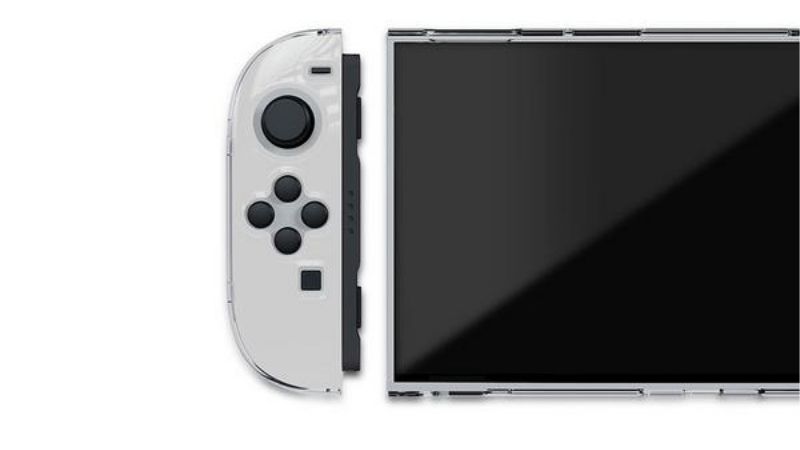
Best simple clear split shell: Nyko Thin Case (Clear) for Nintendo Switch 2. Nyko identifies a console shell plus separate Joy-Con 2 covers, a clear polycarbonate finish, a dock-ready profile, and an included tempered-glass screen protector. Its manufacturer storefront showed Sold out when checked; treat the listed $14.99 as a reference price, not proof that it can be ordered today.
Best low-cost retail alternative: Hyperkin Protective Clear Case M07726. Hyperkin lists the exact Switch 2 accessory on its support catalog, and Micro Center identifies a protective clear case for Switch 2 under that product name. Verify the exact item and local inventory; a single store’s stock listing does not establish nationwide availability.
Best complete cosmetic-coverage kit: PlayVital Clear Series EXVNTM001. Separate shells cover the console back and Joy-Con 2 fronts and backs; the package also includes decorative controls, thumb caps, and a tabletop stand. The trade-off is extra installation complexity: PlayVital explicitly states that the original built-in kickstand cannot be used while its shell is on and that the covers are incompatible with the Joy-Con 2 Charging Grip.
Best transparent split-case alternative: JSAUX PC0117. Its 77 g manufacturer-stated weight and advertised dock compatibility make it attractive for players who want relatively little added bulk. JSAUX also displays a Coming Soon label, while customer feedback describes a tight docking experience. Do not treat a listed price or the company’s compatibility statement as a verified easy fit.
For owners who prefer a flexible, tactile material, consider the JSAUX Integrated Soft Protective Case PC0115; for buyers specifically interested in a thin hard-shell import, the elago CLEAR CASE (Game) is a niche seventh option with unresolved U.S. distribution. None of these replaces a proper screen protector when the display is exposed.
Best Switch 2 protective shells compared
| Protective shell | Construction and coverage | Docking and Joy-Con 2 access | U.S. price / availability status | Main drawback |
|---|---|---|---|---|
| Spigen Ultra Hybrid ACS10167 | PC back and TPU elements; console-and-controller coverage | Manufacturer says dock-ready with quick-release controller arrangement | Spigen listed $44.99; check live checkout | Higher price, some grip-oriented bulk |
| Nyko Thin Case (Clear) | Three-piece clear polycarbonate split shell; tempered glass included | Nyko says dock-ready and controllers can detach in their covers | $14.99 reference; Nyko page showed Sold out | No verified independent dock-clearance measurement |
| Hyperkin Protective Clear Case M07726 | Clear protective case specifically cataloged for Switch 2 | Verify exact shell fit and dock behavior before assuming full access | Micro Center showed $13.99 at one store; location-specific stock | Limited accessible official fit specifications |
| PlayVital Clear Series EXVNTM001 | Hard PC rear cover, individual Joy-Con front/back covers, accessories | Maker claims docking; original kickstand unavailable; incompatible with charging grip | $21.99 reference on brand page; page displayed Sold out | More pieces and installation constraints |
| JSAUX Split Transparent PC0117 | Split PC/silicone shell, 77 g per manufacturer | Maker says dockable; buyer feedback reports a tight fit | $17.99–$19.99 listed; page displayed Coming Soon | Dock tolerance uncertainty, stock unconfirmed |
| JSAUX Integrated Soft PC0115 | Integrated soft TPU console cover, 115 g according to JSAUX | Not dock-compatible according to manufacturer’s comparison | $13.99 reference; page displayed Coming Soon | Must remove for TV docking; less practical for frequent Joy-Con swapping |
| elago CLEAR CASE (Game) | Thin polycarbonate cover; about 1.3 mm, 64 g per Japan listing | Japan maker page says docking/stand access; remove for charging grip | U.S. price not verified; Japan listing ¥4,480, not a U.S. price | Import logistics and U.S. support unclear |
Selection note: Manufacturer product pages and retail listings provide the specifications above. Prices and page status reflect individual checkpoints, not guaranteed inventory, U.S. shipping totals, or live checkout. No third-party drop-performance ranking has been established for these seven products.
The seven protective shells worth comparing
Spigen Ultra Hybrid ACS10167: Best all-around premium shell
Spigen’s Ultra Hybrid is the strongest all-purpose recommendation here for shoppers who want the shell installed during normal play, not merely stored in a bag. The brand describes a polycarbonate rear surface paired with TPU cushioning and a quick-release arrangement that lets controllers separate without completely stripping protection off the main console. Spigen also explicitly advertises charging and docking with the case attached. The documented color is Frost Black, not a colorless transparent shell.
The exact model matters. The manufacturer’s product page identifies ACS10167, so do not confuse it with Spigen’s Dual Grip ACS09310 from a separate ergonomic-grip roundup or its Thin Fit 360 ACS10487, which is marketed primarily as a carry-style protective case. Spigen publishes a product weight of 4.3 ounces and dimensions of 11.4 by 4.86 by 1.13 inches; those figures describe the accessory, not a certified protection standard or the bare system’s dimensions.
What makes the Ultra Hybrid interesting is the combination of peripheral coverage and normal console use. Side contours may make it less slippery on a couch, while the clear-backed PC design leaves some hardware styling visible. For routine scratches, skin oils, and incidental desk contact, that is relevant. For a drop onto a hard floor, the claim that TPU helps absorb impact remains a general design statement until measured impact results are published.
Advantages
- Specific Switch 2 model designation and manufacturer-documented fit.
- Claimed use in Nintendo’s dock without removing the shell.
- Quick-release controller architecture and more coverage than a bare rear skin.
- Direct U.S. manufacturer page with warranty and return information.
Limitations
- Spigen listed $44.99, substantially above the simplest clear cases.
- Added side shaping may not suit players who specifically want an almost invisible shell.
- The maker’s claim of impact absorption is not an independent drop-rating certificate.
- A fitted shell can change clearance in an already tight travel bag.
Who should buy it: Someone who docks frequently, wants a recognizable U.S. manufacturer, and values practical coverage more than the lowest price. Skip it if your main goal is merely cosmetic scratch protection at the lowest cost or if you require documented independent impact-test results before purchasing.
Nyko Thin Case (Clear): Best minimal split-shell design
Nyko takes a simpler route. The Thin Case for Nintendo Switch 2 is marketed as a three-piece clear polycarbonate system: one panel protects the central tablet and separate covers follow the left and right Joy-Con 2 controllers. That is the main reason it belongs in this protective-shell article rather than the ergonomic-grip comparison. The key feature is coverage with minimal alteration of the original shape, not a bulky palm-rest contour.
Nyko claims that the Joy-Con 2 controllers can be detached while their individual coverings remain in place. It also describes a profile designed to fit Nintendo’s official dock. The manufacturer includes a 9H-labeled tempered-glass screen protector, making this a more complete first-purchase bundle than a bare rear shell. The hardness label, however, is not evidence that a glass screen will withstand any particular drop or impact; install and maintain it as ordinary scratch protection.
The clear finish keeps the hardware visible, but glossy transparent polycarbonate generally shows fingerprints and trapped dust more readily than a textured opaque cover. This is a material-level consideration, not a claim from first-hand testing of this exact unit. If microscopic grit gets between the shell and housing, movement can mark the device; cleaning before installation is important.
Advantages
- Light-profile coverage focused on the system and Joy-Con 2 surfaces.
- Manufacturer-stated dock and detachable-controller compatibility.
- Bundled tempered-glass protector, reducing the number of separate accessories to shop for.
- Clear styling and a low $14.99 brand-page reference price.
Limitations
- The Nyko store page was marked Sold out at the research checkpoint.
- The maker does not publish a comparable drop-test dataset for this shell.
- Clear hard plastic needs careful removal to avoid scraping around controller edges.
- The included protector has its own installation and bubble-management requirements.
Who should buy it: A first-time owner wanting discreet coverage with an included screen layer, if a reputable U.S. retailer actually has the Switch 2 version. Verify the product title: Nyko sells separate Thin Case variants for the original Nintendo Switch and OLED systems, and those are not interchangeable with Switch 2.
Hyperkin Protective Clear Case M07726: Best basic shell to check in physical retail
Hyperkin’s Protective Clear Case M07726 has a useful advantage: it is identifiable as a real Switch 2-specific product in Hyperkin’s official accessory support directory and as a named Switch 2 protective clear case on Micro Center’s retail site. This matters in a category where anonymous marketplace listings sometimes recycle images of original-Switch accessories while changing only the title.
There is less detailed technical evidence available from the pages reviewed than for Nyko, PlayVital, or JSAUX. Hyperkin’s support catalog confirms its model and device category; Micro Center’s listing establishes retail presence and a vendor warranty reference. The accessible product summaries do not substantiate that the shell can stay attached during every use of the official Switch 2 dock or that Joy-Con 2 controllers detach with no additional steps. Those details must be checked against the exact packaging/manual or physically at the store before publication as definitive compatibility claims.
This is therefore a deliberately modest pick. At a Micro Center listing checkpoint, a displayed $13.99 price and stock for one store made it an interesting low-cost option. Neither number should be interpreted as a U.S.-wide price or live availability for a reader in another ZIP code. If the clear shell truly fits your controller layout without pressure, it is a reasonable way to reduce cosmetic wear without paying for decorative add-ons.
Advantages
- A traceable Hyperkin model number instead of an unidentified generic listing.
- A U.S. physical retail listing with ordinary support/return processes.
- Clear appearance suited to cosmetic protection.
- Low displayed retail price at the checked store.
Limitations
- Less verified information about material thickness, dock fit, and kickstand access.
- No documented independently measured impact protection.
- Availability is tied to a store/region rather than established nationwide.
- Buyer must confirm that packaging says Nintendo Switch 2, not Switch or Switch OLED.
Who should buy it: Someone who can confirm an exact-model unit at a nearby U.S. store and prefers a straightforward protective shell over an extensive accessory kit. Do not buy solely on the assumption that every feature of a similarly named Hyperkin case applies to M07726.
PlayVital Clear Series EXVNTM001: Best complete hard-shell coverage kit
PlayVital’s Clear Series is the most component-heavy option in the group. Its EXVNTM001 package includes a rear panel for the tablet, separate front and rear covers for each Joy-Con 2, thumb caps, button accessories, and a foldable standalone support. For someone whose main concern is visible cosmetic wear on the controllers’ exposed surfaces, that is a distinctly different proposition from a one-piece rear shell.
The shell uses hard polycarbonate. PlayVital advertises dock access with the case installed and says the main openings remain accessible. There are two important manufacturer-stated exclusions that should control the purchase decision: the Switch 2’s built-in kickstand cannot be used with the case attached, and the case is not compatible with the Joy-Con 2 Charging Grip. The bundled external stand is not a substitute if you rely on the integrated kickstand on a train tray or crowded desk, because it is a separate item you need to carry.
The additional layers over the Joy-Con 2 controllers also complicate use of some third-party controller attachments. This is a sensible reason to verify how easily you can remove individual controller shells and whether mouse-mode surfaces remain unobstructed. Product photos cannot conclusively answer the fit of every third-party grip, wheel, or cradle. What the package does provide is an unusually extensive set of matching protection pieces for a clear aesthetic.
Advantages
- Front-and-back coverage for individual Joy-Con 2 controllers.
- Manufacturer-identified PC shell and exact SKU.
- Additional stand and control caps included for cosmetic customization.
- Stated compatibility with ordinary docking while the shell is installed.
Limitations
- No use of the built-in Switch 2 kickstand while the shell is on.
- Not compatible with the official Joy-Con 2 Charging Grip according to PlayVital.
- Installation and removal involve numerous small shell pieces.
- The manufacturer page displayed Sold out; the $21.99 listing does not confirm availability.
Who should buy it: Owners who keep their Switch 2 assembled in handheld mode, care about Joy-Con surface wear, and are comfortable giving up the built-in stand while using the shell. Avoid it if quick tabletop deployment with the integrated kickstand is essential.
JSAUX Split Transparent PC0117: Best light clear alternative, with a docking warning
The JSAUX PC0117 Split Transparent Ergonomic Protective Case is a budget-positioned shell with clear variants and a listed 77 g weight. Its maker identifies PC-plus-silicone construction, individually removable pieces, and access to the original kickstand. Compared with large aftermarket grip cases, its stated design brief favors a relatively slim, transparent look. Unlike Nyko’s product, however, it still includes some ergonomic surface shaping, so the distinction here is its clear split-shell coverage rather than maximal hand support.
JSAUX describes the case as suitable for docking. That should be interpreted carefully. Customer comments displayed on the very same manufacturer listing mention a tight fit in the official dock, including one report of removing the shell to avoid the snug insertion. Customer anecdotes are not controlled tests and may reflect installation variability, but they are strong enough to justify a fit caution instead of the blanket phrase “dock compatible with no caveats.”
The company also showed the product under a Coming Soon label while displaying variant prices (transparent black at $17.99 and transparent white at $19.99). A page that contains an Add to Cart interface and a Coming Soon status is not sufficient evidence that checkout will succeed. Verify U.S. shipping, specific color availability, and return terms before recommending it as immediately purchasable.
Advantages
- Exact manufacturer model PC0117 and specified 77 g weight.
- Separate Joy-Con and main-console components.
- Transparent options maintain the original system’s visual design.
- Retains access to the Nintendo kickstand according to the maker.
Limitations
- Documented customer reports of a snug original-dock fit.
- Manufacturer storefront displayed Coming Soon despite prices.
- Grip contours may not be ideal if you want completely flat Joy-Con surfaces.
- Published drop-resistance claims do not establish a standardized certification.
Who should buy it: A buyer who values clear aesthetics and a split architecture and is prepared to check dock tolerance with a safe, no-force test. Skip it if you demand guaranteed smooth docking without ever adjusting case placement.
JSAUX Integrated Soft PC0115: Best soft-touch cover for handheld-first players
Not every protective layer needs to be hard polycarbonate. JSAUX’s Integrated Soft Protective Case PC0115 uses a soft TPU design, advertised as easy to install and remove. The brand’s model comparison lists 115 g and, crucially, marks this integrated case not dock-compatible. That is a significant difference from PC0117 and Nyko, not a minor fine-print exception.
Flexible TPU can be a sensible material choice for somebody who worries about marks from rigid clips and wants a cover that bends during installation. It is not automatically safer in every impact scenario. Material flexibility, thickness, raised lips, and case geometry all affect results, and there are no comparable independent drop measurements in the evidence reviewed. Dust between the case and system can still cause surface abrasion if the device is not cleaned periodically.
In exchange for the lower apparent complexity, this integrated design favors people who use the console almost exclusively in handheld mode. A user who inserts the Switch 2 into Nintendo’s dock every evening will have to remove the cover repeatedly; that can become less convenient than buying a split dock-ready shell in the first place. The product was shown as Coming Soon on the manufacturer page, with a $13.99 displayed price for crystal or smoke-black variants.
Advantages
- Soft TPU construction is a distinct alternative to hard clip-on shells.
- Lower listed price than the premium Spigen option.
- Simple single-case approach for handheld-first routines.
- Transparent and darker finishes shown in the official listing.
Limitations
- Not compatible with the official dock according to JSAUX’s own comparison.
- Removal before TV mode is mandatory for a reliable workflow.
- Claims about cushioning are not standardized drop-test results.
- Manufacturer product page displayed Coming Soon when researched.
Who should buy it: Handheld-focused players looking for flexible scratch and scuff protection who rarely dock. Do not choose it if docking without removing a cover is on your list of must-haves.
The elago CLEAR CASE (Game): Best niche thin-cover import option
The elago CLEAR CASE (Game) for Nintendo Switch 2 belongs on this list as a clearly identified, thin hard-shell alternative, but it is not presented as a convenient mainstream U.S. purchase. The cited official storefront is Japanese. That page states a roughly 1.3 mm profile, 64 g product weight, polycarbonate construction, and approximately 27.5 × 11.9 × 2.7 cm outer dimensions. It also describes using the system with docking and stand functions while the cover is installed.
Why pay attention to this niche model? For buyers who dislike molded grips, its thinness and preserved silhouette are the primary appeal. Clear polycarbonate is also less visually intrusive than large rubberized grip housings. The Japanese product description notes that the case must be removed for use with the controller charging grip. As with every very thin rigid case, cosmetic scratch reduction is the reasonable expectation; the dimensions alone say nothing about performance in a severe fall.
The biggest weakness is commercial rather than technical. The official page showed a Japan-market ¥4,480 listing, which is not a validated U.S. purchase price. U.S. availability, shipping charges, import duties if applicable, and warranty handling were not verified. Do not put this model in a “best value in America” slot without a current U.S. seller and an exact-model checkout path.
Advantages
- Specific official manufacturer description and dimensional data.
- Relatively thin hard-shell construction with clear appearance.
- Manufacturer states support for ordinary dock and kickstand use.
- Interesting alternative for buyers who want to retain the device’s original profile.
Limitations
- U.S. retail availability, delivery, and warranty support not confirmed.
- Requires removal when using the controller charging grip per the Japan listing.
- Slim design should not be confused with a rugged drop-protection certification.
- Japanese list price cannot be used as a dependable U.S. dollar checkout price.
Who should buy it: An enthusiast who finds an exact-model, reputable U.S. import listing and values minimum visual bulk. Most U.S. buyers should prefer a locally obtainable model with clearer warranty and return support.
How we selected protective shells without repeating grip-case advice
This article answers a different buying question from an ergonomic grip roundup. We prioritized surfaces protected, shell construction, docking clearance, controller access, and real model traceability rather than hand size, contoured palm handles, or marathon-play comfort. The evaluated accessory must remain on the console during ordinary handheld use. Separate travel cases, backpacks, screen protectors by themselves, modular external grips, and dock cooling devices were excluded from the product ranking.
Sources were the official manufacturer pages for Spigen, Nyko, PlayVital, JSAUX, and elago, plus Hyperkin’s model directory and a U.S. retailer’s exact-product listing. Manufacturer statements are labeled as such. No unit was physically tested or drop-tested for this article; no numerical impact-survival percentage, thermal improvement, or independent scoring is implied. We also avoided assuming a product is in stock merely because a price and cart button appear on a website.
Here is the editorial weighting used to make the comparison meaningful:
- Fit accuracy: A clear Switch 2 model designation outranks a generic listing claiming “Switch compatible.”
- Routine usability: We check claimed Joy-Con detachment, official-dock use, stand access, and exposed ports.
- Protective coverage: Does the accessory cover only the back, or also controller sides/fronts and contact points?
- Maintenance: Flexible versus rigid removal, dust trapping, and the risk of creating scratches while installing the shell.
- Buying confidence: Verified U.S. availability, warranty details, and exact SKU carry more value than attractive generic photographs.
A premium product is not automatically the best choice. A low-priced clear case that leaves all the original controls accessible may be the better buy for an owner who simply wants fewer scuffs. Conversely, a robust-looking product that blocks a frequently used feature can become an expensive inconvenience.
Buying guide: What actually matters with a Switch 2 shell?
Shell protection is not the same as travel protection
A fitted shell sits directly on the console during gameplay. It helps reduce direct contact between the exterior housing and desks, rings, backpacks, or other rough objects. It usually leaves the screen exposed. A travel case encloses the console when it is not in use and may provide a padded screen flap, zipper, crush-resistant structure, and space for cards or cables. The best solution for commuting can be a slim protective shell plus a correctly sized separate travel case, provided the two accessories fit together without squeezing the sticks or buttons.
Do not automatically put a thick shell inside an older Switch-sized travel pouch. Switch 2 is a distinct hardware generation, and its accessory tolerances are different. If your carrying case has a precise interior mold, check the published inner dimensions or physically verify the combination without pressure.
Dock compatibility is a clearance claim, not a guarantee of effortless insertion
Some brands state that a case is dock-friendly. That may mean the rear shell fits while the Joy-Con covers have to be removed, or it may refer to a modified docking arrangement. In the products above, Nyko and Spigen advertise routine docking, JSAUX PC0117 advertises it but has customer reports of a tight fit, and JSAUX PC0115 expressly does not support dock use. These distinctions materially affect which shell to buy.
Always test with gentle alignment and no force. Place the dock on a stable surface, power down or sleep the console if appropriate, and lower it carefully until the connector mates naturally. If the case makes the console bow, scrape, lean, or resist seating, stop and remove the shell. A brand’s compatibility claim is not permission to force a friction fit against the screen or the USB-C connector.
Joy-Con 2 attachment and removal must still work
The detachable controller architecture is central to the Switch 2 experience. Some shells provide separate protective covers for each controller; others have joined structures or accessories that complicate detachment. A case with an excellent rear panel still fails the convenience test if you have to pry off plastic every time a second player wants a Joy-Con 2.
Check whether you can reach the controller release controls without bending the case. Also verify that the left and right controllers reconnect flush and that their attachment indicators behave normally. If your family uses the official Joy-Con 2 Charging Grip or steering-wheel accessories, read each case maker’s compatibility notes—PlayVital and elago identify charging-grip limitations for their listed products.
Hard polycarbonate versus soft TPU
Polycarbonate (PC) is used in many thin, rigid shells. It preserves a crisp shape and can help block scratches from ordinary contact, but stiff corners and clips demand care during removal. Thermoplastic polyurethane (TPU) is more flexible and may feel more forgiving during installation. Neither material gives you an objective drop-resistance grade unless a specific, independently documented test accompanies the exact accessory.
Combination designs such as the Spigen Ultra Hybrid attempt to use different materials in different locations. That can improve everyday handling or coverage, but manufacturers may not disclose enough about thickness, impact test method, and drop orientation to support direct laboratory comparisons. Treat vague claims such as “military-grade protection” cautiously unless the test protocol, conditions, and model can be verified.
Keep the kickstand, cartridge slot, vents, and USB-C ports usable
A case can be “compatible” with a console while still making one feature inconvenient. The Switch 2’s built-in rear kickstand is particularly easy to obstruct with a protective back panel. PlayVital explicitly blocks built-in-stand use; JSAUX PC0117 says access is retained. If tabletop play matters, verify the actual hinge opening and travel, not only whether the rear surface has a visible rectangle.
Inspect the top game-card access and any vent openings. Do not place stickers, additional adhesive skins, or storage attachments over the ventilation paths. Nintendo’s support guidance for the Switch 2 dock emphasizes leaving vents clear and the dock in a ventilated location; a case should not undermine that basic setup. Likewise, check that any charge cable inserts fully without a shell lip pressing on its plug.
Price, return policy, and stock status can outweigh a small spec difference
Accessory storefronts often present a variant price even while labeling that variant Sold out or Coming Soon. For U.S. shoppers, meaningful price comparison means the exact model and color, a successful U.S. checkout, shipping, applicable tax, and return conditions. A $13.99 reference listing that cannot be ordered may be less useful than a clearly in-stock case at $20. An imported shell can cost far more after shipping than its headline local-currency price suggests.
A case with uncertain dock clearance also benefits from a realistic return window. Save the original packaging until you have safely verified docking, Joy-Con removal, tabletop use, and fit in your existing carrying bag.
How to install a protective shell without scratching the console
- Confirm the model before opening the package. It should explicitly say Nintendo Switch 2. Original Switch and Switch OLED shells may look similar online but are not a suitable substitute.
- Power down or place the system in sleep mode and remove attachments. Unplug charging cables and set the console on a clean, soft, flat surface. Remove the Joy-Con 2 controllers only if the installation instructions require it.
- Clean both surfaces gently. Use an appropriate dry microfiber cloth to remove visible grit from the console and the inside of the shell. Hard particles trapped between plastic surfaces can create marks over time.
- Follow the maker’s insertion order. Align any rigid clips with their intended edges and snap them on without bending the console or forcing a corner. For a flexible TPU cover, stretch only as instructed; avoid pulling on ports or buttons.
- Check all controls and openings. Test the shoulder buttons, triggers, card access, both USB-C ports if applicable, speaker openings, rear kickstand, and Joy-Con 2 release mechanisms. If any control sticks or rubs, remove the shell.
- Test controller removal and the dock separately. Reattach each Joy-Con 2, check secure alignment, then slowly trial the dock only when the specific shell claims dock compatibility. Stop at the first sign of abnormal resistance.
- Verify the carrying setup. If you use a separate travel case, confirm its interior does not press on the joysticks, screen, or newly enlarged corners.
For removal, work in the sequence shown in the maker’s instructions and release the least restrictive clips first. Do not lever against the glass screen or scrape a screwdriver beneath a rigid edge. If a case is stuck, consult its official manual or seller support rather than pulling harder.
Frequently asked questions
Will a Switch 2 protective shell prevent the screen from cracking?
No shell listed here is established as a guarantee against screen damage. Most fitted covers primarily protect the back and sides; the display remains exposed. A properly fitted screen protector may reduce minor surface scratching, and a padded carrying case helps protect the console when stored. Neither makes the system indestructible.
Can I leave a shell on when docking Switch 2?
Only if the manufacturer explicitly supports docking for that exact shell and the physical fit is safe. Spigen Ultra Hybrid and Nyko Thin Case advertise dock use. JSAUX PC0117 does too, but some owners describe tight clearance. JSAUX PC0115 is marked not dock-compatible. Never force the console into a snug dock.
Are protective shells the same as grip cases?
There is overlap, but the buying priorities differ. A protective shell primarily reduces exterior contact and cosmetic wear while preserving normal access. A grip case emphasizes thicker palm contours and handheld comfort; it may also provide protection. Decide whether scratch coverage or hand ergonomics is your main purpose before comparing products.
Can I remove Joy-Con 2 controllers without taking off the shell?
Some split designs allow it. Nyko specifically advertises separate controller covers that stay attached during detachment; Spigen advertises a quick-release system. Other shells may require partial removal or interfere with controller accessories. Check the exact installation guide, not just the marketing image.
Does a clear shell turn yellow or show fingerprints?
Transparent plastics vary in formulations and surface coatings. Fingerprints, grime, and dust can become visible on many glossy clear accessories. Long-term discoloration behavior should not be assumed without information about the exact formulation and environmental exposure. Clean the case periodically with a cloth recommended by its manufacturer.
Will a shell cause Switch 2 to overheat?
A properly fitted design should avoid covering required ventilation openings, but product-page statements alone do not establish identical thermal performance to a bare console. Nintendo instructs owners to keep vents unobstructed and equipment adequately ventilated. If a case covers an intake or exhaust, feels abnormally tight, or is associated with unusual heat or performance issues, remove it and reassess the setup rather than adding a cooling gadget automatically.
Which shell is better for a child or a shared-family console?
A family system benefits from durable coverage, easy cleanup, accessible controls, and a carrying case when not in use. A simple split shell may be easier to supervise than an elaborate kit with many tiny pieces. Evaluate age-appropriate small accessories and whether adults can remove the controllers and safely dock the unit. No product here carries a verified child-specific impact-protection rating.
Is the cheapest protective shell good enough?
For ordinary cosmetic protection, an inexpensive, precisely fitted shell may be entirely adequate. The more important criteria are authentic model compatibility, clean material edges, access to necessary controls, and a seller who supports returns. Paying more does not independently prove better drop protection. Pay extra only when the more expensive shell solves a feature you actually need.
Final thoughts
For an owner who wants a shell installed during both handheld and docked sessions, the Spigen Ultra Hybrid ACS10167 offers the clearest premium all-round proposition among the models reviewed, with the caveat that its grip contours add some bulk. If you want your Switch 2 to look almost unchanged and can locate stock, the Nyko Thin Case (Clear) is the more minimalist first choice, with a screen protector included. PlayVital EXVNTM001 favors extensive controller surface coverage but gives up use of the original built-in kickstand. JSAUX PC0117 is a lightweight clear alternative only if its actual dock fit is acceptable and inventory is confirmed. A soft TPU JSAUX PC0115 suits handheld-first use, not TV docking.
Whichever model you select, buy the exact Switch 2 version, verify stock and retailer return terms, and test docking and controller detachment without force. The best protective shell is the one that prevents daily scuffs without disrupting the way you use the console.
