
best Xbox headset wireless adapters are not universal Bluetooth USB sticks. For an Xbox Series X|S or Xbox One, the reliable purchase is usually a model-specific replacement transmitter for a headset that already supports Xbox. If you own an Xbox Wireless Headset from Microsoft, it pairs directly to the console and needs no adapter. This guide compares seven specific US-listed Turtle Beach replacement units, explains which headset each serves, and flags why the Microsoft Xbox Wireless Adapter for Windows is a PC accessory, not a way to make arbitrary Bluetooth headphones work on Xbox. Check the model name on your headset before spending anything.
Quick verdict: choose by headset, not by advertised range
Best fit for a Stealth 600 Gen 3 Xbox headset in white: Turtle Beach’s matching Stealth 600 Gen 3 XBOX Transmitter – White, listed at $34.99 with an Add to Cart button on the manufacturer’s US store. This is a replacement for that specific white Xbox headset, not an upgrade for older Stealth 600 generations. If yours is the black version, the black transmitter listing showed Not in stock at the time checked; buying the white version on the assumption that all colors pair is not a manufacturer-confirmed workaround.
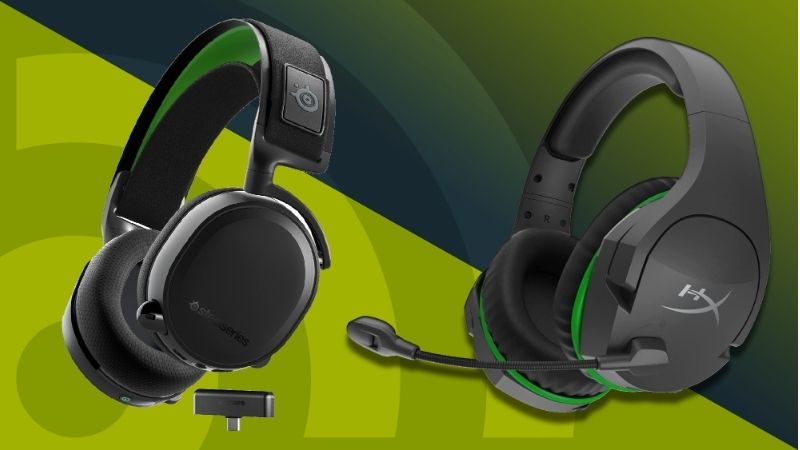
Best legacy replacement for a Stealth 600 Gen 2 MAX Xbox in black: the specific Gen 2 MAX Transmitter Black – XBOX at $34.99. The word MAX matters: it is not the Gen 2 USB transmitter and it is not the original, dongle-free Gen 2 Xbox model. Lowest observed listing price among our compatible replacement picks: the Stealth 600 Gen 2 USB Transmitter White – XBOX, at $29.99, but only for the corresponding white Gen 2 USB Xbox headset. Cheaper is not better if the radio cannot pair to your headset.
Best premium base-station replacement: Stealth Pro XBOX Transmitter at $49.99 for the original Stealth Pro Xbox headset, which also acts as a charging station. It is not the newer Stealth Pro II CrossPlay 2.0 transmitter; that newer family has its own $34.99 Stealth Pro II XBOX Console USB Transmitter. Distinguishing those two premium families is more important than choosing the lower price.
These are repair or expansion accessories for an already-owned, compatible headset. They do not include a full headset and they do not convert ordinary Bluetooth earbuds into Xbox-certified wireless gaming audio. If you are buying your first headset and only need console wireless audio, a headset with native Xbox Wireless or a bundled Xbox-compatible transmitter is a more sensible shopping category.
Comparison: seven exact-match Xbox wireless transmitters
The prices below were visible on Turtle Beach’s US product pages on October 28, 2026 (US Eastern). An Add to Cart or Buy Now control is a positive purchase-flow signal, not proof that a particular ZIP code has stock or that checkout will accept payment. None of these prices includes local sales tax or delivery charges. The table identifies the exact existing headset required; a matching family name alone is insufficient when model generation, platform, or color changes.
| Adapter / exact maker listing | Works only with this headset | US seller / price (checked Oct 28) | Stock signal (Oct 28) | Best use | Critical restriction |
|---|---|---|---|---|---|
| Turtle Beach Stealth 600 Gen 3 XBOX Transmitter – White | Stealth 600 Gen 3 White for Xbox | Turtle Beach; $34.99 | Add to Cart / Buy Now | Replace lost white Gen 3 dongle | Not a generic Gen 2 or black Gen 3 substitute |
| Turtle Beach Stealth 600 Gen 2 MAX Transmitter Black – XBOX | Stealth 600 Gen 2 MAX for Xbox , black | Turtle Beach; $34.99 | Add to Cart | Restore a Gen 2 MAX kit | Not the Gen 2 USB or original Gen 2 variant |
| Turtle Beach Stealth 600 Gen 2 USB Transmitter White – XBOX | Stealth 600 Gen 2 USB for Xbox , white | Turtle Beach; $29.99 | Add to Cart / Buy Now | Replace a Gen 2 USB white dongle | Manufacturer explicitly excludes original Gen 2 |
| Turtle Beach Stealth Pro XBOX Transmitter | Original Stealth Pro for Xbox | Turtle Beach; $49.99 | Add to Cart / Buy Now | Replace transmitter plus charging station | Cable not included; not Stealth Pro II |
| Turtle Beach Stealth 700 (Gen 3) XBOX Consoles Transmitter – Cobalt Blue | Stealth 700 Gen 3 Xbox , Cobalt Blue | Turtle Beach; $34.99 | Add to Cart / Buy Now | Restore the dedicated Xbox console link | Not the separate dongle labeled USB |
| Turtle Beach Stealth 500 XBOX Transmitter – Arctic Camo | Stealth 500 Arctic Camo for Xbox | Turtle Beach; $34.99 | Add to Cart / Buy Now | Repair matching Arctic Camo set | Not automatically interchangeable with black variant |
| Turtle Beach Stealth Pro II XBOX USB Wireless Transmitter for XBOX Consoles – Black | Stealth Pro II for Xbox | Turtle Beach; $34.99 | Add to Cart / Buy Now | Add/replace Xbox console CrossPlay 2.0 link | Not the Stealth Pro II PC transmitter |
Important stock distinctions. Turtle Beach explicitly showed the Stealth 600 Gen 3 black Xbox transmitter as out of stock, as well as the Stealth 500 black Xbox transmitter and Stealth 700 Gen 3 black Xbox-console transmitter in checked US listings. Those products are not represented as buy-now picks merely because alternate colors are available. Store pages are dynamic; confirm model, color, platform and stock again immediately before checkout.
What an Xbox headset adapter can actually do
Three different wireless arrangements are commonly mixed up in shopping results, and they solve different problems. Native Xbox Wireless headsets pair to a supported Xbox console radio without a headset USB dongle. Microsoft’s Xbox Wireless Headset is the clearest example; several older Turtle Beach Xbox models also use direct console pairing. If that headset stops connecting, the first action is to follow the manufacturer’s console-pairing guidance, not to buy a random transmitter.
Proprietary 2.4GHz USB headset transmitters ship with specific headset families and may be available as manufacturer replacements. They are not automatically interchangeable even within a brand. Some models require an Xbox-certified transmitter with a specific switch or console identification. For example, Turtle Beach distinguishes the XBOX Consoles transmitter from the USB Devices transmitter in its Stealth 700 Gen 3 Xbox system. Replacing the wrong piece could leave console audio unavailable even if the USB plug fits the port.
Microsoft Xbox Wireless Adapter for Windows adds Microsoft’s wireless accessory protocol to compatible Windows computers. It is explicitly a Windows PC product; it is not a universal Xbox console headset receiver, and it does not turn a Bluetooth-only headset into an Xbox Wireless product. Microsoft lists the current adapter as not available at its own US store; third-party listings may vary in age, authenticity and availability. The adapter can be appropriate for a compatible Xbox Wireless headset on a Windows PC, but it is a different buying mission from the seven Xbox-console replacement transmitters here.
Ordinary Bluetooth USB adapters are often marketed with ambiguous phrases such as “for Xbox controller” or “compatible with Xbox.” A transmitter for a gamepad input is not a headset audio-and-chat solution. Standard Xbox consoles do not offer general Bluetooth audio pairing through an arbitrary USB Bluetooth stick. A television’s Bluetooth output may route game audio to headphones in some setups, but that is a TV feature, not verified Xbox in-game microphone support; latency and voice chat should be considered separately. This roundup does not endorse such workarounds as equivalent to licensed headset wireless audio.
How we selected and verified these adapters
We started with the device-compatibility requirement rather than with sales rank: each pick must have a manufacturer-issued product page identifying the exact intended Xbox headset, platform, and generation. We then opened a US-market Turtle Beach listing for price and a visible purchase-flow or stock message. We separated replacement transmitters from full headsets, gamepad adapters, PC wireless receivers and unrelated USB Bluetooth sticks. No gaming-latency benchmarks, packet-loss tests or range measurements are claimed by Geek Gaming Tricks; the list reflects compatibility evidence and shopping usefulness, not an in-house performance contest.
We also checked Xbox’s account of directly paired wireless headsets, Microsoft’s Windows adapter product page, and SteelSeries support’s explicit warning that replacement dongles are model-specific. That cross-check matters: a seller page can be accurate about the individual transmitter but cannot establish universal compatibility. “Add to Cart” is an observation of the page interface and not a completed US checkout, guaranteed inventory or confirmed delivery date.
This category is narrower than the word adapters suggests. Seven options here are different repairs for seven different owners, not seven products that one person should rank and choose between at will. A buyer with a working original transmitter should generally not buy any of them. A buyer whose headset is out of warranty but has a failed receiver may compare the replacement price against the cost of a complete new Xbox-certified headset; a replacement becomes less attractive if the battery, microphone, ear pads or USB port are also failing.
Stealth 600 Gen 3 white: best for that exact current-generation headset
The Stealth 600 Gen 3 XBOX Transmitter – White is the most straightforward match when your existing Xbox headset reads “Stealth 600 Gen 3,” its shell is the white Xbox variant, and its original USB transmitter has been lost or damaged. Turtle Beach lists $34.99 with purchase controls on its US page. Its description calls it a replacement wireless USB transmitter and explicitly limits use to the white Gen 3 Xbox headset. That is the real specification that determines whether this is a good purchase—not a claimed Bluetooth version or vague platform icon.
Who should buy: an existing owner who can identify the white Xbox Gen 3 model and has isolated the issue to the dongle. Who should skip: owners of a black, purple, PlayStation, PC, Gen 2 MAX or Gen 2 USB model. Manufacturer pages distinguish many of these as different replacement SKUs, and they do not establish cross-color interchangeability. If your original dongle is still present but silent, first inspect the headset’s wireless-mode status, USB insertion and transmitter LED; the Gen 3 support page distinguishes a rapidly blinking seeking state from a solid paired state.
The biggest trade-off is that this is a one-use replacement. It makes sense when it saves a functioning headset, but offers no new audio capabilities beyond the headset’s original design. Turtle Beach’s product page does not give a separately proven lower-latency or longer-range benefit for buying a second transmitter. Verify the original headset’s product label and color before you order, because the store’s public compatibility statement is unusually specific.
Stealth 600 Gen 2 MAX black: best for a different Gen 2 lineage
The Stealth 600 Gen 2 MAX Transmitter Black – XBOX is an official $34.99 replacement for Stealth 600 Gen 2 MAX for Xbox. Turtle Beach’s US product page supplies a direct Add to Cart control. The phrase “Gen 2 MAX” is not cosmetic: it identifies a different headset/transmitter arrangement from the legacy Stealth 600 Gen 2 Xbox that paired directly, and from the Stealth 600 Gen 2 USB variation that needs its own dongle.
Who should buy: someone whose product documentation or headset packaging specifically says Gen 2 MAX Xbox, with the matching black edition. Who should skip: someone who only remembers purchasing “Stealth 600” a few years ago. The quickest safe check is the exact model shown on the label and purchase record, not a photo that vaguely resembles the earpieces. When sellers use abbreviated product titles, open the manufacturer page before treating the result as compatible.
The benefit is simple repair availability from the manufacturer rather than risking a mystery receiver. The main downside is the specificity: it is not an accessory that can migrate freely to your next Xbox headset. If you regularly move between console and PC, look at the original headset’s official supported modes and instructions; do not assume a replacement dongle creates new system compatibility.
Stealth 600 Gen 2 USB white: lowest listed price, strict matching
At $29.99, the Stealth 600 Gen 2 USB Transmitter White – XBOX is the least expensive observed item in this seven-product comparison. Turtle Beach explicitly warns that it only works with Stealth 600 Gen 2 USB for Xbox and is not compatible with the original Stealth 600 Gen 2 for Xbox. The maker’s page displayed Add to Cart and Buy Now. This is a strong choice only for someone who already owns the exact white USB model.
Who should buy: an owner replacing the lost white dongle from a matching Gen 2 USB set. Who should skip: an owner with an original Gen 2 Xbox headset that originally paired directly to the console. For the latter, a direct-pairing diagnosis is the right first move, not an incompatible USB purchase. Price cannot overcome that limitation. Confirm the word USB in the official model name, then verify the white variant.
This pick illustrates why the market cannot be reduced to “best under $30.” Its price may be favorable for its owner, but it has zero demonstrated usefulness for another owner whose transmitter uses a different proprietary radio. Tax and shipping are also not included in the displayed $29.99, so the final cost of a tiny accessory may be greater than the headline amount suggests.
Stealth Pro Xbox original: transmitter and charging station together
The Stealth Pro XBOX Transmitter is an official replacement for the original Stealth Pro Xbox wireless headset. Turtle Beach’s US listing displayed $49.99, Add to Cart, and describes it as a replacement transmitter and charging station, adding that the cable is not included. This matters if both the wireless base and battery-charging dock are damaged: one replacement could restore both functions, provided that the rest of the headset and its battery packs still work.
Who should buy: an owner of the original Xbox Stealth Pro whose transmitter/charging base has failed, after confirming the actual failure and the availability of the required connecting cable. Who should skip: owners of Stealth Pro II, the newer CrossPlay 2.0 family. Those accessories are different products despite very similar names. Do not assume a charging station marked for a PlayStation or PC bundle offers the Xbox-specific console pathway.
Because the replacement costs more than the small USB dongles, first check whether the problem is only a bad or missing cable, an unplugged power connection, or an exhausted removable battery. A cable is not included in this listing; factor a properly specified replacement cable into the cost if you do not own one. The store page is not a guarantee that every firmware pairing problem will disappear by replacing the base.
Stealth 700 Gen 3 cobalt Xbox console transmitter: check the label
The Stealth 700 (Gen 3) XBOX Consoles Transmitter – Cobalt Blue is listed at $34.99 and shows purchase controls on Turtle Beach’s US site. It is explicitly for the Cobalt Blue Stealth 700 Gen 3 headset for Xbox and specifically replaces the unit labeled XBOX. This distinction is easy to miss because the Stealth 700 Gen 3 Xbox ecosystem also uses a transmitter labeled USB for other connected devices.
Who should buy: a Cobalt Blue Gen 3 Xbox owner whose lost or damaged unit was the Xbox-console transmitter. Who should skip: owners looking to replace only the USB-device transmitter, owners of a black model without manufacturer-approved cross-color matching, or owners of Stealth 700 Gen 2. When your headset already has multiple transmitters, inventory exactly which piece is missing before ordering. The smaller “USB” label does not mean that the dongle labeled USB is automatically the correct console adapter.
As a conditional purchase, it restores a very particular pathway. It is not our universal premium recommendation and does not support an unrelated Bluetooth headset. The black Xbox-console listing was explicitly sold out in the checked US collection, so the cobalt SKU’s purchase control must not be generalized to every color. If you have a black headset, contact the manufacturer for authorized compatible options rather than assuming a cobalt transmitter will pair.
Stealth 500 Arctic Camo Xbox: specialist color-and-platform match
The Stealth 500 XBOX Transmitter – Arctic Camo is a $34.99 US-listed replacement for the Stealth 500 Arctic Camo headset for Xbox. Turtle Beach’s page showed Add to Cart and Buy Now. The description names the intended headset by both platform and edition, and the black Stealth 500 Xbox transmitter separately appeared as out of stock in the inspected US listing. This makes it a useful repair option for a fairly specific owner, not a recommendation to shop by appearance.
Who should buy: an owner whose Stealth 500 has the Arctic Camo Xbox identity and whose original USB transmitter is absent or broken. Who should skip: a black Stealth 500 owner without written manufacturer confirmation that the alternate transmitter works. The Arctic Camo page’s tiny “Color: White” detail is not proof of interchangeability; the exact product title and explicit compatibility claim are the controlling evidence. If those pieces conflict with your device label, ask Turtle Beach support before paying.
The main upside is direct first-party replacement. The main drawback is the narrow SKU match and the possibility that a third-party listing uses a generic photograph. Do not buy a used transmitter without return protection and a way to confirm the exact model; any warranty or return policy is governed by the actual seller and sale conditions.
Stealth Pro II Xbox console transmitter: for CrossPlay 2.0 expansion
The Stealth Pro II XBOX USB Wireless Transmitter for XBOX Consoles – Black is a $34.99 official transmitter that connects an Xbox console to the Stealth Pro II Xbox family. Turtle Beach’s US product page says it is compatible with Xbox Series X|S and Xbox One consoles only, and not compatible with the Stealth Pro II PC headset. The maker also describes this family as part of a CrossPlay 2.0 system that can manage up to four transmitters, including the transmitter charging dock.
Who should buy: a Stealth Pro II Xbox owner who needs a replacement console dongle or an additional official Xbox connection point in the supported system. Who should skip: the owner of a Stealth Pro II PC or original Stealth Pro, and anyone assuming this USB dongle supports generic Bluetooth audio. Note the distinction between this listing and a similarly named Stealth Pro II PC USB Transmitter; the latter advertises PC/PlayStation connectivity, not an Xbox-console connection.
This is the most useful pick in the list for an expansion use case rather than a simple lost-part replacement. The manufacturer says the CrossPlay 2.0 setup can switch among configured sources, but the number of available connected transmitters, firmware setup, and actual source switching should be verified in the official headset instructions. The dongle alone does not include a Stealth Pro II headset, and it cannot add CrossPlay 2.0 to an older model.
Buying checklist: five checks before you pay
- Read the headset’s complete printed model. “Stealth 600” is not enough. Look for Gen 2 USB, Gen 2 MAX, Gen 3, or another full designation and whether the headset is marked Xbox, PC, or PlayStation. Do not use a lookalike earcup photo as evidence.
- Identify what is broken. If your headset pairs directly over Xbox Wireless, a replacement USB transmitter is generally not the repair. If the original transmitter is present, test that hardware and the headset before attributing all audio problems to the dongle.
- Match edition, color and transmitter label. Turtle Beach’s checked pages sometimes specify color and whether the part is labeled XBOX or USB. SteelSeries separately warns that headsets require their own transmitter and that an “X” dongle cannot turn a non-X headset into an Xbox-compatible model.
- Verify price, cart availability and shipping. The dollar amounts above are page prices observed on October 28 in the US. Recheck the exact SKU at checkout, delivery ZIP, tax, cable inclusion, return terms and whether the listing is a complete headset or the transmitter only. Generic Add to Cart buttons are not inventory guarantees.
- Check the seller’s support path. When the model suffix is unclear, use the manufacturer support form and provide the printed headset model, platform and transmitter label. Save the answer before buying a hard-to-return spare part; do not rely on an unverified marketplace claim of “works with all Xbox headsets.”
How to test a replacement without creating new problems
Before spending money, make a low-risk functional check. Charge or power the headset according to its official manual, reconnect the original transmitter directly to a console USB port if your model uses one, and confirm that its LED responds. For the Stealth 600 Gen 3 Xbox version, Turtle Beach identifies a rapidly blinking transmitter LED as searching for the headset and a solid status as paired. Turn on the headset in the supported 2.4GHz wireless mode, wait for pairing, and test both game audio and microphone chat in an appropriate app. If the connection works with a different port or after correct pairing, no replacement purchase is needed.
For a replacement that arrives, follow that exact headset model’s official pairing guide, not a generic video from another generation. A different model may require a switch position, special synchronization action or firmware preparation. Do not immediately perform a factory reset or firmware recovery as a routine first step; those are later troubleshooting measures and should be performed only through official instructions for the exact device. Stop if the transmitter does not match the manufacturer-identified model or platform.
Then verify the real use case: launch a title with game audio, check left/right stereo playback, join a permitted party or voice-chat test to verify microphone input, and try the game/chat volume controls supported by that headset. If game sound works but your friends cannot hear you, review microphone mute and chat permissions before buying another dongle. If the transmitter never pairs, collect the LEDs’ behavior and model details and contact the manufacturer for the supported recovery procedure.
What to avoid: four expensive compatibility traps
A cheap PC Xbox Wireless receiver presented as an Xbox console audio dongle. Microsoft’s Xbox Wireless Adapter for Windows is for supported Windows PCs; Microsoft itself currently says the adapter is unavailable in its store. A marketplace seller can list a third-party receiver, but that does not make it a compatible receiver for every headset or a product that should be plugged into Xbox to enable Bluetooth audio.
A USB Bluetooth transmitter with “Xbox” in the title. The word may describe a controller or a TV headphone setup rather than system-level Xbox audio. Do not assume voice chat, mic monitoring, party chat or low latency are supported merely because sound plays on another device. Where an external television Bluetooth link exists, it should be treated as a separate TV audio workaround with uncertain chat behavior.
A close-but-wrong generation. Stealth 600 Gen 2 USB and Gen 2 MAX are distinct. Older Stealth 600 Gen 2 Xbox headsets use different direct-pairing behavior. Likewise, original Stealth Pro and Stealth Pro II transmitters are not interchangeable just because both products say “Pro.”
A dongle for the wrong half of a dual-transmitter bundle. On Stealth 700 Gen 3 Xbox, the replacement designated XBOX Consoles is not the same as the one designated USB Devices. An owner replacing the console receiver should buy that exact console SKU; a PC USB transmitter offered by the same brand does not prove Xbox support. When unsure, take a photograph of the original label for the manufacturer’s support team—but do not share private account information.
FAQ
Can I make Bluetooth headphones work on Xbox Series X or Series S with any USB adapter?
No. An arbitrary Bluetooth USB stick does not give Xbox consoles general Bluetooth headset pairing. Some TV-level audio methods exist, but microphone input and native party chat are not assured. For Xbox console game and voice audio, choose a headset that explicitly supports Xbox Wireless or an Xbox-certified model with its matching transmitter.
Does Microsoft’s Xbox Wireless Headset need a separate dongle on Xbox?
No. Microsoft describes direct Xbox Wireless pairing for supported consoles. A Windows PC can use supported Bluetooth, USB-C or appropriate wireless arrangements depending on device and headset generation, but that is separate from the console’s direct pairing.
Will the Xbox Wireless Adapter for Windows help my Xbox headset on a PC?
It may, if your exact headset supports that Xbox Wireless PC pathway and you use an appropriate Windows PC. It is not a generic 2.4GHz headset receiver and is not an Xbox console Bluetooth upgrade. Microsoft’s own US store marked it unavailable during this check, so authenticity and availability from other sellers deserve extra scrutiny.
Can I use a Stealth 600 Gen 3 dongle with a Stealth 600 Gen 2 headset?
Do not assume so. Turtle Beach’s replacement pages tie transmitters to specific generations and models. A Gen 2 MAX unit, Gen 2 USB unit and Gen 3 unit should be treated as different purchases unless Turtle Beach explicitly confirms a cross-model exception for your exact device.
Is an Add to Cart button proof that a transmitter is in stock?
No. It indicates that the seller page offers a purchase action at the observed moment. Final stock may depend on address, inventory updates or checkout processing. This guide records visible US listing signals and does not assert any ZIP-specific delivery guarantee.
What if my Xbox headset works on the console but not on Windows?
First identify whether it uses native Xbox Wireless, a dedicated USB transmitter, Bluetooth, or a cable on PC. Some older direct-pairing Xbox headsets use the Microsoft Xbox Wireless Adapter for Windows, while newer model-specific USB headsets rely on their own compatible transmitter. Follow the manufacturer’s PC compatibility page for the exact model, rather than buying a console dongle that promises no Windows support.
Final thoughts
The right choice among best Xbox headset wireless adapters is determined by the headset you already own, not by a universal performance ranking. For an exact Stealth 600 Gen 3 white Xbox headset, the matching $34.99 manufacturer transmitter is a sensible repair; for a Gen 2 USB white, the exact $29.99 part is the correct, less expensive path; and for a Stealth Pro II Xbox setup, use the expressly Xbox-console CrossPlay 2.0 transmitter. If your headset connects directly to Xbox without a dongle, or if your version is not named on the official listing, do not buy any of these seven yet. Read the model label and obtain explicit maker confirmation first.
