
The best Steam Deck OLED grips make Valve’s handheld easier to hold without obstructing the rear buttons, triggers, vents, or USB-C port. For most buyers, the Spigen Rugged Armor is the straightforward choice: a textured TPU shell, verified OLED compatibility, an included wrist strap, and a current direct-brand price of $29.99. The dbrand Killswitch is worth considering when you want a more aggressive textured grip and an optional front travel cover, while JSAUX’s ModCase suits players who plan to mount accessories behind the Deck. If you mainly want a low-cost, softer feel, the Skull & Co. GripCase SD is compelling—but its storefront’s stock message is inconsistent, so check availability before treating it as an immediate purchase.
A “grip” is not one single product type. This roundup focuses on cases you wear on the Steam Deck OLED while playing, not padded carrying bags or joystick caps. We compared six identifiable, manufacturer-listed grip shells and protection cases using direct US storefront information, official fit claims, independent reviews, and owners’ reported experiences. Geek Gaming Tricks has not performed its own drop tests, weight measurements, long-session comfort trials, or dock-fit testing. The recommendations below explain what is verified, what is a reasoned fit judgment, and what you should check on your specific setup.
Quick verdict: which Steam Deck OLED grip should you buy?
Best overall for everyday handheld gaming — Spigen Rugged Armor: Its textured matte TPU, officially stated Steam Deck OLED compatibility, and adjustable wrist strap cover the everyday reasons to buy a grip. It does not have a travel-facing screen shield or a built-in stand. That simplicity is a strength if you want to play rather than manage a modular accessory system.
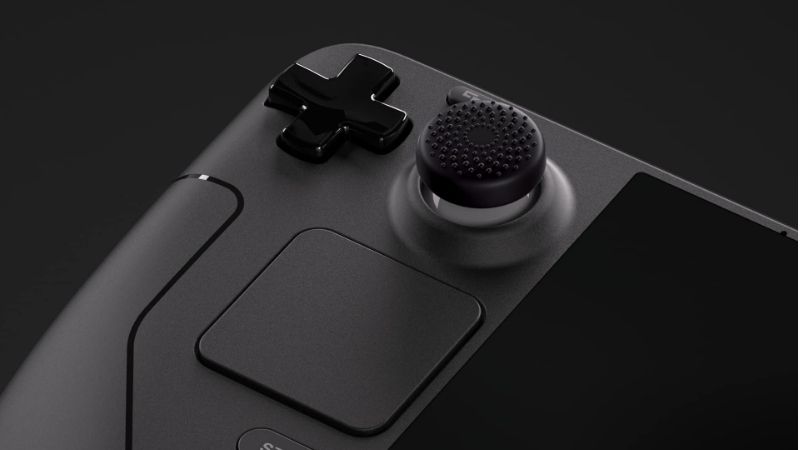
Best premium grip system — dbrand Killswitch: Choose it when a firm, highly tactile shell, a modular back, and the option to buy a hard travel cover are important. The Essential kit was listed at $59.95; a front cover is not automatically part of that base-price comparison. Expect additional thickness and a noticeable texture rather than assuming the premium option will be comfortable for every palm.
Best modular value — JSAUX ModCase PC0104: At $29.99 for the Basic Set, it gives you a front cover and a removable rear stand, with an accessory expansion path for compatible mounts. The downside is more parts and potential interference with bags, third-party mounts, and thumbstick caps. The basic price is not the price of a bundle with a fan, power bank, or dock.
Best soft-grip value if available — Skull & Co. GripCase SD: This shell combines textured hand areas and a base designed to prop up the Deck. Its manufacturer displayed a $16.99 promotional price, but an abnormal shipping/availability message means live fulfillment was not confirmed during this check. Treat it as a promising budget candidate, not our in-stock top pick.
Best slim shell with stand — Spigen Thin Fit Pro: A lower manufacturer-listed product weight than Rugged Armor and a folding stand make it appropriate for players who alternate between handheld and tabletop use. Its slimmer design is not the same as robust drop protection.
Best bulky protective grip — SUPCASE Unicorn Beetle Pro: A rugged case with a kickstand, declared OLED compatibility, and reinforced construction makes sense if protection is more important than minimum mass or dock fit. The manufacturer expressly says it will not fit the dock.
Comparison: six Steam Deck OLED grip cases
Prices are snapshots from the exact direct-brand product pages opened on October 28, 2026, for the US-market purchase workflow. Tax, delivery, regional variants, bundles, and discounts can change. “Orderable” means the current page displayed an Add to cart control or equivalent; that is not a guarantee that your ZIP code, color, or final checkout will be accepted. Skull & Co.’s conflicting storefront status is deliberately marked unclear rather than described as in stock.
| Grip and best use | Verified feature / OLED fit | Price (direct seller; checked Oct. 28, 2026) | Stock status (Oct. 28) | Biggest drawback |
|---|---|---|---|---|
| Spigen Rugged Armor ACS03730 — best everyday grip | OLED and LCD listed; textured TPU; wrist strap; 4.6 oz case | $29.99 — Spigen | Orderable; regional inventory unconfirmed | No front shield or integrated stand |
| dbrand Killswitch — premium modular grip | Steam Deck & OLED option; textured case; travel-cover add-on | $59.95 Essential — dbrand | Orderable; custom kit inventory unconfirmed | Higher starting price; cover costs extra |
| JSAUX ModCase PC0104 Basic Set — accessories and travel shield | OLED and LCD listed; rear modular rail; removable stand; front cover | $29.99 Basic Set — JSAUX | Orderable; variant checkout not verified | Modules and fit add complexity |
| Skull & Co. GripCase SD — soft budget feel | OLED identified; textured grips; 75-degree stand design | $16.99 sale, $26.99 crossed-out — Savage Raven / Skull & Co. | Unclear; inconsistent shipment message | No integrated travel cover; uncertain stock |
| Spigen Thin Fit Pro ACS06040 — slim stand-equipped shell | OLED and LCD listed; 3.8 oz; built-in kickstand | $39.99 — Spigen | Orderable; regional inventory unconfirmed | Less rugged coverage than thick shells |
| SUPCASE Unicorn Beetle Pro, black — heavier-duty option | OLED (2023) and LCD (2022) listed; kickstand; dock exclusion | $26.99 — SUPCASE | In stock on selected black SKU; Shopify variant listed available | Cannot fit official dock with case installed |
How we selected and checked these grip cases
For each product, we prioritized a live brand product page over an unverified reseller title. We required an exact enough name or SKU to avoid mixing lookalike cases, and we checked whether the page explicitly mentions Steam Deck OLED rather than merely saying “Steam Deck.” This matters because accessories sometimes fit both generations but joystick caps, front covers, stands, and port openings may not behave identically. The six selections cover different ownership needs rather than six color variants of essentially one case.
Our main buying criteria were hand texture, added bulk, access to the four rear grip buttons, dock clearance, front-cover options, and practical travel-case fit. Manufacturer construction and stated compatibility are verifiable facts. A prediction such as “likely better for sweaty hands” is only a buying hypothesis; it is not a measured grip coefficient. We also checked independent case comparisons and long-form Reddit feedback to identify recurring trade-offs, but user reports are anecdotes from particular hands and particular accessories, not controlled evidence of durability or universal comfort.
Valve’s published Steam Deck OLED specifications list a weight of approximately 640 grams, a 298-by-117-by-49-millimeter body, two full-size sticks, four assignable grip buttons, and cooling vents that must remain unobstructed. The weight of a shell matters because it is added to a device already held in both hands. Grip shape matters just as much: if a case forces your fingers away from rear buttons or makes the triggers awkward, improved friction alone does not make the experience better.
We did not award points for unsupported “military grade” performance, consumer-review stars without context, or seller claims that a shell cures hand pain. We also did not equate a front cover with a fully protected travel case. A cover may protect controls from contact, but you still need to verify external pressure, charging safety, and whether the Deck can wake in your bag. When the manufacturer’s own stocking signal was ambiguous, the product remained a conditional option instead of receiving the top recommendation.
The six best Steam Deck OLED grips reviewed
Spigen Rugged Armor — best overall for a straightforward grip
Spigen Rugged Armor is the easiest recommendation when your problem is simply that the Steam Deck OLED feels large or slippery in the hands. Spigen confirms compatibility with both the original LCD and the 2023 OLED model and identifies the exact case as ACS03730. Its listed build is TPU, with a matte textured gripping surface, carbon-fiber-style detail on the rear, and an adjustable wrist strap. Spigen lists the case at 4.6 ounces, separate from the Deck. These are concrete features rather than vague promises of improved hand health.
For players who spend long stretches in RPGs or action games, the main advantage is predictable behavior. There is no rear-mounted battery to move the center of mass, no accessory rail to catch on a sleeve, and no stand you need to remove before a long handheld session. Textured material may help you avoid squeezing the Deck as tightly, but that depends on your skin, hand size, and how you hold the device. If you often press the rear L4/L5/R4/R5 controls, test whether your fingertips can reach them comfortably through the shell’s openings before deciding to keep it.
The manufacturer provides precise openings for triggers, ports, and the controls. That is not proof that it will fit every third-party USB-C elbow adapter, power-bank cable, or tabletop dock. It also does not come with a rigid cover for the OLED display and thumbsticks. The included wrist strap is useful while carrying the console a short distance, but it should not replace a zipped bag in public or be used to swing a powered device. Think of Rugged Armor as a more secure wearing surface and modest bump buffer, not an all-in-one travel solution.
At $29.99 directly from Spigen, it sits in the same listed price tier as the JSAUX ModCase Basic Set. Choose Spigen if you want fewer components and a soft textured finish; choose JSAUX if the front shield and back-mounted expansion are more important than a simple tactile shell. Pros: clear OLED compatibility, specific material and weight, uncomplicated grip texture, strap included. Cons: no stand, no front screen shield, and limited independent evidence about comparative drop resistance.
dbrand Killswitch — best premium protection-and-grip system
The Killswitch is aimed at buyers who want their Steam Deck OLED to feel more like a purpose-built rugged device. The current dbrand customization page explicitly offers “Steam Deck & OLED,” with an impact-resistant shell, strongly textured side surfaces, a modular rear area, and optional extras. Its Essential kit was displayed at $59.95, with a Travel kit at $79.85 and an Ultra kit at $99.80. Those are different bundles; comparing the Essential price with a competitor’s case-and-cover bundle without noting the missing components would be misleading.
Grip texture is the biggest reason to choose this case and also the biggest reason to hesitate. A coarse, tactile surface may feel reassuring when your palms get sweaty, especially if you play handheld in transit or frequently pick up the Deck from a desk. However, long-term owner discussions include people who dislike the abrasive feel or the added weight. The fact that one owner prefers Killswitch over a softer shell does not prove a medical or ergonomic benefit. If you have sensitive palms, deliberately compare texture preferences before assuming aggressive grip is superior.
dbrand also offers a separate rigid Travel Cover and accessory stick grips, and lists an optional dock adapter kit. The accessory list is useful but creates a price trap: not everything pictured in the customization gallery is included in the $59.95 Essential selection. If you intend to carry the console in a backpack, choose the bundle configuration that actually includes the cover, or use a verified compatible hard-sided carry case. If you already own Valve’s official dock, do not assume the thick Killswitch will seat correctly without the specified adapter or an alternate dock solution.
The Killswitch makes most sense for owners willing to pay extra for design, tactility, and a coherent accessory ecosystem. It is a weaker value if you only want a softer surface between your palms and the standard Steam Deck shell. Pros: explicit OLED selection, prominent tactile gripping areas, modular ecosystem, optional protective front cover. Cons: high entry price, options sold separately, texture may bother sensitive hands, and case-plus-cover combinations affect how you store the device.
JSAUX ModCase PC0104 — best modular value with front protection
The JSAUX ModCase is a strong middle ground for people who want more than a basic grip but are not ready to spend Killswitch money. The manufacturer’s PC0104 page specifically says Steam Deck LCD & OLED, and the Basic Set at $29.99 contains a protective back shell, a detachable front cover, and a removable stand. The shell is described as using PC-ABS and TPU. That combination provides a firmer structural element than a simple soft sleeve while preserving textured areas at the handles. JSAUX also describes a rear expansion rail for compatible cooling, battery, and other modules.
The removable front shield is the key practical difference from Spigen Rugged Armor. It can reduce accidental contact with the OLED screen and sticks when the device is not being played, provided the cover is fitted correctly and does not place pressure on modified joysticks. Owners using aftermarket thumb caps have reported pressure and button clicks with some covers, especially on the OLED model. You should therefore attach the shield gently, check clearance, and never force it down over a tall cap. Remove the cover completely when gaming so it cannot obstruct input or ventilation.
Do not treat the modular rail as a reason to automatically buy every add-on. A rear power bank can shift weight away from the fingers but can also make the device much heavier; a cooling fan may introduce noise, cable complexity, and airflow questions. JSAUX lists separate bundles at higher prices, including cooler and hub variations. The $29.99 price refers to the Basic Set, not to one of those accessory configurations. If your main goal is long-session comfort, start with the unmodified shell and judge the balance before adding a power bank to the back.
There is a specific storage caveat worth noting. JSAUX’s own FAQ says its BG0102 carrying case can accommodate the Deck with ModCase installed, but not when the ModCase travel cover is attached; other bags in its range have different clearances. That makes a front cover useful but not universally bag-compatible. Pros: identifiable PC0104 SKU, verified OLED support, front cover and stand in basic package, expandable ecosystem. Cons: shell and modules add bulk, front-cover clearance needs checking with stick caps, and accessory compatibility varies by bag and dock.
Skull & Co. GripCase SD — best soft budget feel if in stock
Skull & Co.’s GripCase SD is closer to the idea of an ergonomic glove for the Deck than a rigid modular backpack attachment system. The current Savage Raven / Skull & Co. product page explicitly names Steam Deck and OLED, advertises textured grips, and describes a 75-degree stand design. The case is made to stand the Deck on a surface without requiring a protruding detachable rear leg. Its softer material appeals to players who dislike very rough shell textures, and independent community posts frequently single out this smoother, less abrasive feel as the reason to choose it over Killswitch.
The shape also changes how you set the Deck down. Instead of flipping open a kickstand, the bottom of the grip shell forms a resting edge. That can be convenient when alternating between handheld play and a pause to use the touchscreen, but it does not guarantee a stable angle on a soft bed, sloped desk, or wobbling train table. The manufacturer’s nominal stand claim should be tested on a stable surface; keep drinks away from the console and check that the case does not rock when you tap the screen. A dedicated tabletop stand is still better for a higher or more adjustable viewing position.
A manufacturer cutout is advertised for the official dock and third-party docks. That tells you the design attempts to retain dock access, not that every dock, angle adapter, or USB-C extension will fit. Before relying on a dock, set it on a level surface, confirm the USB-C connector engages without leverage, and check that the Deck is supported instead of hanging on the plug. Skull & Co. also offers a matching hard front cover and EDC carry case as separate accessories or selected bundles. Do not assume either one ships with the lowest-price basic grip.
The buying caution here is stock. The brand page displayed a sale price of $16.99 against $26.99, but it also emitted an obviously invalid “will not ship until 19041994” notice. We cannot treat that as a reliable in-stock confirmation. That is why the GripCase is a conditional value recommendation rather than Best Overall, even though the design looks well matched to handheld-only users. Pros: soft-grip emphasis, OLED-specific listing, standing-base design, low displayed promotional price. Cons: unclear current fulfillment, front shield sold separately, and real-world dock/transport fit still requires checking.
Spigen Thin Fit Pro — best slim option for tabletop transitions
Spigen Thin Fit Pro is meaningfully different from the company’s Rugged Armor. Its exact SKU is ACS06040, and Spigen lists Steam Deck OLED (2023) and Steam Deck LCD (2022) compatibility. The official page quotes a 3.8-ounce case weight, compared with 4.6 ounces for Rugged Armor; those are manufacturer figures, not Geek Gaming Tricks measurements. Its defining difference is an integrated kickstand combined with a thinner-feeling outer profile. That makes it useful for players who frequently prop the device up to watch video or use a separate controller.
Weight and thickness are not the same as comfort. A slimmer design may be easier to reach around with smaller hands, but an aggressive grip or cushioned handle shape can feel better to somebody with large hands. The more important question is where your fingers rest when the Deck’s rear buttons are needed. If a case adds very little material under the palm, it can preserve the original control geometry but may also offer less improvement for someone whose hands slide on the bare plastic. Think of Thin Fit Pro as a less intrusive wearing shell with a stand, not the most substantial ergonomic remodel.
There are also fitting and protection trade-offs. A thin shell generally leaves less material between the console and a surface during a drop than a bulky rugged case; do not translate marketing photos into an unsupported drop rating. Spigen’s product images show the Deck propped on the built-in stand and a clear charging-port opening, but you should still check your exact dock and charger head. If you store the console in Valve’s original case, close that carry case slowly and make sure no part presses on the sticks or triggers. A narrow fit is not necessarily a safe fit.
At the directly listed $39.99, Thin Fit Pro costs more than the simpler $29.99 Rugged Armor while offering a stand and lighter manufacturer-listed shell weight. If you rarely use tabletop mode, that extra spend may not translate into a better grip. Pros: explicit OLED support, integrated stand, slim construction, lower stated weight than Spigen’s Rugged Armor. Cons: weaker reason to buy purely for rough-texture grip, less substantial impact buffer, and dock/bag compatibility remains a per-setup question.
SUPCASE Unicorn Beetle Pro — best rugged shell when docking is optional
The SUPCASE Unicorn Beetle Pro is for owners who prioritize protection and a secure substantial shell over a slim profile. The manufacturer’s black-case page lists compatibility with the 2022 Steam Deck and 2023 Steam Deck OLED, a built-in kickstand, precise port openings, and ventilation cutouts. It also makes an explicit restriction: the case will not fit the dock. That clear limitation makes the product easier to recommend responsibly than a case that vaguely promises universal compatibility without specifying how it interacts with Valve’s dock.
The rugged structure may be appealing if your Deck is often used around pets, children, or busy tables, or if you are concerned about scuffs during frequent handling. SUPCASE advertises performance above a military-spec drop test standard, but the page does not establish a controlled Geek Gaming Tricks test, a precise drop scenario for your unit, or protection against every impact. Do not drop the console intentionally to check the claim. Likewise, built-in vent openings allow airflow paths to remain exposed, but the case cannot make a powered device safe to seal inside a padded bag.
For gaming comfort, the question is whether bulk helps your hands. Bigger corners can give large palms more surface to hold and may reduce a sensation of sharp edges, yet they can also increase the distance your fingers travel to rear paddles and shoulder controls. If your hands are small or you spend lots of time on competitive games that heavily use rear buttons, this is not an automatic upgrade. A bulky shell is also more likely to need a larger carrying case. Plan around those trade-offs before paying for the most protective-looking option.
The selected black SKU showed $26.99 on SUPCASE’s direct store, with an underlying available:true variant record and Add to cart action; that is stronger inventory evidence than a static price label, though local checkout still may vary. The same listing describes a one-year warranty and clearance-product return restrictions, so check the policy displayed at checkout. Pros: confirmed OLED listing, clear dock warning, stand, rugged shell and directly visible SKU availability. Cons: cannot use the official dock with the shell installed, adds bulk, and comfort and impact performance have not been independently researched here.
Steam Deck OLED grip buying guide: make the right trade-offs
Start with what actually feels wrong during gameplay
A grip should solve a specific difficulty. If your hands slip, prioritize material friction and texture. If the sides feel too thin or curved awkwardly, prioritize handle shape. If the device feels heavy after 20 minutes, a thick case may worsen the problem even though it feels secure at first. If your fingers fatigue from hitting rear buttons, focus on preserving trigger and back-button reach. Write down the actual problem before browsing product pictures. You may discover that changing how you rest your forearms solves more than buying a rigid shell.
Valve’s OLED model already weighs around 640 grams without aftermarket protection. That makes added mass a legitimate concern, but not the only one: an accessory placed around the sides alters leverage differently from an attachment mounted behind the center. A 130-gram sleeve and a 130-gram rear battery arrangement do not necessarily feel identical in the hands. Never infer that the lightest listed case is the most comfortable for everyone. If weight reduction is your top priority, play without a shell first and consider inexpensive, removable stick grips only if the thumbsticks are the actual problem.
Understand TPU, hard shells, and aggressive textures
Flexible TPU shells can be easy to install and often feel less hard against the palm, but they can stretch, trap debris, or collect skin oils. Rigid or mixed-material shells may create a more structured border and a snugger accessory platform, but edges and raised textures are more noticeable in a long session. A rough case can help one person maintain a secure hold while irritating another person’s hands. Read the manufacturer’s material description, look for real close-up photographs, and consider return conditions if you have not tried that texture before.
When installing any shell, clean the console and case surfaces first. Grit trapped between a case and the Steam Deck can abrade the original housing over time. Avoid cleaning fluids near ventilation openings and do not use strong adhesives unless the installation guide calls for them. After installation, run your fingers around every corner: look for pinched buttons, a misaligned port cutout, or flex that pushes against a trigger. Even a seller-approved OLED case is worth examining in your own hands before gaming.
Keep access to rear grip buttons and trackpads
The Steam Deck OLED has four assignable rear grip buttons, two trackpads, and separate shoulder triggers. If you use Steam Input profiles that assign jumping, sprinting, or menus to the rear buttons, a case that alters how your ring fingers curl around the handles can change your control accuracy. Compatibility does not automatically mean ideal ergonomics. While holding the Deck naturally, press all four rear buttons ten times with a relaxed grip. You should not need to pinch the case, move your entire hand, or shift the device upward to register an input.
Then test trackpad use while the case is installed. The palms and thumbs should still glide to the trackpad edges without rubbing uncomfortably against a raised lip. Rapidly switch between triggers, face buttons, and trackpads in a game you know well. If you need exaggerated finger travel or if the case changes your hand position so much that you repeatedly hit the wrong button, consider a slimmer shell or no shell. This is an ergonomic fit check, not a formal latency or motor-control test.
Check dock, USB-C, fan opening, and front cover separately
Many accessory pages compress several compatibility claims into a single phrase such as “works with Steam Deck.” Treat these as separate questions: will the console fit physically into the dock cradle; will the USB-C connector reach cleanly; will the port handle the angle of your cable; and can intake and exhaust vents breathe freely? SUPCASE explicitly says its rugged case will not fit the dock. Skull & Co. describes a dock cutout, while dbrand sells a dock adapter option. None of those statements proves fit with every third-party dock.
Front covers create a second compatibility layer. A cover may close securely over the original sticks but press on taller replacement caps or low-clearance joystick extensions. Community members have reported joystick clicks under some Steam Deck OLED covers when aftermarket caps are present. Never force a front plate closed; use the maker’s clearance guidance, remove taller caps if appropriate, or use a differently shaped carry case. Check that the unit does not wake unexpectedly inside a closed travel bag, and never charge or run a demanding game while its vents are blocked.
Do not confuse grip shells with carrying cases
A wearing grip changes handling during play. A carrying case protects the screen, controls, and body during transportation and may hold the charger. A travel cover is somewhere in between. The standard Steam Deck carrying case was designed around the device itself; added shell thickness, taller stick caps, stands, and front covers may cause pressure even when the zipper closes. This is especially important because the most expensive damage risks in a bag often involve forces pushing inward on a stick or touchscreen, not merely scratches on the rear plastic.
If you frequently commute, choose your carrying solution and on-device shell as a pair. JSAUX has specific manufacturer FAQ guidance about its ModCase and compatible bag models, and Skull & Co. lists an EDC case designed to accept the GripCase SD. Check the exact model, not just the brand name. Do a slow closure test with the console powered down, confirm nothing depresses the sticks, and remove the console if the bag bulges or requires force to zip. If a combination is uncertain, a slightly larger protective bag is a better decision than compressing the controls.
How to install and test a grip case without damaging the OLED
- Power the console down and disconnect cables. A powered-off device is easier to handle without accidental inputs. Place it screen-up on a clean, soft, stable surface; avoid towels that shed lint into ports or vents.
- Inspect the shell against the exact OLED device. Find each cutout for USB-C, 3.5 mm audio, power, volume, exhaust and intake openings, trackpads, shoulder buttons, and the four rear grip buttons. If a seller has shipped an incorrect variant, stop before stretching it around the controls.
- Fit the case using the manufacturer’s orientation. For flexible TPU shells, ease one side and then the other over the case lips without levering against a trigger. For rigid or adhesive-assisted shells, follow the included model-specific instructions; do not improvise with household glue or excessive force.
- Perform a complete control check. Press every face, shoulder and rear button, move both sticks through their full range, and swipe each trackpad. The inputs should not scrape the new shell or remain partially depressed.
- Check charging and airflow. Plug in a properly fitting USB-C cable without bending it against a shell edge. Verify that all ventilation openings remain exposed and that no added module presses directly across the air path.
- Test your real storage and dock setup. For a model that claims dock compatibility, insert and remove the console without forcing the connector. For a front cover, confirm there is no contact with caps or sticks. For a travel bag, close it slowly and check for pressure around controls.
- Try a short game session and reassess. Start with a familiar game for 15–20 minutes, focus on whether your hands relax rather than squeeze, and verify that rear-button access still feels natural. If you notice discomfort or unexpected control interference, remove or return the grip according to its terms.
Cases should not be used to mask a damaged charging connector, swollen battery, persistent overheating fault, or malfunctioning controls. If a shell appears to deform while the Deck heats up, stop using it and assess the accessory. Keeping the unit ventilated and avoiding unnecessary pressure matters more than maximizing accessory coverage.
Common mistakes when shopping for Steam Deck OLED grips
Assuming OLED is interchangeable with LCD: Some shells officially support both, but a vague third-party listing may refer only to the original model. Confirm “OLED” on the actual manufacturer page and check front-cover clearances. Confusing the base kit with a travel kit: The Killswitch Essential package and the ModCase Basic Set have different contents, so compare like with like. Paying for modules before you need them: A power bank attached to the back can undermine a comfort-focused purchase through added mass and reduced maneuverability.
Overvaluing a kickstand: A stand is useful for watching video or using a controller, but it contributes little to grip feel when the device is continuously handheld. Taking dock compatibility as a universal promise: Even if the case has a USB-C cutout, the dock cradle and connector may still be blocked. Ignoring stock warnings: A visible promotional price does not prove that a particular color or model will ship today. Believing rougher automatically means better: friction matters, but comfort depends on skin sensitivity, hand size, and how force is distributed.
Frequently asked questions
Do Steam Deck LCD cases fit the Steam Deck OLED?
Some do. Spigen Rugged Armor and Thin Fit Pro, JSAUX ModCase PC0104, and SUPCASE Unicorn Beetle Pro all list LCD and OLED compatibility on their product pages. dbrand provides an explicit Steam Deck & OLED device selector, and Skull & Co. markets GripCase SD for both. Do not generalize that to every unbranded LCD case, older faceplate, screen protector, or thumbstick cover. Check the specific product’s version and return conditions.
Which grip is best for sweaty hands?
A textured shell such as Spigen Rugged Armor or dbrand Killswitch is a sensible starting point, but neither brand’s product listing proves superiority under a standardized wet-friction or sweat test. People who dislike rough textures may prefer Skull & Co.’s smoother TPU-like feel. Clean the shell periodically as the manufacturer permits, and avoid lotions or harsh cleaners that may leave it slippery. The best choice is the texture that stays comfortable in your own grip.
Will a grip case make Steam Deck OLED easier to hold for small hands?
Possibly, but added handle thickness can make reach worse for smaller hands even if the material is less slippery. A slim product such as Spigen Thin Fit Pro or even the original bare shell may preserve access to rear grip buttons better than a bulky rugged frame. Look for a returnable purchase, then test trigger, trackpad, and rear-button reach during a familiar game without shifting your hands.
Can I use the Valve official dock with these grips?
Not with every case. SUPCASE explicitly warns that its Unicorn Beetle Pro will not fit the dock. Skull & Co. advertises a dock cutout, and dbrand offers an optional dock adapter kit. JSAUX’s and Spigen’s fit depends on the case and connector geometry. Do not push a partially engaged USB-C plug or assume “dock compatible” includes every aftermarket docking station. If docking is central to your routine, verify the complete case-and-dock combination before buying.
Are grip cases safe to use with the Steam Deck OLED vents?
A properly fitted model designed for Steam Deck OLED should leave its specified ventilation openings accessible, but no wearing shell makes it safe to block the air path with bedding or a thick bag. Check vent clearance after installing any case or rear add-on. If you notice unusually restricted airflow, fan behavior, or an obstructed exhaust opening, remove the accessory and investigate before continuing a demanding game.
Does dbrand Killswitch include its travel cover at $59.95?
On the checked product configuration, $59.95 was the Essential kit’s starting price, while the Travel and Ultra configurations were listed separately at $79.85 and $99.80. The brand also showed a $14.95 Travel Cover add-on. Select the actual kit contents in the cart instead of assuming gallery images depict everything included in Essential.
Is Skull & Co. GripCase SD in stock right now?
The manufacturer displayed a $16.99 promotional price but also showed a nonsensical shipping-status string, so we could not verify reliable fulfillment on October 28, 2026. Inventory may differ by color and region. Confirm the selected version can be placed into checkout and provides a real shipment estimate before making a purchase decision. If you need a predictable order path, Spigen Rugged Armor and JSAUX ModCase displayed more conventional purchase controls in our check.
Should I buy thumbstick caps instead of a grip case?
If your specific problem is thumb slippage on the analog stick, yes, stick caps may be the more targeted, lighter accessory. A grip shell changes how the whole device is held and may help with palm friction or protect the housing. Stick caps and front covers can interfere with each other, however; test clearance and avoid caps that cause a protective cover to press down on the OLED model’s stick buttons. Do not buy a heavy shell to solve a problem limited to one control surface.
Which grip is best for travel?
JSAUX ModCase Basic Set and dbrand Killswitch configured with its travel cover are stronger choices than an open-backed grip alone if your priority includes guarding the sticks when the device is stored. Even then, use a compatible carrying solution and check for pressure against sticks or triggers. If you only want a comfortable grip during an airplane seat session, the lighter, simpler Spigen may be sufficient, with a separate hard carry bag for transport.
Final thoughts
The Spigen Rugged Armor is the best all-around starting point for Steam Deck OLED owners who want more secure handheld control without managing a large accessory system. Choose dbrand Killswitch for a firmer premium grip and optional hard travel front, JSAUX ModCase for modular add-ons and a shield in the basic bundle, and Spigen Thin Fit Pro if a slim profile and tabletop stand matter most. SUPCASE is the rugged option only if you can live without docking while the case is fitted. Skull & Co. GripCase SD is a good soft-feel value candidate, but verify its inconsistent stocking message first. The right next step is to compare the case against your hands, rear-button reach, existing dock, and travel bag—not simply buy the thickest-looking shell.
