
If most of your Nintendo Switch 2 gaming happens on a couch, the right accessories depend less on how many gadgets you can collect and more on how you play. A single-player TV setup benefits most from a comfortable full-size controller. A family playing local multiplayer may need more independent controls. And a couple sharing a small tabletop screen need a stable stand more than another dock. The best Switch 2 couch accessories solve these distinct problems without confusing original Switch gear with Switch 2 hardware.
Quick verdict: The Nintendo Switch 2 Pro Controller is the best first upgrade for a solo TV player. The Joy-Con 2 (L)/(R) pair is the most flexible expansion for supported local multiplayer. The PowerA Advantage Wireless Controller is a worthwhile licensed alternative when you want a full-size pad without paying for every Nintendo-exclusive feature. If you already own these, spend money on the specific problem you still have rather than a generic accessory bundle.
The best Switch 2 couch accessories at a glance
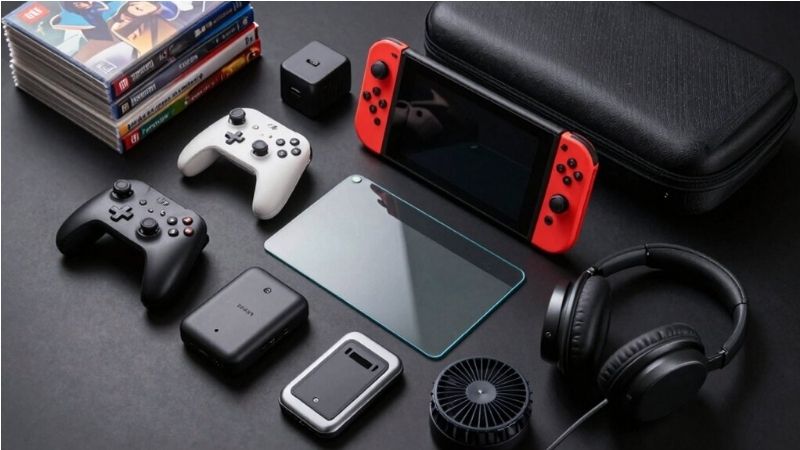
These are eight real, identifiable products. They are not interchangeable: some help you control games from the sofa, one handles tabletop play, one is for racing, and one adds video chat. U.S. prices below are reference list prices shown by Nintendo or the manufacturers when this guide was researched, not promises of live stock or discounts.
| Accessory | Best couch use | Verified feature or compatibility | U.S. reference price | Main drawback |
|---|---|---|---|---|
| Nintendo Switch 2 Pro Controller | Best overall for solo TV play | Switch 2-only; remappable GL/GR, HD rumble 2, 3.5 mm headset jack | $89.99 | Premium price; one controller serves one full-pad player |
| Nintendo Joy-Con 2 (L)/(R) pair | Expanding local multiplayer | Switch 2 controllers; each may work separately in compatible games | $99.99 | Small split controllers are not ideal for every game or hand size |
| PowerA Advantage Wireless Controller for Switch 2 | Value-oriented full-size controller | Licensed; Hall effect sticks; C Button; up to 30-hour advertised battery | $64.99–$69.99 depending on variant | No HD rumble, amiibo NFC, or IR camera functions |
| PDP Afterglow Wave Wireless Controller for Switch 2 | RGB and remappable rear buttons | Switch 2-specific version; TMR sticks; C Button; advertised 20-hour battery | $64.99 | Lighting adds no gameplay advantage; check exact generation |
| Nintendo Joy-Con 2 Charging Grip | Convenient shared Joy-Con 2 charging | Charges attached Joy-Con 2 by USB-C; remappable GL/GR | $39.99 | Joy-Con 2 controllers sold separately; not a spare controller |
| HORI Dual USB PlayStand for Switch 2 | Sofa-side tabletop multiplayer | Two USB-A ports; charge-and-play using a separate AC adapter | $39.99 | Not a TV-output dock; needs a firm supporting surface |
| Nintendo Joy-Con 2 Wheel (set of two) | Casual racing nights | Magnetic holders for Joy-Con 2 in compatible racing games | $24.99 | Niche accessory; no new controller included |
| Nintendo Switch 2 Camera | Remote friends joining from the couch | Dedicated Switch 2 USB-C camera; privacy shutter | $54.99 | Only worthwhile if you actually use compatible video-chat features |
A product that is excellent for couch co-op can be pointless for a solo player. Consider the price of any controllers you must already own before comparing the accessory prices in the table.
Best overall: Nintendo Switch 2 Pro Controller
The Nintendo Switch 2 Pro Controller is the simplest way to make long TV sessions feel like a conventional living-room console experience. Instead of bringing both Joy-Con 2 together in the included grip, you get one dedicated full-size gamepad that remains ready for TV play while the Joy-Con 2 stay attached to the console or available for a guest.
Nintendo lists HD rumble 2, motion controls, amiibo support, remappable GL/GR buttons, a C Button for GameChat, and a 3.5 mm CTIA headset jack. The headset port can be especially useful when other people in the living room do not want to hear your game. Nintendo’s published technical specifications estimate about 40 hours of battery life under stated usage assumptions; your results will vary.
Why it belongs beside the sofa
Its greatest practical advantage is reducing the friction of sitting down to play. A dedicated controller avoids detaching the Joy-Con 2 each time you switch between handheld and docked use. The rear buttons may also help players who prefer mapping a frequently used input to a finger that can reach it without shifting grip. These are available features, not a claim that the controller will improve your performance in every game.
For a two-player game requiring two full gamepads, a Pro Controller can serve one player while a properly assembled Joy-Con 2 pair may serve the other, depending on the title’s supported control methods. That can be a more sensible starting point than buying two Pro Controllers immediately.
What to check before buying
The Switch 2 Pro Controller does not work with the original Switch, according to Nintendo’s support FAQ. Conversely, an original Switch Pro Controller can pair wirelessly with Switch 2, though it does not gain the newer model’s dedicated buttons. If you already own an original Pro Controller, try it with your actual games before paying for an upgrade.
The premium is also real. A C Button, remappable rear buttons, and audio support do not matter equally to everyone. A player who mainly enjoys simple party games may be better served by spending the money on enough controllers for guests.
Pros: Native Switch 2 feature set; dedicated comfortable layout for TV gaming; useful headset jack; published long battery-life estimate.
Cons: Higher price than many licensed pads; not backward-compatible with original Switch; not a substitute for Joy-Con 2-specific controls in games that require them.
Best for: Someone who plays frequently from the couch and wants one dependable primary controller without regularly dismantling a handheld setup.
Best for family and guests: Nintendo Joy-Con 2 (L)/(R) pair
Extra Joy-Con 2 are the most adaptable purchase for a household where the number of players changes throughout the week. Nintendo sells the left-and-right pair separately and includes two straps in the pair package. For compatible titles, the controllers can be shared individually; in others, they must operate together as a full controller. That distinction is more important than the fact that the box contains two pieces of hardware.
Think in player inputs, not controller boxes
If a game supports one Joy-Con 2 held sideways per player, the pair included with the console may already cover two participants. A second pair may increase the available inputs for another two people in that specific control mode. A game that requires a left-and-right pair for each person is different: the same second pair adds only one full set of controls. Read the specific game’s supported controller diagram and player count before purchasing.
For a family, the first benefit is flexibility. You can leave one pair ready on the system and keep another charged for a spontaneous local-multiplayer game. The separate controllers can also be easier for smaller hands than a full-size pad in games designed around simple button combinations, although comfort varies from person to person.
Compatibility warning that saves a costly mistake
Original Switch Joy-Con can pair wirelessly with Switch 2, according to Nintendo, but cannot attach to the Switch 2 console for charging. They need a compatible original-Switch charging method. Conversely, original Switch grips, charging grips, and wheels are not designed to accept Joy-Con 2. Do not treat a listing that merely says “Nintendo Switch Joy-Con” as proof of Switch 2 physical fit.
Pros: Flexible sharing for compatible couch-multiplayer games; genuine Joy-Con 2 support; official straps in the additional pair.
Cons: At $99.99 list price, buying multiple pairs becomes expensive; split controls may be uncomfortable for extended action games; multiplayer configurations depend on each game.
Best for: Families and groups who actually play titles supporting individual Joy-Con 2 and want to accommodate additional local players.
Best licensed full-size alternative: PowerA Advantage Wireless Controller
A family does not necessarily need multiple first-party Pro Controllers. The PowerA Advantage Wireless Controller designed for Nintendo Switch 2 is an alternative full-size pad with a clearly documented feature set and compatibility. Choose the explicitly labeled Switch 2 product, not an older controller with a similar appearance.
PowerA specifies Hall effect thumbstick modules, two mappable rear gaming buttons, motion controls, a C Button, and a rechargeable battery rated for up to 30 hours under its test assumptions. It includes a 10-foot USB-C charging cable. The black NSGP0545-01 variant and other licensed designs are listed separately, so actual price may vary with artwork and retailer.
Where the lower price makes sense
For an extra couch player, a wireless full-size controller helps avoid the cramped feel of a single sideways Joy-Con 2. Hall effect stick sensors reduce contact between sensing components, which is a useful design characteristic, but do not guarantee that a controller can never develop an input fault. The long included cable can be convenient when the controller needs power mid-session, although you should route it away from walkways.
The PowerA controller also supports earlier Switch family systems. That cross-generation flexibility may matter in a home where different consoles share a television. However, the product’s capabilities are not the same on every system, so read the manufacturer’s compatibility notes rather than assuming every button functions identically everywhere.
Features you give up
PowerA explicitly says the Advantage does not support HD rumble, amiibo NFC, or IR camera features, and is unsuitable for games requiring Joy-Con-only controls. These are real restrictions, not minor fine print. If a game experience depends on those functions, the lower purchase price may offer poor value. A full-size third-party pad also does not replace an additional Joy-Con 2 pair for sideways shared play.
Pros: Officially licensed Switch 2 option; rear buttons and motion controls; Hall effect stick design; documented multi-generation compatibility.
Cons: No rumble, amiibo, or IR camera feature support; advertised battery life is a manufacturer estimate; confirm exact variant and return policy.
Best for: The regular guest or second player who values a proper full-size controller more than Nintendo-specific extras.
Best for RGB fans: PDP Afterglow Wave Wireless Controller for Switch 2
The Switch 2-specific PDP Afterglow Wave offers a different set of trade-offs. It uses TMR thumbsticks, has two mappable back buttons, motion controls, a dedicated C Button, and eight RGB lighting zones. The manufacturer rates its rechargeable battery for up to 20 hours and its wireless range for up to 30 feet, both subject to real-world conditions.
Why it earns a separate pick
Some living-room players want a controller that is easy to identify when several people share a couch. Different lighting configurations can help distinguish controllers by appearance, though the RGB itself does not increase input accuracy. PDP also lists textured grips and rear buttons, features that distinguish the product from a basic extra pad.
The important technical distinction is the Switch 2 edition. The older PDP Afterglow Wave for the original Switch also works with Switch 2, but its product listing says the C Button is unavailable. It is not the same product as the Switch 2-labeled controller with a dedicated C Button and TMR sticks. Retailer listings and images can look similar, so verify the generation and official product description before checkout.
Reasons to skip it
If you play with the room lights down and find RGB distracting, a cheaper or simpler controller may suit you better. Its published 20-hour battery figure is also shorter than the advertised estimates for the PowerA Advantage and Nintendo’s Pro Controller. We have not independently measured latency, stick accuracy, or comfort, so no performance ranking here should be mistaken for a laboratory test.
Pros: Switch 2-specific controls; TMR stick technology; configurable RGB; rear buttons; officially licensed.
Cons: More decorative than necessary for many players; shorter manufacturer-rated battery life than some competitors; similar-looking original-Switch model requires careful identification.
Best for: A player who wants a distinct-looking secondary gamepad and checks the product version carefully.
Best charging upgrade for existing Joy-Con 2: Nintendo Joy-Con 2 Charging Grip
The Joy-Con 2 Charging Grip combines an ergonomic function with charging. Attach your existing Joy-Con 2 controllers and connect the included USB-C cable to charge them while the grip holds the pair in a familiar controller shape. Nintendo also provides remappable GL/GR buttons on the charging grip.
Why it helps a couch setup
A shared console may move frequently between handheld play and the television. If one person takes the Joy-Con 2 off the console to use them as a combined controller, the Charging Grip offers a charging option away from the console’s attachment rails. This is particularly useful if you regularly finish a handheld session and then continue docked with those same controllers.
The alternative is the grip already included in the Switch 2 system package. For anyone who simply needs to hold two Joy-Con 2 as one controller, the included grip can be sufficient. The paid Charging Grip is about charging convenience and its rear-button functionality, not access to an entirely new controller.
The common purchasing error
No Joy-Con 2 controllers come in this $39.99 accessory package. Buying it does not increase the number of people who can play simultaneously. It also cannot accept original Switch Joy-Con. If your objective is to seat a third or fourth person, put the money toward actual compatible controllers rather than another grip.
Pros: Official Switch 2-specific charging; includes USB-C cable; adds configurable GL/GR controls to the attached pair.
Cons: Costs extra despite a noncharging grip being bundled with the console; no additional controllers included; requires the right generation of Joy-Con.
Best for: Owners who already have enough Joy-Con 2 but want a less awkward charging routine for couch play.
Best for sofa-side tabletop play: HORI Dual USB PlayStand
Sometimes the couch is the meeting point, but the television is unavailable. The HORI Dual USB PlayStand for Nintendo Switch 2 creates a tabletop setup by supporting the console on a nearby stable surface. HORI’s NSX-002U has two USB-A ports for compatible devices and a USB-C connection for the separate Switch AC adapter, allowing tabletop play and charging at the same time.
Choose this when the TV is not the plan
If you and a friend sit at opposite ends of a small coffee table or on the same sofa with a side table between you, a supported upright screen is better than balancing the console on a cushion. A solid surface also leaves the vents less likely to be obstructed than a blanket or soft pillow. Connected wired accessories must be compatible with the Switch 2 and the game; available ports are not a guarantee that every USB device will work.
The built-in Switch 2 kickstand already supports tabletop mode. The HORI stand is primarily valuable when you want its port arrangement, power pass-through, or a setup that is easier to position on your furniture. Treat the extra ports as the reason to consider it, not as an essential purchase for every owner.
Know what this stand cannot do
The HORI Dual USB PlayStand is not a replacement for the Nintendo Switch 2 TV dock and should not be advertised as an HDMI video-output adapter. The relevant Nintendo Switch AC adapter is not included with the playstand. For normal docked couch gaming, the dock supplied with your system remains the intended video-output solution.
Pros: Verified Switch 2 tabletop compatibility; two USB-A connections; charge while playing with the appropriate separate adapter; compact folding design.
Cons: Small screen remains the limiting factor for multiple people; requires stable furniture; no TV-output claim; extra cords may clutter a sofa-side setup.
Best for: Two people using a coffee table or side table instead of a TV, particularly when one or both want compatible wired controls.
Best small upgrade for racing nights: Nintendo Joy-Con 2 Wheel pair
The Joy-Con 2 Wheel set is a narrow but understandable purchase. Nintendo sells two wheel shells that hold Joy-Con 2 magnetically for compatible racing-style games. They are not powered steering wheels, force-feedback equipment, or controllers in their own right. You supply the Joy-Con 2 that go inside them.
Why it works for a casual party
In a local racing session, passing a wheel-shaped grip to each participant can make the control scheme more playful and may help some users understand how to hold a sideways Joy-Con 2. The two-pack format fits a simple two-player activity without requiring a new control system.
That does not mean the wheel improves lap times. Motion-steering comfort and precision are personal, and game settings determine whether motion control is even appropriate. A player who prefers analog-stick steering might gain little from the shells. Also note that these are designed for Joy-Con 2, not original Joy-Con wheel accessories.
Consider the total setup cost
At $24.99 U.S. list price for the two shells, it looks inexpensive. But the set does not contain Joy-Con 2 controllers. For a new owner, the existing console pair may be enough for a two-player compatible game. For a larger group, extra controllers are the meaningful expense.
Pros: Genuine Joy-Con 2-specific fit; two accessories in one package; lighthearted way to set up compatible racing sessions.
Cons: Limited relevance outside racing; adds bulk to storage; provides neither controllers nor an automatic performance improvement.
Best for: Households that frequently play motion-compatible racing games together and already own the necessary Joy-Con 2.
Best for friends who are not in the room: Nintendo Switch 2 Camera
Not all couch sessions are local. The Nintendo Switch 2 Camera is for people who regularly use the console’s supported video-chat or camera features with friends elsewhere. Nintendo describes a dedicated USB-C camera with a wide-angle lens, adjustable angle, automatic brightness adjustment, and a built-in privacy shutter. Its U.S. list price is $54.99.
When a living-room camera is worth it
You may want friends to see multiple people sharing the couch rather than a single close-up face. A camera designed for the system offers a clear official compatibility path for that type of setup. Nintendo describes GameChat as supporting voice and video chat, screen sharing, and groups of friends, subject to service requirements.
The privacy shutter is a practical benefit in a living room where the camera may remain physically connected near a television. Position it on a secure surface with an unobstructed view, and close the shutter when you are not using video.
Why most couch gamers should wait
Video chat is not required for ordinary local multiplayer, and Nintendo’s GameChat requirements include a Nintendo Account, compatible service access, an internet connection, and a Nintendo Switch Online membership. Availability and restrictions may vary. If your family plays only with people in the same room, a camera does not improve the core control or charging setup. Nintendo also supports compatible USB-C cameras, so its own camera is not necessarily the only workable option.
Pros: Official dedicated Switch 2 camera; wide-angle positioning; useful privacy shutter; practical for video-enabled remote social play.
Cons: Not needed for couch co-op on one console; additional service requirements; money is better spent on controllers when local player capacity is the problem.
Best for: Owners who already use GameChat and know they want video in addition to voice or screen sharing.
Which accessories should you buy for your couch setup?
A purchase list should follow the people and games in your room. Three common configurations illustrate why one universal “must-have” bundle rarely makes sense.
Setup for one person who mostly plays on TV
Start with the Switch 2 and its included TV dock, Joy-Con 2 pair, and standard grip. If the Joy-Con 2 arrangement feels awkward during longer games, buy one Switch 2 Pro Controller. Skip extra Joy-Con 2, the wheel pair, and a video camera unless a specific new use case appears. An existing original Switch Pro Controller may be worth pairing first, since Nintendo lists wireless Switch 2 compatibility for it.
Setup for two people sharing a TV
Check the games before purchasing. A title allowing a single sideways Joy-Con 2 per player might already work with the included pair. For a game that expects full gamepads, one Switch 2 Pro Controller or one licensed PowerA or PDP controller may be the right extra purchase, leaving the Joy-Con 2 pair to function as the other controller when supported. Add a second full-size controller only if both people prefer that style, not because the packaging says “multiplayer.”
Setup for a family or rotating group of four
First verify that the specific game supports four people on one Switch 2 and identify its accepted control layouts. Games supporting individual sideways Joy-Con 2 may justify a second Joy-Con 2 pair. Games requiring more complete controllers may call for a mix of existing Joy-Con 2 and full-size pads. Charging management becomes relevant once you genuinely own multiple controllers; until then, a charging accessory does not add player capacity.
For party-racing sessions, the two Joy-Con 2 Wheels are an optional experience accessory. For nights without access to a TV, the HORI playstand addresses a different problem altogether. Remote GameChat participants do not count as local couch players and introduce separate account and network requirements.
How to choose accessories without compatibility surprises
Confirm Switch 2-specific hardware where fit matters
Physical fit is the biggest trap in this category. Original Switch Joy-Con cannot attach to a Switch 2 console, while Joy-Con 2 cannot attach to old Joy-Con grips or wheels. Old Joy-Con can work wirelessly with Switch 2 under Nintendo’s stated conditions and require their own suitable charging setup. Search results using the phrase “Switch-compatible” are not precise enough to establish fit.
Count actual player slots and required control styles
The console can pair multiple controllers, but a game’s supported player count and controller requirements still control what you can do. One Joy-Con 2 pair is two individual halves, or one combined controller, depending on the title. Buying a Charging Grip or wheel shell does not create another input device. Nintendo’s support guidance also notes that connection limits can vary by controller type and enabled features, so do not treat a generic maximum pairing number as a promise for every game and setup.
Decide which functions matter before comparing prices
Not every controller offers HD rumble, NFC, a headset jack, back buttons, the C Button, or motion control in the same way. For example, PowerA documents the absence of HD rumble and amiibo NFC, while Nintendo’s Pro Controller supports both. PDP’s older Afterglow Wave may work on Switch 2 without a C Button, whereas the Switch 2-specific model includes one. Check the exact product name, edition, and manufacturer specification, not just a shared brand name.
Choose wireless charging convenience or fewer cables
A dedicated pad with its own charging cable is often simpler for TV play. The Joy-Con 2 Charging Grip instead charges the Joy-Con 2 you already own. A tabletop stand with power input supports a different goal than a controller charging cradle. If you route any USB-C cable to the couch, keep it out of walkways and avoid putting strain on console or controller ports.
Keep the living room safe and uncluttered
Use stable shelves or tables for the console and camera, with ventilation unobstructed. Avoid balancing a working console on a cushion or burying it in blankets. If the TV is across the room, wireless controls can reduce cable clutter. When you do use a long USB cable, position it so children, visitors, and pets are less likely to snag it. These practical details often matter more than another decorative accessory.
How we selected these accessories
This guide compares published information from Nintendo, PowerA, PDP/Turtle Beach, and HORI, plus Nintendo’s controller-compatibility and multiplayer guidance. We prioritized products with identifiable Switch 2-specific models or explicit current compatibility statements. We then assigned a distinct couch-gaming job to each pick, rather than presenting a random group of cases, chargers, and cosmetic add-ons as though they served the same purpose.
The product details and U.S. reference prices were checked on October 23, 2026. An official list price is not a live shopping-cart quote; color variants, regional prices, sales, and stock can differ. Manufacturer battery-life and wireless-range numbers are published claims, not results of our own tests. We have not personally benchmarked controller latency, evaluated every couch game, or verified a retailer’s inventory in real time. Product rankings reflect documented fit and feature trade-offs, not paid placements or fabricated hands-on experience.
Frequently asked questions
What is the first Switch 2 accessory to buy for couch gaming?
For someone who mostly plays on a television alone, the Nintendo Switch 2 Pro Controller is a strong first purchase if the included Joy-Con 2 grip is not comfortable enough. For a multiplayer household, check whether the next purchase should instead be actual extra controllers. There is no universal reason to buy more hardware if the packed-in controls already meet your needs.
Can two people play Switch 2 using only the included Joy-Con 2?
Yes, in games that support one separated Joy-Con 2 per player. Other games require a different controller arrangement or full controller per person. Check the game’s supported local player count and control diagram before inviting a larger group or ordering more devices.
Can original Switch controllers be used for Switch 2 couch co-op?
Nintendo lists original Switch Joy-Con and the original Switch Pro Controller as compatible wirelessly with Switch 2, subject to each game’s requirements. Original Joy-Con do not attach to Switch 2 for charging. Original Switch grips and wheels do not accept Joy-Con 2. An existing original Pro Controller can be useful for a guest even though it lacks some newer Switch 2 controls.
Does the Joy-Con 2 Charging Grip come with controllers?
No. It holds and charges separately owned Joy-Con 2 and provides GL/GR buttons, but does not expand the number of controllers in the household. The included grip that came with the system may be enough if charging while using it is not important to you.
Does a Switch 2 couch setup need a second dock?
Usually not. The standard Switch 2 package includes a TV dock for the main television. The HORI Dual USB PlayStand covered in this guide supports tabletop use and USB devices, not HDMI TV output. Buy a second official dock set only when moving between televisions is a recurring need, after confirming what is included in the set.
Are inexpensive third-party Switch 2 controllers just as capable as Nintendo’s?
Not necessarily. The licensed PowerA Advantage includes useful stick sensors, motion control, and rear buttons but lacks HD rumble and amiibo NFC. The PDP Afterglow Wave offers a different feature balance. Neither should be described as universally equivalent to Nintendo’s Pro Controller. Match your game’s requirements to the precise manufacturer’s feature list.
Do you need a Switch 2 camera for local multiplayer?
No. The camera supports compatible video chat or camera-dependent game experiences, not the basic ability to play local multiplayer with friends on one console. Save that expense for a specific remote-social or game feature you expect to use.
Final thoughts
The best couch accessory is the one that removes an actual obstacle between you and the game. For relaxed solo TV sessions, prioritize a dedicated Nintendo Switch 2 Pro Controller. For visitors, count game-supported control inputs before buying more Joy-Con 2 or a licensed full-size pad. Choose the Charging Grip for charging convenience, the HORI playstand for sofa-side tabletop sessions, the wheel pair for a particular racing-night experience, and the camera only when video chat is part of your routine.
Avoid buying the entire list. A well-matched controller and an uncluttered setup will usually do more for a comfortable evening on the couch than a shelf full of accessories that solve problems you do not have.
