Key takeaways
- Boot and troubleshooting. If your graphics card dies, is being returned or is not seated properly, a 14700 lets you plug a monitor into the motherboard and reach the BIOS. With the 14700F you need a working discrete card or a borrowed one just to see anything on screen.
- Quick Sync Video. Intel’s hardware video engine sits with the integrated graphics. Streamers and video editors use it for encoding or timeline decoding in supported software, which can offload work from the GPU. The F chip cannot do this.
- Extra monitor outputs. Some boards allow the iGPU to drive an additional display alongside a discrete card, depending on BIOS settings and the board’s video ports.
- Resale and flexibility. A non-F chip can be reused in a small office or media PC later without buying a card.
The Core i7-14700 and Core i7-14700F are the same processor with one difference: the 14700 includes Intel UHD Graphics 770 on the die, and the 14700F has that graphics block disabled. If you are building around a discrete graphics card, the F version delivers the same cores, clocks, cache and power limits that Intel lists for the non-F chip, and it usually sits a tier lower in the market. If you want a display output without a graphics card, a free hardware video encoder for streaming, or a safety net when troubleshooting, buy the 14700.
Quick answer and spec table
Intel lists both processors in the 14th generation desktop family (Raptor Lake Refresh) on the LGA1700 socket. Independent spec sites that mirror Intel’s data report identical core counts, clocks, cache and power figures for the pair, and the only row that changes is integrated graphics.
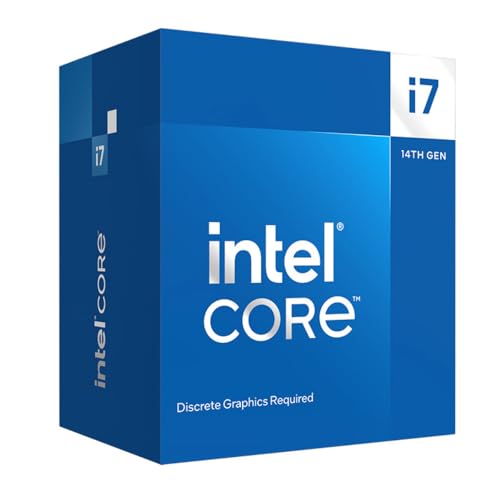
Intel Core i7-14700F Desktop Processor 20 cores (8 P-cores + 12 E-cores) up to 5.4 GHz
Picked as a relevant option in this category.
View on Amazon| Spec | Core i7-14700 | Core i7-14700F |
|---|---|---|
| Cores / threads | 20 (8 P + 12 E) / 28 | 20 (8 P + 12 E) / 28 |
| P-core base / max turbo | 2.1 GHz / 5.4 GHz | 2.1 GHz / 5.4 GHz |
| E-core base / max turbo | 1.5 GHz / 4.2 GHz | 1.5 GHz / 4.2 GHz |
| L3 cache (Intel Smart Cache) | 33 MB | 33 MB |
| Processor base power | 65 W | 65 W |
| Maximum turbo power | 219 W | 219 W |
| Socket | LGA1700 | LGA1700 |
| Integrated graphics | Intel UHD Graphics 770 | None |
| Overclocking | Locked multiplier | Locked multiplier |
The UHD Graphics 770 block is listed with 32 execution units and a boost clock of about 1.6 GHz. That is plenty for desktop work, video playback and light tasks, but it is not a gaming GPU and plays no part in the gaming performance of the F model, which simply does not have it.
What the integrated graphics actually gives you
For a gaming PC with a dedicated card, the iGPU is mostly an insurance policy. The practical benefits of the non-F chip are these:
- Boot and troubleshooting. If your graphics card dies, is being returned or is not seated properly, a 14700 lets you plug a monitor into the motherboard and reach the BIOS. With the 14700F you need a working discrete card or a borrowed one just to see anything on screen.
- Quick Sync Video. Intel’s hardware video engine sits with the integrated graphics. Streamers and video editors use it for encoding or timeline decoding in supported software, which can offload work from the GPU. The F chip cannot do this.
- Extra monitor outputs. Some boards allow the iGPU to drive an additional display alongside a discrete card, depending on BIOS settings and the board’s video ports.
- Resale and flexibility. A non-F chip can be reused in a small office or media PC later without buying a card.
None of these change frame rates in games. If you already own a graphics card, will keep it, and have a spare way to boot a monitor if something fails, the F model removes nothing you will notice daily.
Gaming performance: same class
Because the cores, clocks, cache and power limits match, reviewers and benchmark databases treat the two as the same performance class. PassMark’s comparison page shows the F model a couple of percent ahead on one metric, which the site’s own data suggests is sample variation rather than a real gap. No outlet has published a credible reason for a difference in games, and this article does not claim any FPS figures for either chip.
What matters more for the result in a game is what surrounds the chip:
- Graphics card. At 1440p and 4K, the GPU sets the ceiling almost every time. A 20-core i7 of this generation is rarely the limit with mid-range and high-end cards.
- Memory. The maker lists support for DDR5 up to 5600 MT/s or DDR4 up to 3200 MT/s on this generation. Which one you can use depends on the motherboard, because boards are built for one type or the other.
- Cooling and board power delivery. With a 219 W maximum turbo figure, a weak cooler or a cheap board can cause the chip to drop clocks under long all-core loads such as compiling or rendering. Games load the chip far less, so this affects productivity more than gaming.
Platform, socket and power notes
Both chips drop into LGA1700 boards. They are 65 W base parts, so an inexpensive B760 or similar mid-tier board paired with a decent tower air cooler is a sensible match. Because the multiplier is locked, a Z790 board adds nothing for overclocking these chips, though it may still be worth it for extra connectivity or memory tuning options. Boards from the 600 series may need a BIOS update before they will recognise a 14th generation processor, and the board maker’s CPU support list tells you the minimum BIOS version. Update the BIOS following the maker’s instructions before installing the chip if the list says so, and never interrupt a flash.
The power numbers are limits, not typical draw. Many boards ship with their own power-limit defaults, and some run beyond Intel’s specifications out of the box. Check the BIOS settings in the manual of your board, and keep settings conservative. Changing power limits, voltages or memory profiles can void warranty coverage and cause instability.
Stability updates for 13th and 14th generation
Intel has acknowledged instability problems on some 13th and 14th generation desktop processors and has released microcode updates, with motherboard makers distributing them through BIOS releases, plus guidance on default power settings. Because this applies to both the 14700 and the 14700F, keep the board BIOS up to date, and if you see repeated crashes, contact Intel support or the retailer under the warranty terms. The issue is not specific to the F suffix.
Which one to buy: decision table
| Your situation | Better pick | Why |
|---|---|---|
| Gaming PC with a discrete GPU already owned or ordered | 14700F | Same cores and clocks, no use for the iGPU |
| Streaming or video editing that uses Quick Sync | 14700 | Only the non-F chip has the media engine |
| Building before the graphics card arrives | 14700 | Lets you install Windows and update the BIOS first |
| Wanting a fallback for troubleshooting | 14700 | Motherboard display output works without a card |
| Strict budget, discrete GPU in hand | 14700F | Spends nothing on unused silicon |
| Overclocking | Neither | Both are locked; the K variants are the unlocked parts |
Common mistakes
- Buying the F chip with no graphics card. The PC will power on and show no picture. Confirm a discrete GPU is in the plan.
- Plugging the monitor into the motherboard with a card installed. Use the graphics card output, or the game will run on the integrated graphics or fail to use the GPU properly.
- Assuming the non-F chip is faster. The specifications show no clock or core advantage, so any gap in games comes from the rest of the system.
- Skipping the BIOS check. An older 600 series board might not boot a 14th generation chip until it has the right BIOS.
- Paying for a Z-series board to overclock a locked chip. The multiplier cannot be raised on either processor.
- Confusing 14700 with 14700K. The K models have higher base clocks, a 125 W base power rating, and an unlocked multiplier, and are a different product.
Upgrade logic
If you are on a 12th generation chip such as a Core i5-12400 or i7-12700 on an LGA1700 board, moving to a 14700 or 14700F can be a drop-in upgrade after a BIOS update, with the same DDR4 or DDR5 memory you already have. The extra E-cores help background tasks and multi-threaded work, while games benefit mainly if your current chip is the bottleneck with a strong GPU. If you are on LGA1200 or older, a move to this chip means a new board and memory. Intel’s newer Core Ultra 200S desktop chips use a different socket, so choosing the 14700 family keeps you on a platform that is now at the end of its upgrade path, which is a reason to buy only if the price tier suits you.
Frequently Asked Questions
Is the i7-14700F slower than the i7-14700?
No. The maker lists the same core count, clocks, cache and power limits for both. Small score differences on benchmark sites come from test sample variation, not hardware.
Can I use the i7-14700F without a graphics card?
No. The F suffix means integrated graphics are disabled, so the motherboard video ports will not output a picture. You need a discrete graphics card installed.
Does the integrated graphics help gaming performance?
Not when a discrete card is installed. Games run on the discrete GPU, and the integrated block sits idle unless you use it for a second display or Quick Sync tasks.
Which motherboard do I need for the i7-14700 or 14700F?
Any LGA1700 board whose BIOS supports 14th generation chips. Many 600 and 700 series boards qualify, some after a BIOS update, so read the board maker’s CPU support list.
Should I buy the 14700K instead?
Only if you want an unlocked multiplier and higher stock clocks and can afford better cooling and power delivery. For gaming with a strong GPU, the non-K chips are enough for most builders.
Is the i7-14700F still a good choice now?
It remains a capable 20-core gaming and productivity chip, but it sits on an older socket. If you want a platform with later upgrade options, compare it with newer Intel and AMD desktop processors before deciding.
FAQ
Is the i7-14700F slower than the i7-14700?
Can I use the i7-14700F without a graphics card?
Does the integrated graphics help gaming performance?
Which motherboard do I need for the i7-14700 or 14700F?
Should I buy the 14700K instead?
Is the i7-14700F still a good choice now?
More from Amazon
Programs that pair well with the guide above. Offers and eligibility are set by Amazon and may change.
Free shipping on eligible items, Prime Video and more. Eligible new members can start with a free trial.
Start a Prime free trialAd-free music streaming. Eligible new subscribers can start with a free trial.
Try Music Unlimited freeA Prime membership for ages 18-24 with a trial period. Eligibility is set by Amazon.
See Prime for Young AdultsAudiobooks and podcasts to listen to on the go. Eligible new members can start with a free trial.
Try Audible freeAs an Amazon Associate we earn from qualifying purchases.