Our Top Picks
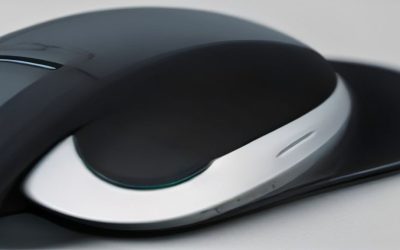
 Logitech Signature Comfort Plus M850 L Wireless MouseOne Size4.8 x 2.93 x 0.1 inches0.2 PoundsCheck on Amazon
Comfort is the most underrated feature in a computer mouse, yet it’s the one you feel most acutely after a long day. The right shape can prevent wrist fatigue, reduce strain, and make hours at the desk genuinely more pleasant, whether you prefer a classic contour or an ergonomic vertical grip.
This guide compares comfort-focused mice, from cushioned palm-support designs to vertical and travel-friendly options, using maker specifications and published reviews to show which ease the strain of all-day use. Here’s our detailed take.
Logitech Signature Comfort Plus M850 L Wireless Mouse Bluetooth - Graphite | Bluetooth, palm cushion, 24-month battery, customizable buttons, for Windows, Mac, iPad
One of the home product options compared in this guide.
View on Amazon
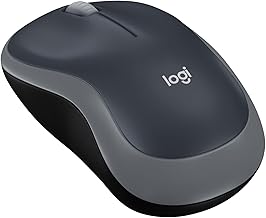
Lenovo Yoga Pro Mouse, Bluetooth, USB-C Rechargable, Dual Mode Bluetooth, 6 Button, Right Handed Design, Ergonomic Design, Programmable Buttons, 2-Way Metal Scroll Wheel, Tidal Teal
One of the home product options compared in this guide.
View on Amazon
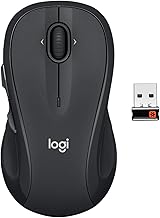
Logitech Signature M650 L Full Size Wireless Mouse Large Sized - Black | For Large Sized Hands, 2-Year Battery, Customizable Side Buttons, Bluetooth, PC, Mac, Chromebook, Multi-Device
One of the home product options compared in this guide.
View on AmazonUpdated October 2026 — Which computer mouse feels the softest and most comfortable to use? For most people it is a sculpted wireless mouse with a soft-touch or rubberized grip and a shape that matches their hand: the Logitech Signature Comfort Plus M850 L for palm support, the Logitech MX Master 4 for an all-round premium feel, and the Logitech Lift for a vertical grip that eases wrist strain. The most comfortable mouse for you depends on hand size, grip, and whether you work or game.
The picks above the fold come from the original review. The sections below add soft-grip and comfort criteria, tier-by-tier picks, hand-size advice, and ten more models.
| Mouse | Type | Best for | Connection | Tier |
|---|---|---|---|---|
| Logitech Signature Comfort Plus M850 L | Palm-cushion standard | All-day office comfort, larger hands | Bluetooth | Mid-range |
| Logitech MX Master 4 | Sculpted ergonomic | Premium productivity and creative work | Wireless | Premium |
| Logitech Lift | Vertical | Wrist relief, small to medium hands | Bluetooth or Logi Bolt | Mid-range |
| Razer Pro Click V2 | Right-handed ergonomic with thumb rest | Work and light gaming | Multi-device wireless | Mid-range |
| Microsoft Bluetooth Ergonomic Mouse | Sculpted with thumb rest | Everyday Windows and Mac use | Bluetooth | Mid-range |
| ProtoArc EM11 NL | Vertical, 58 degrees | Budget vertical | Bluetooth and 2.4G | Budget |
| Lenovo 700 Multi-Device Wireless Mouse | Standard | Switching between three devices | Bluetooth or 2.4GHz | Budget |
| Lenovo WL310 Bluetooth Silent Mouse | Compact silent | Lowest price comfortable mouse | Bluetooth 5.0 | Budget |
Watch: Most Comfortable Mouse: Review & Buyer’s Guide — Video Review
What Makes a Computer Mouse Feel Soft and Comfortable?
Comfort is the result of several small design choices working together. If you are comparing models, these are the traits that matter most.
Soft-touch coatings and grip surfaces
A mouse that feels soft usually has a rubberized or matte soft-touch coating on the top shell and side grips. Rubberized side panels improve control without a tight squeeze, which means less finger tension. Glossy plastic shells feel slick and encourage a harder grip. Over months, some soft-touch coatings can become shiny or tacky, so a textured rubber insert on the sides tends to age better than an all-over coating.
Palm support and shape
The back of the mouse should fill your palm so that your wrist is not hovering. A raised hump under the palm, a dedicated palm cushion like the one on the Logitech Signature Comfort Plus M850 L, or a thumb rest on the Razer Pro Click V2 and Microsoft Bluetooth Ergonomic Mouse all reduce the muscle effort needed to hold the mouse in place.
Size relative to your hand
A mouse that is too small forces a cramped claw grip, and one that is too large makes the fingers stretch. Measure from your wrist crease to the tip of your middle finger. As a rule of thumb, under 17cm is small, 17cm to 19cm is medium, and above 19cm is large. Full-size mice such as the Logitech M650 L reviewed above suit large hands, while the Logitech Lift is aimed at small to medium hands.
Weight and glide
Lighter mice reduce the effort of each movement, but a very light mouse can feel unstable if you tend to grip it hard. Most comfort-focused mice weigh between 80g and 130g. Smooth feet matter as well. Scratchy glide makes you push harder.
Click and scroll feel
Silent switches reduce the sharp finger impact of loud clicks, which many people find easier on the hand. Scroll wheels with light, steady resistance, or a free-spin mode for long pages, cut down on repetitive finger flicks. The Logitech MX Master 4 is built around fast scrolling and haptic feedback for this reason.
Wrist angle: standard, vertical, or trackball
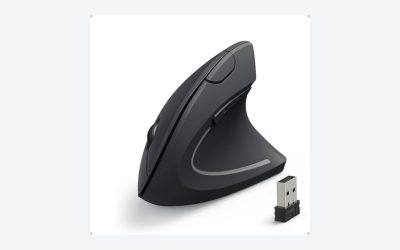
A standard mouse keeps the forearm rotated palm-down. A vertical mouse like the Logitech Lift or ProtoArc EM11 NL turns the hand toward a handshake position, which many people find relieves forearm twist. A trackball moves the ball with your thumb so your wrist can stay still. Vertical mice take a few days to adjust to, and none of them is right for every person.
Design & Build
Comfort takes many forms across these picks. The Logitech Signature Comfort Plus M850 L leads with a dedicated palm cushion and a sculpted shape built for extended sessions, while the DELUX Seeker vertical mouse tilts your hand into a natural handshake position to relieve wrist pressure. The Lenovo Yoga Pro brings a premium ergonomic contour with a metal scroll wheel. Check each maker’s spec page for materials and coatings.
Performance
Beyond shape, these mice deliver comfortable, reliable operation. The Logitech M850 L combines its palm cushion with a 24-month battery and customizable buttons for a low-maintenance, all-day companion. The DELUX Seeker adds an OLED screen and adjustable DPI for those who want ergonomic relief plus features. The Lenovo Yoga Pro’s dual-mode Bluetooth and programmable buttons make it versatile.
Pros & Cons
- Ergonomic shapes that reduce wrist strain
- Palm cushioning on the Logitech M850 L
- Vertical option for natural hand positioning
- Long battery life and silent clicks
- Vertical mice require a short adjustment period
Most Comfortable Mouse at Every Price
You do not need to spend a lot to get a comfortable mouse. This is the best option at each budget level, including the most comfortable mouse at low price.
Most comfortable mouse under $20
- Lenovo WL310 Bluetooth Silent Mouse · Bluetooth 5.0 · silent clicks · adjustable DPI · compact ergonomic shape
- Anker 2.4G Wireless Ergonomic Mouse · right-hand vertical · 800/1200/1600 DPI · USB receiver
What to expect at this tier:
- Light plastic shells that feel less premium than higher tiers.
- Basic DPI steps and a few buttons.
- Silent clicks are common and help with fatigue.
- Battery life varies, so check whether the mouse uses AA or AAA cells.
Most comfortable mouse under $50
- ProtoArc EM11 NL · 58-degree vertical · rechargeable · three-device connectivity
- Lenovo 700 Multi-Device Wireless Mouse · Bluetooth or 2.4GHz · up to three devices · 36-month battery rating
- Razer Basilisk V3 X HyperSpeed · ergonomic wireless gaming shape · mechanical switches Gen-2 · 18K optical sensor
- Logitech Signature M650 L (reviewed above) · large hands · customizable buttons
What to expect at this tier:
- Better shapes and rubberized or textured grips.
- Rechargeable batteries and multi-device switching.
- Customizable buttons through free software.
Most comfortable mouse under $100
- Logitech Lift · vertical · Bluetooth or Logi Bolt receiver · left-handed version available
- Microsoft Bluetooth Ergonomic Mouse · thumb rest · customizable buttons · Bluetooth
- Microsoft Sculpt Ergonomic Mouse · sculpted shape · 4-way scroll wheel
- Razer Pro Click V2 · right-handed ergonomic · thumb rest · multi-device
- Logitech Signature Comfort Plus M850 L (reviewed above) · palm cushion
What to expect at this tier:
- Deliberately shaped ergonomic designs with palm and thumb support.
- Long battery life, often a year or more on replaceable cells.
- Good software for button remapping and gestures.
- Better scroll wheels and quieter, more refined clicks.
Most comfortable premium mouse (over $100)
- Logitech MX Master 4 · haptic feedback · ultra-fast scrolling · sculpted ergonomic body
What to expect at this tier:
- Premium materials, such as rubberized side panels.
- Feature-rich scroll wheels and thumb controls.
- Rechargeable batteries with fast top-up charging.
- Strong software and multi-computer switching.
More Comfortable Mice Worth Considering
These ten additions cover premium, vertical, budget, and gaming-friendly shapes that the main list does not.
Logitech MX Master 4 — Best premium comfortable mouse

Logitech MX Master 4 Ergonomic Wireless Mouse with Haptics - Graphite | Advanced performance haptic feedback, Ultra-Fast Scrolling, 8K DPI Any-surface, Quiet Clicks, Wireless, USB-C, Windows/MacOS
One of the home product options compared in this guide.
View on AmazonLogitech MX Master 4 is the mouse most reviewers name when asked which model feels the most comfortable overall. The sculpted body supports the whole hand, and the side grips use rubberized sections for control.
Specs: sculpted right-handed shape · haptic feedback · ultra-fast scrolling · USB-C rechargeable · Bluetooth and Logi Bolt wireless
Pros:
- Full palm support and a rubberized grip
- Fast, quiet scroll wheel for long documents
- Works across multiple computers
Cons:
- Premium price
- Larger than many travel mice
Skip it if you have small hands or want a travel-size mouse.
Logitech Lift — Best vertical mouse for small and medium hands

Logitech Lift Vertical Ergonomic Wireless Mouse - Graphite | Connect via Bluetooth or included Logi Bolt USB-A receiver, quiet clicks, 4 of 6 buttons customizable, Windows Mac compatible
One of the home product options compared in this guide.
View on AmazonLogitech Lift is a compact vertical mouse that brings the hand into a handshake position without the bulk of larger vertical models. A left-handed version is sold, which is rare in this category.
Specs: vertical ergonomic shape · Bluetooth or Logi Bolt receiver · quiet clicks · small to medium hand fit · left-handed model available
Pros:
- Eases forearm twist
- Quiet clicks
- Left-handed option
Cons:
- Takes a few days to adjust to
- Not for large hands
Skip it if you play fast-paced games or have large hands.
Razer Pro Click V2 — Best ergonomic mouse for work and light gaming

Razer Pro Click V2 Wireless Mouse, Right-Handed Ergonomic Design | Thumb Rest, AI Prompt, Long Battery Life, Multi Device Connectivity via 2.4GHz, Bluetooth
One of the home product options compared in this guide.
View on AmazonRazer Pro Click V2 is a productivity mouse built around a right-handed ergonomic shape and a thumb rest. It carries Razer’s sensor tech into an office-friendly body.
Specs: right-handed ergonomic design · thumb rest · multi-device wireless · long battery life · customizable buttons
Pros:
- Comfortable contour with a thumb rest
- Multi-device connectivity
- Good for both work and casual play
Cons:
- Right-handed only
- Costs more than basic ergonomic mice
Skip it if you are left-handed or want a lighter mouse.
Microsoft Bluetooth Ergonomic Mouse — Best for everyday Windows and Mac use

Microsoft Bluetooth Ergonomic Mouse - Pastel Blue - with Thumb Rest, Precise Tracking, and Customizable Buttons
One of the home product options compared in this guide.
View on AmazonMicrosoft Bluetooth Ergonomic Mouse offers a sculpted, comfortable shape with a thumb rest at a moderate price. It is a straightforward choice for office desks.
Specs: sculpted right-handed shape · thumb rest · Bluetooth connection · customizable buttons · precise tracking
Pros:
- Comfortable thumb rest
- No dongle needed
- Simple, quiet design
Cons:
- Fewer buttons than productivity flagships
- No receiver option for devices without Bluetooth
Skip it if your computer lacks Bluetooth.
Microsoft Sculpt Ergonomic Mouse — Best sculpted shape for natural wrist posture

Microsoft Sculpt Ergonomic Mouse, Black - Wireless Mouse for Natural Wrist Comfort with 4-Way Scroll Wheel for PC/Laptop/Desktop, works with Mac/Windows 8/10/11 Computers
One of the home product options compared in this guide.
View on AmazonMicrosoft Sculpt Ergonomic Mouse has a distinctive domed shape that keeps the wrist angled and a thumb scoop for easy side-to-side scrolling.
Specs: sculpted dome shape · 4-way scroll wheel · wireless · thumb scoop · designed for natural wrist comfort
Pros:
- Strong wrist support
- Unusual shape that many people find comfortable
- Four-way scrolling
Cons:
- Unusual shape takes adjustment
- Not suited to fast gaming
Skip it if you need a travel mouse.
ProtoArc EM11 NL — Best budget vertical mouse

ProtoArc EM11 NL Wireless Ergonomic Vertical Mouse, Rechargeable, Black | 58° vertical design supports a natural wrist posture, connect 3 devices via Bluetooth/2.4G USB-A, 500mAh USB-C rechargeable.
One of the home product options compared in this guide.
View on AmazonProtoArc EM11 NL gives the vertical experience at a low price, with a 58-degree angle and a rechargeable battery.
Specs: 58-degree vertical design · rechargeable · three devices via Bluetooth or 2.4G USB-A · ergonomic wrist posture
Pros:
- Low price for a vertical mouse
- Rechargeable
- Connects to three devices
Cons:
- Plastic build feels lighter than premium models
- Smaller brand with less support history
Skip it if you want premium materials or a left-handed design.
Anker 2.4G Wireless Ergonomic Mouse — Best low-cost vertical option

Anker 2.4G Wireless Ergonomic Mouse, Right Hand Vertical Mouse USB Receiver | Multi-Device Connectivity, 800/1200/1600 DPI, Wireless Mouse for Laptop, Desktop, PC, 5 Buttons, Black (Batteries Required)
One of the home product options compared in this guide.
View on AmazonAnker 2.4G Wireless Ergonomic Mouse is a long-running, inexpensive vertical mouse with a simple USB receiver. It is a low-risk way to try a vertical shape.
Specs: right-hand vertical shape · 800/1200/1600 DPI · 2.4GHz USB receiver · ergonomic grip
Pros:
- Very low entry price
- Simple plug-and-play dongle
- Lets you test vertical comfort cheaply
Cons:
- No Bluetooth
- Basic build
Skip it if you need Bluetooth for a tablet or phone.
Lenovo 700 Multi-Device Wireless Mouse — Best low-cost mouse for multiple devices

Lenovo 700 Multi-Device Wireless Mouse, Bluetooth or 2.4 GHz USB-A Connection, Connect up to 3 Devices, 36 Month Battery Life, Luna Grey
One of the home product options compared in this guide.
View on AmazonLenovo 700 Multi-Device Wireless Mouse is the answer to the question of the most comfortable Lenovo mouse for people who switch between a laptop, desktop, and tablet.
Specs: Bluetooth or 2.4GHz USB-A · up to three devices · 36-month battery rating · standard right-hand shape
Pros:
- Easy device switching
- Very long battery rating
- Low price
Cons:
- Standard shape without palm cushion
- No rechargeable battery
Skip it if you want a sculpted ergonomic body.
Lenovo WL310 Bluetooth Silent Mouse — Best very cheap comfortable mouse

Lenovo WL310 Bluetooth Silent Mouse, Ergonomic, Adjustable DPI, Silent Clicks, Bluetooth 5.0, Portable for Windows, Mac, and Chromebook, Grey
One of the home product options compared in this guide.
View on AmazonLenovo WL310 Bluetooth Silent Mouse is one of the lowest-priced options on this page and suits light daily use and quiet environments.
Specs: Bluetooth 5.0 · silent clicks · adjustable DPI · portable ergonomic shape · works with Windows and Mac
Pros:
- Quiet clicks
- Very low price
- Portable
Cons:
- Small body not ideal for large hands
- Basic build
Skip it if you have large hands or work all day at a desk.
Razer Basilisk V3 X HyperSpeed — Best comfortable mouse for gaming

Razer Basilisk V3 X HyperSpeed Customizable Wireless Gaming Mouse, Black | Mechanical Switches Gen-2, 5G Advanced 18K Optical Sensor, Chroma RGB, 9 Programmable Controls, 285 Hr Battery
One of the home product options compared in this guide.
View on AmazonRazer Basilisk V3 X HyperSpeed uses the ergonomic Basilisk shape, which reviewers often cite as comfortable for gaming, in a wireless, budget-friendly version.
Specs: ergonomic right-handed shape · HyperSpeed wireless · mechanical switches Gen-2 · 18K optical sensor · customizable buttons
Pros:
- Contoured shape for long sessions
- Wireless at a low price
- Good for casual and competitive play
Cons:
- Right-handed only
- Gaming styling is less office-friendly
Skip it if you want a silent office mouse.
Alternatives to Consider
If wrist strain is your main concern, the Logitech Lift vertical mouse is worth a look, while the Logitech M850 L is the best conventional comfort pick with its palm cushion. Frequent travelers can look at the compact Lenovo WL310, and those wanting a premium feel will like the Lenovo Yoga Pro.
Frequently Asked Questions
Are vertical mice more comfortable?
For many people, yes; by keeping the wrist in a neutral handshake position, vertical mice like the Logitech Lift reduce strain, though they take a few days to get used to.
What makes a mouse comfortable for long use?
A shape that supports your palm, appropriate size for your hand, silent clicks, and light weight all contribute. Palm-cushioned and sculpted designs excel for all-day comfort.
Do comfortable mice work for gaming?
These are optimized for productivity comfort rather than gaming precision. They work for casual play, but competitive gamers should choose a dedicated gaming mouse.
Should I pick a large or small mouse?
Match it to your hand size; a mouse that’s too small forces a cramped grip. Large-hand users should look at full-size models like the Logitech M850 L.
Which computer mouse feels the softest?
A mouse with a soft-touch or rubberized coating and a cushioned palm area feels the softest, such as the Logitech Signature Comfort Plus M850 L or the Logitech MX Master 4. Softness is partly personal, so also check shape and size.
What is the most comfortable mouse at a low price?
The Lenovo WL310 Bluetooth Silent Mouse and the ProtoArc EM11 NL are strong low-price choices. The first is a silent compact mouse for light use, and the second is a rechargeable vertical mouse that eases wrist twist.
What are the most comfortable mice ever made?
Reviewers most often name the Logitech MX Master series and the Logitech MX Vertical. The Microsoft Sculpt Ergonomic Mouse is another long-running favorite. No single mouse suits every hand.
What is the world’s most comfortable mouse?
There is no single answer because comfort depends on hand size and grip. The Logitech MX Master 4 is the most frequently recommended all-round model in current reviews.
What is the most comfortable Lenovo mouse?
The Lenovo Yoga Pro Mouse is the most ergonomic Lenovo option on this page. For multi-device use pick the Lenovo 700, and for a quiet budget option pick the Lenovo WL310.
Are trackballs more comfortable than mice?
For some people, yes. A trackball lets your hand rest in place while the thumb moves the cursor, which can help with wrist pain. They take time to learn and are less precise for gaming.
Verdict
The Logitech Signature Comfort Plus M850 L is our top overall pick for its palm cushion and all-day comfort, while the Logitech Lift is a vertical option worth a look for anyone with wrist strain.
Most Comfortable Mouse by Hand Size and Grip
- Small hands (under 17cm): Logitech Lift, Lenovo WL310, or a compact travel mouse. Avoid full-size mice that force you to stretch.
- Medium hands (17cm to 19cm): Microsoft Bluetooth Ergonomic Mouse, Razer Pro Click V2, or ProtoArc EM11 NL.
- Large hands (above 19cm): Logitech MX Master 4, Logitech Signature Comfort Plus M850 L, or Logitech Signature M650 L.
- Palm grip: sculpted shapes with a palm cushion, such as the M850 L or MX Master 4.
- Claw grip: shorter bodies with a raised back, such as the Razer Basilisk V3 X HyperSpeed.
- Fingertip grip: light, compact mice. Comfort-focused vertical mice are usually a poor fit.
- Left-handed: the left-handed Logitech Lift, or a symmetrical mouse. Most sculpted ergonomic mice are right-handed only.
Standard, Vertical, or Trackball: Which Comfort Style Fits You?
Choose a standard sculpted mouse if you want the easiest transition and good palm support. Choose a vertical mouse if your wrist, forearm, or elbow feels twisted after a day at the desk and you are willing to spend a few days adjusting. Choose a trackball if you have limited desk space or wrist pain from sliding the mouse, since only your thumb moves the ball. Reviewers often list the Logitech MX Vertical among the most comfortable vertical designs, and trackballs like the Logitech MX Ergo S and Ergo M575S in the trackball category.
No mouse removes the need for good habits. Keep your forearm supported, your wrist roughly straight, and take short breaks. If you have persistent pain, numbness, or tingling, see a healthcare provider.
What Is the Most Comfortable Lenovo Mouse?
Within the Lenovo range, the Lenovo Yoga Pro Mouse reviewed above is the most ergonomic option. The Lenovo 700 Multi-Device Wireless Mouse is the best for switching between devices, and the Lenovo WL310 Bluetooth Silent Mouse is the lowest-priced comfortable choice for light use.
How We Chose the Most Comfortable Mice
This guide is research-based. We did not physically use every model. We compared maker specifications for shape, weight class, grip support, connection, and battery claims, and read independent reviews from established outlets that evaluate ergonomics. Each mouse had to be a current model, belong to a clear comfort category (palm support, vertical, trackball, or silent compact), and fit a defined budget tier. We used wording such as “reviewers often cite” where opinion varies, since comfort is personal.
Buying Guide: What to Check Before You Buy a Comfortable Mouse
Hand size and fit
Measure your hand and match it to the mouse size. Use the 17cm and 19cm thresholds as a starting point, and check the maker’s size guidance when it exists.
Weight
For all-day office use, 80g to 130g is typical and feels stable. Under 80g suits travel and gaming, and above 130g is rare.
Connection
Bluetooth is ideal for laptops and tablets, while a 2.4GHz or Logi Bolt receiver is more stable on a desktop. A multi-device mouse that stores three connections saves time if you move between computers.
Battery
Mice with replaceable AA or AAA cells can run a year or more, while rechargeable mice such as the MX Master 4 and ProtoArc EM11 NL need a top-up every few weeks. Choose based on whether you prefer replacing cells or charging by USB-C.
Click noise and scroll feel
If you share a space, pick silent clicks. If you scroll through long documents, favor a smooth or free-spin wheel.
Left-handed and symmetrical options
Left-handed users should look for a dedicated left-handed model or a symmetrical shell. A shape that appears ambidextrous may still place buttons on one side only.
Which Comfortable Mouse Should You Buy?
- All-day office comfort: Logitech Signature Comfort Plus M850 L.
- Premium all-rounder: Logitech MX Master 4.
- Wrist or forearm strain: Logitech Lift or ProtoArc EM11 NL.
- Lowest price: Lenovo WL310 Bluetooth Silent Mouse or Anker 2.4G Wireless Ergonomic Mouse.
- Several devices: Lenovo 700 Multi-Device Wireless Mouse.
- Gaming and comfort: Razer Basilisk V3 X HyperSpeed.