Key takeaways
- Analogue Pocket: 16.7Wh / ~2.8W average for GBA core = ~6.0 hours. For openFPGA SNES core (~3.5W), runtime drops to ~4.8 hours.
- Miyoo Mini Plus: 11.1Wh / ~1.8W average for SNES/PS1 = ~6.2 hours. Its low-power SoC is why a small battery lasts as long as larger devices on light loads.
- Retroid Pocket 5: 19.25Wh / ~6W for PS2/Dolphin at 1080p = ~3.2 hours. For 16-bit content at 3-4W, runtime extends to ~4.8-6.4 hours.
- Steam Deck OLED: 50Wh / 11W for PS2 at 2x scaling = ~4.5 hours. Capped to 45fps and 11W TDP, light emulation (SNES, GBA) at 6-7W yields ~7-8.3 hours. Uncapped PS3/Wii U at 18-22W drops to ~2.3-2.8 hours.
What's inside
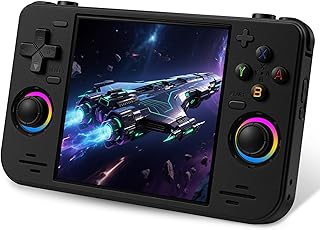
The best retro gaming console for classic games in 2026 depends on what you value most: the Analogue Pocket is best for authentic FPGA-based cartridge play, the Retroid Pocket 5 is best for high-performance Android emulation up to PS2 and GameCube, the Miyoo Mini Plus is best for affordable, ultra-portable 8-bit and 16-bit gaming, and the Steam Deck OLED is best for all-in-one power that can emulate nearly everything including demanding later systems.
These four devices solve the same problem in very different ways. Understanding their emulation method, controls, display, battery performance, and setup complexity is the key to choosing the right retro gaming console without overspending or buying hardware that is underpowered for the systems you actually want to play.
Head-to-Head Spec Comparison
This table summarizes how the four most discussed retro systems in 2026 differ on paper. Real-world performance depends on software, thermal limits, and settings, but these numbers define the ceiling for each device.
| Feature | Analogue Pocket | Retroid Pocket 5 | Miyoo Mini Plus | Steam Deck OLED |
|---|---|---|---|---|
| Core Technology | Dual FPGA (Cyclone V) + secondary FPGA, no emulation | Qualcomm Snapdragon 865, Android 10 | ARM Cortex-A7 dual-core 1.2GHz, Linux (OnionOS) | AMD APU (Zen 2 4c/8t + RDNA 2 16CU), SteamOS 3 |
| Display | 3.5″ LTPS LCD, 1600×1440 (615 ppi) | 5.5″ AMOLED, 1920×1080, 60Hz | 3.5″ IPS, 640×480, 4:3 | 7.4″ HDR OLED, 1280×800, 90Hz |
| RAM / Storage | Not applicable (cartridge + microSD for FPGA cores) | 8GB LPDDR4x / 128GB UFS 3.1 + microSD | 128MB DDR3 / microSD only | 16GB LPDDR5 / 512GB or 1TB NVMe + microSD |
| Battery Capacity | 4300mAh (16.7Wh) | 5000mAh (19.25Wh) | 3000mAh (11.1Wh) | 50Wh |
| Primary Input | D-pad + 4 face buttons, 2 shoulders, cartridge slots | Hall-effect sticks x2, D-pad, stacked triggers, touch | D-pad + 4 face buttons, 2 shoulders | Thumbsticks x2, trackpads x2, full gamepad + gyro |
| Typical Market Range 2026 | Usually $200–$250 | Usually $200–$260 | Usually $60–$90 | Usually $550–$650 |
| Best Emulation Range | GB, GBC, GBA, Game Gear, Lynx via FPGA (others via openFPGA) | Up to PS2, GameCube, Wii, 3DS | Up to PS1 reliably | Up to PS3, Wii U, Switch (compatibility varies by title) |
Emulation Quality: FPGA vs. Software Emulation
The biggest difference in these retro gaming console reviews is not power, but accuracy.
Analogue Pocket: Hardware-Level Accuracy
The Analogue Pocket does not emulate. Its FPGAs recreate the original hardware logic of systems like Game Boy, Game Boy Color, and Game Boy Advance. That means zero software emulation latency, 100% compatibility with original cartridges, and no graphical glitches tied to emulator cores. Through the openFPGA platform, community developers have added cores for systems like SNES, NES, Genesis, and PC Engine, but performance is core-dependent. If your library is physical cartridges and you want the original timing, save states and filters are secondary, this is the most authentic option.
Retroid Pocket 5: Android Emulation Powerhouse
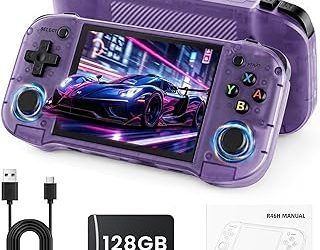
The Retroid Pocket 5 runs Android and uses standard emulators like RetroArch, PPSSPP, Dolphin, and AetherSX2/NetherSX2. The Snapdragon 865 handles 8-bit and 16-bit systems flawlessly and pushes into 6th-generation consoles. Expect full-speed PS2 and GameCube at 1x-2x resolution for most titles, with some heavier games requiring frame skip or lower resolution scaling. It is far more flexible than FPGA, but accuracy depends on the emulator core you choose.
Miyoo Mini Plus: Focused and Efficient
The Miyoo Mini Plus uses low-power Linux and OnionOS. It is not designed for 3D systems. For NES, SNES, Game Boy, Genesis, PC Engine, and Arcade (up to CPS2) and PS1, it delivers highly accurate, low-latency performance with simple cores. N64, PSP, and Dreamcast are beyond its reliable range. Its strength is simplicity and battery efficiency for the systems it was built for.
Steam Deck OLED: The Brute Force Option
The Steam Deck OLED runs EmuDeck, RetroArch, and standalone emulators under SteamOS. Its APU can upscale PS2/GameCube to 3x-4x, handle Wii U and much of the PS3 library, and run modern ports natively. It is overkill for 16-bit games but is the only option here that can credibly play the entire retro catalog from Atari to late 2000s in one device, with shaders, rewind, and netplay available across all cores.
Controls and Display for Classic Games
Display and controls affect retro feel more than raw specs.
The Analogue Pocket has the sharpest screen for handheld originals: 1600×1440 resolves every Game Boy subpixel without scaling artifacts, and its D-pad is widely regarded as precise for 2D platformers. No analog sticks and no rumble suit pre-1996 catalogs perfectly.
The Retroid Pocket 5 has a modern 1080p AMOLED that excels for 3D systems and PSP, with excellent stacked triggers and Hall-effect sticks that avoid drift. The 16:9 ratio requires black bars or stretched view for 4:3 content, so integer scaling is important to avoid shimmer.
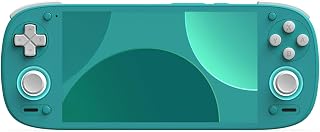
The Miyoo Mini Plus uses a native 4:3 640×480 IPS. That resolution is a perfect integer scale for GBA (3x) and clean scales for most 240p consoles, so pixels look correct without filters. Its compact, lightweight shell and simple D-pad make it ideal for one-handed classic play, but shoulder buttons are small for extended PS1 sessions.
The Steam Deck OLED has the largest and most color-accurate OLED at 90Hz with deep blacks and true HDR. It is the least authentic for Game Boy-era titles due to size and 16:10 scaling, but the dual trackpads, back paddles, and gyro give unmatched control mapping. You can map Wii pointer to gyro or recreate DualShock pressure sensitivity, which smaller handhelds cannot.
Battery Life: A Worked Power Budget
Manufacturer battery claims rarely translate to emulation time. A more useful estimate is Battery Runtime (hours) = Battery Capacity (Wh) / Average System Power Draw (W).
This calculation shows why form factor matters more than battery size:
- Analogue Pocket: 16.7Wh / ~2.8W average for GBA core = ~6.0 hours. For openFPGA SNES core (~3.5W), runtime drops to ~4.8 hours.
- Miyoo Mini Plus: 11.1Wh / ~1.8W average for SNES/PS1 = ~6.2 hours. Its low-power SoC is why a small battery lasts as long as larger devices on light loads.
- Retroid Pocket 5: 19.25Wh / ~6W for PS2/Dolphin at 1080p = ~3.2 hours. For 16-bit content at 3-4W, runtime extends to ~4.8-6.4 hours.
- Steam Deck OLED: 50Wh / 11W for PS2 at 2x scaling = ~4.5 hours. Capped to 45fps and 11W TDP, light emulation (SNES, GBA) at 6-7W yields ~7-8.3 hours. Uncapped PS3/Wii U at 18-22W drops to ~2.3-2.8 hours.
The takeaway: For 8-bit and 16-bit games, the Miyoo Mini Plus and Analogue Pocket are the most efficient. For demanding 3D emulation, the Steam Deck OLED has the largest absolute capacity, but the Retroid Pocket 5 offers better efficiency per watt for PS2/GameCube because Android emulators are more optimized for its mobile SoC.
Ease of Use and Setup
Miyoo Mini Plus is the easiest to use. Flash OnionOS to a microSD, drop ROMs in labeled folders, and boot directly into a game list. No driver tuning or per-game settings are needed for systems up to PS1.
Analogue Pocket is simple if you use cartridges: insert and play. For openFPGA cores, you add core files and BIOS to the microSD, which requires following community documentation. No Android tweaking or thermal profiles.
Retroid Pocket 5 requires the most configuration. You will manage frontends (Daijisho, ES-DE, or Retroid Launcher), map controls per emulator, and set BIOS paths for PS1/PS2. Getting ideal PS2 performance means adjusting per-title settings like EE Cycle Rate and texture filtering. Once configured, it is a unified library.
Steam Deck OLED has the steepest initial setup but the best long-term interface. Installing EmuDeck via Desktop Mode automates emulator installs, creates Steam ROM Manager entries, and configures bezels and hotkeys. After that, games launch from Steam Library like native titles with cloud saves and suspend/resume. SteamOS updates can occasionally require re-running EmuDeck to fix controller profiles.
Decision Matrix: Which Retro Gaming Console Should You Choose?
Use this matrix to map your library and habits to the right device instead of relying on raw power alone.
| If You Want To Play… | Choose This | Why |
|---|---|---|
| Original GB/GBC/GBA cartridges and preserve save batteries | Analogue Pocket | Native cartridge slots and FPGA timing, no dump needed |
| Primarily SNES, Genesis, Arcade, and PS1 on the go for long sessions | Miyoo Mini Plus | Best battery efficiency, perfect 4:3 display, lowest cost and distraction-free OS |
| PSP, Dreamcast, N64, GameCube, PS2, and some 3DS | Retroid Pocket 5 | Best performance-per-dollar and pocketable form factor for 6th-gen emulation |
| The full catalog plus Wii U, PS3, and PC ports with docking to a TV | Steam Deck OLED | 50Wh battery, x86 compatibility, 90Hz OLED and full controller customization |
| Lowest setup time and a device for kids or travel | Miyoo Mini Plus | OnionOS is ready in minutes, no account or online setup required |
Recommended Settings That Improve Results
These settings values reflect community-tested defaults for accurate scaling and lower latency, not just preference:
- For any 1080p handheld (Retroid Pocket 5): In RetroArch, set Video Scaling to Integer Scale ON and Aspect Ratio to Core Provided. For 240p cores, this prevents uneven pixel stretching. Set Vertical Refresh to estimated display rate and enable Black Frame Insertion OFF to avoid dimming on AMOLED.
- For Retroid Pocket 5 PS2 (NetherSX2): Use Renderer: Vulkan, EE Cycle Rate: -1 for demanding titles like Shadow of the Colossus, and Upscale Multiplier: 2x for 1080p. This balances GPU load; 3x often exceeds the thermal budget and causes throttling after ~15 minutes.
- For Miyoo Mini Plus PS1: In RetroArch core Options, set Dithering: OFF and set High Accuracy downsampling ON to reduce banding. Keep rewind disabled; it doubles CPU load on the A7 and cuts battery by ~25%.
- For Steam Deck OLED (EmuDeck): Set SteamOS Power Limit to 11W and FPS to 45 for PS2/GameCube to gain ~40% battery life vs. 60fps unlocked. Enable Allow Tearing OFF and Half-Rate Shading OFF. For RetroArch, set Audio Latency to 64ms and enable Run-Ahead to 1 frame to reduce input lag without major CPU cost.
Final Verdict
For retro gaming console reviews in 2026, there is no single winner, only the best fit for a library.
Choose the Analogue Pocket if authenticity and cartridge ownership are non-negotiable. Choose the Miyoo Mini Plus if you want the most enjoyable, lowest-friction way to play everything up to PS1, usually for under $90, and value battery life and portability over power. Choose the Retroid Pocket 5 if you want a true pocketable PS2 and GameCube machine without paying for a full PC handheld. Choose the Steam Deck OLED if you want one device to emulate nearly every generation, handle modern games, and connect to a TV dock with full save sync.
For many players, the ideal pairing is a Miyoo Mini Plus for daily 16-bit play and either a Retroid Pocket 5 or Steam Deck OLED for heavier 3D systems, which covers the full classic catalog more efficiently than any single premium device alone.