Key takeaways
- Burst workloads such as opening apps or exporting a short clip use the high turbo power.
- Long workloads such as a multi-minute render settle to the maker’s sustained limit.
- Battery life depends heavily on screen, battery size and how the maker tunes the chip, not just on the processor.
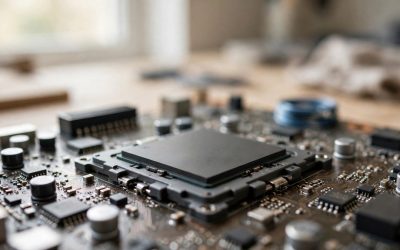
The Intel Core i5-1340P is a 12-core, 16-thread Raptor Lake-P laptop processor with 4 performance cores, 8 efficient cores, a 28 W base power and a 4.6 GHz maximum turbo, and it suits thin-and-light laptops that need strong multitasking more than a dedicated gaming GPU. It is a P-series chip, so it sits between the low-power U-series and the 45 W H-series. Gaming on it relies on the integrated Iris Xe graphics unless the laptop adds a separate GPU.
Short answer: who this chip is for
If you want an ultrabook for office work, study, browsing, light photo editing and casual games, the i5-1340P is a sensible fit. If your plan is modern AAA games at high settings, a chip like this will be limited by its integrated graphics and by the thin chassis it normally lives in. Intel does not publish gaming frame rates for it, and neither does this article; any figure you see for a specific game depends on the laptop, its power limit and its memory configuration.
Core specifications at a glance
| Item | Intel Core i5-1340P (as listed by Intel’s product database) |
|---|---|
| Codename / segment | Raptor Lake-P, mobile, launched in the first quarter of 2023 |
| Cores / threads | 12 cores (4 P-cores + 8 E-cores), 16 threads |
| Maximum turbo | 4.6 GHz on P-cores, 3.4 GHz on E-cores |
| Cache | 12 MB Intel Smart Cache |
| Base power | 28 W (processor base power) |
| Maximum turbo power | 64 W |
| Minimum assured power | 20 W |
| Integrated graphics | Intel Iris Xe, 80 execution units |
| Memory support | DDR5, DDR4 and LPDDR variants, depending on the laptop design |
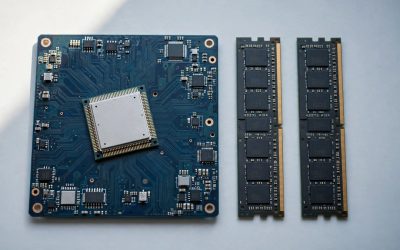
| Package | FCBGA1744, soldered to the board |
Base clocks are not quoted here because third-party spec sites disagree with each other slightly, some listing the P-core base around 1.8 to 1.9 GHz and the E-core base around 1.3 to 1.4 GHz. Base clock matters little in practice, because laptops move between power states constantly and the real clock is set by the maker’s power and cooling design.
What 4 P-cores and 8 E-cores mean
Intel’s hybrid design splits the work between two kinds of core. The four performance cores handle demanding, latency-sensitive tasks and support Hyper-Threading, which gives them two threads each. The eight efficient cores take background and parallel jobs and run one thread each. That is how 4 + 8 cores becomes 16 threads: eight threads from the P-cores plus eight from the E-cores.
For a gamer, the important point is that most games lean on a few fast cores. Four P-cores are enough for many titles, but they are fewer than the six found on desktop i5 chips or the higher-end H-series laptop chips. Streaming, running a browser and chat apps alongside a game is where the extra E-cores help.
Power: why the 28 W label is not the whole story
Intel lists a 28 W base power and a 64 W maximum turbo power. Laptop makers choose their own sustained and burst limits, so two laptops with the same i5-1340P can behave differently. A slim model tuned for quiet running may hold a modest sustained limit and drop clocks under a long load, while a thicker model with better cooling may hold higher clocks for longer. Reviewers who benchmark laptops routinely point out this spread, which is why a spec sheet alone cannot predict speed.
- Burst workloads such as opening apps or exporting a short clip use the high turbo power.
- Long workloads such as a multi-minute render settle to the maker’s sustained limit.
- Battery life depends heavily on screen, battery size and how the maker tunes the chip, not just on the processor.
Integrated graphics: Iris Xe with 80 execution units
The i5-1340P uses Intel Iris Xe graphics with 80 execution units. That is the fuller version of Iris Xe; lower-end chips use fewer units. Its performance depends on memory: Iris Xe shares system memory, and laptops with dual-channel memory generally give it more bandwidth than single-channel ones. If you are comparing laptops, a model listed with two memory channels or with fast soldered memory is the safer choice for graphics-heavy use.
Intel’s own guidance and reviewers agree on the realistic target: esports titles and older or lightly demanding games at reduced resolution and settings. Demanding new releases usually need a dedicated GPU. Check the game’s published requirements on its store page and compare them with integrated graphics before buying.
How it compares with neighbours
| Chip class | Typical role | Difference from the i5-1340P |
|---|---|---|
| Core i5 U-series (such as i5-1335U) | Low-power thin laptops | Lower power envelope, usually 2 P-cores plus E-cores and a quieter, cooler design; less sustained speed |
| Core i7-1360P | Same P-series tier | Higher binned clocks within the same 28 W family; modest uplift in burst speed |
| Core i5-13500H and similar H-series | Gaming and creator laptops | 45 W class, more cores, built to pair with a separate GPU |
| Core i5-13420H | Budget gaming laptops | 8 cores and 12 threads, 45 W class, basic UHD graphics, intended to be paired with a discrete GPU |
The practical split: P-series chips like the i5-1340P are for people who want a portable laptop that is fast enough for demanding work. H-series chips are for people who want a laptop built around a gaming GPU. Exact specifications of neighbouring chips should be read from the maker’s product database, as lineups in this generation overlap and use confusing names.
Platform notes before you buy
- Soldered package: the chip is on the motherboard, so you cannot upgrade it later. Choose the configuration you need on day one.
- Memory type: the chip supports several memory types, but each laptop uses just one. DDR5 or LPDDR5 gives more bandwidth for the integrated graphics than DDR4, and some laptops solder the memory so it cannot be expanded.
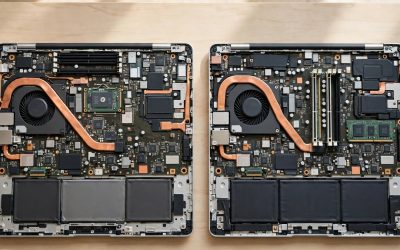
- Cooling and chassis: a laptop with two fans and heat pipes will usually sustain more performance than a fanless or single-fan design with the same chip.
- Display and ports: look for Thunderbolt or USB4 if you plan to attach an external GPU enclosure or fast storage; the chip’s capability does not guarantee the laptop includes them.
Common mistakes when reading CPU specs
- Treating the 4.6 GHz turbo as a constant clock. It is a peak for a few cores for short periods.
- Counting threads as cores. This chip has 12 cores, not 16.
- Ignoring memory channels. Single-channel memory can hold back integrated graphics noticeably.
- Assuming the P-series name means a gaming laptop. The P stands for a performance-oriented thin-and-light tier, not a gaming tier.
- Comparing chips across generations by name alone. Similar numbers from different years can be quite different parts.
Quick decision table
| If you want … | The i5-1340P is … |
|---|---|
| A thin laptop for work and study | A good fit |
| Casual or esports gaming on integrated graphics | Workable at reduced settings |
| Modern AAA games at high settings | Not the right chip; look for an H-series chip with a dedicated GPU |
| Video editing or heavy multitasking | Capable for light to moderate use, with sustained speed depending on cooling |
| Upgradeability | Not applicable, as the chip is soldered |
Frequently Asked Questions
How many cores does the Intel Core i5-1340P have?
It has 12 cores: 4 performance cores and 8 efficient cores. Together they provide 16 threads, because only the performance cores support Hyper-Threading.
Can the i5-1340P play games?
It can run lighter and older games using its Iris Xe integrated graphics, usually at reduced resolution and settings. For recent demanding titles, a laptop with a separate graphics card is the safer route, and the game’s published requirements are the best guide.
What is the maximum turbo speed?
Intel lists 4.6 GHz for the performance cores and 3.4 GHz for the efficient cores. These are peak values that depend on temperature and the laptop maker’s power settings.
Is the i5-1340P better than a U-series chip?
It uses a higher power envelope and has more cores than typical U-series chips, so it generally has more headroom for sustained multi-core work. The cost is usually more heat and shorter battery life in the same chassis size.
Can I upgrade the processor later?
No. The package is a soldered BGA design, so the processor is fixed to the motherboard. Memory and storage upgrade options depend on the individual laptop model.
Does it support Wi-Fi 6E or Thunderbolt?
Intel’s platform for this generation supports modern wireless and Thunderbolt or USB4 connectivity, but whether a laptop includes them is the maker’s choice. Read the laptop’s own specification sheet before buying.
FAQ
How many cores does the Intel Core i5-1340P have?
Can the i5-1340P play games?
What is the maximum turbo speed?
Is the i5-1340P better than a U-series chip?
Can I upgrade the processor later?
Does it support Wi-Fi 6E or Thunderbolt?
More from Amazon
Programs that pair well with the guide above. Offers and eligibility are set by Amazon and may change.
Free shipping on eligible items, Prime Video and more. Eligible new members can start with a free trial.
Start a Prime free trialAd-free music streaming. Eligible new subscribers can start with a free trial.
Try Music Unlimited freeA Prime membership for ages 18-24 with a trial period. Eligibility is set by Amazon.
See Prime for Young AdultsAudiobooks and podcasts to listen to on the go. Eligible new members can start with a free trial.
Try Audible freeAs an Amazon Associate we earn from qualifying purchases.