Our Top Picks
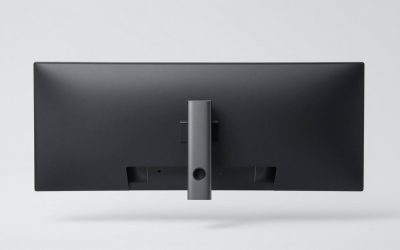
 BenQ PD3220U Thunderbolt 3 Monitor for MacBook 3232 Inch24.71 x 7.32 x 28.14 inches23.6 poundsCheck on Amazon
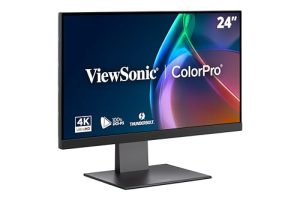
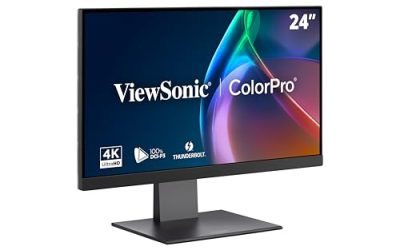
 BenQ PD2725U 27" 4K IPS Thunderbolt 3 Creative27 Inch10.8 x 24.2 x 17.7 inches18.3 poundsCheck on Amazon
The best Thunderbolt 3 monitor for a MacBook is the LG 27MD5KL-B UltraFine 5K for its sharp 5120 by 2880 panel and 94W charging over a single cable, with the LG 38WN95C-W as the wide high-refresh alternative and the BenQ PD3225U, PD3220U, and PD2725U as the creator picks with daisy-chain support. Every monitor here has a real Thunderbolt 3 port, so one cable carries video, data, and charging.
This guide is for MacBook owners who want a one-cable desk, photo and video editors who need accurate color, and gamers who want a wide high-refresh panel. We picked these five from Amazon listings and specifications, checking each model for a genuine Thunderbolt 3 port, its power delivery wattage, and whether it can daisy-chain a second display.
Quick Picks
As an Amazon Associate we earn from qualifying purchases
| Product | Best for | Key spec from title |
|---|---|---|
| LG 38WN95C-W | Wide high-refresh gaming and multitasking | 38-inch curved ultrawide, 144Hz, 1ms |
| LG 27MD5KL-B UltraFine 5K | Sharpest MacBook desktop | 5K 5120 by 2880, 94W power delivery |
| BenQ PD3225U DesignVue | Color-critical 4K design work | 98 percent DCI-P3, 85W power delivery |
| BenQ PD3220U DesignVue | Proven 4K creator setup | 85W Thunderbolt 3, 95 percent DCI-P3 |
| BenQ PD2725U DesignVue | Compact 4K creator desk | 65W Thunderbolt 3, dual 4K daisy chain |
How to Choose
Match Power Delivery to Your Laptop
Power delivery decides whether a single cable charges your laptop while you work. The BenQ PD2725U delivers 65W, which suits ultrabooks and smaller laptops with modest charging needs. The two 32-inch BenQ models deliver 85W, a better fit for larger laptops that draw more power. Both LG models are rated at 94W, with the UltraFine figure stated on its Amazon listing and the ultrawide figure stated by LG itself. Check your laptop charger wattage first, because a monitor that delivers less than your laptop needs will drain the battery slowly during heavy work.
Decide on Daisy-Chain or a Single Port
Daisy-chaining lets one Thunderbolt 3 cable feed two monitors in a row, which keeps a desk clean and leaves laptop ports free. Only the three BenQ models in this guide offer a Thunderbolt 3 output for a second display, with the PD2725U supporting dual 4K monitors in a chain. Both LG monitors have exactly one Thunderbolt 3 port, so they cannot pass video on to another display. If you plan a two-monitor setup, pick a BenQ. If one big screen is enough, a single-port LG is simpler.
Pick Resolution for Your Work
Resolution shapes how much you see and how sharp text looks. The LG UltraFine 5K packs 5120 by 2880 pixels into 27 inches, so text and photos look exceptionally crisp on a MacBook desk. The three BenQ models are 4K at 3840 by 2160, a strong balance of detail and screen space for design work. The LG 38WN95C-W is 3840 by 1600 across a 38-inch ultrawide curve, which trades pixel density for a huge side-by-side workspace. Choose sharpness for reading and retouching, or width for timelines and multitasking.
Weigh Color Accuracy Against Refresh Rate
Only one monitor here is built for fast motion. The LG 38WN95C-W runs at 144Hz with a 1ms response time, so scrolling and games feel smooth. The other four are creator panels aimed at color work, with wide DCI-P3 coverage and factory calibration, and the UltraFine is rated at 60Hz. If you edit photos or video, prioritize color coverage and DeltaE figures over refresh rate. If you game on the same desk, the ultrawide is the only pick that keeps motion fluid.
The 5 Best Options
LG 38WN95C-W — 38-Inch Curved UltraWide QHD+ Thunderbolt 3 Monitor

This ultrawide is the pick for buyers who want one huge curved screen instead of two monitors. Its 38-inch Nano IPS panel spreads 3840 by 1600 pixels across a 21:9 curve, and the 144Hz refresh rate with 1ms response keeps games and fast scrolling smooth. It carries one Thunderbolt 3 port, two HDMI ports, and a DisplayPort, plus G-SYNC Compatible and FreeSync Premium Pro support for variable refresh gaming. Note that its 94W power delivery figure is stated by LG, not by the Amazon listing, so confirm it live.
- Specs:
- 38-inch curved 21:9 Nano IPS panel
- 3840 by 1600 QHD+ resolution
- 144Hz refresh rate, 1ms response time
- VESA DisplayHDR 600, 450 nits brightness
- 1000:1 contrast ratio
- 1 Thunderbolt 3 port, 2 HDMI ports, DisplayPort
- NVIDIA G-SYNC Compatible, AMD FreeSync Premium Pro
- Built-in stereo speakers, height, swivel, and tilt stand
- Best for: Gamers and multitaskers who want a single wide curved screen.
- Watch out for: B and H lists this model as discontinued, and it has only one Thunderbolt 3 port, so check live for a new-condition US offer and do not expect daisy-chain support.
LG 27MD5KL-B UltraFine 5K — 27-Inch 5K Thunderbolt 3 Monitor

This is the sharpest MacBook monitor in the guide and the closest thing to a built-in Apple display. Its 27-inch IPS panel shows 5120 by 2880 pixels at 60Hz with 500 nits of brightness and 99 percent DCI-P3 coverage, so text stays crisp and colors stay true. A single Thunderbolt 3 port delivers video, audio, data, and up to 94W of charging, and the built-in camera and speaker complete a clean one-cable desk. This is a 2019 refresh model, so new stock is scarce and a live check matters.
- Specs:
- 27-inch IPS panel
- 5120 by 2880 5K UHD resolution
- 60Hz refresh rate, 500 nits brightness
- 99 percent DCI-P3 color gamut, 1100:1 contrast
- 178-degree viewing angle
- 1 Thunderbolt 3 port with up to 94W power delivery
- 3 USB-C ports, built-in camera and speaker
- macOS compatibility
- Best for: MacBook owners who want the sharpest text and truest color in a 27-inch panel.
- Watch out for: New stock is scarce since Apple stopped selling this model in 2022, and it has no downstream Thunderbolt 3 port, so check live for a new-condition US offer.
BenQ PD3225U DesignVue — 32-Inch 4K IPS Black Thunderbolt 3 Monitor

This is the newest creator monitor in the guide and the strongest color pick among the BenQ models. Its 32-inch IPS Black panel shows 4K at 3840 by 2160 with 98 percent DCI-P3 coverage, full sRGB and Rec.709 coverage, and a DeltaE of 2 or less after factory calibration. Thunderbolt 3 in delivers 85W of charging, while a Thunderbolt 3 output passes 15W to a second monitor for daisy-chaining, and a KVM switch plus USB hub round out a full creator desk. The port split is maker-stated, so confirm it live.
- Specs:
- 32-inch 4K UHD 3840 by 2160 IPS Black panel
- 98 percent DCI-P3, full sRGB and Rec.709 coverage
- DeltaE of 2 or less, factory calibration
- Thunderbolt 3 with daisy chain support
- USB-C 85W power delivery
- KVM switch and USB hub
- Date first available March 6, 2024
- Best for: Designers and video editors who need the most accurate color in a 32-inch 4K panel.
- Watch out for: Amazon mislabels its series as PD3220U, a separate older model, and the listing copy is nearly a year old, so check live for a new-condition US offer.
BenQ PD3220U DesignVue — 32-Inch 4K Thunderbolt 3 Monitor
This is the proven workhorse of the BenQ creator line, with the same 32-inch 4K size as its successor at a more established track record. Its IPS panel shows 3840 by 2160 with 95 percent DCI-P3 coverage, full sRGB and Rec.709 coverage, and a DeltaE of 3 or less, backed by Pantone Validation and AQCOLOR technology. Two Thunderbolt 3 ports support daisy-chaining a second 4K monitor, with 85W of power delivery in, and a KVM switch and USB hub handle a shared keyboard and mouse. It is the safe 32-inch creator choice.
- Specs:
- 32-inch 4K UHD 3840 by 2160 IPS panel
- 95 percent DCI-P3, full sRGB and Rec.709 coverage
- DeltaE of 3 or less, Pantone Validated
- AQCOLOR technology, HDR10 support
- 2 Thunderbolt 3 ports, daisy chain support
- USB-C 85W power delivery
- KVM switch and USB hub
- Best for: Creators who want a proven 32-inch 4K panel with daisy-chain support.
- Watch out for: The listing copy is about ten months old, and an Amazon international listing uses a different ASIN, so check live for a new-condition US offer under the correct code.
BenQ PD2725U DesignVue — 27-Inch 4K Thunderbolt 3 Monitor
This is the compact creator pick for smaller desks that still need a real Thunderbolt 3 chain. Its 27-inch IPS panel shows 4K at 3840 by 2160 with 95 percent DCI-P3 coverage, full sRGB and Rec.709 coverage, and a DeltaE of 3 or less, with Pantone Validation and Calman Verification. Two Thunderbolt 3 ports support daisy-chaining up to dual 4K monitors, and the included Hotkey Puck G2 switches color modes without menus. Its 65W power delivery is the lowest in the pool, so it suits ultrabooks best.
- Specs:
- 27-inch 4K UHD 3840 by 2160 IPS panel
- 95 percent DCI-P3, full sRGB and Rec.709 coverage
- DeltaE of 3 or less, Pantone Validated, Calman Verified
- Thunderbolt 3, 65W power delivery, 40 Gb/s bandwidth
- Daisy-chain up to dual 4K monitors
- 2 Thunderbolt 3 ports, 2 HDMI 2.0, 1 DisplayPort 1.4
- 4-port USB hub, Hotkey Puck G2 in box, HDR10
- Best for: Creators with a compact desk who want a 27-inch 4K panel with daisy-chain support.
- Watch out for: This is the weakest ASIN in the pool, with the oldest listing copy at nearly eleven months, so check live for a new-condition US offer before buying.
Which One Fits Your Situation
You Want the Sharpest MacBook Desktop
Pick the LG 27MD5KL-B UltraFine 5K. Its 5120 by 2880 panel makes text and photos look sharper than any 4K monitor here, and its single Thunderbolt 3 cable carries video, audio, data, and 94W of charging. The built-in camera and speaker mean no extra desk gear. Just accept that new stock is scarce and that it cannot daisy-chain a second display.
You Edit Photos or Video for a Living
Pick the BenQ PD3225U. Its IPS Black panel, 98 percent DCI-P3 coverage, and DeltaE of 2 or less give it the most accurate color in this guide, and its Thunderbolt 3 output lets you chain a second monitor. The KVM switch and Hotkey Puck-style workflow tools suit a full creator desk. Confirm the 85W charging figure live, since it is maker-stated.
You Game and Work on the Same Desk
Pick the LG 38WN95C-W. Its 38-inch curved ultrawide and 144Hz refresh rate keep games smooth, while the huge 21:9 workspace fits timelines and side-by-side windows. G-SYNC Compatible and FreeSync Premium Pro support smooth out variable frame rates. Check live for a new-condition US offer first, since one retailer lists this model as discontinued.
You Need Two Monitors on One Cable
Pick a BenQ with a Thunderbolt 3 output. The PD2725U is the compact choice for a 27-inch desk and chains up to dual 4K monitors, while the PD3220U and PD3225U give you 32-inch 4K panels with the same daisy-chain ability. All three deliver 65W to 85W of charging, so match the wattage to your laptop before choosing.
Common Mistakes
- Buying a USB-C hub monitor and expecting Thunderbolt 3 daisy-chaining, which needs a real Thunderbolt 3 port.
- Assuming a 94W power consumption figure means 94W of charging, when only the UltraFine listing states 94W power delivery on Amazon.
- Calling the LG 38WN95C-W a 4K monitor, when its real resolution is 3840 by 1600 QHD+.
- Mixing up the BenQ PD3220U and PD3225U, which differ in panel type, color coverage, and DeltaE.
- Expecting 85W charging from the BenQ PD2725U, which delivers 65W, the lowest in this guide.
Frequently Asked Questions
Is Thunderbolt 3 the same as USB-C?
No. Thunderbolt 3 uses the same connector shape as USB-C, but it adds far more bandwidth and features like daisy-chaining and higher power delivery. A monitor with only a USB-C port cannot daisy-chain a second display over Thunderbolt. Always check the listing for a real Thunderbolt 3 port before buying.
Can I daisy-chain two Thunderbolt 3 monitors?
Yes, but only with monitors that have a Thunderbolt 3 output port. The three BenQ models here support daisy-chaining, with the PD2725U chaining up to dual 4K monitors. Both LG monitors have a single Thunderbolt 3 port and cannot pass video to a second display.
How much power delivery do I need for a MacBook?
It depends on your laptop. A 65W monitor suits ultrabooks and smaller laptops with modest charging needs. Larger laptops draw more power, so the 85W BenQ models or the 94W LG models are a safer fit. If the monitor delivers less than your laptop needs, the battery can drain slowly during heavy work.
Do these monitors work with Windows laptops?
Yes, Thunderbolt 3 monitors work with Windows laptops that have a Thunderbolt 3 port. The BenQ models and the LG ultrawide suit Windows desks as well as MacBook desks. The UltraFine 5K is built around macOS compatibility, so Windows users should check driver and camera support live before buying.
FAQ
Is Thunderbolt 3 the same as USB-C?
Can I daisy-chain two Thunderbolt 3 monitors?
How much power delivery do I need for a MacBook?
Do these monitors work with Windows laptops?
More from Amazon
Programs that pair well with the guide above. Offers and eligibility are set by Amazon and may change.
Free shipping on eligible items, Prime Video and more. Eligible new members can start with a free trial.
Start a Prime free trialAd-free music streaming. Eligible new subscribers can start with a free trial.
Try Music Unlimited freeA Prime membership for ages 18-24 with a trial period. Eligibility is set by Amazon.
See Prime for Young AdultsAudiobooks and podcasts to listen to on the go. Eligible new members can start with a free trial.
Try Audible freeAs an Amazon Associate we earn from qualifying purchases.