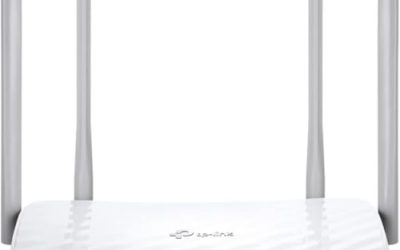
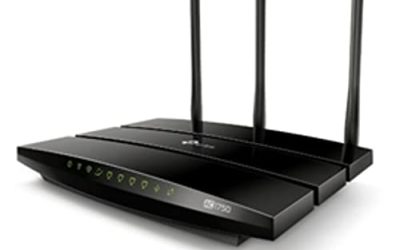
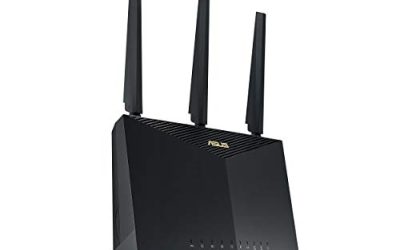
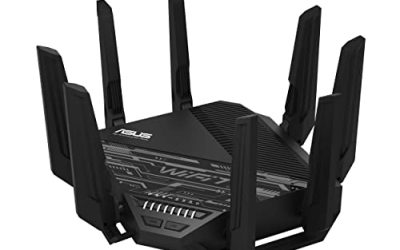
Our Top Picks
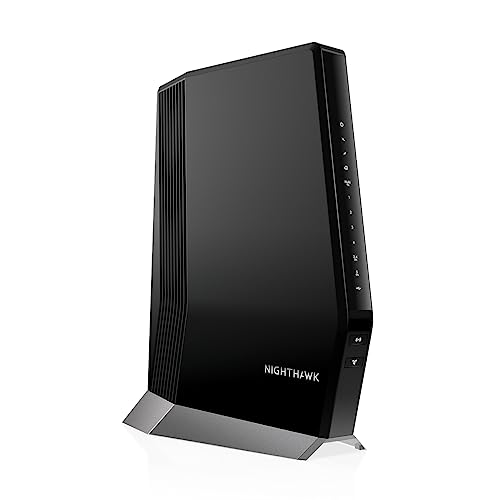 NETGEAR Nighthawk DOCSIS 3.1 Modem Router Combo CAX808.5 x 4.3 x 10.4 inches8.5 x 4.3 x 10.4 inches4.45 poundsCheck on Amazon
 ARRIS Surfboard G36 DOCSIS 3.1 Multi-Gig Modem &10x3x8 inches10 x 3 x 8 inches2 poundsCheck on Amazon
 NETGEAR Nighthawk DOCSIS 3.1 Modem Router Combo CAX30Pack of 111.93 x 5.39 x 9.92 inchesCheck on Amazon
Renting the gateway from Xfinity feels easy until the monthly fee keeps showing up on the bill year after year. Buying your own modem-router combo ends that fee, but the box you pick has to clear two bars at once: it must sit on Xfinity’s approved-device list, and its modem must keep up with the speed tier you pay for. A box that is too slow caps the plan you already bought, while a box built for multi-gigabit speeds wastes money on a 300-megabit plan.
This guide is for renters who want to own their hardware, gamers and streamers who need steady low-latency Wi-Fi, families covering a large house, and anyone on a gigabit plan who wants the full speed they pay for. The five boxes below were chosen from their names and specifications on Amazon product pages, and every one is a DOCSIS 3.1 cable modem with a built-in Wi-Fi router that Xfinity lists as compatible.
Quick Picks
As an Amazon Associate we earn from qualifying purchases
| Product | Best for | Key spec from title |
|---|---|---|
| NETGEAR Nighthawk CAX80 | Fastest plans and big homes | AX6000 Wi-Fi 6, DOCSIS 3.1 |
| ARRIS SURFboard G36 | Multi-gigabit wired speed | AX3000 Wi-Fi 6, 2.5 Gbps port |
| NETGEAR Nighthawk CAX30 | Gigabit plans in smaller homes | AX2700 Wi-Fi 6, 2,000 sq ft |
| Motorola MG8702 | Long warranty and proven Wi-Fi 5 | AC3200, 2-year warranty |
| ARRIS SURFboard SBG8300 | Simple gigabit setup | AC2350 Wi-Fi 5, 4 Ethernet ports |
How to Choose
Check the Xfinity Approved List First
Xfinity publishes a list of customer-owned devices it will activate, and that list is the first thing to check before you buy. A modem that is not on it may fail activation even if it uses the right standard, and approval can vary by plan tier and market, so confirm the exact model number against the list for your address. All five boxes in this guide appear on Xfinity’s approved-device list, and the G36 carries a Next Gen Speed Tier tag for faster upload speeds in upgraded markets. Keep the list open while you shop, and buy the exact model number shown there rather than a look-alike variant with a different suffix.
Match the Modem to Your Plan Speed
Every box here uses a DOCSIS 3.1 modem, which is the current standard on Xfinity’s list, with fallback to older DOCSIS 3.0 channels. The difference between them is the plan tier they are approved for: the CAX30 and SBG8300 fit plans up to 1 gigabit, the G36 is approved for plans up to 1.2 gigabits on its listing, and the CAX80 fits plans up to 2 gigabits. Buying a box rated below your plan wastes the speed you pay for. Buying far above your plan is also wasteful unless you expect an upgrade soon, so match the modem rating to the tier on your bill and leave a little headroom.
Wi-Fi 6 or Wi-Fi 5, and How Much Coverage
Three of these boxes use Wi-Fi 6, which handles more devices at once and holds up better in a busy house, while the MG8702 and SBG8300 use Wi-Fi 5, which is older but still fast enough for streaming and video calls on a gigabit plan. Coverage matters as much as the Wi-Fi generation: the CAX80 covers up to 2,500 square feet, the CAX30 up to 2,000, and the G36 up to 2,500. A single box in a long house or a home with thick walls may still leave dead spots, so place the box centrally and high, and consider a mesh system instead if two floors need coverage.
Ports, Voice, and the App
Count the wired ports before you buy, because every box here has four or five Ethernet ports and the fastest ones add a 2.5 gigabit port for a wired computer or switch. None of these five supports cable digital voice, so a household that uses Xfinity Voice needs a different device with phone jacks. Each box also ships with its maker’s app for setup and basic network controls, and the NETGEAR boxes add a trial of NETGEAR Armor security, which becomes a paid subscription after the trial ends. Check what the app can do before you count on it for parental controls.
The 5 Best Options
NETGEAR Nighthawk CAX80
The CAX80 is the strongest box in this guide, pairing a DOCSIS 3.1 modem with an AX6000 Wi-Fi 6 router that covers up to 2,500 square feet and serves up to 30 devices at once. Its 2.5 gigabit Ethernet port gives a wired computer or switch a faster lane than the four gigabit ports, and link aggregation can join two of those ports for a wired device that supports it. Xfinity lists it for plans up to 2 gigabits, so it fits the fastest cable tiers without becoming the bottleneck. Setup runs through the Nighthawk app, and NETGEAR Armor comes with a 30-day trial.
Specs
- DOCSIS 3.1 cable modem with 32×8 channel bonding
- AX6000 Wi-Fi 6, dual-band, up to 2,500 sq ft, 30 devices
- 1 x 2.5 Gbps Ethernet port + 4 x 1 Gbps ports, 1 x USB 3.0
- 3 fixed antennas, NETGEAR Armor with 30-day trial
- 1-year warranty, 4.5 lb
Best for: Homes on Xfinity’s fastest plans that want one box for the whole house.
Watch out for: The listing title names a 6 gigabit Wi-Fi speed while the comparison table rates it for plans up to 2 gigabits — match it to your plan tier, not the headline figure.
ARRIS SURFboard G36
The G36 is the multi-gigabit pick for buyers who want a 2.5 gigabit wired port without paying for the CAX80’s top-end Wi-Fi. Its DOCSIS 3.1 modem pairs with an AX3000 Wi-Fi 6 router that covers up to 2,500 square feet, and the port layout gives one 2.5 gigabit Ethernet port plus four gigabit ports for wired gear. The listing approves it for cable plans up to 1.2 gigabits, while Xfinity’s own device list tags it for faster tiers in upgraded markets, so confirm the tier for your address before you order. The SURFboard Central app handles setup and everyday network controls.
Specs
- DOCSIS 3.1 cable modem, 2×2 OFDM
- AX3000 Wi-Fi 6, dual-band, coverage up to 2,500 sq ft
- 1 x 2.5 Gbps Ethernet port + 4 x 1 Gbps ports
- Approved for cable plans up to 1.2 Gbps on the listing
- 2 lb, 10 x 3 x 8 inches
Best for: Wired multi-gigabit speed on a Wi-Fi 6 budget.
Watch out for: The listing’s 1.2 gigabit plan figure and Xfinity’s faster tier tag disagree — confirm your plan tier on Xfinity’s list first.
NETGEAR Nighthawk CAX30
The CAX30 is the sensible middle pick, with the same DOCSIS 3.1 modem standard as the CAX80 and a Wi-Fi 6 router that is a step down in speed and coverage. Its AX2700 Wi-Fi covers up to 2,000 square feet and serves up to 25 devices, which is enough for most apartments and smaller houses, and its four gigabit Ethernet ports cover a wired console, computer, and streaming box. Xfinity lists it for plans up to 1 gigabit, so it matches the most common cable tier without paying for headroom you may never use. Setup runs through the Nighthawk app.
Specs
- DOCSIS 3.1 cable modem
- AX2700 Wi-Fi 6, dual-band, up to 2,000 sq ft, 25 devices
- 4 x 1 Gbps Ethernet ports, 1 x USB 3.0
- 4 internal antennas, NETGEAR Armor with 30-day trial
- 1-year limited warranty
Best for: Apartments and smaller homes on a gigabit Xfinity plan.
Watch out for: A second CAX30 variant, the CAX30S, and Renewed listings share the same model name — buy the CAX30-200NAS listing, not a Renewed unit, unless you mean to.
Motorola MG8702
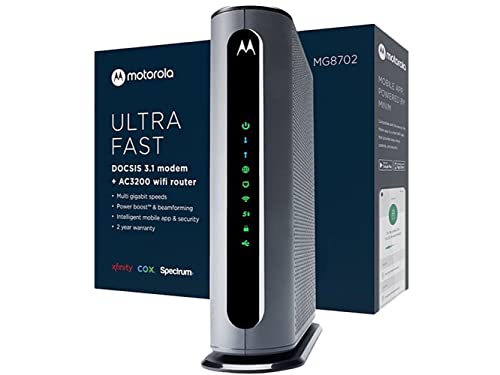
The MG8702 is the Wi-Fi 5 pick for buyers who want the longest warranty in this guide and a proven modem. Its DOCSIS 3.1 modem pairs with an AC3200 router using 4×4 MU-MIMO and beamforming, and Comcast has tested the modem for actual speeds up to 1 gigabit. Four gigabit Ethernet ports cover wired devices, and the Minim app manages setup, guest networks, and parental controls. The two-year warranty is double the coverage on the NETGEAR and ARRIS boxes here, which matters if you plan to keep the box for years.
Specs
- DOCSIS 3.1 cable modem, backwards compatible with 32×8 DOCSIS 3.0
- AC3200 Wi-Fi 5 router, 4×4 MU-MIMO, AnyBeam beamforming
- 4 x 10/100/1000 Mbps Ethernet LAN ports
- 2-year warranty, 9.7 x 9.5 x 2.8 inches, 34.4 oz
- No phone jacks; does not support cable digital voice
Best for: Buyers who want a long warranty and a proven Wi-Fi 5 combo.
Watch out for: No Amazon product page opened for this ASIN — availability rests on mirror listings only, so confirm the listing before ordering, and check the firmware note after an August 2026 user report of a firmware problem.
ARRIS SURFboard SBG8300

The SBG8300 is the straightforward gigabit pick, with a DOCSIS 3.1 modem and an AC2350 Wi-Fi 5 router that covers a typical home without the complexity of Wi-Fi 6. Its 32 downstream and 8 upstream DOCSIS 3.0 channels back up the 2×2 OFDM DOCSIS 3.1 channels, and four gigabit Ethernet ports give wired devices a stable connection. The two-year warranty matches the MG8702 for the longest coverage here. It is the oldest wireless generation in this guide, so it suits buyers who stream and work from home rather than buyers chasing the newest Wi-Fi standard.
Specs
- DOCSIS 3.1 cable modem, 32×8 DOCSIS 3.0 channels, 2×2 OFDM
- AC2350 Wi-Fi 5 router, dual-band (1733 Mbps at 5 GHz, 600 Mbps at 2.4 GHz)
- 4 x Gigabit Ethernet ports
- 2-year warranty
- Does not support cable digital voice
Best for: Simple gigabit setups that do not need Wi-Fi 6.
Watch out for: No Amazon product page opened for this ASIN — availability rests on mirror and tracker listings only, and one retailer lists the model as discontinued, so confirm the listing before ordering.
Which One Fits Your Situation
You Have a Gigabit or Faster Plan
Pick the CAX80 if your plan runs above 1 gigabit, since Xfinity lists it for plans up to 2 gigabits and its 2.5 gigabit port keeps a wired device from becoming the bottleneck. The G36 fits if your plan sits at or below 1.2 gigabits and you still want a 2.5 gigabit wired port. The CAX30, MG8702, and SBG8300 all fit a plain 1 gigabit plan.
You Want One Box for a Big House
The CAX80 and the G36 both cover up to 2,500 square feet, which suits a large single-floor home or a two-story house with the box placed centrally. The CAX80 adds the stronger AX6000 Wi-Fi for more devices at once, while the G36 covers the same area for less. If the house is long or has thick walls, no single box fixes every dead spot, and a mesh system may serve better.
You Want the Lowest Ongoing Cost
Every box here ends the monthly rental fee, so the ongoing cost is the same once you own one. The choice is the upfront pick: the CAX30 and SBG8300 are the simpler gigabit boxes, while the MG8702 adds a two-year warranty that can save a replacement later. Avoid buying a box rated far above your plan, since the extra speed is speed you pay for and never use.
You Mostly Stream and Work From Home
The CAX30 or the SBG8300 fits a household that streams, takes video calls, and works from home on a gigabit plan, since both cover a typical home and keep four wired ports free for a work computer. The MG8702 adds beamforming and the longer warranty if the box will stay in place for years. Step up to the CAX80 or G36 only for faster plans or a large house.
Common Mistakes
- Buying a modem that is not on Xfinity’s approved-device list for your plan tier and market.
- Matching the box to the Wi-Fi headline speed instead of the plan tier it is approved for.
- Forgetting that none of these boxes supports cable digital voice — Xfinity Voice needs phone jacks.
- Placing the box in a basement corner or behind a TV cabinet and blaming the Wi-Fi for dead spots.
- Ordering a Renewed listing or a look-alike variant (CAX30S, SBG8300-RB) when you meant to buy new.
Frequently Asked Questions
Do I need to call Xfinity to activate my own modem router?
Yes, in most cases you activate the box through the Xfinity app or by calling Xfinity, and the coax line must already be live at your address. Activation links the modem’s MAC address to your account, so have the model number and the MAC address from the label on the bottom of the box ready before you start.
Can I use my own router with one of these modem router combos?
Yes, every box here has Ethernet ports, so you can plug your own router into one of them and use the combo as a modem only. Put the combo in bridge mode first, which turns off its own Wi-Fi and routing, so the two routers do not fight over the same network. Check the maker’s app or manual for the bridge-mode setting.
Will these routers work with Xfinity Voice?
No, none of the five boxes in this guide has phone jacks, and none supports cable digital voice. If your household uses Xfinity Voice, you need a gateway with telephone ports, which is a different device from the ones listed here. Keep the rented voice gateway or buy a voice-capable model instead.
What happens to the Xfinity app features if I use my own box?
You keep your Xfinity internet service and account, but gateway-only extras such as the built-in security tools and the network controls inside the Xfinity app belong to Xfinity’s own gateway and do not carry over. Your own box brings its maker’s app instead, with its own setup, guest network, and parental controls. Free hardware swaps for rented equipment also end when you return the gateway.
FAQ
Do I need to call Xfinity to activate my own modem router?
Can I use my own router with one of these modem router combos?
Will these routers work with Xfinity Voice?
What happens to the Xfinity app features if I use my own box?
More from Amazon
Programs that pair well with the guide above. Offers and eligibility are set by Amazon and may change.
Free shipping on eligible items, Prime Video and more. Eligible new members can start with a free trial.
Start a Prime free trialAd-free music streaming. Eligible new subscribers can start with a free trial.
Try Music Unlimited freeA Prime membership for ages 18-24 with a trial period. Eligibility is set by Amazon.
See Prime for Young AdultsAudiobooks and podcasts to listen to on the go. Eligible new members can start with a free trial.
Try Audible freeAs an Amazon Associate we earn from qualifying purchases.