Our Top Picks
 ASUS ROG Rapture GT-AX11000 Pro Tri-Band WiFi 6Large13.94 x 13.94 x 7.6 inches4.81 poundsCheck on Amazon
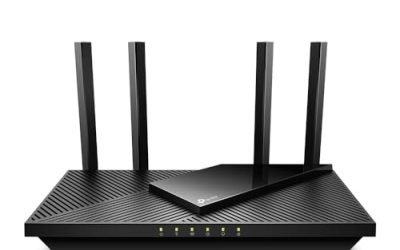
 TP-Link AXE5400 Tri-Band WiFi 6E RouterWiFi 6E, Tri-Band AXE540012.91 x 10.43 x 4.72 inches1.5 poundsCheck on Amazon

Disclosure: As an Amazon Associate, we earn from qualifying purchases made through links on this page, at no extra cost to you.
A router upgrade is usually triggered by a concrete problem. A game download saturates the connection during a video call. A console in a back bedroom drops to a weak signal during a match. A new multi-gig plan arrives, but the old router only has gigabit ports, so the extra speed never reaches a wired PC.
This guide compares models on published specifications only. The ordering follows the spec sheet — Wi-Fi standard and combined band speed first, then wired port speed, then extras such as mesh expansion, VPN support and included security software. It does not use scores, owner counts or popularity claims, because those tell you little about whether a router fits your floor plan, internet plan and mix of devices.
The five models are all standalone Wi-Fi routers, not mesh kits, extenders or modem combinations. They span three generations: two flagship Wi-Fi 7 models with 10-gigabit ports, a Wi-Fi 6 gaming router with unusually fast wired connections, a mid-range Wi-Fi 7 model built around 2.5-gigabit ports, and a Wi-Fi 6E model that adds the 6 GHz band without flagship hardware.
Quick picks
- ASUS RT-BE96U — Wi-Fi 7 BE19000 tri-band with two 10-gigabit ports. The spec-led choice for multi-gig internet, a wired gaming PC and Wi-Fi 7 clients.
- NETGEAR Nighthawk RS700S — Wi-Fi 7 BE19000 tri-band with 10-gigabit internet and LAN ports and stated coverage for larger homes.
- ASUS ROG Rapture GT-AX11000 Pro — Wi-Fi 6 AX11000 tri-band with both a 10-gigabit and a 2.5-gigabit port, plus gaming-focused traffic controls.
- TP-Link Archer BE550 — Wi-Fi 7 BE9300 tri-band where every Ethernet port runs at 2.5 gigabits, suited to homes wiring several rooms.
- TP-Link Archer AXE75 — Wi-Fi 6E AXE5400 tri-band that opens up the 6 GHz band with gigabit ports and a simpler hardware tier.
1. ASUS RT-BE96U

The RT-BE96U sits at the top of this list on specifications alone. It is a tri-band Wi-Fi 7 router in the BE19000 class, with the 6 GHz band using 320 MHz channels and Multi-Link Operation so compatible Wi-Fi 7 clients can connect across more than one band at once. In practice that means headroom: a gaming PC can sit on the cleaner 6 GHz band, streaming boxes on 5 GHz, and smart home devices on 2.4 GHz.
The wired side separates it from most routers here. ASUS fits two 10-gigabit ports, so one can feed from a multi-gig modem while the other runs to a switch, NAS or desktop, alongside four gigabit LAN ports and USB storage sharing. AiMesh support means a second compatible ASUS router can be added later as a mesh node, and AiProtection Pro security and parental controls are included without a separate subscription according to the manufacturer listing.
The trade-offs follow from the tier. Wi-Fi 7 benefits depend on Wi-Fi 7 clients; older devices will use the generation they support. The chassis is large, with eight external antennas, and if your plan is gigabit or slower with no multi-gig wired devices, both 10-gigabit ports will sit underused.
Specs
- Wi-Fi standard: Wi-Fi 7 (802.11be), tri-band BE19000 class
- Bands: 2.4 GHz, 5 GHz and 6 GHz, with 320 MHz channels on 6 GHz
- Features: Multi-Link Operation, AiMesh support, AiProtection Pro, VPN support
- Wired ports: two 10-gigabit ports, four gigabit LAN ports
- USB: USB 3.0 and USB 2.0 ports
- Stated coverage: up to 3,500 square feet according to the manufacturer listing
Pros
- Highest combined wireless class in this guide, with a full Wi-Fi 7 feature set
- Two 10-gigabit ports cover both multi-gig internet and a fast wired device
- Mesh expansion and included network security extend its useful life
Cons
- Full speed requires Wi-Fi 7 clients to make sense
- Large eight-antenna design needs open shelf space and ventilation
- Over-specified for homes on slower internet plans with few wired devices
Check the ASUS RT-BE96U on Amazon
2. NETGEAR Nighthawk RS700S

The RS700S matches the ASUS model on wireless class — Wi-Fi 7, tri-band, BE19000 — but uses a tall tower with internal antennas that fits more easily on a desk or media console. The manufacturer states coverage of up to 3,500 square feet and support for up to 200 devices, pointing it at larger, device-heavy homes where one central router must reach most rooms.
Its port layout pairs a 10-gigabit internet port for multi-gig plans with a 10-gigabit LAN port for a gaming PC, workstation or switch, plus three gigabit LAN ports and a USB 3.0 port. NETGEAR includes its Armor security service for an initial period according to the listing, after which that service becomes optional.
Where the RS700S is narrower than the RT-BE96U is expansion. It does not join a mesh system like the AiMesh or EasyMesh models below, so a genuine dead zone would need placement changes, a wired access point or a separate extender rather than a matched node. Buyers with modest plans and mostly gigabit wiring are also paying for ceiling they will not reach.
Specs
- Wi-Fi standard: Wi-Fi 7 (802.11be), tri-band BE19000 class
- Bands: 2.4 GHz, 5 GHz and 6 GHz, with 320 MHz channels on 6 GHz
- Features: Multi-Link Operation, NETGEAR Armor included for an initial period, VPN support
- Wired ports: one 10-gigabit internet port, one 10-gigabit LAN port, three gigabit LAN ports
- USB: one USB 3.0 port
- Stated coverage: up to 3,500 square feet and up to 200 devices according to the manufacturer listing
Pros
- BE19000 Wi-Fi 7 throughput in a compact tower with internal antennas
- 10-gigabit ports on both the internet and LAN side
- Stated device capacity suits smart homes with many connected products
Cons
- No matched mesh-node expansion path like AiMesh or EasyMesh models
- Security service is time-limited rather than permanently included
- Flagship tier is hard to justify on gigabit or slower internet plans
Check the NETGEAR Nighthawk RS700S on Amazon
3. ASUS ROG Rapture GT-AX11000 Pro
The GT-AX11000 Pro is the Wi-Fi 6 entry here, earning its place on wired specifications and gaming controls. It is a tri-band AX11000 router with two 5 GHz bands alongside 2.4 GHz, so one 5 GHz band can be dedicated to gaming while the other handles general traffic — useful when several people play and stream at once on Wi-Fi 6 hardware.
Unusually for Wi-Fi 6, it carries both a 10-gigabit port and a 2.5-gigabit port, plus four gigabit LAN ports and USB 3.2 and USB 2.0 connectivity, so a multi-gig plan is not wasted and a wired gaming PC can run faster than gigabit. ASUS adds triple-level game acceleration, a dedicated gaming port, RangeBoost Plus, AiMesh expansion and subscription-free network security according to the manufacturer listing.
The limitation is the missing 6 GHz band. There is no Wi-Fi 6E or Wi-Fi 7 radio, so newer devices cannot use that cleaner spectrum. Buyers already owning Wi-Fi 7 devices should look above; buyers whose devices are mostly Wi-Fi 6 and who value wired speed and traffic controls will find the spec sheet still lines up well.
Specs
- Wi-Fi standard: Wi-Fi 6 (802.11ax), tri-band AX11000 class
- Bands: 2.4 GHz and two 5 GHz bands, with 160 MHz channels
- Features: triple-level game acceleration, dedicated gaming port, RangeBoost Plus, AiMesh support, included network security
- Wired ports: one 10-gigabit port, one 2.5-gigabit port, four gigabit LAN ports
- USB: USB 3.2 and USB 2.0 ports
Pros
- Two 5 GHz bands let gaming traffic sit apart from household traffic
- 10-gigabit and 2.5-gigabit ports outclass most Wi-Fi 6 rivals
- AiMesh support allows later expansion with compatible ASUS routers
Cons
- No 6 GHz band, so no Wi-Fi 6E or Wi-Fi 7 client benefits
- Large gaming-styled chassis will not suit every room
- Wireless ceiling is lower than the Wi-Fi 7 models in this guide
Check the ASUS ROG Rapture GT-AX11000 Pro on Amazon
4. TP-Link Archer BE550

The Archer BE550 is the step-down Wi-Fi 7 option, defined by consistency on the wired side: every Ethernet port runs at 2.5 gigabits. It is a tri-band BE9300 router with six internal antennas and manufacturer-stated coverage of up to 2,000 square feet, mapping to apartments and medium-sized houses. Multi-Link Operation and 320 MHz channels on 6 GHz carry over from Wi-Fi 7, so compatible clients get the main benefits of the newer generation.
Five 2.5-gigabit ports in total — one for internet and four for LAN — make this the natural pick for a home with several wired endpoints: a gaming PC, console, smart TV and NAS can all run above gigabit. A USB 3.0 port handles storage sharing, EasyMesh allows a compatible TP-Link device to be added for wider coverage, and VPN client and server support plus HomeShield features are listed by the manufacturer, with some advanced functions tied to an optional service.
The compromises are the lower wireless class and internal antennas. BE9300 throughput is ample for gigabit and entry multi-gig plans, but busy homes with several Wi-Fi 7 devices will hit its ceiling sooner than the BE19000 models, and placement matters more when antennas cannot be aimed toward a problem room.
Specs
- Wi-Fi standard: Wi-Fi 7 (802.11be), tri-band BE9300 class
- Bands: 2.4 GHz, 5 GHz and 6 GHz, with Multi-Link Operation
- Features: EasyMesh support, VPN client and server, HomeShield features, private IoT network option
- Wired ports: five 2.5-gigabit ports in total, covering WAN and LAN
- USB: one USB 3.0 port
- Stated coverage: up to 2,000 square feet according to the manufacturer listing
Pros
- All ports run at 2.5 gigabits, ideal for several wired gaming and media devices
- Wi-Fi 7 with a 6 GHz band at a mid-range hardware tier
- EasyMesh expansion if coverage needs to grow later
Cons
- Lower combined throughput than the BE19000 flagships
- Internal antennas offer less placement flexibility than external designs
- Some advanced software features require an optional service
Check the TP-Link Archer BE550 on Amazon
5. TP-Link Archer AXE75
The Archer AXE75 is the simplest route to the 6 GHz band here. It is a tri-band Wi-Fi 6E router in the AXE5400 class, with 160 MHz channels on the higher bands. For a household on a crowded dual-band Wi-Fi 5 or early Wi-Fi 6 router, moving a gaming laptop, recent phone or VR headset onto an uncongested 6 GHz connection is the change most likely to be felt, and this model provides it without flagship port hardware.
Around the back is straightforward gigabit networking: a gigabit WAN port, four gigabit LAN ports and a USB 3.0 port, driven by a quad-core processor according to the manufacturer listing, with six external antennas. OneMesh lets a compatible TP-Link device extend coverage under one network name, and WPA3, VPN support and HomeShield features are included.
Its limits are clear. Gigabit ports cap any faster internet plan at the router, and AXE5400 throughput suits apartments and medium homes rather than large households running simultaneous streams, downloads and calls across many devices. Treat it as a focused 6 GHz upgrade for a modest network, not a long-term multi-gig platform.
Specs
- Wi-Fi standard: Wi-Fi 6E (802.11ax), tri-band AXE5400 class
- Bands: 2.4 GHz, 5 GHz and 6 GHz, with 160 MHz channels
- Features: OneMesh support, WPA3, VPN support, HomeShield features
- Wired ports: one gigabit WAN port and four gigabit LAN ports
- USB: one USB 3.0 port
- Antennas: six external antennas
Pros
- Adds the 6 GHz band for compatible gaming and streaming devices
- Straightforward gigabit layout that suits most current internet plans
- OneMesh support provides a path to wider coverage
Cons
- Gigabit ports cannot pass multi-gig internet speeds
- Lower wireless class than every other model in this guide
- No 2.5-gigabit port for a single fast wired device
Check the TP-Link Archer AXE75 on Amazon
How to choose
Start with your internet plan, because it sets the port requirement. On a plan of gigabit or slower, gigabit ports are sufficient and the Archer AXE75 covers the basics with a 6 GHz band included. On a plan above gigabit, the router becomes the bottleneck unless its WAN port is faster than the plan, which is where the BE550 with 2.5-gigabit ports, and the three models with 10-gigabit ports, separate themselves. Match the LAN side the same way: a single fast gaming PC needs one multi-gig LAN port, while several wired rooms argue for the BE550 approach of making every port 2.5-gigabit.
Next, count bands against devices. Dual-band thinking no longer applies to any model here, but the band layout still matters. A 6 GHz band, found in every model except the GT-AX11000 Pro, gives Wi-Fi 6E and Wi-Fi 7 clients a cleaner channel with wider bandwidth. Two 5 GHz bands, as on the GT-AX11000 Pro, help when almost everything you own is Wi-Fi 6 or older. Check what your own phones, laptops and consoles actually support before paying for a band nothing can use.
Then consider coverage honestly. Stated figures are best used to compare models, not as a promise for a house with brick walls. For long or multi-storey homes, mesh expansion — AiMesh on the ASUS models, EasyMesh on the BE550, OneMesh on the AXE75 — is the safer specification, because a node can be added where signal fades.
Finally, check software terms. Security suites are included permanently on some models, time-limited on others, and partly optional on the TP-Link models. VPN server support matters if you want to reach your home network while travelling; VPN client support matters if the household should share one outbound connection.
FAQs
Do I need Wi-Fi 7, or is Wi-Fi 6E enough?
For most households, Wi-Fi 6E already delivers the biggest practical step: access to the 6 GHz band. Wi-Fi 7 adds 320 MHz channels and Multi-Link Operation, helping compatible devices in busy homes. If your devices are mainly Wi-Fi 6 and 6E, the Archer AXE75 covers current needs; if you already own Wi-Fi 7 phones or laptops, the BE550, RT-BE96U or RS700S make better use of them.
Will a faster router improve my gaming ping?
A router cannot shorten the distance to a game server, but it can remove local causes of delay. A wired LAN connection is the most reliable option for a gaming PC or console. On wireless, a dedicated 5 GHz or 6 GHz band reduces contention, and prioritisation features such as the gaming port on the GT-AX11000 Pro can keep game traffic ahead of large downloads.
What port speed do I need for a multi-gig internet plan?
The WAN port must be at least as fast as the plan, otherwise the router caps the connection. A 2.5-gigabit WAN port covers most current multi-gig tiers. To pass the same speed to a wired device you also need a matching LAN port, which is why the RT-BE96U and RS700S pair fast internet ports with a 10-gigabit LAN port, and the BE550 runs all ports at 2.5 gigabits.
Can one router cover a large house, or should I plan for mesh?
It depends on construction and router position more than on the headline coverage figure. A centrally placed flagship can serve many open-plan homes on its own. Where walls, floors or a long layout create dead zones, choose a router whose specification includes mesh expansion from the start, so a node can be added without replacing the main unit. Wiring a node back to the router with Ethernet, where possible, gives the most consistent result.
Should I replace my internet provider’s router with one of these?
In many homes, yes, provided the connection allows it. A standalone router gives you control over bands, ports, VPN and security settings that provider equipment often limits. Some connections need the provider device kept in bridge or modem mode, so check its setup instructions before ordering and keep the original equipment until the new network is running.
Conclusion
Ranked purely on published specifications, the field separates into clear tiers. The ASUS RT-BE96U and NETGEAR Nighthawk RS700S lead on wireless class and 10-gigabit wiring, differing mainly in mesh expansion and design. The ASUS ROG Rapture GT-AX11000 Pro remains a strong wired and traffic-control choice for Wi-Fi 6 households despite lacking a 6 GHz band. The TP-Link Archer BE550 brings Wi-Fi 7 and uniform 2.5-gigabit ports to a mid-range tier, and the TP-Link Archer AXE75 delivers the 6 GHz band in its simplest form. Match port speeds to your plan, bands to your devices and expansion options to your floor plan, and the right model should follow from your own checklist.
FAQ
Do I need Wi-Fi 7, or is Wi-Fi 6E enough?
Will a faster router improve my gaming ping?
What port speed do I need for a multi-gig internet plan?
Can one router cover a large house, or should I plan for mesh?
Should I replace my internet provider’s router with one of these?
More from Amazon
Programs that pair well with the guide above. Offers and eligibility are set by Amazon and may change.
Free shipping on eligible items, Prime Video and more. Eligible new members can start with a free trial.
Start a Prime free trialAd-free music streaming. Eligible new subscribers can start with a free trial.
Try Music Unlimited freeA Prime membership for ages 18-24 with a trial period. Eligibility is set by Amazon.
See Prime for Young AdultsAudiobooks and podcasts to listen to on the go. Eligible new members can start with a free trial.
Try Audible freeAs an Amazon Associate we earn from qualifying purchases.