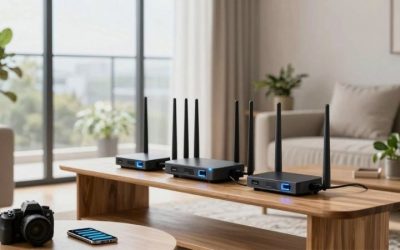
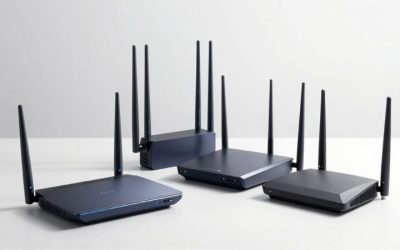
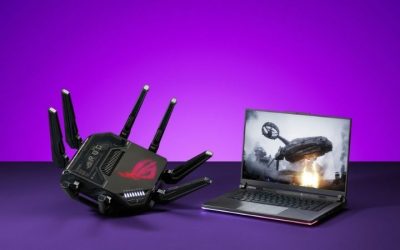
The best mesh routers for cloud gaming should keep a stream consistent as you move between rooms—not merely advertise the largest combined Wi-Fi number. For most medium-size homes, eero 7 (2-pack) is a straightforward Wi-Fi 7 starting point with multi-gigabit Ethernet; TP-Link Deco BE63 (2-pack) is a better fit if your priority is wiring game-capable devices to either mesh node through 2.5GbE ports. Premium setups such as eero Max 7 and NETGEAR Orbi 770 make sense for more demanding layouts or wired multi-gigabit networks. A mesh system cannot repair server-side latency or an unstable ISP connection, and a poorly placed wireless satellite may add variability rather than remove it.
Quick verdict: which mesh should you buy?
Best approachable all-around system — eero 7 two-pack. The dual-band Wi-Fi 7 design, dual 2.5GbE ports per node and relatively simple management are appealing for an ordinary home. It lacks a dedicated 6 GHz radio, so do not buy it expecting all Wi-Fi 7 features or premium wireless-backhaul capacity.
Best port flexibility — TP-Link Deco BE63 two-pack. Four 2.5GbE ports per node make it easier to feed Ethernet backhaul and wire a console or dock. Its tri-band design includes 6 GHz and supports Wi-Fi 7 multi-link features with compatible clients. Confirm US pack/version and the seller’s actual inventory before ordering.
Best high-end multi-gig solution — eero Max 7 two-pack. Two 10GbE and two 2.5GbE auto-sensing ports per node make it unusually flexible where the gateway, switch, and gaming PCs are already multi-gigabit. The substantial price is hard to justify purely for streaming a 20 Mbps video feed.
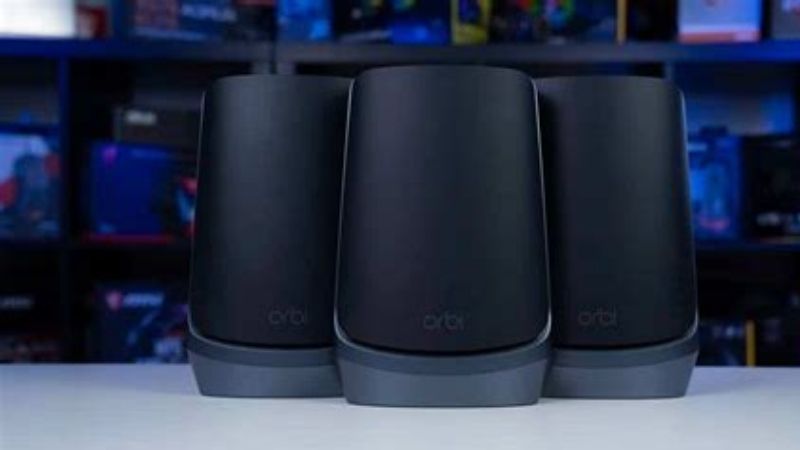
Best three-node coverage package — NETGEAR Orbi 770 RBE773. It includes a router and two satellites, tri-band Wi-Fi 7 and multi-gigabit ports, suited to a spread-out home. If a two-node solution covers your home, paying for an unnecessary satellite can complicate channel planning.
Best advanced router controls — ASUS ZenWiFi BT8 two-pack. This tri-band Wi-Fi 7 AiMesh kit brings dual 2.5G ports and ASUS traffic controls. Its adaptive QoS is not by itself a promise of measurable lower cloud-gaming input latency; verify the actual features of this exact model and firmware.
Best Wi-Fi 6E alternative — eero Pro 6E two-pack. It can be a good choice for someone whose devices already support 6 GHz but who does not need Wi-Fi 7, especially when the observed seller discount makes it attractive. Its port and radio capabilities remain below premium Wi-Fi 7 products.
Mesh comparison: six real buying configurations
| Exact kit | Bands and key wired specification | Best use case | Observed US seller price, checked Oct. 29, 2026 | Stock status, checked Oct. 29, 2026 | Main drawback |
|---|---|---|---|---|---|
| eero 7, 2-pack | Dual-band Wi-Fi 7; 2× 2.5GbE per unit | Simple medium-home mesh, wired node possible | $284.99, eero US displayed pack price | Buy option displayed; final checkout may differ | No 6 GHz radio |
| TP-Link Deco BE63, 2-pack | Tri-band Wi-Fi 7 including 6 GHz; 4× 2.5GbE per unit | Several wired game endpoints and Ethernet backhaul | Price not verified for current US seller | Unclear; confirm local retailer and variant | Extra capacity often unnecessary for cloud video |
| eero Max 7, 2-pack | Tri-band Wi-Fi 7; 2× 10GbE plus 2× 2.5GbE per unit | Existing 10G/multi-gig homes | $799.99 promotional displayed 2-pack price, eero US | Buy option displayed | Expensive for cloud gaming alone |
| NETGEAR Orbi 770, RBE773 3-pack | Tri-band Wi-Fi 7; router 2.5G WAN and multi-gig LAN, satellites 2.5G | Three-zone coverage | $629.99 sale from $699.99, NETGEAR US | Add to Cart shown | Larger equipment and three-node complexity |
| ASUS ZenWiFi BT8, BT8(W-2-PK) | Tri-band Wi-Fi 7, 2.5G WAN + 2.5G LAN per node | AiMesh users who want richer router controls | Price not verified for current US seller | Unclear; check exact 2-pack | Settings complexity; two multi-gig ports per node |
| eero Pro 6E, 2-pack | Tri-band Wi-Fi 6E, 6 GHz support | 6E-ready home without Wi-Fi 7 budget | $314.99 displayed discounted 2-pack price, eero US | Buy option displayed | Older standard and lower wired options |
Price/stock note: These prices describe the specific seller configurations observed, not a promise of the same discount at checkout. The eero storefront displayed differing promotional states on different URLs, so treat all sale figures as changing snapshots; the selected quoted values are the opened pack listings. No first-party hands-on latency, RSSI, roaming, or backhaul-throughput test was conducted for this article. Where no exact-model US listing was established, the table says so rather than inventing a price or “in stock” status.
What matters most for cloud-gaming mesh
Xbox’s official cloud-gaming guidance recommends around 20 Mbps and prefers wired Ethernet where possible, followed by appropriate 5 GHz Wi-Fi or mobile connectivity. That figure illustrates why the fastest theoretical mesh PHY rate is not the first buying criterion. Consistent packet delivery, low jitter, clean backhaul, manageable congestion and device compatibility matter more than summing marketing speeds across radios. A short delay spike that makes the video decoder stall may feel worse than a lower peak speed that remains steady.
We compared manufacturer specifications, port counts, frequency bands, pack contents, documented topology options and US seller pages. A strong result in a reviewer’s ideal open-plan test room may not translate to a dense building with masonry walls or a basement. Because we have not done the same controlled cloud-streaming test on all six systems, our labels represent practical use-case recommendations, not a claim that any brand achieves a certain measured ping or frame time.
Best approachable setup: eero 7 two-pack
eero 7 is a practical starting point for someone upgrading a basic single router after noticing that cloud games stutter in the bedroom or den. The official store describes dual-band Wi-Fi 7, two auto-sensing 2.5GbE ports, support for internet plans up to 2.5 Gbps, and eero’s mesh-management software. That port arrangement gives the main node an ISP uplink and a wired downstream path, or lets a satellite connect a desktop or console through Ethernet if the topology permits.
Its defining limitation is the absence of a 6 GHz radio. Wi-Fi 7 is a protocol generation, not proof that a specific model has 2.4, 5 and 6 GHz bands. This matters especially when a product roundup contains premium tri-band options: those can provide more choices for wireless backhaul or nearby 6 GHz clients. With eero 7, a wired inter-node run remains the most predictable way to keep a distant mesh point responsive. If wiring is impossible, position the second node where it still receives a strong upstream signal, not at the far end of the dead zone.
Good fit: A relatively normal home with several rooms and a 1–2.5G-compatible wired layout. Trade-off: Its dual-band radio is unlikely to match the wireless-backhaul headroom of more expensive tri-band systems in difficult environments. Before checkout: Choose the 2-pack rather than assuming a 1-pack listing includes a satellite; compare the live seller’s pack pricing and return policy.
Best wired gaming flexibility: TP-Link Deco BE63 two-pack
Deco BE63 stands out for a concrete reason: TP-Link specifies four 2.5GbE WAN/LAN auto-sensing ports on every unit. For cloud gaming this can remove the need for a separate switch in a bedroom where the same satellite serves a PC, a console and an Ethernet backhaul. It does not mean a cloud video stream uses multiple gigabits; it means the router can accommodate multi-gig wired equipment and keep the mesh connection out of a contested wireless hop.
The BE63 is tri-band and supports 6 GHz, Wi-Fi 7 multi-link operation, and up to 320 MHz channel widths under the usual compatibility and regulatory limits. A phone or laptop must support the relevant Wi-Fi standard and feature to use it. A cloud gaming handheld limited to ordinary 5 GHz Wi-Fi will not suddenly become a Wi-Fi 7 MLO client merely because the router supports MLO. Other parts of the household may still benefit from increased network capacity.
The less obvious drawback is cost and complexity. Four high-speed ports are great for a wired gaming room, but may be wasted in an apartment where the only streaming device is a phone. Deco’s app-centered controls also differ from a standalone router’s advanced traffic-policy interface. Good fit: Owners who can run Ethernet between rooms or want wired console connectivity at both mesh nodes. Before checkout: Check exact US BE63 pack, firmware, wireless region and the retailer’s stock; do not substitute specs for similarly named BE65 or BE85 products.
Best premium wired network: eero Max 7 two-pack
Max 7 is the deliberate overbuild option. eero specifies two 10GbE and two 2.5GbE auto-sensing interfaces per unit, tri-band Wi-Fi 7 and strong wired backhaul potential. This makes it relevant to homes with a multi-gigabit fiber plan, 10GbE switching, large downloads, local NAS transfers, and cloud gaming happening at the same time. It is not just a badge for “lower ping”; its appeal is a more capable home networking platform.
A gamer streaming from a cloud service at tens of megabits per second rarely needs 10GbE to carry that video. The benefit is indirect: if the network contains other high-demand transfers, ample wired capacity and robust backhaul can reduce competition inside the home. However, the ISP uplink, device wireless link, and stream decoder remain separate potential bottlenecks. A $799.99 sale snapshot for the two-pack is a lot to spend if a $285 class system, correctly placed, would already provide stable service.
Good fit: A high-end wired/mixed home network where the same purchase must serve demanding local workloads and many connected devices. Trade-off: Price, size, and the risk of paying for bandwidth your devices cannot use. Before checkout: Check which two units, adapters and cables are included, and confirm the local network equipment can actually negotiate the intended 2.5 or 10 Gbps speeds.
Best three-node package: NETGEAR Orbi 770 RBE773
The RBE773 kit includes the RBE771 router and two RBE770 satellites. NETGEAR’s official material describes tri-band Wi-Fi 7, a 2.5 Gig internet port, multi-gigabit wired LAN connections, and an up-to-8,000-square-foot coverage claim for the three-unit package. Coverage figures are marketing assumptions, not guarantees for a particular brick-walled house. The practical reason to choose RBE773 is that three strategically placed locations may cover a large or oddly shaped floor plan better than two aggressively positioned nodes.
For gaming, the placement rule remains unforgiving: a satellite must have a good path back to the router. If you tuck it into a basement corner where the main node cannot reach it cleanly, you may simply relocate the Wi-Fi symbol without solving instability. Ethernet backhaul, when feasible, is still preferable. The 2.5GbE connections provide a way to wire game systems and reduce the number of wireless links involved.
NETGEAR showed the three-pack at a promotional $629.99 with Add to Cart on the US page. That is not a reason to buy an unnecessary third node. Good fit: Larger multi-floor or wide homes needing three distinct zones. Trade-off: Cost, footprint, and ongoing optimization of satellite placement. Before checkout: Verify RBE773 rather than a 2-pack RBE772 and note that some advanced security services have optional subscription fees.
Best configurable Wi-Fi 7 mesh: ASUS ZenWiFi BT8 two-pack
ASUS ZenWiFi BT8 appeals to someone who wants a mesh network but is also comfortable managing traditional router features. ASUS’s US specifications identify a tri-band Wi-Fi 7 BE14000 design, 2.5G WAN, 2.5G LAN and two 1G LAN interfaces per unit. ASUS AiMesh allows compatible ASUS hardware to operate together, while the BT8 provides router controls including Adaptive QoS, bandwidth monitoring and a variety of VPN options.
Those features deserve clear boundaries. Adaptive QoS may be useful for traffic policies, but it is not a verified lab-grade latency result and should not be treated as equivalent to CAKE merely because the acronym QoS appears. Cloud gaming wants reliable delivery; tweaking priorities too aggressively can harm other traffic without improving the stream. Also, the BT8 does not provide four 2.5GbE ports per node like the Deco BE63, so buyer expectations should follow the physical port layout, not only the headline Wi-Fi rate.
Good fit: Existing ASUS users or advanced households who want mesh with more configurable router settings. Trade-off: A longer learning curve and fewer multi-gigabit ports per node than some competing kits. Before checkout: Match the exact BT8(W-2-PK) US variant, not BT8 one-packs or higher-end BQ16 Pro listings. Since we did not confirm a current US price/stock on the exact two-pack seller page, it is a conditional recommendation.
Best Wi-Fi 6E value alternative: eero Pro 6E two-pack
eero Pro 6E offers a useful counterpoint to Wi-Fi 7 inflation. Its tri-band radios include 6 GHz, so a compatible Wi-Fi 6E laptop or phone can use that band when close enough. eero lists support for more than 100 devices, a two-pack covering up to 4,000 square feet under claimed conditions, and an overall network-speed figure that combines different wired/wireless scenarios. It is not a promise that every Ethernet port runs at 2.3Gbps or that a distant handheld will maintain a 6GHz link through multiple walls.
For cloud gaming, a stable 5 GHz link or wired connection on an older mesh kit may perform just as well as Wi-Fi 7 in a quiet house. The Pro 6E becomes attractive when you already own Wi-Fi 6E clients and can deploy two nodes with reliable placement. The 6 GHz radio has useful capacity but generally shorter effective reach through obstacles, so it should not be assumed to fix a distant room without moving the satellite closer.
Good fit: A cloud-gaming household with compatible 6E gear that wants a mature app-led mesh. Trade-off: Less forward-looking radio/wired capability than Wi-Fi 7 and occasional eero subscription upsells that are not necessary for basic Wi-Fi. Before checkout: Verify the two-pack discounted offer; seller prices have changed between observed pages and should never be treated as a permanent MSRP.
Choosing the right mesh backhaul
Wired backhaul is the first upgrade to consider
A mesh satellite can receive its upstream connection wirelessly or over Ethernet. Ethernet backhaul is typically more predictable because it removes one shared radio hop and minimizes exposure to walls and neighboring wireless networks. For cloud gaming, this can reduce occasional jitter even when an ordinary throughput test looks healthy. If your building has existing Cat5e/6 wiring, test it before spending money on an expensive radio-only upgrade.
Wireless backhaul quality comes before band count
A premium tri-band system may have more radio resources to serve clients and communicate between nodes, but its wireless links still obey distance, interference, and building-material limits. A centrally placed satellite with clear upstream reception can outperform a more expensive one placed behind concrete and ductwork. Move the satellite toward the router until backhaul quality improves, then measure the actual streaming endpoint. Do not simply maximize the number of nodes.
Plug the gaming device into a satellite when practical
Ethernet from a console or PC to a mesh satellite removes the short client-to-satellite Wi-Fi link. It does not make the rest of a wireless-backhaul path wired. This compromise may nevertheless be worthwhile where a direct cable to the main router is impossible. Compare streaming consistency with the device on Wi-Fi versus the satellite’s Ethernet output and keep the arrangement that produces fewer stutters.
Check device support, network load and routing
Cloud gaming is more sensitive to consistent delivery than most websites because it relies on a sustained stream and an interactive input loop. Xbox’s official guidance recommends at least 20 Mbps and prefers Ethernet or suitable 5 GHz Wi-Fi. Video quality settings, competing uploads, ISP congestion and the service’s region can still affect playback. Mesh can solve insufficient local coverage; it cannot move the cloud data center or control another home’s network traffic.
Before buying, check whether your ISP gateway is already doing routing. If you install a second mesh router behind it, you may introduce double NAT unless one operates in a documented bridge/access-point configuration. That may affect console multiplayer and remote-access functions even though the video stream runs. If the mesh operates in access-point mode, certain router-specific parental controls or security features may change; review the manufacturer’s current guide.
For phones and handhelds, check whether they support Wi-Fi 6E or 7 and whether 6 GHz is enabled in your country. The Wi-Fi 7 headline number usually combines theoretical radio capacities; no single Wi-Fi 5 device can use them all. For stationary consoles and desktops, an ordinary Ethernet cable remains the least complicated way to reduce home wireless variance.
Setup checklist for more stable game streams
- Place the main mesh router near the modem or ONT, avoiding an enclosed cabinet or metal shelf; connect the WAN port specified for that exact model.
- Position each satellite where it can still communicate strongly with the main node. If a wired Ethernet run is available, connect backhaul according to the maker’s supported topology.
- Update to the supported stable firmware and check wired link negotiation before changing advanced settings.
- Stream a compatible title on one device with background transfers stopped. Then repeat while another device performs a sustained upload or download to reveal congestion.
- Where the router offers legitimate traffic controls, use modest device preferences; do not assume “gaming mode” fixes ISP routing. If loaded latency is the problem, a separate SQM gateway may be more relevant than a different mesh radio.
- Re-test at the actual couch, bedroom or office during busy evening hours. If the closest satellite still has poor backhaul, change placement before adding a fourth unit.
Frequently asked questions
Is Wi-Fi 7 necessary for cloud gaming?
No. Many cloud streams require much less bandwidth than a stable Wi-Fi 5/6 connection can deliver. Wi-Fi 7 may add capacity or make a newer network more flexible, but home layout, backhaul and stability normally decide whether the experience is smooth.
Is a tri-band mesh always better than dual-band?
Not always. Tri-band offers another radio band, but a poorly placed satellite remains a weak link. A dual-band system with Ethernet backhaul can be excellent; a tri-band wireless-only system can help where wiring is impossible and suitable clients or backhaul links use the extra spectrum.
Does plugging a console into a mesh satellite give true Ethernet latency?
Only for the console-to-satellite segment. If the satellite talks wirelessly to the router, that radio hop remains in the path. It is still worth testing because removing one problematic client link can improve consistency.
Should I buy the largest three-pack for a small apartment?
Usually not. Too many nodes in a confined space can create placement and channel-management problems and wastes money. Start by checking whether one good router or a two-pack covers the entire space; expansion should follow measured dead zones.
Final thoughts
The eero 7 two-pack is a practical home upgrade, Deco BE63 is especially compelling when wired backhaul and several 2.5GbE ports matter, and eero Max 7 is for owners already investing in 10GbE networking. Orbi 770 RBE773 targets larger multi-zone houses; ASUS BT8 offers deeper controls; eero Pro 6E remains a credible alternative for 6 GHz-ready homes. In every case, choose the topology and node placement first—then spend on the radio standard and port speeds that your actual equipment can use.