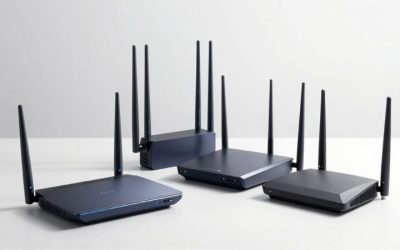
If you are looking for the best routers for congested apartments, start with a tri-band model that supports 6 GHz if your gaming PC or handheld can use it. The TP-Link Archer BE9700 is a strong all-around Wi-Fi 7 option with multi-gig ports, while the GL.iNet Flint 3 rewards users who want deeper network controls. A more affordable Wi-Fi 6E router can still be enough. Apartment interference varies by room and neighbors; no router can erase WAN latency or guarantee low ping through thick walls. This buying guide compares actual hardware, connection options, and setup compromises—not invented gaming benchmarks.
Quick verdict: which one should you buy?
Best overall — TP-Link Archer BE9700. Tri-band Wi-Fi 7, a 10GbE WAN/LAN port and three 2.5GbE LAN ports make it flexible for a wired gaming desk while offering 6 GHz to compatible clients.
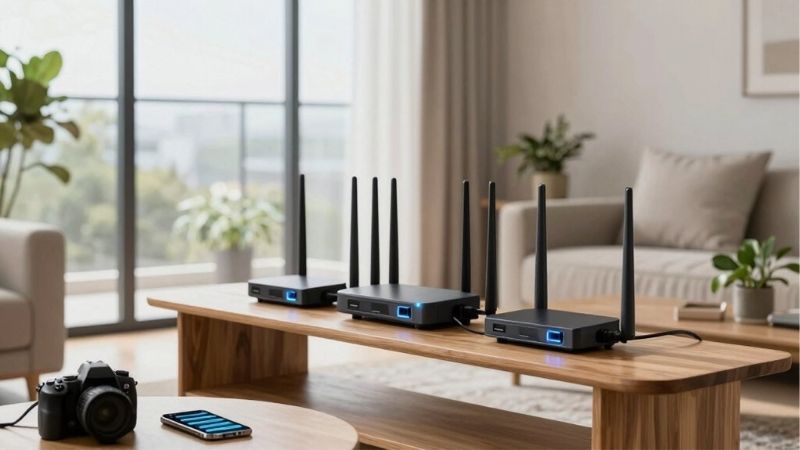
Best for advanced controls — GL.iNet Flint 3 (GL-BE9300). Five 2.5GbE ports and customizable router software are valuable when you understand how to tune your own network.
Best for a compact all-in-one — NETGEAR Nighthawk RS300. A tri-band Wi-Fi 7 unit with internal antennas and clearly documented wired-port choices.
Best for 10G-ready homes — ASUS RT-BE92U. A 10GbE WAN/LAN port, 6 GHz and AiMesh are useful, but its taller enclosure and software complexity are real considerations.
Best Wi-Fi 6E alternative — TP-Link Archer AXE7800. An older-generation tri-band option with 6 GHz and 2.5GbE that can be practical if its clearance price remains available.
Best balanced 2.5GbE layout — TP-Link Archer BE550. Five 2.5GbE Ethernet ports, 6 GHz and EasyMesh make sense when expanding coverage later is a possibility.
Product comparison at a glance
| Product / exact SKU | Verified hardware and use case | Observed US price, checked Oct. 29, 2026 | Stock status, checked Oct. 29, 2026 | Main drawback |
|---|---|---|---|---|
| TP-Link Archer BE9700 | Wi-Fi 7; 2.4/5/6 GHz; 1×10GbE WAN/LAN + 4×2.5GbE ports (1 WAN/LAN, 3 LAN) | Price not verified; Best Buy listing found | Orderable listing shown; ZIP-dependent | Large feature set may be excessive for a one-bedroom apartment |
| GL.iNet Flint 3 (GL-BE9300) | Wi-Fi 7 tri-band; five 2.5GbE ports; one switchable WAN/LAN; customizable firmware | $209.99, GL.iNet official store | Add to cart displayed; shipping not ZIP-confirmed | More configuration responsibility; no 10GbE port |
| NETGEAR Nighthawk RS300 | Wi-Fi 7 tri-band; 1×2.5GbE WAN; 2×2.5GbE LAN; 2×1GbE LAN | $299.99, NETGEAR US | Add To Cart displayed; delivery region varies | Fewer multigig LAN ports than BE550 or Flint 3 |
| ASUS RT-BE92U | Wi-Fi 7 tri-band; 1×10GbE WAN/LAN, 1×2.5GbE WAN/LAN and 3×2.5GbE LAN | Price not verified; Best Buy listing changes by promotion | Add to cart listing visible; ZIP-dependent | Tall body; value varies sharply with promotional pricing |
| TP-Link Archer AXE7800 | Wi-Fi 6E tri-band; 2.4/5/6 GHz; 1×2.5GbE WAN/LAN | $137.99 clearance, Best Buy listing | Add to cart displayed; clearance stock limited | No Wi-Fi 7 MLO; clearance availability can end |
| TP-Link Archer BE550 | Wi-Fi 7 tri-band; 1×2.5GbE WAN + 4×2.5GbE LAN; EasyMesh | Price not verified for a live US seller | Unclear for exact US SKU at time of check | Stock needs rechecking; no 10GbE port |
Pricing and evidence note: Prices are product-page snapshots and may change by location, shipping, options, taxes or promotional window. “Add to cart” confirms a listing was orderable when observed, not inventory in every ZIP code. An unclear price or stock status has not been replaced by an estimate. Recommendations are based on documented hardware, published technical specifications, relevant independent reporting where available, and anticipated fit—not original detailed research or latency benchmarks.
How we selected these products
We compared confirmed radio bands, usable Ethernet ports, router-management trade-offs, expansion features and observed U.S. listings. We favored tri-band products when a 6 GHz-capable client could benefit from a less crowded band, while keeping Wi-Fi 6E in contention because a newer standard alone does not ensure better latency. Models without a trustworthy current U.S. price or orderable listing are explicitly labeled rather than promoted as a guaranteed deal.
Independent router testing can reveal trends in apartment coverage and Wi-Fi latency, but one lab layout does not represent every condo. We used RTINGS for contextual comparison where available and attribute those conclusions to the reviewer; no hardware was measured, benchmarked or physically installed for this roundup. The final purchase guidance prioritizes matching the exact ISP speed and gaming client capabilities before spending more.
Best overall: TP-Link Archer BE9700
The Archer BE9700 solves two different apartment problems without forcing you into a mesh system. Its tri-band Wi-Fi 7 radio gives compatible PCs a choice of 6 GHz spectrum, while the 5 GHz radio remains available for older gaming hardware. TP-Link lists 6, 5 and 2.4 GHz radios, and it documents Dynamic Frequency Selection (DFS) on the 5 GHz side. DFS is not a magic hidden fast lane: the router must vacate a DFS channel if radar use is detected, so a stable non-DFS channel can sometimes be preferable to one that looks empty in a scan.
The wired side is unusually flexible for this class. TP-Link specifies a 10Gbps WAN/LAN port, one 2.5Gbps WAN/LAN port and three more 2.5Gbps LAN ports. This matters if a gaming desktop, NAS or fast fiber service shares the apartment; it does not mean a 1Gbps internet subscription becomes faster. For the lowest variation in latency, run Ethernet to the gaming PC and use the radio for phones, laptops and handhelds.
MLO can help supported Wi-Fi 7 clients coordinate use of multiple links, but both the client and router must support the actual modes in use. A Wi-Fi 6E laptop only uses its normal 6 GHz capability. TP-Link’s HomeShield also has free and subscription-managed components; examine which filtering or security functions require payment rather than counting all advertised functions as included.
The reason to put this router first is balanced versatility, not a claimed esports latency record. If a crowded condo is served by 1Gbps cable and only one old 5 GHz laptop, most of its multi-gig hardware will sit idle. A less expensive Wi-Fi 6E alternative can deliver the more important clean-channel choice.
Buy it if: you need modern tri-band Wi-Fi and several fast wired ports in one router, or anticipate upgrading a PC and fiber connection.
Skip it if: your Wi-Fi clients cannot use 6 GHz and a basic Gigabit router already handles a wired PC well.
Before checkout: match the Archer BE9700 model, not the similarly named ASUS RT-BE92U BE9700 speed class; confirm retailer price and stock for your US ZIP.
Best controls for power users: GL.iNet Flint 3
GL.iNet’s Flint 3 (GL-BE9300) deserves consideration if your apartment network includes VPN use, a home server or numerous devices that you actively administer. It is a genuine tri-band Wi-Fi 7 router, not the older dual-band Flint 2. The company specifies theoretical radio rates of 688 Mbps at 2.4 GHz, 2,882 Mbps at 5 GHz and 5,765 Mbps at 6 GHz; those numbers are PHY ceilings, not a single gaming device’s speed.
The unusually useful physical detail is five 2.5GbE ports: one dedicated WAN, one switchable WAN/LAN and three dedicated LAN. The official guide explains the switchable port, and the manufacturer’s product page shows the current sale path. That is an appealing layout for hardwiring a desktop and console without immediately adding a multigig switch. It is not equivalent to a 10GbE port, and nothing about it guarantees packet prioritization without correct configuration.
The OpenWrt-derived platform offers significantly more flexibility than most set-and-forget consumer routers. That flexibility has a cost: settings can be changed in ways that make roaming, DNS resolution or game connectivity worse. Start with the shipping firmware and default security configuration; document changes individually, especially anything related to guest segregation, VPN routing or custom DNS. Use the official firmware and instructions rather than random configuration snippets.
Independent router comparisons report that its overall throughput is competitive with the Archer BE550, while feature depth differs. That is independent context, not a benchmark produced for this article. An apartment gamer should value the power to troubleshoot contention but should not pay for complicated controls they will never use.
Buy it if: you want 6 GHz and ample 2.5GbE connectivity with the willingness to maintain advanced network settings.
Skip it if: you want the simplest app-first setup or need a 10GbE uplink.
Before checkout: choose exact GL-BE9300 Flint 3; the official GL.iNet page displayed $209.99 with Add to cart when checked.
Best clean tabletop design: NETGEAR Nighthawk RS300
The RS300 is designed for people who want a mainstream router with a neat exterior rather than a cluster of exposed antennas. NETGEAR describes a tri-band BE9300 platform with 2.4 GHz, 5 GHz and 6 GHz radios and four internal antennas. Its published home-area figures and device counts are vendor estimates, not a promise that a router inside a closet will cover every apartment floor plan equally.
Its port map is relatively easy to understand: one 2.5Gbps internet port, two 2.5Gbps LAN ports and two Gigabit LAN ports. That allows a gaming PC and a fast desktop workstation to use multi-gig local links if the hardware supports them. But if you have three 2.5GbE client devices, the BE550 or Flint 3 is a better port-fit. Ethernet throughput still depends on the ISP gateway and the speed actually negotiated on each cable.
The 6 GHz radio gives Wi-Fi 6E and Wi-Fi 7 clients another place to operate when numerous neighboring networks occupy 5 GHz. The trade-off is limited wall penetration. In a long narrow apartment, moving the router from a floor cabinet to a clear central shelf may improve responsiveness more than paying for a more expensive Nighthawk tier. Test both a clean 5 GHz channel and 6 GHz from the actual gaming desk before drawing conclusions.
NETGEAR offers additional security products and services; check current free-versus-paid coverage. Do not take the manufacturer’s broad ‘lower latency’ marketing language as evidence of any measured millisecond saving for your particular shooter. The RS300 is about a straightforward supported hardware package, not guaranteed performance.
Buy it if: you want an unobtrusive standalone Wi-Fi 7 router, two fast client ports and a familiar setup workflow.
Skip it if: your primary need is advanced custom firmware or four 2.5GbE LAN connections.
Before checkout: verify RS300 rather than RS200/RS500, and check the $299.99 official-store price and US delivery at checkout.
Best for a future fiber upgrade: ASUS RT-BE92U
The ASUS RT-BE92U is a strong option where the apartment’s existing 1Gbps service might become 2.5Gbps or faster. ASUS’s model-specific specification identifies a 10Gbps WAN/LAN connector, another 2.5Gbps WAN/LAN connector and three 2.5Gbps LAN ports. That makes it meaningfully different from inexpensive routers with only one fast port, even if the wireless bands are the feature that first catches your attention.
The radio configuration is 2.4, 5 and 6 GHz Wi-Fi 7 with a 2×2 chain on 6 GHz and 5 GHz. ASUS supports AiMesh, but a single router is the sensible starting point in most small apartments. Adding a wireless mesh hop to reach a desk one room away can introduce contention where a better placed original node or one Ethernet run would work more predictably.
Its ASUS management options can be useful for client prioritization, bandwidth controls and guest isolation. Such features are not a substitute for measuring loaded latency on a busy connection: if a gaming PC lags only when another device uploads, identify upstream saturation before changing random radio settings. The router’s conspicuous antenna arrangement also needs open space, not a metal cabinet.
Best Buy displayed different price states for the same RT-BE92U listing across promotional snapshots, so a single quoted current dollar amount would be unreliable here. The correct decision is to check today’s actual listing for your ZIP and compare it against the BE9700 and Flint 3; avoid buying only because a past promotion made the ASUS seem unusually cheap.
Buy it if: you need AiMesh compatibility and a 10GbE-ready path for future upgrades.
Skip it if: you have nowhere suitable for a taller router or will never use its high-speed ports.
Before checkout: confirm RT-BE92U exact SKU and current US promotional price; do not confuse the BE9700 throughput label with TP-Link Archer BE9700.
Best discounted Wi-Fi 6E pick: TP-Link Archer AXE7800
A crowded apartment does not automatically demand Wi-Fi 7. The Archer AXE7800 is a useful counterexample: it uses Wi-Fi 6E, which still provides a 6 GHz band to supported computers and phones. Best Buy’s exact Archer AXE7800 listing displayed a clearance price of $137.99 at research time. The discounted availability may be highly localized; treat it as a snapshot, not the router’s permanent value.
The documented port map includes a 2.5Gbps WAN/LAN port, a separate Gigabit WAN/LAN port and three Gigabit LAN ports. That is sufficient for an internet plan above 1Gbps with one fast uplink, but a gaming desktop connected through a 1Gbps LAN port will not use a 2.5Gbps Ethernet interface at its full negotiated rate. Check which physical port is assigned to WAN in your actual setup.
The Wi-Fi 6E advantage is straightforward: a compatible client can move to 6 GHz where neighboring legacy Wi-Fi traffic is absent. That does not guarantee an uncontested channel, superior penetration or better ping across multiple walls. It also lacks the Wi-Fi 7 Multi-Link Operation features found on newer hardware. If your existing PC only uses 5 GHz, its appeal becomes speed and channel-management improvements rather than immediate 6 GHz use.
For a small rented space, the lower price can be more important than 10GbE or exotic gaming overlays. Spend first on placement and a reliable Ethernet connection where possible. The AXE7800 is compelling only when the actual retailer has the correct model in stock; buying a different AXE-family router because the photo looks similar defeats the comparison.
Buy it if: you want practical access to 6 GHz at a verified clearance price and do not require Wi-Fi 7.
Skip it if: you need several 2.5GbE LAN ports or the listing is already gone in your ZIP code.
Before checkout: confirm Archer AXE7800, not ASUS RT-AXE7800 or TP-Link AXE75, and recheck the clearance offer.
Best flexible 2.5GbE alternative: TP-Link Archer BE550
The Archer BE550 remains an unusually balanced hardware design for an apartment with several computers. TP-Link’s June 2026 BE550 V2 datasheet specifies 6 GHz, 5 GHz and 2.4 GHz Wi-Fi 7 radios alongside one 2.5Gbps WAN and four 2.5Gbps LAN ports. That is a more useful wiring layout than a marketing claim about maximum combined wireless speed when you intend to connect gaming hardware directly to the router.
Independent RTINGS coverage describes strong single-floor coverage and rates it as a good apartment fit, while also stressing that Wi-Fi latency remains a limiting factor for competitive gaming. This is exactly why it belongs here: its virtues are coverage, channel flexibility and wired ports—not a claim that it magically eliminates network jitter. The comparison with Flint 3 also finds similar general performance but different software depth.
It supports EasyMesh expansion with compatible hardware. In a compact apartment, installing several wireless mesh nodes for one dead zone can make channel congestion worse, so diagnose the router’s placement and the wall materials first. If the only difficult location is behind a concrete partition, a wired access point closer to the client can be more effective than a second wireless repeater.
We could verify the model specification but not a trustworthy current US seller price and orderable status for the exact BE550 variant within this research window. It stays an alternative, not the immediate best buy, until the buyer confirms current supply. Avoid mixing the BE550 up with similarly named BE5000 and BE9700 models; their wired ports differ.
Buy it if: you value four 2.5GbE LAN ports and potential EasyMesh growth and can verify exact stock.
Skip it if: you need a confirmed in-stock purchase right now or require 10GbE.
Before checkout: verify the exact hardware version and US seller listing, particularly BE550 versus BE550 V2.
Why crowded apartments need a different router decision
In a multi-unit building, the network list on your phone often includes more SSIDs than you could possibly use. What matters is not the number of names but how much airtime neighboring radios actually consume on overlapping channels. A strong signal reading is therefore not sufficient proof of a good gaming link. The connection may still experience retries, varying access time and inconsistent frame delivery during a neighbor’s evening uploads.
Different symptoms call for different fixes. If the Wi-Fi link is bad only from the bedroom, improve placement or add a wired access point. If wired and wireless devices lag whenever a household member uploads, investigate upstream queueing and router QoS or SQM behavior. If latency is consistently high to a remote game server even when idle, the route and server location may dominate; a new local router cannot change those conditions. Keeping those problems distinct prevents wasteful hardware purchases.
6 GHz, DFS and channel width explained for gaming
The main attraction of 6 GHz is that only Wi-Fi 6E or newer clients can use it, reducing competition from older neighboring networks. It does not inherently transmit farther. The same wall that barely weakens 2.4 GHz can significantly attenuate 6 GHz, so a router in a hallway and a PC two rooms away may perform better on a carefully chosen 5 GHz channel. Confirm that the exact laptop or motherboard supports 6 GHz before paying a premium for that band.
DFS channels can offer an additional set of 5 GHz options, but routers operating there must respond to radar detection. A channel that looks clean now can be interrupted by a required channel switch later. Use a non-DFS channel if those switches prove disruptive. Wider 160 MHz or 320 MHz channels advertise more potential throughput but occupy more spectrum; in dense buildings, stable 80 MHz service may be a better trade than wide channels with frequent interference. Measure performance over multiple evenings, not one speed test.
MLO is a Wi-Fi 7 feature that depends on client capabilities, firmware, regulatory support and implementation details. It may improve utilization or reliability, but it is not a universal ping-reduction switch and cannot bypass a busy ISP uplink. A stationary gaming desktop connected by Ethernet bypasses the radio contention question altogether.
Wired ports and real multiplayer responsiveness
For a fast PC or console, a wired Ethernet link eliminates uncertainty caused by adjacent-channel Wi-Fi traffic. It still shares the same ISP connection, so a saturated upload can increase queueing delay unless the network is managed appropriately. Prioritize low packet loss, repeatable latency and sensible traffic management before pursuing a higher advertised internet speed. A 2.5GbE port is useful for rapid local transfers or multi-gig service, but it does not make a 50Mbps online match run at 2.5Gbps.
Before paying extra for a 10GbE port, trace the entire route: ISP modem or ONT, router WAN, router LAN, Ethernet cable and the PC’s network adapter. A single Gigabit segment can limit transfers to that link rate. You may choose a router with a flexible 10GbE WAN/LAN port for future use, but that future-proofing has no immediate payoff if every connected device is Gigabit.
Placement and settings checklist for a small condo
Place the router on a shelf at least several inches clear of large metal objects, entertainment cabinets and walls. Keep it away from the back of a gaming tower and do not bury its antennas under a desk. If multiple rooms need coverage, compare results from a central shelf against a location nearer the primary gaming room. Avoid adding wireless extenders before testing whether the original router has merely been placed poorly.
Use the router’s own diagnostics or the Wi-Fi information shown by your operating system to record the connected band, link rate and signal quality. Compare a wired ping to your router with a Wi-Fi ping under light and heavy local traffic. Change one setting at a time: channel selection, channel width, smart band steering or QoS. Save the former value and retest at the same times of day. Keep firmware updated from the manufacturer and avoid disabling security features to chase a benchmark.
Buying checklist: avoid paying for the wrong upgrade
Count how many clients can actually use Wi-Fi 6E or Wi-Fi 7 and whether those clients sit in the same room as the router. Check the fastest internet tier available from your ISP and how many fast Ethernet ports are actually necessary. Evaluate router footprint, heat dissipation and wall-mount options in a small rental. Verify that a security or parental-control feature is included without a subscription if it affects your purchase decision.
Treat live prices and availability as local, changing facts. The Archer AXE7800 listing is a clearance example, not a guaranteed offer. For models with uncertain stock, compare another confirmed seller before treating a product as currently purchasable. A modest, stable Wi-Fi 6E router plus a well-placed Ethernet cable can be a better gaming upgrade than a flagship Wi-Fi 7 router hidden in a cabinet.
Frequently asked questions
Will Wi-Fi 7 fix my apartment ping spikes?
It can improve the local radio connection when a compatible router and client have a better available channel, but WAN congestion, server distance and loaded latency still matter. Compare wired and wireless behavior before buying.
Should I use 6 GHz or 5 GHz for gaming?
Try 6 GHz when the PC supports it and sits relatively near the router. Use 5 GHz if walls weaken the 6 GHz connection; compare stability and retry behavior instead of picking by theoretical speed.
Do I need mesh in a one-bedroom apartment?
Usually not. One well-positioned router is simpler and avoids a wireless backhaul hop. Expand only after identifying a real coverage problem that placement cannot solve.
Can DFS make games disconnect?
A DFS radar event can force a router off the channel. If this occurs in your location, test a fixed non-DFS 5 GHz channel, preferably with channel width suited to the local interference.
Is a 10GbE router worth it for 1Gbps fiber?
Not for online gaming latency alone. It may be justified for future WAN upgrades or fast local networking when all intervening ports and devices support higher rates.
Why is a Wi-Fi speed test fast but a game still feels laggy?
Download throughput and interactive latency are different measurements. Check jitter, packet loss and loaded latency; also check whether the game server or household upload is the constraint.
Final thoughts
For most buyers choosing among the best routers for congested apartments, start with the TP-Link Archer BE9700 if its current US listing suits your budget, or GL.iNet Flint 3 when five 2.5GbE ports and deeper management are a better fit. The Nighthawk RS300 is a cleaner mainstream alternative; ASUS RT-BE92U is appealing for possible 10GbE growth. Check the Archer AXE7800 clearance offer if a lower price matters more than Wi-Fi 7, and confirm BE550 stock before considering it an immediate purchase. Whichever model you choose, test Ethernet and improve placement before expecting a wireless hardware upgrade to fix ISP or game-server lag.