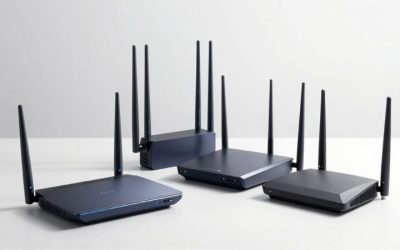
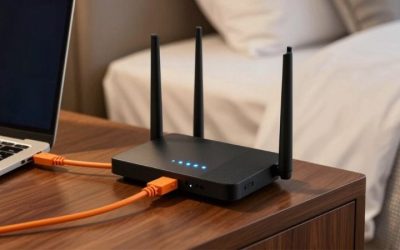
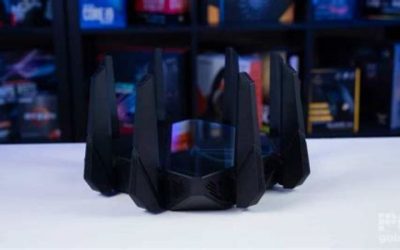
If you are shopping for the best WiFi 7 mesh for gaming, start with the TP-Link Deco BE63 two-pack for a practical blend of tri-band coverage, four 2.5GbE ports per node, and a comparatively accessible price. Choose the ASUS ZenWiFi BQ16 Pro when you need much more wireless capacity and detailed traffic controls, or the Netgear Orbi 770 three-pack when multiple floors make coverage the main obstacle. A mesh system cannot erase the latency between your home and a game server. The strongest gaming purchase is the one that keeps your local connection stable, especially when other people are streaming or uploading.
Quick verdict: six Wi-Fi 7 mesh systems worth comparing
Best overall value — TP-Link Deco BE63 (two-pack). Its tri-band radios include 6 GHz, and each identical unit has four auto-sensing 2.5GbE ports. It is a sensible starting point for a home where one gaming PC or console can be wired to a nearby mesh node. The catch is simpler network tuning than an enthusiast ASUS router, and the 2.5GbE ceiling on individual wired ports.
Best premium enthusiast choice — ASUS ZenWiFi BQ16 Pro (two-pack). Quad-band hardware provides two 6 GHz radios, while ASUS documents Adaptive QoS and substantial network-management features. The trade-offs are a high purchase price and three 1GbE ports alongside the two 10GbE connections on each unit.
Best for set-and-forget operation — eero Pro 7 (three-pack). The eero app emphasizes simple installation and automatic updates; the two 5GbE ports per node are useful for a fast wired backbone. You get fewer manual gaming-specific tuning options, and advanced security features are offered through an optional paid plan.
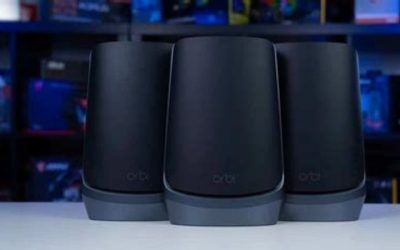
Best three-node coverage package — Netgear Orbi 770 (RBE773). A router and two satellites are included, with wired 2.5GbE options and a straightforward design for covering multiple rooms. Do not confuse its enhanced MLO backhaul with the separate, dedicated backhaul band found on more expensive Orbi models.
Best for a 10GbE-heavy home network — TP-Link Deco BE85 BE22000 (two-pack). Two 10GbE-capable connections and two 2.5GbE connections per unit support unusually flexible wired layouts, including multigigabit NAS access and node backhaul. Confirm the exact BE85 hardware revision because TP-Link has published different radio configurations under this family name.
Best alternative for ASUS network controls — ASUS ZenWiFi BT10 (two-pack). This tri-band model retains ASUS AiMesh, security tools, and two 10GbE connections while avoiding the BQ16 Pro’s second 6 GHz radio. Its limited remaining 1GbE connectivity and less consistent third-party test history are important compromises.
Compare the mesh kits: ports, prices, and stock
| Exact US kit | Verified defining hardware | Gaming fit | Observed US seller price (checked Oct. 28, 2026) | Stock status (checked Oct. 28, 2026) | Main drawback |
|---|---|---|---|---|---|
| TP-Link Deco BE63 BE10000, two-pack | Tri-band 2.4/5/6 GHz; four 2.5GbE WAN/LAN ports per node | Best value for Ethernet-connected PC/console at a satellite | $329.99 at B&H, sale listing | In stock at B&H | No 10GbE port; fewer detailed router controls |
| ASUS ZenWiFi BQ16 Pro BE30000, BQ16 Pro(W-2-PK) | Quad-band, two 6 GHz bands; one 10G WAN/LAN and one 10G LAN per node | Enthusiast configuration and high wireless-backhaul capacity | $999.99 at B&H | In stock at B&H | Expensive; remaining three Ethernet ports are 1GbE |
| eero Pro 7, three-pack | Tri-band; two auto-sensing 5GbE ports per node | Minimal configuration and simple whole-home management | $799.99 at eero US | Orderable on eero US page | Two Ethernet ports total per node; paid optional security extras |
| Netgear Orbi 770, white RBE773 three-pack | Tri-band; 2.5GbE WAN/LAN on router, 2.5GbE LAN on satellites | Multi-floor coverage with three nodes in the box | $599.99 at Netgear US, promotional versus $699.99 | Orderable on Netgear US page | No 10GbE; not a dedicated-band backhaul design |
| TP-Link Deco BE85 BE22000, two-pack | Tri-band; two 10GbE-capable + two 2.5GbE ports per node | Multigig wired clients, NAS, and wired mesh backbone | $799.99 at B&H | In stock at B&H | High price; hardware revision must be confirmed |
| ASUS ZenWiFi BT10 BE18000, BT10(W-2-PK) | Tri-band; 10G WAN/LAN + 10G LAN + 1GbE per node | ASUS network features with two fast backbone ports | $708.99 at Best Buy marketplace, sold/shipped by Adorama | Orderable marketplace listing; B&H showed temporary stockout | One additional 1GbE port; vendor and firmware experience vary |
Price and stock notes: These are product-page snapshots, not guaranteed checkout totals, permanent list prices, or proof of local pickup availability. The BT10 figure is specifically a Best Buy marketplace listing fulfilled by Adorama, not a Best Buy-direct offer. B&H displayed the BT10 as temporarily out of stock when checked, even though the marketplace listing showed an order path. eero’s quoted price is for the three-pack, not the two-pack. We have not purchased these systems or run Geek Gaming Tricks laboratory latency measurements.
How these six systems were selected
A useful gaming mesh kit must solve a problem a standalone router does not. We prioritized credible multiroom coverage, a usable path from the gaming device to the primary router, physical Ethernet-port layouts, real US purchase options, and management features that matter when a household shares bandwidth. Every featured unit is a Wi-Fi 7 mesh product, but each recommendation addresses a different network topology or buyer priority; six similarly branded speed tiers would not help a gamer choose.
Manufacturer specification pages establish radio bands, physical ports, included kit counts, and supported control features. Independent reporting from WIRED, Tom’s Hardware, Tom’s Guide, and other reviewers gives context about speed, stability, and limitations. Their benchmarks were performed on different layouts, endpoints, firmware versions, and test methods. We did not combine their throughput figures into one artificial ranking, and we did not convert advertised wireless rates into ping or game-frame-time claims.
The key practical distinction is gaming-client connection versus mesh backhaul. Plugging your PC into a satellite can avoid the last wireless hop between the computer and satellite, but the satellite may still be communicating wirelessly with the main router. For the most predictable route, wire both the gaming device and mesh-node backbone whenever feasible. Where running cable is impossible, choose a tri-band or quad-band system with well-placed nodes and enough room-to-room signal strength rather than buying by the largest combined Gbps number.
Best overall value: TP-Link Deco BE63 two-pack
The Deco BE63 is our first recommendation for a typical US home that needs Wi-Fi coverage in two distinct areas without turning network administration into a hobby. TP-Link’s US page identifies this BE10000 model as tri-band Wi-Fi 7, with 2.4 GHz, 5 GHz, and 6 GHz radios. More importantly for gaming, each Deco BE63 has four auto-sensing 2.5GbE WAN/LAN ports. That makes it practical to connect a console, desktop, or small switch to the node nearest the play space without giving up every Ethernet connection to the incoming WAN and backhaul.
The best deployment is an Ethernet backhaul if your home already has cable between rooms. Connect the primary Deco to the modem or gateway, join the second Deco through wired Ethernet, and connect the gaming PC to an available 2.5GbE LAN port. If the second node is wireless, the Ethernet-connected PC still depends on the radio link back to the main node. This arrangement may be excellent in an open floor plan and less reliable through masonry, metal-backed insulation, or multiple concrete floors.
TP-Link lists HomeShield QoS by device, useful when you want to favor the gaming machine over background clients. Treat that as a traffic-management tool rather than proof of a specific latency reduction: prioritization cannot overcome an already congested ISP route or server distance. The Deco app is comparatively approachable, while dedicated enthusiasts may prefer the breadth of ASUS router settings. HomeShield also has paid tiers; check which exact features are included in the free plan before using subscription services as a buying justification.
Buy it if you want a two-node tri-band system, expect to use wired gaming devices, and have broadband or local-network equipment that benefits from 2.5GbE. Skip it if you need a pair of 10GbE ports at each node or want advanced per-rule network control. Before checkout: check that the box says BE63 two-pack / BE10000 and confirm the port and pack count instead of assuming a similarly named Deco model matches.
Best premium choice: ASUS ZenWiFi BQ16 Pro two-pack
The BQ16 Pro is aimed at the gamer whose problem is not just a weak corner of the house but a busy wireless environment with several high-performance clients. ASUS specifies four bands, including two separate 6 GHz radios, and its US specification sheet lists one 10G WAN/LAN port, one 10G LAN port, and three additional 1GbE ports on each unit. The second 6 GHz radio supplies extra flexibility for a wireless mesh backhaul and high-bandwidth clients, although it does not ensure two full-speed links to a particular laptop.
ASUS also provides Adaptive QoS, traditional QoS, bandwidth controls, traffic monitoring, AiMesh options, and free AiProtection Pro features as documented on its model-specific US page. That control set is why it receives the premium enthusiast recommendation: an owner who actually configures and checks network behavior can address competing traffic more deliberately than on a system with only automatic optimization. These functions have different purposes, so enabling every possible feature at once is not a substitute for measuring the problem you are trying to solve.
Independent Tom’s Hardware testing recorded particularly high 6 GHz data throughput on the BQ16 Pro under its published iPerf3 setup. Tom’s Guide also found impressive throughput but reported that one paired connection occasionally dropped in its stress scenario. Those findings illustrate capacity and a potential firmware consideration, not a verified first-person gaming latency result for this article. A high throughput graph cannot tell you whether a live match will gain a meaningful ping advantage over an already stable wired network.
The purchasing downside is substantial. At the checked B&H price, this is an expensive solution to a home-wide wireless problem. And despite the premium positioning, only two of its five Ethernet connections are 10GbE; the rest are 1GbE. You may still need a multigigabit switch for several high-speed wired devices. Buy it if advanced network controls, multiple wireless clients, and strong inter-node capacity are essential. Skip it if you have a single wired gaming desk and otherwise adequate coverage. Before checkout: verify BQ16 Pro, not the non-Pro BQ16, whose radio-band arrangement is different.
Best easy-to-manage system: eero Pro 7 three-pack
The eero Pro 7 is a sensible choice for someone who wants the network to disappear into the background. eero’s current US product page describes a tri-band Wi-Fi 7 system with two auto-sensing 5GbE ports per node, Multi-Link Operation, automatic updates, and compatibility with earlier eero generations. The three-pack is convenient when there are several rooms to cover and when you would prefer identical units over choosing different router-versus-satellite hardware.
For gaming, those 5GbE ports create a straightforward design: one port on a node can serve Ethernet backhaul while the other serves a PC or console. On the main router, remember that an incoming internet connection also consumes a port; if you need a wired backhaul plus several LAN devices, budget for a separate switch. Two fast ports are not the same thing as a generous number of ports. The eero setup app is approachable, but you give up some explicit traffic tuning that is available in ASUS firmware.
This is also a good example of a product where subscription detail matters. Core Wi-Fi operation does not require eero Plus, but eero advertises additional security, parental-control, and privacy services through that optional paid subscription. Do not count those paid services as permanent free hardware capabilities. WIRED’s 2026 mesh guide picked the Pro 7 for simplicity, which supports the suitability of its management model without proving a competitive gaming ping advantage.
Buy it if you prioritize guided setup, automatic management, and a three-node kit with fast Ethernet at each location. Skip it if you want deep manual QoS tuning or need more than two wired connections at each unit without a switch. Before checkout: select the right pack size; the directly checked eero US $799.99 price refers to three units, and the product page also lists different two-pack and single-unit prices.
Best large-home three-pack: Netgear Orbi 770 RBE773
Netgear’s Orbi 770 RBE773 includes one RBE771 router and two RBE770 satellites rather than two interchangeable units. That package is useful when the gaming room is upstairs, an office is at the other end of the building, and a single access point cannot reliably reach both. Netgear markets the set for up to 8,000 square feet, but this is a maximum coverage claim under favorable conditions—not a promise that it will penetrate every type of wall or deliver a particular speed at that distance.
The router has one 2.5GbE internet port and three 2.5GbE LAN ports, while each satellite has two 2.5GbE LAN ports according to Netgear’s product specifications. That is enough to wire a gaming PC or console into a satellite and retain a connection for a second device, or to run a 2.5GbE inter-node cable where the home permits it. Unlike eero’s identical-node concept, the router and satellites have different port roles; plan the cable route around the actual hardware rather than assuming any unit can replace any other.
One caution is especially important. Netgear promotes enhanced wireless backhaul using Wi-Fi 7 and MLO on the Orbi 770. Its own support material says that a separate band exclusively reserved for backhaul belongs to the Orbi 970, not the 770. The 770 can still be a strong wireless mesh option, but calling it a dedicated-band system would misrepresent its architecture. WIRED has also recommended the 770 as an overall home-mesh choice after real-world use; that recommendation is broader than measured multiplayer ping.
The 770’s limit is the wired speed tier: there are no 10GbE interfaces, so a more expensive system may make sense for a household with a faster-than-2.5Gbps ISP connection or a demanding local network. Optional Netgear Armor services have trial and paid-plan terms; basic router operation should not be confused with a perpetual premium subscription. Buy it if you want three positions covered immediately with accessible 2.5GbE wiring. Skip it if your main goal is 10GbE networking or a truly dedicated wireless backhaul band.
Best 10GbE port layout: TP-Link Deco BE85 two-pack
The Deco BE85 stands out when gaming shares the house with a multigigabit workstation, local game-file storage, or a fast NAS. For the BE22000 configuration shown on the US retailer listing, TP-Link’s US technical material for the relevant hardware generation documents a 10GbE RJ45/SFP+ combo port, a second 10GbE Ethernet connection, and two 2.5GbE connections on each node. That port selection makes it possible to dedicate one faster link to the network backbone while still serving a high-speed local device.
The physical design is particularly relevant when you can install wired backhaul. A 10GbE node-to-node link avoids making large transfers between rooms depend on the same radio resources as the gaming client. It will not magically reduce ISP ping, but it can reduce the chance that intensive local transfers compete for wireless capacity. Both nodes are designed to work as router or satellite, making the physical connection plan more flexible than an asymmetric router/satellite product.
There is a model-revision trap here. TP-Link has published BE85 documentation for multiple US hardware versions, and the wireless marketing class and band rates differ across versions. The B&H kit checked for this article is explicitly labeled Deco BE85 BE22000 two-pack. This is not a license to apply every specification on a newer BE19000 page to the BE22000 device. Verify the hardware revision on the retailer listing and the label on the unit before updating firmware or drawing conclusions from a different version’s review.
The practical downside is cost. Most online games use only a modest amount of bandwidth, so 10GbE is valuable chiefly for your overall wired network and faster local transfers—not for turning a 30-ms internet route into a 10-ms route. Buy it if you already have multigig equipment and can use its unusual port combination. Skip it if your ISP is 1Gbps or below, your LAN is otherwise gigabit, and the less expensive BE63 covers your rooms well.
Best ASUS feature alternative: ZenWiFi BT10 two-pack
The ZenWiFi BT10 occupies a useful position below the quad-band BQ16 Pro for people who appreciate ASUS’s interface and network features but do not need two 6 GHz radios. ASUS identifies the BT10 as a tri-band BE18000 product with one 10G WAN/LAN port, one 10G LAN port, and an additional 1GbE connection per unit. ASUS also documents AiMesh, router/access point modes, Smart Home Master SSIDs, and traffic controls. That creates a capable wired-backhaul platform if two 10GbE connections are sufficient.
In gaming terms, the attraction is control rather than a promised latency record. ASUS’s tools can help a careful user separate IoT and gaming devices, monitor traffic, and configure appropriate QoS. The benefit is most tangible in a household where uploads, downloads, and other users can saturate the connection. As with other routers, quality-of-service settings must match the actual bottleneck. An incorrect bandwidth limit can cause trouble, and an access-point deployment may change which device performs routing or traffic shaping.
Its disadvantages explain why the BQ16 Pro still occupies the premium wireless position. With only one 6 GHz radio, the BT10 has less radio separation available to a wireless backhaul and clients, while its third physical Ethernet port is just 1GbE. Independent WIRED coverage has regarded the BT10 as a compelling subscription-free option, but the related testing of BT8 and earlier firmware histories underscores why software maturity matters. Firmware updates and local building materials can change the outcome of a mesh installation.
Availability also requires caution. A directly opened B&H page for BT10(W-2-PK) displayed temporarily out of stock. A separately opened Best Buy listing showed an orderable marketplace offer fulfilled by Adorama at the price in our table. That is not the same as claiming the kit is available directly from every retailer. Buy it if you want ASUS management and a two-node 10GbE layout without the BQ16 Pro’s quad-band price. Skip it if you cannot use the seller arrangement or want more LAN ports without adding a switch.
What matters more than the Wi-Fi 7 badge for gaming
Wired backhaul versus an Ethernet cable to a satellite
There are three distinct routes worth understanding. The most consistent is a gaming PC wired to a satellite that is itself wired to the main router. Next is a PC wired to a satellite whose backhaul is wireless; this removes one local radio hop but still relies on the satellite-to-router link. Finally, a Wi-Fi gaming client connected to a wirelessly linked satellite uses wireless access and wireless backhaul, with more opportunities for interference and airtime competition. None of these choices changes the game publisher’s servers or the ISP’s upstream route.
If you have Ethernet between rooms, use it before paying a premium for extra wireless bands. Check cable condition and link negotiation, and avoid assuming an older wall jack or switch actually runs at 2.5GbE or 10GbE. If cable is impossible but the home has coax outlets, MoCA may be a separate backhaul option after checking splitter compatibility and isolation; do not assume every coax installation is usable without inspection.
Ping, jitter, packet loss, and loaded latency
A bandwidth speed test answers only part of the gaming question. Ping describes round-trip delay to the tested target; jitter is variation in that delay; packet loss indicates missing traffic; and loaded latency shows what happens when someone else fills the connection with uploads or downloads. A mesh that benchmarks at multiple gigabits per second can still suffer spikes if the ISP uplink is saturated. Conversely, a stable gigabit Ethernet connection can be excellent for esports without a Wi-Fi 7 upgrade.
To judge whether a new mesh helps, test the same PC and game region on the old and new setups at similar times. Compare baseline ping and packet loss, then repeat while someone uploads a large file or streams video. Also compare a wired path directly to the main router, if feasible. When the direct wired test is clean but the satellite path spikes, examine placement and backhaul before blaming the ISP. If every path suffers during uploads, investigate router traffic management and the actual uplink capacity.
Multi-Link Operation is conditional, not universal
Wi-Fi 7 Multi-Link Operation can improve flexibility by allowing multiple links, but its benefits depend on the client adapter, operating system, router firmware, and selected MLO mode. Many gaming consoles, older laptops, and handhelds cannot use the full Wi-Fi 7 feature set. They will connect using their own supported wireless capabilities. An MLO-capable mesh backbone can still matter even when your PC connects over Ethernet or a previous Wi-Fi generation, but the client itself is not suddenly transformed into a Wi-Fi 7 device.
6 GHz range, placement, and the number of nodes
The 6 GHz band provides additional spectrum and the possibility of wider channels for compatible devices. Its shorter practical reach and sensitivity to obstacles mean that a node placed too far away can defeat the advantage. Start with a primary node in an open, elevated position away from a metal cabinet. Place the next node where it still receives a strong upstream connection, rather than inside the room that already has nearly no signal. Test from the gaming desk before committing to permanent mounting.
More nodes are not automatically better. In a small apartment, two or three closely spaced nodes can increase competing wireless activity and complicate steering. In a multi-story home, two carefully placed units may be insufficient for a distant room. Match pack size to measured dead zones, construction, and whether you can wire between nodes—not simply to a vendor’s maximum square-foot claim.
QoS and SQM are different purchase questions
Quality of Service is a broad label. A manufacturer’s device-priority setting may help a router decide which client gets service first under load, but it does not automatically mean the router implements a specific Smart Queue Management algorithm such as CAKE or FQ-CoDel. Check the exact firmware and feature documentation if queue management is the reason you want new hardware. For an overloaded upload, accurate WAN rate settings and effective queue control can matter much more than the number of antennas.
Do not buy a kit solely because the box uses terms like “gaming acceleration,” “low latency,” or “AI optimization.” Look for a description of what it actually changes and whether it works in the chosen router or access-point mode. Prioritization is most useful when there is congestion; when a connection is already idle, there may be nothing for the algorithm to improve.
Choose a mesh kit by your home and equipment
One gaming desk, small home, strong existing Wi-Fi: Consider keeping your current router and using a direct Ethernet cable. Buying six GHz radios you never use is unnecessary, and a faster ISP plan might not change gaming latency if the bottleneck is elsewhere.
Two floors with a PC beside the second node: The Deco BE63 two-pack is a cost-conscious place to begin. Wired backhaul is ideal; otherwise verify the second node has a strong connection to the first. The four 2.5GbE ports per node leave room for a PC and other wired equipment.
Three gaming or work areas spread through a larger home: The Orbi 770 RBE773 three-pack or eero Pro 7 three-pack offers the right quantity of nodes immediately. Choose the Orbi for its router/satellite layout and additional router LAN ports, or eero if simplified management is more important than manual tuning.
A busy house with multi-gig fiber and several new Wi-Fi 7 clients: The BQ16 Pro makes more sense when its four-band radios and ASUS controls will be used. Check client compatibility with 6 GHz and MLO before paying for capabilities your devices cannot access.
Wired 10GbE NAS or editing workstation plus gaming PC: The Deco BE85 or ASUS BT10 deserves attention for its 10GbE connections. Count ports carefully; if several 10GbE endpoints need to connect simultaneously, a dedicated multi-gig switch may be essential regardless of the mesh kit.
Setup checklist to protect gaming performance
- Map the internet path. Identify which gateway or modem connects to the ISP, where the primary mesh router must sit, and whether the ISP gateway should operate in bridge or passthrough mode. If you retain two routing devices, double NAT may affect some games and port-forwarding scenarios; access-point mode can be an alternative when supported.
- Plan backhaul before placement. Use existing Ethernet first. For a wireless connection, place a satellite where upstream signal is still strong, and test through the wall or floor between nodes rather than relying solely on the room’s apparent signal bars.
- Connect the gaming PC by Ethernet where practical. Prefer a wired link into the main router or an Ethernet-backed satellite. If the satellite has wireless backhaul, treat that as a second link that must be tested independently.
- Update using the exact model’s official app or support page. Confirm the model, kit, and hardware revision. Keep the mesh and modem powered during the update and allow the manufacturer’s restart cycle to finish; do not upload firmware intended for another Deco revision or ASUS model.
- Establish a baseline before enabling extra features. Measure a stable game’s ping or an appropriate network target, run a packet-loss test, and compare unloaded with loaded conditions. Turn on device prioritization only if the results suggest congestion, then repeat the same test.
- Keep guest and IoT networks separate where useful. Isolation can help with home security and reduce administration confusion, but network segmentation itself does not guarantee faster game packets. Verify that console discovery, local streaming, and casting still function where needed.
- Document what changed. Record the node locations, backhaul type, connected ports, firmware version, and whether QoS is enabled. If performance deteriorates, restore one change at a time instead of factory-resetting everything without a diagnosis.
Frequently asked questions
Does Wi-Fi 7 actually lower ping in online games?
Not by a guaranteed number. Wi-Fi 7 can improve local wireless efficiency and stability under supported conditions, but online ping also reflects the ISP route, game server, background traffic, and device behavior. A reliable Ethernet connection to a good older router may still be better than a weak Wi-Fi 7 satellite link.
Is tri-band mesh enough, or do gamers need quad-band?
Tri-band 2.4/5/6 GHz mesh is a sensible choice for most homes, especially with wired backhaul. Quad-band hardware such as the ASUS BQ16 Pro adds another 6 GHz radio and can provide more flexibility for busy wireless deployments. Pay for that extra radio capacity only when your layout and client count justify it.
Does plugging a console into a wireless mesh satellite count as wired gaming?
The console-to-satellite segment is wired, but the satellite-to-router backhaul remains wireless. It can still be a worthwhile improvement over a poor console Wi-Fi connection. It is not equivalent to an end-to-end Ethernet cable between the console and primary router.
Can a Wi-Fi 6 PC or a PlayStation or Xbox use these systems?
Yes, subject to ordinary device compatibility; Wi-Fi 7 mesh systems support older Wi-Fi client generations. The PC or console uses its own supported link type and will not gain 320 MHz Wi-Fi 7 channels or client-side MLO merely because the router supports them. Where available, Ethernet remains a straightforward option.
How many mesh nodes should I buy for gaming?
Buy enough to reach the actual dead zones without leaving satellites stranded too far from the router. A smaller home may need no mesh at all, while a larger or thick-walled property may benefit from three nodes. Start with the number that matches your floor plan and a realistic wired or wireless backhaul route.
Will a 10GbE mesh port improve a 1Gbps internet gaming connection?
Not usually in a noticeable way for game traffic. The 10GbE connection is useful for very fast local transfers, multigigabit internet, and wired backbone design. On a 1Gbps connection with no local bottleneck, a stable network path and good loaded-latency handling generally matter more.
Is buying a mesh kit better than a single gaming router?
Only if the extra nodes address weak coverage or a long route to the gaming location. A single well-placed router with Ethernet to your PC is often easier to manage and less expensive. Mesh becomes valuable when one access point cannot reach the places where you actually play.
Final thoughts
The TP-Link Deco BE63 two-pack is the most balanced first choice for gamers who need two areas covered and appreciate several 2.5GbE ports. Spend more on the ASUS BQ16 Pro for advanced controls and demanding wireless backhaul, select the Orbi 770 three-pack or eero Pro 7 three-pack for broader coverage priorities, and consider the Deco BE85 or ASUS BT10 when 10GbE wiring is genuinely part of the plan. Before spending, draw your router-to-game-device path and identify the weakest link. That decision will usually matter more than the largest wireless speed number printed on the box.