Key takeaways
- Tri-band WiFi 6E, AX5400 class aggregate rating
- 2.4 GHz: 574 Mbps class; 5 GHz and 6 GHz: 2.4 Gbps class each
- 160 MHz channel support on 6 GHz
- 2.5 Gbps-class WAN/LAN port plus gigabit LAN ports (confirm the exact port count on the listing)
- USB port for basic storage sharing
- App and web setup, guest network, per-device priority
- 2025 PCMag Editors’ Choice designation per the product name
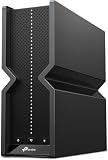
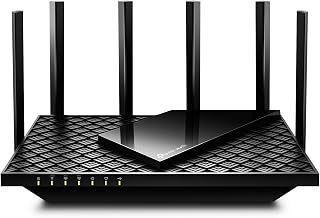
For most gamers, the best WiFi 6E router for gaming in 2026 is the TP-Link Archer AXE5400. It is the cheapest reliable way to get a genuinely uncontested 6 GHz radio, a 2.5 Gbps-class WAN port and tri-band scheduling that keeps a gaming PC from sharing airtime with a 4K TV and a dozen smart plugs. It suits homes of roughly 600–1,800 sq ft with 10–30 connected devices and an internet plan of 1 Gbps or below. Step up to the TP-Link Archer AXE300 if you run multi-gig fibre, a NAS and several wired consoles. Choose the GL.iNet Flint 2 if your gaming rig sits within Ethernet reach and you want the lowest jitter per dollar from two 2.5 GbE ports and OpenWrt-style queue management. And if you cannot run cable to the far end of a 2,500 sq ft house, the Deco XE75 two-pack is the mesh answer. Everything below is judged on latency behaviour, 6 GHz coverage, wired ports and setup options.
Top 3 Picks
Best overall: TP-Link Archer AXE5400. It hits the three things that actually change a gamer’s experience — a real 160 MHz-capable 6 GHz radio, a 2.5 Gbps-class WAN port, and enough CPU to run QoS without choking. It is also the least expensive pick here with a 6 GHz band, which is why it carries a 2025 PCMag Editors’ Choice badge. For a single-router home on a 1 Gbps or slower plan, nothing else on this list delivers more gaming-relevant value per tier.
Best budget: MSI Radix AXE6600. Same tri-band 6E idea, but with an AI QoS engine, MU-MIMO, RGB lighting and a 1.8 GHz quad-core processor aimed squarely at gaming traffic. If you want the gaming-brand features — device prioritisation dashboards, per-app QoS, a look that fits a desk setup — this is the entry point. It is a small step up in tier from the AXE5400 and worth it if you run several consoles and PCs at once.
Best premium: TP-Link Archer AXE300. A quad-band AXE16000 design with a second 5 GHz radio and 10 Gbps-class wired ports. It is the pick for multi-gig internet, a wired backhaul to a mesh node or switch, and households where 40+ devices compete for airtime. If your ISP plan exceeds 1 Gbps, this is the first router on the list that will not be the bottleneck.
Quick Comparison
All seven picks, mapped to the situation each one actually solves. Tiers are relative within this list, not absolute market positions.
| Product | Best for | Key specs | Price tier |
|---|---|---|---|
| TP-Link Archer AXE5400 | Most single-router homes, 600–1,800 sq ft, 10–30 devices | Tri-band WiFi 6E, AX5400 class (574 Mbps 2.4 GHz + two 2.4 Gbps-class radios for 5 GHz and 6 GHz), 160 MHz on 6 GHz, 2.5 Gbps-class WAN, 2025 PCMag Editors’ Choice | Budget |
| MSI Radix AXE6600 | Gamers who want AI QoS, RGB and gaming-brand tuning on a budget | Tri-band WiFi 6E, AX6600 class (574 Mbps 2.4 GHz + 1.2 Gbps-class 5 GHz + 4.8 Gbps-class 6 GHz), 1.8 GHz quad-core CPU, AI QoS, MU-MIMO, RGB | Budget |
| NETGEAR Nighthawk RS140 | Mid-size homes where app simplicity beats a 6 GHz radio | WiFi 7 dual-band, rated up to 5 Gbps and up to 2,250 sq ft, multi-gig-class Ethernet, Nighthawk app setup | Mid-range |
| GL.iNet Flint 2 (GL-MT6000) | Wired-first setups, tinkerers, 2.5 GbE LAN and NAS users | Dual-band WiFi 6, AX6000 class, two 2.5 GbE ports plus gigabit LAN, OpenWrt-based firmware, advanced QoS and VLAN control | Mid-range |
| TP-Link Archer AXE300 | Multi-gig internet, 40+ devices, wired backhaul, power users | Quad-band WiFi 6E, AXE16000 class, two 5 GHz radios plus 6 GHz, 10 Gbps-class and 2.5 Gbps-class ports, 160 MHz support | Premium |
| TP-Link Deco XE75 (2-Pack) | Large or multi-floor homes that cannot be cabled | Tri-band WiFi 6E mesh, AXE5400 class per node, 6 GHz dedicated backhaul, gigabit-class ports per node, roughly 5,000+ sq ft rated for the pair | Premium |
| ASUS RT-AX1800S | Small flats, students, and extending an existing AiMesh network | Dual-band WiFi 6, AX1800 class, subscription-free network security, parental controls, AiMesh-extendable, gigabit WAN and LAN | Budget |
How We Chose
This roundup is built from published specifications, manufacturer documentation, firmware feature lists and the consensus of published reviews — not from measurements taken in a lab we operate. Where a specification is not stated clearly by the manufacturer or the product listing, we describe the router by its specification class instead of inventing a figure. A “2.5 Gbps-class” port means the product line is documented at that speed; a “AX5400 class” rating means the aggregate wireless rating sits in that bracket.
The selection criteria were deliberately narrow, because gaming routers are sold on features that do not affect a match. First, does the router have a 6 GHz radio with 160 MHz channel support? That band is the single biggest practical change for latency in dense housing, because it is far emptier than 5 GHz. Second, what is on the wired side? A gaming PC or console on Ethernet is worth more than any wireless feature, so port speed and port count matter. Third, can the router shape traffic — per-device priority, queue management, upload limiting — without dropping throughput? Fourth, how does it scale: mesh support, AiMesh or EasyMesh compatibility, and whether the unit can act as a node later. Fifth, what is the upgrade path if the reader moves to multi-gig internet or a larger home? A router that cannot be reused as a node or cannot pass 2.5 Gbps is a dead end sooner.
We also weighted category fit: some readers need a single strong router, others need coverage, and a few need a wired-first box that behaves like a small business gateway. Every pick below is here because it wins one of those jobs clearly, not because it wins a specification contest on paper.
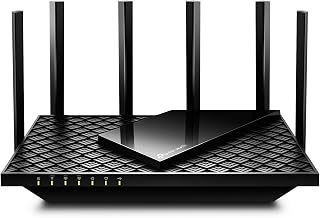
1. TP-Link Archer AXE5400 – Best for Most Gamers
The Archer AXE5400 is the router most readers should buy. It is the point at which WiFi 6E stops being a premium feature and becomes the default: a tri-band design with a dedicated 6 GHz radio, rated in the AX5400 class with roughly 574 Mbps on 2.4 GHz and two 2.4 Gbps-class radios covering 5 GHz and 6 GHz. That third band is the whole argument. In a block of flats or a dense suburb, 5 GHz is shared with every neighbour’s router, doorbell and mesh node. The 6 GHz band is not, and a clean channel with no contention is worth more to a competitive shooter than any amount of marketing around “gaming acceleration”.
Who it suits: a single-router home of roughly 600–1,800 sq ft, an internet plan of 1 Gbps or less, and 10–30 connected devices. That covers a gaming PC or console, two or three phones, a couple of streaming sticks, smart speakers and a work laptop. If your gaming machine can be reached with an Ethernet cable, even better — the AXE5400 class typically includes a 2.5 Gbps-capable port alongside gigabit LAN ports, so a 2.5 GbE NIC on a desktop gets real use, and the remaining gigabit ports take the console and TV.
The practical benefit of the 2.5 Gbps-class port is easy to miss until you do the arithmetic. A 120 GB game update is roughly 960,000 megabits of data. On a 940 Mbps gigabit connection that is about 17 minutes at perfect efficiency, closer to 20–25 minutes in the real world. On a 2.5 Gbps link from a NAS or a second PC, the same transfer drops to roughly 7–8 minutes. That is the difference between “I’ll play something else tonight” and “give me ten minutes”.
Setup is the other strength. TP-Link’s app-based onboarding is one of the simpler flows in this category, and the router supports a separate 6 GHz SSID if you want to lock a headset or handheld to that band and leave everything else on 5 GHz. That single change — a dedicated 6 GHz network for the device that matters — is the highest-value setting on this router, and it takes about ninety seconds.
Key specifications
- Tri-band WiFi 6E, AX5400 class aggregate rating
- 2.4 GHz: 574 Mbps class; 5 GHz and 6 GHz: 2.4 Gbps class each
- 160 MHz channel support on 6 GHz
- 2.5 Gbps-class WAN/LAN port plus gigabit LAN ports (confirm the exact port count on the listing)
- USB port for basic storage sharing
- App and web setup, guest network, per-device priority
- 2025 PCMag Editors’ Choice designation per the product name
Pros
- Real, uncontested 6 GHz band at the lowest tier on this list
- 2.5 Gbps-class wired port for a desktop NIC or a fast NAS
- Simple onboarding and a clean, readable management app
- Separate 6 GHz SSID support, which is the single best latency tweak here
Cons
- No second 5 GHz radio, so 5 GHz throughput is shared among all legacy devices
- Not a mesh system out of the box — coverage is one unit’s worth
- Gaming-specific QoS is basic compared with AI QoS engines on gaming-brand rivals
- Two-band radios and USB sharing are modest compared with the premium tier
Versus the MSI Radix AXE6600: these two sit in the same tier and solve the same problem. The Radix adds a higher 6 GHz class rating (4.8 Gbps-class versus 2.4 Gbps-class), a 1.8 GHz quad-core processor and an AI QoS dashboard, plus RGB. The AXE5400 counters with broader documentation, a well-known firmware track record and a simpler setup. If you have several consoles and want per-app prioritisation, the Radix is the more interesting buy. If you want the safest default, the AXE5400 is it.
2. MSI Radix AXE6600 – Best Budget Gaming Router with RGB
The Radix AXE6600 is the gaming-brand take on the same tri-band 6E formula, and it is the pick for readers who want the features marketed at gamers to actually be present. It runs an AX6600-class tri-band layout — roughly 574 Mbps on 2.4 GHz, a 1.2 Gbps-class 5 GHz radio and a 4.8 Gbps-class 6 GHz radio — which means the 6 GHz band is not just present but fast enough to carry a wireless PCVR headset or a handheld streaming at high bitrate. That 4.8 Gbps-class 6 GHz radio is the biggest single specification advantage it holds over the AXE5400.
Where it earns its place is AI QoS. The idea is that the router classifies traffic — game packets, voice chat, video streams, background downloads — and prioritises accordingly, rather than asking you to manually tag devices. On paper that is a genuine improvement for a household where a console, a PC and a phone are all active at once. In practice, the value depends on how well the engine behaves under sustained load: the setting worth checking is whether prioritisation survives a large download on the same connection. If your queue management is good, a game patch downloading at 900 Mbps should not add more than about 20–30 ms of latency to a match on the same network. If it adds 100 ms or more, the QoS engine is not doing its job.
Who it suits: a desk or bedroom setup with two or three gaming devices, a 1 Gbps or slower plan, and a preference for per-app controls over a plain router UI. The 1.8 GHz quad-core processor matters here — QoS classification is CPU work, and a slower chip caps throughput the moment you enable traffic shaping. A 1.8 GHz quad-core is comfortably in the range where you can shape a gigabit connection without dropping to a fraction of your plan.
Wired connectivity is the one place to verify before buying. This class of router usually pairs its wireless rating with a multi-gigabit-capable WAN port and gigabit LAN ports, but the exact mix varies between SKUs in the same family. If you have a 2.5 GbE network card in your PC, check the port list on the listing rather than assuming. If you are on gigabit internet and gigabit LAN, any variant of this router is fine.
Key specifications
- Tri-band WiFi 6E, AX6600 class aggregate rating
- 2.4 GHz: 574 Mbps class; 5 GHz: 1.2 Gbps class; 6 GHz: 4.8 Gbps class
- 1.8 GHz quad-core processor
- AI QoS with automatic traffic classification
- MU-MIMO for simultaneous multi-client downlink
- RGB lighting with configurable effects
- App-based setup and device management
Pros
- Fast 6 GHz radio — the best in the budget tier on this list
- AI QoS takes the guesswork out of prioritisation
- Quad-core 1.8 GHz CPU can shape traffic without collapsing throughput
- Gaming-focused UI and RGB styling that fits a desk setup
Cons
- QoS effectiveness under sustained load is the make-or-break variable
- Port configuration should be verified per SKU before buying for 2.5 GbE
- Less firmware history and community documentation than the mainstream brands
- RGB is a cost you may not want to pay for
Versus the TP-Link Archer AXE5400: the Radix wins on the raw 6 GHz rating and on gaming-specific traffic controls; the AXE5400 wins on simplicity, documentation and the confidence of a long firmware track record. If you want one router that just works, take the AXE5400. If you enjoy tuning and want the faster 6 GHz radio for wireless VR or high-bitrate streaming, the Radix is the better fit.
3. NETGEAR Nighthawk RS140 – Best for Simple Setup in a Mid-Size Home
The Nighthawk RS140 is the odd one out on this list, and it is worth being direct about why. It is a WiFi 7 router, dual-band, rated by the manufacturer for up to 2,250 sq ft and up to 5 Gbps. Dual-band WiFi 7 means 2.4 GHz and 5 GHz — there is no 6 GHz radio here. So this is not a WiFi 6E router in the strict sense, and if your reason for reading a 6E roundup is “I want the empty band”, this is not the product that delivers it.
What it does deliver is a newer wireless generation on the bands you already use, plus the simplest setup in this group. WiFi 7 brings wider channels, more efficient modulation and multi-link operation, which lets a compatible client use more than one band at once for a given flow. On a dual-band design that means 2.4 GHz plus 5 GHz working together rather than 6 GHz entering the picture. If your devices are recent enough to support WiFi 7 and your 5 GHz environment is not brutally congested, that is a real improvement — a 5 GHz radio using a wider channel and more efficient encoding can outperform an older 6E design on throughput.
Who it suits: a mid-size home, roughly 1,200–2,250 sq ft, 15–30 devices, and a reader who values a clean app experience over band selection. NETGEAR’s Nighthawk app is one of the more polished onboarding flows in consumer networking, and for a lot of households the setup experience is the difference between a router that is configured properly and one that is left on defaults. If you have ever abandoned a router’s web interface halfway through, that matters more than a band you would not have used.
The 2,250 sq ft rating deserves context. Coverage ratings assume open-plan conditions and a certain amount of optimism. In a house with plaster-and-lath walls, a brick chimney breast or a metal-backed insulation layer, expect the usable radius to shrink meaningfully — sometimes by a third or more. The RS140 suits an apartment or a single-floor home; a three-floor townhouse with a solid floor between levels is a mesh job.
Key specifications
- WiFi 7, dual-band (2.4 GHz and 5 GHz — no 6 GHz radio)
- Rated up to 5 Gbps aggregate and up to 2,250 sq ft coverage
- Multi-gigabit-class Ethernet (verify the exact port count and speed on the listing)
- Nighthawk app setup and management
- WPA3 support and standard guest networking
Pros
- Newest wireless generation with WiFi 7 client benefits
- Among the simplest setup flows in the category
- Multi-gigabit-class wired port for plans above 1 Gbps
- Compact, desk-friendly chassis compared with quad-band monsters
Cons
- No 6 GHz band, so it does not solve congested-airspace problems
- Dual-band means all legacy devices share the 5 GHz radio
- Coverage rating will not hold in a multi-floor home with solid walls
- Not the value pick if 6E is your actual requirement
Versus the TP-Link Archer AXE5400: this is the cleanest decision on the page. If you live somewhere 5 GHz is crowded — flats, terraces, student accommodation — take the AXE5400 and its empty 6 GHz band. If you live somewhere 5 GHz is relatively clear, you own WiFi 7-capable devices, and you want the easiest possible setup, the RS140 is a sensible alternative and a generation newer. The AXE5400 has the better band; the RS140 has the better radio technology on the bands it has.
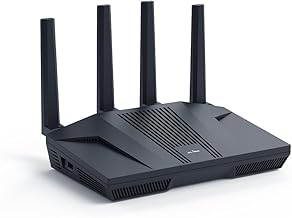
4. GL.iNet Flint 2 (GL-MT6000) – Best for Wired-First Low-Latency Setups
The Flint 2 is the pick for readers who understand that the single biggest latency win available to them is a cable. It is a dual-band WiFi 6 router rated in the AX6000 class, and it stands out for two things: two 2.5 GbE ports and OpenWrt-based firmware. The first is hardware; the second is why the hardware is worth having.
Two 2.5 GbE ports means you can bring in a 2.5 Gbps WAN connection and send 2.5 Gbps out to a switch, a NAS or a desktop with a matching NIC, all inside the router. On most consumer routers you get one multi-gig port and the rest are gigabit, which caps any local transfer at 1 Gbps even if both endpoints support more. If you move large game libraries between a PC and a NAS, or you run a local game server for a small group, that second port is the difference between a 110 MB/s ceiling and a 280 MB/s ceiling. Concretely: a 60 GB game folder takes about 9 minutes at 110 MB/s and about 3.5 minutes at 280 MB/s.
The OpenWrt-based firmware is the second reason. It exposes the queue management and traffic shaping controls that consumer UIs hide, including modern active queue management that keeps latency flat while a download saturates the link. This is the fix for the classic complaint — “my ping is fine until someone starts a download”. Bufferbloat, the latency spike caused by oversized buffers filling up, is usually worth 30–200 ms under load on an unmanaged connection. With proper queue management and a shaped upload at roughly 85–90% of your measured upload speed, added latency under load can typically be held under about 20–30 ms. That is a bigger competitive advantage than any wireless specification on this page.
Who it suits: a reader with a wired gaming PC, a small flat or a single floor, and a willingness to spend an evening in a settings interface. It is also the right pick for anyone running a home server, a NAS or a self-hosted game server, because VLANs, static routing and DNS control are all available without third-party firmware. If you want plug-and-play and never intend to open the advanced settings, this is not the router for you — you would be paying for capability you will not use.
Key specifications
- Dual-band WiFi 6, AX6000 class aggregate rating
- Two 2.5 GbE ports (WAN and LAN) plus additional gigabit LAN ports
- OpenWrt-based firmware with advanced QoS, VLAN and firewall control
- Quad-core processor class suitable for gigabit-plus traffic shaping
- Generous RAM and flash for a consumer router, enabling extra packages
- No 6 GHz radio — this is a WiFi 6 dual-band design
Pros
- Two 2.5 GbE ports, which most consumer routers at this tier do not offer
- Queue management controls that directly reduce bufferbloat
- OpenWrt base means long firmware life and real configurability
- Excellent fit for NAS, home server and VLAN users
Cons
- No 6 GHz band, so it does not solve congested 5 GHz airspace
- Advanced settings require genuine interest and some reading
- Dual-band means all wireless clients share the 5 GHz radio
- Not a mesh-first product; coverage is a single-unit proposition
Versus the TP-Link Archer AXE5400: these solve different problems. The AXE5400 gives you an empty 6 GHz band for wireless devices. The Flint 2 gives you a second 2.5 GbE port and the queue management tools to kill latency spikes under load. If your gaming machine is on Ethernet and your problem is lag spikes during downloads, the Flint 2 is the more effective purchase. If your problem is wireless contention from neighbours, the AXE5400 is.
5. TP-Link Archer AXE300 – Best Premium Pick for Multi-Gig Households
The Archer AXE300 is the top of this list, and it justifies the tier with a quad-band layout rated in the AXE16000 class: 2.4 GHz, two separate 5 GHz radios and a 6 GHz radio. The second 5 GHz radio is the underrated part. With two 5 GHz radios you can dedicate one to legacy devices — phones, smart plugs, an old laptop — and keep the other for the devices that matter, rather than having every device in the house queue on one 5 GHz channel. Combined with the 6 GHz band, that gives three separate airtime pools for modern clients.
The wired side is aimed at multi-gig internet. A 10 Gbps-class port plus a 2.5 Gbps-class port means the router can pass a multi-gigabit WAN connection and still feed a fast local link. If your ISP plan is above 1 Gbps, this is the first router on the list that will not be the limiting factor. That matters more than it used to: multi-gig plans are now common enough that a gigabit-only router becomes the bottleneck on day one. Check the exact port mix on the listing, since the AXE300 family varies between regional SKUs.
Who it suits: a household with 40+ connected devices, at least one wired multi-gig device, and either a multi-gig plan or a heavy local network — a NAS, a media server, a couple of gaming PCs. It also suits a reader who wants a single box to handle everything and intends to keep it for four or five years. The quad-band design has more headroom than most homes will use, which is exactly the point: it will not need replacing when the next round of devices arrives.
Where it can be overkill: a 900 sq ft flat with six devices and a 500 Mbps plan. In that situation the extra radios sit idle, and you have paid for airtime pools nobody uses. The 6 GHz band is the part that matters for gaming; the second 5 GHz radio matters for a busy household. If you have one or two gaming devices and not much else, the AXE5400 does the same job for far less.
Key specifications
- Quad-band WiFi 6E, AXE16000 class aggregate rating
- 2.4 GHz radio, two 5 GHz radios and a 6 GHz radio
- 160 MHz channel support for wide-channel clients
- 10 Gbps-class and 2.5 Gbps-class wired ports plus gigabit LAN (verify the exact mix)
- High-core-count processor for QoS and multi-client scheduling
- Advanced app and web management with per-device controls
Pros
- Two 5 GHz radios plus 6 GHz — three separate airtime pools
- 10 Gbps-class port future-proofs a multi-gigabit plan
- Handles 40+ devices without the 5 GHz band becoming a queue
- Long service life before an upgrade is needed
Cons
- Premium tier — the most expensive option here by a wide margin
- Overkill for small homes and modest device counts
- Large chassis that needs shelf space and ventilation
- Benefits only appear if your plan or local network can feed it
Versus the GL.iNet Flint 2: both are aimed at power users, but from opposite directions. The Flint 2 gives you software control and two 2.5 GbE ports on a dual-band WiFi 6 design. The AXE300 gives you four radios, a 10 Gbps-class port and a 6 GHz band, with a friendlier interface and less control. Choose the AXE300 for wireless density and multi-gig throughput; choose the Flint 2 if your priority is latency shaping and you are happy to configure it yourself.
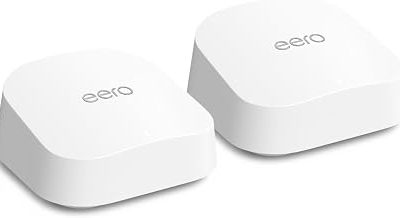
6. TP-Link Deco XE75 (2-Pack) – Best Mesh for Large Homes
The Deco XE75 two-pack is the answer for readers who cannot run cable to the far end of the house. Each node is a tri-band WiFi 6E unit rated in the AXE5400 class, and the pair is rated for roughly the 5,000+ sq ft class of coverage — a figure that, as always, assumes generous open-plan conditions. What makes this a gaming-relevant mesh rather than just a coverage product is the dedicated 6 GHz backhaul. In a tri-band mesh, one band can be reserved for node-to-node traffic so that your devices are not competing with the mesh link for airtime. That is the difference between a mesh that adds latency and one that mostly does not.
The latency arithmetic for mesh is worth spelling out. A wireless hop between nodes adds one more transmission, and each transmission on a clean 6 GHz channel with a good signal typically adds low single-digit milliseconds. In practice, a two-node mesh with a solid 6 GHz backhaul usually lands in the same rough latency band as a single router one room closer. The problem arrives when the backhaul is weak: at poor signal levels the nodes drop to lower modulation, retransmissions climb, and latency can jump by tens of milliseconds, with occasional spikes into the hundreds. Placement is therefore everything. Put the second node where it still has a strong link to the first — one wall between them, not three — and the mesh behaves. Put it at the far end of the house because that is where the dead spot is, and you have built a high-latency relay.
Who it suits: a two- or three-floor home of 2,000–3,000 sq ft, 30–50 devices, and no realistic option to run Ethernet. It is also a good fit for a home with a garden office or a converted garage that needs coverage. If you can run cable, a wired backhaul turns this system into something close to a wired access point setup, which is the best of both worlds.
Ports are the trade-off. Mesh nodes in this class usually offer gigabit-class Ethernet ports rather than 2.5 GbE, so a wired gaming PC connected to a node is capped at 1 Gbps locally. For most internet plans that is fine. For local NAS transfers it is not, and if that matters, a router-plus-switch setup or the Flint 2 will serve you better.
Key specifications
- Tri-band WiFi 6E mesh, AXE5400 class per node
- Dedicated 6 GHz backhaul between nodes
- Two nodes, rated for roughly the 5,000+ sq ft class N