Our Top Picks
 NETGEAR Nighthawk 6-Stream AX5400 WiFi 6 Router25.4 cm x 76.2 cm x 10.2 cm14.7 x 10 x 4.6 inches2.5 poundsCheck on Amazon
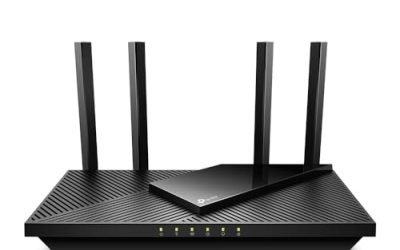
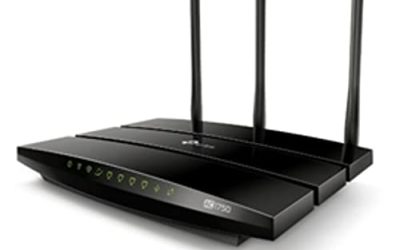
 TP-Link AXE5400 Tri-Band WiFi 6E RouterWiFi 6E, Tri-Band AXE540012.91 x 10.43 x 4.72 inches1.5 poundsCheck on Amazon
A 400 Mbps plan only delivers 400 Mbps if the router in the middle can pass it through. Plenty of households pay for that tier, then discover their ageing router caps wired speeds at its old ports or lets wireless throughput sag two rooms away. The real decision is not whether a router advertises a big number on the box, but whether its WAN port, its 5 GHz radios and its wired ports each clear your plan with room to spare.
The four routers below were chosen for different kinds of 400 Mbps homes. Competitive players who wire their PC or console need gigabit LAN and traffic priority. Streaming households need coverage and capacity for dozens of devices. Owners of new WiFi 6E laptops and phones may want the 6 GHz band. Every pick pairs at least a gigabit WAN port with AX5400-class or better WiFi, so the full plan speed can actually reach your devices.
Quick Picks
As an Amazon Associate we earn from qualifying purchases.
| Product | Best for | Key spec from title |
|---|---|---|
| ASUS RT-AX86U Pro | Gamers who want wired priority and upgrade headroom | AX5700 WiFi 6 with a 2.5G port |
| NETGEAR Nighthawk RAX50 | Busy homes streaming on many devices at once | AX5400 rated for plans up to 1 Gbps |
| TP-Link Archer AXE75 | Homes with WiFi 6E laptops and phones | AXE5400 tri-band with a 6 GHz band |
| TP-Link Archer AX73 | Wired setups that also need family controls | AX5400 with gigabit LAN and HomeShield |
How to Choose
Start With the WAN Port, Not the Box Art
The WAN port is the gate between your modem and everything you own. A 400 Mbps plan needs a WAN port rated at least gigabit, because an older 100 Mbps port would cap the whole house below a quarter of the plan before WiFi even enters the picture. Every router here clears that bar with gigabit or better. A 2.5G port, like the one on the ASUS pick, is not required at this tier; it simply means the router survives your next plan upgrade. Also check the unglamorous links in the chain: a modem with only fast-Ethernet output or a damaged cable can bottleneck an otherwise capable router.
Judge 5 GHz Throughput, Not the Combined Number
Router marketing adds every band together, which inflates the figure you actually experience. What matters for a 400 Mbps plan is the 5 GHz radio, because that is where laptops, consoles and TVs connect at speed. The AX5400 and AX5700 classes in this list carry a 4.8 Gbps 5 GHz link rate, and their real-world throughput near the router comfortably exceeds 400 Mbps even after protocol overhead. Distance, brick walls and floors still eat into that margin, so treat the class rating as headroom rather than a promise at the far end of the house.
Wire What Matters and Prioritise the Rest
A wired connection removes WiFi from the equation entirely, so count the gigabit LAN ports before you buy. A gaming PC, a console and a TV box can fill three ports quickly, and each wired device gets the full plan speed without competing for airtime. For the traffic that does stay wireless, look for prioritisation tools: a dedicated gaming port, QoS settings or a mobile game mode can keep a ranked match stable while someone else starts a large download. These features cost nothing extra on the picks here, but they only help if you actually enable them.
Coverage, Mesh Options and Built-In Security
Manufacturers quote coverage in square feet under ideal conditions, so read those numbers as relative comparisons between models rather than guarantees for your floor plan. If your home defeats a single router, mesh compatibility matters more than raw speed: AiMesh and OneMesh support on several picks lets you add a compatible node later instead of replacing the router. Finally, compare the security suites. AiProtection on the ASUS is subscription-free, while other brands package their protection differently, so check what is included before assuming ongoing cover. Parental controls and VPN support also vary by model and are worth confirming against your household’s needs.
The 4 Best Options
ASUS RT-AX86U Pro

The RT-AX86U Pro is the pick for players who want a single router that gives a 400 Mbps plan nothing to hide behind. Its AX5700 WiFi 6 radios sit well above the plan’s ceiling on 5 GHz, while the 2.5G port leaves room if you ever upgrade your service. A dedicated gaming port prioritises a wired console or PC, Mobile Game Mode does similar work for phones, and AiProtection adds network security without a subscription. AiMesh support means it can also anchor a mesh later instead of being replaced.
Specs
- WiFi class: AX5700 dual-band WiFi 6
- Ports: 2.5G port; dedicated gaming port
- Gaming features: Mobile Game Mode; port forwarding
- Security: AiProtection, subscription-free
- Extras: VPN support; AiMesh compatible
Best for: Wired and wireless gamers who want headroom above a 400 Mbps plan in one box.
Watch out for: The 2.5G port is a single configurable port, so decide in advance whether it serves as your WAN link or your fastest LAN connection; AiMesh nodes are sold separately.
ASIN: B0BQ417K47
NETGEAR Nighthawk RAX50
NETGEAR’s Nighthawk RAX50 is built for busy households rather than a single battlestation. Six AX5400 streams, coverage rated up to 2,500 square feet and support for up to 25 devices suit a home where 4K streams, video calls and downloads compete with game traffic. NETGEAR states plainly that it supports fibre and internet plans up to 1 Gbps, so a 400 Mbps plan runs with room to spare. Setup runs through the Nighthawk app, and NETGEAR Armor adds a security layer on top of the basics.
Specs
- WiFi class: 6-stream AX5400 dual-band WiFi 6, up to 5.4 Gbps
- Coverage: up to 2,500 sq. ft.; up to 25 devices
- Plan support: fibre and internet plans up to 1 Gbps, as listed
- Security: NETGEAR Armor
- Setup: Nighthawk app
- Size and weight: 14.7 x 10 x 4.6 in; 2.5 lb as listed
Best for: Larger homes where streaming, calls and gaming all compete on one 400 Mbps connection.
Watch out for: A renewed version of the RAX50 also circulates on Amazon under a separate listing, so confirm you are on the new-unit listing for this ASIN before ordering.
ASIN: B082X17B8P
TP-Link Archer AXE75
The Archer AXE75 is the future-proofing pick: its third band opens the 6 GHz spectrum, giving WiFi 6E laptops and phones a clean lane away from crowded 5 GHz traffic. For a 400 Mbps plan that headroom is about congestion rather than raw need, since the AXE5400 radios already clear the plan near the router. Support for 160 MHz channels helps wide transfers on compatible clients, OneMesh lets you add matching extenders later, and WPA3 plus VPN support round out the security side of the listing.
Specs
- WiFi class: AXE5400 tri-band WiFi 6E
- Bands: 2.4 GHz, 5 GHz and 6 GHz
- Channels: 160 MHz channel support
- Mesh: OneMesh compatible
- Security: WPA3; VPN support
Best for: Homes whose newest laptops and phones support WiFi 6E and want an uncongested band.
Watch out for: Availability signals for this listing conflict, so confirm a live featured offer on the product page before ordering; reproductions of the listing also disagree on the CPU core count and the WAN port rating, and while either rating clears a 400 Mbps plan, check the page if those exact figures matter to you.
ASIN: B0B3SQK74L
TP-Link Archer AX73

The Archer AX73 is the wired-leaning shape of this group: AX5400 WiFi 6 with six antennas, gigabit LAN ports for a PC, console and TV box, and a USB port for sharing storage across the home network. HomeShield brings parental controls and QoS into the same box, while beamforming helps hold 5 GHz speeds through a room or two. On a 400 Mbps plan its job is consistency, keeping every wired device at full plan speed while wireless clients share what remains without drama.
Specs
- WiFi class: AX5400 dual-band WiFi 6; 5,378 Mbps data transfer rate as listed
- Antennas: 6
- Ports: gigabit LAN (10/100/1000 Mbps); 5 ports total; USB
- Features: beamforming; QoS; parental controls
- Software: WPA3; HomeShield; OneMesh compatible
- Weight: 1.5 lb as listed
Best for: Households mixing wired gaming devices with family controls and shared USB storage.
Watch out for: A reproduction of this listing showed no featured offers even though fresh price sightings exist elsewhere, so confirm a live featured offer on the product page before ordering.
ASIN: B08TH4D3QV
Which One Fits Your Situation
You Game on a Wired PC or Console
Choose the ASUS RT-AX86U Pro. Its dedicated gaming port puts your machine first in the queue, the gigabit-and-better wired side passes the full 400 Mbps without WiFi variables, and the 2.5G port means a future gigabit plan does not force another router purchase. Mobile Game Mode covers phone gaming when you are off the cable.
Your Home Streams Everywhere at Once
Choose the NETGEAR Nighthawk RAX50. Its six streams, 2,500-square-foot coverage rating and 25-device support are aimed at homes where several TVs, laptops and phones stay active simultaneously. Because NETGEAR rates it for plans up to 1 Gbps, your 400 Mbps service runs well inside its comfort zone even at peak evening hours.
Your Newest Devices Speak WiFi 6E
Choose the TP-Link Archer AXE75. The 6 GHz band gives compatible laptops and phones a lane that older neighbourhood networks cannot crowd, which keeps speeds steadier in apartments and dense streets. Your 400 Mbps plan does not need the extra spectrum today, but the router will still suit those devices years from now.
You Want Controls for a Family Network
Choose the TP-Link Archer AX73. HomeShield parental controls and QoS let you set boundaries for younger users and protect calls or game traffic from background downloads. Gigabit LAN ports cover the wired devices, the USB port shares files or media centrally, and the AX5400 radios handle the remaining wireless load without strain.
Common Mistakes
- Paying for WiFi 7 or multi-gig specifications that a 400 Mbps plan cannot use, instead of putting the budget toward placement or a mesh node.
- Comparing routers by the combined speed printed on the box, which adds bands together and says little about real 5 GHz throughput.
- Blaming the router when the modem, an old 100 Mbps port or a damaged Ethernet cable is the actual bottleneck in the chain.
- Ordering from a renewed or lookalike listing by mistake, particularly where a model like the RAX50 also circulates in renewed form.
- Hiding the router in a corner cupboard or basement, then concluding the plan itself is slow when back-room speeds fall away.
Frequently Asked Questions
Is WiFi 6 Enough for a 400 Mbps Plan?
Yes. WiFi 6 routers in the AX5400 class and above carry a 4.8 Gbps 5 GHz link rate, and their real-world throughput near the router clears 400 Mbps with margin. WiFi 6E adds a cleaner 6 GHz band, and WiFi 7 adds further headroom, but neither is required to receive the full speed of a 400 Mbps service.
Will a Gigabit WAN Port Bottleneck My 400 Mbps Service?
No. A gigabit port passes up to 1,000 Mbps, which is two and a half times your plan’s headline speed, so the port itself is not the limiting factor. Bottlenecks appear with older 100 Mbps ports, slow modems or poor cabling. A 2.5G port is future-proofing for a faster plan rather than a necessity today.
Do I Need a Mesh System Instead of One Router?
Only if a single router cannot cover your home’s layout. In a typical flat or modest house, one well-placed router from this list covers the space, and wired devices always get full plan speed regardless. For larger or awkward homes, choosing a mesh-compatible model such as the AiMesh or OneMesh picks lets you add a node later.
Why Do Speeds Drop in Rooms Far From the Router?
Walls, floors and distance weaken the 5 GHz signal, and throughput falls as the connection negotiates lower rates to stay stable. The plan speed has not changed; the last wireless hop has. Moving the router to a central, raised position helps most homes. Persistent dead zones call for a wired access point or a mesh node.
FAQ
Is WiFi 6 Enough for a 400 Mbps Plan?
Will a Gigabit WAN Port Bottleneck My 400 Mbps Service?
Do I Need a Mesh System Instead of One Router?
Why Do Speeds Drop in Rooms Far From the Router?
More from Amazon
Programs that pair well with the guide above. Offers and eligibility are set by Amazon and may change.
Free shipping on eligible items, Prime Video and more. Eligible new members can start with a free trial.
Start a Prime free trialAd-free music streaming. Eligible new subscribers can start with a free trial.
Try Music Unlimited freeA Prime membership for ages 18-24 with a trial period. Eligibility is set by Amazon.
See Prime for Young AdultsAudiobooks and podcasts to listen to on the go. Eligible new members can start with a free trial.
Try Audible freeAs an Amazon Associate we earn from qualifying purchases.