
The best Switch 2 charging stands depend on what you actually need to charge. For long tabletop sessions, the officially licensed HORI Dual USB PlayStand supports powered console play without blocking the screen. For a second TV setup, Nintendo’s own Switch 2 Dock Set is the conservative compatibility choice. If you have extra Joy-Con 2 controllers, a dedicated four-slot charging station is more useful than either console stand. This guide compares eight real charging products, explains which devices each one powers, and identifies where an extra adapter or a stock check is necessary before you buy.
Quick verdict: Choose the HORI Dual USB PlayStand for console-first tabletop play, the JSAUX Multi-Controller Energy Station for a mixed Joy-Con 2 and Pro Controller collection, or the snakebyte QUAD CHARGE S2 for a dedicated four-controller display. These are different purchases; no single winner makes sense for every Switch 2 owner.
Best Switch 2 charging stands at a glance
A charging stand is not necessarily a TV dock, and a Joy-Con 2 charging station does not charge the Switch 2 console. The comparison below identifies the powered device first. Prices are manufacturer or official U.S. reference figures where verified on October 22, 2026, not promises of checkout price or inventory. Where an exact U.S. price was not verifiable, it is marked accordingly.
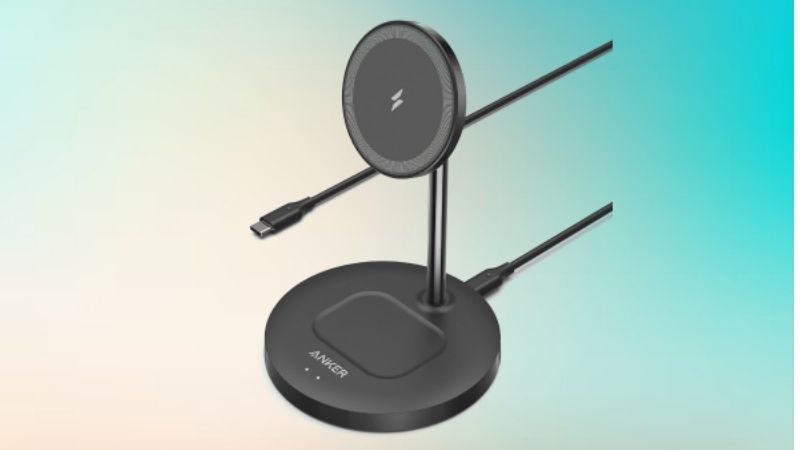
| Product | Charges | Best use | Price status | Main drawback |
|---|---|---|---|---|
| HORI Dual USB PlayStand NSX-002U | Switch 2 console through connected adapter | Tabletop gaming with wired accessories | $39.99 manufacturer listing | Switch 2 AC adapter sold separately |
| Nintendo Switch 2 Dock Set | Switch 2 console, with attached Joy-Con 2 as applicable | Second official TV-and-charge station | $124.99 Nintendo U.S. regular price | Expensive for charging alone |
| JSAUX 6-in-1 Gaming Dock HB0610 | Four Joy-Con 2, and Pro Controller or console in shared top position | Multipurpose living-room station | $59.99 manufacturer listing | Power and console placement require setup checks |
| JSAUX Multi-Controller Energy Station GP0507 | Four Joy-Con controllers plus Switch 2 Pro Controller | Family controller storage and charging | $29.99 manufacturer listing; stock needs confirmation | Does not charge Switch 2 console |
| snakebyte QUAD CHARGE S2 SB924064 | Four Joy-Con 2 controllers | Dedicated four-slot desktop charging | U.S. price not verified | USB wall adapter not established as included |
| JSAUX EnergyFlow GP0501 | Four Joy-Con 2 controllers | Compact RGB charging station | $19.99 JSAUX collection reference; confirm checkout | No console or Pro Controller charging |
| NexiGo Enhanced Controller Charger S2D2 | Four Joy-Con 2 controllers | Magnetic attachment with audible placement cues | $29.99 manufacturer listing; out of stock | Sound cues and availability may not suit everyone |
| snakebyte TWIN CHARGE S2 SB923951 | Two Joy-Con 2 controllers | Minimal two-controller setup | U.S. price not verified | Only one Joy-Con 2 pair at a time |
How we selected the charging stands
We prioritized a confirmed Switch 2 fit, an identifiable product model, a specified charging purpose, a practical feature that distinguishes the pick, and manufacturer documentation that can be checked before purchase. Nintendo and HORI documentation carries particular weight when explaining console compatibility. Third-party charging times, protection claims, and charging-power figures are attributed to their makers rather than presented as our own laboratory measurements.
We have not physically tested charge speed, connector durability, surface temperatures, USB negotiation, or controller retention. A stated port count is not a promise that every controller type will fit each port. An HDMI rating on a third-party dock is also not evidence that the Switch 2 will output that rate. Retailer stock and firmware compatibility may change after the research date.
Our recommended Switch 2 charging stands
HORI Dual USB PlayStand — best for charging while playing in tabletop mode
The HORI Dual USB PlayStand, model NSX-002U, is our first recommendation when the goal is to keep the console’s screen visible and powered during a tabletop session. HORI explicitly markets this model for Nintendo Switch 2, and Nintendo lists the accessory among Switch 2 gear. The stand provides a USB-C input for connecting the Switch 2 AC adapter and two USB-A ports for compatible wired accessories. Its foldable layout suits a desk, kitchen table, or hotel nightstand better than carrying a full TV dock.
Its real advantage is functional simplicity. Set the console in the supported position, connect the proper power supply, and you can continue a tabletop session while charging. The additional USB connections matter if you play local multiplayer with supported wired peripherals. HORI describes the product as officially licensed by Nintendo, which is more meaningful here than a generic claim that a stand is compatible with any USB-C handheld.
However, the PlayStand does not magically add charging capacity for detached Joy-Con 2 controllers. They need another supported charging path. HORI also makes clear that the AC adapter is not included. It is not a substitute for a Nintendo Switch 2 dock if your primary goal is HDMI output to a TV. Check the exact package SKU and avoid confusing it with a similarly named PlayStand designed for the original Switch.
Pros: Licensed Switch 2 accessory; charge-and-play tabletop design; two USB-A accessory connections; foldable for portability. Cons: Requires an external Switch 2 power source; not a four-Joy-Con charger; no promise of TV output. Best for: Players who want a stable tabletop angle and wired peripherals without buying a second full dock.
Nintendo Switch 2 Dock Set — best official second-room charging station
Nintendo’s Switch 2 Dock Set is the most straightforward way to create a second official docked location. The U.S. Nintendo listing identifies the set as a separate Switch 2 dock package that includes a Switch 2 AC adapter, USB-C charging cable, and Ultra High-Speed HDMI cable. It can power and charge the console while supporting official TV-mode use, so you are not improvising an adapter chain.
The most convincing reason to buy it is convenience across two rooms. Keep the original dock by your main television and place the second dock in a bedroom, office, or family room. Moving the console is then much easier than transporting the complete power-and-video setup every time. The dock is compatible with the larger Switch 2 rather than relying on the fit of an original-Switch cradle.
The price is the limitation: Nintendo’s U.S. regular listing showed $124.99 at the research date. That makes little sense if you only need a place to set down and charge a Switch 2 in tabletop mode. The console already has a rear kickstand and a top USB-C port for direct charging, so buying a second official dock just to refill its battery is excessive. Nor is this a standalone multi-Joy-Con charger: detached controllers need to be charged through supported Nintendo methods or a separate charging station.
Pros: Official Switch 2 compatibility; power and HDMI accessories included; ideal for a second TV. Cons: High regular price; larger than a folding tabletop stand; no independent slots for spare Joy-Con 2 pairs. Best for: Households that switch frequently between multiple TVs and want the lowest-friction supported docked setup.
JSAUX 6-in-1 Gaming Dock HB0610 — best all-in-one console and controller hub
The JSAUX 6-in-1 Gaming Dock, model HB0610, has a different appeal from the official Nintendo set: charging storage for controllers is central to the design. According to JSAUX, it can charge up to four Joy-Con 2 controllers, with a separate upper position shared by the Switch 2 Pro Controller and a Switch 2 console using its compatible adapter arrangement. Its dock also provides HDMI output, a USB-C PD input, two USB-A 2.0 connections, and Ethernet for an integrated entertainment-center station.
That shared upper position deserves close attention. JSAUX states that a Pro Controller and the Switch 2 console cannot be charged in that position simultaneously. The advertised console-charging option depends on using the applicable dock adapter; buyers should verify whether the exact selected kit includes all required pieces. For a large family collection, that limitation can be more important than an extra HDMI or Ethernet port.
The manufacturer lists USB-C input capability up to 100W while stating up to 60W is provided to Switch 2 in its dock configuration. Those figures describe JSAUX’s specified input and output capabilities, not a claim that the console continually consumes 60W or charges at that rate under every condition. HDMI maximums also depend on the Switch 2, display, cable, and dock firmware. The $59.99 figure is JSAUX’s published U.S. reference, and live availability still needs confirmation.
Pros: Mixed device charging; four Joy-Con slots; Ethernet and HDMI functionality; game and card storage. Cons: Larger footprint; more cabling; console and Pro Controller compete for one position; third-party video and firmware compatibility require checking. Best for: A single gaming station that needs controller storage, charging, and a potential TV connection in one footprint.
JSAUX Multi-Controller Energy Station GP0507 — best for a Pro Controller plus four Joy-Cons
If the console already has a suitable dock, a dedicated controller station is the more economical answer. JSAUX’s Multi-Controller Energy Station, GP0507, focuses on that precise problem: it advertises charging for one Switch 2 Pro Controller plus four Joy-Con controllers at the same time. JSAUX specifies five charging positions, a 5V/2A USB-C input, a 1.5-meter USB-C to USB-A cable, charging-status indicators, and a folding desktop form with four game-card and four SD-card storage slots.
This arrangement is attractive for local multiplayer because the spare Joy-Con pair stays off the console and ready for the next player. It is also helpful for keeping the Pro Controller in a predictable place instead of leaving a loose cable draped across the room. JSAUX lists each Joy-Con port at 5V/0.25A and claims an approximately 2.5-hour charging time per controller. Treat that time as the maker’s estimate; real charging conditions can differ, and Nintendo’s own guidance gives around 3.5 hours for Joy-Con 2 by its supported methods.
Check your controller mix before ordering. Although JSAUX supports configurations that combine original Joy-Con and Joy-Con 2, that does not mean any other third-party controller will fit its top port. The stand charges controllers, not the Switch 2 tablet. Its listed $29.99 price is useful for comparing value, but the manufacturer’s page also displays a coming-soon indicator, so publication should not describe it as guaranteed in stock.
Pros: Four Joy-Con positions plus Pro Controller space; dedicated USB-C input; simple charging lights; game-card storage. Cons: No console charging; compatibility tied to specified controller types; current U.S. order status requires checking. Best for: Families who already own a console dock but need an organized controller charging hub.
snakebyte QUAD CHARGE S2 — best four-slot Joy-Con display
snakebyte’s QUAD CHARGE S2, SKU SB924064, is built specifically for four Joy-Con 2 controllers. The manufacturer lists USB-C power, a weighted magnetic stand, individual status LEDs, a one-meter charging cable, and RGB lighting. Unlike the JSAUX mixed-device station, it deliberately limits itself to the four Joy-Con 2 units that most multiplayer households want to store between sessions.
The design has support beyond marketing images. WIRED’s Switch 2 accessories roundup discussed the QUAD CHARGE S2 as an alternative to JSAUX’s controller dock, highlighting the charging indicators, weighted base, controller insertion angle, and lighting modes. Those observations belong to WIRED’s independent coverage, not to testing conducted by Geek Gaming Tricks. The upshot for buyers is a display-oriented charger that is easier to understand at a glance than a multi-port adapter with several unrelated functions.
There are two clear trade-offs. First, four controller positions are useful only if you actually own a spare pair; the stand cannot charge the console or a Pro Controller. Second, the manufacturer lists a USB-C cable but does not establish a U.S. wall power adapter as part of the package. The official product page displayed a euro price and a sold-out indicator when checked, so we are not presenting a live U.S. price or claiming immediate American availability.
Pros: Four confirmed Joy-Con 2 charging slots; distinctive RGB display; individual status feedback; weighted base. Cons: No console or Pro Controller charging; wall adapter may be extra; U.S. purchase availability needs verification. Best for: Players who want a stable, visible dedicated four-controller station and care about desktop presentation.
JSAUX EnergyFlow GP0501 — best compact RGB Joy-Con charger
The JSAUX EnergyFlow, GP0501, is another dedicated four-controller station, but it solves a different space problem than the taller snakebyte display. JSAUX lists a compact 132.1-by-56-by-50-millimeter structure, a weight of 212 grams, a 1.5-meter power cable, and support for four Joy-Con 2 controllers using 5V/2A input. There is no requirement to attach the Switch 2 console to charge its spare controllers.
EnergyFlow earns its place because it keeps the basic four-slot job simple while adding an RGB display. The manufacturer’s specifications describe individual charger indications and a roughly 2.5-hour charging estimate. Independent accessory coverage from WIRED also selected the EnergyFlow for people with an extra Joy-Con set, citing its magnetic controller fit and easily visible status lights. Again, that independent report should not be confused with in-house verification of every claim.
For a player with two spare Joy-Cons and a limited desk, the compact shape may matter more than the roomier station with cartridge slots. The limitation is equally direct: you cannot charge a Switch 2 Pro Controller, console, or unrelated gamepad in its Joy-Con-specific positions. JSAUX’s collection page listed EnergyFlow at $19.99 at the time of review, while an individual product page showed a different promotional figure and a coming-soon label. The only responsible approach is to verify the current U.S. checkout listing rather than print a single supposed live deal.
Pros: Four Joy-Con 2 slots; small footprint; charging indicators and lighting; USB-C-powered design. Cons: Joy-Con-only operation; no game-card organizer; price and inventory inconsistencies across maker pages. Best for: Buyers who prioritize a compact charging station over extra ports and accessory storage.
NexiGo Enhanced Controller Charger S2D2 — best magnetic dock with placement cues
NexiGo’s Enhanced Controller Charger for Nintendo Switch 2 is identifiable through its S2D2 support documentation. It accommodates up to four Joy-Con 2 controllers and uses magnetic charging positions with visual indicators and audible confirmation when a controller is attached. The maker’s product guidance recommends a 5V/2A external power source and instructs owners to match the left and right Joy-Con units to the corresponding marked charging positions.
The useful distinction is the setup feedback. Some magnetic chargers look connected when one controller is not seated properly. NexiGo’s product documentation says the charger shows the expected light pattern and gives a sound alert on correct power-up or placement, helping you notice a connection issue before a game night. Its troubleshooting instructions also provide specific checks: confirm the dock has power, then verify the controller’s side and magnetic placement. This is clearer than a generic promise of ‘fast charging.’
Avoid assuming the audible function can be disabled; the S2D2 documentation does not establish a universal mute setting for this model. For a bedroom or quiet study, a light-only dock might be preferable. NexiGo published a $29.99 U.S. listing but showed the item out of stock at the research date. It is therefore an interesting alternative to monitor or look for through legitimate sellers, not a guaranteed buy-now pick.
Pros: Four Joy-Con 2 positions; magnetic alignment; light and sound confirmation; clear support instructions. Cons: Official listing out of stock; sound may be unwelcome; no console or Pro Controller charging. Best for: Users who want confirmation that controllers have connected correctly and can find the item from a reputable seller.
snakebyte TWIN CHARGE S2 — best minimal two-Joy-Con stand
For a household with only the included Joy-Con 2 pair, the snakebyte TWIN CHARGE S2, SKU SB923951, is the simplest controller-only option in this group. The manufacturer describes two dedicated Joy-Con 2 positions, a weighted stand, USB-C power, LED charging indicators, and a one-meter cable. It is deliberately smaller in function than the four-slot models, with no extra controller positions to pay for or leave unused.
Why buy it when the console already charges its own attached Joy-Con 2 controllers? The answer is convenience, not necessity. A separate two-slot dock lets you keep controllers in an obvious place while the console is being used elsewhere or connected to a television, provided you power the charger separately. If you routinely charge the Joy-Cons through the console and never detach them for multiplayer, there is little benefit in buying this accessory.
The maker markets protection against overcharging, but it does not publish a test method on this product page that would justify a blanket safety guarantee under every power-supply condition. Use a stable, manufacturer-compliant USB supply and inspect both connectors for damage. The company page showed a euro price and sold-out status; a verified current U.S. price is unavailable, so compare the actual delivered price with four-port options before choosing it.
Pros: Purpose-built for one Joy-Con 2 pair; compact setup; weighted base and LEDs; fewer unnecessary features. Cons: Cannot charge a spare pair; no tablet or Pro Controller charging; U.S. stock and price not established. Best for: One- or two-player households that want a tidy dedicated location for their controllers.
How to choose the right type of charging stand
Decide whether you are charging the console or controllers
This is the most important distinction in the entire category. A tabletop console stand works with the Switch 2’s charging connection while you can still see its screen. A TV dock also supports a display connection, though not every charging stand has HDMI. A Joy-Con dock typically charges only detached controllers, even if the product photograph shows it next to a Switch 2 console.
If you mostly play handheld and occasionally set the console on a table, you may need no new stand at all. Nintendo designed the Switch 2 with an adjustable rear kickstand and a second USB-C port at the top; the included Switch 2 AC adapter can charge it in tabletop use. That free, supported method is the baseline every commercial accessory must improve upon. An add-on is worth buying when it offers USB accessory ports, a more convenient placement arrangement, multiple controller slots, or a second permanent TV station.
Check the exact Nintendo Switch generation
Do not confuse original Nintendo Switch accessories with Switch 2 models simply because both brands appear in a product listing. Nintendo explicitly lists the Adjustable Charging Stand for Nintendo Switch as not compatible with Switch 2. The original Nintendo Switch dock is likewise not a substitute for the Switch 2 dock. The original Joy-Con Charging Stand (Two-Way) also does not accept Joy-Con 2 controllers, although it remains relevant for original Joy-Con used wirelessly with Switch 2.
Product listing language such as ‘for Switch/Switch 2’ is less useful than an exact model number and an official compatibility section. For all eight picks above, look for the specified Switch 2 generation and compare the actual port or magnetic connection to the intended controller. A charging station that supports original Joy-Con and Joy-Con 2 may still have separate, labeled mounting arrangements rather than universal slots.
Use appropriate power input and do not equate watts with charge speed
Nintendo states that the Switch 2 console supports its NGN-01 AC adapter, and lists direct charging with the prior HAC-002 adapter under certain conditions. The original Switch adapter cannot supply Switch 2 TV mode through the dock. Nintendo also advises that an unlicensed console charger should provide at least 54W output, while noting that Nintendo cannot guarantee unlicensed products it has not tested. These are console power guidelines, not a requirement to connect a 54W wall block to every 5V controller charger.
For example, JSAUX specifies 5V/2A input for some controller stations, and NexiGo gives the same input recommendation for the S2D2. Follow the specific product’s own input rating. A dock advertising ‘100W PD input’ describes a ceiling on the dock’s input path; it does not mean the Switch 2 will charge at 100W. Use a reputable supply, undamaged cable, and accessible outlet. If a multi-port dock has both HDMI and charging, follow its documented power requirements for TV mode rather than testing random underpowered phone chargers.
Count your actual Joy-Con pairs and controller types
Two charging slots accommodate one Joy-Con 2 pair; four accommodate two pairs. The difference is valuable for parties but often wasted on a single-player desk. If you own a Pro Controller, check for an explicitly supported Pro Controller port. A general USB-C hole or cradle does not automatically make a charger compatible with every Nintendo or third-party gamepad.
Look carefully at whether a ‘five-port’ listing really means five charge positions that can all operate at once. In the JSAUX 6-in-1 hub, the console and Pro Controller share the upper charging position, so the available combinations matter more than the marketing total. By contrast, JSAUX specifies simultaneous four-Joy-Con plus Pro Controller use for the Multi-Controller Energy Station. Those configurations are not interchangeable.
Make room for cases, docks, and connector access
A protective grip case can change the thickness or exposed geometry of the console and Joy-Con 2 shells. Some charge stands contact controllers directly at specific magnetic points. If your Joy-Con 2 has a shell or grip cover, confirm the manufacturer approves charging with that exact protection installed; do not force a connector to fit. The same rule applies to console docking, where thick protective shells may keep a device from seating correctly.
Also account for cable direction, the stand’s depth, and whether you want RGB lighting in your line of sight. A weighted vertical dock may be more stable on a narrow entertainment shelf, while a folding stand may store better in a bag. Treat RGB features as secondary to secure contact, correct input voltage, and access to the console’s ports.
Safe setup and charging checks
Set up a console charging stand
- Identify the exact model and confirm that the documentation says Nintendo Switch 2, not only the original Switch.
- Place the stand on a stable, dry, level surface with open ventilation around the console.
- Connect the Nintendo Switch 2 AC adapter or other explicitly supported power source according to the stand’s manual. For a TV dock, follow that dock’s separate TV-mode requirements.
- Insert or rest the console in the intended orientation. Do not force USB-C connectors or twist the console into place.
- Check the console battery indicator to confirm that it is charging. If it does not charge, remove the console and test direct charging using the official adapter before assuming the accessory is defective.
- If an HDMI-equipped third-party dock has power but no video, verify the television input, cable, video mode, power requirements, and current firmware instructions supplied by the manufacturer. Do not update firmware from an unknown link.
Set up a Joy-Con 2 charging station
- Match the left and right Joy-Con 2 controllers to the slots designated in the manufacturer’s instructions.
- Use the specified USB power supply. For 5V/2A models, verify that the available USB output meets that requirement.
- Remove incompatible grip shells or strap accessories only if the charging station’s manual requires it. Do not pull on the analog sticks.
- Seat each controller without excessive pressure and look for the charge-status indication described for that model.
- If one position fails, disconnect the station from power, inspect for dirt or bent contacts, reconnect the supply, and reseat the controller.
- After charging, disconnect or leave the station powered according to the maker’s instructions. Stop using it if you observe damaged cables, unusual heat, odor, or a deformed connector.
Nintendo’s own guidance estimates roughly three and a half hours for Joy-Con 2 controllers to reach a full charge by supported official methods. A third-party manufacturer’s shorter claimed time should be understood as a specified estimate for that accessory, not an independently established advantage over Nintendo’s products.
Common mistakes to avoid before ordering
Buying an original Switch charger for Joy-Con 2
The naming is extremely similar, but the controller attachment design is different. Nintendo’s compatibility guidance specifically excludes the older Joy-Con Charging Stand (Two-Way) for Joy-Con 2. Do not rely on a listing that merely says ‘Nintendo Joy-Con charging stand’ without specifying the 2025 Joy-Con 2 generation.
Assuming every stand can charge the console
A four-slot charger may be excellent at organizing Joy-Con 2 controllers while offering no electrical connection to the console itself. Confirm the ‘charges’ column above before comparing price, color, or reviews. If you need a portable wall charger rather than a stand, that is a different purchase decision entirely.
Confusing a dock’s rated video output with the console’s output
Some third-party docks advertise HDMI 2.1 or 4K/120Hz as interface capabilities. JSAUX explicitly qualifies its own 7-in-1 dock’s HDMI figure by saying that Switch 2 output is limited to 4K/60Hz in the cited use case. The same caution applies when considering any multifunction charging dock: check the console’s supported mode, not just the port standard printed on the box.
Ignoring power accessories and stock status
A low advertised dock price loses meaning if you must also buy a USB-C PD adapter, charge cable, specialized console connector, or replacement mounting kit. Equally, a manufacturer’s product page may retain pricing after inventory runs out. Confirm included contents, U.S. shipping, return terms, warranty, and actual checkout availability. Several models in this guide had sold-out or coming-soon labels when reviewed.
Frequently asked questions
Can you charge Nintendo Switch 2 while playing in tabletop mode?
Yes. Nintendo designed Switch 2 with a USB-C connector at the top and an adjustable kickstand, allowing charging in tabletop mode using the supported AC adapter. A dedicated powered stand such as the HORI Dual USB PlayStand adds accessory connections and a different support arrangement, but is not required for basic tabletop charging.
Does the Joy-Con 2 grip included with Switch 2 charge the controllers?
No. Nintendo distinguishes the included standard Joy-Con 2 grip from the separately sold Joy-Con 2 Charging Grip. The latter can power controllers when connected with its included USB charging cable to a supported power source. If you want a two-handed controller that charges Joy-Con 2 while attached, check for the actual Charging Grip model, not the pack-in grip.
Will a Nintendo Switch charging stand work with Switch 2?
Not necessarily. Nintendo specifically marks its original Adjustable Charging Stand for Nintendo Switch as incompatible with Switch 2. The earlier TV dock and earlier Joy-Con charging accessories have their own compatibility restrictions as well. Only buy an accessory whose documentation explicitly confirms support for the Switch 2 hardware or the specific controllers you want to charge.
How many Joy-Con 2 controllers should a charging dock support?
For one Joy-Con pair, two charging positions are enough. Four slots matter when you have a second pair for local multiplayer or want to keep one pair charged while another is in use. If you also own a Switch 2 Pro Controller, a combined station can be worthwhile, provided it has an independently supported Pro Controller charging connection.
Are USB-C Switch 2 charging stands safe?
Safety depends on the specific model, power supply, firmware where relevant, and condition of the connectors. Officially licensed accessories reduce some compatibility uncertainty, but a third-party product is not automatically unsafe merely because it uses USB-C. Use manufacturer-specified power input, avoid damaged cables and forced connections, and pay attention to abnormal heat or odor. Product-page claims about current protection are not a substitute for independent safety testing.
Will a charging stand work through a grip case?
Only when the charging stand and protective case are designed to work together. Thickness around the lower USB-C connector or magnetic Joy-Con surfaces can prevent proper alignment. If the manufacturer does not confirm the exact combination, remove the protective accessory before charging instead of applying force.
Should I buy a second Nintendo dock or a cheaper tabletop charging stand?
Choose a second official Nintendo Dock Set if you frequently connect the console to another television and want the complete official HDMI and power arrangement in place. Choose a powered tabletop stand if you primarily play using the built-in screen. If you only need occasional tabletop charging, the console’s own kickstand and top USB-C port may be sufficient without buying either accessory.
Does a charging station also charge the Switch 2 Pro Controller?
Only if the station explicitly lists that controller as supported. JSAUX specifies a dedicated Pro Controller position on its Multi-Controller Energy Station, while the four-slot snakebyte, JSAUX EnergyFlow, and NexiGo Joy-Con-focused chargers do not claim equivalent Pro Controller charging. Check the model’s hardware list before ordering.
Final thoughts
There is no single best charging stand for every Switch 2 setup. Buy the HORI Dual USB PlayStand if you want to play on the console screen while it is powered and connected to compatible USB devices. Buy the official Switch 2 Dock Set for a permanent second TV location. For family controller management, start with the JSAUX Multi-Controller Energy Station if you need both Joy-Con 2 and Pro Controller charging, or select a simpler four-slot unit such as the snakebyte QUAD CHARGE S2 or JSAUX EnergyFlow when Joy-Con charging is the entire job.
Before spending money, check three things in that order: the exact generation being charged, the required power supply and included accessories, and the current U.S. stock and checkout price. That small compatibility check is more useful than buying the most feature-packed dock on the page.
