Key takeaways
- Modern Warfare 4 Audio > Voice Chat settings (free, built in): Confirm chat is enabled, the correct audience is selected, and lobby or player mutes are not hiding teammates; use this before changing platform settings.
- Windows 11 Sound input test or PS5 Microphone Level screen (free, built in): Prove that your hardware captures speech even when MW4 is silent; use the tool that matches your platform, or a known-working Xbox party as a comparison.
- Activision Support Online Services and MW4 bug reporting (free): Check whether a larger service issue is documented and submit a reproducible problem report only after local audio and chat routing have been checked.
Modern Warfare 4 voice chat fix starts with a simple separation: is your microphone failing to capture sound, are teammates muted, or have you joined a different voice channel? In Call of Duty: Modern Warfare 4, open Settings > Audio > Voice Chat, enable Voice Chat, raise Voice Chat Volume, and select an audience that includes the people you want to hear. Then verify the microphone and chat destination on your PC, PS5, or Xbox. Those checks are safer and more informative than reinstalling the game, resetting a router, or changing security settings before identifying the cause.
Quick answer: Restore voice chat without changing everything
If game audio plays normally but nobody can hear you, start with the microphone’s physical mute switch and operating-system input test. If you can hear gunfire but no teammates, inspect Voice Chat, Voice Chat Volume, and Game Chat Voice under the game’s Settings > Audio > Voice Chat menu. If your console party sounds fine but in-game squad chat is silent, switch the active conversation to game voice chat before adjusting network settings. Activision’s official communication guide documents these controls; platform-level privacy and chat settings can still override them.
Try one change at a time. Ask a trusted teammate to confirm whether they can hear a short phrase, then ask them to reply. Test both directions separately. Note whether the issue appears in a pre-match lobby, in a team match, or only with people using another platform. The answer determines which diagnostic branch matters.
| Symptom | Most useful first check | What success looks like |
|---|---|---|
| Nobody hears your voice | Headset mute and microphone input test | Input meter reacts to speech |
| You cannot hear teammates | Voice Chat and Voice Chat Volume in MW4 | At least one teammate is audible |
| Party works, game chat does not | Switch from console party to game chat | In-game squad becomes audible |
| Only some players are silent | Game Chat Voice scope and player mutes | Intended players can communicate |
| Chat cuts out in matches | Compare lobby and live match, then connection | Problem follows a reproducible condition |
| Mic fails in every application | Cable, USB port, permissions, driver | Microphone works outside the game |
Check the actual Modern Warfare 4 voice settings
Enable voice chat and choose the right audience
From the MW4 main menu, open Settings > Audio > Voice Chat. Set Voice Chat to enabled. Make sure Voice Chat Volume is not at zero. Under Game Chat Voice, choose a scope that actually includes your intended listeners: All Lobby, Party Only, Friends Only, or Friends & Chat Channels. Activision explicitly identifies these options. A narrow scope is not necessarily a bug: Party Only can exclude a random squadmate who has not joined your party, and Friends Only excludes players outside your friends list.
For the clearest broad-communication test, select All Lobby temporarily in a suitable lobby, then ask a teammate to speak. Change back to your preferred privacy scope afterward. Activision notes that proximity communication and certain lobby interactions require All Lobby, so changing only the Proximity Chat control is not a substitute for choosing the correct audience. Not every opponent or teammate should be audible in every mode; team-based matches typically restrict who hears whom. Treat those designed limitations separately from a malfunction.
Unmute players in the lobby and scoreboard
A muted teammate can look like a microphone failure even when your audio equipment is fine. Activision says to highlight a player in the pre-game Player List, press the platform’s select control, and choose Mute to toggle that player’s state. It also documents a Voice menu at the bottom of the pre-game lobby where a lobby-wide Mute All selection can apply to the next match. If you muted everyone, undo that choice and test again rather than altering Windows permissions.
During a match, open the scoreboard using View on Xbox, touchpad on PlayStation, or Tab on PC. Highlight the affected player, then choose Toggle Mute. Activision states these player mute choices normally reset at the start of a new play session. It also notes that muting someone can stop that player hearing you. If one particular account remains unreachable across sessions, check the Social menu’s blocked-player list as described below rather than repeatedly adjusting volume.
Verify your chat channel rather than just your party
Modern Warfare 4 distinguishes temporary match communication from player-created chat channels. The official route to inspect these channels is main menu > Chat (headphones icon). Select a channel you have joined and verify it is the conversation your friends are using. Activision specifies that you can be connected to only one Chat Channel at a time, which explains why another active channel may make a particular group seem silent. These channels are not identical to a PlayStation or Xbox system party.
If your group needs a separate channel, select Create Chat Channel in the Chat section, give it a name, then use Invite to Chat Channel to invite friends from Friends, Chat Channels, or Recents. Activision documents a limit of 16 players per channel. Use this feature only when you actually want a dedicated conversation; for ordinary team chat, checking Voice Chat and Game Chat Voice is faster. After changing a channel, have one friend verify your microphone and another verify theirs.
Diagnose your microphone before blaming the game
Test the headset and identify the real input device
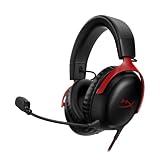
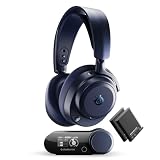
Start with basic hardware: check the mute switch on the headset, the mute button on the controller, and any detachable boom mic. Push a 3.5 mm plug fully into the supported jack; a partly seated plug can pass headphone audio without providing usable mic input. For USB headsets, connect directly to a computer or console instead of an unpowered hub while troubleshooting. A quick swap to another working headset can establish whether the problem follows the accessory.
Make sure the test is meaningful. Recording a sentence in an operating-system microphone test proves the device can capture sound; it does not prove MW4 has selected the same input or is allowed to send it to other players. Conversely, hearing other people does not prove your mic works. Write down which side fails, then move to the section for your platform. Avoid installing third-party driver packs or downloading unexplained audio “fixers”; the official device manufacturer and platform provider should be your reference for drivers.
Distinguish an absent mic signal from an inaudible signal
An input meter that never moves points to a device, mute, permission, or routing issue. A meter that responds but produces speech that teammates barely hear points instead toward input volume, microphone position, environmental noise, or game-side channel selection. If your words are clipped at the beginning, do not immediately increase gain to maximum. First restore normal microphone positioning and inspect any voice activation threshold only if that control is present in your installed version. The official MW4 communication guide confirms the Voice Chat tab but does not publish a universal microphone-threshold number.
Avoid copying an arbitrary “best open mic sensitivity” value from a screenshot. Microphone capsules, headset firmware, and activation modes behave differently. Run one short test at a time and restore the initial value if it makes the signal worse. If the relevant input selector or activation setting is not available in your build, use the verified Windows, PlayStation, or Xbox device controls instead of inventing a game menu path.
Fix Modern Warfare 4 voice chat on Windows PC
Confirm Windows 11 microphone access
On Windows 11, open Start > Settings > Privacy & security > Microphone. Turn on Microphone access, Let apps access your microphone, and Let desktop apps access your microphone. Microsoft explains that traditional desktop games might not appear as separate toggles under the individual-app list. Therefore, the absence of an MW4-specific switch does not mean the game has no permission: the desktop-app permission is the meaningful control. Return to MW4 and ask a teammate to test your transmission.
On Windows 10, the comparable path is Start > Settings > Privacy > Microphone. Enable access for the device and apps, then allow desktop apps to use the microphone. Microsoft ended normal Windows 10 support in October 2025, so upgrading to a supported Windows version is a broader security decision, not an instant fix for one chat symptom. If an organization manages the PC and the permission is disabled by policy, ask its administrator rather than trying to circumvent that policy.
Select the mic and run a repeatable Windows sound test
Open Start > Settings > System > Sound on Windows 11. Under Input, select the microphone you actually speak into. Open its properties; under Input settings, select Start test, speak in a normal voice for several seconds, choose Stop test, and play the recording if offered. Microsoft’s procedure provides a concrete result: your own words should be audible without severe distortion. If the recording is silent, adjust the input volume, confirm physical connections, and retest before opening MW4.
When a webcam mic, monitor audio interface, controller, and headset are connected simultaneously, the system may be pointing at the wrong device. Temporarily disconnect unused audio-input accessories to make the test unambiguous. Once Windows records correctly, fully close and reopen MW4 so it can discover the current setup. If Windows works but game chat still does not, return to the in-game channel and volume checks rather than reinstalling audio drivers without evidence.
Isolate Steam voice chat from MW4 voice chat
If you play via Steam, open Steam > Friends & Chat, select the gear icon, then choose Voice. Valve documents a Start Microphone Test control there. Choose the intended input and output devices and check whether Steam receives your voice. Steam’s independent voice-chat test is a useful control experiment, not a substitute for MW4 game-chat settings: a successful Steam test proves that this particular application has a usable signal, while the MW4 communication service may still be misconfigured or unavailable.
If Steam itself is silent, follow Valve’s microphone troubleshooting guidance: check connections, swap a USB port if appropriate, verify operating-system default devices, and test with another headset. If Steam succeeds but MW4 fails, focus on MW4 Voice Chat, channel scope, a game restart, and the current official known-issues list. Avoid treating Steam’s published voice-chat network port requirements as documented requirements for MW4; they refer specifically to Steam’s separate voice service.
Check audio routing changes and third-party software
PC players may have microphone channels created by capture cards, virtual mixers, streaming tools, or voice-processing software. Those devices can replace the expected default input. In Windows Settings > System > Sound > Input, explicitly select the physical headset or preferred interface again, close unused audio utilities, and retest. Reintroduce software one application at a time to see when the fault returns. If you discover a conflict, document the settings and update the relevant utility from its official vendor, rather than permanently removing security protections.
Discord or an Xbox party call can be useful for comparison, but each service has its own permission and routing stack. Working Discord chat does not guarantee in-game communication, and failing Discord chat does not automatically indict Activision’s servers. Keep the diagnostic question specific: is your audio input present, does the selected channel include your teammate, and is the game currently permitted to exchange voices?
Fix voice chat on PS5 and PS5 Pro
Check the DualSense mute and PS5 microphone level
On PS5, inspect the mute button on the DualSense controller or the mute control on your connected headset. Sony confirms that the controller microphone can be used for voice input and that the mute button controls its state. Go to Settings > Sound > Microphone, select the intended Input Device, and choose Adjust Microphone Level. Speak naturally and watch the microphone response. If there is no movement, test a different compatible microphone or headset before changing game settings.
Then go to Settings > Sound > Audio Output > Output Device, confirming the device to which voice audio should be sent. Sony also describes Output to Headphones, which changes what audio reaches a connected headset. If you hear game effects through the TV but expect chat through your headset, examine this routing. These are PS5 system settings and apply equally to PS5 Pro; there is no reason to assume a separate GTA-style or PC-style audio menu exists on the console.
Switch from PlayStation party chat to game chat
A PlayStation party conversation and the game’s own voice chat are different sessions. Press the PS button to open the control center and choose the voice chat card. Sony’s PS5 guide explains that you can browse ongoing party and game conversations and select the one you want to join. If you are chatting with a PSN party but intend to hear MW4 squadmates, switch to the available game voice chat, then recheck MW4 Settings > Audio > Voice Chat.
Also open PS button > Sound and check Mute Game Voice Chat. Sony documents this system-level mute control. Turning it on makes game voice silent even when the in-game Voice Chat setting appears enabled. If your party can be heard but no one in the game can, this toggle is a high-value check. Once you have verified it is off, ask a player outside the PSN party to speak; that separates session selection from headset volume.
Fix Xbox Series X|S microphone and chat routing
Separate Xbox party audio from Modern Warfare 4 game chat
On an Xbox Series X or Series S, first determine whether the silence occurs in an Xbox party or only inside MW4 game chat. Open the Xbox Guide with the controller’s Xbox button, inspect the current party under Parties & chats, and switch from party communication to the game’s conversation when that option is available. Xbox’s exact control prompts can vary with console updates and party state, so use the labels shown by your console rather than relying on a universal button shortcut. If the relevant option does not appear, leave the platform party temporarily and retest in MW4.
Next open MW4 Settings > Audio > Voice Chat, ensure chat is enabled, and select Game Chat Voice appropriate to your squad. Because Activision explicitly warns that platform account settings may override in-game options, check the account’s current communication/privacy restrictions if your microphone works in other software but communication with certain players remains blocked. For a child account, only the authorized family organizer should change restrictions; do not attempt to bypass them.
Inspect headset volume and test a different communication path
Confirm that the headset is not muted and that any physical game/chat balance wheel is not turned entirely toward game audio. Reseat the headset connection or re-pair a compatible wireless headset using the manufacturer’s instructions. Use a known working Xbox party conversation as a controlled test: if the party cannot hear your mic either, the issue likely precedes MW4. If the party works normally but only MW4 is silent, return to the game channel and account-level privacy branch.
Do not assume all Bluetooth headsets can connect directly to an Xbox console or that a standard USB PC microphone works as an Xbox chat device. Device compatibility is product-specific. Prefer a headset already known to support Xbox; otherwise, consult the vendor’s console compatibility information before buying accessories or attempting firmware changes. A network reset is not justified solely because the game-chat channel is misselected.
Fix cross-platform or single-player chat problems
Identify blocks, friends-only limits and chat moderation
When one friend is inaudible but other players sound normal, the fault may be restricted to that relationship. On MW4, open Social > Recent > Blocked Players to inspect the list documented by Activision. Unblock a player only if you intended to restore communication with them. Activision also provides Settings > Account & Network as another place to manage blocked players. Do not remove a safety block merely to make a microphone icon appear; a block may exist for good reasons.
An account-level chat restriction or enforcement notice is different from a broken mic. Check the game’s notifications and official Activision enforcement guidance. The Call of Duty voice-chat moderation FAQ says temporary voice-chat muting penalties are not eligible for appeal; do not recommend software or account tricks to evade them. If the restriction is an account or parental privacy setting, follow the platform’s authorized process. Reinstalling the game cannot legitimately undo an enforcement action.
Understand lobby, team and proximity chat boundaries
Voice-chat scope changes depending on the activity. Activision says players with chat enabled may communicate in the pre-game lobby, while team-based matches generally limit communication to teammates, with exceptions. Proximity Chat is also conditional. The correct test is not “Can I hear everyone in every match?” but “Can my intended teammate hear and answer me in a supported channel?” Set All Lobby where appropriate, and verify again in a fresh lobby before concluding that cross-platform voice is defective.
If you only lose one player when moving between modes, compare that player’s platform chat state, in-game mute status, and block status. If everyone loses all chat simultaneously across several matches, it becomes more plausible that the game service or network session is involved. However, a single anecdote does not confirm an outage. Check official status and support announcements before drawing that conclusion.
Address crackling, robotic audio and chat that cuts out
Start with the audio device rather than a router reset
Garbled voices, intermittent speech, and echoes are not the same failure. Crackling heard in every application suggests a cable, port, hardware, driver, or wireless interference issue. Echo commonly occurs when a microphone captures loud speaker output, so a properly fitted headset and reasonable listening volume are practical first checks. If only your own voice is quiet, review the actual microphone input gain. Valve’s Steam audio documentation supports testing alternate ports and reducing feedback before touching network configuration.
Listen for an objective difference across scenarios: a locally recorded test, a platform party call, and a live MW4 match. If the first two sound clear while the third repeatedly degrades, note the match mode and approximate time. Do not claim that packet loss is the cause without further evidence. Network drops, congested voice services, game configuration, and audio-device switching can produce superficially similar complaints, and the safe remedy depends on the cause.
Use official status and connection checks when the evidence points online
If the microphone and headset work in local tests but several MW4 players experience the same chat failure, review Activision Support > Online Services, the game’s official known-issues page, and your platform’s service status. The official Activision status guidance suggests restarting the router when appropriate, trying a wired connection, checking connection speed, and limiting heavy downloads. Those are reasonable network-related checks after confirming that local audio works, not universal voice-chat fixes.
Avoid disabling Windows Firewall, opening broad inbound ports, turning off console security, or resetting your entire network as a first response. Network changes can introduce security risks without helping a local mute setting. If you share a network, schedule any necessary router restart with other users. Run another short game-chat test after each safe adjustment so you can identify whether it changed the outcome.
Verify the fix and know when to stop
A successful fix is a two-way test, not simply a microphone icon lighting up. Ask a teammate to confirm three things: they hear your normal voice clearly, you hear their reply at a comfortable level, and the result persists when transitioning from the lobby into an actual match. If you only care about a friends-only conversation, restore Game Chat Voice to your preferred privacy scope afterward. A setting that enables chat with the entire lobby might solve a test but be an undesirable permanent choice.
Use this final checklist after the last change:
- Confirm your operating system or console registers the intended microphone.
- Confirm MW4 Voice Chat is enabled and Voice Chat Volume is audible.
- Confirm Game Chat Voice includes the teammate you are testing with.
- Confirm neither player is muted, blocked, or in the wrong system party/channel.
- Test speaking and listening in both a lobby and one actual match.
- Restore any temporary settings you changed only for diagnosis.
If the issue remains, prepare a concise report instead of repeatedly toggling random settings. Record platform, game version or patch date, headset type, whether system mic tests work, whether game chat fails in all modes, whether the problem affects one player or everyone, and the exact results of your diagnostic steps. Activision’s official MW4 bug-reporting page explicitly requests a description of what happened, where and when it happened, and how to reproduce it. Do not post private account credentials or personal identifiers in a public bug report.
Tools That Help
- Modern Warfare 4 Audio > Voice Chat settings (free, built in): Confirm chat is enabled, the correct audience is selected, and lobby or player mutes are not hiding teammates; use this before changing platform settings.
- Windows 11 Sound input test or PS5 Microphone Level screen (free, built in): Prove that your hardware captures speech even when MW4 is silent; use the tool that matches your platform, or a known-working Xbox party as a comparison.
- Activision Support Online Services and MW4 bug reporting (free): Check whether a larger service issue is documented and submit a reproducible problem report only after local audio and chat routing have been checked.
Frequently asked questions
Why can I hear the game but not my teammates in MW4?
Game effects and player voices use different controls and can route through different conversations. Check Settings > Audio > Voice Chat, enable Voice Chat, raise Voice Chat Volume, then select an appropriate Game Chat Voice audience. Also verify a console-level game-chat mute or platform party selection. Don’t buy another headset unless your system’s audio test reveals a device problem.
Why does my mic work in Discord or Steam but not in MW4?
The applications can use different audio routes and permissions. A successful test in another app narrows the problem to how MW4 accesses the device, its current chat channel, or the game’s service; it does not guarantee the in-game selection is correct. Confirm Windows desktop microphone access, restart the game after selecting the input, and test the actual MW4 Voice Chat tab with a teammate.
Can a friend on another console hear me when Party Only is selected?
Only if that friend is actually in your current in-game party and their platform/privacy settings allow it. Party Only is not the same as unrestricted lobby communication. To isolate a scope problem, temporarily test with All Lobby in an appropriate lobby and then restore your chosen privacy settings. MW4’s documented voice choices are independent of whether you can see another player’s character or name in a match.
Should I change NAT, reinstall the game, or turn off security first?
No. Those changes are disproportionate to the common causes of silent chat. Verify the microphone, in-game voice controls, mutes, communication scope, platform party routing, and account restrictions first. Network diagnostics make more sense only when local tests work and failures correlate with connectivity. A reinstall does not fix an unplugged microphone or a deliberate chat restriction.
Final Thoughts
Most Modern Warfare 4 voice chat problems can be narrowed down quickly by testing microphone capture, in-game communication scope, and party/channel routing as separate layers. Start with Settings > Audio > Voice Chat, then use the verified Windows, PS5, or Xbox checks for the layer that actually fails. Do not assume one player’s silence indicates a server outage, and do not weaken device security to chase an audio issue. Your next step is concrete: make a ten-second two-way voice test with one teammate in a fresh lobby and repeat it once in a match. If the same failure persists, use your test results to file a focused report with Activision.