
Choosing the best Quest 3S facial interfaces means choosing how the headset touches your face—not merely selecting the softest-looking pad. For most owners, the KIWI design V4 is the practical ventilated replacement; Meta’s own Breathable Facial Interface is the simpler first-party alternative. AMVR offers interchangeable pad materials, while the KKCOBVR K3S is a specialized active-fan option with a stock caveat. The Quest 3S has its own attachment geometry: a Quest 3 facial interface is not a substitute, even though many head straps fit both headsets.
Quick verdict: choose according to the problem you feel
Best balanced replacement: KIWI design V4 Ventilated Facial Interface. Its Quest 3S-specific frame, wipeable PU-covered foam, nose guard, and passive vents address several common problems without adding a power system. Best first-party option: Meta Quest 3S Breathable Facial Interface, especially for buyers who prioritize Meta’s fit and case compatibility over a tight light seal. Best interchangeable pad approach: AMVR PU Leather Facial Interface for Quest 3S, provided the selected forehead-frame variant is available and suits the strap you own.
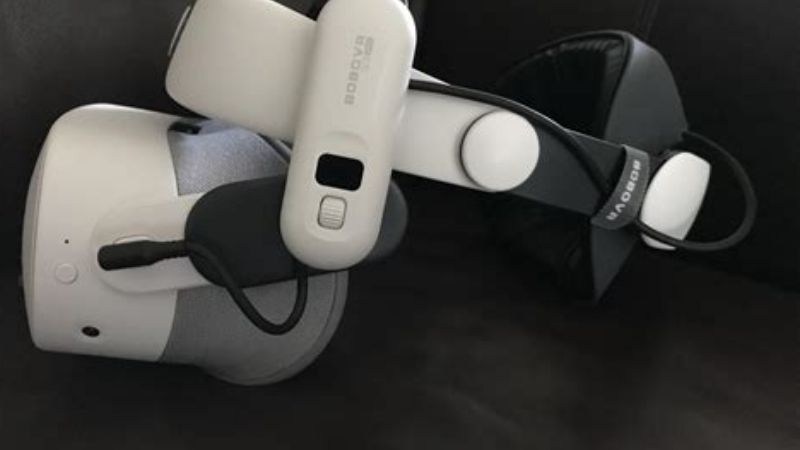
Specialty alternative: KKCOBVR K3S Facial Interface Fan targets persistent fogging through powered airflow. Its manufacturer page has shown conflicting purchase signals, so confirm that it can actually be ordered before treating it as an immediate choice. Owners who mainly need a washable surface and like the shape of their existing interface may be better served by a silicone cover rather than replacing the whole frame.
Comparison table: the meaningful differences
| Model | Form and primary benefit | Cleaning approach | Best match | Important trade-off |
|---|---|---|---|---|
| KIWI design V4 | Quest 3S frame; vented PU-covered foam, nose guard | Wipe removable pad | All-around comfort and passive ventilation | Fixed lens distance; foam fit varies by face |
| Meta Quest 3S Breathable | First-party flexible frame and breathable construction | Wipeable silicone contact area | Easy official upgrade and active mixed reality | Airflow can allow more ambient light |
| AMVR Q3SFC1/Q3SFC2 | Quest 3S-specific frame with PU and ice-silk pad options | Remove and clean per pad material | Users who want to alternate face materials | Variant/strap pairing and availability need checking |
| KKCOBVR K3S | Quest 3S-specific powered fan with two contact-pad materials | Clean pads; maintain powered module separately | Persistent fogging, if obtainable | More hardware, charging, sound and stock uncertainty |
| KIWI design F4 cover | Silicone face-pad cover; not a new frame | Washable silicone | Low-cost hygiene change | Does not fix bracket width, depth, or airflow |
The F4 is deliberately labeled a cover, not a complete competing facial interface. It belongs in the decision because spending less can be sensible when the stock frame already fits. The other four are replacement-interface solutions; each changes more than the surface touching your skin.
How these recommendations were selected
This is a specification- and purchase-research roundup, not a claim that every model was worn in a controlled head-to-head test. We checked maker listings for the Quest 3S-specific versions, compared U.S. retail identification where available, and used independent VR reporting to identify practical concerns such as face pressure, lens fog, and light leakage. We prioritized verifiable model identity, honest drawbacks, cleaning needs, and whether the item solves a distinct use case. Fit, skin feel, and glasses clearance remain personal and cannot be guaranteed by a product page.
The market is uneven. A manufacturer can list a model and its detailed features while its buy control says “notify me”; another can show both “sold out” and an add-to-cart label. For that reason, there are no blanket promises of live stock or final checkout prices here. U.S. buyers should reopen the exact variant at checkout and compare the seller’s return policy. A good fit trial matters more than a speculative ranking difference.
Best Quest 3S facial interface reviews
KIWI design V4 Ventilated Facial Interface — best overall for most owners
The V4 is the most straightforward starting point when the included Quest 3S fabric-contact setup feels warm, difficult to wipe, or too concentrated against the cheeks. KIWI specifies a 12 mm PU-surfaced foam cushion, more than 20 L-shaped ventilation passages, a silicone nose guard, and a Quest 3S-only mounting shape. Its U.S. product listing offers the V4 as a standalone accessory; Best Buy identifies the retailer version as model Q2-5P, SKU 6604749. Those identifiers make it easier to avoid similarly named accessories for Quest 3.
Its strongest practical advantage is a balanced design rather than an extreme feature. Passive vents give warm, humid air a path out of the face cavity without a motor, while the nose piece attempts to control light intrusion. The wipeable surface is useful when the headset is shared. A slightly wider contact area may help distribute pressure compared with a narrow or worn-out stock pad, although the actual benefit depends heavily on where the foam meets your brow and cheekbones.
The significant limitation is that the V4 is not a depth-adjustment kit. KIWI describes a fixed-depth frame; adding room for eyeglasses is not the same as offering independent lens-distance settings. Users with thick glasses, long eyelashes, or prescription inserts should check actual clearance with the headset stationary before swinging their heads or playing active games. Moving the lenses farther away can also make the apparent view smaller, so the largest cushion is not automatically the most immersive choice.
Pros: confirmed Quest 3S geometry; passive vents without charging; cleanable PU cushion; nose light guard; U.S. maker and Best Buy listings. Cons: no mechanical depth control; foam may still become hot during hard workouts; extra vents do not guarantee a fog-free lens; facial pressure remains partly a head-strap adjustment problem. Buy it if: you want one low-maintenance full-frame upgrade for regular VR gaming and shared use.
Meta Quest 3S Breathable Facial Interface — best official option
Meta’s accessory takes a different approach to comfort. The Quest 3S Breathable Facial Interface uses a flexible contact structure with breathable areas and wipeable silicone. U.S. retail listings identify model SK-1000039-01 and Best Buy SKU 6596933; those are useful checks when online search results mix the Quest 3 Open Facial Interface, Quest 3 facial accessories, and the Quest 3S version. Meta also lists the product among Quest 3S accessories, and the U.S. retailer describes compatibility with Meta’s carrying cases.
Choose this when you want fewer compatibility surprises and you prefer airflow over the darkest possible seal. The breathable structure is well suited to mixed-reality activities, music or fitness sessions where a small amount of room awareness can be an advantage. Wipeable silicone reduces the burden of sharing the headset with another player, provided each person still cleans the contact area and allows it to dry. The first-party design also avoids guessing which aftermarket clip geometry will fit.
Its biggest compromise follows from the same choice that makes it airy: more openness can mean more stray room light. Retail customer summaries specifically mention occasional light leakage. That matters most for dark horror games, space scenes, and movies in a bright room. If your primary complaint is a distracting bright line beside the nose, a more enclosed interface may be the better experiment. “Official” also does not establish that its face shape is universally comfortable; flexible silicone can press differently across broad and narrow faces.
Pros: official Quest 3S fit; simple maintenance; ventilated design; familiar U.S. retail SKU; compatible-case positioning. Cons: less aggressive light blocking; no interchangeable fabric/foam kit in the basic product; not a battery or strap upgrade; usually not the cheapest path. Buy it if: you want a credible first-party comfort change and already like how Meta accessories fit together.
AMVR PU Leather Facial Interface for Quest 3S — best pad flexibility
AMVR’s Quest 3S PU Leather Facial Interface is attractive for households that disagree about face-pad feel. The manufacturer names two surface choices: PU leather and an ice-silk cotton pad. The product family includes Q3SFC1 and Q3SFC2 listings with different forehead configurations. That detail should not be overlooked. AMVR describes a wider forehead version oriented toward Elite-style head straps and a standard forehead version intended for broader strap use; the variant selector and current inventory should be checked together before ordering.
Having two contact materials is a meaningful advantage, not just an extra item in the box. PU leather is more practical for frequent wipe-downs after sweat-heavy sessions and for sharing with friends. A textile-style pad may feel more comfortable to someone who dislikes a slick surface, but fabric can retain moisture and calls for more thorough drying. Swapping pads also helps you determine whether the irritation comes from material texture or from the frame’s pressure distribution. If discomfort persists with both, the head strap or eye relief may be the actual cause.
Be aware that pad choice does not prove universal glasses compatibility, nor does AMVR’s Quest 3 model automatically fit a Quest 3S. The family naming is easy to confuse with the manufacturer’s other ventilated products. Specific U.S. vendor pages may show “notify me” for one selected version while another selection remains available. Do not turn an attractive product page into a stock claim; verify the exact Q3SFC model and that the strap’s forehead hardware clears the frame.
Pros: two face-contact materials; replaceable padding; explicit Quest 3S product family; potentially good for multiple wearers. Cons: more variant complexity; fabric maintenance; some options may be unavailable; swapping pads alone will not solve a badly positioned headset. Buy it if: you want to experiment with different tactile surfaces and can confirm your chosen variant before checkout.
KKCOBVR K3S Facial Interface Fan — best specialty option for stubborn fogging
The K3S is fundamentally different from the passive designs above. The manufacturer advertises a Quest 3S-only facial interface with a powered defogging fan, two pad materials, a built-in 1,000 mAh rechargeable battery, and two fan operating modes. Its page distinguishes the K3S from the Quest 3-only K3; treating them as interchangeable would be a costly mistake. The fan can be appealing if condensation continues even after adjusting the head strap, allowing the headset to acclimate, and switching to a passive ventilated pad.
The trade-off is maintenance and complexity. A powered assembly can make sound, has a charging routine, adds electronic hardware near the face, and requires particular care during cleaning. Battery claims on a product page are not a guarantee of the same duration for every fan mode or environment. Those points matter if you want an accessory you can pack, clean and forget rather than another device to charge. The fan also does not correct glasses pressing against lenses or pressure spots caused by over-tightened straps.
There is an especially important availability caveat: the maker’s page displayed a “sold out” designation alongside other purchase controls during research. This is a specialist option to verify, not a confirmed in-stock top pick. Check a reputable U.S. retailer for the K3S specifically before planning around it, and avoid substituting a Quest 3 K3. If reliable U.S. ordering or returns cannot be established, buy a passive model instead.
Pros: purpose-built active airflow; Quest 3S-specific model; two pad surfaces; directly targets stubborn condensation. Cons: charging and cleaning burden; powered fan sound; added weight and cost; uncertain purchase availability. Consider it if: passive ventilation has not fixed your fogging problem and a verified seller offers a sensible return window.
KIWI design F4 Silicone Facial Cover — best budget alternative, not a frame replacement
The F4 is worth mentioning precisely because not everyone needs a new interface. KIWI’s Quest 3S-only silicone cover is a washable skin-contact accessory designed to fit over the existing face-pad arrangement; it does not bring the V4’s vented bracket, independent padding geometry, or nose-guard/frame combination. Its low cost and Made for Meta positioning make sense for a family that likes the included fit but wants a more easily cleaned surface between users.
Silicone can be wiped or washed more conveniently than an absorbent fabric pad, but it can also feel warmer or tackier when sweat accumulates. If you feel the hard frame pressing above your eyebrows, or your lenses fog because airflow is poor, the F4 is unlikely to solve the underlying mechanical problem. It is also not the correct answer for a broken bracket. Buying it as if it were a full facial interface produces the wrong expectations.
Pros: inexpensive washable contact layer; Quest 3S-specific; simple purchase decision when the frame already fits. Cons: no new bracket or ventilation channels; silicone feel is subjective; can retain heat against skin. Buy it if: hygiene is your only complaint and you want to spend less before replacing the entire interface.
Buying guide: solve the right comfort problem
Start with headset fit, not padding thickness
Put on the Quest 3S, loosen the rear or top tension, and re-center the display. Tighten gradually until the image is stable without compressing your cheeks. If you need excessive strap tension to stop slipping, changing the head strap may do more for comfort than buying a thicker face cushion. Halo straps often move some load toward the forehead and back of the head; Elite-style straps can provide a firmer feel during movement. The same interface can feel entirely different under those two load paths. When choosing AMVR’s forehead variations, confirm the fit against the specific head strap rather than assuming all aftermarket combinations are identical.
Understand passive ventilation versus a powered fan
Passive vents make room for warm air to leave the eye cavity, but they do not actively cool the headset electronics or eliminate humidity. Fan-based designs move air more aggressively but add sound, charging, and another failure point. Fogging can also result from bringing a cold headset into a warmer, humid room. Let the device reach room temperature away from direct sunlight, clean lenses with appropriate dry microfiber material, and check whether sweat or a loose nose guard is directing moisture inward. Do not spray chemicals into the headset or use a hair dryer to force the lenses warm.
Choose a light seal for the games you actually play
For dark adventures and cinema, the gap beside the nose can be more distracting than moderate warmth. An enclosed cushion with a nose guard is a better starting point than an especially open design. For room-scale fitness and mixed reality, some airflow and peripheral brightness may be acceptable. The Quest 3S’s image quality cannot be improved by a new facial interface; what changes is comfort, stray-light control, distance from lenses, and the stability of the view. Any claim that a face pad upgrades display resolution or refresh rate is a reason to avoid the listing.
Eyeglasses, prescriptions, and lens clearance
If you wear glasses, begin with the provided Quest 3S glasses spacer or supported prescription inserts and confirm that no frame or eyelash contacts the lenses. A maker calling a product “glasses-friendly” cannot account for your particular eyeglass width. Make the fit test while seated, then tilt and turn your head slowly; do not continue if you hear or feel rubbing. The closer the eyes are to lenses, the more critical the clearance check becomes. A facial-interface swap should never sacrifice protection against lens scratches for a marginal increase in field of view.
Choose materials for realistic cleaning habits
PU-coated foam can be wiped at the surface but should not be saturated. A washable silicone contact layer is helpful when several players share one headset, although it may feel less breathable during exercise. Textile or ice-silk-style pads can be comfortable but typically need more drying time. Follow the maker’s instructions for removable parts and never immerse a fan-bearing component. Let every cleaned contact piece dry completely before snapping it back onto the Quest 3S; trapped moisture near lenses is not a hygiene win.
US retailers, returns, and model-name traps
On U.S. product pages, look for “Quest 3S” in the compatibility line, not merely in search keywords. KIWI V4 is distinct from V3, Meta’s Quest 3S Breathable Interface differs from its Quest 3 Open Facial Interface, AMVR’s Q3S-family listings differ from its Quest 3-only line, and KKCOBVR K3S differs from K3. Compare the maker’s exact model name with the retailer’s product number. Confirm that a marketplace seller is authorized or at least offers clear returns, and never rely on a cached delivery estimate as proof of stock today.
How to install and evaluate a new interface safely
- Power the Quest 3S down and unplug charging and Link cables. Place it lens-side up on a clean, soft surface out of direct sunlight.
- Hold the headset securely and release the existing facial interface using the headset’s intended attachment points. Do not pry against lenses or tracking cameras.
- Inspect the new frame and clips. Confirm it is labeled for Quest 3S, remove any transport film, and install the chosen pad and nose piece according to the maker’s instructions.
- Align clips gently and seat the frame evenly. If one side resists, stop and recheck orientation instead of forcing plastic tabs.
- Reinstall the head strap as needed, then set a comfortable tension. Check display center, glasses clearance, side light, and whether the interface shifts when you nod.
- Use the headset for a short familiar activity first, then a longer session. Note where heat, pressure, or light first appears; adjust one factor at a time so you know what actually improved.
If the new interface presses sharply against your skin, becomes loose, or causes lens contact, remove it and return to the original assembly until the problem is resolved. Do not modify the headset shell or cut the interface to force a fit. Keep the original parts during any return period so you can make a fair comparison and restore the factory configuration.
Frequently asked questions
Can I use a regular Quest 3 facial interface on Quest 3S?
No. The front-shell and facial-interface mounting shapes differ. Some straps support both Quest 3 and Quest 3S, but that does not make the facial interfaces interchangeable. Choose a product whose manufacturer specifically lists Quest 3S, and double-check variant codes when shopping.
Does a better facial interface eliminate lens fog?
It may help by changing airflow and the space around your face, but no passive interface can guarantee zero fog. Room humidity, skin temperature, sweat, glasses, and the fit of the nose area all affect condensation. If the problem persists, adjust your setup before buying a powered accessory.
Is Meta’s official breathable interface more comfortable than KIWI V4?
Neither can be declared universally more comfortable. Meta emphasizes breathable, flexible construction and first-party compatibility, while the V4 emphasizes a PU foam cushion, passive vent channels, and a light-blocking nose piece. Pick according to whether ventilation or light seal is the bigger concern, then use the return window to test comfort.
Will a facial interface improve field of view?
Changing eye distance can alter the perceived view, but it does not change the Quest 3S lenses or display hardware. A thinner pad could bring your eyes closer; that is not a good trade if eyeglasses or eyelashes touch the lenses. Prioritize safe clearance and optical alignment.
What should I buy for VR fitness and family sharing?
Start with a wipeable contact surface: KIWI V4 or Meta’s Breathable Facial Interface if you need a replacement frame, or a silicone cover such as KIWI F4 if the included frame fits already. Clean between users and dry the contact area; different skin preferences may justify keeping spare pads.
Why are some highly rated Quest 3S interfaces missing from the main picks?
A useful recommendation must separate a real product from one you can reasonably purchase. During research, AMVR FC5 and Globular Cluster F3 Q3S listings indicated unavailable status, and KKCOBVR K3S showed inconsistent availability labels. They may be worth watching, but a “best buy today” ranking should not pretend those signals are settled.
Final verdict
Start with the KIWI design V4 if you want a complete Quest 3S facial interface with passive ventilation and a wipeable pad. Pick Meta’s Breathable Facial Interface when official compatibility, straightforward maintenance, and openness matter more than the darkest light seal. AMVR is worth comparing when pad material choices and head-strap configuration are the deciding factors. Treat powered K3S cooling as a niche solution that requires careful stock verification. If the stock frame already fits, the KIWI F4 silicone cover is the smaller, cheaper experiment—and it should not be confused with a replacement interface.
