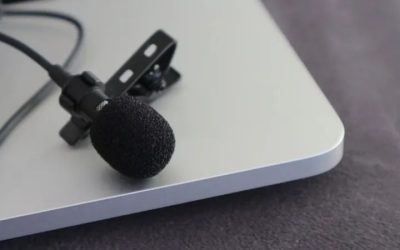
The best microphones for couch gaming are usually closer to your mouth than the television, and they must connect to the gaming device through a supported microphone input. For a living-room Windows PC, a compact wireless clip-on transmitter with a USB receiver may be a useful way to avoid a long desk-mic boom. For an actual Xbox console party, however, a generic USB wireless microphone kit does not automatically become a supported console chat accessory. This guide compares RØDE Wireless GO (Gen 3), Hollyland LARK M2S Mini Combo, DJI Mic Mini, and Antlion ModMic Uni 2+. They solve different couch setups rather than delivering the same console chat route. We have not run new home-room latency, television bleed, or wireless drop-out tests.
Couch-gaming microphones: wireless clip-ons versus controller-compatible chat
Choose the microphone according to where its voice signal must go. Wireless clip-on kits can suit a living-room Windows PC, but they do not automatically provide Xbox console party chat. The table distinguishes receiver and bundle options from a wired headset-mic route that may need a compatible controller adapter. Wireless GO Gen 3, Hollyland LARK M2S Mini Combo, and DJI Mic Mini are compact transmitter/receiver systems that can route voice to a suitably connected living-room computer. Their receiver versions and kit contents differ, so a transmitter by itself is not an interchangeable substitute for the selected bundle. Antlion ModMic Uni 2+ instead keeps the microphone on the headset, which may be easier to use from a couch but relies on the appropriate analog jack or adapter. Xbox party chat and PC recording are separate compatibility questions. Before buying, identify the exact destination for the microphone signal and whether both hands must remain free during play.
| Exact microphone kit | U.S. seller observation | Couch setup it can address | Connectivity warning |
|---|---|---|---|
| RØDE Wireless GO (Gen 3), WIGOGEN3 black | B&H $169.99, In Stock | Two wireless clip-on voices to Windows recording setup | Receiver to PC is not Xbox console USB Party Chat |
| Hollyland LARK M2S Mini Combo, gray | B&H $98.10, In Stock | Tiny clip-on mics with USB-C and camera receiver options | Buy the exact Mini Combo bundle; port types vary |
| DJI Mic Mini, CP.RN.00000432.01 (1 TX + 1 RX) | B&H $45.00, In Stock | Lower-cost single-person wireless mic to laptop/PC | Transmitter-only listing is not this kit; no native Xbox USB chat promise |
| Antlion ModMic Uni 2+, GDL-2420 | Antlion $64.95, Add to Cart | Wired boom attached to your headphones; possible analog console controller path | Xbox needs a separate compatible CTIA headset/mic Y-adapter and headphones |
These are public U.S. product-page prices in October 2026, not completed purchases at a user’s shipping ZIP. A color option, a two-person kit and a single-transmitter pack are not separate models to inflate the comparison. For each choice, determine where the sound will be recorded: Windows microphone input, a phone, a camera, or the Xbox controller’s analog microphone path. ‘Works with gaming’ is not the same as ‘pairs directly with the Xbox console voice subsystem.’
RØDE Wireless GO Gen 3: full clip-on kit for a PC couch room
The black RØDE Wireless GO (Gen 3) kit, manufacturer part WIGOGEN3, was listed at B&H for $169.99 and in stock. The full two-person package includes two wireless transmitters with built-in microphones and a receiver; the transmitters also support external lavalier mics. RØDE’s guide documents receiver connections and setup, making this a plausible choice for a creator who sits several feet from a Windows game machine and wants the microphone near their collar instead of on a desk.
Why this format may matter: a close-mounted transmitter can improve the ratio of speech to background sound compared with a distant TV-side webcam mic, assuming the mic is correctly positioned. That is a placement advantage, not proof of a particular noise-reduction decibel figure. An omnidirectional lav-style mic can still hear a loud TV, another speaker in the room, loose clothing scraping its capsule, or someone standing close. If the television plays game audio through speakers, headphones or lower speaker volume may be necessary to reduce echo in voice calls.
On a Windows PC, follow the RØDE instructions to connect the receiver with the correct data-capable USB cable and select the receiver as the input in Windows Sound and in Discord or your game. Listen to the local recording, confirm both transmitters are charged and paired, and check gain so excited shouts do not clip. The system’s onboard recording features are useful for creators, but the presence of backup files does not mean a game voice app can automatically access them in real time.
Do not take a supported USB-C laptop connection to mean that the receiver will function as a native USB headset microphone when inserted into Xbox Series X|S. Console-specific chat authentication and device-class support are different. For an Xbox title played through the Windows Xbox app, the receiver could be a Windows mic input, but that is a PC app workflow and should be labeled accordingly.
Hollyland LARK M2S Mini Combo: compact two-person flexibility
Hollyland’s LARK M2S Mini Combo gray kit, exact manufacturer name HL-LARK M2S MINI COMBO, appeared on B&H for $98.10, in stock, with a prior $109 reference price. This specific kit includes two small clip-on transmitters with microphones, a camera-style receiver, a USB-C plug-in receiver and a charging case. Lower-priced LARK M2S sets do not necessarily contain the same receiver options, so confirm the packaging before comparing costs.
Hollyland publishes a computer-connection help page for the LARK M2S. For couch gaming on a Windows laptop or a desktop placed beside the TV, the USB receiver may simplify cable routing while leaving both hands free for a gamepad. Make the Windows mic picker point to the device that corresponds to the receiver; the headphones used to listen to the game remain a separate output path. If a communication app chooses a laptop’s built-in mic by default, you could be wearing a working transmitter while the wrong microphone is being recorded.
The LARK M2S is a wearable creator mic first, not a headset with a fixed mouth boom. Collar placement, fabric thickness, hair contact and battery condition all influence a voice signal. If you constantly rotate on the couch, verify the clip cannot pull loose and that it avoids rubbing against a jacket or seatbelt-like strap. The kit’s small form factor is helpful for a camera-visible stream, but an absent logo or tiny transmitter does not establish more effective television noise isolation than competing models.
DJI Mic Mini 1TX+1RX: lower-cost wireless for one speaker
DJI’s Mic Mini with one transmitter and one receiver, manufacturer part CP.RN.00000432.01, was offered at B&H for $45 and showed In Stock. The listing identifies both the clip-on transmitter and its compact receiver. The one-transmitter bundle is not the same as a cheaper TX-only spare or a dual-transmitter creator package, and those differences change how the device attaches to a laptop and how many people can talk simultaneously.
A single-player couch setup can use the transmitter on a shirt and the receiver on a compatible computer USB input, subject to DJI’s current connection instructions and the host operating system selecting it as an audio input. When you play at a distance from the computer, ensure that the receiver’s radio path is not hidden behind a metal PC chassis or shielded by the TV. Manufacturer maximum outdoor range numbers are not promises for a room with walls, crowded Wi-Fi, metal shelving and game consoles sharing 2.4 GHz spectrum.
For voice chat, your application needs to use the actual DJI receiver input rather than a default webcam microphone. Perform a test with TV audio at the volume you normally use. Compare speech clarity at a normal level and an excited shout. Any automatic limiting or noise reduction features can help particular scenarios but can also alter the texture of speech; we do not present an in-house listening score. A wired headset may remain necessary for private audio output even when the mic signal arrives wirelessly.
For a native Xbox console party, do not assume DJI Mic Mini’s USB receiver can be directly accepted simply because it is USB-C. Use a confirmed console analog/controller accessory or an approved Xbox chat headset if PC Xbox app routing is not part of your actual setup.
Antlion ModMic Uni 2+: wired console-friendly branch with an adapter
The Antlion ModMic Uni 2+, manufacturer GDL-2420, is a wired microphone boom that mounts on compatible headphones. Antlion’s U.S. product page listed it at $64.95 with Add to Cart. This is materially different from the three clip-on wireless creator kits: it fixes a microphone near the mouth while game audio is delivered by headphones, reducing the need to place an omnidirectional lavalier on clothing.
Antlion documents how ModMic setups connect to PlayStation and Xbox controllers. A stand-alone microphone plug is not automatically compatible with a console controller’s four-pole TRRS headset jack. The controller generally expects a combined headphone-and-mic CTIA connection, so a separately purchased compatible Y-adapter can combine the ModMic mic and an existing wired headphone cable into the correct headset plug. The headphone must be supported and the wiring standard correctly matched. Check the exact ModMic analog plug and adapter orientation first.
Once connected properly, the controller path can send chat voice to the console in a way that a generic wireless USB receiver may not. However, a long wire from a controller to headphones still exists; this is not a wire-free couch solution. Clip the extra cable away from armrests and pet traffic. With a compatible headset already owned, paying for a separate boom can make more sense than replacing all listening headphones just to get a mic.
The ModMic mount itself also needs a suitable attachment surface on the earcup and clearance for a reclining head. Don’t claim it fits every open-back headphone grille or every console simply because a product description mentions a controller. The manufacturer controller guide and a real CTIA adapter are essential parts of the cost and compatibility decision.
Why console and Windows voice routing cannot be treated the same
On a Windows gaming PC, a USB receiver can present an external microphone device if the headset/mic maker supports the connection. The game, Discord, OBS, Teams or the Xbox app may each maintain their own audio input selection. A game controller connected to that PC does not normally dictate the computer microphone route. This allows a wearable wireless mic and wireless gamepad to work independently, after confirming the Windows input and monitoring arrangement.
On Xbox Series X|S hardware, a random USB audio input isn’t guaranteed to be recognized as a voice-chat accessory. Licensed console headsets, suitable analog controller headset sockets and documented accessories occupy a different category from camera-and-phone wireless recording receivers. A receiver may power up over USB while delivering zero selectable mic input. The difference should be explicitly communicated in a buyer guide because the wrong claim can turn a real stocked mic into an unusable purchase.
PlayStation hardware also has a supported USB audio selection mechanism, but that does not mean all camera mics or every USB wireless kit will be recognized with full microphone function. Check the selected device and PS5 input list if you plan to use one of these kits on a console. For native console chat with minimal compatibility risk, a purpose-built compatible gaming headset may still be simpler.
How to reduce television bleed without pretending it disappears
Microphone proximity is a starting point. A mic a few inches from the mouth can often be run with less gain than one several feet away. But if the TV speakers are loud enough, any mic in the same room may pick them up, especially when a wearable mic is omnidirectional. Turn down speaker volume or use headphones and see whether the echo reported by teammates disappears. Avoid using TV speakers for voice chat while expecting a tiny clip-on capsule to perfectly reject the screen.
For streaming, capture a local sample where you speak, pause and play in-game dialogue at normal couch listening levels. Review the recording for clothing rub, delayed audio routing, dropped packets, fan noise and room reverberation. Keep any app’s voice activation threshold above the TV-only level but below soft speech. A very aggressive noise gate can make a voice sound unnaturally chopped and can hide the problem in a short test while making team chat unusable later.
If you use a separate audio capture card for gameplay and a USB microphone for speech, set OBS input sources separately. Avoid monitoring the mic back into TV speakers, because that can create acoustic feedback. A long receiver extension cable may improve radio visibility behind a metal TV console, but use a data-rated cable and follow the transmitter maker’s limits rather than assuming any long passive cable works.
Buying checklist for the living-room gamer
- State the host device: Windows PC, PS5, Xbox console, or a phone; do not say only ‘gaming.’
- Choose input routing: USB receiver on PC, analog controller mic via CTIA adapter, or a explicitly compatible console headset.
- Verify bundle contents: a receiver and transmitter pair is not equivalent to transmitter-only hardware.
- Check listening path: microphone input is separate from how game audio reaches headphones or TV speakers.
- Test the real seating distance: radio interference, furniture and battery levels may differ from open-field specification tests.
- Budget adapters: ModMic controller use may require an extra Y-adapter, and the exact included cable matters.
- Check U.S. offer: listed price, stock and shipping location need fresh verification before final purchase.
Frequently asked questions
Can I plug RØDE Wireless GO, LARK M2S, or DJI Mic Mini straight into Xbox for Party Chat?
Do not assume it will work. These products have documented creator/PC/mobile receiver paths, but a generic USB recording receiver is not automatically a native Xbox chat mic. Use an Xbox-supported analog controller/headset route, or connect the receiver to Windows and use the Xbox PC app if that is your intended platform.
Is a couch microphone better than a headset boom?
It depends on how the mic reaches your mouth and how you sit. A headset boom stays in nearly the same place during movement and commonly gives a consistent distance. A collar clip provides more freedom from headset hardware but can rub against clothes. We have not measured either setup’s room-noise rejection in a controlled living room.
Which is the cheapest verified complete kit here?
DJI Mic Mini’s one-transmitter/one-receiver bundle was listed at $45 by B&H when checked, but its value is primarily for a compatible receiver path to a PC or mobile device, not Xbox USB console Party Chat. The price does not include a console-licensing workaround, and live stock can change.
Which should I buy for a true Xbox console on the couch?
If you already own compatible wired headphones, the Antlion ModMic Uni 2+ paired with a suitable separately purchased CTIA TRRS Y-adapter is the most clearly documented console analog-mic branch of these four. For a new hardware purchase, an Xbox-licensed headset is an alternative outside this microphone-only shortlist. Confirm the adapter, controller and headphone fit before ordering. This article remains subject to independent editorial review.
Couch gaming: two different communication paths
For a living-room Windows PC, a wireless lavalier kit with its correct USB receiver can create an input device, but that alone says nothing about native Xbox Party Chat support. RØDE Wireless GO Gen 3, Hollyland LARK M2S Mini Combo and DJI Mic Mini kits have different receiver packages. Confirm the selected kit actually includes a receiver instead of buying a transmitter-only listing.
For an Xbox controller headset socket, Antlion ModMic Uni 2+ is an analog headset-attached microphone and needs the compatible CTIA TRRS splitter/adapter described by Antlion to share the microphone and headphone lines. Test the voice input with your TV playing at normal volume before moving the microphone farther from the mouth. Do not promise wireless isolation of game audio without a real recording.
Do not let a couch mic recommendation promise unsupported Xbox USB chat
There are at least three different couch-game voice paths: a Windows computer recognizing a USB microphone, a controller combined headset jack accepting an analog CTIA-style microphone, and a console recognizing a specifically compatible licensed USB or wireless headset. A USB mic that appears instantly as a PC recording device does not therefore function as native Xbox party-chat input.
For a console-first user, diagram the sound path before purchasing: identify where chat input enters, where game audio returns, and how a seated player mutes the microphone without standing up. Measure the cable route around the coffee table so people do not trip on a cable, and confirm that a boom or stand can reach normal speaking distance without blocking the television or controller hand movement.
RØDE says its Wireless GO (Gen 3) receiver supports digital USB audio with a computer, but its product documentation does not imply an Xbox party-chat integration. If the intended source is a PC under the TV, verify it there; if the intended source is an Xbox controller, use a proven controller-compatible audio path instead of relying on a generic USB-C connection.
Couch voice path map: computer microphone input is not an Xbox microphone input
RØDE states that a Wireless GO Gen 3 receiver can connect by USB-C to a Windows computer and appear as “Wireless GO RX” under recording inputs. That is an actual manufacturer-supported PC audio path. It does not turn the receiver into an Xbox-licensed USB party-chat microphone. Hollyland and DJI wireless receiver kits belong in the PC/compatible recording-device branch until the manufacturer documents a specific console voice-input path.
Antlion’s own console guide gives a different solution for a controller headset socket: connect the wired analog microphone and headphones to a compatible TRRS Y-adapter, then connect the combined plug to the controller’s 3.5 mm headset jack. This is not the same as putting a standalone TRS microphone plug directly into an Xbox controller. Some older controllers also require an additional adapter; check the specific controller hardware and party audio settings.
For a couch gamer, trace the entire signal path on paper. Where does the wireless receiver sit, how is it powered, which operating system sees its input, where are game audio and voice chat monitored, and how far can the player walk without dropout? A good lav kit for Windows recording may be the wrong purchase for native console party chat even if it sounds convenient.
Buyer-specific decision matrix
| Buyer situation | Recommended action | Must-verify requirement |
|---|---|---|
| Windows gaming PC connected to TV | RODE GO Gen3, Hollyland or DJI with USB receiver selected | Verify the receiver appears as the app input |
| Native Xbox party chat via controller | Wired ModMic Uni with compatible Y-adapter | Check controller jack and headset connection |
| Two voices from one couch to a PC | Full kit with two transmitters | Confirm exact bundle includes both transmitters and the receiver |
Wireless couch microphone routing: exact receiver and bundle gate before buying
An external wireless microphone receiver recognized by Windows or OBS is not automatically recognized as an Xbox/PS5 party-chat microphone. RØDE provides a support guide for the original Wireless GO in which the receiver’s 3.5 mm TRS output needs a compatible audio interface for computer input. That guide is for the original generation and must not be transferred to the Wireless GO Gen 3, which requires its own current receiver-interface documentation.
Hollyland documents a USB connection from the LARK M2S camera/Combo receiver to a laptop, followed by selecting Wireless Microphone in recording software. The transmitter-to-receiver radio link is separate from the host USB-audio link. Confirm the exact M2S Mini Combo box: different mobile and camera receiver combinations cannot be assumed to have the same physical plug.
DJI Mic Mini (1TX+1RX) is a complete one-person kit, while transmitter-only store offers are not substitutes. A Windows laptop recording configuration may be practical for couch capture, but console-native voice chat must be checked in its own supported input path. The console controller’s analog headset jack is a different route, and adapters require their own microphone support.
| Device / use | Verified feature | Buyer rejection gate |
|---|---|---|
| RØDE Wireless GO Gen 3 | Exact new-gen receiver and included cables | Do not copy original GO 3.5mm-only guide |
| Hollyland LARK M2S Mini Combo | Hollyland USB laptop receiver steps | Confirm receiver supplied and input selected |
| DJI Mic Mini 1TX+1RX | One transmitter plus compatible receiver | Not transmitter-only listing; verify physical host connection |
| Antlion ModMic Uni 2+ | Wired 3.5 mm mic route | Controller jack/adapter support is console-specific |
Couch buyer’s connection rehearsal: list your actual destination—Windows OBS, PS5 game chat, Xbox party chat or phone call—then draw transmitter→receiver→adapter→host. If any arrow relies on an unspecified console USB microphone route, stop and ask the maker before ordering.
Evidence boundary: public manufacturer/reviewer documentation; no owned hardware test, completed US ZIP checkout or independent 93-point certification.
Official PS5 receiver test changes the couch-mic advice: Wireless GO Gen 3 is a verified input path
RØDE publishes a PlayStation 5 USB microphone compatibility table whose devices were tested by its Service Centre. The table explicitly lists “Wireless GO (3rd Gen)” as compatible via PS5 USB, with Direct Monitoring marked “No” and a note that it cannot be used as an audio output device. This is device-level manufacturer testing and materially stronger than a generic Windows USB-audio compatibility claim; it still is not an independent live PS5 party-chat voice-call test by this publication.
The same RØDE table also lists Wireless GO II, Wireless ME and Wireless PRO as PS5 compatible, but these are distinct receiver/firmware/product bundles. Do not take the original Wireless GO analogue-only computer guide as the setup instructions for Gen 3. The Gen 3 official maker page documents USB-C digital output and Windows 10+ support; select its receiver as the capture input on PC, and verify the exact USB routing and microphone input option on PS5 when delivered.
An important limitation: “No audio output device” means PS5 player headphones or game sound must take another supported route, rather than expecting chat monitoring from the Wireless GO Gen 3 receiver. For Xbox native Party Chat the direct USB microphone route remains unverified: do not use the PS5 confirmation to suggest Xbox support. Hollyland LARK M2S and DJI Mic Mini are viable PC OBS capture approaches only where the selected receiver and driver are recognized; neither gets an automatic PS5/Xbox compatibility stamp from this RØDE table.
For couch gamers who want recorded OBS voice, Wireless GO Gen 3, Hollyland LARK M2S and DJI Mic Mini should be evaluated as separate receiver-input purchases. For PS5 in-game chat, only the RØDE models on the maker-tested PS5 list have this specific published support in the current comparison. For Xbox voice chat, retain a compatible controller-headset microphone route until the maker explicitly verifies an alternative.
| Exact model / scenario | What the sources verify | Decision / rejection condition |
|---|---|---|
| RØDE Wireless GO (3rd Gen) | Maker Service Centre tested PS5 USB microphone compatibility: YES | Direct Monitoring NO; cannot use receiver for headphone output; Xbox not verified |
| RØDE Wireless GO Gen 3 to Windows PC | Official USB-C and Windows 10+ support | Choose actual input in OBS/Windows; generation-specific guide |
| Hollyland LARK M2S Mini Combo | Maker documents computer USB receiver path | PS5/Xbox chat unverified for this exact bundle |
| DJI Mic Mini 1TX+1RX | Complete one-person TX+RX kit; PC use subject to receiver support | Do not infer console recognition or confuse with TX-only box |
Console-specific arrival test: on PS5, plug in the exact Gen 3 receiver and verify it appears under input devices; make a local voice-level check, then place a private test call with a trusted friend if supported. Keep headset output separately selected because the receiver is not a supported sound output. On Xbox, do not order for native Party Chat without Xbox-specific certification from the maker. GeekGamingTricks did not perform this hardware test.
Evidence limit: all independent samples and manufacturer compatibility claims are attributed to their original sources. No GeekGamingTricks-owned hardware test, fully checked US-ZIP shipping or independent 93-point certification.