Key takeaways
- Identify exact model revision and whether the microphone is new, certified open box, bundle or a different color of the same model.
- Recheck selected U.S. seller product-page price and stock today; shipping to a specific ZIP, taxes, promotions and order limits are not guaranteed by public listings.
- Budget for all cable and mounting hardware rather than treating an XLR-only microphone sticker price as a complete PC setup.
- Distinguish USB data and digital effects from passive analog XLR. Do not assume one model’s buttons or software features function identically through both.
- Record voice during the loudest real-world condition—clicking keys, running fans, game audio or a second person talking—before turning on processing.
- Choose a sensible gain and mouth distance and avoid an arm that blocks your view or transmits desk vibrations.
- Do not infer proprietary Discord/game audio routing, console USB support, phantom-power needs or software compatibility from a generic “gaming” label.
If you are comparing best microphones for shared gaming rooms, begin with the problem in your actual gaming setup rather than a promise of perfect background-noise removal. Two people speaking over one another is harder to separate than a steady fan. A close microphone, deliberate angle and sensible chat settings can help, but none of these products has a verified promise to erase a roommate’s simultaneous voice. The U.S. prices and public seller stock signals below were reviewed on October 29, 2026; they are not a guarantee that a product will ship to your ZIP code. Geek Gaming Tricks did not physically record or benchmark these microphones.
Microphones for shared rooms: close speech pickup and two-desk routing
In a shared room, the key challenge is capturing one person’s mouth while rejecting a second PC’s speakers, keyboard, and conversation. The Samson Q2U and Audio-Technica AT2040USB represent practical close-speaking routes, while the RØDE PodMic USB offers flexibility if the setup later moves to an interface. Microphone direction alone cannot guarantee isolation: place each capsule near its own speaker and keep sensitive pickup areas pointed away from the neighboring desk where practical. Two microphones plugged into different computers also need separate app input routing and monitoring checks. Prioritize positioning and headphone use before buying two expensive mics in the hope of canceling room noise.
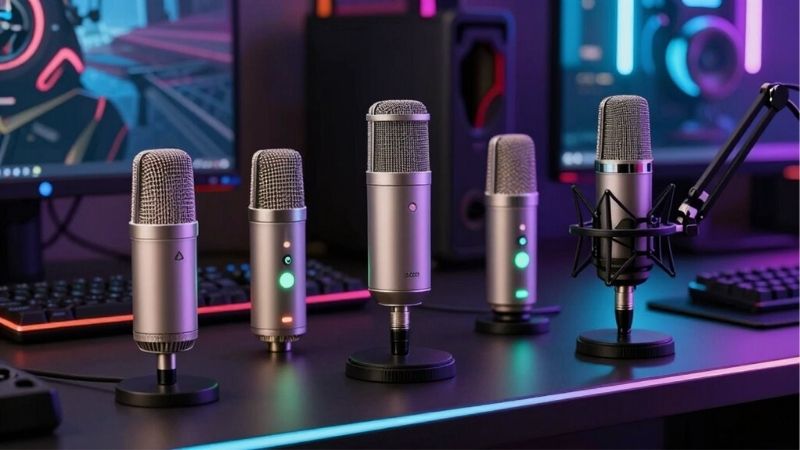
Best affordable mic for separate desks: Samson Q2U (SAQ2U). The full USB kit lets each PC place its own cardioid microphone close to its user; two mics still require application routing.
Best simple narrow desk pickup: Audio-Technica AT2040USB. Its hypercardioid pattern may help with side noise if the rear lobe is not aimed at the other player.
Best flexible PC/XLR growth: RØDE PodMic USB. A close end-address cardioid for one desk, with USB now and optional interface later.
Best USB voice-processing controls: Shure MV7+ Black (MV7+-K). Its Denoiser can reduce more constant background sources; no guarantee it can distinguish two overlapping speakers.
Comparison: real U.S. microphone offers
| Model and use | Verified hardware/connection | Selected U.S. seller price, Oct. 29, 2026 | Observed stock | Important drawback |
|---|---|---|---|---|
| Samson Q2U (SAQ2U) | Cardioid dynamic; USB and XLR; physical on/off; complete starter kit | $79.99 — B&H Photo | In stock | Verify current USB port revision and desktop-stand placement |
| Audio-Technica AT2040USB | Hypercardioid dynamic; USB-C, low-cut, soft-touch mute, headphone monitor | $159.00 — Sweetwater | In stock | Rear lobe remains audible; requires suitable stand/arm |
| RØDE PodMic USB | End-address cardioid dynamic; USB-C/XLR; USB processing, 3.5 mm monitoring | $190.00 — Sweetwater | In stock (selected listing) | Category pages also show $209; mount extra; XLR has no USB DSP |
| Shure MV7+ Black (MV7+-K) | Cardioid dynamic; USB-C/XLR; USB digital denoiser and touch mute | $299.00 — Sweetwater | In stock | USB controls do not automatically alter passive XLR |
| Audio-Technica AT2040 (analog XLR) | Hypercardioid dynamic; XLR-only; internal shock-mount system | $109.00 — Sweetwater | In stock (six listed) | Different model from AT2040USB; no on-mic digital mute |
| RØDE PodMic Black (analog XLR) | Cardioid dynamic; XLR-only; integrated pop shielding | $86.00 — Sweetwater | In stock | Interface, cable, mount and adequate preamp gain required |
| RØDE Procaster (PROCASTER) | Cardioid dynamic; end-address XLR; internal pop filter and capsule shock isolation | $218.00 — Sweetwater | In stock | Interface, gain and stable boom arm add to total system cost |
Detailed recommendations and buying trade-offs
Samson Q2U (SAQ2U): why it belongs here
Samson Q2U lets two roommates equip separate PCs without buying two audio interfaces. Each USB-capable cardioid mic can be placed near its respective mouth instead of relying on one far-away table microphone.
The included tripod is a starting point, not a guarantee of isolation on a shared desk. A flexible arm may reduce keyboard vibrations and help aim the mic rear toward the other player; it cannot prevent voice spill from a person in the same room.
Use Samson Q2U (SAQ2U) only after comparing a recording where the other player speaks at the same time as you. The documented polar pattern does not establish a measured speech-separation number; close placement, cable routing and separate audio channels remain essential.
Audio-Technica AT2040USB: why it belongs here
Audio-Technica AT2040USB offers narrow hypercardioid front pickup, headphone monitoring and USB-C convenience. It can be sensible when the microphone needs to fit tightly between monitors while the second player sits to one side.
Positioning is unusually sensitive because a hypercardioid has a rear lobe. If the roommate sits directly behind the mic, the nominal narrower pattern may be less useful than a properly oriented cardioid. No measured two-speaker isolation has been produced.
Use Audio-Technica AT2040USB only after comparing a recording where the other player speaks at the same time as you. The documented polar pattern does not establish a measured speech-separation number; close placement, cable routing and separate audio channels remain essential.
RØDE PodMic USB: why it belongs here
RØDE PodMic USB is a close-talking end-address dynamic option with USB-C for a standalone PC and optional XLR expansion. A swivel or boom makes it possible to bring the front grille into a controlled position relative to the user.
Its USB processing may help with some constant noises but cannot tell identical speech frequencies apart by identity. A busy shared room deserves a matched A/B recording with simultaneous talk, not a label promising broadcast-grade room separation.
Use RØDE PodMic USB only after comparing a recording where the other player speaks at the same time as you. The documented polar pattern does not establish a measured speech-separation number; close placement, cable routing and separate audio channels remain essential.
Shure MV7+ Black (MV7+-K): why it belongs here
Shure MV7+ provides USB-side Denoiser and Auto Level options for players who also contend with fan hum or fluctuating voice level. It can be a reasonable high-price choice where settings control is a real priority.
The Shure guidance describes denoising constant environmental sounds, not guaranteed elimination of another person speaking. An XLR interface does not automatically inherit the digital processing, and $299 may be excessive for two beginner setups.
Use Shure MV7+ Black (MV7+-K) only after comparing a recording where the other player speaks at the same time as you. The documented polar pattern does not establish a measured speech-separation number; close placement, cable routing and separate audio channels remain essential.
Audio-Technica AT2040 (analog XLR): why it belongs here
An AT2040 XLR microphone is an option when each player already has a capable audio interface or the room’s PC has multiple distinct microphone input channels. Hypercardioid geometry can be a useful physical tool.
Its analog-only route demands careful interface routing; one shared stereo interface does not automatically provide clean independent voice tracks. Check the microphone’s rear pickup direction and give both players separate gain/monitoring controls.
Use Audio-Technica AT2040 (analog XLR) only after comparing a recording where the other player speaks at the same time as you. The documented polar pattern does not establish a measured speech-separation number; close placement, cable routing and separate audio channels remain essential.
RØDE PodMic Black (analog XLR): why it belongs here
RØDE PodMic is a lower-price XLR dynamic for gamers with an existing mixer or interface. Its end-address shape can fit on an arm that keeps the mic close and reduces the desire to increase gain to capture the entire room.
The selected $86 microphone price is not a two-person system. An arm, cabling and audio interface may easily exceed the bare capsule price, and its cardioid response cannot classify the other roommate’s spoken words as unwanted.
Use RØDE PodMic Black (analog XLR) only after comparing a recording where the other player speaks at the same time as you. The documented polar pattern does not establish a measured speech-separation number; close placement, cable routing and separate audio channels remain essential.
RØDE Procaster (PROCASTER): why it belongs here
RØDE Procaster targets a more committed shared-room streamer who already plans microphone preamps and sturdy arms. It is directional and designed for voice, with an internal pop filter and end-address geometry.
No controlled head-to-head test shows it rejects a roommate better than a cheaper mic with better placement. Its higher total cost only pays off when the rest of the recording setup and physical room arrangement support its use.
Use RØDE Procaster (PROCASTER) only after comparing a recording where the other player speaks at the same time as you. The documented polar pattern does not establish a measured speech-separation number; close placement, cable routing and separate audio channels remain essential.
Why overlapping human speech is different from fan noise
A fan or air conditioner often produces relatively steady broadband or tonal noise, while a person talking beside you produces syllables in the same frequency range as your own voice. A gate closes between your phrases but opens when you speak, carrying a roommate’s simultaneous words with your words. Many denoisers focus on constant sounds and can mistake a second speaker for desired speech. Do not promise that any microphone here will automatically produce separate voice tracks from two people talking at once. Physical distance, mouth proximity, positioning, room absorption, voice activity settings and clear conversation habits may achieve more practical improvement than replacing a well-positioned microphone.
Place two microphones without pointing them at each other
Give each player a mic placed near their own mouth and try to aim the less-sensitive region toward the other desk while keeping the sensitive front aligned with the intended voice. With two cardioid mics, a rear-facing rejection orientation is a starting point, not a guarantee: low frequencies and reflections can still arrive around the mic. Hypercardioids have a rear pickup lobe, so do not place the other person directly behind one without making a recording. Avoid setting both mics on the same resonant gaming table if key strikes and controller impacts are transmitted mechanically. Move towers and fans away from the front pickup where practical and keep audio interfaces electrically grounded.
One computer or two computers: routing changes the answer
If both players share one PC and need different tracks, they require separate microphone input channels in software and a recording workflow that preserves them, not a single one-channel USB device magically assigning voices. Two USB microphones may appear separately in OBS on supported systems, but some applications can choose only one default input; aggregate audio configuration or an interface may be required by the specific app and operating system. In a two-PC room, select the intended microphone in each person’s Discord or game settings and record separate test streams. Headphones prevent game audio bleeding through speakers; even excellent headset monitoring cannot remove a second human voice entering the capsule acoustically.
Noise suppression and conversation discipline
OBS Noise Suppression documentation targets mild white noise and fans, with a warning that stronger processing can distort voice. Its Noise Gate controls the closed and open thresholds, acting when the primary player is quiet; it cannot know whose syllable should survive when two people speak together. Some platforms offer voice isolation or AI suppression with varying support, but no setting should be presented as a universally accurate speech separator. If streams carry two people on separate channels, intentional mixing can be preferable to overaggressive suppression. Set predictable microphone levels, have each player avoid talking during a teammate’s important callouts, and review an untreated reference clip before changing filters.
A reproducible two-person test in OBS
First record Player A alone while Player B is quiet, then Player B alone while A is quiet, then both speaking simultaneously at a representative volume. Repeat with and without game audio, and with fans on as during normal play. Keep mic distances, Windows input gain and OBS source filters fixed between comparisons; otherwise the outcome is impossible to attribute to microphone choice. Make one recording per microphone if the app cannot isolate channels. Listen for both unwanted word leakage and damaged consonants in the wanted voice. If speech sounds clipped by a gate or denoiser, undo the strongest effect before buying more hardware.
Choose by room shape and gear you already own
A Q2U with its included kit is rational when each player needs a low-cost personal microphone on a separate desk. An AT2040USB offers a more directional fixed position but requires careful orientation and a mount. A PodMic USB is useful if the player plans a future interface, while a pure XLR PodMic or Procaster only makes economic sense if the audio chain is already available. For a cramped shared desk, cable management and flexible booms may be the most important purchase. None of these statements is based on a measured site-owned voice-separation benchmark.
Buyer checklist before ordering
- Identify exact model revision and whether the microphone is new, certified open box, bundle or a different color of the same model.
- Recheck selected U.S. seller product-page price and stock today; shipping to a specific ZIP, taxes, promotions and order limits are not guaranteed by public listings.
- Budget for all cable and mounting hardware rather than treating an XLR-only microphone sticker price as a complete PC setup.
- Distinguish USB data and digital effects from passive analog XLR. Do not assume one model’s buttons or software features function identically through both.
- Record voice during the loudest real-world condition—clicking keys, running fans, game audio or a second person talking—before turning on processing.
- Choose a sensible gain and mouth distance and avoid an arm that blocks your view or transmits desk vibrations.
- Do not infer proprietary Discord/game audio routing, console USB support, phantom-power needs or software compatibility from a generic “gaming” label.
Shared-room bleed: reproducible buying test
Make two recordings in the same room: player A talking alone, then both players overlapping, with microphones positioned at equal mouth-to-capsule distance. Compare a cardioid capsule aimed away from player B with the same capsule turned toward B, keeping gain constant. A noise gate may suppress bleed between speech turns but cannot reliably separate simultaneous voices. If a vendor quotes noise cancellation without publishing the test setup, do not translate that into a measured reduction in cross-talk. For side-by-side desks, prioritize close placement and mechanical isolation before software filters.
Evidence limitation: Testing protocol provided for the buyer; no independent laboratory results asserted.
Frequently asked questions
Can one microphone isolate two people in the same room?
No model here has a demonstrated guarantee to keep only one of two overlapping voices. Use two close mics, physical separation and individual channels when practical.
Would a hypercardioid mic completely reject the person behind it?
No. Hypercardioid pickup has a rear lobe. Test real positions before assuming that a roommate placed behind the microphone is inaudible.
Should I use AI noise removal for roommate voices?
It may help in some conditions, but speech separation is not guaranteed and aggressive settings can damage intended voice clarity. Keep a bypassed reference.
Do both players need separate microphones?
For separate, controllable audio paths, usually yes. A single microphone records the acoustic mixture; software cannot be assumed to reconstruct independent clean tracks.
Does a more expensive mic fix echo?
No. Reflections, room geometry and mic placement often remain the main limitations. Headphones, absorption and closer positioning may be more useful.
How we selected these microphones
Shared-room mic selection: overlapping voices are the hard case
A close-speaking cardioid or hypercardioid mic can improve the ratio of your voice to another voice across the room, but it cannot reliably erase a second player who is speaking at the same instant. Point the mic’s least-sensitive direction toward the other player, increase separation, and run a joint test while both people speak. A gate alone will not help much during overlapping speech.
The buying checklist here should give priority to repeatable placement, boom-arm reach, headphone monitoring and privacy-friendly mute control. This is different from a loud-keyboard guide: the problem includes another intelligible human voice, which simple switch-click suppression may fail to remove.
Shared-room voice capture: prevent cross-talk instead of promising silence
Two people speaking in the same room cause overlapping intelligible speech, not merely continuous fan noise. No single microphone polar pattern can perfectly separate two voices bouncing off walls. Start with close mouth-to-mic distance for each speaker, aim each mic away from the other person and lower gain to the level needed for clear close speech. Then listen to an actual two-person test in which one person stays silent while the other talks.
If each gamer uses a dedicated mic and headset, test whether their voice-chat apps echo the second person through open speakers. A headset can improve the situation more than changing from one cardioid microphone brand to another. For a two-person stream, separate audio tracks or interfaces may offer cleaner editing, but that requires the streaming software to route each device correctly; duplicate device names and automatic gain control can produce surprising cross-talk.
Avoid describing any microphone as “noise-proof” or quoting exact cross-voice dB reduction without matched room measurements. The recommended products are starting points for a workflow; room size, wall reflections and the second person’s speaking volume will determine the eventual result.
Buyer-specific decision matrix
| Buyer situation | Recommended action | Must-verify requirement |
|---|---|---|
| Two gamers in the same bedroom | Closed-back headsets plus close-talk microphones | Record both voices and inspect leakage |
| Two hosts on one recording desk | Separate mic channels if independent editing matters | Check interface channel count and app routing |
| Only one mic can be used | Position centrally and expect shared pickup | Do not promise true voice isolation without separate sources |
Shared-room pickup is a ratio problem, not a magic rejection mode
When two players speak in the same room, the useful comparison is how strongly each microphone captures its owner relative to the other person’s voice. Move each microphone closer to its intended talker and aim its rejection side toward the neighboring chair, while keeping the two mouths at a reasonable separation. A gate may suppress quiet background speech during silence, but if both people talk at once, software cannot reliably erase the second voice without artifacts.
Test a normal callout, a whispered reply, and a simultaneous conversation using the same application and gain setting. Compare whether one person is unintelligible, whether the gate clips first syllables, and whether the partner’s voice remains audible in an objectionable way. Report the distance between chairs and mic placement if you publish a comparison: tests from separate rooms do not answer this keyword.
Avoid a USB/XLR oversell. A cardioid microphone is a starting geometry, not a guarantee of isolation; a mic with a well-designed stand may be a better shared-space purchase than a higher-spec capsule left far from the speaker.
Two-player shared-room decision: routing, overlapping speech and the evidence limit
Sound On Sound’s audio-engineering discussion of mic bleed explains why simultaneous sources in one room are not fully separable merely by a directional capsule: spill is inevitable, and gating, expansion, acoustic separation or separate tracks each solve a different part of the problem. The trade-off is particularly important in gaming, because an intelligible second voice can ride under the first speaker while both are talking. No manufacturer polar-pattern drawing is evidence that another human voice disappears.
TechRadar’s independent AT2040USB hands-on review says the microphone was strong for close, single-person streaming and Discord, but explicitly advises a microphone per person for groups. It also notes the microphone is USB-C, its desk mount is not supplied, and it weighs about 600 g. That matters for the dual-arm budget: the cheapest single microphone is not necessarily a correct two-person system. Podcastage publishes independent AT2040USB pattern and untreated-room tests, but not controlled simultaneous two-player leakage comparisons across all seven products in this guide.
Choose separate mono inputs for each player if local recording/streaming is the priority. In Windows and OBS, label the microphones Left player and Right player, listen with all suppression disabled, and record three 15-second segments: left alone, right alone, and both speaking at once. Compare the intended microphone’s spoken sentence with spill from the other player, and do not overstate a gate that merely closes between turns. When each person is on a different computer, test voice-channel routing and headphones as well as acoustic pickup. A mic/interface choice should be rejected if separate channels cannot be acquired.
An AT2040USB offers documented close-voice USB control; Q2U offers a budget USB/XLR upgrade path; MV7+ and PodMic USB can be sensible upgrades if their control/software needs justify cost. Those are workflow decisions based on published specs and individual independent reviews, not proven numerical shared-room bleed winners. Room layout and separation still dominate.
| Exact product / setup | Verified evidence | Action / caveat |
|---|---|---|
| One shared USB microphone for two players | No separated voice tracks from one cardioid capsule | Avoid for simultaneous voice stream where independent levels are required |
| Two USB microphones on one Windows PC | Requires simultaneous input support in the chosen software; independent input naming | Verify two separately recorded tracks and listen for cross-pickup |
| Two USB/XLR hybrid mics through two separate inputs | More routing flexibility; actual interface selection matters | Confirm both inputs available and USB DSP/XLR differences |
| AT2040USB in pair | Independent single-user TechRadar/Podcastage testing | Potential close-talk choice; not demonstrated to win matched two-person bleed tests |
Pre-purchase acceptance criterion: record both voices speaking at once and inspect each isolated input for intelligible off-mic words. If the second voice remains clearly audible, change microphone placement or room separation rather than spending on a supposedly spill-proof capsule. No game-room dual-speaker trial was conducted by this publication.
Evidence limitations: reviewers tested their own products/setups. GeekGamingTricks conducted no original hardware experiment, complete US ZIP checkout, or independently certified editorial 93-point assessment.
Final thoughts
Put one close directional mic near each player, separate their recording routes where practical, and make a two-voice recording before buying more effects. Q2U is an approachable budget route; AT2040USB and PodMic USB are alternatives for more controlled desks. No model should be sold as a guaranteed roommate-voice eraser. Confirm the exact current item page price and availability before you pay.