Key takeaways
- Identify exact model revision and whether the microphone is new, certified open box, bundle or a different color of the same model.
- Recheck selected U.S. seller product-page price and stock today; shipping to a specific ZIP, taxes, promotions and order limits are not guaranteed by public listings.
- Budget for all cable and mounting hardware rather than treating an XLR-only microphone sticker price as a complete PC setup.
- Distinguish USB data and digital effects from passive analog XLR. Do not assume one model’s buttons or software features function identically through both.
- Record voice during the loudest real-world condition—clicking keys, running fans, game audio or a second person talking—before turning on processing.
- Choose a sensible gain and mouth distance and avoid an arm that blocks your view or transmits desk vibrations.
- Do not infer proprietary Discord/game audio routing, console USB support, phantom-power needs or software compatibility from a generic “gaming” label.
If you are comparing best XLR mics for beginner streamers, begin with the problem in your actual gaming setup rather than a promise of perfect background-noise removal. An XLR microphone is only one part of a streaming audio chain. Budget for the interface, a compatible XLR cable, reliable monitoring and an arm before assuming a $86 microphone creates an $86 recording setup. The U.S. prices and public seller stock signals below were reviewed on October 30, 2026; they are not a guarantee that a product will ship to your ZIP code. Geek Gaming Tricks did not physically record or benchmark these microphones.
Beginner XLR streaming mics: total setup cost and interface requirements
For a first streaming desk, the microphone’s sticker price is only one part of an XLR purchase. A purely analog XLR mic also needs a compatible audio interface or mixer, the correct XLR cable, monitoring, and a stand or arm suited to its weight. The Samson Q2U reduces initial commitment because it provides a USB path while you learn; the analog RØDE PodMic and Audio-Technica AT2040 are more dependent on your interface and gain arrangement. Do not compare a bare XLR microphone with a complete USB kit as though the checkout totals were identical. Choose a signal route you can troubleshoot before paying for optional processing.
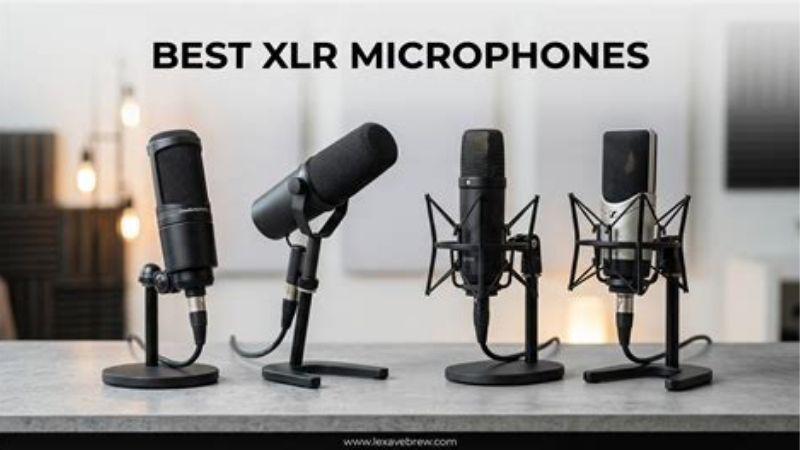
Best cautious entry into XLR: Samson Q2U (SAQ2U). It also works by USB, and the package includes XLR and USB cables, so you can learn signal routing before buying an interface.
Best low-cost XLR-only mic: RØDE PodMic Black (analog XLR). A straightforward end-address broadcast-style analog choice; the low mic sticker price excludes interface and arm.
Best alternate polar pattern: Audio-Technica AT2040 (analog XLR). Its hypercardioid capture can be useful at a crowded desk if the rear lobe is positioned deliberately.
Best hybrid with USB growth path: RØDE PodMic USB. A USB-C recording route now plus XLR later, but USB DSP must not be described as part of the passive XLR feed.
Comparison: real U.S. microphone offers
| Model and use | Verified hardware/connection | Selected U.S. seller price, Oct. 30, 2026 | Observed stock | Important drawback |
|---|---|---|---|---|
| Samson Q2U (SAQ2U) | Cardioid dynamic; USB and XLR; physical on/off; complete starter kit | $79.99 — B&H Photo | In stock | Verify current USB port revision and desktop-stand placement |
| RØDE PodMic Black (analog XLR) | Cardioid dynamic; XLR-only; integrated pop shielding | $86.00 — Sweetwater | In stock | Interface, cable, mount and adequate preamp gain required |
| Audio-Technica AT2040 (analog XLR) | Hypercardioid dynamic; XLR-only; internal shock-mount system | $109.00 — Sweetwater | In stock (public listing) | Different model from AT2040USB; no on-mic digital mute |
| RØDE PodMic USB | End-address cardioid dynamic; USB-C/XLR; USB processing, 3.5 mm monitoring | $190.00 — Sweetwater | In stock (selected listing) | Category pages also show $209; mount extra; XLR has no USB DSP |
| Shure MV7+ Black (MV7+-K) | Cardioid dynamic; USB-C/XLR; USB digital denoiser and touch mute | $299.00 — Sweetwater | In stock | USB controls do not automatically alter passive XLR |
| RØDE Procaster (PROCASTER) | Cardioid dynamic; end-address XLR; internal pop filter and capsule shock isolation | $218.00 — Sweetwater | In stock | Interface, gain and stable boom arm add to total system cost |
| MAONO PD300X | Dynamic USB-C/XLR; touch mute/smart knob in USB mode | $119.99 — MAONO US | Add to cart; stock quantity unclear | Maker says controls and LEDs INACTIVE in analog XLR mode |
Detailed recommendations and buying trade-offs
Samson Q2U (SAQ2U): why it belongs here
Q2U is the safest first XLR experiment for someone with no audio hardware because it retains USB recording while you learn what an interface does. The B&H retail pack includes a starter desktop stand, USB cable, XLR cable and windscreen.
Samson says the physical on/off switch controls both output paths. Its newer maker photos show USB-C; inspect the current retail item before assuming a particular older cable connector. The included XLR cable does not remove the need for an interface.
A beginner should also examine the interface microphone input, headphone route and total price. Samson Q2U (SAQ2U) cannot solve poor desk acoustics by itself, and no model-specific preamp-noise benchmark has been conducted by Geek Gaming Tricks.
RØDE PodMic Black (analog XLR): why it belongs here
Choose the analog RØDE PodMic if the objective is to build a genuine XLR interface chain at a modest mic-only price. Its cardioid dynamic element, broadcast-style end addressing and pop filter all suit spoken streaming.
RØDE explicitly states that an XLR cable and audio interface are necessary to get this microphone into a computer. The $86 selected offer is not a complete streaming package, and arm weight and available preamp gain matter.
A beginner should also examine the interface microphone input, headphone route and total price. RØDE PodMic Black (analog XLR) cannot solve poor desk acoustics by itself, and no model-specific preamp-noise benchmark has been conducted by Geek Gaming Tricks.
Audio-Technica AT2040 (analog XLR): why it belongs here
Audio-Technica AT2040 is a narrowly directional XLR-first alternative for a beginner using a small treated corner or asymmetric desk. Its hypercardioid pattern may be useful in some placements and less useful if a PC fan is in the rear lobe.
Do not confuse this hardware with the AT2040USB. The analog AT2040 has no USB data path, on-device USB mute, headphone monitoring or software controls. It also needs an arm, XLR cable and interface.
A beginner should also examine the interface microphone input, headphone route and total price. Audio-Technica AT2040 (analog XLR) cannot solve poor desk acoustics by itself, and no model-specific preamp-noise benchmark has been conducted by Geek Gaming Tricks.
RØDE PodMic USB: why it belongs here
RØDE PodMic USB is a hybrid you can connect directly to a PC today, while the XLR output provides a later migration to an audio interface. That makes it reasonable for a beginner unsure which route will become permanent.
The manufacturer lists USB-side APHEX processing and RØDE Central settings. It would be incorrect to expect those effects on a passive XLR feed; the software experience and any automatic gate behavior need to be evaluated on the selected routing path.
A beginner should also examine the interface microphone input, headphone route and total price. RØDE PodMic USB cannot solve poor desk acoustics by itself, and no model-specific preamp-noise benchmark has been conducted by Geek Gaming Tricks.
Shure MV7+ Black (MV7+-K): why it belongs here
Shure MV7+ is an expensive but flexible hybrid for a streamer who values close speech and USB controls while learning the analog route. Its on-device interface can be convenient while connected digitally.
Choose it specifically for a feature you will use, not because XLR automatically raises sound quality. At $299, the mic alone can consume most of a beginner budget, and its USB denoiser is not an external XLR processor.
A beginner should also examine the interface microphone input, headphone route and total price. Shure MV7+ Black (MV7+-K) cannot solve poor desk acoustics by itself, and no model-specific preamp-noise benchmark has been conducted by Geek Gaming Tricks.
RØDE Procaster (PROCASTER): why it belongs here
RØDE Procaster is aimed at a dedicated broadcast-style voice chain. Its manufacturer documents an XLR output, cardioid capsule, internal pop filter and internal shock isolation, making it well suited to an established boom and interface.
The price alone is $218 before gain, cable or mounting equipment. That is a poor fit for someone still discovering whether they need a standalone microphone at all, but a plausible fit for a committed voice-only streamer.
A beginner should also examine the interface microphone input, headphone route and total price. RØDE Procaster (PROCASTER) cannot solve poor desk acoustics by itself, and no model-specific preamp-noise benchmark has been conducted by Geek Gaming Tricks.
MAONO PD300X: why it belongs here
MAONO PD300X offers a USB and XLR connection so a beginner can try an analog path without losing a workable direct USB route. The maker’s selected US product page advertises $119.99 and Add to cart, but quantity status is not explicitly verified.
MAONO states that its buttons and LEDs become inactive in analog XLR mode, and software-controlled gain/noise-reduction is handled in the USB path. Treat this as an additional model, not as one of the six models explicitly labeled in stock by their U.S. sellers.
A beginner should also examine the interface microphone input, headphone route and total price. MAONO PD300X cannot solve poor desk acoustics by itself, and no model-specific preamp-noise benchmark has been conducted by Geek Gaming Tricks.
The complete beginner XLR signal chain
An XLR-only microphone outputs an analog signal. Connect its three-pin XLR socket to an audio interface or mixer microphone input using an XLR cable; connect the interface to the PC through the interface’s documented USB connection; then select the interface as the input in OBS and the voice-chat app. The interface supplies the microphone preamp, conversion to digital audio and often direct headphone monitoring. A mixer advertised for live performance is not automatically a USB audio interface: check whether it sends microphone audio to the computer. Include the cost of an arm or stand, shock isolation, pop control and a safe cable path rather than comparing microphone-only prices to complete USB kits.
How much gain does a dynamic microphone need?
Low-output broadcast dynamics can require substantial clean preamp gain when the speaker sits a few inches away. Interface marketing sometimes lists a single maximum gain number without the input noise performance or impedance context needed for a useful comparison. Look for the manufacturer’s mic sensitivity, interface mic-input gain range, input noise measurements if published, and monitoring. Do not assert a universal number of decibels or an obligatory inline booster for every mic. Try your interface first with normal speaking distance and correct meter levels; an inline preamp is a conditional accessory if recorded voice is too quiet or hiss rises after sensible settings.
Do you need 48 V phantom power?
Dynamic microphones such as the analog RØDE PodMic and Procaster do not require phantom power for normal operation. Most properly wired moving-coil dynamics tolerate phantom applied across balanced XLR, but there is no reason to turn it on as a substitute for gain. Some inline active boosters require phantom from the interface; if you choose one, verify manufacturer instructions for both booster and mic. Condenser microphones are a different product class, and the power requirements of a condenser cannot be projected onto a dynamic mic. Power off or reduce gain appropriately before changing cables to avoid loud transients.
USB/XLR hybrids are not two microphones at once
Samson Q2U, RØDE PodMic USB and Shure MV7+ are hybrid products with analog and digital paths; they do not all handle parallel routing, monitoring or controls the same way. Samson explicitly documents that its physical on/off switch affects both USB and XLR. MAONO explains that on some hybrid models, onboard mute and software controls become inactive in analog XLR mode. Shure MOTIV Mix digital denoising should not be promised on an XLR signal just because the mic has the same badge. If you plan an upgrade to XLR later, decide which actual features you are prepared to give up when making the switch.
Build a safe OBS first-recording checklist
Connect the interface to the PC, install the manufacturer driver only if its support instructions require it, and check that the mic input is set to MIC rather than line/instrument. Keep the input gain low while plugging in, then talk at the intended distance and gradually increase the preamp until routine sentences sit safely below clipping in the interface or OBS meter. In OBS, add the interface as an Audio Input Capture source or select it in Settings > Audio, but avoid creating both routes at once or you may record duplicate audio. Make a twenty-second test, then play it back on headphones with the game sound at the intended level.
Budget by complete system, not mic sticker price
At the observed $86 Sweetwater PodMic price, the actual cart must add an audio interface, XLR cable, mount or compatible stand and monitoring if you have none. A more expensive hybrid such as the $190 PodMic USB may be cheaper for a person without an interface because it can connect directly by USB. A dedicated higher-price mic only becomes rational after a functioning interface, room placement and gain chain are accounted for. No prices for interface bundles are claimed here because their selected SKU and live retail stock have not been researched in this article.
Buyer checklist before ordering
- Identify exact model revision and whether the microphone is new, certified open box, bundle or a different color of the same model.
- Recheck selected U.S. seller product-page price and stock today; shipping to a specific ZIP, taxes, promotions and order limits are not guaranteed by public listings.
- Budget for all cable and mounting hardware rather than treating an XLR-only microphone sticker price as a complete PC setup.
- Distinguish USB data and digital effects from passive analog XLR. Do not assume one model’s buttons or software features function identically through both.
- Record voice during the loudest real-world condition—clicking keys, running fans, game audio or a second person talking—before turning on processing.
- Choose a sensible gain and mouth distance and avoid an arm that blocks your view or transmits desk vibrations.
- Do not infer proprietary Discord/game audio routing, console USB support, phantom-power needs or software compatibility from a generic “gaming” label.
XLR starter-system budget check
Separate microphone-only price from an actually working recording chain. Record microphone XLR output type, interface microphone preamp gain/headroom, available 48 V phantom power when needed, balanced XLR cable, mount and monitoring headphones. A dynamic XLR microphone does not become USB-ready by adding a passive cable. Price the required interface and accessories as separate line items before calling a mic budget-friendly. Manufacturer sensitivity and self-noise are not interchangeable metrics across dynamic and condenser designs.
Evidence limitation: Testing protocol provided for the buyer; no independent laboratory results asserted.
Frequently asked questions
Can I connect the analog RØDE PodMic to a PC USB port directly?
No. The basic PodMic has an XLR output. An audio interface or USB-enabled mixer is needed for PC digital capture.
Does an XLR dynamic microphone require phantom power?
A conventional moving-coil dynamic such as PodMic does not need 48 V power; active inline accessories may have their own power needs.
Will the Shure MV7+ Denoiser work over the XLR cable?
Do not assume that. Its DSP features are associated with the digital USB path; the XLR signal is handled by the downstream interface.
Is a USB/XLR hybrid an acceptable beginner XLR pick?
Yes when its actual XLR output is documented and you also need a USB fallback. State the two paths and what differs.
What should I buy first if I own no interface?
A complete USB-capable hybrid such as Q2U is a straightforward path, or plan an XLR mic and a specific verified audio-interface bundle together before checkout.
How we selected these microphones
Budget for the full beginner XLR chain
An XLR-only microphone must feed an audio interface or mixer with a matching microphone input, an XLR cable and enough clean preamplifier gain. Price the full system, including a stable boom arm, before comparing an $86 analog mic against a USB model. A USB/XLR hybrid can be a useful learning bridge, but the two connectors may expose different onboard processing and monitoring features.
Start with a dry OBS recording at a fixed distance. Watch clipping on strong syllables, then introduce any filter one at a time. Do not enable 48 V phantom power merely because the microphone is dynamic; check manufacturer guidance and interface wiring. This article helps a beginner buy a working chain, not solve the separate keyboard-noise problem.
Beginner XLR budget: the microphone is only one line of the invoice
An XLR microphone does not plug directly into the ordinary USB port on a gaming laptop. A practical setup needs an audio interface or mixer with a compatible mic preamp, an XLR cable, headphones for monitoring and usually a stable stand. A starter priced at $99 can be a worse deal than a complete USB kit if the buyer has no interface. Compare total system cost and desk space rather than ranking microphones by their body price alone.
For a dynamic mic, ask the interface maker for usable gain and monitor controls. If the signal is too quiet, first check the selected input and proper speaking distance; do not assume phantom power or an expensive inline gain booster is universally required. For a condenser microphone, apply the exact maker’s phantom-power requirement and verify that the room and placement are sufficiently quiet for a more sensitive setup.
Record direct-to-interface speech and a separate test through OBS or the streaming app. If the direct file sounds normal but the broadcast sounds clipped or delayed, the trouble may lie in app gain, USB buffering or duplicate monitoring. The right first XLR mic is the one the buyer can power, monitor and position correctly on day one.
Buyer-specific decision matrix
| Buyer situation | Recommended action | Must-verify requirement |
|---|---|---|
| No interface and one USB port | Compare complete USB mic kits before choosing XLR | Account for interface, XLR lead, arm and headphones |
| Interface already owned | Choose exact mic by preamp gain and pickup direction | Confirm actual input signal level |
| Two-person recording planned | Check independent preamp channels and monitoring | One XLR plug cannot magically provide two isolated tracks |
Calculate the whole first-XLR signal chain before setting a mic budget
The cost of an XLR microphone is only one part of a first streaming purchase. The usable signal path is capsule to balanced XLR cable to an interface input with sufficient clean gain, then USB into the computer, with a stand or boom keeping the capsule close to the mouth. Add headphones for monitoring when the interface has a suitable output. If the cart contains a mic but no interface, it is not a complete PC streaming voice setup.
Make two purchase baskets: an entry setup that includes a working XLR interface, one cable, and a stable mount; and a later-upgrade setup where a stronger interface or arm can be reused with a different mic. Compare all-in prices from the same current U.S. shopping date. Do not repeat an old microphone MSRP as today’s checkout total or substitute an interface bundle that is missing the necessary cable.
An important escape hatch is a hybrid product such as Samson Q2U, which the maker describes as able to use USB and XLR simultaneously. That can postpone an interface purchase for a beginner, but it should be labeled a hybrid USB/XLR choice rather than a purely XLR-only microphone.
Final thoughts
If you are starting without an interface, the Samson Q2U or another genuine hybrid is the least risky educational first buy. If you already own a verified interface, compare the analog RØDE PodMic and Audio-Technica AT2040 on full system cost, then review available gain and mounting before checkout. Confirm the exact current item page price and availability before you pay.
Entry-level XLR cost is more than microphone price
A beginner XLR mic needs a compatible interface, a proper XLR cable, a stable mount and enough clean preamp gain. Dynamic models may require more gain than a low-cost interface can provide quietly. List total system cost separately from microphone-only price, and do not claim a mic has direct USB connectivity when the specific version is XLR-only.
Independent USB-versus-XLR evidence: do not buy a second audio path by mistake
The Samson Q2U and RØDE PodMic USB are both hybrid USB/XLR microphones, but their operational limitations are not interchangeable. Samson officially documents that the Q2U can use USB and XLR outputs simultaneously, and that its physical on/off control affects both routes. The newer official Q2U specification lists USB-C, while older inventory imagery may show a different connector, so check the precise retail package and cable before ordering. The included stand, USB cable and XLR cable make the Q2U a comparatively complete starter kit, but an XLR recording still requires a separate interface or mixer.
Tom’s Hardware tested the PodMic USB and notes that its USB and XLR routes cannot be used at the same time; Podcastage independently demonstrates USB-versus-XLR audio, plosive behavior and handling noise. RØDE explains that its software detects PodMic USB over USB but not through an XLR-only analog connection. If a buyer wants RØDE digital processing, they need the supported USB route; connecting the microphone by XLR alone does not remotely unlock USB features. Do not copy microphone processing or level claims from the USB recording to an analog interface capture.
Build the two complete shopping baskets before choosing: Q2U-to-computer over USB with its included accessories, or an analog XLR route with a mic, cable, interface, monitoring and a stable mount. For PodMic USB, include a stand or boom because the product does not include a desktop stand. Record a ten-second unprocessed voice sample on the actual intended path and compare it only at similar playback loudness. No microphone in this list has been newly tested by GeekGamingTricks.