We research everything we recommend. When you buy through our links, we may earn a commission. As an Amazon Associate we earn from qualifying purchases.
5 Best RTX 5090 Build Gear & Companions (November 2026)
Power, case, support and display gear for an RTX 5090 build: ATX 3.1 power supplies with 12V-2x6, an airflow E-ATX case, a GPU holder and a 240Hz QD-OLED monitor.
An RTX 5090 does not slot into a build the way an ordinary graphics card does, so the accessories that matter are not decorative. The real decision is infrastructure: NVIDIA publishes a 575-watt total graphics power rating and a 1,000-watt required system power figure, which makes a modern power supply with the correct 16-pin cable the first purchase, not an afterthought. After that come the case that must physically fit a long, thick partner card and move its heat, support for a heavy cooler, and a display capable of showing the frame rates the card exists to produce.
This guide is for builders assembling a new 5090 system, upgraders who have discovered their old power supply or case falls short, and gamers whose monitor would waste the card. The five products below were selected from their Amazon product titles and listing details, and every specification quoted for them comes from those titles. They cover two power supplies with different strengths, one airflow case, one graphics card holder, and one high-refresh ultrawide monitor, which together address the four pressure points of a 5090 build.
Quick Picks
As an Amazon Associate we earn from qualifying purchases.
Product
Best for
Key spec from title
Corsair RM1200x Shift
Builders who want easy cable access in a compatible case
Fully modular, ATX 3.1 and PCIe 5.1 compliant, side interface, 80 Plus Gold
MSI MAG A1200PLS PCIE5
Buyers who want Platinum efficiency and safeguard features
Size the power supply from NVIDIA’s published guidance
Start with the figures NVIDIA itself publishes for the RTX 5090: 575 watts of total graphics power and 1,000 watts of required system power. That guidance points to a 1000W-class unit at minimum, and the two supplies in this guide are both 1200W models, which leaves headroom for a high-end processor and for the brief power excursions modern graphics cards produce. Look for compliance with the ATX 3.1 and PCIe 5.1 standards in the product title, because those standards were written around exactly this generation of hardware. A supply that meets them, from a line with a long warranty, is a foundation the rest of the build can rely on for years rather than a part to revisit at the next upgrade.
Insist on a native 12V-2×6 connection
The RTX 5090 Founders Edition takes a single PCIe Gen 5 16-pin cable rated for 600 watts or more, or an adapter fed by four separate 8-pin cables. A power supply with a native 12V-2×6 cable, named in both power supply titles here, replaces that adapter bundle with one purpose-built lead, which is tidier and simpler to seat fully. Whichever route you take, the connection must be pushed home completely and the cable given room to leave the card without a sharp bend at the connector. Check the title and listing of any supply you consider for the words native and 12V-2×6 rather than assuming a modular unit of the right wattage includes the right cable.
Check case clearance and airflow together
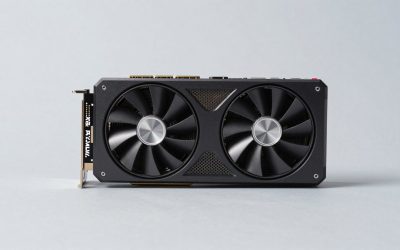
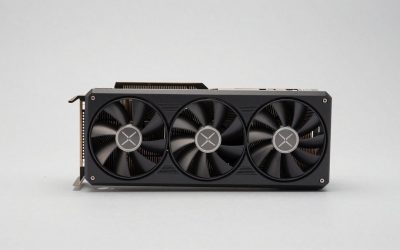
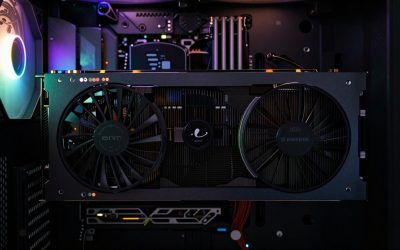
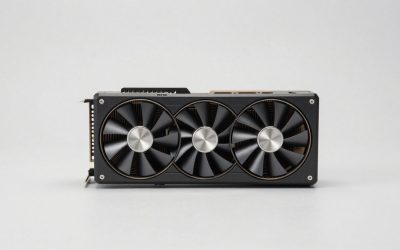
Partner RTX 5090 cards are long, thick and heavy, and they convert most of their 575 watts into heat inside the case. Clearance comes first: confirm the case’s published graphics card length and slot room against the exact card model, and leave space beside it for the power cable. Airflow comes second: a mesh-front design with large intake fans, like the 216 in this guide with its twin 160mm front fans, feeds a hot card far better than a sealed glass box. Also think about where the exhaust goes and whether the power supply shroud gives a support bracket a flat place to stand, because these details decide temperatures and noise in daily use.
Pair the card with a display that can show it
A 5090 bought for gaming deserves a monitor decision made with the same care. The card’s published strengths are high frame rates at high resolutions, with DisplayPort 2.1b output and DLSS 4 Multi Frame Generation in supported games. A high-refresh panel is what turns that capability into something visible; an older low-refresh screen caps the benefit no matter what the card renders internally. Ultrawide Dual QHD, as on the Samsung in this guide, gives the card a large pixel count to drive, while a conventional 4K high-refresh panel is the other natural pairing. Decide which shape suits your desk and your games, then check that the monitor’s inputs and variable refresh support match the card.
The 5 Best Options
Corsair RM1200x Shift
Top Pick
Corsair RM1200x Shift
Best for: Builders with a case that has side clearance for the shifted connectors, who want straightforward cable access.
1200W fully modular ATX power supply, from the product title and listing
Side interface for modular connections
ATX 3.1 and PCIe 5.1 compliant, from the product title
The Shift’s distinguishing idea is in its name: the modular connections sit on the side of the unit rather than the end, which can make plugging and rearranging cables far easier in a case designed with the clearance for it. For a 5090 build, the important lines are the 1200W capacity, full modularity, and stated ATX 3.1 and PCIe 5.1 compliance, which align it with NVIDIA’s published guidance for the card. It suits builders who open their case often and value tidy, reachable cabling.
MSI MAG A1200PLS PCIE5
Runner-Up
MSI MAG A1200PLS PCIE5
Best for: Efficiency-focused builders who want native 12V-2×6 cabling and safeguard features in a 1200W unit.
1200W fully modular gaming power supply, from the product title
80+ Platinum, from the product title
Native 12V-2×6 cables
GPU Safeguard and Fan Safeguard, as named in the title
This MSI unit approaches the same job with a different emphasis: Platinum-rated efficiency and a set of safeguard features named in its title. Its native 12V-2×6 cables answer the 5090’s single-cable requirement directly, and its 1200W fully modular design matches the capacity class NVIDIA’s guidance points toward. GPU Safeguard and Fan Safeguard appear in the title as named features, and a ten-year warranty period is also stated there. It is the pick for buyers who prioritise efficiency and the longest stated coverage.
Lian Li LANCOOL 216
Lian Li LANCOOL 216
Best for: Builders who want mesh airflow and large pre-installed fans around a hot flagship card.
E-ATX PC case, airflow focus, from the product title
All-around mesh panels
2x160mm and 1x140mm PWM fans pre-installed
Innovative rear PCIe fan bracket chassis, as described in the title
The LANCOOL 216 is an airflow-focused E-ATX case, which is precisely the brief a 5090 build writes. Its title highlights all-around mesh panels and a fan set of two 160mm and one 140mm PWM fans pre-installed, so strong intake is present from the start rather than added later. E-ATX support gives room around large motherboards, and the listing describes an innovative rear PCIe fan bracket as part of the design. For a long, hot graphics card, that combination of space and moving air is the core of the case decision.
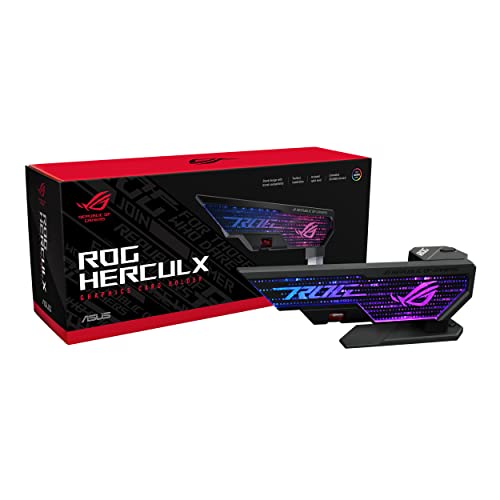
ASUS ROG Herculx Graphics Card Holder
ASUS ROG Herculx Graphics Card Holder
Best for: Owners of heavy triple-fan partner cards who want a sturdy, adjustable support with a level to set it by.
Graphics card anti-sag holder bracket, from the product title
A heavy partner 5090 hangs from a motherboard slot and a bracket screw, and sag is the visible result. The Herculx is a support holder built from solid zinc alloy, with toolless installation, an included spirit level so the card can be set level rather than guessed, and adjustable height to meet different card and case combinations. Aura Sync RGB is listed for builds that coordinate lighting. It is a small, mechanical answer to a real physical problem, and it needs a suitable flat surface beneath the card to stand on.
Samsung Odyssey G9 G95SD 49-inch
Samsung Odyssey G9 G95SD 49-inch
Best for: Gamers who want one ultrawide high-refresh OLED screen for immersive and simulation titles.
49-inch Odyssey G9 (G95SD) series curved gaming monitor, from the product title
QD-OLED panel
Dual QHD resolution
240Hz refresh rate, 0.03ms response figure as listed in the title
This 49-inch Samsung is the display pairing in the guide: a curved QD-OLED ultrawide with Dual QHD resolution and a 240Hz refresh rate, listed as G-Sync Compatible with FreeSync Premium Pro also named. A screen of this size and pixel count gives a 5090 a workload worthy of it, and the high refresh rate is what makes DLSS 4 Multi Frame Generation in supported games visible rather than theoretical. The title also lists an ergonomic stand and glare-free treatment. Desk space and viewing distance are the practical gates here.
Which One Fits Your Situation
You are building a fresh 5090 system from scratch
Start with power and shelter: either 1200W supply here, plus the LANCOOL 216. Choose the MSI if Platinum efficiency and its safeguard features appeal, or the Corsair if your case suits its side connectors. Add the Herculx once the card is chosen, since heavy partner models benefit most from support.
You already own the card but kept an older power supply
The power supply is your whole shopping list. NVIDIA’s published guidance calls for 1,000-watt system power, so a 1200W ATX 3.1 unit with a native 12V-2×6 cable, like either supply in this guide, replaces both a capacity shortfall and an adapter bundle in one step. Confirm dimensions against your case’s supply bay before ordering.
Your card runs hot or sags in its current case
Treat those as two separate fixes. Heat points to the LANCOOL 216 and its mesh panels and large pre-installed fans, after checking your card’s length. Sag points to the Herculx, provided there is a flat surface beneath the card for it to stand on. Many upgraders need both, because a bigger case is often what creates the landing spot the holder needs.
Your 5090 feeds an ordinary monitor
The Samsung Odyssey G9 G95SD is the upgrade that makes the card visible, with Dual QHD resolution and a 240Hz refresh rate on a QD-OLED panel. Before committing, measure your desk depth and consider whether ultrawide suits your games, because a conventional 4K high-refresh monitor is the alternative shape for the same job.
Common Mistakes
Reusing a power supply below NVIDIA’s published 1,000-watt system guidance because it powered the previous card.
Using an adapter bundle when a native 12V-2×6 cable is available, or leaving the 16-pin connector not fully seated.
Choosing a case on looks alone and discovering the card’s length, thickness or cable bend does not fit.
Ignoring sag on a heavy partner card until the lean is obvious, instead of fitting support during the build.
Pairing the card with a low-refresh monitor and blaming the GPU when the picture cannot improve.
Frequently Asked Questions
How much power supply does an RTX 5090 build need?
NVIDIA publishes 575 watts of total graphics power for the card and 1,000 watts of required system power. Both supplies in this guide are 1200W ATX 3.1 and PCIe 5.1 models, which follow that guidance with headroom for a demanding processor. The exact requirement of a partner card can differ, so check its listing as well.
Why does a native 12V-2×6 cable matter?
The 5090’s 16-pin connection can be fed by a 600-watt-class PCIe Gen 5 cable or by an adapter using four 8-pin cables. A native 12V-2×6 cable, as named in the MSI title here, is a single purpose-built lead, which is simpler to route and to seat fully. Whichever option is used, the connector must be pushed completely home.
Does a big graphics card really need a support holder?
Partner 5090 cards are among the heaviest consumer cards, and their weight hangs from the slot and bracket. A holder like the Herculx, with adjustable height and a spirit level, supports the far end of the card and keeps it level. It is inexpensive insurance in mechanical terms, provided your case gives it somewhere to stand.
Is an ultrawide monitor a good match for an RTX 5090?
It can be an excellent one. A Dual QHD 49-inch panel such as the Samsung here presents millions of pixels at a 240Hz refresh rate, which uses the card’s high-resolution, high-frame-rate strengths. The deciding factors are desk depth, whether your favourite games handle ultrawide well, and personal preference against a standard 4K screen.
N
Noah Parker
We compare specs, materials and verified owner reviews before a product earns a spot. Rankings are never paid.
FAQ
How much power supply does an RTX 5090 build need?
NVIDIA publishes 575 watts of total graphics power for the card and 1,000 watts of required system power. Both supplies in this guide are 1200W ATX 3.1 and PCIe 5.1 models, which follow that guidance with headroom for a demanding processor. The exact requirement of a partner card can differ, so check its listing as well.
Why does a native 12V-2×6 cable matter?
The 5090’s 16-pin connection can be fed by a 600-watt-class PCIe Gen 5 cable or by an adapter using four 8-pin cables. A native 12V-2×6 cable, as named in the MSI title here, is a single purpose-built lead, which is simpler to route and to seat fully. Whichever option is used, the connector must be pushed completely home.
Does a big graphics card really need a support holder?
Partner 5090 cards are among the heaviest consumer cards, and their weight hangs from the slot and bracket. A holder like the Herculx, with adjustable height and a spirit level, supports the far end of the card and keeps it level. It is inexpensive insurance in mechanical terms, provided your case gives it somewhere to stand.
Is an ultrawide monitor a good match for an RTX 5090?
It can be an excellent one. A Dual QHD 49-inch panel such as the Samsung here presents millions of pixels at a 240Hz refresh rate, which uses the card’s high-resolution, high-frame-rate strengths. The deciding factors are desk depth, whether your favourite games handle ultrawide well, and personal preference against a standard 4K screen.
Affiliate disclosure. As an Amazon Associate we earn from qualifying purchases at no extra cost to you. Prices accurate as of the date shown.
The RTX 5090 on published specs: Blackwell, 32GB GDDR7, DLSS 4 Multi Frame Generation and 575W power, plus who this flagship graphics card actually suits.
Is the RTX 5090 worth it? Weigh 32GB GDDR7, DLSS 4, 575W power and 1000W PSU guidance against 4K gaming, creator work and the step down to a 5080-class card.
Laptop GPUs are soldered into the machine, so this ranking names no product to buy. It orders RTX 50, RTX 40 and Radeon mobile chips by maker-published specs.
How to lower CPU temperature on a gaming laptop: measure first, clear dust, improve airflow, tune power settings, and know when a repaste is worth trying.


 ASUS ROG Herculx Graphics Card Holder
 Samsung Odyssey G9 G95SD 49-inch