Our Top Picks
 Razer Blade 16 Gaming-Laptop: NVIDIA GeForce RTX 407013.98 x 9.61 x 0.87 inches5.4 poundsCheck on Amazon
Disclosure: As an Amazon Associate, we earn from qualifying purchases made through links in this article, at no extra cost to you.
Most gaming laptop guides start with frame rates. This one starts with the machine itself. Here, “build” means build quality: the materials in the lid and chassis, how firmly the hinge holds the screen, whether the keyboard deck flexes under your hands, and whether the cooling system is designed to keep working after years of daily use. That focus matters because a gaming laptop is opened, closed, carried, plugged in, and run hot more often than almost any other computer you own.
A powerful graphics card inside a flimsy shell is a poor long-term buy. Lids twist, hinges loosen, and palm rests crack around screw posts. A well-built chassis protects the expensive parts inside it, keeps the screen aligned, and makes the keyboard feel better every day. If you carry your laptop between classes, commute with it in a backpack, or plan to keep it for four or five years, build quality should sit near the top of your checklist.
The four laptops below were chosen for documented construction features, not looks alone. One uses a chassis milled from a single block of aluminum. One is tested against a military durability standard stated in its own listing. One combines an aluminum lid with a substantial cooling layout. And one packs a CNC-machined aluminum alloy shell into a compact 14-inch frame.
Quick Picks
- Best premium build overall: Razer Blade 16 — a CNC-milled anodized aluminum unibody with a vapor chamber, for buyers who want the most rigid thin chassis on this list.
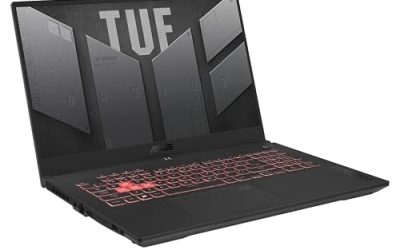
- Best durability-tested pick: ASUS TUF Gaming A15 — the listing states MIL-STD-810H testing for drops, vibration, humidity, and extreme temperatures, plus dual 84-blade fans.
- Best balanced 16-inch build: Lenovo Legion Pro 5i — an aluminum top cover, a substantial cooling system with rear exhausts, and a practical port layout in a full-size gaming chassis.
- Best portable build: ASUS ROG Zephyrus G14 — a CNC-machined aluminum alloy chassis in a small 14-inch body that is easier to carry every day.
1. Razer Blade 16 — Best Premium Build Overall
The Razer Blade 16 is the clearest example on this list of construction driving the whole design. Razer states that the chassis is CNC-milled from a single block of aluminum and finished with an anodized matte black coating. A unibody like this has no separate lid and deck panels flexing against each other, so the machine feels like one solid piece when you pick it up by a corner, open it with one hand, or slide it into a tight bag. The anodized finish also helps the surface resist light scratches better than a painted plastic shell.
That rigidity is paired with serious hardware. This configuration pairs an Intel Core i9 HX-series processor with NVIDIA GeForce RTX 4070 graphics, a 16-inch QHD+ display running at 240Hz, 16GB of memory, and a 1TB solid-state drive. The QHD+ resolution suits both fast competitive games and detailed single-player titles, and the high refresh rate keeps motion looking clean. For cooling, the Blade 16 uses a vapor chamber design that spreads heat across a broad surface instead of relying only on narrow heat pipes, which suits a thin metal chassis running powerful components.
In daily use, the build shows up in small ways: the keyboard deck stays firm during fast typing, and the hinge holds the display where you set it. The trade-offs are familiar for a thin premium machine — choose the configuration carefully at purchase, expect fingerprints on the dark finish, and accept less room for large fans than a thicker laptop offers.
Key specifications
- Processor: Intel Core i9 HX-series, 24-core
- Graphics: NVIDIA GeForce RTX 4070
- Display: 16-inch QHD+ (2560 x 1600), 240Hz
- Memory: 16GB RAM
- Storage: 1TB SSD
- Chassis: CNC-milled anodized aluminum unibody
- Cooling: Vapor chamber
- Operating system: Windows 11
Pros
- Single-block aluminum unibody feels exceptionally rigid
- Anodized finish resists light surface wear
- Vapor chamber cooling suits a thin, powerful chassis
- Sharp, fast QHD+ 240Hz display for gaming and work
Cons
- Slim chassis leaves less cooling headroom than thicker rivals
- Dark finish picks up visible fingerprints
- Configuration should be chosen carefully at purchase
View the Razer Blade 16 on Amazon
2. ASUS TUF Gaming A15 — Best Durability-Tested Pick

The ASUS TUF Gaming A15 takes a different route to a strong build. Instead of a full metal unibody, ASUS builds the TUF line around durability testing, and the listing states the point plainly: to earn the TUF Gaming name, these laptops must survive a battery of MIL-STD-810H tests covering drops, vibration, humidity, and extreme temperatures. That is a manufacturer claim printed in the product listing, and it is the most direct durability evidence offered by any machine in this guide. It does not make the laptop indestructible, but it does mean the design was validated against stresses that ordinary plastic gaming laptops are rarely tested for.
This configuration, model FA507XI-EH94, combines an AMD Ryzen 9 7940HS processor with NVIDIA GeForce RTX 4070 graphics at up to 140W maximum TGP, a 15.6-inch Full HD display at 144Hz, 16GB of DDR5 memory, and a 1TB PCIe SSD. Cooling comes from a pair of 84-blade Arc Flow fans, and the laptop includes a MUX switch with Advanced Optimus, which can route frames directly from the discrete GPU to the display. Those details matter for build quality too: a machine that moves heat out efficiently puts less thermal stress on its fans, battery, and internal connectors over time.
The TUF A15 is not the lightest or thinnest option here, and its styling is more utilitarian than premium — the deck and lid will not feel like the Razer’s milled aluminum. What you get instead is a tested, serviceable design with strong hardware and a clear durability story. For students or anyone whose laptop rides in a backpack daily, that tested toughness is a sensible place to spend money.
Key specifications
- Processor: AMD Ryzen 9 7940HS
- Graphics: NVIDIA GeForce RTX 4070, up to 140W max TGP
- Display: 15.6-inch Full HD (1920 x 1080), 144Hz
- Memory: 16GB DDR5-4800
- Storage: 1TB PCIe SSD
- Durability: MIL-STD-810H testing stated in the listing
- Cooling: Dual 84-blade Arc Flow fans
- Operating system: Windows 11
Pros
- MIL-STD-810H durability testing stated in the listing
- Full-power RTX 4070 graphics for its class
- Dual high-blade-count fans for sustained cooling
- MUX switch with Advanced Optimus included
Cons
- Utilitarian styling rather than a premium metal finish
- Heavier and thicker than the portable picks here
- Full HD display is less sharp than QHD+ rivals
View the ASUS TUF Gaming A15 on Amazon
3. Lenovo Legion Pro 5i — Best Balanced 16-Inch Build

Lenovo’s Legion Pro 5i is the sensible middle ground between a milled premium shell and a purely rugged design. Its listing records the case material as aluminum on the top cover with a PC-ABS bottom, a combination that puts metal where your hands and the outside world touch the machine most — the lid — while keeping the large 16-inch chassis manageable. Legion models are also known for a practical layout: many ports sit at the rear, so thick power and display cables leave the sides of your desk clear, and the wide rear exhausts give hot air a straight path out of the machine.
This Gen 10 configuration pairs an Intel Core Ultra 7 255HX processor with NVIDIA GeForce RTX 5060 graphics, a 16-inch 2.5K OLED display at 165Hz with G-SYNC, 32GB of DDR5 memory, and a 1TB SSD. That memory figure matters for longevity as much as speed: with 32GB fitted, most buyers will not need to open the chassis for a memory upgrade for a long time. The OLED panel adds deep contrast for games and video, the 5MP webcam is sharper than the basic cameras still found on many gaming laptops, and Wi-Fi 7 covers current networking standards.
The Legion Pro 5i is a desk-anchored laptop: large, best used with its power adapter connected, and its PC-ABS bottom does not feel as special as a full metal base. In return you get a sturdy lid, a spacious keyboard with a number pad, strong cooling, and a balanced specification for gaming, study, streaming, and creative work. It is the most rounded 16-inch option in this guide.
Key specifications
- Processor: Intel Core Ultra 7 255HX
- Graphics: NVIDIA GeForce RTX 5060
- Display: 16-inch 2.5K OLED, 165Hz, G-SYNC
- Memory: 32GB DDR5 RAM
- Storage: 1TB SSD
- Case material: Aluminum top, PC-ABS bottom, per the listing
- Networking: Wi-Fi 7
- Operating system: Windows 11 Home
Pros
- Aluminum lid on a large, stable 16-inch chassis
- Generous 32GB of memory fitted as standard
- Bright 2.5K OLED display with G-SYNC
- Rear-facing ports and exhausts keep a desk tidy
Cons
- Large chassis is better suited to a desk than daily carrying
- Bottom panel is PC-ABS rather than metal
- Best gaming performance comes while plugged in
View the Lenovo Legion Pro 5i on Amazon
4. ASUS ROG Zephyrus G14 — Best Portable Build

A strong build matters even more in a small laptop, because a compact machine is the one you actually carry. The ROG Zephyrus G14 answers that with a CNC-machined aluminum alloy chassis: ASUS describes the current G14 design as a precision-machined metal shell with a clean lid, a hidden-style hinge, and a thin profile that still makes room for a serious cooling system with multiple fans and heat pipes. In a 14-inch laptop, a metal shell also helps the body resist the twisting forces that come from being lifted by one corner and dropped into a bag several times a day.
This listing, sold by EXcaliberPC, configures the G14 with an AMD Ryzen 9 8945HS processor, NVIDIA GeForce RTX 4060 graphics with ROG Boost up to 90W, a 14-inch display, 16GB of LPDDR5X memory, and a 1TB PCIe 4.0 NVMe SSD, running Windows 11 Home. That is a sensible specification for 1080p and 1440p gaming, coursework, office work, and light content creation in a machine that does not dominate a small desk or a lecture-hall tray table. The RTX 4060 also supports modern upscaling features that help a compact laptop hold smooth frame rates in demanding games.
Portability brings compromises. The memory is onboard LPDDR5X, so choose the capacity you need when you buy. Smaller fans can become audible under a heavy gaming load, and there is no room for a number pad. None of that undermines the central appeal: a genuinely metal, genuinely compact gaming laptop for commuters, students, and travelers.
Key specifications
- Processor: AMD Ryzen 9 8945HS
- Graphics: NVIDIA GeForce RTX 4060, ROG Boost up to 90W
- Display: 14-inch
- Memory: 16GB LPDDR5X-6400, onboard
- Storage: 1TB PCIe 4.0 NVMe SSD
- Chassis: CNC-machined aluminum alloy
- Operating system: Windows 11 Home
Pros
- CNC-machined aluminum alloy shell in a compact body
- Easy to carry daily between home, class, and office
- Strong Ryzen 9 and RTX 4060 pairing for its size
- Clean, understated design suits work settings too
Cons
- Onboard memory cannot be upgraded later
- Small fans can be audible under heavy load
- Compact keyboard has no room for a number pad
View the ASUS ROG Zephyrus G14 on Amazon
How to Choose a Well-Built Gaming Laptop
Start with the lid and hinge. The lid protects your display every time the laptop is closed, so a metal lid or a reinforced design is worth more than decorative lighting. Open and close the machine mentally through its listing details: look for words such as aluminum, magnesium alloy, or CNC-machined, and be cautious with designs that never name a chassis material at all. A good hinge should hold the screen steady without making the whole base lift when you open it.
Check the deck, not just the shell. Keyboard flex makes a laptop feel cheap and can make long sessions less comfortable. Metal decks and well-braced plastic decks both work, but a thin, hollow-feeling palm rest is a warning sign. A firm deck also protects internal parts when the laptop is pressed inside a full backpack.
Read durability claims carefully. A stated test standard, such as the MIL-STD-810H testing in the TUF A15 listing, is stronger evidence than vague words like rugged or tough. Even then, treat it as testing against defined drops, vibration, humidity, and temperature conditions — not as a promise that the laptop can survive any fall. Never pay extra for a certification a listing does not actually state.
Take cooling seriously as a build feature. Heat ages batteries, dries out thermal materials, and stresses solder joints. Look for dual fans, multiple exhaust vents, heat pipes or a vapor chamber, and intake areas that are not blocked when the laptop sits on a desk. Rear exhausts, as on the Legion design, also keep hot air away from your mouse hand.
Match the build to how you move. Desk-first gamers can accept a larger, heavier chassis with bigger cooling. Daily commuters should prioritize a metal lid, a compact footprint, and a charger they are willing to carry. If the laptop will live in a backpack, budget for a padded sleeve as well — even the best chassis benefits from basic protection.
Plan upgrades before you buy. Some well-built thin laptops use onboard memory that can never be changed, while larger machines often keep memory and storage accessible. Decide whether you value a sealed, rigid unibody or future upgrade access more, and buy the memory and storage you need for the whole life of the laptop if the design is sealed.
Frequently Asked Questions
Does an aluminum chassis make a gaming laptop last longer?
It can help. Aluminum lids and decks resist flexing, protect the display, and usually keep hinges better aligned than a thin all-plastic shell. Longevity still depends on the hinge design, cooling, battery care, and how the laptop is carried, so material is an advantage rather than a guarantee.
What does MIL-STD-810H testing actually mean?
It means the manufacturer states the design was put through a set of test methods covering conditions such as drops, vibration, humidity, and extreme temperatures. It is useful evidence that durability was engineered and checked, but it is not a promise that a specific laptop will survive a specific accident, and the exact tests can vary by model.
Is a vapor chamber better than heat pipes?
A vapor chamber spreads heat across a flat surface, which works well in thin premium chassis like the Blade 16. Heat pipes in a thicker chassis with large fans can perform just as well in practice. Judge the whole cooling system — fans, vents, and exhaust direction — rather than a single component name.
Should I choose build quality over a faster graphics card?
For a laptop you plan to keep for several years, a balanced choice is usually best. A slightly slower graphics card in a rigid, well-cooled chassis will often age better than the fastest card in a flexible shell that runs hot. If you upgrade every year or two, raw performance may matter more to you.
How can I protect a well-built laptop in daily use?
Carry it in a padded sleeve inside your bag, open it from the center of the lid rather than one corner, keep the vents clear, and avoid picking it up by the display. Those habits protect the hinge and chassis of any laptop on this list, whatever it is made from.
Conclusion
The best build gaming laptops prove that construction is not a cosmetic extra. The Razer Blade 16 offers the most premium answer, with a CNC-milled aluminum unibody and vapor chamber cooling. The ASUS TUF Gaming A15 is the pick when stated durability testing matters most, backed by full-power RTX 4070 hardware. The Lenovo Legion Pro 5i balances an aluminum lid, a large OLED display, and 32GB of memory in a practical desk-based machine. And the ROG Zephyrus G14 shows that a machined metal chassis can still be small enough to carry every day.
Choose by how you live with the laptop: where it travels, how often the lid opens, and how long you expect to keep it. Get the structure right first, confirm the exact configuration on the product page before ordering, and the performance inside will have a far better chance of serving you for years.
FAQ
Does an aluminum chassis make a gaming laptop last longer?
What does MIL-STD-810H testing actually mean?
Is a vapor chamber better than heat pipes?
Should I choose build quality over a faster graphics card?
How can I protect a well-built laptop in daily use?
More from Amazon
Programs that pair well with the guide above. Offers and eligibility are set by Amazon and may change.
Free shipping on eligible items, Prime Video and more. Eligible new members can start with a free trial.
Start a Prime free trialAd-free music streaming. Eligible new subscribers can start with a free trial.
Try Music Unlimited freeA Prime membership for ages 18-24 with a trial period. Eligibility is set by Amazon.
See Prime for Young AdultsAudiobooks and podcasts to listen to on the go. Eligible new members can start with a free trial.
Try Audible freeAs an Amazon Associate we earn from qualifying purchases.